FastPanel Trader
- Utilità
- Versione: 1.60
- Aggiornato: 25 giugno 2026
- Attivazioni: 5

FastPanel Trader EA — Professional Trade Panel, Risk Control, Sessions & Candle Timer for MT5
FastPanel Trader EA is a clean and powerful MetaTrader 5 trade management panel designed for traders who want faster execution, better risk control, and a more organized trading chart.
This Expert Advisor does not try to predict the market or promise profits. Instead, it gives you a professional control panel directly on your MT5 chart so you can manage entries, stop loss, take profit, risk, open positions, session timing, and candle time with speed and precision.
FastPanel Trader EA is built for manual and semi-manual traders who want a cleaner workflow, faster trade preparation, and better discipline before entering the market.
Main Features
Professional Trading Panel
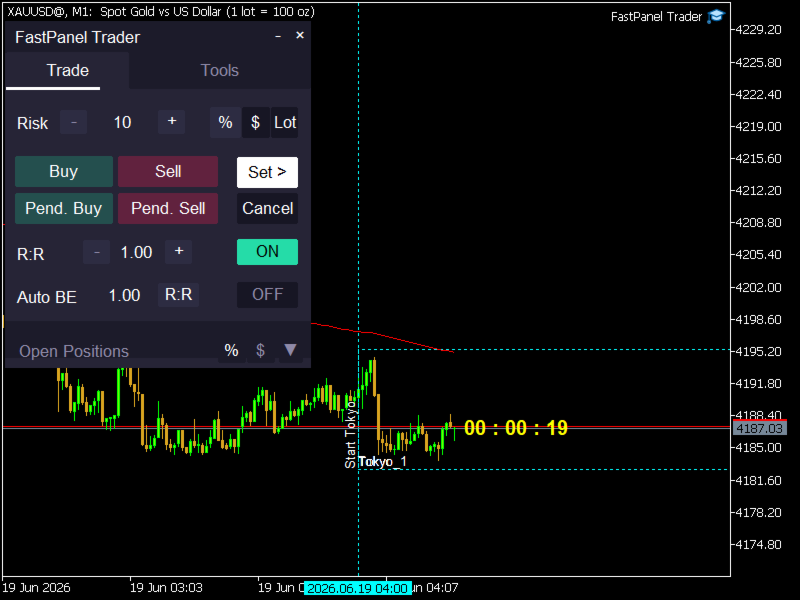
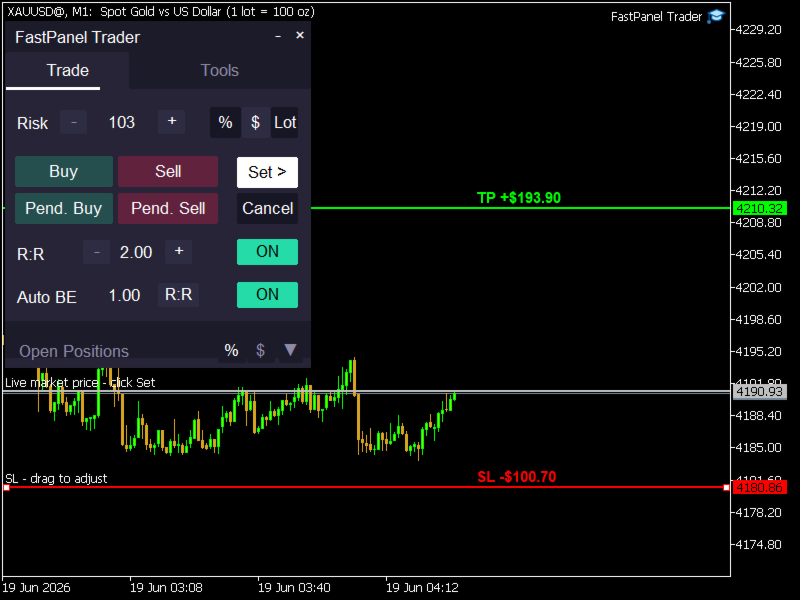
FastPanel Trader EA adds a modern trading panel directly to your chart. You can prepare buy trades, sell trades, pending buy orders, and pending sell orders from one simple interface.
Flexible Risk Management
Choose how you want to calculate your position size:
-
Risk by percentage
-
Risk by fixed money amount
-
Risk by fixed lot size
This makes the panel useful for different trading styles, account sizes, and risk preferences.
Adjustable Entry, Stop Loss and Take Profit Lines
Before opening a trade, the EA creates clear setup lines on the chart. You can adjust your entry, SL, and TP visually before confirming the order. This helps you plan the trade before execution instead of rushing into the market.
Market and Pending Order Support
FastPanel Trader EA supports both instant market trade preparation and pending order preparation, giving you more flexibility depending on your strategy.
TP Based on SL Distance
Use the built-in R:R feature to automatically calculate take profit based on your stop loss distance. You can set your preferred reward-to-risk ratio directly from the panel.
Auto Break Even
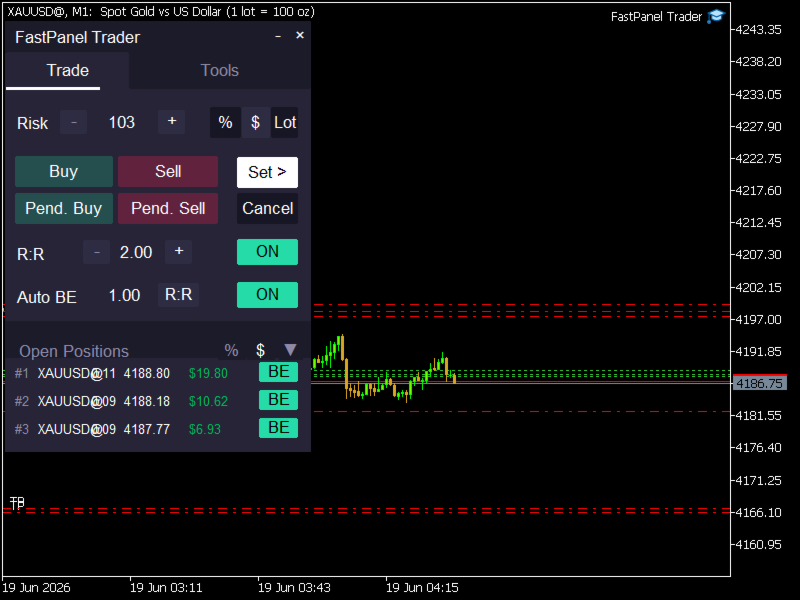
The EA includes Auto BE controls to help move trades to break even after price reaches your selected trigger. The trigger can be based on points or R:R, depending on your preferred management style.
Open Positions Monitor
See your active positions directly inside the panel. The EA can display open trade information, lot size, open price, and profit. You can switch profit display between money and percentage and sort positions for easier monitoring.
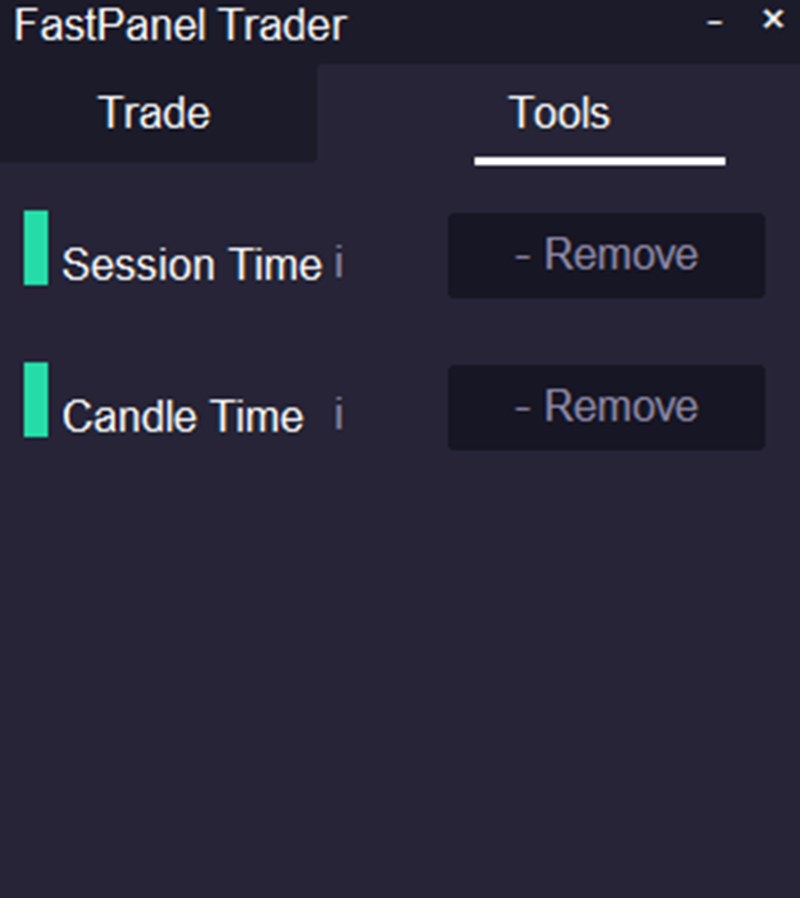
Session Time Tool
Display trading sessions directly on the chart. Tokyo, London, and New York sessions can be shown using clean session boxes/lines, helping you quickly understand the active market period.
Candle Timer
A built-in candle countdown timer shows the remaining time for the current candle, helping traders who rely on candle closes, session timing, or lower-timeframe execution.
Black and White Themes
Choose between a professional black theme and a clean white theme. The panel can be adjusted to match your chart layout and trading style.
Draggable and Minimizable Panel
Move the panel around the chart, minimize it when needed, or close it when you want a cleaner view.
Why Traders Use FastPanel Trader EA
FastPanel Trader EA is made for traders who want:
-
Faster trade preparation
-
Better visual control
-
Cleaner risk management
-
Manual trading with more structure
-
A professional MT5 dashboard experience
-
Session visibility and candle timing in one tool
-
Less chart clutter and better execution workflow
This tool is especially useful for scalpers, intraday traders, session traders, price action traders, and traders who want to manage risk before entering a position.
Important Note
FastPanel Trader EA is a trade management and execution panel. It does not provide trading signals and it does not guarantee profit. Trading involves risk, and every trader should use proper risk management.
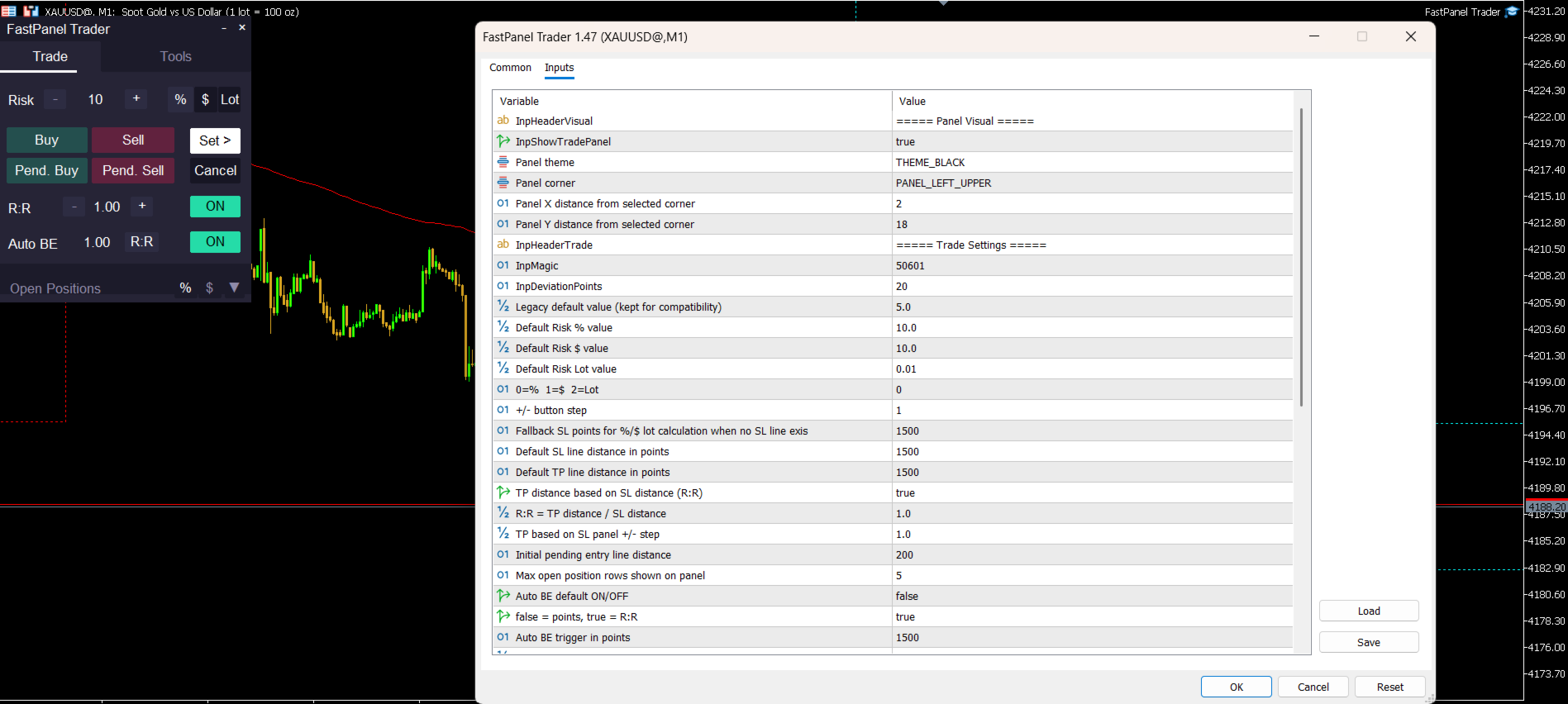
Input Settings
Panel Visual
-
Show Trade Panel: Enable or disable the panel.
-
Panel Theme: Choose black or white panel style.
-
Panel Corner: Select where the panel appears on the chart.
-
Panel X Distance: Adjust horizontal panel position.
-
Panel Y Distance: Adjust vertical panel position.
Trade Settings
-
Magic Number: Unique identifier for trades opened by the EA.
-
Deviation Points: Maximum allowed price deviation for order execution.
-
Default Risk Percent: Default risk value when using percentage mode.
-
Default Risk Money: Default risk value when using money mode.
-
Default Risk Lot: Default lot size when using fixed lot mode.
-
Default Risk Mode: Choose between percent, money, or lot risk mode.
-
Risk Step: Step size for increasing or decreasing risk from the panel.
-
Risk SL Points: Fallback SL distance used for lot calculation when no SL line exists.
-
Default SL Points: Default stop loss distance.
-
Default TP Points: Default take profit distance.
-
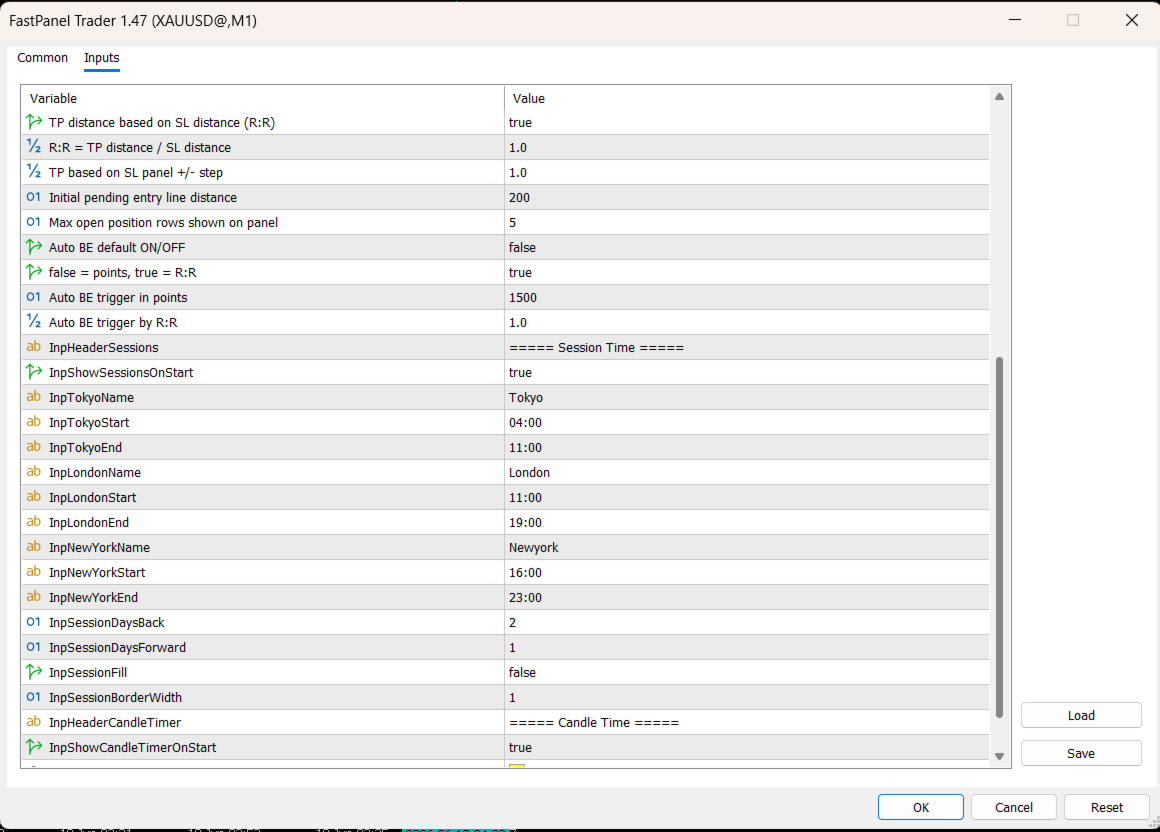
TP Based on SL: Enable or disable automatic TP calculation based on SL distance.
-
TP Based on SL Ratio: Reward-to-risk ratio used for TP calculation.
-
Pending Offset Points: Default distance for pending order entry line.
-
Max Open Positions Panel Rows: Number of open positions displayed in the panel.
-
Auto BE On: Enable or disable Auto Break Even by default.
-
Auto BE Use R:R: Choose Auto BE trigger by points or reward-to-risk.
-
Auto BE Points: Point-based trigger for Auto BE.
-
Auto BE R:R: R:R-based trigger for Auto BE.
Session Time
-
Show Sessions On Start: Automatically show sessions when the EA starts.
-
Tokyo Session Name, Start and End Time: Customize Tokyo session.
-
London Session Name, Start and End Time: Customize London session.
-
New York Session Name, Start and End Time: Customize New York session.
-
Session Days Back: Number of previous days to display sessions.
-
Session Days Forward: Number of future days to display sessions.
-
Session Fill: Enable or disable filled session boxes.
-
Session Border Width: Adjust session box border thickness.
Candle Time
-
Show Candle Timer On Start: Automatically show candle timer when the EA starts.
-
Timer Text Color: Choose candle timer text color.
-
Timer Text Bars Forward: Control where the candle timer appears on the chart.
FastPanel Trader EA is built to make MT5 manual trading cleaner, faster, and more controlled.