Vector Trading Manger
- Utilità
-
Daniel Stephen Holmes
 BOS Trader is a market structure trader and system builder focused on creating disciplined, purpose-driven trading systems. With a degree in economics and 11 years of market study, my approach has been shaped by both experience and hard lessons learned in live trading.
 - Versione: 1.0
BOS VECTOR TRADE MANAGER — FREE
Simple Manual Trade Control for MetaTrader 5
BOS VECTOR TRADE MANAGER is a free MT5 utility designed to make manual trade execution and position management faster, cleaner and easier directly from the chart.
It does not require BOS VECTOR EA and can be used completely on its own.
The aim is simple:
Give the trader practical trade-management tools without turning the chart into a huge dashboard.
--------------------------------------------------
WHAT IT DOES
--------------------------------------------------
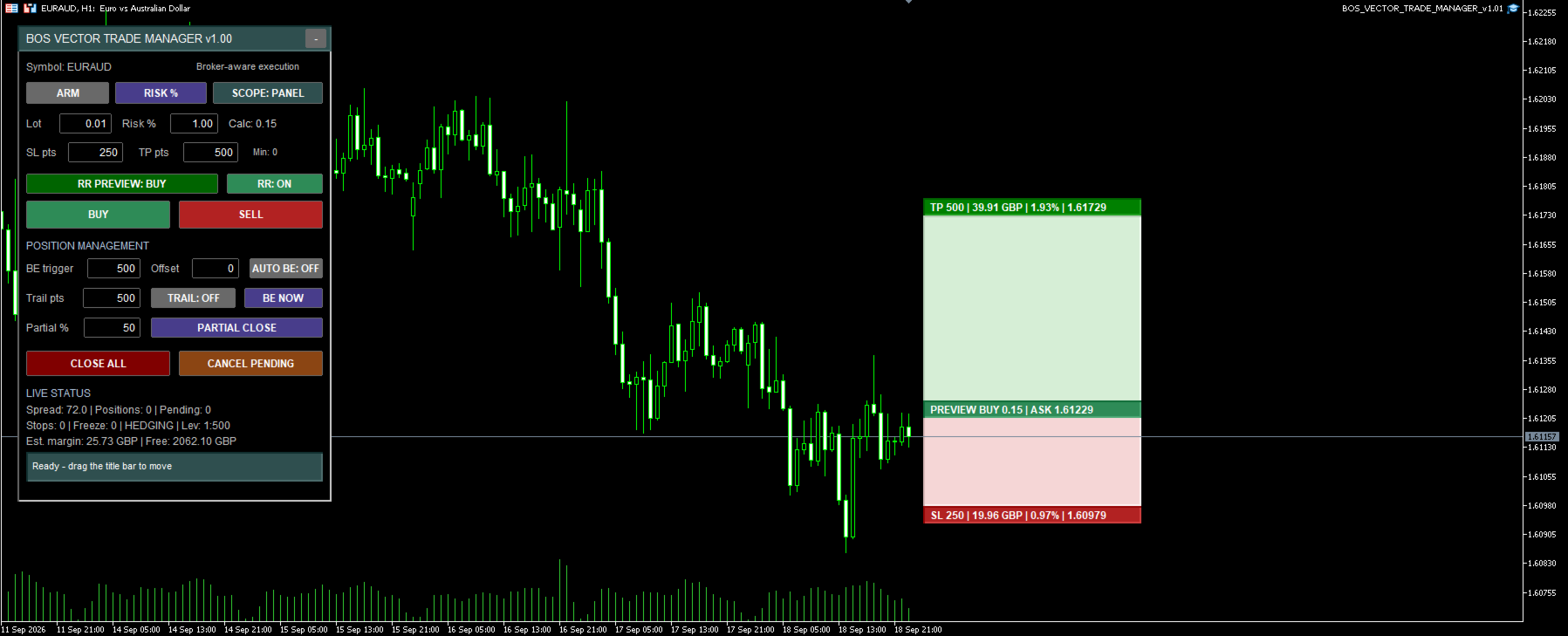
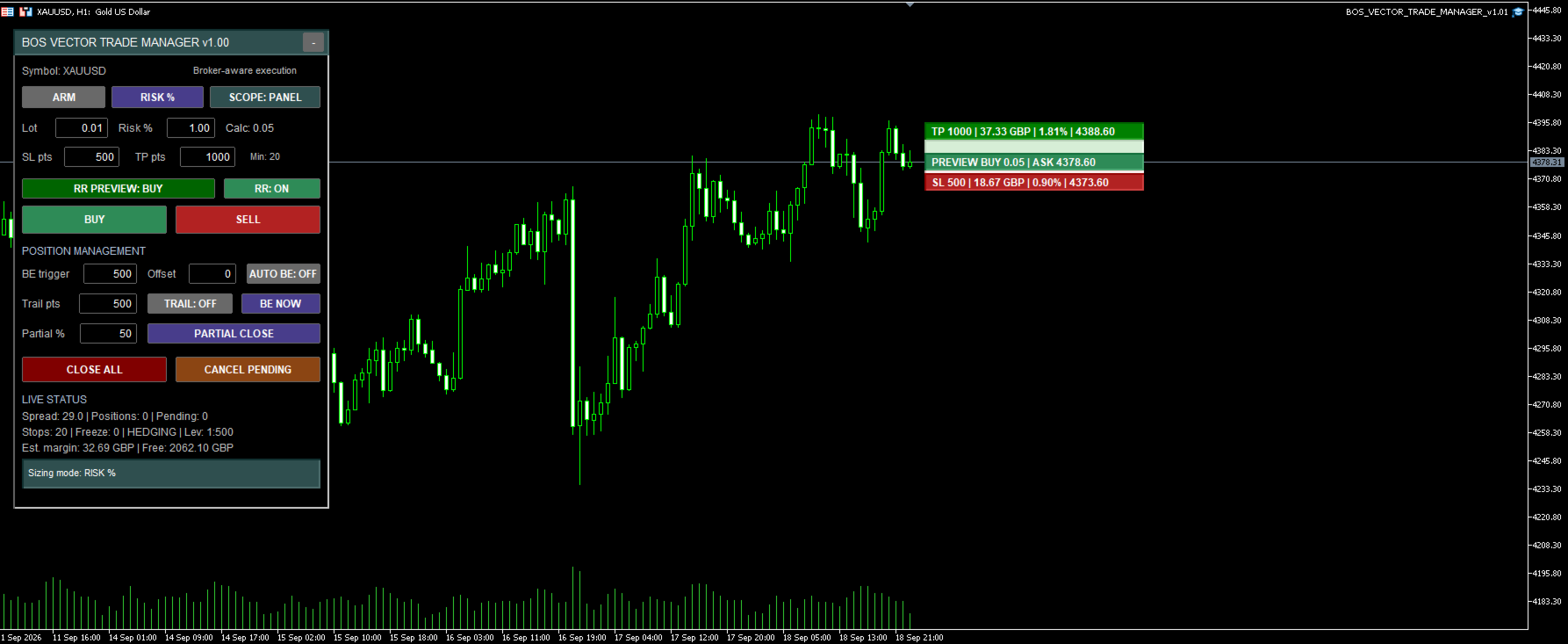
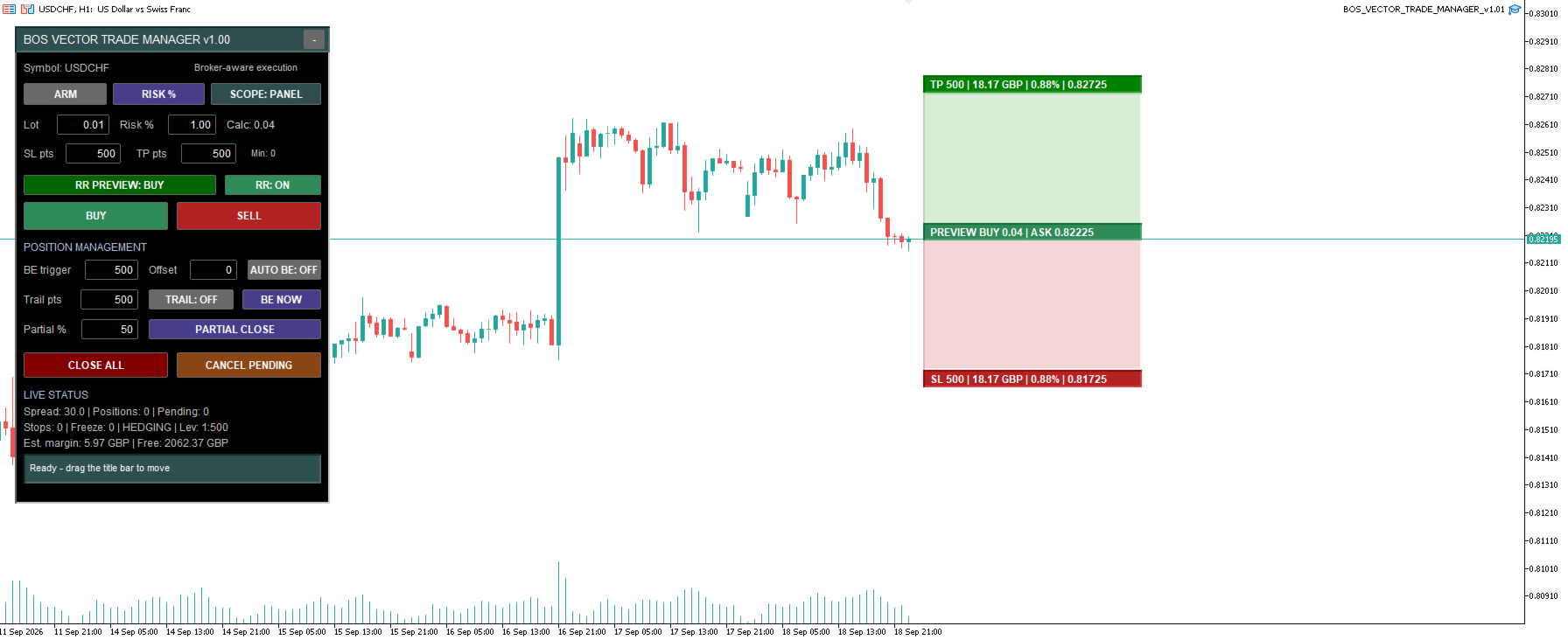
BOS VECTOR TRADE MANAGER gives you a compact on-chart panel for opening and managing trades on the current symbol.
Main features include:
• BUY and SELL controls
• ARM safety before trading
• Fixed-lot sizing
• Risk-% sizing
• Stop Loss and Take Profit inputs
• Automatic lot calculation
• Breakeven controls
• Automatic breakeven
• Trailing stop
• Partial close
• Close All
• Cancel Pending Orders
• Management scope controls
• Live spread and broker information
• Hedging and netting account handling
• Broker-aware volume and execution checks
• Live TP/SL risk-reward preview
--------------------------------------------------
LIVE RISK / REWARD PREVIEW
--------------------------------------------------
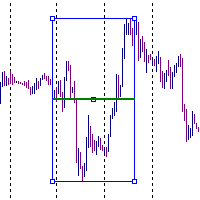
The Trade Manager includes a compact visual TP/SL planning tool.
Before entering a trade, the preview can show:
• Planned BUY or SELL direction
• Live executable entry price
• Stop Loss level
• Take Profit level
• Estimated money risk
• Estimated money reward
• Percentage of account equity
• Planned lot size
BUY preview follows the live Ask price.
SELL preview follows the live Bid price.
The preview can be switched ON or OFF directly from the panel.
Once a matching position is open, the display can reflect the live trade information instead of only the planning preview.
--------------------------------------------------
FIXED LOT OR RISK-BASED SIZING
--------------------------------------------------
You can trade using a fixed lot size or switch to risk-% sizing.
In risk mode, the manager uses the account equity, selected Stop Loss distance and symbol trading specifications to calculate a suitable lot size.
The calculated volume is still checked against the broker’s:
• Minimum volume
• Maximum volume
• Volume step
• Margin requirements
If the requested trade cannot be placed safely under the broker’s symbol rules, the manager will not simply force a larger trade size.
--------------------------------------------------
BROKER-AWARE EXECUTION
--------------------------------------------------
BOS VECTOR TRADE MANAGER has been designed to work across different MT5 broker environments.
It checks and adapts to areas such as:
• Symbol suffixes
• Price digits
• Point size
• Tick size
• Broker filling mode
• Minimum lot
• Maximum lot
• Lot step
• Minimum stop distance
• Freeze levels
• Margin availability
• Trading permissions
Different brokers can still have different trading conditions, but the manager is designed to read the symbol specifications supplied by the terminal rather than relying on one hard-coded broker setup.
--------------------------------------------------
HEDGING AND NETTING SUPPORT
--------------------------------------------------
The Trade Manager is designed to handle both MT5 hedging and netting account structures.
Position management behaves differently between these account types, especially when partially closing positions.
The utility handles these differences internally so the same panel can be used on either account structure.
--------------------------------------------------
POSITION MANAGEMENT
--------------------------------------------------
The manager includes several tools for controlling an open trade.
BREAKEVEN
Move a matching position to breakeven using the BE NOW button, or enable automatic breakeven and choose the trigger distance.
An optional offset can also be used.
TRAILING STOP
Enable or disable trailing directly from the panel and set the trailing distance in points.
PARTIAL CLOSE
Choose the percentage you want to close and use the Partial Close control.
CLOSE ALL
Close matching positions on the current symbol.
A confirmation step is included to help reduce accidental presses.
CANCEL PENDING
Cancel matching pending orders from the panel.
--------------------------------------------------
MANAGEMENT SCOPE
--------------------------------------------------
The Trade Manager includes scope controls so you can decide which positions its management tools are allowed to affect.
Available scopes include:
PANEL
Positions opened by BOS VECTOR TRADE MANAGER.
MANUAL
Manual positions.
ALL
All matching positions on the current chart symbol.
This gives the trader more control when the account also contains other EAs or manually opened trades.
--------------------------------------------------
DRAGGABLE AND MINIMISABLE PANEL
--------------------------------------------------
The Trade Manager panel can be moved around the chart by dragging the title bar.
While the panel is being moved, chart panning is temporarily prevented so the underlying candles do not move at the same time.
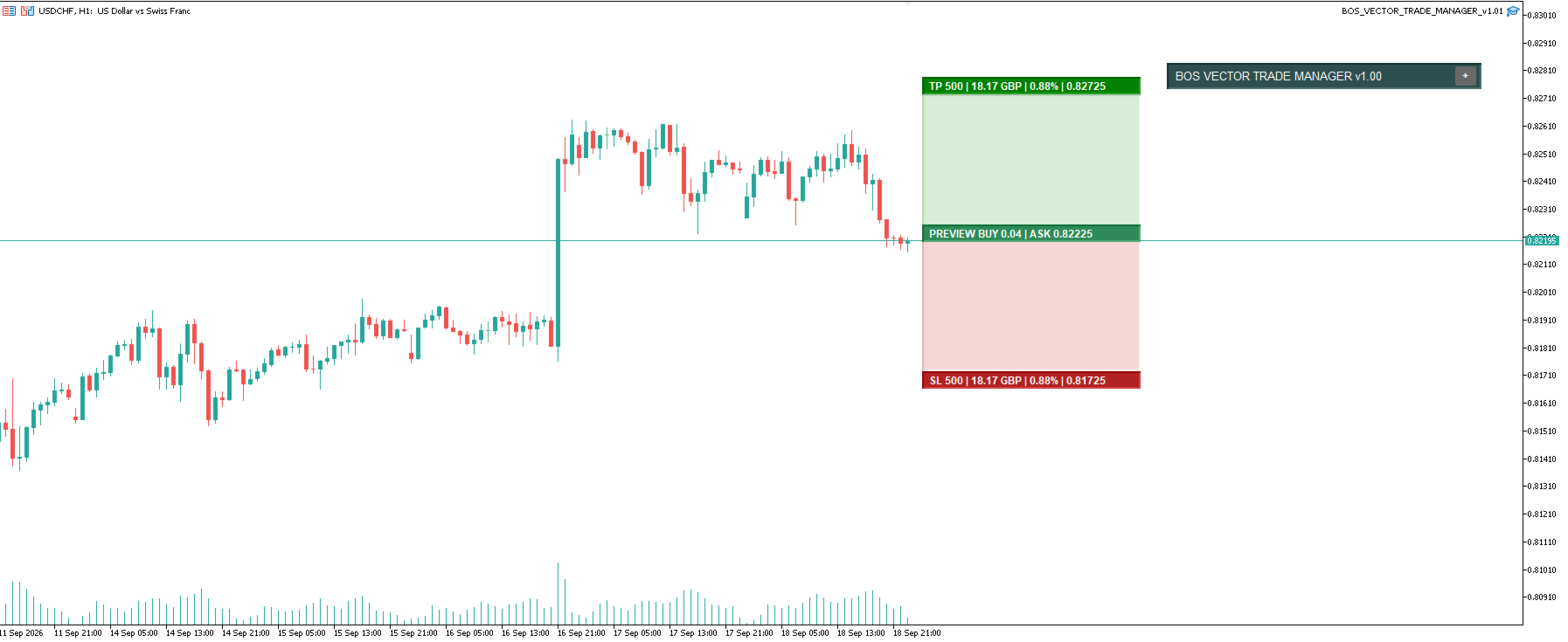
The panel can also be minimised when you want more chart space.
--------------------------------------------------
DESIGNED TO STAY SIMPLE
--------------------------------------------------
This is deliberately not a large trading terminal replacement.
There are already products with extremely large panels and dozens of pages.
BOS VECTOR TRADE MANAGER is intended to stay compact and practical.
The focus is on the controls that are useful during normal manual trading:
• Entry
• Position sizing
• Risk
• Stop Loss
• Take Profit
• Breakeven
• Trailing
• Partial close
• Closing positions
No unnecessary visual clutter.
--------------------------------------------------
FREE PRODUCT
--------------------------------------------------
BOS VECTOR TRADE MANAGER is provided FREE.
You do not need to own BOS VECTOR EA.
It can be used by:
• Manual traders
• Price-action traders
• Traders using indicators
• Traders using other Expert Advisors
• Traders who simply want quicker position management from the chart
A more advanced version may be developed separately in the future, but this free version is intended to remain a useful standalone trade-management utility rather than a restricted demo.
--------------------------------------------------
IMPORTANT RISK NOTICE
--------------------------------------------------
Trading Forex, CFDs, cryptocurrencies and other leveraged products involves risk and can result in the loss of trading capital.
BOS VECTOR TRADE MANAGER is a trade-management utility.
It does not predict the market.
It does not guarantee profitable trades.
It does not remove trading risk.
Risk-% calculations and money estimates are based on the information supplied by the MT5 terminal and the selected settings.
Always check your order details before entering a trade.
Use position sizes appropriate for your own account and risk tolerance.
Never trade with money you cannot afford to lose.