Bliksem Buttons Pro
- Utilità
- Versione: 1.6
- Attivazioni: 5

BliksemButtons Pro — Ultra-Fast One-Key MT5 Execution & Risk HUD
Stop losing precious pips navigating order dialogs. BliksemButtons Pro transforms MetaTrader 5 into a high-speed execution console built specifically for scalpers, news traders, and prop firm traders who demand zero-latency manual order placement and dynamic risk protection.
Why Traders Choose BliksemButtons Pro
-
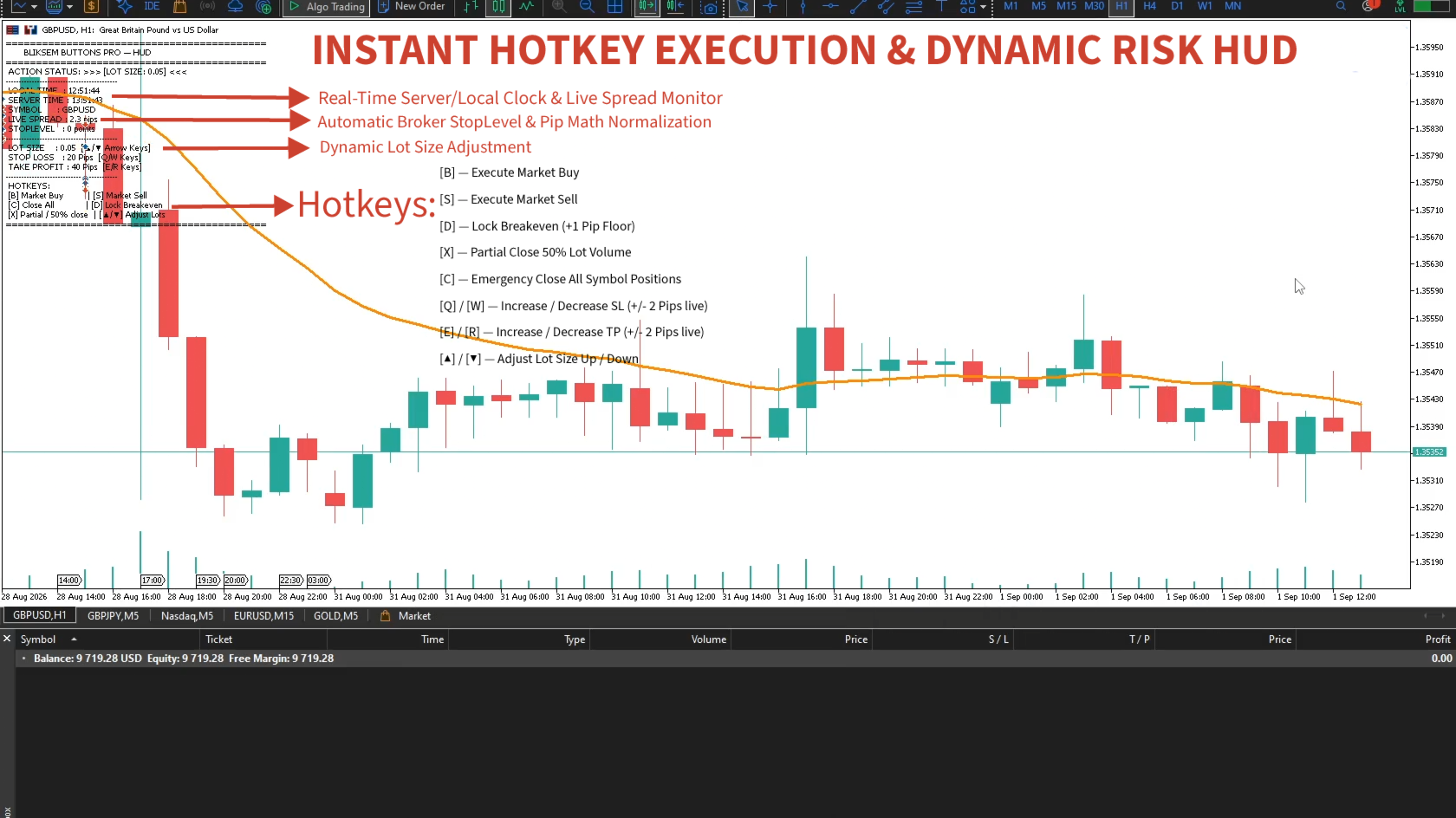
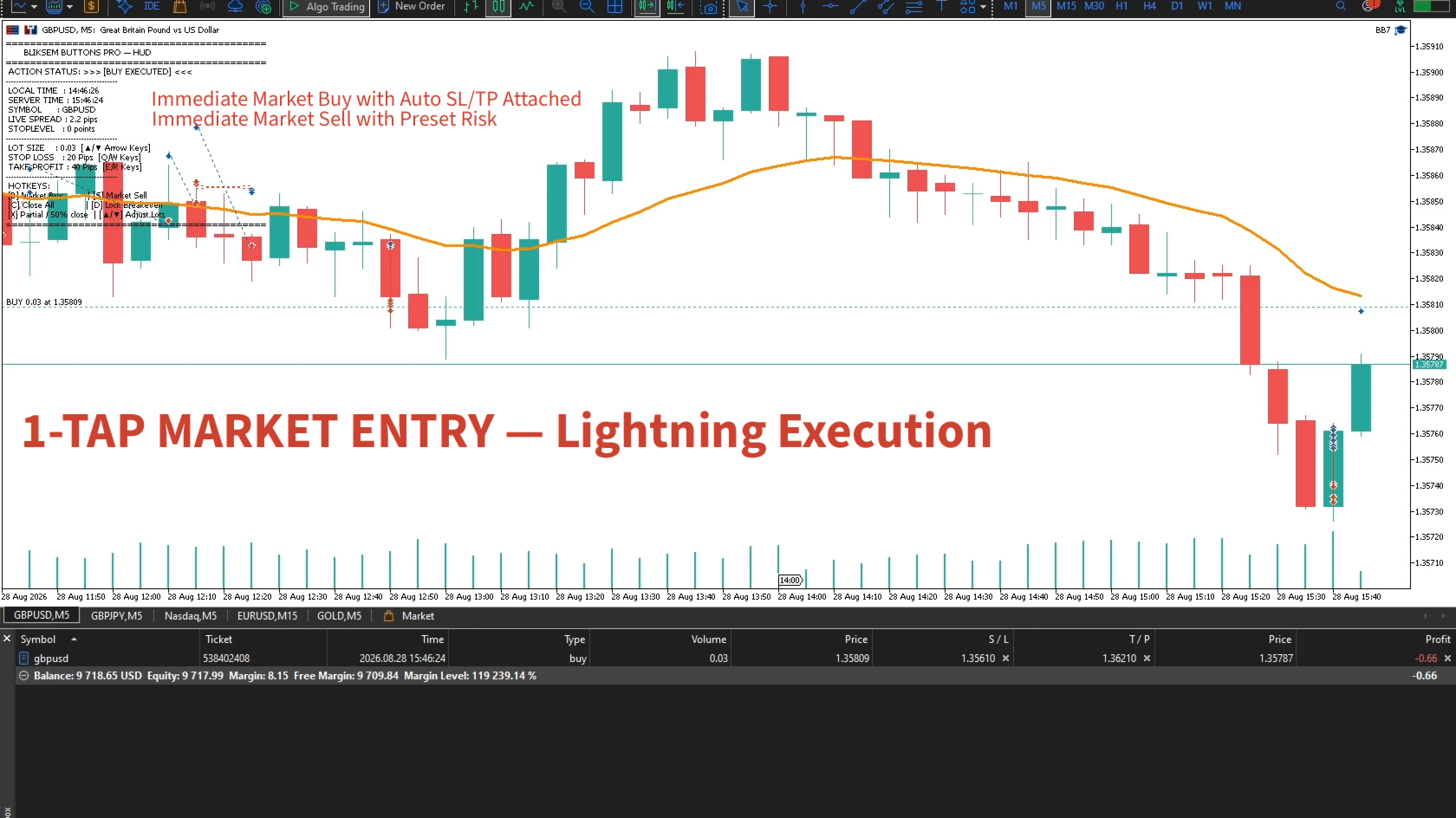
Instant Hotkey Execution: Fire Market Buys, Market Sells, or clear all positions with a single keystroke.
-
Smart Broker StopLevel Safeguard: Automatically detects your broker's SYMBOL_TRADE_STOPS_LEVEL and prevents Order 10016 (Invalid Stops) errors by keeping Stop Loss, Take Profit, and Breakeven adjustments safely above broker limits.
-
Dynamic Spread Protection: Live HUD monitors floating spreads in real-time and flashes visual warnings when volatility pushes spreads past your safety threshold.
-
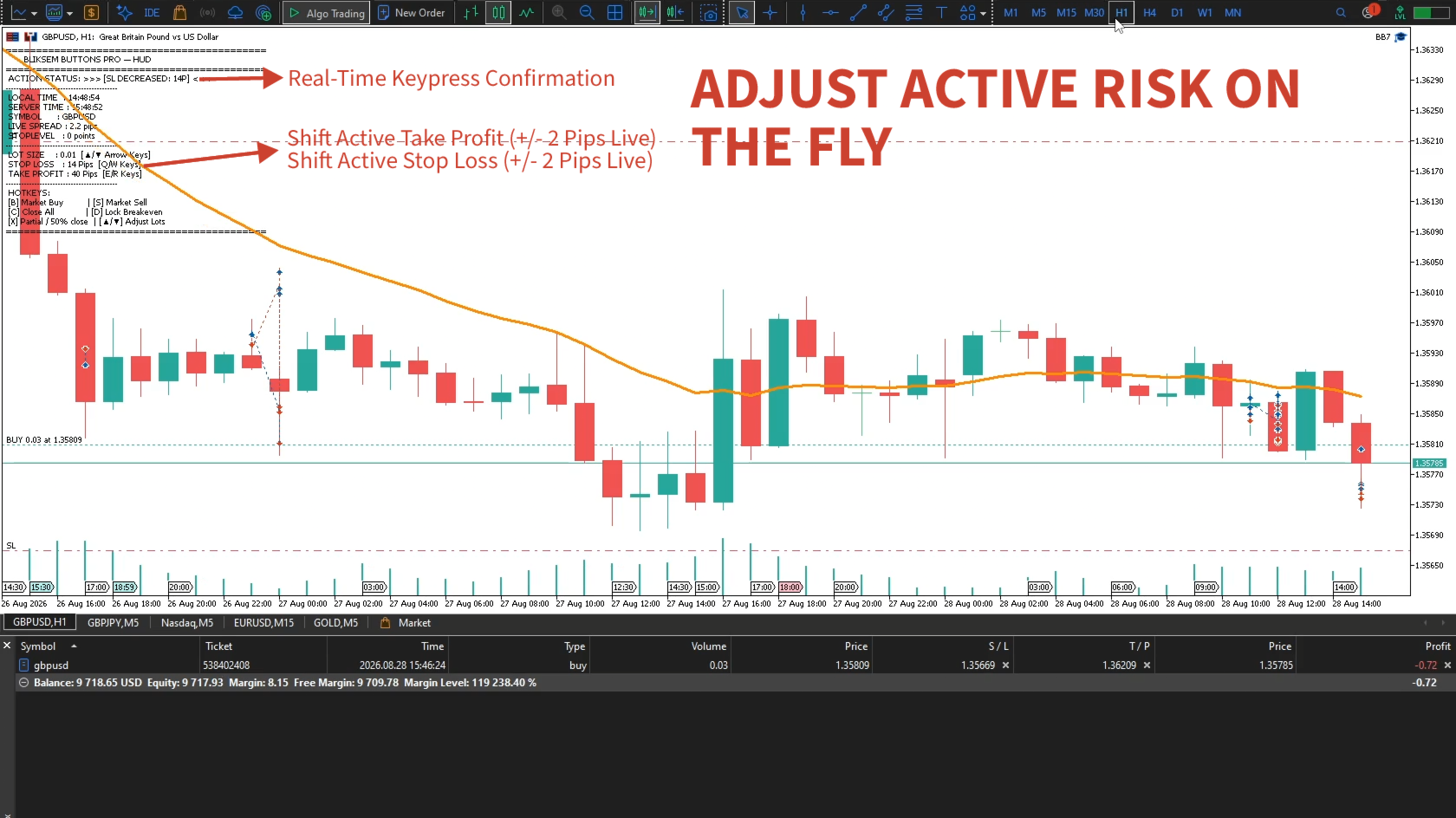
On-the-Fly Bracket & Lot Controls: Shift position sizes or expand/tighten SL/TP in 2-pip increments instantly using your keyboard.
-
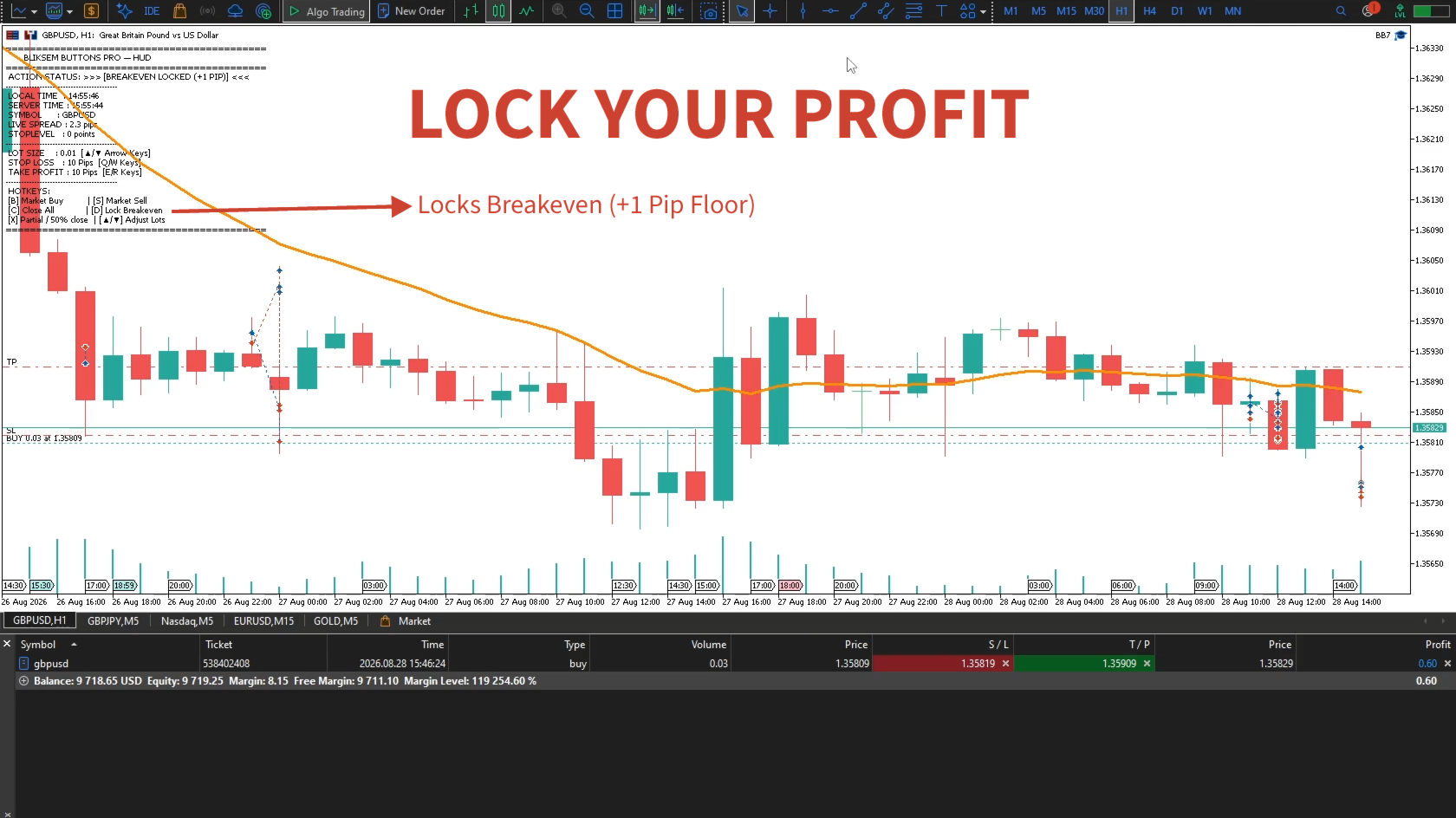
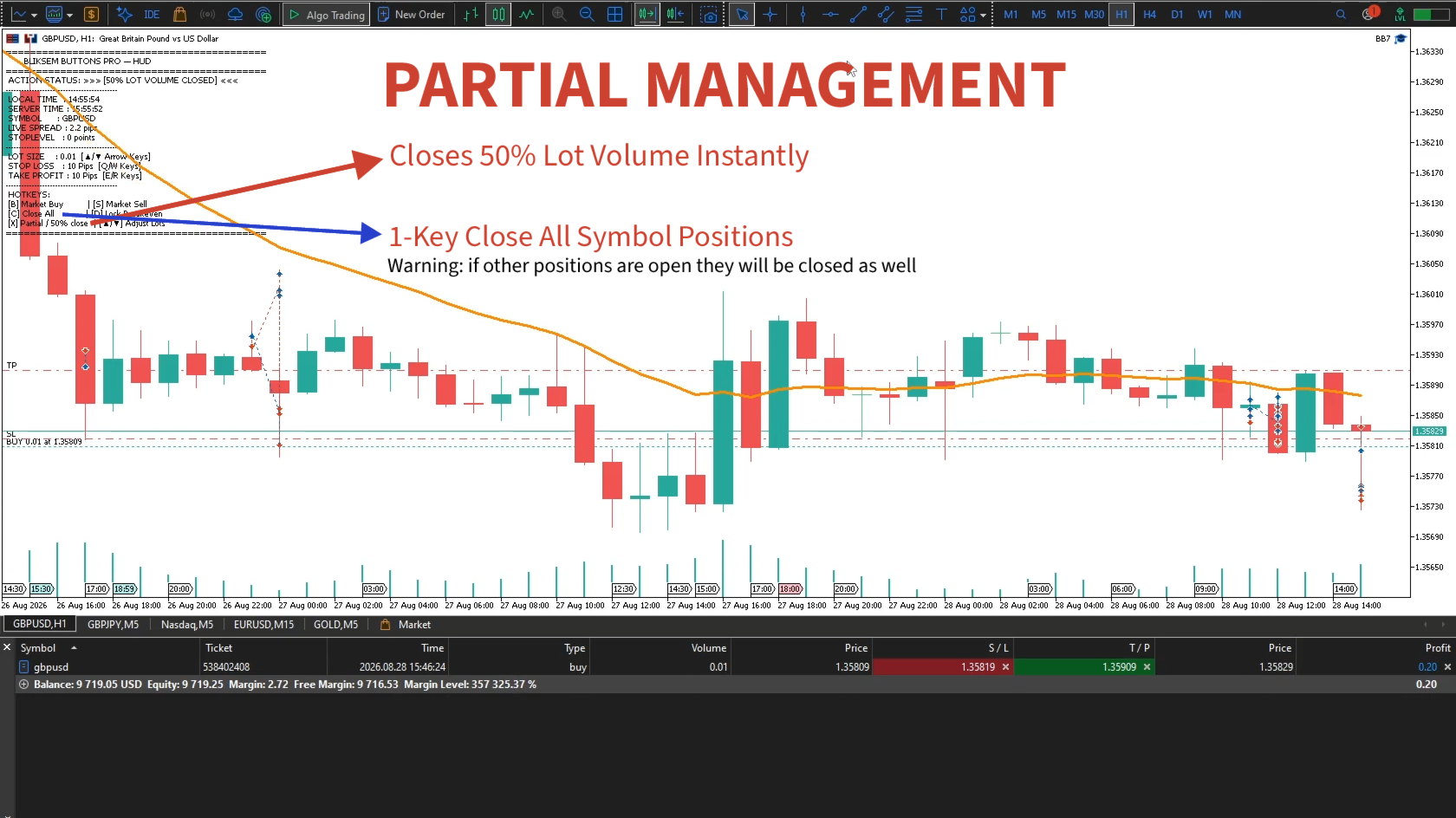
One-Click Trade Management: Lock in profit with a +1 pip Breakeven move or instantly scale out 50% of active position volume.
-
100% Native & Clean: Zero external DLLs, lightweight execution, and dynamic order filling support ( FOK , IOC , RETURN ) across ECN, STP, Netting, and Hedging accounts.
Complete Feature Overview
-
Real-Time Heads-Up Display (HUD): Displays synchronized broker server time, local PC time, live pip spread, volume steps, active bracket distances, and full key mappings.
-
Smart Breakeven Lock: Moves open orders to entry price + 1 pip only when current market distance satisfies broker minimums.
-
Partial Position Scale-Out: Automatically calculates and closes 50% of active volume, adhering to broker min-lot and step rules.
-
Universal Instrument Compatibility: Works seamlessly across Forex majors, Gold (XAUUSD), Indices (US30, NAS100), and Crypto with native fractional pip math.
Quick Setup Guide
Step 1: Installation
-
Purchase and download BliksemButtons Pro directly through the MT5 Terminal via the Market tab.
-
Drag BliksemButtons Pro from your Navigator window ( Experts section) onto any chart.
Step 2: Enable Live Trading & Hotkeys
-
In the indicator settings window, check Allow Algo Trading.
-
Go to Inputs to customize your key mappings or stick with the high-speed defaults below:
-
[B] -> Market Buy
-
[S] -> Market Sell
-
[C] -> Close All Positions (Active Chart)
-
[Q / W] -> Increase / Decrease Stop Loss (+ / - 2 Pips)
-
[E / R] -> Increase / Decrease Take Profit (+ / - 2 Pips)
-
[D] -> Lock Breakeven (+1 Pip)
-
[X] -> Partial Close (Scale Out 50%)
-
[▲ / ▼ Arrows] -> Adjust Lot Size (+ / - Step)
Step 3: Execution Readiness Click anywhere on the chart once to ensure chart focus, and your HUD will display STATUS: LIVE UPDATE SYNC ACTIVE . You are ready to trade.
Listing Disclaimer: BliksemButtons Pro is an order execution and chart management utility designed to streamline manual trading operations. It does not generate trading signals, offer financial advice, or guarantee profits. The user assumes full responsibility for all trading decisions, lot sizing, and live market orders. The developer accepts no liability for financial losses, broker execution failures, or slippage incurred through its use.