Equity Lockdown
- Utilità
- Versione: 1.10
- Aggiornato: 2 settembre 2026
- Attivazioni: 20

Equity Lockdown is an account-level risk guard for MetaTrader 5. It does not generate signals, predict direction or open trades. It watches your account against limits you define, and when one of them is breached it cancels your pending orders, closes your open positions, and keeps the account flat until the next trading day begins.
It acts on every position and every pending order in the terminal, whatever opened it - this tool, another Expert Advisor, or a manual click. A guard that only saw its own trades would protect nothing.
New in version 1.10
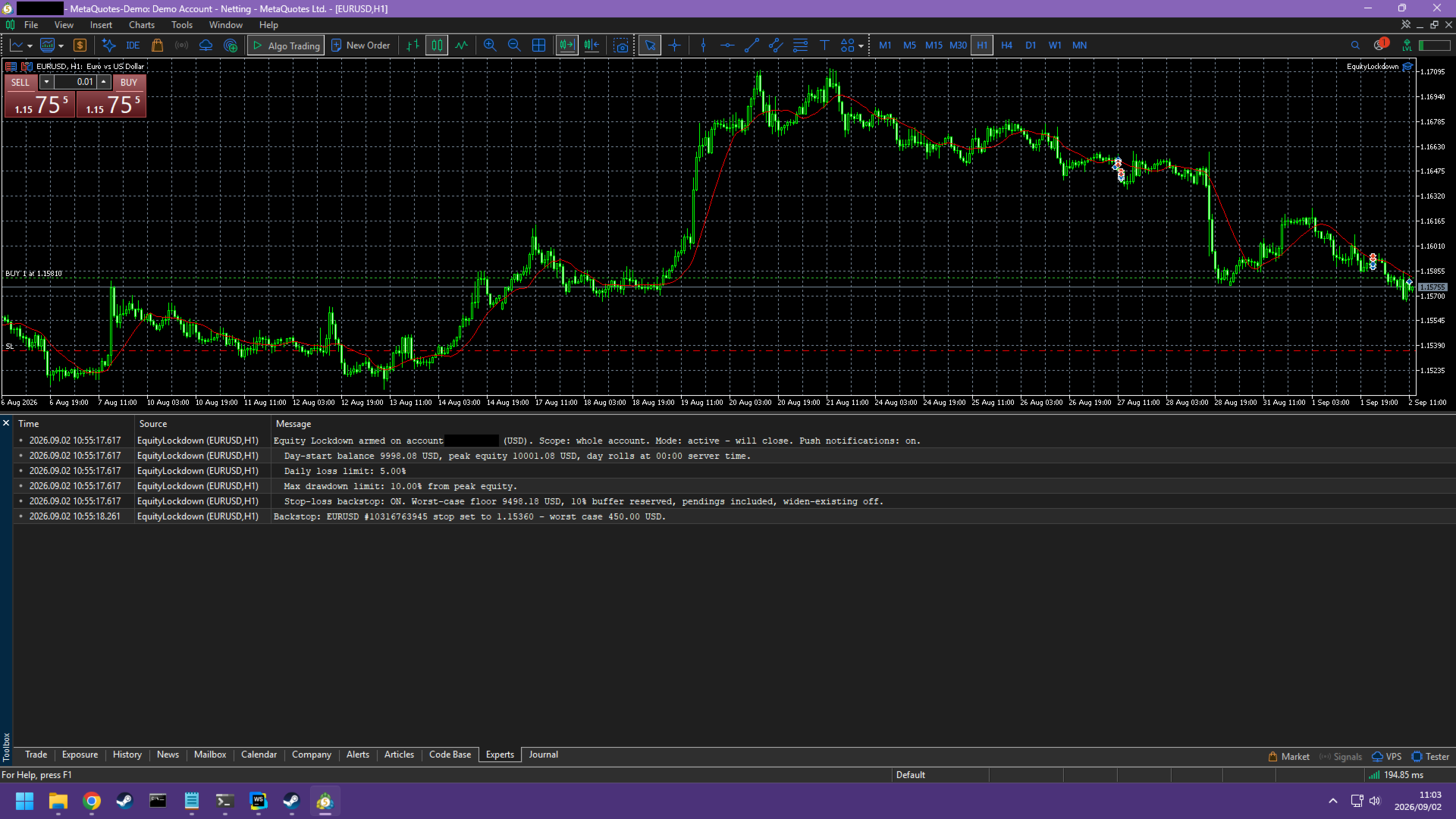
- A server-side stop-loss backstop. Your loss limit now holds even when the terminal is closed, the platform has crashed or the VPS has died, because the protection is sitting with your broker rather than inside the software.
- Push notifications to the MetaTrader mobile app the moment a limit is breached.
The stop-loss backstop: protection that does not need your terminal
Every equity guard shares one weakness. It can only act while it is running. Close the terminal, lose the connection, or have the VPS restart under you, and the account is unguarded until it comes back.
Version 1.10 answers that directly. The backstop makes sure every open position carries a broker-side stop loss, and sizes those stops so that if all of them were filled at the same moment, the account would still land above the same floor the live guard is watching. Stop orders live on the broker's server and execute whether or not your terminal is running.
How the sizing works, in plain terms:
- The guard takes the distance between your current balance and the most binding limit you have switched on, and holds back a slice of it - 10 percent by default - for slippage and gaps. What is left is the loss budget.
- That budget is shared across the positions it is protecting. Because the budget is money rather than distance, a larger position gets a tighter stop rather than a larger share.
- Pending orders can be counted too, since a pending order starts spending the budget the moment it fills. A book full of unprotected pendings should not be able to breach the floor on a single gap.
- If the stops already on your book commit more than the whole budget allows, every position is re-cut to an even share of it. That happens whether or not you asked the guard to adjust existing stops, because "leave a workable stop alone" is not the same instruction as "let the account run past its limit".
- It refuses to guess. If the terminal cannot yet price a symbol into your deposit currency, the backstop stands down for that pass and says so in the journal rather than placing a stop it cannot cost.
The backstop only ever tightens. It will never widen or remove a stop you set yourself, so it can never increase your risk. The trade-off is that room freed up later - by a cancelled pending order, or by reducing a position - is not handed back to loosen a stop that is already in place. The guard writes a line in the journal explaining itself when that happens, so the inaction is visible rather than looking like a fault.
Four limits, each switched on or off independently
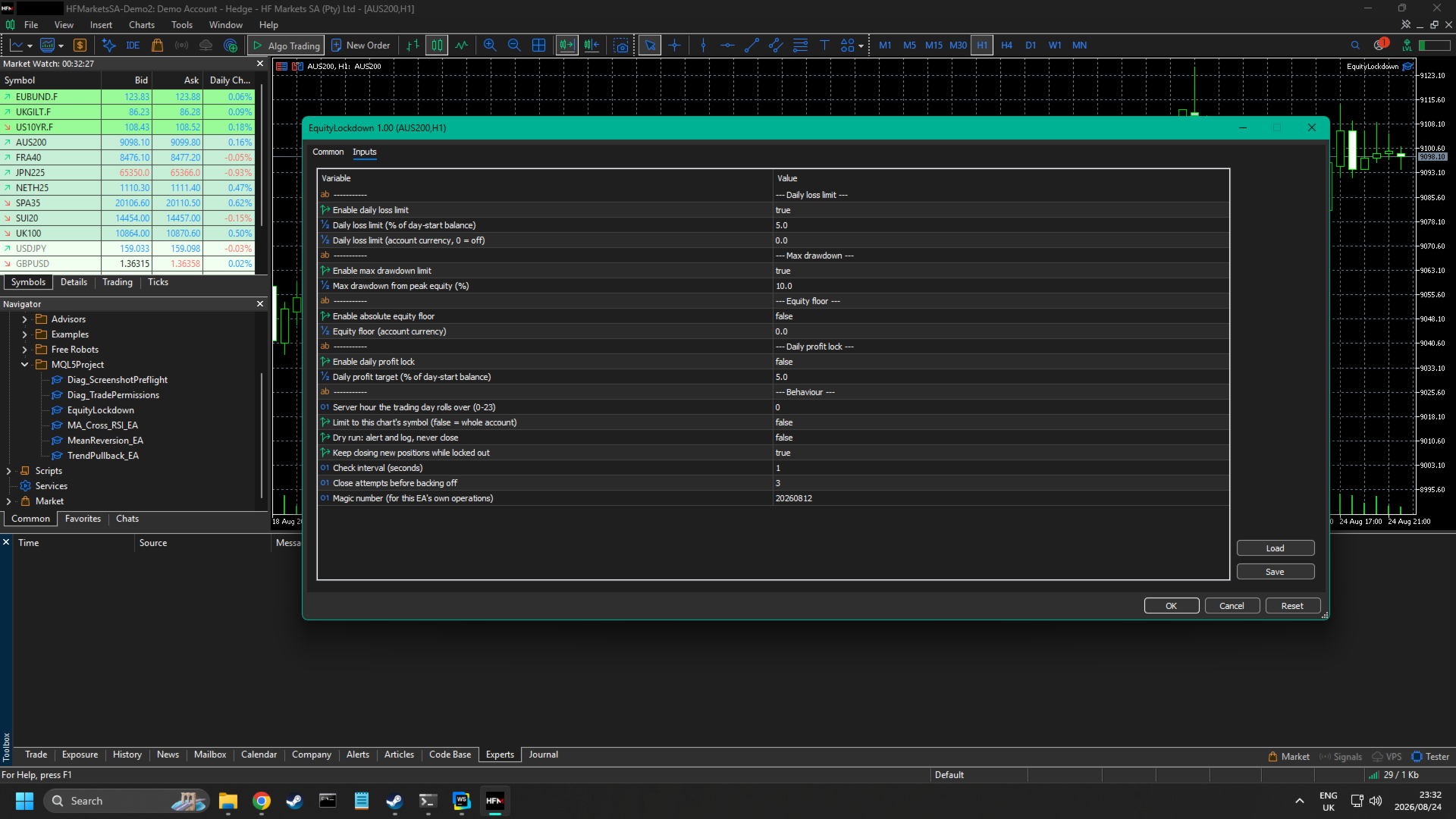
- Daily loss. Your equity measured against the account balance at the start of the trading day. Set it as a percentage, as a fixed amount in the account currency, or both, in which case whichever is reached first triggers the guard.
- Maximum drawdown. Measured against a high-water equity mark that is stored on disk and only ever rises. It is not reset overnight, so a run of losing days is still measured from the real peak.
- Equity floor. An absolute account value. Equity reaching that number triggers the guard regardless of how the account got there.
- Daily profit lock. The mirror of the daily loss limit. Reaching your target for the day closes the book and stops trading until tomorrow.
Funded and evaluation accounts
If you trade a funded or evaluation account, the three loss limits map onto the usual rules without any translation:
- The daily loss rule is the daily loss limit. It measures equity against the balance at the start of your trading day, and the rollover hour is an input, so you can set it to your firm's reset time rather than the broker's midnight.
- The overall loss limit is the equity floor. It is an absolute number and does not move.
- A trailing drawdown is the maximum drawdown limit, measured from a peak equity mark that is never reset.
Set each one slightly tighter than the rule it stands for, so the guard acts before the breach rather than at it.
What happens when a limit is breached
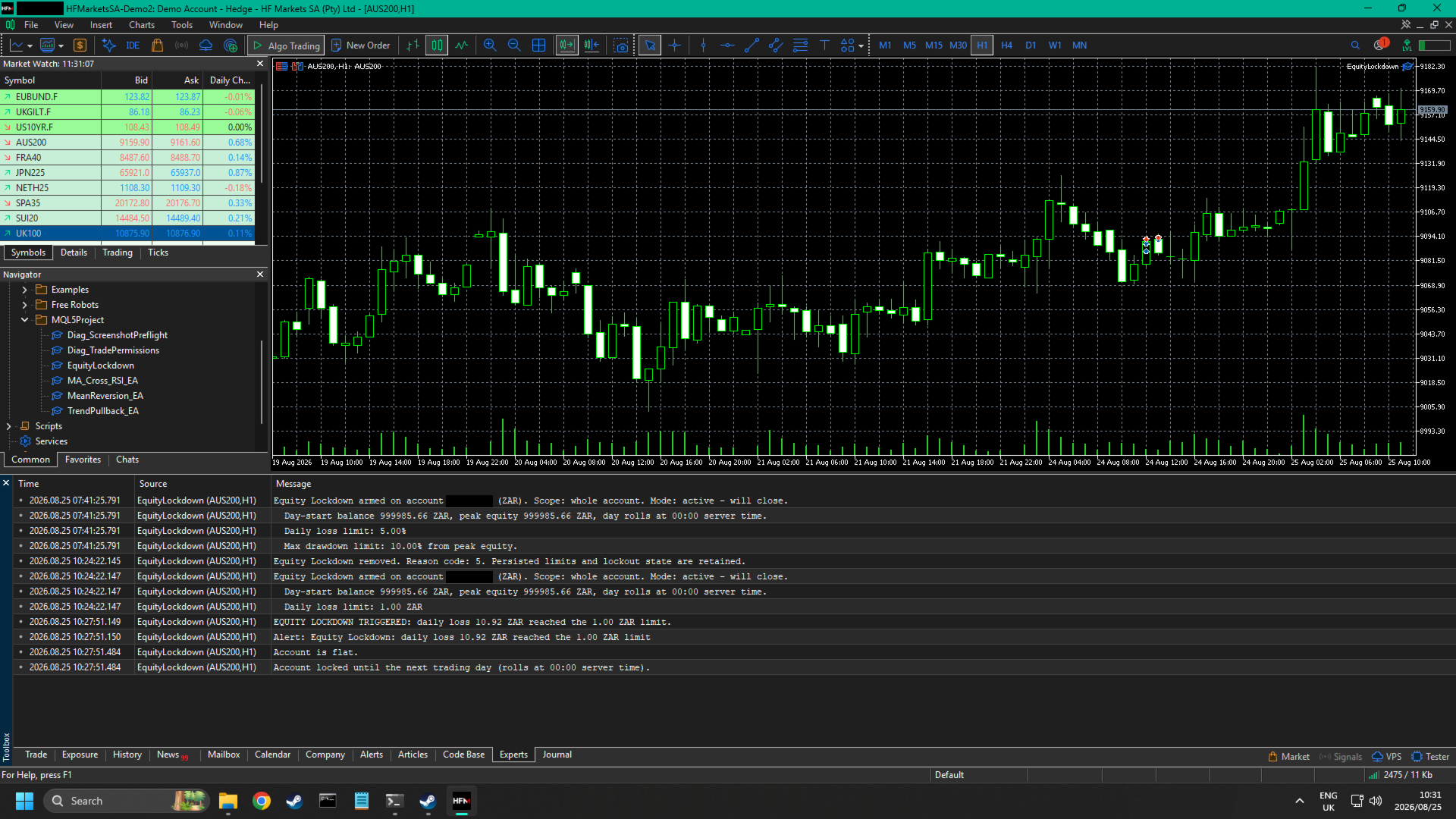
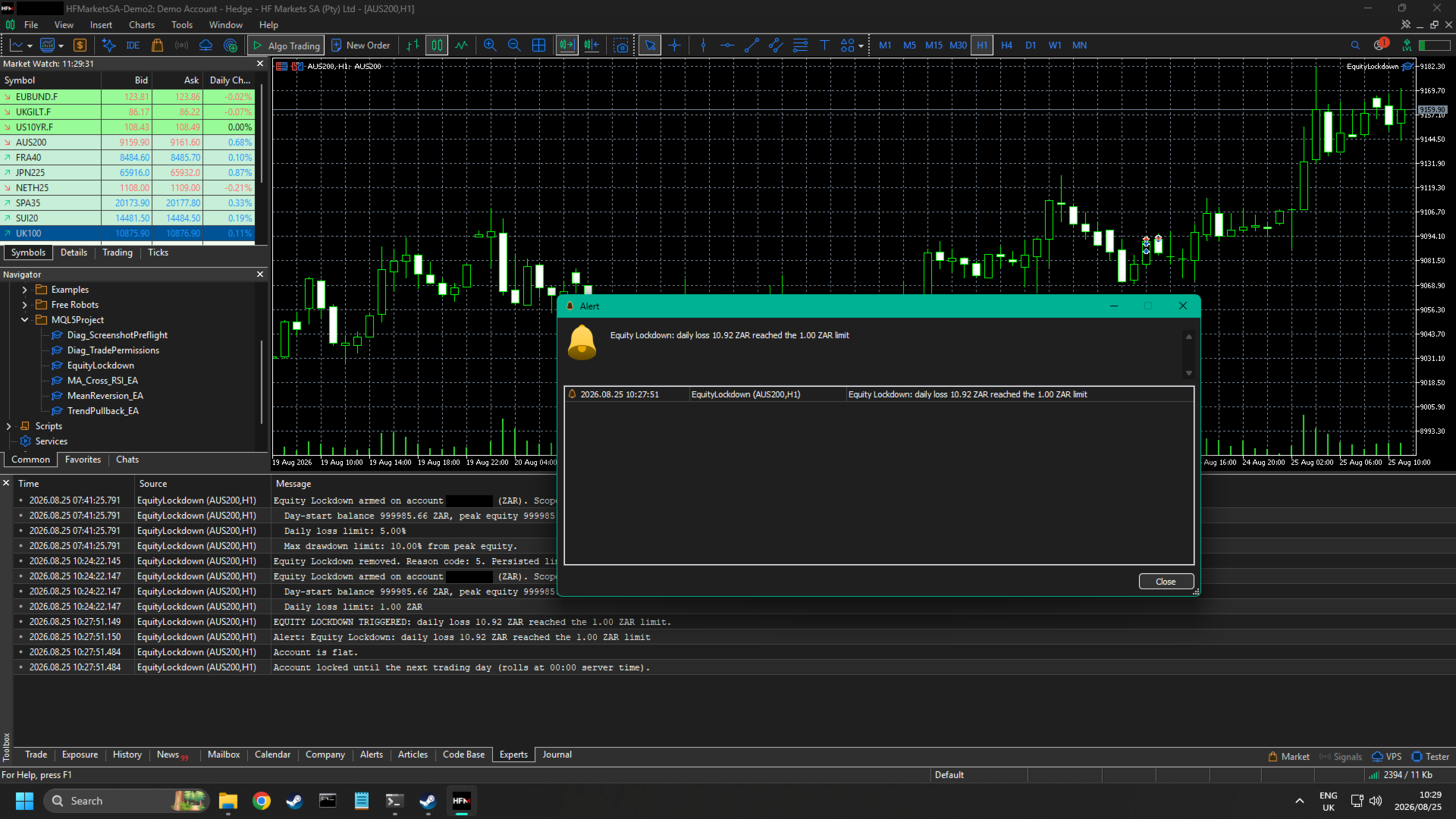
- An alert is raised, a push notification is sent, and a line is written to the journal stating the limit, the measured value and the threshold that was crossed.
- Pending orders are cancelled first, then open positions are closed. That order matters: closing positions first would leave a pending order near the market able to fill while the account was being flattened.
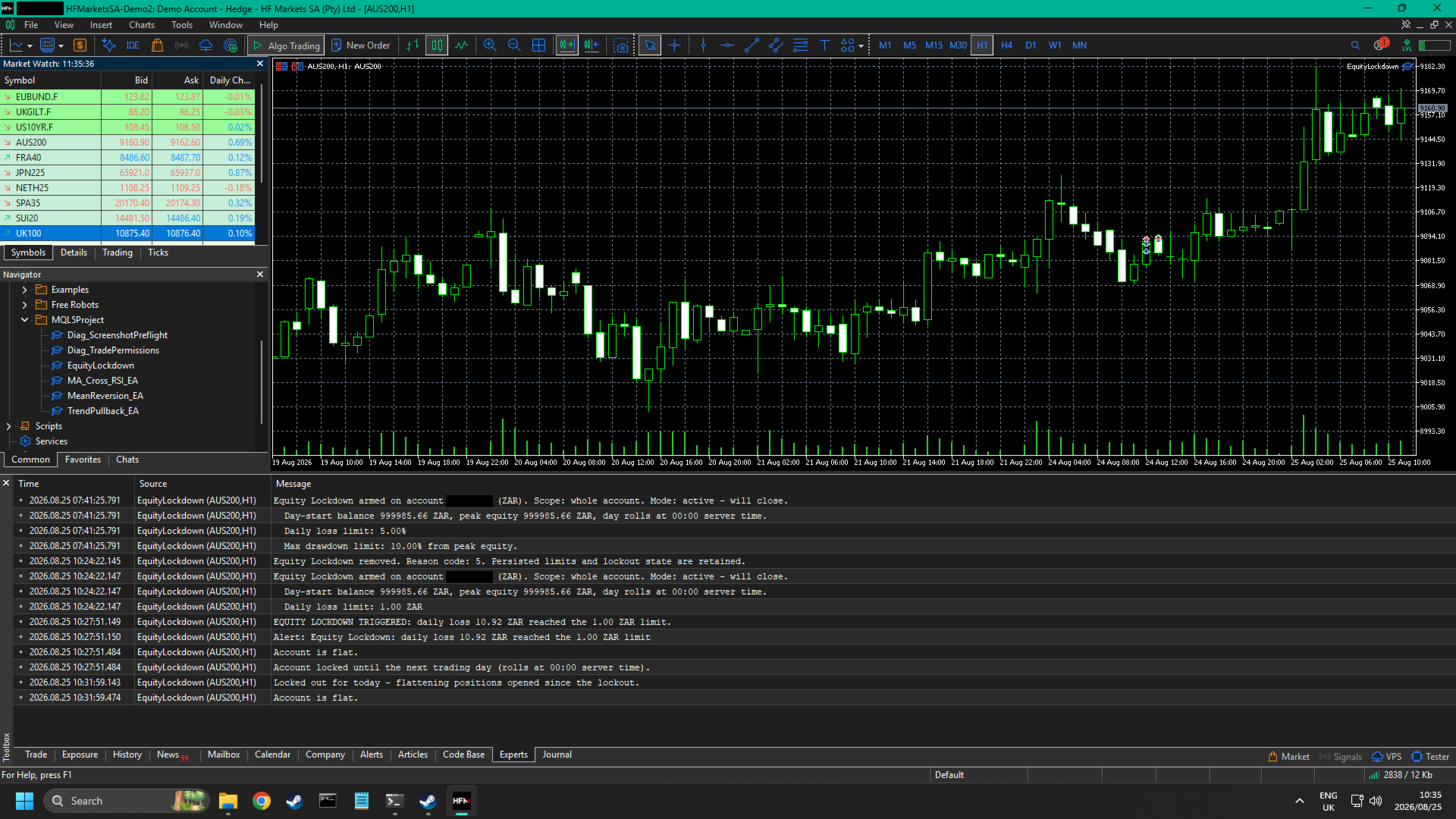
- Closing is retried, and the account book is re-read afterwards to confirm it really is flat. If it is not - a symbol with trading disabled, a market that has closed - the guard says so plainly in the journal and tries again on the next check, rather than reporting a safety it did not achieve.
- The account is marked locked for the rest of the trading day. While locked, any position that appears is closed again.
Details that matter in live use
- It is driven by a timer, not by chart ticks. A guard that woke only on its own chart's ticks would go blind exactly when it matters - over a weekend, or on a thin symbol - while positions on other symbols kept moving against the account. The check interval is configurable and defaults to one second.
- Its state survives a restart. The day-start balance, the peak equity mark and the lockout are stored per account login and are deliberately not cleared when the Expert Advisor is removed from a chart. Closing a chart or restarting the terminal does not hand the account a fresh baseline and does not quietly undo an active lockout.
- The chart it runs on is irrelevant. By default the scope is the whole account. Attach it to any one chart; one instance is enough. An option restricts it to that chart's own symbol if you would rather.
- The trading day is yours to define. The rollover hour is an input, so a day that starts at 17:00 server time is measured on its own calendar.
- A dry-run mode is included. In alert-only mode the guard raises its alert and writes its journal line but never closes anything and never modifies a stop, so you can confirm your limits are where you think they are before letting it act.
What this tool does not do - please read before buying
- It cannot switch off another Expert Advisor's trading. MetaTrader 5 offers no way for one Expert Advisor to disable the terminal's algo-trading toggle or to stop another program from sending orders. What Equity Lockdown does while locked out is close whatever appears. In practice the account stays flat, but this is a janitor rather than an interlock, and you should understand the difference before relying on it.
- It reacts, it does not predict. The live guard cannot prevent a loss that happens between two checks - a gap, a spike, or a slippage-filled stop. The backstop narrows that gap considerably but does not close it: a newly opened position is unprotected until the next check places its stop, and on a netting account an order filled into an existing position replaces that position's stop with the incoming order's, so the backstop has to put it back.
- A stop loss is not a guarantee of price. The backstop places stops with your broker; it cannot make them fill at their own level through a gap or a fast market, which is exactly why it reserves part of the budget rather than spending all of it. Where a broker's minimum stop distance will not allow a stop tight enough to stay inside the budget, the guard says so in the journal instead of pretending otherwise.
- Only the broker-side stops survive a closed terminal. Limit checks, alerts, notifications and the lockout all need the terminal running and connected with algo trading enabled. The backstop is what carries the account through the times it is not.
- Push notifications need a MetaQuotes ID set in Tools, Options, Notifications. Without one the notification simply does not send; the guard notes it once in the journal and everything else behaves exactly as it would have.
- It opens no trades, so it produces no trading results in the Strategy Tester. To watch it work there, set an equity floor above the tester deposit and the breach, the alert, the flatten and the lockout all appear in the log.
- It makes no claim about profitability. It is a risk limiter. Limiting losses is not the same thing as producing gains.
Setup
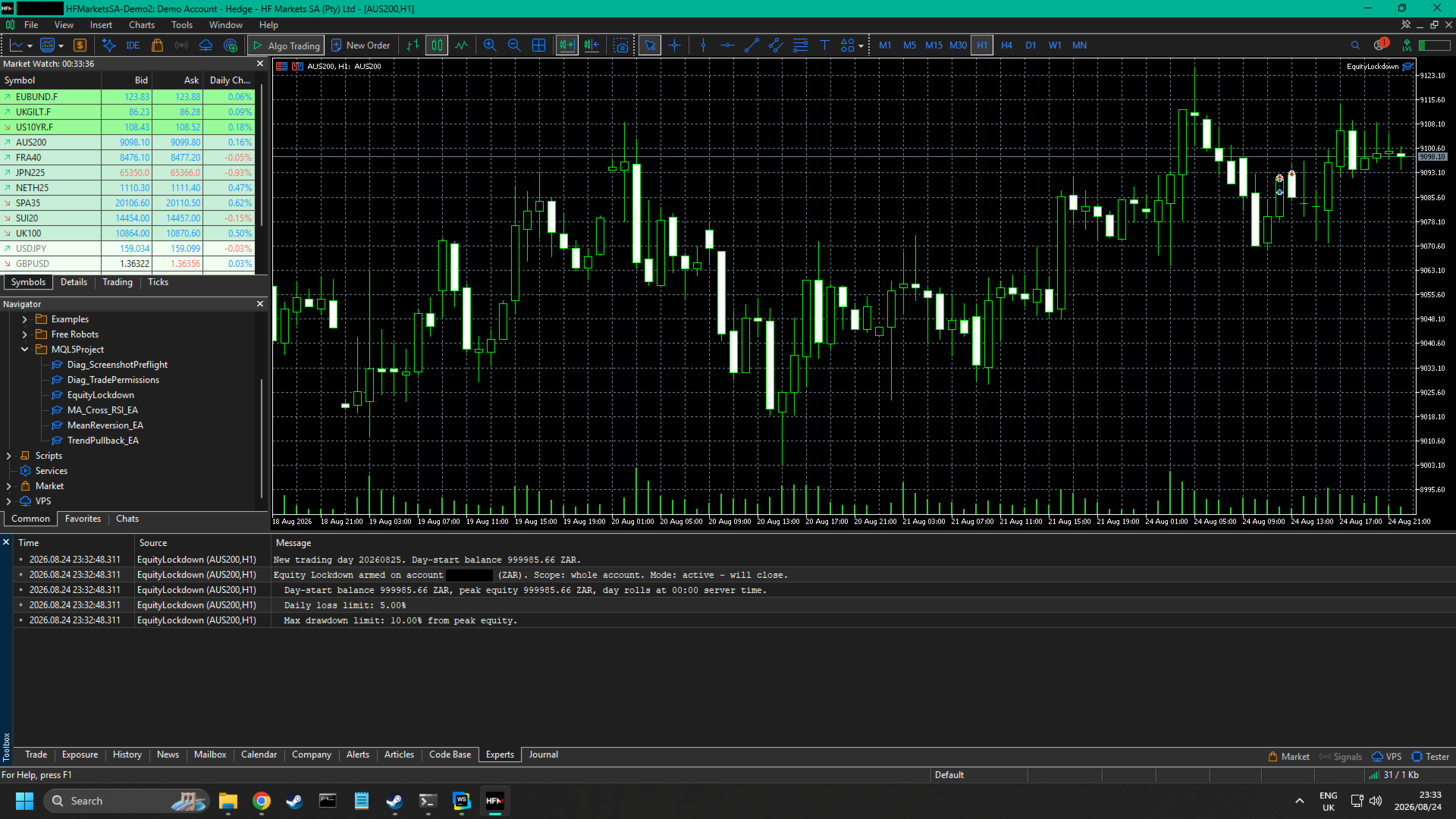
Attach it to one chart, on any symbol, with algo trading enabled. Set the limits you want and switch off the ones you do not. Confirm the arming block in the Experts journal reads back the limits you intended - it prints the account, the currency, the day-start balance, the peak equity, every active limit, and the floor the backstop is sizing against.
All money limits are expressed in your account's deposit currency, which is not necessarily US dollars.