SVS Assistant
- Utilità
- Versione: 1.0

SVS Assistant
SVS Assistant is the execution half of Smart Volatility Squeeze MT5. It carries out the orders you request from that indicator's 1-Click Trading Desk, applies your risk rules to them, and manages the resulting positions. It is published free of charge.
Please read this before downloading: it does not analyse the market and it produces no signals of its own. Without the Smart Volatility Squeeze indicator running on the same chart there is nothing for it to listen to, and it will do nothing at all. If you do not use that indicator, this Expert Advisor has no use for you.
Release notes, chart examples and new product announcements are posted on the TrendTower channel: https://www.mql5.com/en/channels/trendtower
Setting it up
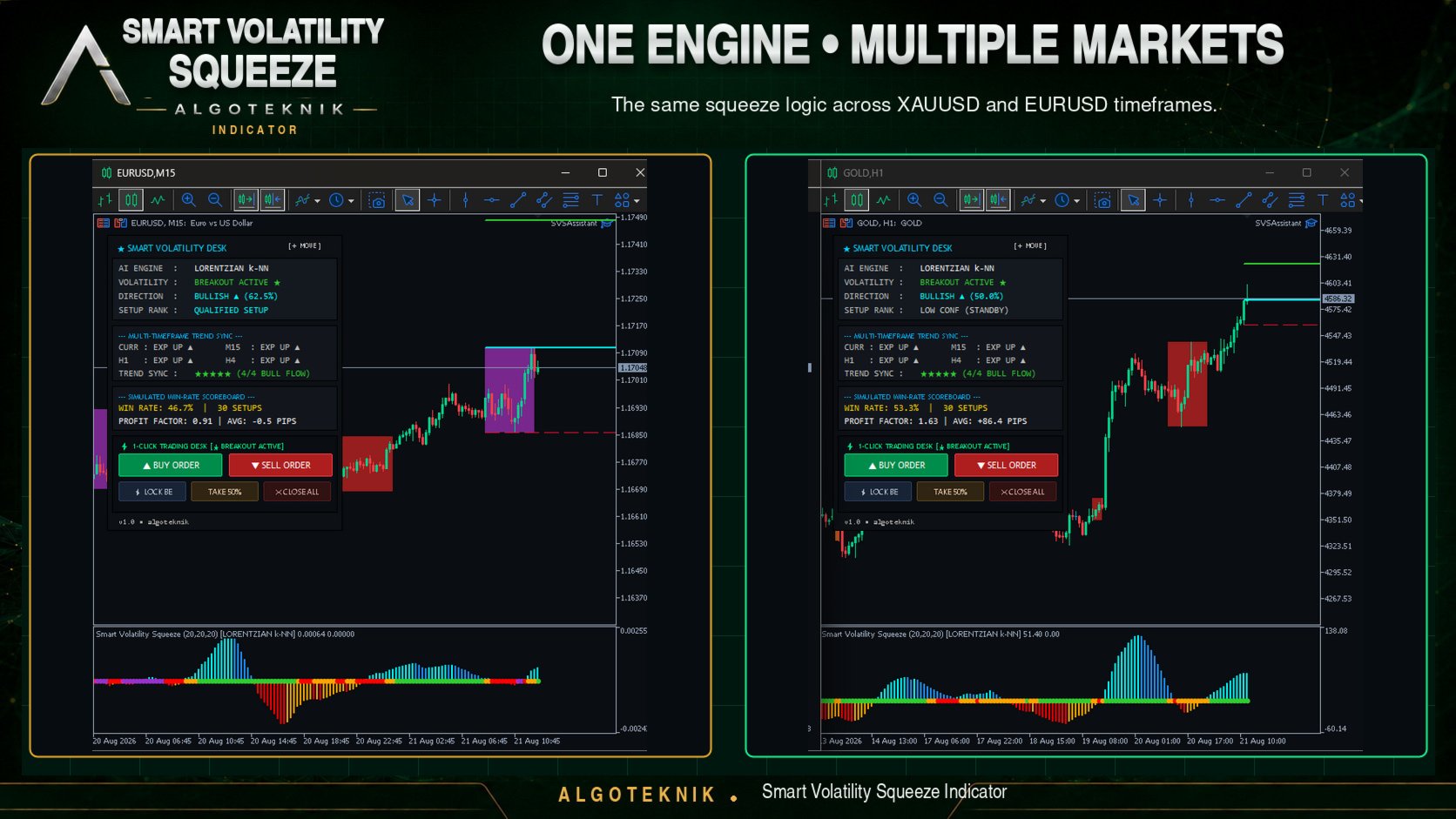
Attach it to the same chart and the same symbol as the indicator, switch on the Algo Trading button in the MetaTrader 5 toolbar, then open its settings with F7 and confirm that you understand the risks. Until that confirmation is given it refuses every order and says so in the Experts tab, because an execution tool should not become armed by simply being dropped on a chart. The two programs find each other through the symbol they share, so both must be on the same chart.
What each button does
On a buy or sell request it reads the stop and target the indicator projected for that squeeze, checks they are still on the correct side of the market and far enough from it, sizes the position from your risk settings and sends the order with the stop attached. If the levels no longer fit the current price the order is declined and the reason is written to the Experts tab, rather than sent as an order the broker would reject.
The remaining buttons move the stop to break-even, close a configurable percentage of the position, or close the positions this Expert Advisor opened on the current symbol. Trades you placed by hand or with another Expert Advisor carry a different magic number and are deliberately left alone, and every skipped ticket is named in the log so nothing disappears quietly. A command older than fifteen seconds is discarded, so a click made while the Expert Advisor was stopped cannot fire later.
Risk and stop handling
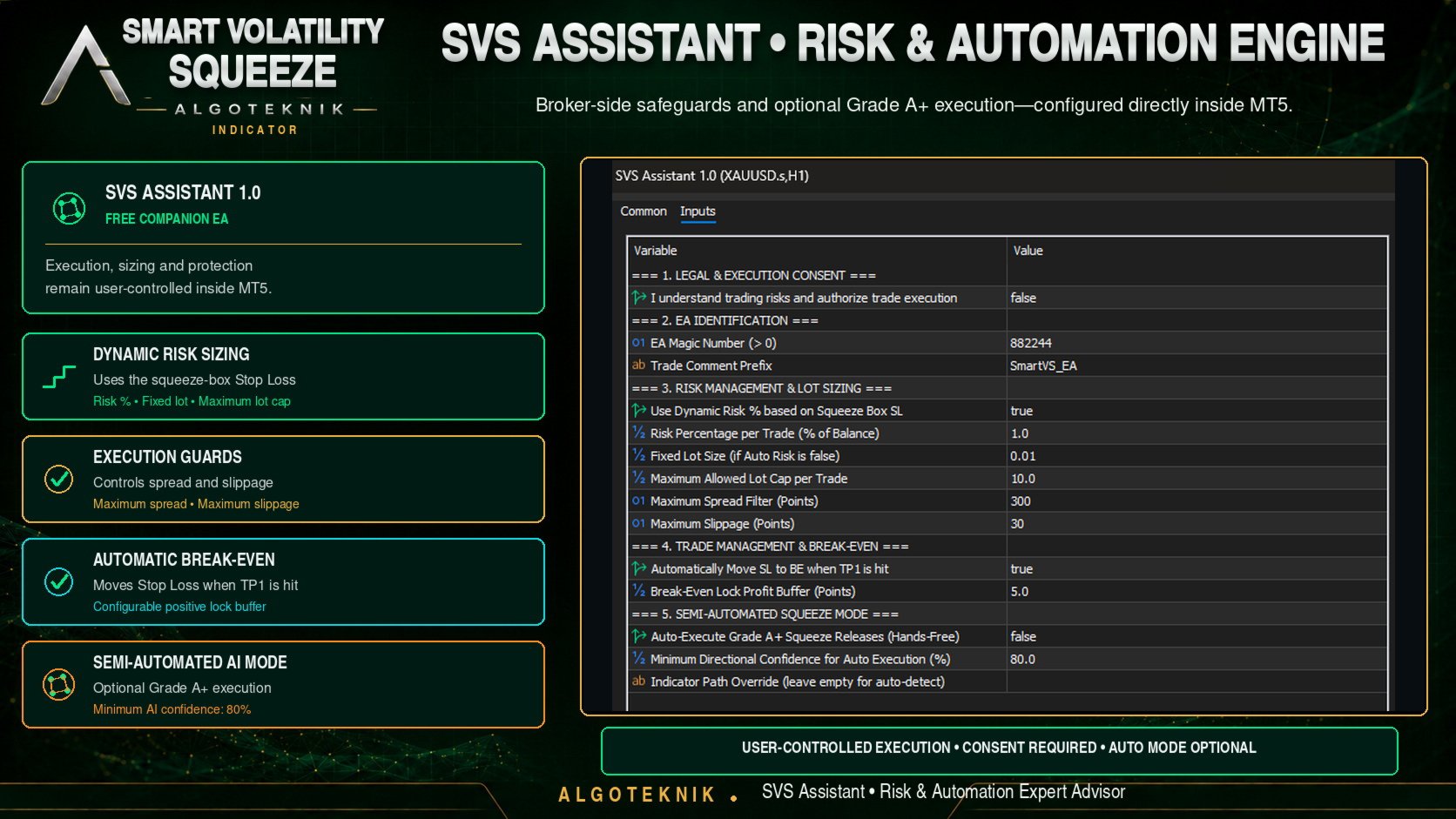
The lot is calculated from a risk percentage and the distance between entry and stop, using the symbol's own tick value, so one setting behaves consistently on a five-digit currency pair and on a two-digit index. The result is clamped to the symbol's minimum, step and maximum volume and to your own lot cap, and snapped down to a whole number of lot steps. A fixed lot is available instead, and sizing falls back to it if the symbol reports no usable tick value rather than guessing.
The stop is sent together with the order, so protection exists from the moment the position opens. A stop that falls inside the broker's minimum distance is not quietly pushed against the market, because a stop a few points from the price is an instant exit rather than protection; such an order is declined instead. After the fill the position is read back to confirm the broker registered the stop, the modification is retried up to three times if it did not, and if the stop still cannot be placed the position is closed. An unprotected position is worse than no position.
Break-even is optional: once price has travelled seventy percent of the way from entry to the first target, the stop moves to entry plus a buffer you choose. The stop is only ever moved in the protective direction and is never loosened.
Optional hands-free mode
The Expert Advisor can act on a squeeze release without a click when the indicator's directional confidence reaches a threshold you set. It is off by default. For this mode it reads the indicator's buffers, so on start-up it looks for the indicator in the usual install locations and tells you in the Experts tab if it cannot find one; a path setting is provided for that case and the 1-Click buttons work either way. The mode opens at most one position per symbol at a time and one per bar, and respects every filter and guard described above.
What it will not do
- Open a trade you did not ask for, other than in the optional hands-free mode you switch on yourself.
- Touch positions opened by hand or by another Expert Advisor. Every management action is filtered by its own magic number.
- Average down, add to a losing position, remove a stop, widen a stop away from entry, or recover a loss by increasing size. There is no martingale and no grid.
- Send an order whose stop or target sits on the wrong side of the market, even where the broker would technically accept it.
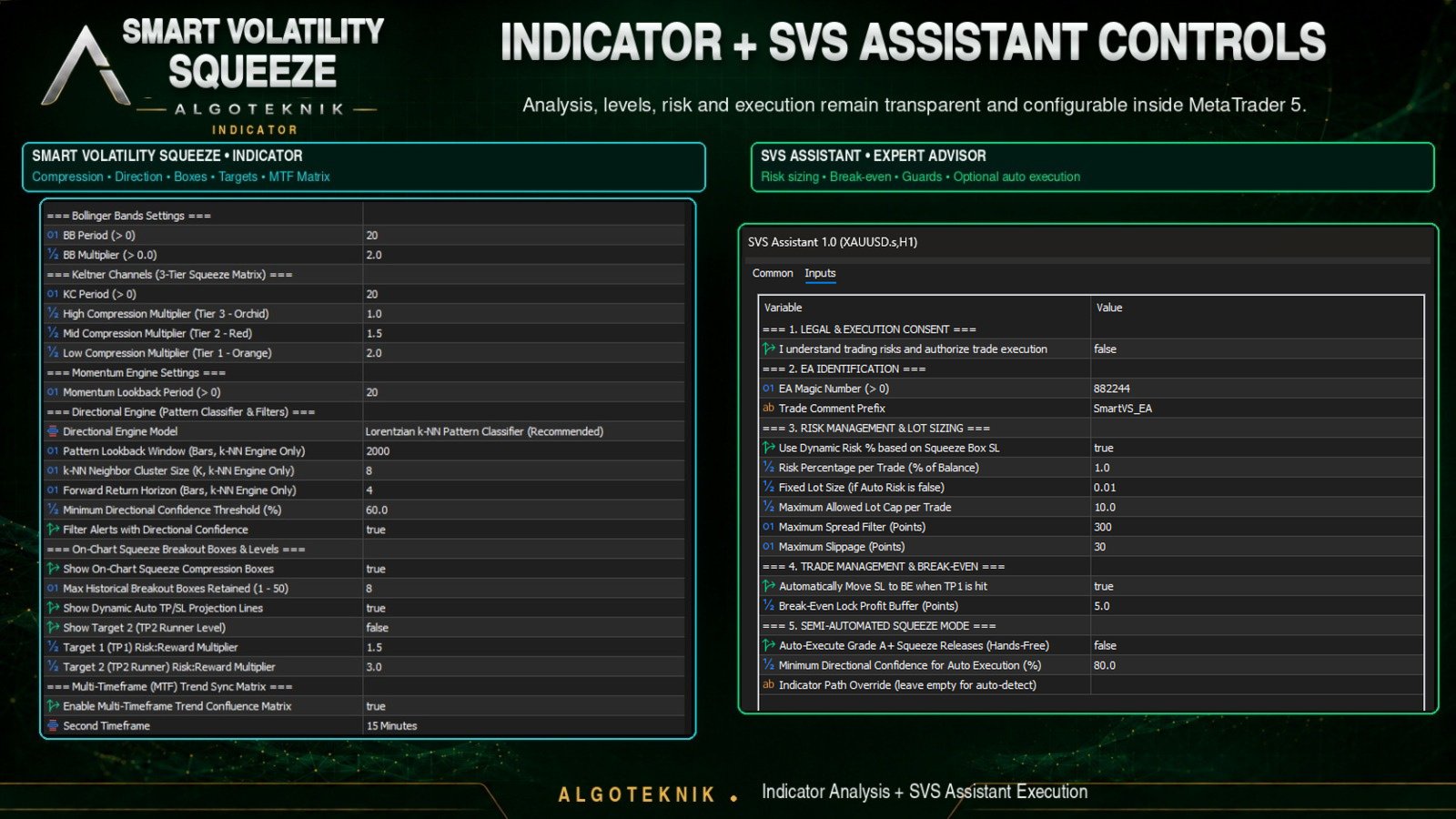
A written reference for every parameter is available on the author's MQL5 profile. Each value is checked when the Expert Advisor loads, and it refuses to start on an out-of-range setting rather than running with it.
Risk disclaimer
This Expert Advisor places real orders on your account once you enable it. It is an execution and risk-management tool, not a trading strategy, and it makes no prediction about the market. Trading foreign exchange, indices, commodities and CFDs carries a high level of risk and may not be suitable for every investor. Past performance does not indicate future results. Test thoroughly on a demo account before using this or any other tool with real money.
About the author
SVS Assistant is developed and maintained by algoteknik, a developer of trading indicators and Expert Advisors for MetaTrader 5. Questions, bug reports and feature requests are welcome through the author's MQL5 profile, where all published products and updates are listed.
Questions, bug reports and feature requests are welcome on the TrendTower channel: https://www.mql5.com/en/channels/trendtower