PulseBar MT5 Pro
- Utilità
- Versione: 1.9
- Aggiornato: 30 ottobre 2026

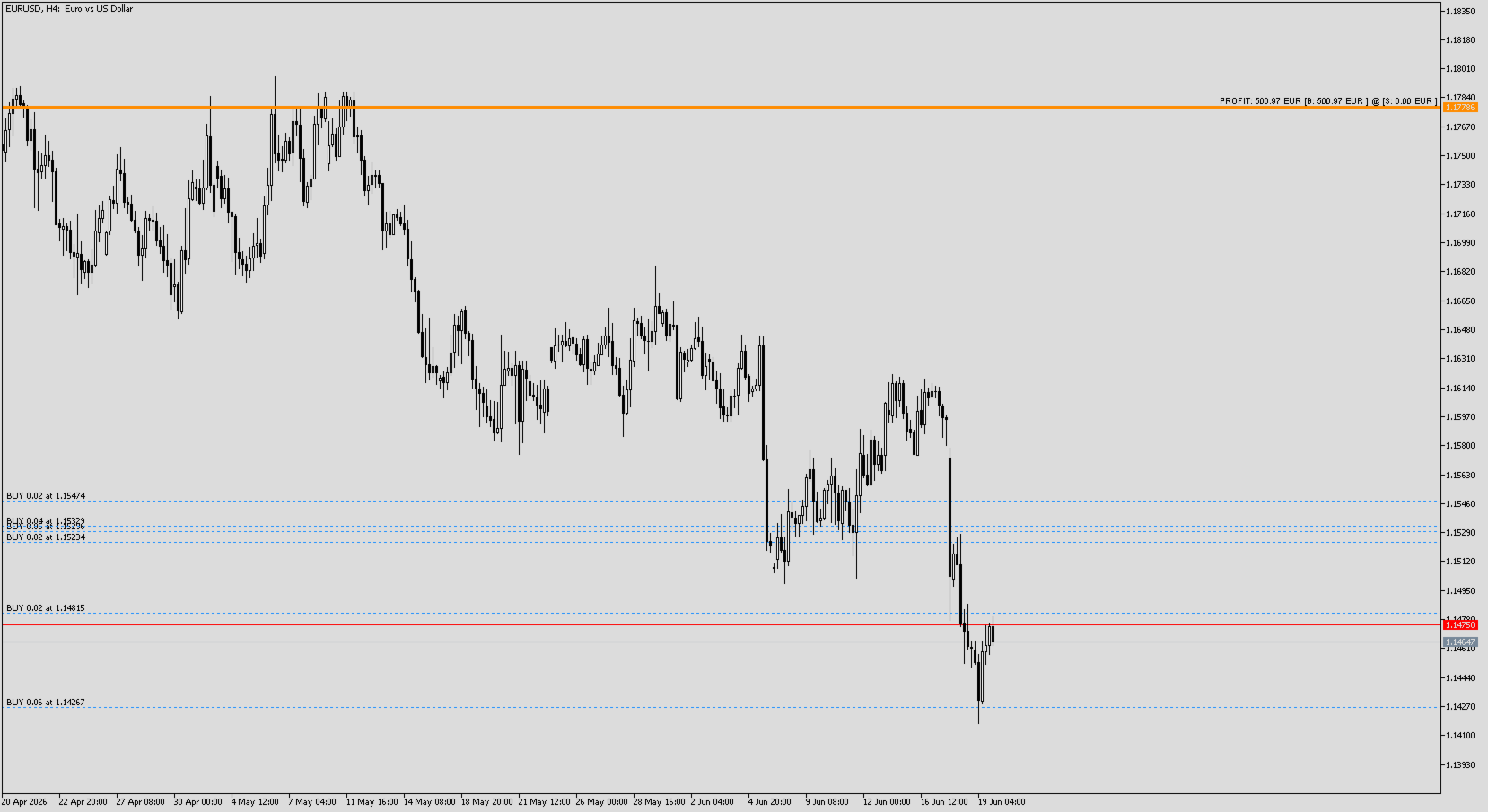
PulseBar takes the guesswork out of trade management. It puts a horizontal line on your chart that you can drag anywhere. At whatever price you place it, PulseBar shows what your open positions on that symbol would make or lose if price got there. The figure is in your account currency and already includes swap and commissions.
It suits Price Action traders, scalpers and day traders who want to see Take Profit targets, partial exits, risk zones and their exact breakeven without leaving the chart or doing the math by hand.
Key Features
- Real-time projected PnL: Drag the line and the PnL updates immediately in your account currency. Swap and commissions are included, so the number is close to what you would actually book.
- Buy/Sell breakdown: Shows the net PnL for the symbol plus separate totals for longs and shorts, so hedged or mixed positions are easy to read: PROFIT: 125.40 USD [B: 210.15 USD | S: -84.75 USD] @ Risk: 1.08
- Volume-weighted averaging: Multiple positions on the same symbol are merged using their volume-weighted average entry price for each direction.
- Smart breakeven with two modes: Each press of G moves the line to the exact breakeven price and switches between:
- Net breakeven: includes accumulated swap and commissions. This is the price where you would really close at 0.00.
- Price breakeven: the plain price breakeven, without costs.
- Risk reference: Shows a risk-grade value so you can judge your current exposure at a glance.
- Clean, minimal interface: A single line and one label. You can put the label on the left or right side of the chart and set the colour, style, width and text size. The full PnL text is also shown as a tooltip when you hover over the line.
- Remembers its state: The line level and its visibility are kept when you change timeframe, restart the terminal or recompile.
- One instance per chart: Stops duplicate lines and conflicting readings.
- Compatible with MT4 and MT5.
Keyboard Shortcuts
Keep your hands on the keyboard and your eyes on price:
- [ R ] Reset: Brings the line back to the current price and makes it visible.
- [ H ] Hide/Show: Hides or shows the line and its PnL label so the chart stays clean.
- [ G ] Go to Breakeven: Moves the line to the breakeven of your net position. Press it again to switch between breakeven with swap and commissions and breakeven on price only. It takes the direction of your trades into account automatically.
Typical Use Cases
- See how much you would bank at a Take Profit or partial-exit level before placing it.
- Check the real breakeven, after costs, before moving your Stop Loss.
- Weigh potential profit against potential loss to judge your Risk/Reward visually.
- Manage hedged positions knowing exactly where the net position breaks even.