ConfluX Pro - Multi-Filter Trend Confluence Indicator
ConfluX Pro is a multi-filter confluence indicator built to help traders identify higher-quality entries by requiring several independent market factors to agree before a signal is shown. Every signal is calculated on closed candles only - the indicator never repaints and never reads future price data.
HOW IT WORKS
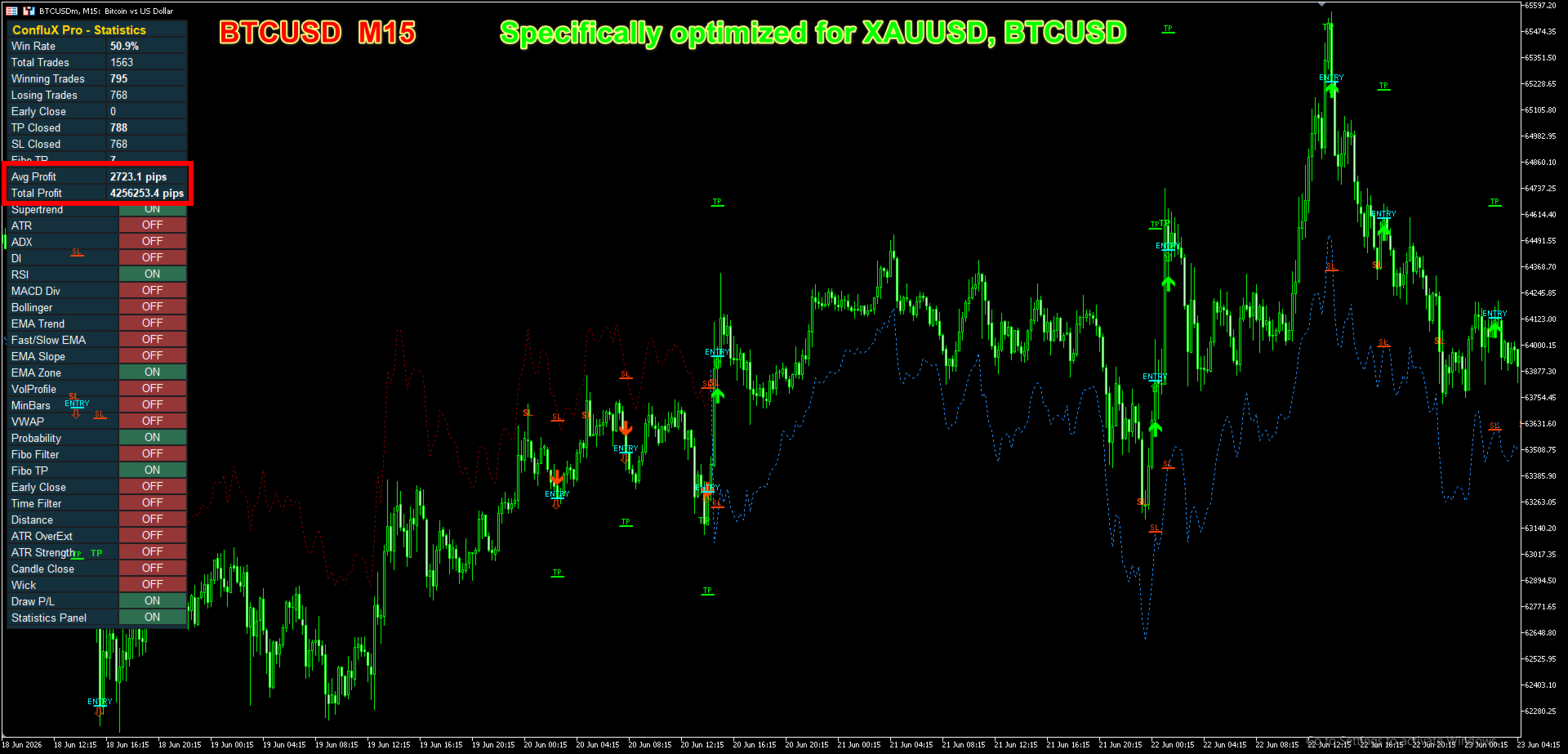
Specifically optimized for XAUUSD, BTCUSD - this indicator adapts to changing market conditions through ATR-based volatility logic and rule-based signal validation, providing consistent and objective trading confirmations across multiple timeframes from M1 to H4.
ConfluX Pro combines a trend engine with a set of optional confirmation filters. Each filter can be switched on or off directly from the on-chart control panel, without reopening the indicator settings:
- Supertrend - the core trend-following engine. It defines the prevailing direction and acts as the baseline that other filters confirm or reject.
- ATR - measures current volatility and feeds the Stop Loss / Take Profit distance, so risk levels adapt to how active the market is.
- ADX / DI - filters out signals generated during weak or directionless markets, where trend-following setups tend to underperform.
- RSI - confirms momentum is aligned with the signal direction.
- MACD Divergence - flags weakening momentum before a possible reversal.
- Bollinger Bands - highlights stretched price extremes.
- EMA Trend / Fast-Slow EMA / EMA Slope / EMA Zone - a family of moving average filters that confirm the broader directional bias at different sensitivities.
- Volume Profile / VWAP - adds a volume-based read of market participation.
- Min Bars Between Signals - prevents signals from clustering too closely together during choppy conditions.
- Probability Score - calculates the percentage of enabled filters that agree with the candidate signal, and blocks low-confidence setups below a user-defined threshold.
- Fibonacci Filter / Fibonacci Take Profit - uses recent swing structure to qualify pullback entries and to offer an additional, structure-based exit target alongside the fixed Stop Loss / Take Profit.
- Early Close - closes a tracked setup if the trend filter reverses before the original target is reached, instead of holding through a full reversal.
- Time Filter / Distance Filter / ATR Over-Extension / ATR Strength / Candle Close / Wick filters - a set of optional quality checks that can restrict signals to specific trading hours, require minimum distance from the trend line, avoid overextended entries, require sufficient volatility, and avoid candles with weak bodies or large rejection wicks.
[Full Guide]
ON-CHART DISPLAY
- Every signal is marked with an arrow plus clearly labelled Entry, Stop Loss and Take Profit levels, so the trade idea is visible at a glance instead of requiring manual calculation.
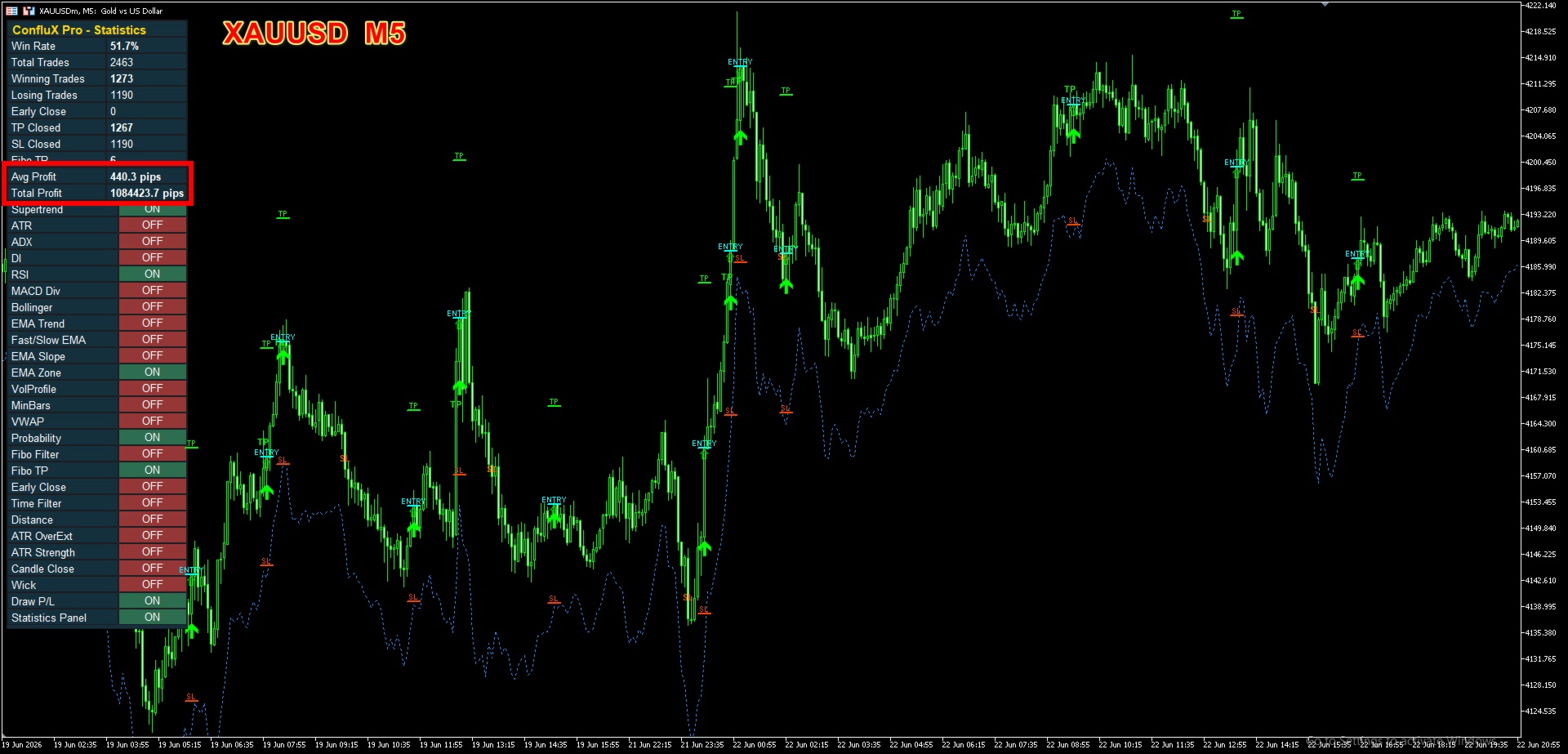
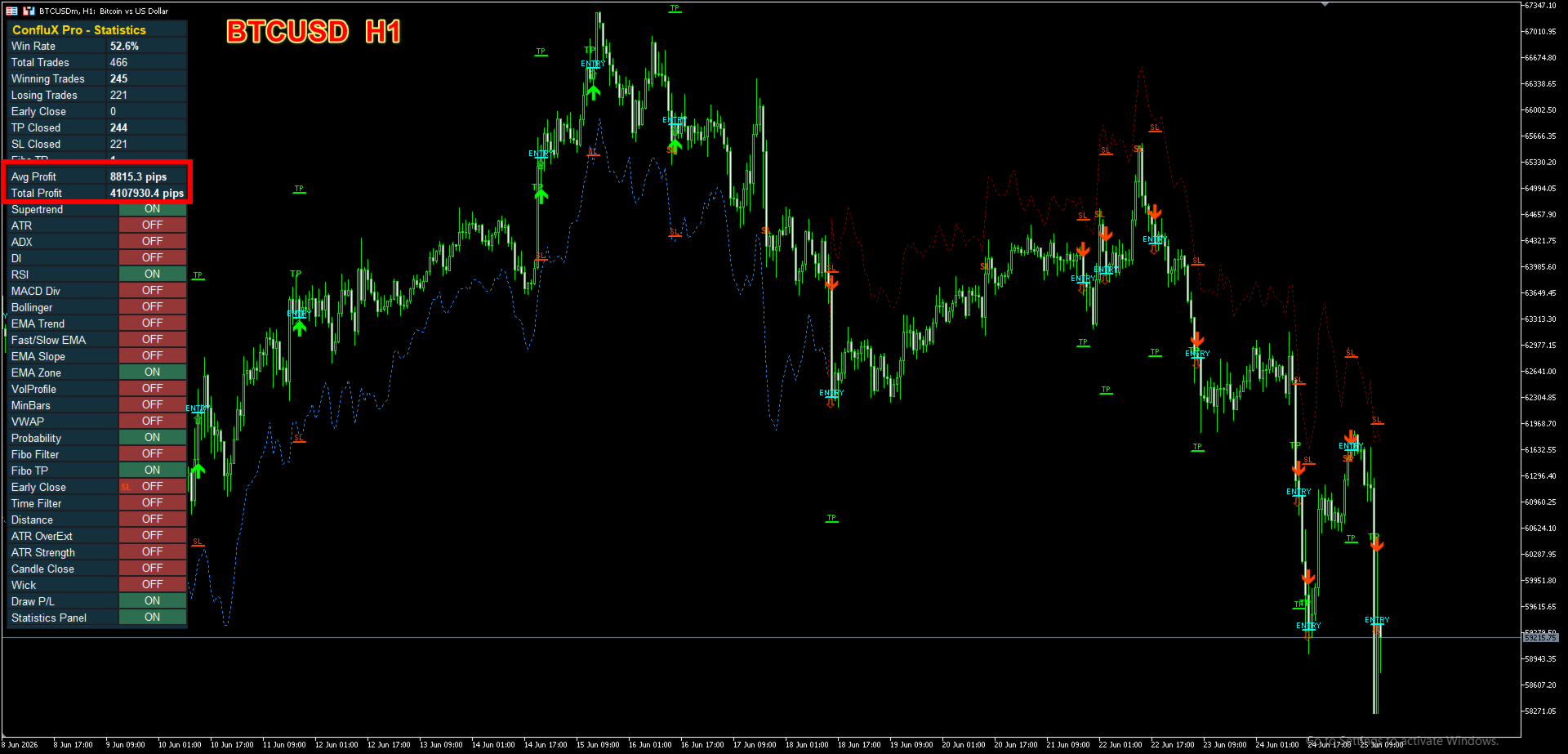
- A built-in Statistics Panel keeps a running count of trades, win rate, average result and other metrics directly on the chart, based on how the historical signals on the current chart would have played out.
- All panel colors, font size and position are configurable through the indicator inputs.
- Alerts are available through push notification, e-mail and sound, so a new signal can be noticed without watching the chart continuously.
IMPORTANT NOTES
- The Statistics Panel reflects a historical simulation of past signals on the chart you are viewing. It is provided as a transparency tool to review how the configured filters behaved historically, and it does not guarantee similar results in the future. Markets change, and past behaviour is not a promise of future performance.
- ConfluX Pro is an indicator, not an automated trading robot. It does not place, modify or close real positions; all execution decisions remain with the trader.
- Works on any timeframe and any symbol supported by your broker. All filters, thresholds and risk multipliers are configurable to match your own trading approach.
After purchasing, if you need support or guidance on using the indicator, please contact me via the MQL5 messaging system.
Recommended starting point: enable a small number of filters first, watch how the Statistics Panel responds on your own chart history, then adjust filter combinations and thresholds to match the instrument and timeframe you trade.

 I am PA, a 33-year-old Forex trader with eight years of market experience and three years of experience developing tools on MQL5.