Trade Manager Auto SL TP Trailing Pro
- Experts
-
Do Thi Phuong Anh
 I am PA, a 33-year-old Forex trader with eight years of market experience and three years of experience developing tools on MQL5.
I create calculation tools and indicators designed to help traders manage risk. These tools are for educational purposes only and do not constitute financial advice. - Versione: 3.10
- Attivazioni: 15
Think of this EA as an "order management assistant" rather than a robot that automatically finds entry points.
The EA helps you automatically set or hide Stop Loss (SL) and Take Profit (TP) levels, move the stop-loss to break-even, lock in profits, and apply trailing stops to open orders.
===============
Simple Explanation
You open a Buy or Sell order first. Then, the EA manages that order based on your configured settings.
Example:
- StopLossPoints = 250: Exit or set SL if the loss reaches 250 points.
- TakeProfitPoints = 500: Close the trade if the profit reaches 500 points.
- BreakEvenAfterPoints = 80: Move SL to break-even if the profit reaches 80 points.
- ProfitLockPoints = 60: Lock in a minimum of 60 points of profit.
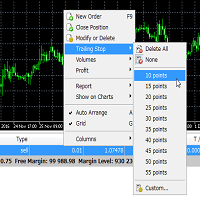
- TrailingStopPoints = 80: The SL follows the price as the trade moves in your favor.
These are input parameters that traders can modify when attaching the EA to a chart.
===============
Key Modes
SLTPMode = SLTP_VIRTUAL: The EA uses hidden SL/TP levels. The broker cannot see the SL/TP, but your computer/terminal must remain on for the EA to close the trade.
SLTPMode = SLTP_SERVER: The EA places actual SL/TP levels with the broker. This is safer in the event of an internet outage or computer shutdown, but the broker can see the SL/TP levels.
New traders should start with SLTP_SERVER for simplicity and safety.
===============
Control Panel
- RUNNING: The EA is actively managing orders.
- PAUSED: The EA is paused and not managing orders.
- VIRTUAL ON/OFF: Toggle virtual SL/TP; relevant only when using SLTP_VIRTUAL mode.
- LOCK ON/OFF: Toggle break-even and profit lock functions.
- TRAIL ON/OFF: Toggle trailing stop function.
- - Button: Minimize the panel.
- + Button: Expand the panel.
- X Button: Hide the control panel.
===============
Panel Parameters
- SL/TP: Indicates whether SERVER or VIRTUAL mode is currently in use. SCOPE: Which orders the EA is managing.
- SPREAD: Current spread.
- Orders or Positions: Number of orders/positions managed by the EA.
- Lots: Total lot volume.
- FLOATING P/L: Current profit/loss.
- PROTECTED: Number of orders with SL or TP set.
- BE/LOCK: Break-even/profit-lock status.
- TRAIL: Trailing stop type currently in use.
===============
Tips for New Traders
- Start with a demo account. Select settings based on the timeframe and asset:
- Scalping (M1-M5): Smaller SL/TP.
- Intraday (M15-H1): Moderate SL/TP.
- Swing (H4-D1): Larger SL/TP.
An easy-to-remember rule: Do not set "BreakEvenAfterPoints" too close to the entry price; otherwise, the SL might easily be moved to break-even and then get stopped out prematurely.