
Liquidity Profiler Tools
- Indicatori
-
Cao Minh Quang
 Welcome to my profile. I am a developer MQL4 and MQL5.
Telegram: https://t.me/storevan
Thanks and regards! - Versione: 1.1
- Aggiornato: 22 giugno 2026
- Attivazioni: 5
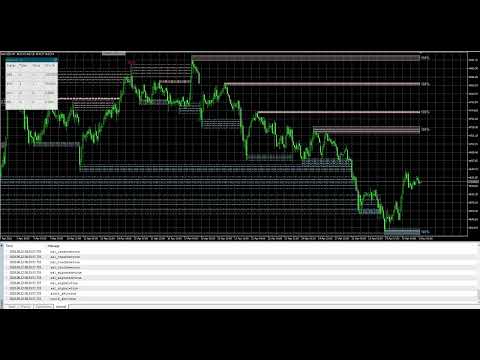
The Liquidity Profiler Tools is indicator identifies major buy-side and sell-side liquidity levels and visualizes internal buyer/seller activity through volume delta-filled quadrants, providing a complete toolkit for analyzing liquidity sweeps and potential reversals.
Detection
The indicator utilizes a pivot-based detection system. When a swing high is confirmed, a Buy-Side Liquidity (BSL) zone is created; a swing low creates a Sell-Side Liquidity (SSL) zone. The script includes "Filter Overlaps" logic to ensure chart clarity. If a new, more significant pivot forms within the range of an existing active zone, the tool can automatically update to the most relevant level, preventing the clutter of multiple overlapping boxes.
This tool splits each zone into four horizontal quadrants. As price trades within these quadrants, the script calculates the volume delta (the difference between buying and selling pressure) for each specific section.
Buy Zones: Indicates aggressive buyers were more active in that specific price slice.
Sell Zones: Indicates aggressive sellers dominated that section.
Reversal Detection
The script includes an detection system that identifies unusual volume patterns during liquidity sweeps. These signals are displayed as text as follows:
- ABS (Absorption): Occurs when aggressive market orders at the extreme edge of a zone are absorbed by large limit orders in the opposite direction.
- EXH (Exhaustion): Occurs when a sweep happens on very low relative volume, suggesting no follow-through.
- DIV (Divergence): Identified when high volume pushes into the edge of a zone (FOMO) but price fails to close outside the level.
- REJ (Snapback Rejection): Triggered when a sweep candle shows high delta in the opposite direction of the sweep and closes back inside the zone.
Dashboard:
The indicator includes a real-time dashboard that tracks the historical performance of each reversal signal type using a time-based validation logic.
Win recorded if within the Eval Window, the price reverses from the sweep and remains in profit (on the correct side of the signal entry) for a specific number of consecutive bars (Hold Time).
Zone Decay (Health):
Active zones feature a "Health" percentage label. This tracks the cumulative volume traded within the zone relative to its capacity. As more volume is transacted at these levels, the liquidity is considered "consumed," and the percentage drops toward 0%.
Indicator Settings
Main Settings
- Pivot Length: Lookback/lookforward period for detecting swing highs and lows.
- Max Bars: The indicator starts calculating based on the number of historical candlesticks.
- Show Swept Zones: Keeps zones visible with dashed outlines after they have been breached.
- Filter Overlapping Zones: Prevents the creation of new zones that overlap with existing active zones.
Decay & Reversals
- Show Zone Decay: Toggles the health percentage labels.
- Zone Volume Capacity: Multiplier for average volume to determine how much volume a zone can absorb.
- Enable Reversal Detection: Toggles the signal bubbles for reversal patterns.
Dashboard
- Show Dashboard: Toggles the performance tracking table.
- Hold Time (Bars): The number of consecutive bars price must stay in profit to be considered a successful reversal.
- Eval Window (Bars): The maximum number of bars the script waits for a reversal to manifest.
Styles and Alert
- Styles: Adjust object color configuration. Hide/Show Dashboard.
- Alert: Turn alerts on/off whenever BSL&SSL is detected/migrated/testing/reversal.


































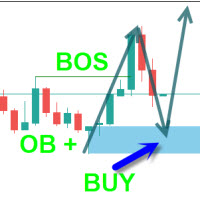
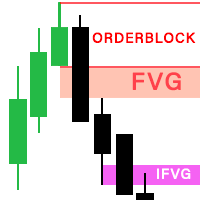


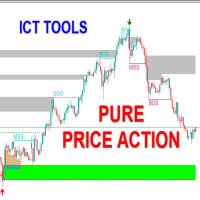




The best Liquidity levels by far, neat and very clear, it become dash lines once fully taken. This indicator will give good hint on which direction the price will move toward or at least the TP level the price will go. I give full rating tp the seller or developer of the such wonderful indicator