News Marker

News Markers Description
Version: 1.13Type: MetaTrader 5 indicator (chart window)
Purpose: Plots economic-calendar news events as color-coded vertical lines on the chart, with optional currency tags and an upcoming-news HUD panel.

Before you start — three things that always apply

  1. Live connection required. The data comes from MT5's built-in economic calendar via your broker's feed. It returns nothing in the Strategy Tester, and nothing if your broker doesn't serve calendar data. If no lines appear, open the Experts tab — the indicator logs a diagnostic when the calendar comes back empty.
  2. Importance colors are consistent everywhere. Low = yellow, Medium = orange, High= red (all configurable). Lines, tags, and HUD rows all use the same three colors so at glance tells you the severity.
  3. Times are in your broker's server time. Calendar timestamps and chart bars should align, but on first use, sanity-check a known release against the bar it lands on. If everything is shifted by a constant number of hours, that's a broker time-offset worth noting.
Scope — how much calendar to load
Controls the time window of events pulled from the calendar.
Settings:
Days of PAST events to load & plot [How many days of past events to load and plot.]
Days of FUTURE events to load into memory [How many days of future events to load into memory. (Future events aren't necessarily drawn yet — see "DRAW upcoming events once within this many minutes of now".)]
DRAW upcoming events once within this many minutes of now [A future event's line is only drawn once you're within this many minutes of it. Keeps the chart's right side clean until news is imminent, then the line appears and rolls into the past as time passes. Set to 0 to draw all loaded future events immediately.]
    Tip: A wide "Days of PAST events to load & plot" with many currencies/importance's enabled draws a lot of lines. Narrow the window or use the filters below if it gets dense.


    Importance Filter
    Three independent on/off toggles for which severity grades to show.
    Settings:
    Plot LOW importance events (gold) [Plot low importance events (yellow).]
    Plot MEDIUM importance events (orange) [Plot medium importance events (orange).]
    Plot HIGH importance events (red) [Plot high importance events (red).]


      Currency Filter
      Six independent toggles for which currencies' events to show. Events of any other currency are ignored.
      Settings:
      US Dollar events [Show US Dollar events.]
      Euro events [Show Euro events.]
      Japanese Yen events [Show Japanese Yen events.]
      British Pound events [Show British Pound events.]
      Australian Dollar events [Show Australian Dollar events.]
      Canadian Dollar events [Show Canadian Dollar events.]


        Line Appearance
        Controls the vertical lines.
        Settings:
        Low importance line color [Color of low-importance lines.]
        Medium importance line color [Color of medium-importance lines.]
        High importance line color [Color of high-importance lines.]
        High importance line style [Line style for high-importance events.]
        Medium importance line style Dash [Line style for medium-importance events.]
        Low importance line style [Line style for low-importance events.]
        Line Width [Line thickness in pixels.]
        How often to refresh the calendar (seconds) [How often the calendar is re-queried and the chart refreshed.]
          Why per-grade styles? When two events of different grades land on the same time, a solid red line and a dashed orange line stay distinguishable where two identical lines would merge.


          Merge Same-Currency Events (same timestamp)
          When several events of the same currency are released at the exact same time (e.g. NFP +Unemployment + Hourly Earnings all at 14:30), they can collapse into one line and one tag, with every event listed in the tooltip.
          Settings:
          Merge same-currency events at the same time into one line/tag [Merge same-currency, same-timestamp events into a single line/tag. The tooltip lists every merged event, sorted highest grade first then alphabetically.]
          Tag color when a merge contains MIXED importance grades [When a merged group spans different grades, the tag is recolored to this so you instinctively check the tooltip. The line]
            Keeps its highest-grade color, so severity still reads at a glance.
            How a merge looks: the line takes the highest grade present (so a group containing any high-impact event shows a red line). A merged tag gets a + marker, e.g. [USD+]. If the grades are mixed, the tag also takes the "Tag color when a merge contains MIXED importance grades".


            Currency Tag (top/bottom of line)
            A small [CUR] label at the edge of each line, telling you which currency the news belongs to without hovering.
            Settings:
            Show a [CUR] tag at the edge of each line [Show the [CUR] tag at the edge of each line.]
            Use [E] instead of [EUR] (single first letter) [Use a single first letter ([E]) instead of the 3-lettercode ([EUR]). All six currencies' first letters are unique(U/E/J/G/A/C).]
            Nudge same-time/same-edge tags rightward (e.g. [E][G]) [When several tags share the same time and edge, nudge each one rightward into its own slot so they sit side by side, e.g. [E][G], instead of overlapping.]
            Horizontal step per cluster slot (% of one bar's width) [The horizontal step per cluster slot, as a percentage of one bar's width. Larger = wider gaps between side-by-side tags.]
            Tag font [Font for the tags (Consolas, Lucida Console, Courier New, Verdana, Tahoma, Segoe UI, Arial).]
            Tag font size [Tag font size.]
            High-importance tag distance from edge (% of visible range) [How far a high -importance tag sits from its edge, as % of the visible price range.]
            Medium-importance tag distance from edge (% of visible range) [Same, for medium importance.]
            Low-importance tag distance from edge (% of visible range) [Same, for low importance.]
              Why per-grade offsets? Different-grade events at the same time stack in separate "lanes" so they don't sit on top of each other — high nearest its edge (most prominent), medium and low stepped inward.
              A tag also gets a "stem" dash toward its line so the text isn't cramped against it — e.g. [EUR]-|-[GBP] for two tags fanned to opposite sides of the same line. This is automatic and depends on the anchor (below).


              Currency Tag Placement (Top / Bottom edge)
              Chooses whether each currency's tags sit at the top or bottom of the chart. The classic use: on a EURUSD chart, put USD at the top and EUR at the bottom — then a glance up shows all USD news and a glance down shows all EUR news, regardless of importance.
              Settings:
              USD tags edge [Top Which edge USD tags pin to.]
              EUR tags edge [Bottom Which edge EUR tags pin to.]
              JPY tags edge [Top Which edge JPY tags pin to.]
              GBP tags edge [Bottom Which edge GBP tags pin to.]
              AUD tags edge [Top Which edge AUD tags pin to.]
              CAD tags edge [Bottom Which edge CAD tags pin to.]
                The per-grade offsets mirror automatically: top-edge tags measure down from the top, bottom-edge tags measure up from the bottom, with high-importance always nearest its edge. Tags track the edge as you scroll and zoom.


                Currency Tag Anchor (Left / Center / Right of line)
                Chooses which side of its own line each currency's tag sits on. Pairing this with the top/bottom placement lets you fully separate two colliding currencies — e.g. USD anchored Left (text to the right of its line) and EUR anchored Right (text to the left of its line) pull apart cleanly.
                Settings:
                USD tag anchor relative to its line [USD tag side relative to its line.]
                EUR tag anchor relative to its line [EUR tag side relative to its line.]
                JPY tag anchor relative to its line [JPY tag side relative to its line.]
                GBP tag anchor relative to its line [GBP tag side relative to its line.]
                AUD tag anchor relative to its line [AUD tag side relative to its line.]
                CAD tag anchor relative to its line [CAD tag side relative to its line.]
                  Left = text extends to the right of the line. Right = text extends to the left of the line (ends at the line). Center = text straddles the line (no stem Dash).


                  Upcoming News HUD
                  An optional panel listing upcoming events, soonest at the top, each row colored by its grade. Useful as an at-a-glance "what's coming" board.
                  Settings:
                  Show the upcoming-news HUD panel [Show the upcoming-news HUD panel.]
                  Calendar days to include (1 = today, 2 = today + tomorrow, ...) [How many calendar days to include. 1 = the rest of today; 2 =today + tomorrow; etc. (Independent of the line settings above.)]
                  HUD font [HUD font.]
                  HUD font size [HUD font size.]
                  HUD anchor corner [Which chart corner the panel anchors to (Upper/Lower ×Left/Right).]
                  HUD X distance from corner (pixels) [Horizontal distance from the corner, in pixels.]
                  HUD Y distance from corner (pixels) [Vertical distance from the corner, in pixels.]
                  HUD background color (default near-black) [Background panel color.]
                  HUD header text color [Color of the "Upcoming News" header row.]
                    Row format: Mon 14:30 USD [High] Non-Farm Payrolls (long names truncated). Rows use the same currency and importance filters as the lines — it shows the same selected news, just as a forward-looking list. The panel auto-sizes to the number of rows and the longest line, and text is left-aligned for clean reading even when rows differ in length.
                    Tip: For the tightest background fit, use a monospaced HUD font (Consolas, Lucida Console, or Courier New) — proportional fonts (like Tahoma) make the auto-sized width an approximation, so the panel may be slightly wider or narrower than the text.


                    Quick recipes
                    Clean EURUSD overview: 
                    Majors only USD tags Top / EUR tags Bottom
                    USD anchor Left, EUR anchor Right
                    High + Medium only
                    HUD upper-left, 2 days ahead. 
                    Just the big stuff, minimal clutter 
                    Plot LOW importance events, Plot MEDIUM importance events: "FALSE" (High only);
                    DRAW upcoming events once within this many minutes of now: low (e.g. 30) so future lines appear only when imminent; HUD on forthe look-ahead.

                    Busy news session, keep tags readable: 
                    Use [E] instead of [EUR] (single first letter) "TRUE".
                    Nudge same-time/same-edge tags rightward (e.g. [E][G]) "TRUE" → [U][E] side-by-side. 
                    Merge same-currency events at the same time into one line/tag: "TRUE" so same-currency piles collapse to one tag.
                    Prodotti consigliati
                    Autofib Zone
                    Ilham Hijrah Saputra
                    5 (1)
                    Auto Fibonacci Buy/Sell Zones is a powerful , 100% automated trading indicator designed for MetaTrader 5. It eliminates the hassle of manually drawing Fibonacci levels by instantly detecting market swings and projecting dynamic Buy and Sell zones directly onto your chart. Whether you are a scalper, day trader, or swing trader, this indicator adapts seamlessly to any financial instrument (Forex, Crypto, Indices, Commodities) and works perfectly across all timeframes. Key Advantages & Features
                    FREE
                    Get your DuoFX indicator alerts on Telegram and Discord, with a chart screenshot, without staring at the terminal. Free, for DuoFX products only This relay forwards alerts from DuoFX indicators and tools that have the "Send to DuoFX Alert Relay" option. It does not forward alerts from other indicators or Expert Advisors. Supported today: DuoFX Divergence Scanner (version 1.3 and later and DuoFX Currency Strength Meter 1.1 and later). More DuoFX tools get the option in their next updates; the cur
                    FREE
                    VWAP Bands disegna il prezzo medio ponderato per i volumi a partire dall'ancoraggio che scegli tu, con fino a tre bande di deviazione standard e un secondo VWAP come contesto. Gratuito, senza limiti. VWAP ancorato Ancoraggio: giorno, settimana, mese, anno oppure data e ora fisse Orario di inizio periodo configurabile (orario del server): per esempio 00:00, oppure 17:00 chiusura di New York per il forex, dove una sessione che inizia la sera conta come il giorno di trading successivo Prezzo: tipic
                    FREE
                    LR Pivots Combo Statistics That Show You Where the Market Stands! Key Features (updated V2.1) 1. Auto-Plotting Linear Regression Channel Trend Direction — Uses slope (normalized by ATR) to identify whether the market is in an uptrend, downtrend, or ranging sideways. Trend Quality (R-Squared) — Tells you if the trend is statistically consistent (Stable) or just noise (Volatile). Useful for filtering out unreliable setups. Standard Deviation Bands — Shows how far price has deviated from the regre
                    FREE
                    AI Channels MT5
                    Duc Hoan Nguyen
                    5 (2)
                    Ottieni GRATIS tutti i miei indicatori MT4 e MT5 — Scopri come qui I nuovi strumenti   costeranno   $30   per la   prima settimana   o per i   primi 3 acquisti !  Canale Trading Tools su MQL5 : Unisciti al mio canale MQL5 per ricevere le ultime novità L'indicatore AI Channels utilizza il clustering K-means mobile —una potente tecnica di apprendimento automatico nell'analisi dei cluster—per fornire intuizioni in tempo reale sulle tendenze di prezzo sottostanti. Questo indicatore crea canali ada
                    FREE
                    PANEL OF TOPOS AND HISTORICAL BACKGROUNDS   This is a panel that does not open orders only manages all Symbols and calculates the tops and bottoms and presents the calculation in relation to the top and bottom in 5 Years, 2 Months and 1 Week. It is ideal for filtering the pairs that are in the good regions to operate. You can filter the range and choose whether to consider the body or shadow of the candle in the monthly. Good luck...
                    FREE
                    RSI abcd
                    Francisco Gomes Da Silva
                    3.75 (4)
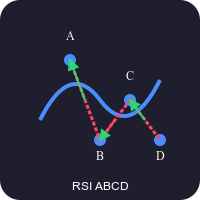
                    RSI ABCD Pattern Finder: Strategia Tecnica 1. Come Funziona l'Indicatore Combina il RSI classico con il rilevamento automatico di pattern armonici ABCD . Componenti Principali RSI standard (periodo regolabile) Marcatori di massimi e minimi (frecce) Pattern ABCD (linee verdi/rosse) Filtri ipercomprato (70) e ipervenduto (30) 2. Configurazione su MT5 period = 14 ; // Periodo RSI size = 4 ; // Dimensione massima del pattern OverBought = 70 ; // Livello ipercomprato OverSold = 30 ; // Livello iperve
                    FREE
                    TilsonT3
                    Jonathan Pereira
                    5 (1)
                    Tillson's T3 moving average was introduced to the world of technical analysis in the article ''A Better Moving Average'', published in the American magazine Technical Analysis of Stock Commodities. Developed by Tim Tillson, analysts and traders of futures markets soon became fascinated with this technique that smoothes the price series while decreasing the lag (lag) typical of trend-following systems.
                    FREE
                    MACD Four Color Histogram è un MACD per MetaTrader 5 che usa la stessa formula e lo stesso aspetto del MACD integrato di TradingView. È pensato per i trader che usano entrambe le piattaforme e vogliono leggere il MACD allo stesso modo su ogni grafico. Differenze rispetto al MACD standard di MT5 - MACD standard di MT5: l'istogramma è la linea MACD stessa e la linea di segnale è una SMA. - Questo indicatore: tre parti, come su TradingView. Linea MACD, linea di segnale e istogramma = MACD - segnal
                    FREE
                    TradeVision Pro
                    Ian Nganga Comba
                    TradeVisonPro Forex Analyzer Pro Dashboard di analisi e monitoraggio dei conti di trading MT5 TradeVisonPro Forex Analyzer Pro è una soluzione di analisi del trading e monitoraggio dei conti progettata per gli utenti di MetaTrader 5. Il prodotto organizza i dati di trading MT5 in una dashboard web strutturata, consentendo ai trader di visualizzare le informazioni del conto, monitorare le posizioni aperte, analizzare lo storico delle operazioni, seguire le strategie, mantenere un diario di tradin
                    FREE
                    SessionRange-MT5-Ind   is an indicator for MetaTrader 5 that builds a High/Low/Middle channel based on the given trading session. Indicator : Defines the session range   - builds a channel based on a given high/low window Draws three lines : SessionTop (blue) —   maximum session SessionMiddle (grey) — channel center SessionBottom (orange) —   minumum session Session mode (Mode) : `Previous Day` —   for classical PDH/PDL (previous day range) `Current Day` —   to display the current day’s session
                    FREE
                    NEXA Breakout Velocity NEXA Breakout Velocity è un sistema di trading automatico basato sulla logica di breakout di canale, combinata con filtro di momentum (ROC), filtro di volume e gestione del rischio basata su ATR. Il sistema è progettato per identificare fasi di espansione della volatilità, quando il prezzo rompe un intervallo con aumento di velocità e partecipazione. Tutti i segnali sono calcolati esclusivamente su candele chiuse. Viene mantenuta una sola posizione per simbolo alla volta.
                    FREE
                    EMA Clock
                    Flavio Carneiro De Barros
                    EMA Clock reads the slope of an exponential moving average as the hour hand of a clock. How it works The slope of the EMA over a chosen number of bars is normalized by the ATR, converted into an angle and then into a clock hour: - 12:00 - the average is rising steeply (hand pointing up) - 15:00 - the average is flat (hand pointing right) - 18:00 - the average is falling steeply (hand pointing down) Each hour equals 30 degrees. Normalizing by the ATR keeps the reading comparable across symbols
                    FREE
                    SMC Structure Markup
                    Seyed Mohammad Hosseini Hejazi
                    4.69 (16)
                    Overview The Smart Money Structure Markup Indicator for MetaTrader 5 is a powerful tool designed to help traders identify key market structures based on popular Smart Money Concepts (SMC) strategies. This indicator detects micro-market structures, providing insights into price movements and potential trend changes. It highlights important elements such as valid Break of Structure (BOS), Change of Character (CHoCH), and Inducement (IDM), helping traders to make informed decisions. Key Features Ma
                    FREE
                    Welles Wilder
                    Maycon Sussuarana
                    5 (1)
                    Wilder Trend Indicator (MT5) The Wilder Trend Indicator is a clean and lightweight trend-following tool based on Wilder’s Moving Average smoothing method . It visually highlights market direction by separating uptrend and downtrend movements directly on the price chart. The indicator is designed to be simple, flexible, and non-intrusive , making it ideal for discretionary traders who want clear trend confirmation without cluttering the chart. Key Features Uses Wilder-style smoothing for st
                    FREE
                    VFI Quantum
                    Nikita Berdnikov
                    5 (1)
                    Introducing VFI (Volume Flow Indicator) – a trading indicator that analyzes the relationship between volume and price movement to identify key trading opportunities. The indicator displays the strength and direction of volume flow, providing clear signals about potential entry and exit points. Signals are formed based on zero line crossovers, crossovers between the VFI line and its exponential moving average (EMA), and when the indicator exits overbought and oversold zones. Attention! This stra
                    FREE
                    Umagads Candle Timer MT5: Timer di precisione per il trading professionale Nei mercati finanziari rapidi, la precisione è tutto. Umagads Candle Timer MT5 è un'utility ad alte prestazioni sviluppata per i trader che richiedono il massimo controllo temporale. Sapere esattamente quando chiuderà una candela è fondamentale per un'esecuzione perfetta. Questo strumento posiziona il countdown esattamente dove serve, assicurando di essere sempre un passo avanti rispetto alla prossima mossa del mercato. C
                    FREE
                    LM Session VWAP Bands MT5 LM Session VWAP Bands MT5 is a configurable Volume Weighted Average Price indicator for MetaTrader 5. It plots a VWAP line and optional weighted standard deviation bands directly on the chart. VWAP can reset daily, weekly, monthly, or at the start of a custom session defined in broker server time. VWAP is calculated as: VWAP = Sum(Price x Volume) / Sum(Volume) The indicator can be used as part of your own intraday, session-based, trend, mean-reversion, price-actio
                    FREE
                    This indicator automatically detects harmonic price patterns on your chart, both bullish and bearish, and shows them as soon as they form, including potential patterns that are still developing. For every pattern it draws the Potential Reversal Zone (PRZ), and for completed patterns it also draws two take-profit and two stop-loss levels. Supported Patterns: Gartley, Bat, Butterfly, Crab, Deep Crab, Shark and Cypher. Each pattern can be switched on or off individually. Key Features: Completed

                    FREE
                    Candlestick Patterns Context labels well-known candle patterns. It also lets you hide the small or out-of-context ones that make most pattern tools noisy. Patterns (each can be switched on or off) - Bullish and bearish engulfing - Hammer and shooting star - Bullish and bearish harami - Piercing line and dark cloud cover - Morning star and evening star - Three white soldiers and three black crows (off by default) - Doji (off by default; labelled with no direction) Filters - Minimum size: the sign
                    FREE
                    This indicator uses a different approach from the previous version to get it's trendlines. This method is derived from Orchard Forex, and the process of making the indicator is demonstrated in there video   https://www.youtube.com/watch?v=mEaiurw56wY&t=1425s . The basic idea behind this indicator is it draws a   tangent line   on the highest levels and lowest levels of the bars used for calculation, while ensuring that the lines don't intersect with the bars in review (alittle confusing? I know
                    FREE
                    Reversal Oscillator — Advanced Momentum Shift Detector Reversal Oscillator is a free indicator designed to highlight price zones that are statistically outside their normal movement patterns, helping traders anticipate potential turning points before they occur. Unlike traditional oscillators that react mainly to overbought/oversold conditions, this indicator applies third derivative analysis (the "acceleration of the acceleration" of price) calculated using two independent methods within a n
                    FREE
                    Quantitative Candlesticks Qstick
                    Flavio Javier Jarabeck
                    4 (2)
                    Qstick is a way to objectively quantify candlestick analysis and improve the interpretation of candlestick patterns. Qstick was developed by Tushar Chande and published in his book " The New Technical Trader - Boost Your Profit by Plugging Into the Latest Indicators (1994) ". Qstick is built based on a moving average of the difference between the Open and Close prices. The basis of the idea is that the Opening and Closing prices are the heart of candlestick analysis. We strongly recommend the re
                    FREE
                    Flusso di volume in acquisto e in vendita in una finestra separata, sul tuo grafico MetaTrader 5. JET Volume Flow mostra, in una finestra separata, quanta parte del volume recente è andata nelle barre rialziste e quanta nelle barre ribassiste. Sopra lo zero il flusso è in acquisto (istogramma verde); sotto lo zero è in vendita (istogramma rosso). I movimenti di prezzo molto piccoli vengono ignorati e i picchi di volume fuori dal normale vengono limitati, così una singola barra non domina la lett
                    FREE
                    Donchian Pro
                    Paulo Henrique Faquineli Garcia
                    5 (3)
                    The Donchian Channel Channels are among the most popular tools of technical analysis, as they visually convey to the analyst the limits within which most price movement tends to occur. Channel users know that valuable information can be obtained at any time, whether prices are in the central region of a band or close to one of the border lines. One of the best known techniques to explore these concepts is Bollinger Bands. However, John Bollinger was not the only one to research the application
                    FREE
                    Angle Channel Detector: trova i segmenti di trend più ripidi e senza rumore sul grafico L'Angle Channel Detector analizza il prezzo tramite regressione lineare e disegna un canale pulito SOLO quando la sua inclinazione supera l'angolo minimo definito da te. Niente disordine o linee sovrapposte: ogni canale è un segmento retto, con due bande parallele e una linea mediana tratteggiata. COSA MOSTRA Canali rialzisti (verdi) e ribassisti (rossi) quando l'angolo supera il minimo. Il canale attual
                    Easy Timezone draws trading time windows — ICT killzones, sessions, or any custom range — on your chart with automatic timezone conversion. Pick one of the three built-in presets ( Forex , Indices , ICT Killzone ) or define up to 8 windows of your own. Visual only — no signals and no trading. What it does MetaTrader charts always run on your broker's server clock, so "New York 9:30" is a different bar on every broker. Easy Timezone converts your times into server time for you: enter the hours on
                    FREE
                    Nexus Breakout line
                    Mohammed Kaddour
                    5 (2)
                    INTRODUCTION : The breakout strength meter is a trading tool that is used to identify which currencies are the strongest to breakout, and which currencies are the weakest to breakout. The settings for the indicator are easy, and if you cannot find the settings, please leave a comment The tools are completely free to use Please, if you like the indicator, please leave a comment and rate the indicator in order to develop it
                    FREE
                    CandlePro X
                    Murtadha Majid Jeyad Al-Khuzaie
                    CandlePro X — Free Professional Candle Visualizer for MetaTrader 5 CandlePro X is a free chart visualization indicator for MetaTrader 5, designed to make candlestick charts cleaner, sharper, and easier to read. If you find it difficult to quickly distinguish bullish and bearish candles, especially on busy charts, CandlePro X helps solve this problem by giving your candles stronger colors, clearer contrast, and a more professional appearance. CandlePro X does not generate trading signals, pred
                    FREE
                    Swing BOS Structure is a market structure indicator for MetaTrader 5. The indicator automatically detects: • Swing High (SH) • Swing Low (SL) • Break of Structure (BOS) • Change of Character (CHoCH) Swings are confirmed only after a defined number of candles, ensuring no repainting. BOS signals indicate trend continuation. CHoCH signals indicate a potential change in market structure and may appear less frequently depending on market conditions and timeframe. The indicator is lightweight, fa
                    FREE
                    Gli utenti di questo prodotto hanno anche acquistato
                    Trade Assistant MT5
                    Evgeniy Kravchenko
                    4.43 (216)
                    It helps to calculate the risk per trade, the easy installation of a new order, order management with partial closing functions, trailing stop of 7 types and other useful functions. Additional materials and instructions Installation instructions - Application instructions Line function -   shows on the chart the Opening line, Stop Loss, Take Profit. With this function it is easy to set a new order and see its additional characteristics before opening.   Risk management  - The risk calculation
                    Forex Trade Manager MT5
                    InvestSoft
                    4.98 (694)
                    Benvenuto a Trade Manager EA, lo strumento definitivo per la gestione del rischio , progettato per rendere il trading più intuitivo, preciso ed efficiente. Non è solo uno strumento per l'esecuzione degli ordini, ma una soluzione completa per la pianificazione delle operazioni, la gestione delle posizioni e il controllo del rischio. Che tu sia un principiante, un trader avanzato o uno scalper che necessita di esecuzioni rapide, Trade Manager EA si adatta alle tue esigenze, offrendo flessibilità s
                    Telegram to MT5 MultiChannel Copier
                    Sergio Marquez Uroz
                    4.73 (26)
                    Black Week: acquisto a 69.99 USD. L'offerta termina venerdì 27 novembre. Telegram to MT5 Multi-Channel Copier   copia automaticamente i segnali di trading dai tuoi canali Telegram e Discord direttamente su MetaTrader 5. Niente bot, niente estensioni del browser, niente copia manuale. Il segnale arriva su Telegram o Discord e l'EA apre l'operazione nel tuo terminale in pochi secondi. E prima di copiare un canale, il backtester integrato ti mostra cosa avrebbe fatto quel canale sul tuo conto. Il p
                    Local Trade Copier EA MT5
                    Juvenille Emperor Limited
                    4.94 (150)
                    Local Trade Copier EA MT5 è un trade copier rapido e flessibile per copiare e gestire operazioni tra più conti MetaTrader 5 sullo stesso computer Windows o Windows VPS. Combina la sincronizzazione locale delle operazioni con controlli lato Receiver per dimensione del lotto, gestione del rischio, filtraggio delle operazioni, mappatura dei simboli, gestione delle operazioni e protezione del conto. Configura i terminali Transmitter e Receiver in circa 1 minuto e copia operazioni manuali o aperte d
                    FarmedHedge Pair Trading Dashboard
                    Tanapisit Tepawarapruek
                    5 (7)
                    Farmed Hedge Yield Farming | All Markets (Manual - Hybrid - Semi/Automated EA) VERIFIED TRADING RESULTS - Farmed Hedge Yield Axi Copy:  https://www.mql5.com/en/signals/2356376 - Farmed Hedge Yield Exn Copy:   https://www.mql5.com/en/signals/2356404 - Farmed Hedge Yield V Copy:  https://www.mql5.com/en/signals/2357156 IMPORTANT NOTICE: FarmedHedge is a MANUAL-FOCUSED TRADING UTILITY ,not a fully automated EA. Results shown on this Signal include manual trades and overall strategic management.
                    EA Overfitter
                    Stephen J Martret
                    5 (5)
                    That backtest looks great. But will it still be making money tomorrow, next week, next month? EA Overfitter re-runs your EA on 100 price histories it has never seen. One score tells you if the edge is real. A backtest tells you what an EA did on one price history — the one that happened to occur. What you cannot tell from it is how much of that result was the strategy and how much was the particular path. EA Overfitter answers that. It builds up to 100 synthetic price histories your EA has n
                    TradePanel MT5
                    Alfiya Fazylova
                    4.89 (176)
                    Trade Panel è un assistente commerciale multifunzionale. L'applicazione contiene più di 50 funzioni di trading per il trading manuale e permette di automatizzare la maggior parte delle attività commerciali. Istruzioni per l'applicazione: https://www.mql5.com/it/blogs/post/762331 Versione di prova dell'applicazione per un conto demo: https://www.mql5.com/it/blogs/post/762419 Come installare l'applicazione: https://www.mql5.com/it/blogs/post/762362 Come testare l'applicazione in modalità visuale:
                    Strategy Ledger Pro
                    Abdullah Uygar Tuna
                    5 (17)
                    Ora disponibile in italiano. Strategy Ledger Pro è un pannello di analisi del conto in sola lettura per MetaTrader 5. Separa i risultati del conto per Expert Advisor, strategia, simbolo e numero magic, così puoi vedere quanto contribuisce davvero ciascuno. Il pannello è disponibile in 11 lingue: English, Français, Deutsch, Español, Italiano, Português, Русский, Türkçe, 中文, 日本語 e 한국어. Prova la demo. Avviala in modalità visuale dello Strategy Tester: il pannello si apre su un conto di esempio int
                    Copia i segnali Telegram con le tue regole di trading Telegram to MT5 Signal Trader copia automaticamente i segnali di trading testuali dai canali e gruppi Telegram pubblici e privati in MetaTrader 5. Gestisci più fornitori e conti MT5 da un'unica applicazione desktop, con impostazioni di rischio e di trading specifiche per ogni fornitore . Per copiare i segnali non servono bot Telegram né configurazioni API. Accedi semplicemente con il tuo account Telegram tramite numero di telefono o codice QR
                    Exp COPYLOT CLIENT for MT5
                    Vladislav Andruschenko
                    3.97 (35)
                    Copiatore professionale di trade per MetaTrader 5 Un copiatore di trade veloce, professionale e affidabile per MetaTrader . COPYLOT consente di copiare operazioni Forex tra terminali MT4 e MT5 con supporto per conti Hedge e Netting . La versione MT5 di COPYLOT supporta: - MT5 Hedge → MT5 Hedge - MT5 Hedge → MT5 Netting - MT5 Netting → MT5 Hedge - MT5 Netting → MT5 Netting - MT4 → MT5 Hedge - MT4 → MT5 Netting Versione MT4 Descrizione completa + DEMO + PDF Come acquistare Come installare Come ot
                    AI Agents Supervisor
                    Ho Tuan Thang
                    5 (1)
                    AI Agent Supervisor is NOT an Expert Advisor. AI Agent Supervisor   is a   multi-agent AI risk & portfolio supervisor   that watches every EA on your account and intervenes in real time.  WANT AN AI PORTFOLIO MANAGER WATCHING YOUR FLEET 24/7?   Run your fleet on the same brokers I do:   IC MARKETS , IC TRADING   .  Unlike the centralized stock market, Forex has no single, unified price feed.  Every broker sources liquidity from different providers, creating unique data streams. The Supervisor r
                    ================================================================================ POC BREAKOUT - V20.72. Full Professional Grade Toolkit ================================================================================ POC Breakout is a full MetaTrader 5 trading dashboard for discretionary traders who want breakout signals, Point of Control (POC) context, volume profiles, order flow, market structure, news, alerts, and advanced trade planning in one professional workspace. Attached directly to you
                    HINN MagicEntry Extra
                    ALGOFLOW OÜ
                    4.74 (19)
                    HINN MAGIC ENTRY 4 – click the chart, the trade is done! SIMPLE. FAST. PRECISE. Stop, entry and take right on the chart – the lot is sized to your risk automatically. full description   ::  install & FAQ   ::  support chat What's inside: - LIMIT in 3 clicks, MARKET in 2 – risk in %, $, lots or classic Fixed Lots - DEFAULTS: your TP, partials and BE scheme pre-loaded into every new trade – MARKET in 1 click - Unlimited partial take-profits with a % volume splitter - Breakeven with any trigger an
                    Unlimited Trade Copier Pro MT5 is a tool to copy trade remotely to multiple MT4, MT5 and cTrader accounts at different computers/locations over internet. This is an ideal solution for you if you are a signal provider and want to copy your trades to other receivers globally on your own rules. One provider can copy trades to multiple receivers and one receiver can get trade from multiple providers as well. The provider can even set the subscription expiry for each receiver, so that receiver will n
                    News Trade EA MT5
                    Konstantin Kulikov
                    4.55 (11)
                    Presento un utile robot che io stesso utilizzo da diversi anni. Questo robot può essere utilizzato sia in modalità semiautomatica che completamente automatica. >>> Chat <<< Il programma contiene le impostazioni flessibili per fare trading sulle notizie del calendario economico. Non può essere verificato nel tester delle strategie. Soltanto il vero lavoro. Scarica l'ultimo archivio di impostazioni: https://www.mql5.com/en/blogs/post/747929 Monitoraggio dei segnali: https://www.mql5.com/en/signa
                    Serve supporto? Come configurarlo? Hai domande? Chiedi qui nella tua lingua, risposta rapida: https://www.mql5.com/en/market/product/139088/comments Scarica la demo funzionante Copy Cat More (Gatto Copione) — Copiatore di Trade (Trade Copier) MT5 è un copiatore locale di trade e un framework completo di gestione del rischio e di esecuzione, progettato per le sfide di trading di oggi. Dalle challenge delle prop firm alla gestione di portafogli personali, si adatta a ogni situazione con una comb
                    The product will copy all telegram signal to MT5 ( which you are member) , also it can work as remote copier.  Easy to set up, copy order instant, can work with almost signal formats, image signal,  s upport to translate other language to English Work with all type of channel or group, even channel have "Restrict Saving Content", work with  multi channel, multi MT5 Work as remote copier: with signal have ticket number, it will copy exactly via ticket number. Support to backtest signal. How to s
                    EA Auditor
                    Stephen J Martret
                    5 (7)
                    EA Auditor is an independent analysis tool for traders evaluating Expert Advisors and trading signals on MetaTrader 5. It audits backtest reports, reviews posted developer signals, and cross-verifies the two against each other to help traders assess strategies before committing capital. The MQL5 market offers a wide range of Expert Advisors from many developers, with varying approaches, quality, and transparency. EA Auditor provides a consistent, data-driven framework for reviewing them, answer
                    Equity Protect Pro: Il tuo esperto di protezione del conto completo per un trading senza preoccupazioni Se stai cercando funzionalità come protezione del conto, protezione del capitale proprio, protezione del portafoglio, protezione multi-strategia, protezione dei profitti, raccolta dei profitti, sicurezza del trading, programmi di controllo del rischio, controllo automatico del rischio, liquidazione automatica, liquidazione condizionale, liquidazione programmata, liquidazione dinamica, trailin
                    Trade copier MT5
                    Alfiya Fazylova
                    4.62 (58)
                    Trade Copier è un'utilità professionale progettata per copiare e sincronizzare le transazioni tra conti di trading. La copiatura avviene dal conto/terminale del fornitore al conto/terminale del destinatario, che sono installati sullo stesso computer o vps. Prima di acquistare, puoi testare la versione demo su un account demo. Versione demo qui . Istruzioni complete qui . Funzionalità e vantaggi principali: Supporta la copia degli ordini: MT5> MT5, MT4> MT5, MT5> MT4, inclusi i conti di compensaz
                    Astro Trade MT5
                    Indra Maulana
                    5 (8)
                    25% discount on the release of the tool: only for the next 3 buyers Send a message to receive a demo version. AstroTrade Trading Assistant AstroTrade is a comprehensive multi-functional trading utility developed for the MetaTrader 5 platform. It integrates essential tools for trade execution, risk management, and technical monitoring into a single unified interface. The application is designed to assist traders in managing their daily operations through a visual and structured environment. Vi
                    Timeless Charts
                    Samuel Manoel De Souza
                    5 (9)
                    Timeless Charts è un'utilità di trading completa progettata per trader professionisti. Combina tipi di grafici personalizzati come Grafici a Secondi e Renko con analisi avanzata del flusso ordini tramite Footprints , Clusters , Profili di Volume , studi VWAP e strumenti di analisi ancorata per una visione più approfondita del mercato. Il trading e la gestione delle posizioni vengono eseguiti direttamente dal grafico tramite un pannello integrato di gestione delle operazioni , mentre Market Repla
                    Power Candles Strategy Scanner: ricerca di setup multi-simbolo che si ottimizza da sola Uno scanner che suona a ogni minimo movimento ti abitua a ignorarlo. Una chiusura di candela movimentata, un avviso dopo l'altro, e l'unico setup su cui operi davvero affoga nel rumore. Power Candles Strategy Scanner esegue il motore auto-ottimizzante di Power Candles su ogni simbolo del tuo Market Watch e ti avvisa solo di ciò che supera i tuoi filtri: la forza dell'ultima candela chiusa, il rapporto rendime
                    Trade Manager DashPlus
                    Henry Lyubomir Wallace
                    4.85 (13)
                    DashPlus è uno strumento avanzato di gestione delle operazioni progettato per migliorare l'efficienza e l'efficacia del trading sulla piattaforma MetaTrader 5. Offre una suite completa di funzionalità, tra cui calcolo del rischio, gestione degli ordini, sistemi di griglia avanzati, strumenti basati su grafici e analisi delle prestazioni. Caratteristiche Principali 1. Griglia di Recupero Implementa un sistema di griglia flessibile e di media per gestire le operazioni in condizioni di mercato avve
                    Zentral Trading Manager
                    Ray Zeanrik Parreno Fredeluces
                    5 (4)
                    Zentral Manager Your Command Center for Precision Trading — Now Stronger than Ever Take control of your trades like never before. Zentral Trading Manager is your all-in-one manual trading panel for MetaTrader 5 — built for scalpers, day traders, and serious strategy execution. Fully compatible with both Mac and Windows laptops. High-DPI safe. No more layout issues. Key Features (Latest 2025 Update): • One-Click Close – Instantly close Buy/Sell, winning/losing trades, or even half positions with
                    KT Equity Protector MT5
                    KEENBASE SOFTWARE SOLUTIONS
                    3.6 (5)
                    An equity protection EA for MetaTrader that enforces your loss limits and profit target for you: when your account reaches a rule you set, it closes your trades on every symbol, before one bad day turns into a lost account. It suits prop firm challenges and personal accounts alike. Attach it to one chart, answer a few questions in the on-chart setup wizard, and it watches your whole account in the background while you trade by hand or with other EAs. What it protects Daily loss limit: a percenta
                    Custom Alerts MT5
                    Daniel Stein
                    5 (8)
                    Custom Alerts: Monitora più mercati e non perdere mai un setup importante Panoramica Custom Alerts è una soluzione dinamica per i trader che desiderano monitorare più strumenti da un unico punto centrale. Integrando i dati dei nostri strumenti principali — come FX Power, FX Volume, FX Dynamic, FX Levels e IX Power — Custom Alerts ti avvisa automaticamente degli sviluppi cruciali del mercato, senza dover passare continuamente da un grafico all'altro o rischiare di perdere opportunità importanti
                    Apex AI Advisor
                    Mohamad Hammoud
                    A clearer plan before your next trade You have a trading idea. Can you explain the risk, the evidence that supports it and the reasons to wait? APEX AI Advisor puts a structured second opinion beside your chart, without taking the decision away from you. Prepare with an AI market brief, check the trade you actually want to take, and review your exposure through your own trading rules. This is an AI-assisted trading workspace, not an autonomous signal robot or a promise of better returns. Every n
                    Assistente di trading sul grafico e pannello di gestione del rischio Strumento completo sul grafico con Stop Loss (SL) e Take Profit (TP) multi-mode (ATR, R:R, punti, valuta del conto), analisi in tempo reale e calendario economico Ergotick Trade Manager è un pannello di trading professionale tutto-en-uno, progettato per trader discrezionali, candidati ai challenge delle prop firm e scalper. Unisce il calcolo automatico e istantaneo della dimensione del lotto, impostazioni multi-mode per Stop Lo
                    Seconds Chart MT5
                    Boris Sedov
                    4.61 (18)
                    Seconds Chart - uno strumento unico per creare grafici in secondi su MetaTrader 5 . Con Seconds Chart , puoi generare grafici con timeframe definiti in secondi, ottenendo una flessibilità e una precisione d'analisi ideali, non disponibili nei grafici standard in minuti o ore. Ad esempio, il timeframe S15 indica un grafico con candele di 15 secondi. Puoi utilizzare qualsiasi indicatore e Expert Advisor con supporto per simboli personalizzati. Lavorare con loro è comodo quanto operare sui grafici
                    Altri dall’autore
                    The primary function of this script, Tick Data Exporter , is to efficiently extract historical tick data. Tick data represents the most granular level of market data, capturing every single price change. The script downloads this data from a broker and formats it into CSV files for external quantitative analysis. Five things tick data shows that bars permanently hide: Spread microstructure: Bars give you one spread number per period (typically the spread at bar close). Ticks show you the sprea
                    What Is Fibonacci Pilot Mini? Fibonacci Pilot Mini is a semi-automatic Expert Advisor for MetaTrader 5. It assists the trader in placing Fibonacci-based trades by automating the mechanical steps after the trader has identified the swing. The trader performs the analysis; the EA handles lot sizing, entry price calculation, stop loss, take profit levels, and order placement. Mini is the streamlined single-setup edition of Fibonacci Pilot Pro. It runs one trade setup at a time with a clean, minima
                    FREE
                    The Simple Manual Trading Panel (v2.11) Is a professional trade management tool designed with a clean, movable UI to streamline manual execution and automated exit strategies. Core Features Dynamic Visual Interface: A movable GUI panel that provides real-time information including a bar countdown timer, live spread, and advanced volume analysis. Flexible Lot Size setting, with 2 decimals (If broker supports it). Multi-Stage Take Profit: Supports three distinct Take Profit (TP) levels in either
                    Trend Matrix Panel is a multi-timeframe technical indicator for MetaTrader 5 that compresses an entire trading session's structural picture into a single panel. Rather than flipping between charts to read M1, M15, H1, and D1 separately, the panel shows the trend state of three configurable moving averages across twelve timeframes simultaneously, with a heatmap that draws your eye to the genuinely strong signals and away from noise. The core idea is simple: every cell in the matrix tells you how
                    This script is an Intelligence Gathering Utility designed to give you full control over your data exports from MetaTrader 5. It allows you to synchronize up to three different symbols into a single file with precise timestamping. 1. Setting the Data Range (Range) You can define exactly which historical period you want to capture: Date Mode : If Last N bars (0 = use date range above) is set to 0 , the script will export all data between your chosen start and end dates. Bar Mode : By entering a nu
                    FVG Multi TimeFrame Levels — Indicator Overview What it is A multi-timeframe   Fair Value Gap   detector and analysis tool for MetaTrader 5. It scans price action across up to four configurable timeframe "slots" simultaneously, identifies gaps that meet a configurable significance threshold, draws them as boxes on the current chart, and tracks how each gap behaves over its lifetime — whether it gets tested, how deeply, how often, and ultimately whether it gets filled or swept beyond. It runs alo
                    Fibonacci Pilot Pro Overview The EA functions as a comprehensive, panel-driven Fibonacci trading ecosystem designed to bridge the gap between manual chart analysis and fully automated algorithmic execution. Dual Execution Modes: It operates as both a visual trade assistant for manual trading and a fully autonomous robot. In manual mode, you plot Point A and Point B on the chart to instantly visualize risk/reward zones and limit entries before executing. In auto mode, it scans for market struc
                    Filtro:
                    A_A AAA
                    84
                    A_A AAA 2026.06.17 19:41 

                    L'utente non ha lasciato alcun commento sulla valutazione.

                    Kenneth Weleh
                    792
                    Risposta dello sviluppatore Kenneth Weleh 2026.06.19 14:09
                    Thank you for the kind reply. Glad it can help.
                    Rispondi alla recensione