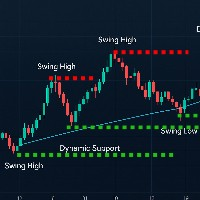
Regression Pivot Trend Pro
- Indicatori
- Versione: 2.1
- Aggiornato: 12 aprile 2026

LR Pivots Combo
Statistics That Show You Where the Market Stands!
Key Features (updated V2.1)
1. Auto-Plotting Linear Regression Channel
- Trend Direction — Uses slope (normalized by ATR) to identify whether the market is in an uptrend, downtrend, or ranging sideways.
- Trend Quality (R-Squared) — Tells you if the trend is statistically consistent (Stable) or just noise (Volatile). Useful for filtering out unreliable setups.
- Standard Deviation Bands — Shows how far price has deviated from the regression line, helping you identify when the market is statistically stretched in either direction.
- Breakout Detection — Marks bars where price closes outside the bands, so you don't have to watch manually.
2. Multi-Timeframe Pivot Points
- Overlays H4, Daily, Weekly, or Monthly pivots directly on your chart with support, resistance, and mid-levels.
- Supports multiple historical periods so you can see where previous pivots sat.
3. Info Dashboard
- Corner panel showing: trend direction, trend condition, Slope/ATR ratio, R-squared, and current ATR value.
- All numbers update per bar. Nothing fancy — just the numbers you actually need.
Risk Disclaimer: This indicator measures trend direction, trend quality, and key price levels using statistical calculations.
It does not predict the future. Signals will be wrong sometimes — that is unavoidable.
Never trade without a Stop Loss, and size your positions based on risk you can actually afford to lose.