Chart Manager EA
- Utilità
- Versione: 2.0
- Aggiornato: 22 agosto 2026
- Attivazioni: 10

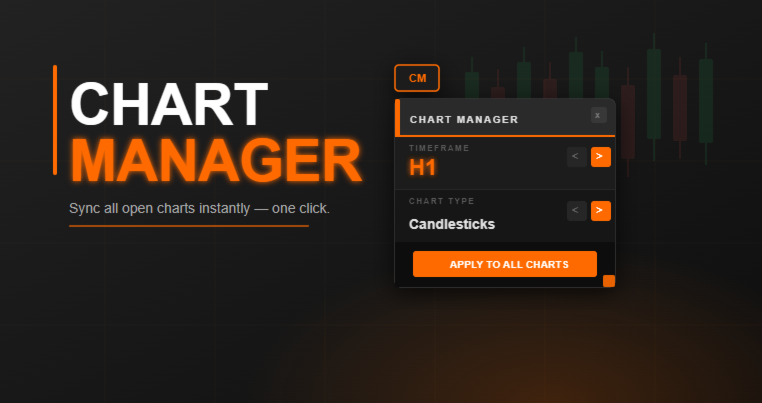
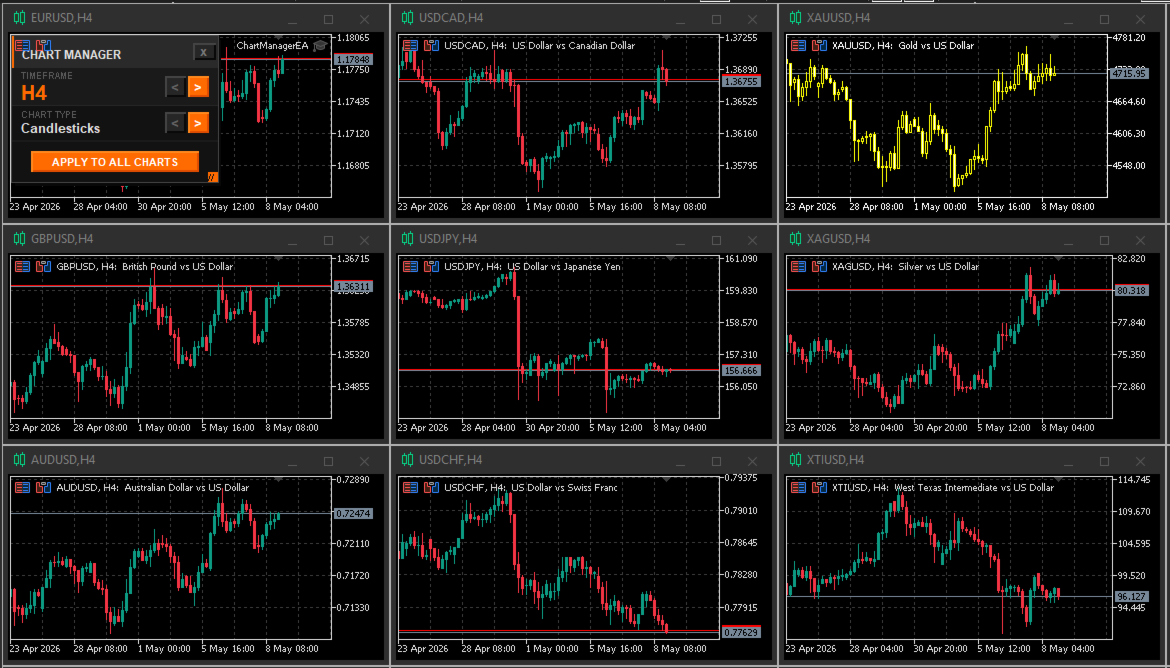
Chart Manager EA is an MT5 utility that syncs the timeframe and chart type across every open chart simultaneously — with a single click.
Stop changing charts one by one. Select your timeframe, select your chart type, hit Apply. Every chart updates instantly.
What It Does
The CM button sits permanently in the corner of your chart. Click it to open the compact Forge panel:
- Use the < > arrows on the Timeframe row to cycle through all 21 timeframes
- Use the < > arrows on the Chart Type row to switch between Candlesticks, Bars and Line
- Click Apply to All Charts — done. Every open chart syncs immediately
- Panel closes automatically keeping your workspace clean
Panel Features
- Drag the header to move the panel anywhere on the chart
- Drag the orange corner handle to resize
- Panel position and size remembered across sessions and terminal restarts
- Hotkey to toggle the panel open and closed without touching the mouse (default: P)
- Click the CM button or press the hotkey again to close
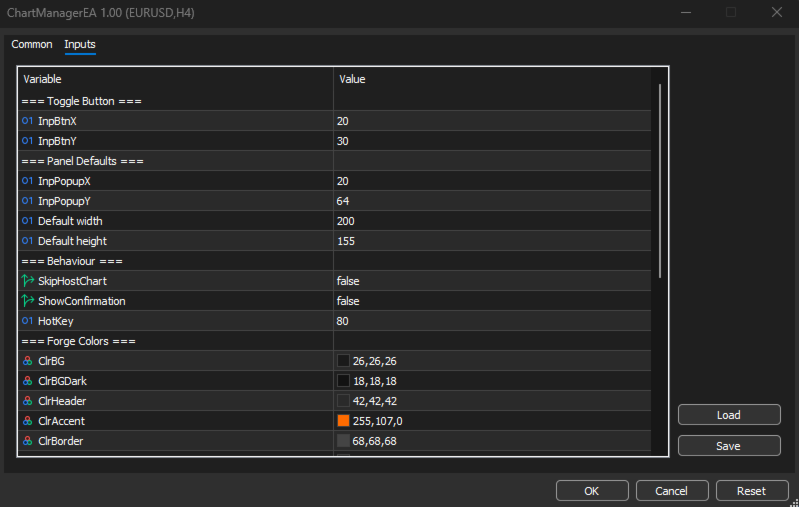
Input Parameters
- InpBtnX / InpBtnY — Toggle button position on chart
- InpPopupX / InpPopupY — Panel position when opened
- InpPopupW / InpPopupH — Default panel width and height
- SkipHostChart — Include or exclude the chart the EA runs on (default: false)
- ShowConfirmation — Show a summary popup after applying (default: false)
- HotKey — Keyboard shortcut to toggle the panel (default: P)
- 14 color inputs — Full customization of the Forge industrial theme
Who Is This For
- Multi-chart traders monitoring 5 to 30 charts simultaneously
- Analysts who switch timeframes frequently during their session
- Anyone tired of clicking through every chart manually
How To Use
- Copy ChartManagerEA.mq5 to your MQL5/Experts/ folder
- Drag onto any one chart
- Click the CM button — the panel opens
- Select timeframe and chart type using the arrows
- Click Apply to All Charts
Important
This EA performs no trading operations. It is 100% read-only with zero impact on performance. AutoTrading does not need to be enabled. Compatible with any broker.