TP Hunter
- Experts
- Ahmet Gokcen Sirma
- Versione: 1.85
- Attivazioni: 10
Smart Breakout Trading System for MetaTrader 5
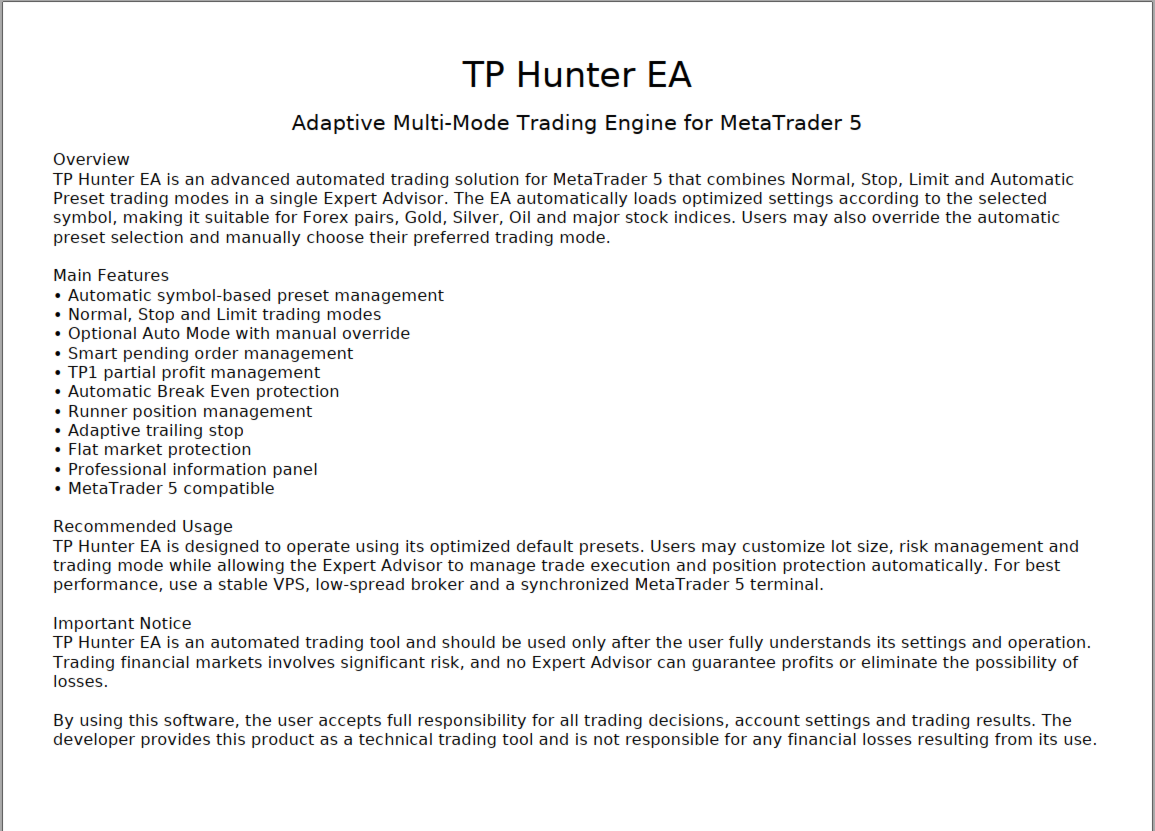
TP Hunter EA is a professional automated trading system developed for the MetaTrader 5 platform, designed to capture market momentum using a combination of trend filtering, breakout logic, and intelligent risk management.
The system analyzes market conditions in real time and places trades using a structured OCO (One Cancels the Other) breakout model. By combining trend confirmation, volatility filters, and multi-stage profit management, Profit Hunter aims to capture strong directional moves while controlling risk.
Core Trading Logic
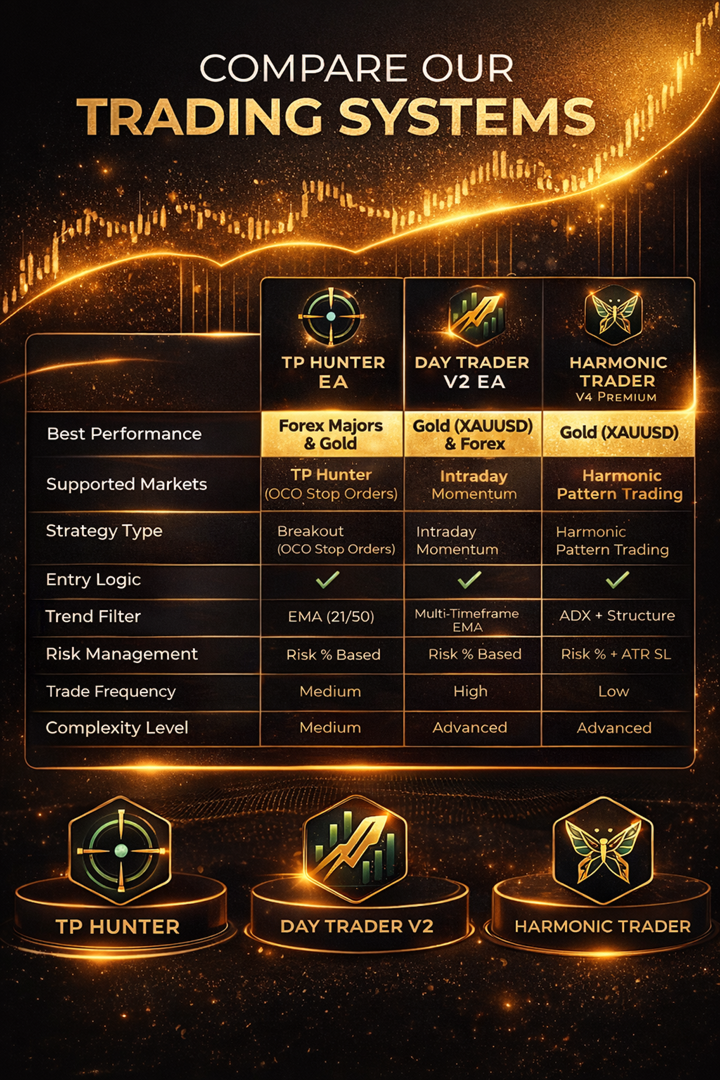
TP Hunter uses a trend-following breakout strategy based on moving averages and candle direction.
Trend Detection
The EA determines the market direction using a dual EMA trend filter:
Fast EMA: 21
Slow EMA: 50
Trading rules:
Uptrend + Green candle → BUY signals
Downtrend + Red candle → SELL signals
This allows the robot to trade only in the direction of the prevailing trend, avoiding unnecessary counter-trend entries.
Breakout Entry System (OCO Strategy)
TP Hunter uses an OCO breakout structure.
When a valid signal appears, the robot places a pending order setup:
BUY STOP above the market
SELL STOP below the market
Once one order triggers:
The opposite order is automatically cancelled.
This mechanism helps capture strong breakouts while avoiding double exposure.
Advanced Profit Management
TP Hunter includes a multi-stage profit protection system.
Take Profit Structure
The system splits the position into two stages:
TP1 (First Target)
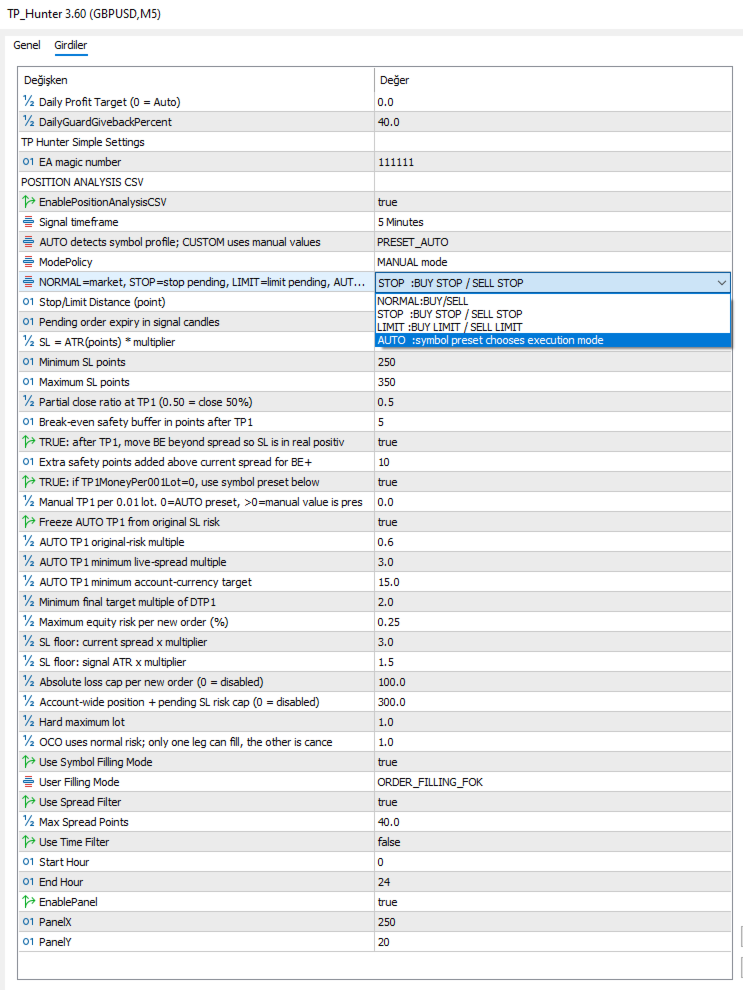
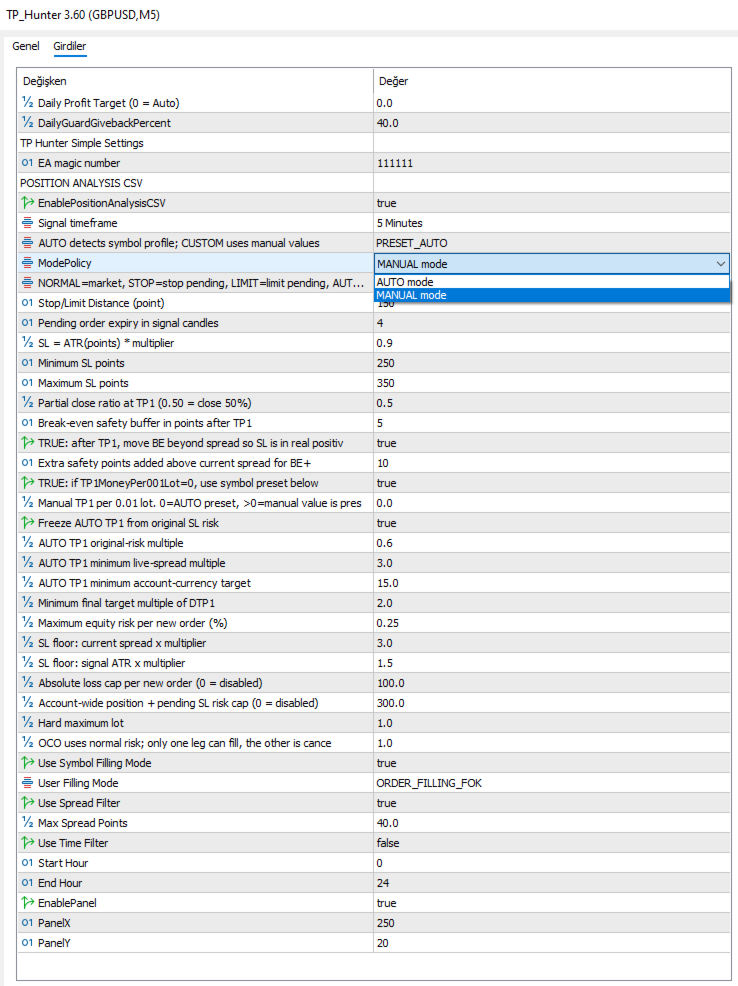
Partial profit taken (default 50%)
Break-even activated
TP2 (Second Target)
Remaining position continues to run
Break Even Protection
After TP1 is reached:
Stop loss moves to Break Even
Trade becomes risk-free
Trailing Stop
Once the trade moves further into profit:
Trailing stop activates
Locks additional profits automatically
Smart Risk Control
The robot includes built-in protection mechanisms.
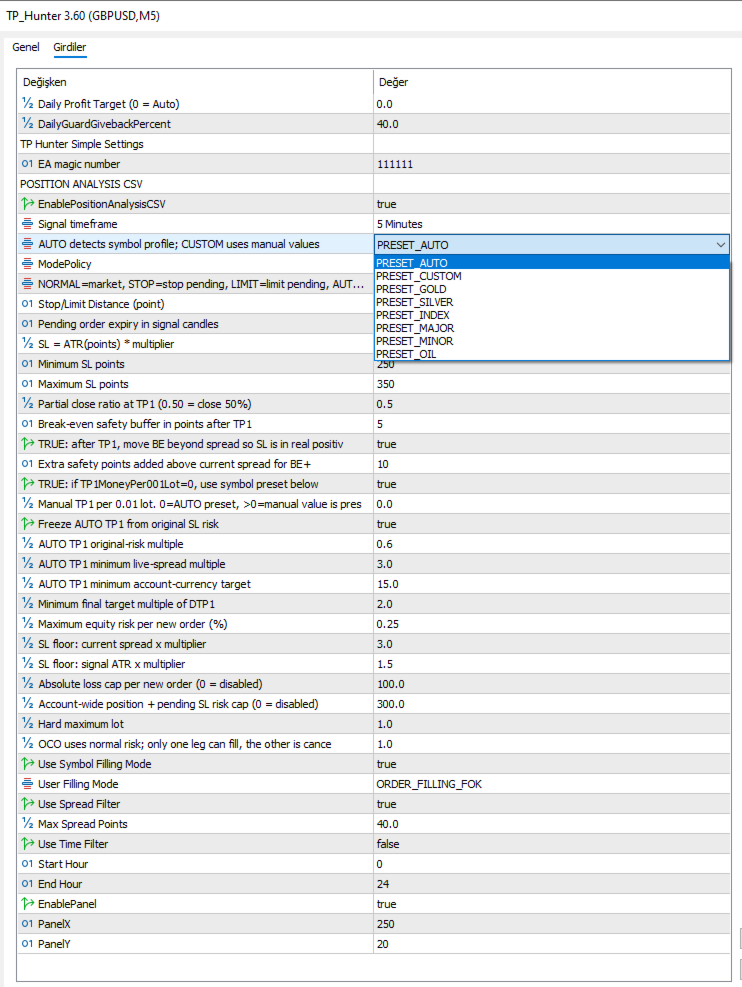
Risk Based Position Sizing
Position size can be calculated automatically using:
Risk Percent (% of account balance)
Default example:
Risk per trade: 1%
Spread Protection
To avoid bad market conditions:
Trades are blocked if spread exceeds the allowed limit.
Margin Safety System
TP Hunter protects your account with a free margin safety control.
Features include:
Lot size cap based on available margin
Extra safety margin protection
Optional Market Filters
TP Hunter includes several optional filters that can be enabled depending on your trading style.
Volatility Filter
Uses ATR (Average True Range) to detect extreme market conditions.
The EA can:
Avoid extremely calm markets
Avoid extremely volatile markets
Fake Breakout Filter
Optional breakout validation using candle structure:
Previous high/low distance
Candle body vs total range ratio
Opposite wick analysis
This helps avoid false breakout traps.
Session Control
The EA can limit trading to specific market sessions.
Available options:
London session
New York session
You can enable or disable these filters depending on your trading strategy.
Additional Features
✔ Trend detection with EMA filters
✔ OCO breakout order logic
✔ TP1 / TP2 profit management
✔ Automatic Break Even protection
✔ Trailing Stop system
✔ Spread filter
✔ ATR volatility filter
✔ Fake breakout detection
✔ Risk-based position sizing
✔ Margin safety system
✔ Trading session filters
✔ Fully customizable settings
Built-in Trading Panel
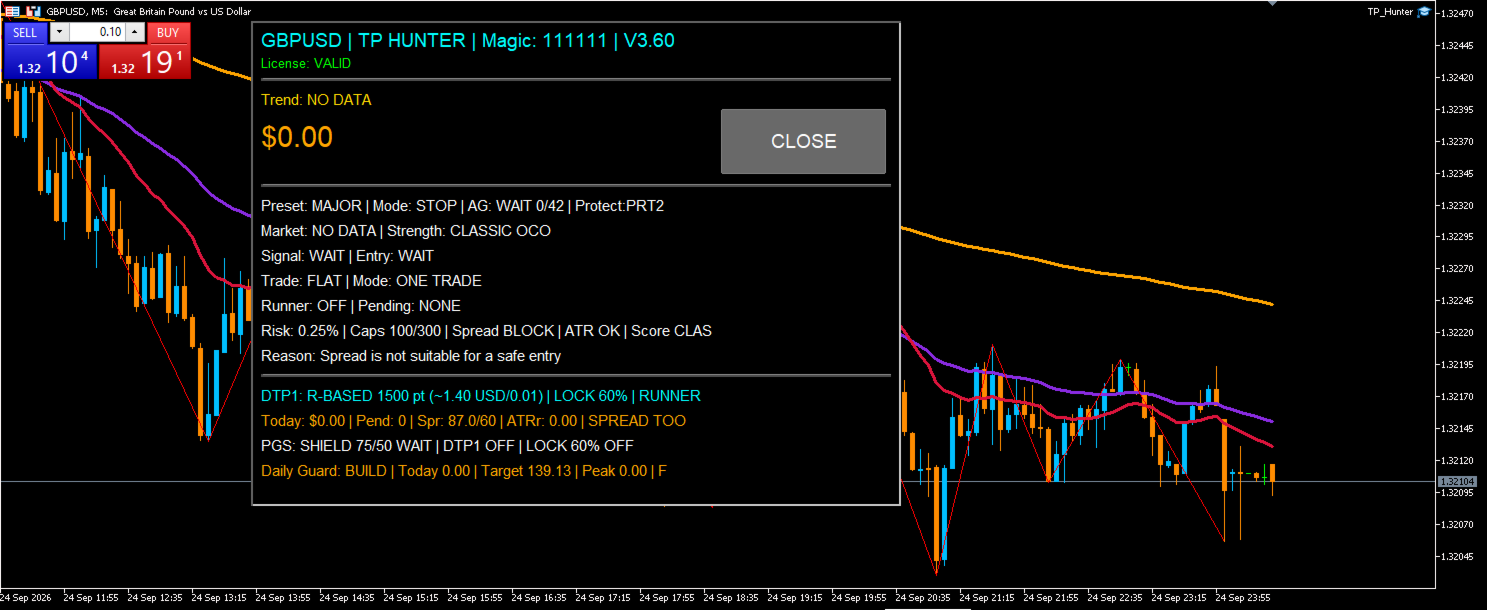
TP Hunter includes a real-time information panel displayed directly on the chart.
The panel shows:
Symbol name
Current trend direction
Current profit
Active strategy mode
Pending orders count
Daily performance
This allows traders to monitor the EA activity easily.
Recommended Timeframes
Profit Hunter is optimized for:
M5 timeframe
However it can also be tested on other timeframes depending on the trading style.
Installation
Download the EA
Install it into the MetaTrader 5 / Experts folder
Attach it to a chart
Enable Algo Trading
The EA will begin analyzing the market automatically.
Important Notice
This Expert Advisor is a trading automation tool.
It does not provide financial advice or investment consultancy.
Forex and leveraged trading involve a high level of risk and may not be suitable for all investors.
Past performance does not guarantee future results.
Always test the software on a demo account before using it on a live account.
TP Hunter EA is a professional automated trading system developed for the MetaTrader 5 platform, designed to capture market momentum using a combination of trend filtering, breakout logic, and intelligent risk management.
The system analyzes market conditions in real time and places trades using a structured OCO (One Cancels the Other) breakout model. By combining trend confirmation, volatility filters, and multi-stage profit management, Profit Hunter aims to capture strong directional moves while controlling risk.
Core Trading Logic
TP Hunter uses a trend-following breakout strategy based on moving averages and candle direction.
Trend Detection
The EA determines the market direction using a dual EMA trend filter:
Fast EMA: 21
Slow EMA: 50
Trading rules:
Uptrend + Green candle → BUY signals
Downtrend + Red candle → SELL signals
This allows the robot to trade only in the direction of the prevailing trend, avoiding unnecessary counter-trend entries.
Breakout Entry System (OCO Strategy)
TP Hunter uses an OCO breakout structure.
When a valid signal appears, the robot places a pending order setup:
BUY STOP above the market
SELL STOP below the market
Once one order triggers:
The opposite order is automatically cancelled.
This mechanism helps capture strong breakouts while avoiding double exposure.
Advanced Profit Management
TP Hunter includes a multi-stage profit protection system.
Take Profit Structure
The system splits the position into two stages:
TP1 (First Target)
Partial profit taken (default 50%)
Break-even activated
TP2 (Second Target)
Remaining position continues to run
Break Even Protection
After TP1 is reached:
Stop loss moves to Break Even
Trade becomes risk-free
Trailing Stop
Once the trade moves further into profit:
Trailing stop activates
Locks additional profits automatically
Smart Risk Control
The robot includes built-in protection mechanisms.
Risk Based Position Sizing
Position size can be calculated automatically using:
Risk Percent (% of account balance)
Default example:
Risk per trade: 1%
Spread Protection
To avoid bad market conditions:
Trades are blocked if spread exceeds the allowed limit.
Margin Safety System
TP Hunter protects your account with a free margin safety control.
Features include:
Lot size cap based on available margin
Extra safety margin protection
Optional Market Filters
TP Hunter includes several optional filters that can be enabled depending on your trading style.
Volatility Filter
Uses ATR (Average True Range) to detect extreme market conditions.
The EA can:
Avoid extremely calm markets
Avoid extremely volatile markets
Fake Breakout Filter
Optional breakout validation using candle structure:
Previous high/low distance
Candle body vs total range ratio
Opposite wick analysis
This helps avoid false breakout traps.
Session Control
The EA can limit trading to specific market sessions.
Available options:
London session
New York session
You can enable or disable these filters depending on your trading strategy.
Additional Features
✔ Trend detection with EMA filters
✔ OCO breakout order logic
✔ TP1 / TP2 profit management
✔ Automatic Break Even protection
✔ Trailing Stop system
✔ Spread filter
✔ ATR volatility filter
✔ Fake breakout detection
✔ Risk-based position sizing
✔ Margin safety system
✔ Trading session filters
✔ Fully customizable settings
Built-in Trading Panel
TP Hunter includes a real-time information panel displayed directly on the chart.
The panel shows:
Symbol name
Current trend direction
Current profit
Active strategy mode
Pending orders count
Daily performance
This allows traders to monitor the EA activity easily.
Recommended Timeframes
Profit Hunter is optimized for:
M5 timeframe
However it can also be tested on other timeframes depending on the trading style.
Installation
Download the EA
Install it into the MetaTrader 5 / Experts folder
Attach it to a chart
Enable Algo Trading
The EA will begin analyzing the market automatically.
Important Notice
This Expert Advisor is a trading automation tool.
It does not provide financial advice or investment consultancy.
Forex and leveraged trading involve a high level of risk and may not be suitable for all investors.
Past performance does not guarantee future results.
Always test the software on a demo account before using it on a live account.