
BKT Monday SMC
- Indicatori
-
Khac Thanh Bui
 Trasformare la logica di trading in precisione algoritmica. Sviluppo strumenti di livello professionale per FX e Oro, colmando il divario tra le esigenze pratiche di trading e lo sviluppo di software di fascia alta.
COSA COSTRUISCO: - Versione: 1.13
- Aggiornato: 22 aprile 2026
BKT Monday
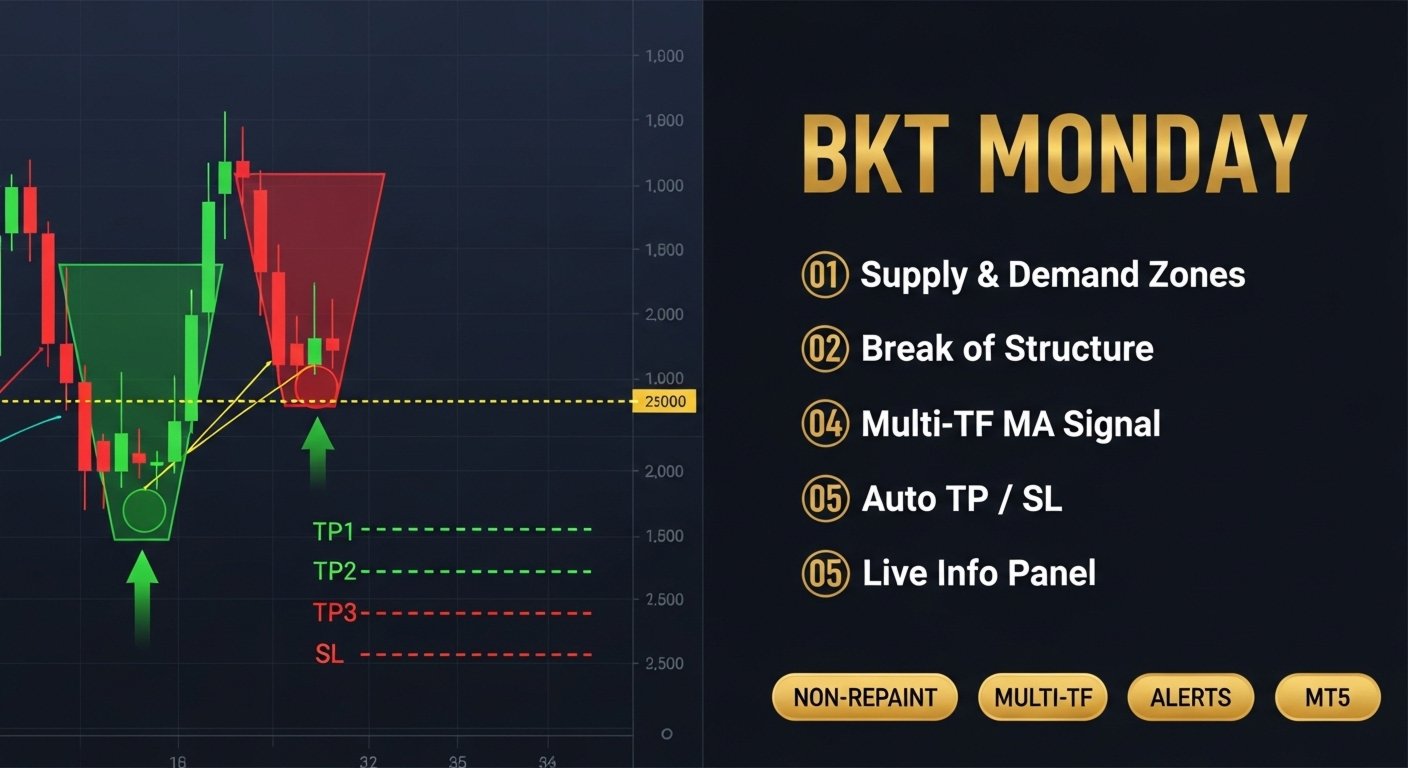
Un indicatore tecnico multistrato per MetaTrader 5 che combina zone di offerta e domanda, livelli di supporto e resistenza, un segnale di tendenza MA adattivo e un pannello integrato di gestione del rischio in una singola sovrapposizione del grafico.
BKT Monday è un indicatore grafico per MetaTrader 5 progettato per aiutare i trader a identificare configurazioni ad alta probabilità utilizzando tre livelli analitici complementari. L'indicatore traccia automaticamente zone di offerta e domanda dai pivot di swing, disegna linee di supporto e resistenza dai cluster di prezzi storici e genera frecce segnale Long e Short da un crossover di media mobile configurabile su un timeframe superiore selezionato dall'utente. Ingresso, stop loss e tre livelli di take profit vengono calcolati e visualizzati direttamente sul grafico per ogni segnale.
Panoramica
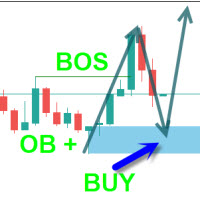
L'indicatore elabora i dati di prezzo su due timeframe contemporaneamente. Il grafico principale fornisce il rilevamento delle zone basato sui pivot, mentre un timeframe superiore configurabile alimenta il calcolo del segnale di tendenza. Le zone di offerta vengono disegnate sopra il prezzo attuale sui massimi di swing confermati; le zone di domanda vengono disegnate sotto sui minimi di swing confermati. Ogni zona viene ridimensionata usando un moltiplicatore ATR per riflettere la volatilità attuale del mercato. Quando il prezzo chiude oltre il limite di una zona, la zona viene rimossa e una linea Break of Structure viene disegnata al punto medio della zona per segnare il cambiamento strutturale.
Il segnale di tendenza utilizza uno dei tre tipi di medie mobili selezionabili: ALMA, TEMA o Hull MA. Un crossover tra la MA applicata alle serie di chiusura e apertura del timeframe superiore attiva una freccia Long o Short sulla barra corrente del grafico. Il segnale include un parametro di ritardo configurabile per ridurre la sensibilità al ridisegno sull'ultima barra. Una volta che un segnale scatta, l'indicatore calcola i livelli di ingresso, stop loss, TP1, TP2 e TP3 come distanze percentuali dal prezzo di ingresso e li traccia come linee orizzontali. Le linee rimangono visibili finché ogni obiettivo o lo stop loss non viene raggiunto.
Come leggere l'indicatore
Una freccia verde verso l'alto sotto una barra indica un segnale Long. Una freccia rossa verso il basso sopra una barra indica un segnale Short. Una linea orizzontale blu segna il livello di ingresso; la linea rossa segna lo stop loss. Tre linee verdi in ordine crescente segnano TP1, TP2 e TP3 per i segnali Long, e in ordine decrescente per i segnali Short. Il pannello nell'angolo in alto a sinistra mostra lo stato attuale del segnale, i livelli attivi di ingresso e obiettivo, l'ATR corrente e i punti medi delle zone di offerta e domanda più vicine. Quando nessun trade è attivo, il pannello mostra "SCANNING..." e le linee obiettivo sono nascoste.
Le barre vengono opzionalmente ricolorate in viola e blu per riflettere la direzione della tendenza del timeframe superiore. Le zone di offerta sono disegnate in rettangoli dai toni rossi; le zone di domanda in rettangoli dai toni verdi. Una linea tratteggiata Break of Structure appare al punto medio di qualsiasi zona invalidata da una chiusura di prezzo oltre il suo limite.
Utilizzo consigliato
L'indicatore è compatibile con tutti i simboli e i timeframe disponibili in MetaTrader 5. Affinché il rilevamento delle zone funzioni correttamente, il grafico deve avere barre storiche sufficienti per completare almeno due periodi completi di lookback dei pivot su entrambi i lati. Il timeframe del segnale MA viene derivato automaticamente dal periodo del grafico corrente moltiplicato per il moltiplicatore di risoluzione; i trader che lavorano su M15 con un moltiplicatore di 8 riceveranno segnali basati su dati H2. L'indicatore è adatto a swing trader e trader intraday che utilizzano un approccio multi-timeframe dall'alto verso il basso. Non piazza ordini automaticamente e non si connette ad alcun servizio esterno.
Parametri
Segnale di tendenza MA
- Resolution multiplier — Moltiplicatore applicato al timeframe corrente per derivare il timeframe del segnale — Predefinito: 8
- Use alternate timeframe — Abilitare il calcolo MA sul timeframe superiore — Predefinito: true
- MA type — Tipo di media mobile: ALMA, TEMA o Hull MA — Predefinito: ALMA
- MA period — Periodo di calcolo della media mobile — Predefinito: 2
- Sigma — Valore sigma usato da ALMA — Predefinito: 5
- ALMA offset — Parametro di offset per ALMA (intervallo 0 a 1) — Predefinito: 0.85
- Signal delay — Numero di barre per ritardare il calcolo del segnale — Predefinito: 0
Offerta e domanda
- Pivot lookback — Numero di barre per identificare massimi e minimi di swing — Predefinito: 10
- Max zones on chart — Numero massimo di zone visibili mantenute — Predefinito: 20
- Zone height multiplier — Altezza della zona espressa come moltiplicatore ATR — Predefinito: 2.5
- Show zone labels — Mostrare etichette HH, LH, HL, LL ai punti pivot — Predefinito: false
- Zone deduplication gap — Distanza ATR minima tra due zone dello stesso lato — Predefinito: 2.0
Visual offerta e domanda
- Supply fill color — Colore di riempimento delle zone di offerta — Predefinito: rosso scuro
- Supply border color — Colore del bordo delle zone di offerta — Predefinito: rosso medio
- Demand fill color — Colore di riempimento delle zone di domanda — Predefinito: verde scuro
- Demand border color — Colore del bordo delle zone di domanda — Predefinito: verde medio
- Show Break of Structure lines — Disegnare una linea tratteggiata quando una zona viene invalidata — Predefinito: true
- Show zone midline — Disegnare una linea tratteggiata del punto medio all'interno di ogni zona — Predefinito: false
Supporto e resistenza
- Enable S/R lines — Abilitare il rilevamento automatico di supporto e resistenza — Predefinito: false
- Minimum pivot touches — Numero minimo di tocchi richiesti per formare un livello — Predefinito: 2
- Line style — Stile delle linee S/R: Dotted, Dashed o Solid — Predefinito: Dotted
- Line width — Larghezza delle linee S/R in pixel — Predefinito: 2
Gestione del rischio
- TP1 distance — Distanza del TP1 dall'ingresso come percentuale — Predefinito: 1.0
- TP1 close quantity — Percentuale della posizione da chiudere al TP1 — Predefinito: 50
- TP2 distance — Distanza del TP2 dall'ingresso come percentuale — Predefinito: 1.5
- TP2 close quantity — Percentuale della posizione da chiudere al TP2 — Predefinito: 30
- TP3 distance — Distanza del TP3 dall'ingresso come percentuale — Predefinito: 2.0
- TP3 close quantity — Percentuale della posizione da chiudere al TP3 — Predefinito: 20
- Stop Loss distance — Distanza dello stop loss dall'ingresso come percentuale — Predefinito: 0.5
Visualizzazione
- Show signal arrows — Mostrare frecce Long e Short sul grafico — Predefinito: true
- Color bars by trend — Ricolorare le candele in base alla direzione della tendenza del TF superiore — Predefinito: true
- Historical signal limit — Numero massimo di barre passate con segnali disegnati (0 = tutte) — Predefinito: 500
Pannello
- Show panel — Mostrare il pannello informazioni sul grafico — Predefinito: true
- Panel X position — Distanza orizzontale dal bordo sinistro del grafico in pixel — Predefinito: 20
- Panel Y position — Distanza verticale dal bordo superiore del grafico in pixel — Predefinito: 30
Questo indicatore è solo a scopo analitico e non esegue trade automaticamente. Tutte le decisioni di trading, il dimensionamento delle posizioni e la gestione del rischio rimangono di esclusiva responsabilità del trader. I pattern di segnali passati non garantiscono le performance future.






























Brilliant Indicator , so far the best performing Indicator compared to others that I'm testing at Market Open madness. Please can you add Alerts to phone/email when Buy or Sell signals are generated. Thank you in advance.