Easy Lot Size Calculator MT5
- Utilità
- Versione: 1.0

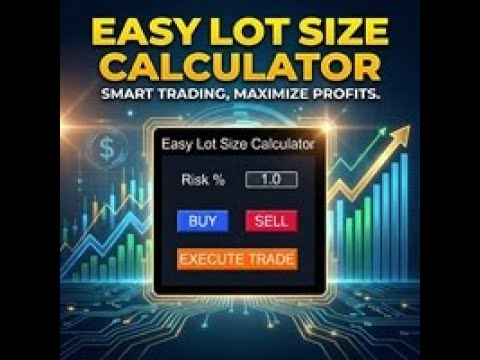
Stop calculating lot sizes manually and start trading visually.
Automatic position lot size calculator for MT5 (MT4 also available)
The Easy Lot Size Calculator is the ultimate trade management dashboard. It is designed for traders who need speed, precision, and strict risk management. Whether you are a scalper needing split-second execution or a swing trader demanding exact risk percentages, this EA handles the math so you can focus on the chart.
Why Use This Calculator?
Manual lot calculation is slow and prone to error. By the time you calculate your lot size for a 1% risk, the price has moved. This EA solves that problem. Simply click "Buy" or "Sell" to project visual lines on the chart, drag your Stop Loss to your desired technical level, and the EA automatically calculates the exact lot size to match your Risk %. Click "Execute," and the trade is live.
Key Features
-
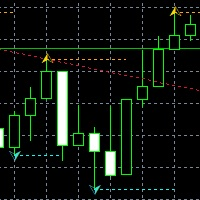
Visual Drag-and-Drop Trading: Lines appear on the chart before you trade. Drag your SL and TP lines to technical levels (Support/Resistance), and the panel updates instantly.
-
Auto Risk Calculation: Input your risk (e.g., 1.0%), and the EA calculates the lot size based on your Stop Loss distance and Account Balance.
-
Scalper / Stealth Mode: (New!) Choose MODE_SCALPER in settings. The EA will calculate the lot size based on your visual SL line, but it will send the trade with NO Stop Loss to the broker. This hides your stops from the broker (Ghost SL/Mental SL) while ensuring your position size is correct.
-
Dynamic SL & TP: Features SL_DYNAMIC mode where the SL lines update with price action before entry.
-
ATR Auto-Placement: Initial SL and TP lines are placed automatically based on the ATR (Average True Range) and your custom multiplier.
-
Reward Ratio (RR) Lock: Automatically calculates your Take Profit based on your Stop Loss to ensure you always maintain your desired Risk:Reward ratio (e.g., 1:2 or 1:3).
-
Multi-Asset Support: Works perfectly on Forex, Gold (XAUUSD), Silver, and Indices.
How It Works
-
Select Direction: Click the BUY or SELL button on the dashboard.
-
Adjust Visuals: Three lines appear: Entry (current price), Stop Loss, and Take Profit.
-
Drag Lines: Drag the SL line to your invalidation point. The EA recalculates the volume immediately.
-
Execute: Click the floating "EXECUTE TRADE" button on the chart to open the order.
Parameters
Line Settings
-
Enable_TP_Line: Toggle TP line on/off.
-
Reward_Ratio: Auto-calculate TP based on SL distance (e.g., 1.5 = 1.5x risk).
-
ATR_Multiplier / Period: Settings for initial line placement.
UI Settings
-
DB_Default_Risk: Default risk percentage per trade.
-
Corner / Offset: Customize where the dashboard appears on your chart.
-
Color Settings: Fully customizable colors to match your dark/light charts.
Execution Settings
-
Execution_Mode:
-
Normal: Sends SL and TP to the broker.
-
Scalper: Calculates lots based on SL line but sends trade with 0 SL (Stealth Mode).
-
-
Scalper_SL_Mode: Static or Dynamic line updates.
-
MaxCalculatedLots: Safety limit for lot sizes.