OrderFlow Bubbles Pro
- Indicatori
- Versione: 2.4
- Aggiornato: 9 gennaio 2026
- Attivazioni: 5

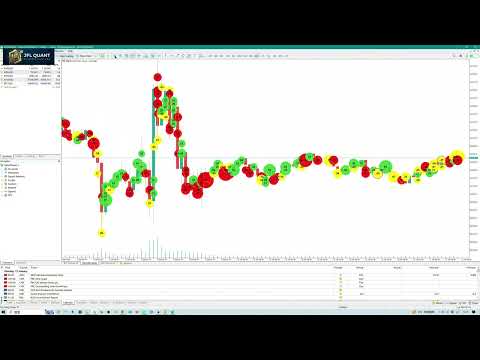
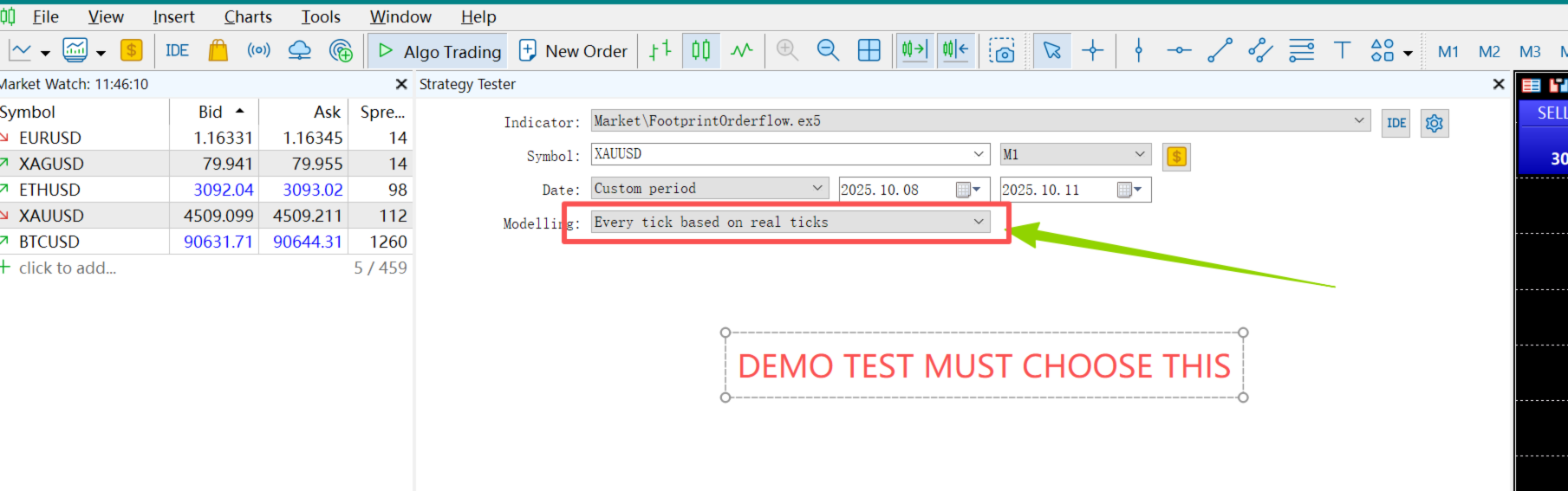
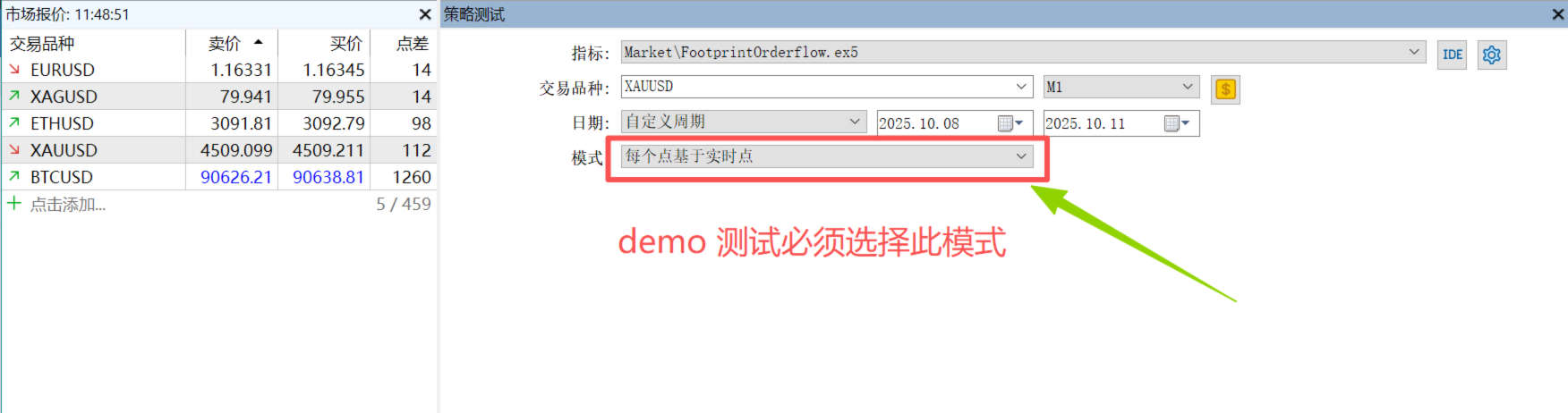
OrderFlow Bubbles Pro (OFB-Pro)(Order flow main force large order bubble monitoring indicator) DEMO version,modleling must choose " Every tick based on real ticks"
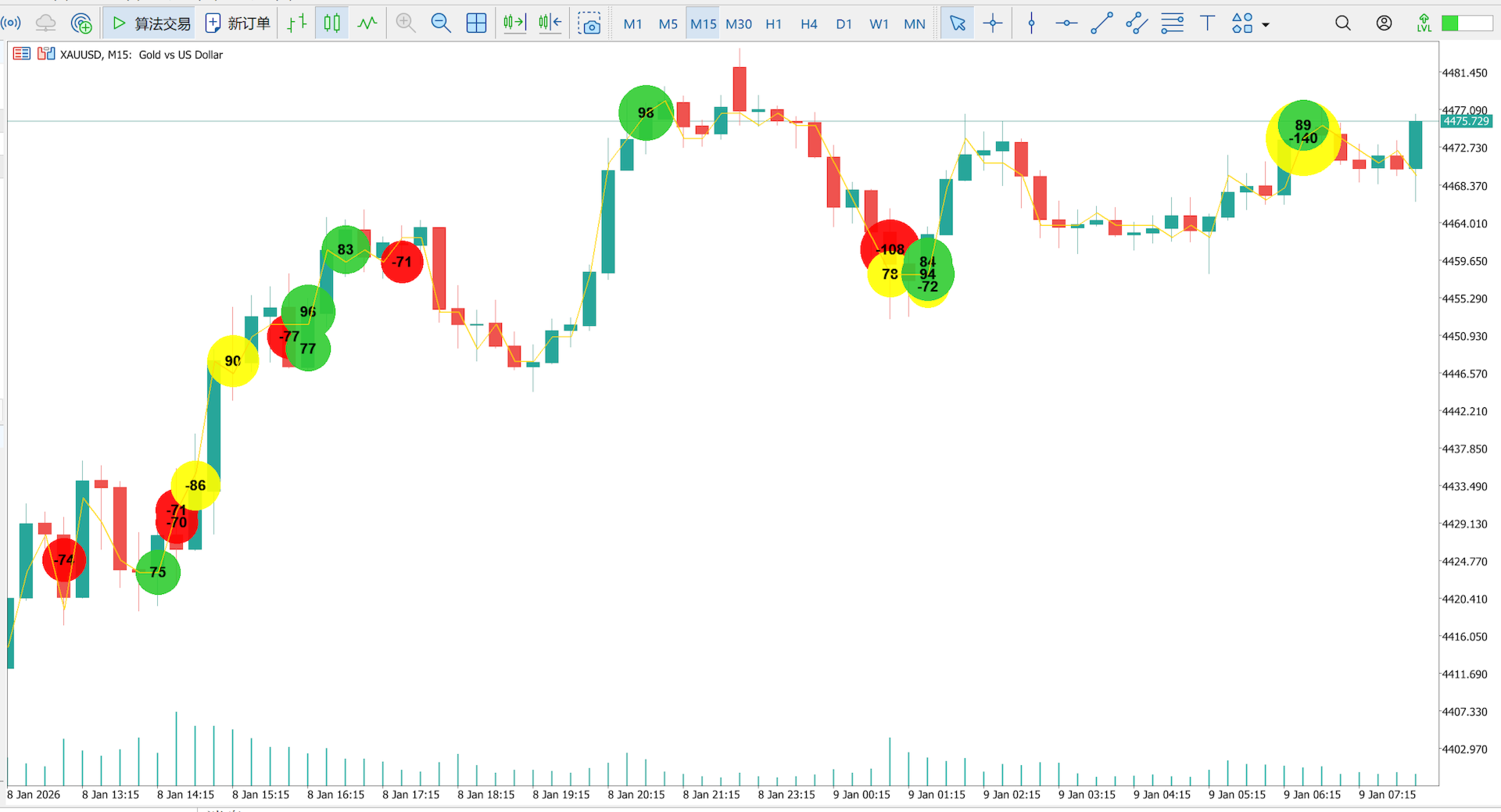
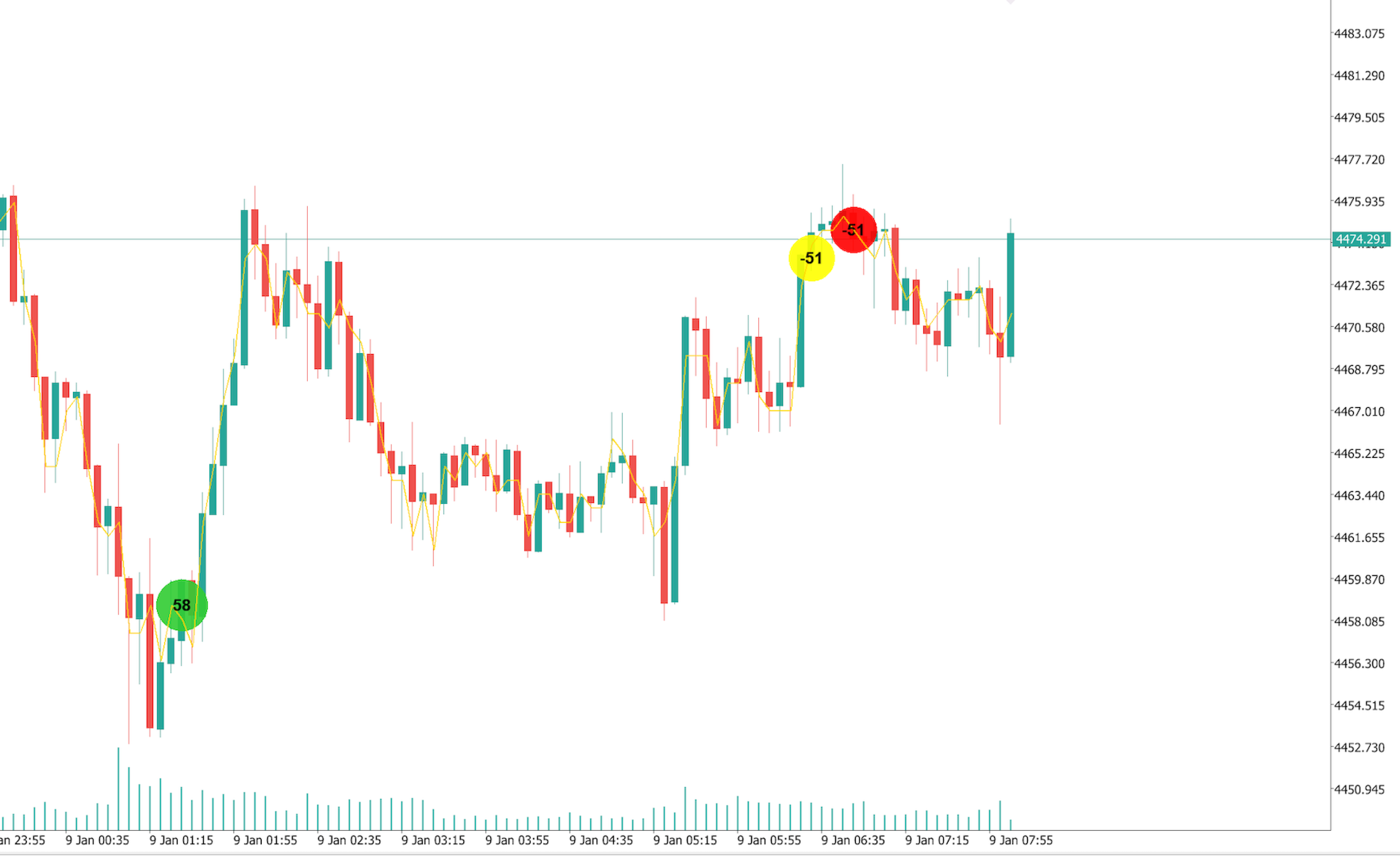
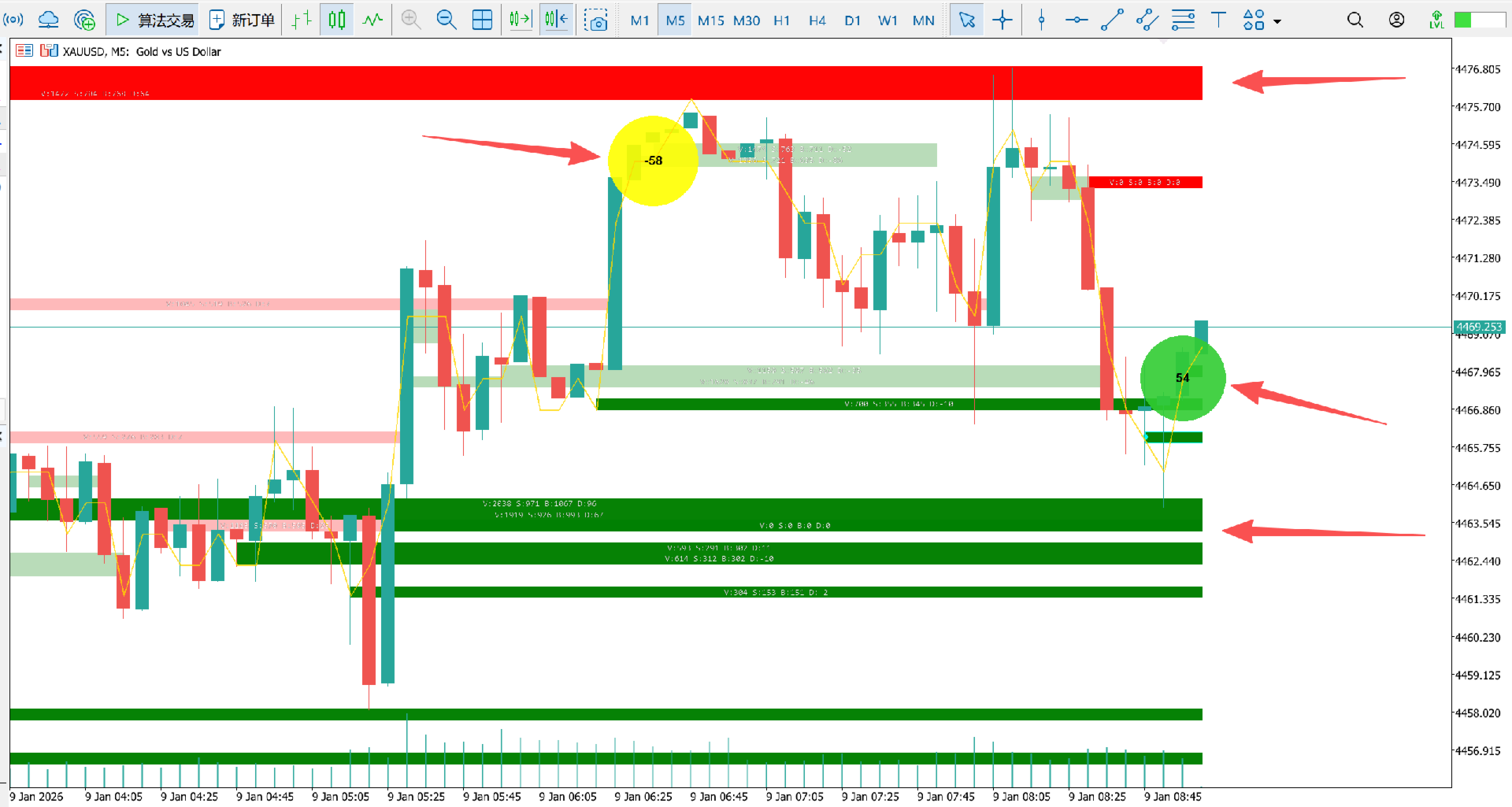
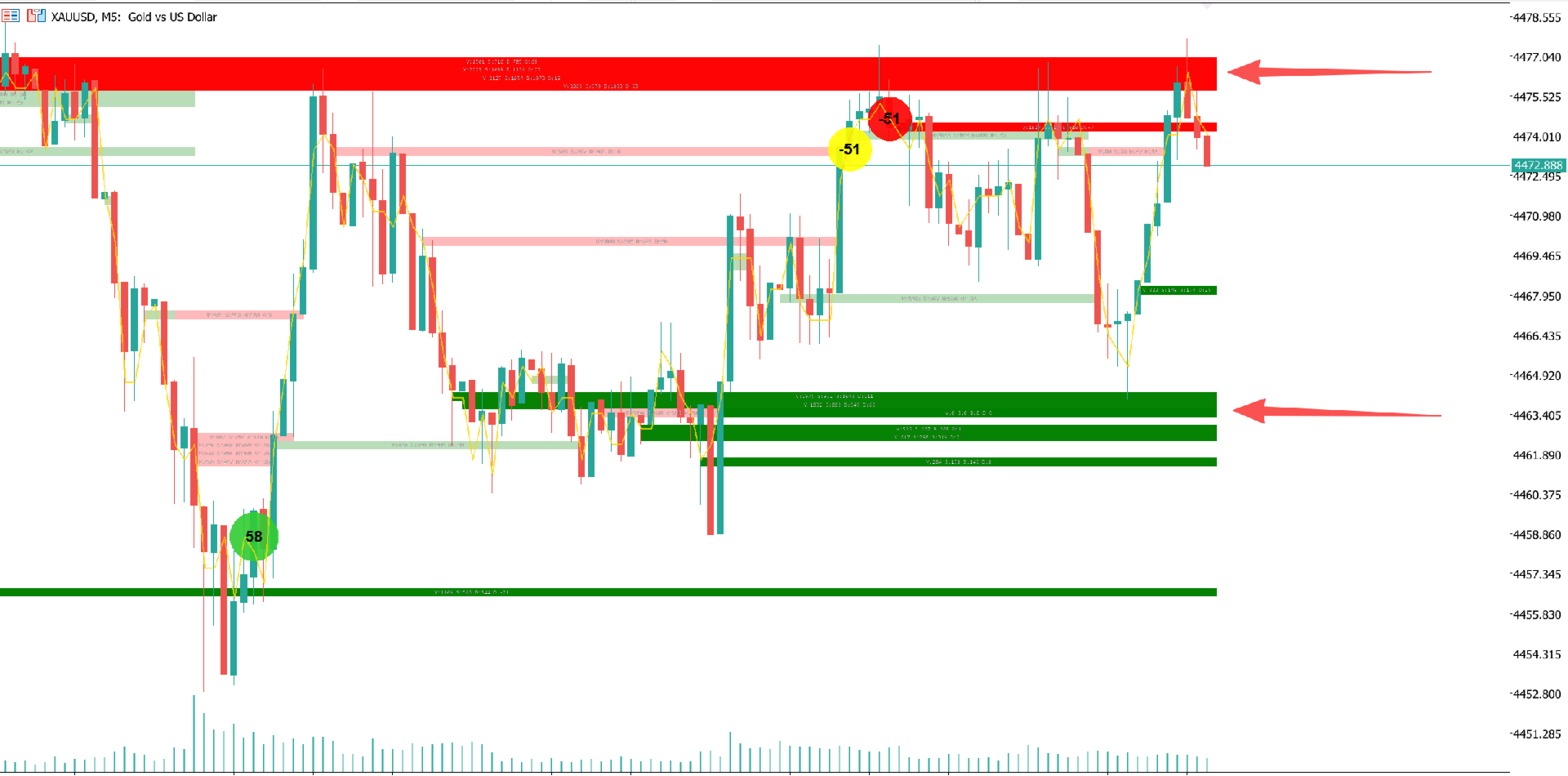
Peer into the Micro-World of Candlesticks Like an Institutional Trader。[The last two screenshots show scenarios where the Orderflow Smart Flip indicator is used in combination with other indicators.]
important note: on the strategy tester, when testing the indicator use either of the modes below
- Every Tick
- Every tick based on real ticks
- 5 minute OHLC
Core Value
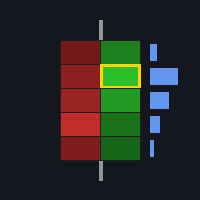
Stop guessing with standard candlesticks. Order Flow Delta Pro brings professional ATAS/Bookmap-level order flow analysis to the MT5 platform. It is not just an indicator; it is your radar for tracking smart money. By aggregating Tick data in real-time, it precisely captures buy/sell imbalances and institutional control points.
Four Key Advantages
1. X-Ray Vision
Don't just look at the Open, High, Low, and Close. The Aggressive Buy and Aggressive Sell orders inside every candle are visualized as bubbles. Instantly identify if a move is a strong bullish attack or a bearish trap.
2. Capture "Imbalance"
The exclusive imbalance algorithm automatically highlights critical price levels with significant disparity (e.g., 300% difference) between buyers and sellers. When an Imbalance Ring appears, it signals aggressive accumulation or distribution by smart money, offering high-probability entry signals.
3. Dynamic POC Trend Line (Smart POC)
Automatically calculates and connects the Point of Control (POC) — the price level with the maximum volume — for every candle. This golden "Value Pivot Line" not only shows the shift in the market's center of gravity but acts as the strongest dynamic support and resistance for intraday trading.
4. Real-Time Smart Money Alerts
No need to stare at the screen all day. When large capital intervenes or abnormal volume occurs, the system pushes real-time alerts via MT5 popups and mobile notifications, ensuring you never miss a volatility breakout.
Part 2: User Manual
1. Visual Guide
-
Bubbles: Displays volume data for a specific price tier.
-
Color Fill: Represents the positive or negative Delta (Aggressive Buy - Aggressive Sell). Green indicates buyer dominance; Red indicates seller dominance.
-
Bubble Size: Corresponds to volume size; larger volume generates larger bubbles.
-
-
Imbalance Rings:
-
Cyan Ring: Buy Imbalance (Aggressive Buying) — Buy volume far exceeds sell volume.
-
Magenta Ring: Sell Imbalance (Aggressive Selling) — Sell volume far exceeds buy volume.
-
-
POC Line: A solid golden line connecting the price levels with the highest density of volume in each candle, displaying the short-term trend direction.
2. Parameter Guide
For the best experience, please adjust the following core parameters according to the asset's volatility:
A. Bubble Core
-
Bubble Data Type ( InpBubbleData ): Recommended: VOL_DELTA . This most intuitively shows the net result of the bull/bear battle.
-
Threshold ( InpThreshold ): Filtering threshold.
-
Suggestion: Set to 50-100 for Gold/Oil, 20-50 for FX pairs. Bubbles below this value will be hidden to keep the chart clean.
-
-
Max/Min Diameter ( InpMaxDiaBars ): The maximum/minimum diameter of the bubbles. Adjust this to prevent bubbles from obscuring the candlesticks.
B. Imbalance
-
Show Imbalance ( InpShowImbalance): When enabled, imbalance points are marked with an outer ring.
-
Imbalance Ratio ( InpImbalanceRatio ): Default is 3.0 (300%).
-
Meaning: If aggressive buy volume is 3x the aggressive sell volume, it is marked as a Buy Imbalance. Higher values provide more precise but fewer signals.
-
C. Data Source & History
-
History Hours ( InpHistoryHours ): History load duration. Default is 24 hours. Since Tick data volume is massive, avoid setting this too high to maintain fast loading speeds.
-
Auto Price Step ( InpAutoPriceStep ): Highly recommended. The indicator automatically calculates the price step size for bubble aggregation to adapt to different volatility cycles.
D. Alerts
-
Alert Message Prefix ( InpAlertMsg ): Default is "Main capital intervention". You can customize this message.
3. FAQ
-
Q: Why is there a slight lag when switching timeframes?
-
A: The indicator must download high-precision Tick history from the server and recalculate the microstructure. This is normal behavior; it speeds up once the data is cached.
-
-
Q: Why do bubbles appear black?
-
A: Please check your background color settings. The indicator uses a dual-layer Canvas technology (CanvasBg for bubbles, CanvasFg for text) to ensure information is always clearly visible.
-