Regime Adaptive RR Trail
- Experts
- Versione: 1.12

# Regime Adaptive RR Trail (Validator-Safe Build)
**Purpose.** A practical Expert Advisor for trend and range conditions with conservative risk controls, one-trade-per-bar enforcement, and RR step-lock trailing. Includes a Validator preset to pass MQL5 Market checks.
---
## What it does (high level)
* Detects **market regime** (Trend / Range / Quiet / Volatile) and applies an appropriate **entry style**.
* Enforces **1 trade per bar** (hard lock) to avoid over-trading and duplicates.
* Allows **multi-entry across bars** up to a user limit (e.g., 5 total positions), still respecting “1 trade on the current bar”.
* Manages exits with **Risk-Reward step-lock trailing** and distance-safe bracket control.
* Includes a **price-shock module** that can *Block*, *Follow*, or *Fade* fast spikes.
* Provides built-in **guards** (session, spread, slippage, broker stop distance, margin fit).
* Two modes: **VALIDATOR** (silent, safe) and **LIVE** (full visuals/logging).
---
## Entry capabilities
* **Trend entries**
Enters with the dominant direction when the regime is trending and bias conditions align.
• One trade maximum on the current bar.
• Optional **direction gate** after N open positions: only add in the same direction as the last closed bar.
• Optional cooldown (minutes) after each entry.
* **Range entries**
Works near recent highs/lows when the regime is ranging.
• Daily quota for range entries (e.g., 4/day).
• Optional per-mode cooldown.
• Automatic mid-zone conflict handling (avoids simultaneous long/short).
* **Multi-entry across bars**
If signals persist on **new bars**, the EA can **add positions** up to `MaxOpenTradesTotal`.
Example: `MaxOpenTradesTotal = 5` → at most 5 open trades in total, but still only **1 per bar**.
* **Price Shock handling**
When a fast move (“shock”) occurs within a short window:
* **BLOCK**: ignore entries during shock.
* **FOLLOW**: allow breakout-style entries only in the shock direction (with a cool-down).
* **FADE**: allow mean-reversion entries after the shock cools (with a cool-down).
---
## Exit & risk management
* **RR Step-Lock Trailing**
Splits overall TP distance into N parts and progressively **locks SL forward** as price advances.
• Broker-distance aware; won’t request illegal SL/TP.
• Rate-limited modification to avoid spam.
* **Bracket safety**
On order send, TP/SL are automatically **zeroed** if too close to broker limits; trailing takes over afterwards.
* **Lot sizing**
* **Fixed lot** (default), or
* **Risk % per trade** with broker step snapping and margin fit (reduces size automatically if needed).
---
## Protective guards
* **One trade per bar**
* **Max open trades per symbol**
* **One position per symbol** toggle.
* **Spread** and **slippage** filters.
* **Session window** (server time) and per-mode cooldowns.
* **Broker stop/freeze level** awareness on every send/modify.
* **Optional broker name allow-list**.
---
## Visuals & HUD (LIVE mode)
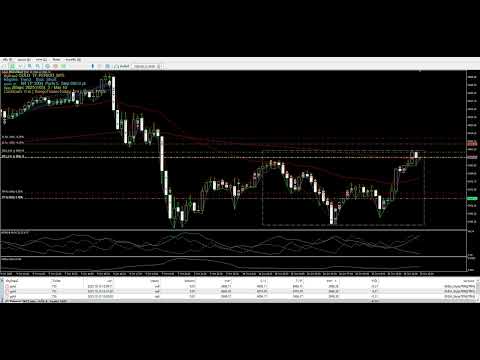
* Compact HUD: symbol/TF, regime, bias, spread, RR settings, open count, daily range-entries.
* **Range Box** overlay (lookback highs/lows).
* **Bracket lines** for current SL/TP.
*(In VALIDATOR mode, visuals and logs are minimized.)*
---
## Key inputs (grouped)
* **General**: MagicNumber, comment, mode (VALIDATOR/LIVE).
* **Sessions & Guards**: session start/end, cooldowns, max spread/slippage, one-per-symbol, max open trades.
* **Risk**: fixed lot or risk %, auto snap to broker lot step.
* **Regime**: fast/slow EMA periods, ADX period/threshold, StdDev thresholds.
* **Entry Modes**: enable Trend/Range, range lookback, daily range quota, direction gate after N positions.
* **Shock Control**: mode (BLOCK/FOLLOW/FADE), window length, min move, cool-down.
* **RR Trailing**: total TP points, number of parts, modify cool-down.
* **HUD/Overlays**: show HUD, range box, bracket lines (LIVE mode).
---
## Quick start
1. Attach to chart (any major symbol, H1 recommended for first use).
2. Keep **RunMode = VALIDATOR** for the Market check; switch to **LIVE** after publication.
3. Use default risk and guards; adjust `FixedLotSize` to meet your broker minimum if needed.
4. (Optional) Enable/disable Trend or Range to match your preference.
---
## Requirements
* MetaTrader 5, netting or hedging accounts.
* Symbols with standard tick value/size metadata.
* Broker must allow EA trading.
---
## Notes & policy
* Past performance does not guarantee future results.
* The EA is designed to be validator-safe by default; for personal trading, use **LIVE** mode and tune inputs to your risk.
---
If you like this EA, please Like │ Share │ Follow my work here: