Gold EA Macro Trend v1
- Experts
- Versione: 1.1
- Attivazioni: 5

Kruler GOLD EA – Macro Aligned
An MT4 Expert Advisor for XAUUSD and major Forex pairs (excluding JPY crosses) designed to capture sustained trends while staying selective in choppy markets. It combines multi-timeframe market context, dynamic risk management and an adaptive trailing system to let winners run while protecting equity.
Recommended execution timeframe: M30.
Instructions
-
Open MetaTrader 4 → File → Open Data Folder → MQL4\Experts and copy the EA file there.
-
Restart MT4 and attach Gold EA Macro Trend v1 to an XAUUSD or Forex (no JPY) chart on M30 (recommended).
-
In the Inputs tab, set your preferred risk and other parameters.
-
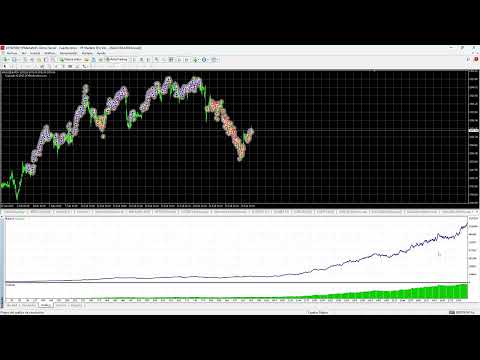
Open the Strategy Tester (CTRL+R), select Gold EA Macro Trend v1 and run backtests to validate the EA with your broker’s data.
-
For an easier start, send me a direct message (DM) and I will share my current .set files for Gold and for Forex pairs (excluding JPY).
A reasonable, consistent backtest result will confirm that the EA is correctly installed (always under your own criteria and risk management).
Recommended initial risk for the first week: 1% per trade (adjust in Inputs).
Input Summary
Trading Filters
-
UseTradingHours / StartHour / EndHour – Limit trading to specific hours.
-
MaxSpreadPoints – Maximum allowed spread to open trades.
Agimat Controls
-
UseAgimatSignals – Use Agimat indicator signals. (Recommended: TRUE)
-
ForceAgimatInTester – Force Agimat loading in backtests. (Recommended: TRUE)
-
FallbackEnabled – Use EMA-cross signals if Agimat is unavailable. (Recommended: FALSE)
-
FallbackFastEMA / FallbackSlowEMA – EMA periods used by the fallback EMA-cross logic.
-
FallbackAlwaysTrade / ForceEveryBars – Force a trade if no signals appear for a long time. (Recommended: FALSE)
Timeframe Activation
-
Enable_D1 / H4 / H1 / M30 / M15 / M5 – Select which timeframes are allowed to trade.
-
Macro logic: D1 → H4 → (H1, M30) → (M15, M5).
The EA only opens trades in favor of the macro trend.
Risk
-
RiskPct_x – Risk % per timeframe (automatic lot sizing).
Stop Loss & Trailing
-
UseFixedSL_x / SL_x – Fixed Stop Loss (points).
-
UseTrail_x – Enable trailing stop.
-
TrailStart / TrailDistance / TrailStep – Trailing stop parameters.
Agimat Buffers
-
AutoDetectBuffers – Detects Agimat buffers automatically.
-
BufDown_Manual / BufUp_Manual – Manual buffer selection if needed.
-
SwapUpDown – Swap UP/DOWN buffers if the broker’s mapping is inverted.
Close Policies
-
CloseAny_x – Close all trades on any new opposite signal.
-
CloseOnMacroFlip_x – Close trades when the macro timeframe changes direction.
CSV Log
-
LogCSV_Enable – Save EA actions and events to a CSV file.
Symbols
-
SymbolsList – Optional multi-symbol trading list. (Not necessary for standard use – you can simply run the EA on a single chart.)
-
LockBuffersPerSymbol – Use the same buffers for all timeframes of the same symbol. (Recommended: TRUE)
Catch-Up Mode
-
AllowMacroCatchUp / CatchUpMaxBars – Allow entries shortly after a macro trend flip, within a limited number of bars.
Requirements
-
Platform: MetaTrader 4
-
Symbols: XAUUSD and major Forex pairs (excluding JPY crosses) with a reliable data feed.
-
Recommended execution timeframe: M30 (macro logic internally uses higher/lower TFs).
-
Always use the lowest spread and best execution conditions your broker can offer.
Note: The EA cant run on a VPS.
Risk disclaimer
Trading involves risk. Past performance does not guarantee future results. There is no guarantee of profits, and you should only trade with money you can afford to lose.