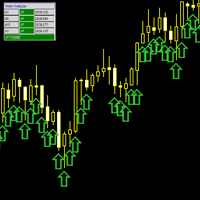
Range Identifier v3
- Indicatori
- Versione: 1.0

1. Overview
The Range Identifier v3 is a technical analysis tool designed to automatically detect and visualize periods of market consolidation, commonly known as ranges. this MQL5 version brings the same powerful logic to the MetaTrader 5 platform.
The primary function of this indicator is to draw a channel around recent highs and lows during periods of low volatility. When the price breaks out of this channel, the indicator provides an alert, helping traders identify potential new trends. It is a versatile tool that can assist in both range-bound and breakout trading strategies.
2. How It Works
The indicator's logic is based on identifying "inside bars" relative to a dynamically adjusting range.
- A range is defined by an upper boundary (recent high) and a lower boundary (recent low).
- As long as the price continues to close within these boundaries, the indicator considers the market to be in a consolidation phase, and it extends the range box forward.
- When the price closes outside of these boundaries, the range is considered broken, and a new potential range begins to form.
This simple yet effective logic allows the indicator to adapt to changing market conditions and highlight key areas of price congestion.
3. Features and Visual Elements
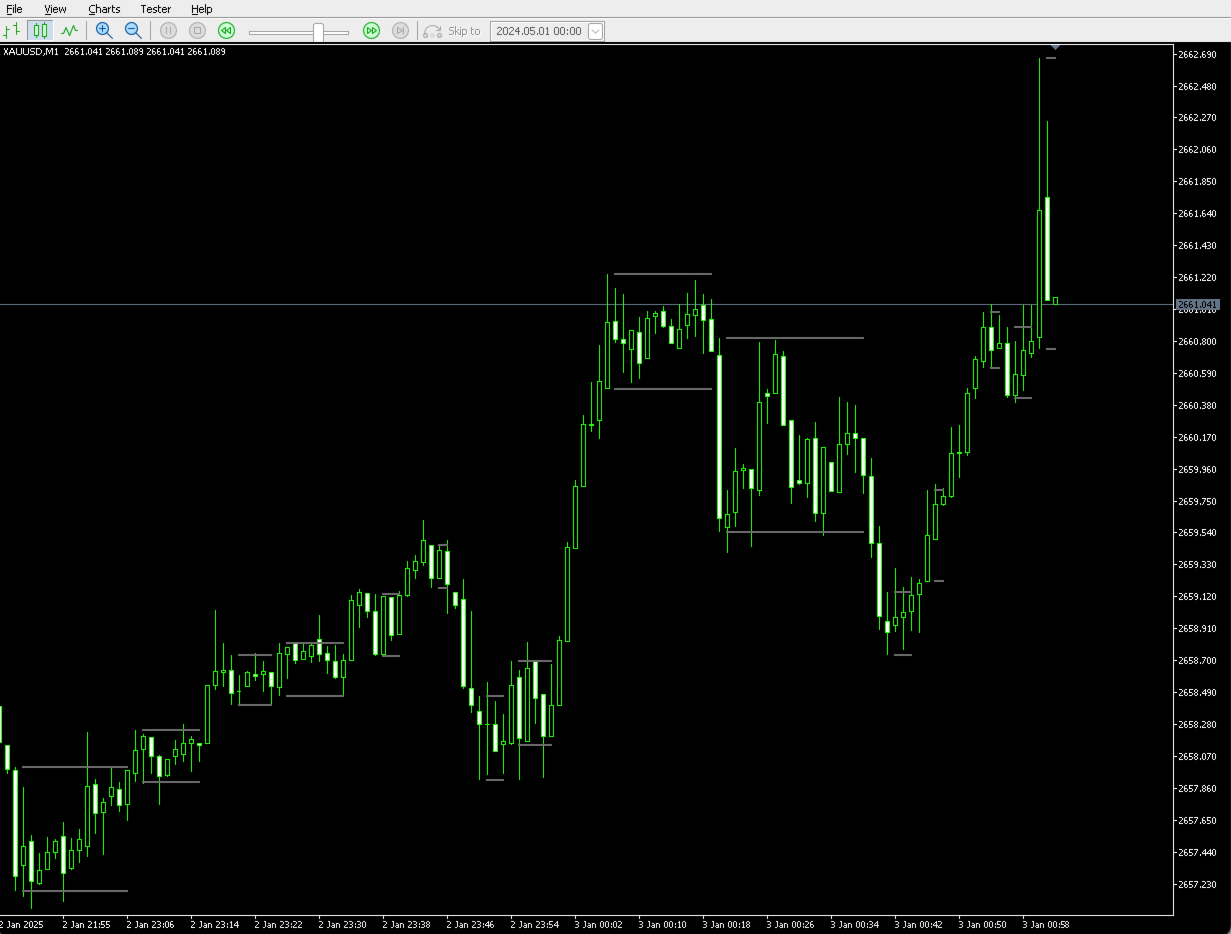
- Range Boundaries (Up/Down Lines): These are the core of the indicator. They form the upper and lower channel of the identified range. By default, they are drawn as separate, non-connected lines for each distinct range.
- Range Fills (Colored Backgrounds): To make ranges more visible, the indicator fills the area between the boundaries with color. The color can signify different market conditions based on your settings.
- EMA (Exponential Moving Average): A baseline EMA is included to help provide context for the price action within the range. You can customize its length or hide it.
- Breakout Alerts: The indicator automatically generates an alert when the price closes outside of an established range, signaling a potential trading opportunity.
4. Application in Trading
The Range Identifier v3 can be applied to your trading in several ways.
Important Disclaimer: This indicator is a tool for analysis and does not provide financial advice or guaranteed signals. All trading decisions are your own responsibility. Always use additional confirmation and practice sound risk management.
a) Identifying Market State
The most basic use is to understand the current state of the market.
- Ranging Market: When you see the indicator drawing stable, horizontal boxes, it's a clear sign that the market is in a consolidation or ranging phase. During this time, trend-following strategies may be less effective, and range-bound strategies (e.g., trading between support and resistance) could be more suitable.
- Trending Market: The absence of boxes, or a series of broken boxes, suggests the market is in a trending phase.
b) Breakout Trading Strategy
This is the primary strategy the indicator is designed for. A breakout is a potential signal that a new trend is beginning.
-
Buy Signal ( Range Breakout Buy ):
- Condition: The price closes decisively above the upper range boundary.
- Interpretation: This indicates that buyers have overcome the resistance level of the range, and the price may continue to move higher.
- Action: A trader might consider this a signal to enter a long (buy) position.
-
Sell Signal ( Range Breakout Sell ):
- Condition: The price closes decisively below the lower range boundary.
- Interpretation: This indicates that sellers have broken through the support level of the range, and the price may continue to move lower.
- Action: A trader might consider this a signal to enter a short (sell) position.
c) Confirmation and Risk Management
- Confirmation: Do not trade on breakouts blindly. It is highly recommended to seek confirmation from other sources. For example:
- Volume: A genuine breakout is often accompanied by a significant increase in volume.
- Candlestick Patterns: Look for strong, decisive candlestick patterns (like a Marubozu) on the breakout bar.
- Other Indicators: Use momentum indicators like the RSI or MACD to confirm that momentum is in the direction of the breakout.
- Stop Loss: When trading breakouts, a common practice is to place a stop loss just inside the broken range. For a buy breakout, a stop loss could be placed below the upper range line. For a sell breakout, it could be placed above the lower range line.
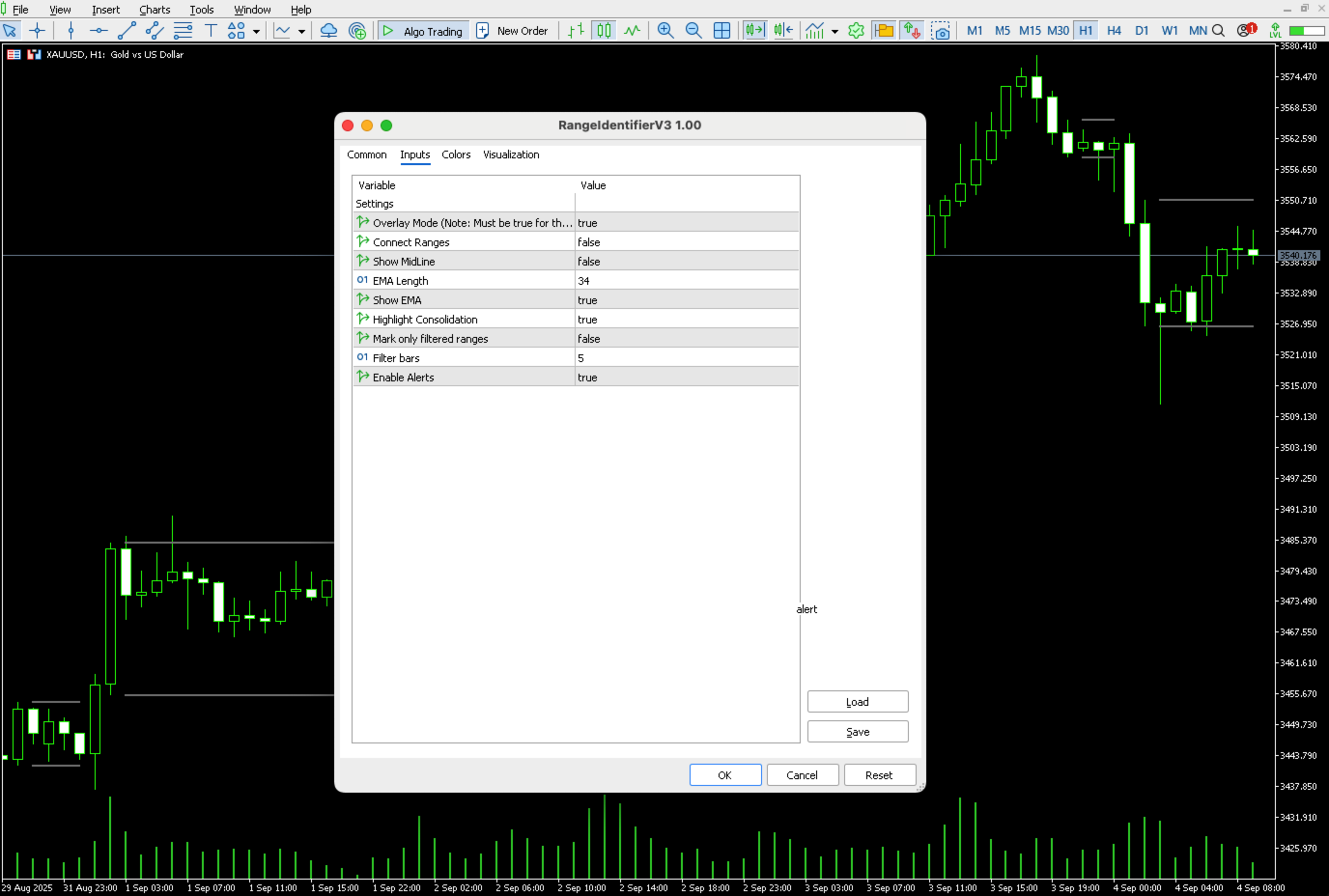
5. Input Parameters
-
Connect Ranges (true/false):
- false (Default): Draws each consolidation range as a separate, discrete box. This is recommended for clearly identifying individual breakout opportunities.
- true : Connects the boundaries of consecutive ranges, forming a continuous channel.
-
Show MidLine (true/false): If true , draws a dotted line representing the midpoint of the range channel.
-
EMA Length (integer): Sets the period for the Exponential Moving Average.
-
Show EMA (true/false): Toggles the visibility of the EMA line on the chart.
-
Highlight Consolidation (true/false): This is the master switch for all colored background fills. Set to false to see only the range boundary lines.
-
Mark only filtered ranges (true/false): This setting changes the coloring logic for the range fills.
- false (Default): The fill color is determined by the price's position relative to the EMA. (Note: The green fill for "close above EMA" has been disabled in this version).
- true : The fill color is determined by the Filter bars setting. This helps to highlight more established ranges.
-
Filter bars (integer): When Mark only filtered ranges is true , the range will be colored with the "Fuchsia" color only if it has persisted for at least this number of bars. Otherwise, it is colored "Gray".
-
Enable Alerts (true/false): Toggles the breakout alert pop-ups on and off.