Close All Indicators Script for MT5
- Utilità
- Versione: 1.4

Indicator Removal Script for MetaTrader 5 (Version 1.4)
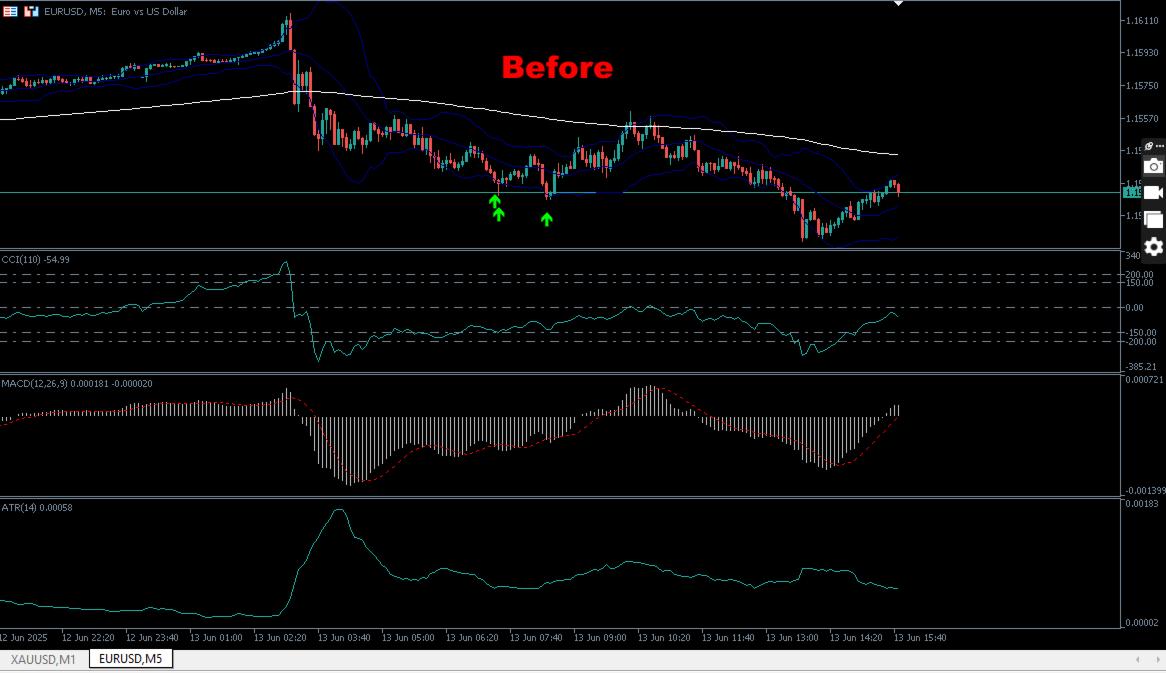
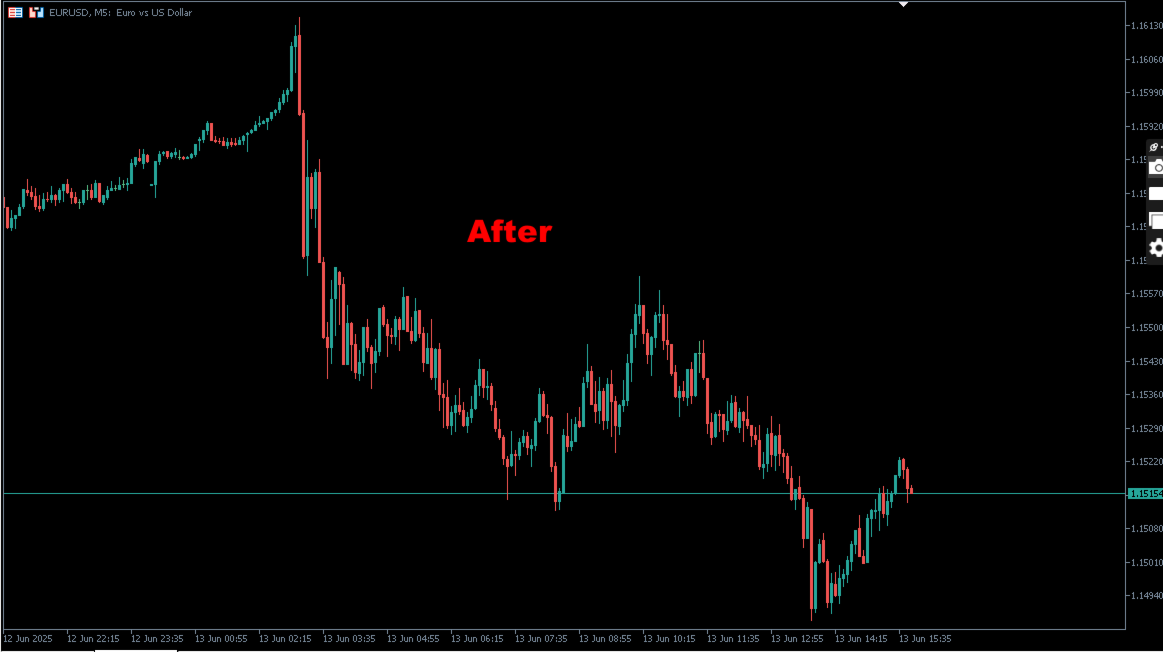
The Delete All Indicators Script is a powerful and user-friendly tool designed for MetaTrader 5 (MT5) to instantly remove all indicators from the main chart, sub-windows, or both, with a single click. Developed by Louis MattFX, this script (Version 1.4) simplifies chart management, saving traders time and effort when resetting their workspace for fresh analysis or new trading strategies.
Key Features
- Flexible Removal Options: Choose to clear indicators from the main chart, sub-windows, or both via customizable input parameters.
- Reliable Execution: Incorporates chart refreshing, delays, and retry logic to handle stubborn indicators effectively.
- Detailed Logging: Outputs clear messages in the MT5 terminal, listing removed indicators and any errors for transparency.
- Automatic Cleanup: Sub-windows are automatically closed if they become empty after indicator removal.
- Lightweight and Fast: Optimized for quick execution without overloading the MT5 platform.
This script is ideal for traders of all levels who want to streamline their chart setup process, as well as MQL5 developers looking for a robust example of chart manipulation.
Input Parameters
- CloseMainChartIndicators (default: true): Enable to remove all indicators from the main chart.
- CloseSubWindowIndicators (default: true): Enable to remove all indicators from sub-windows.
How to Use
- Run the Script:
- Attach the script to any chart in MetaTrader 5.
- A dialog box will appear, allowing you to configure the input parameters ( CloseMainChartIndicators and CloseSubWindowIndicators ).
- Confirm your settings and click "OK" to execute the script.
- Monitor Output:
- Check the Experts tab in the MT5 Terminal for detailed logs of removed indicators and any errors.
- The script will notify you when the process is complete with the message: "=== Indicator Removal Completed ===".
- Verify Results:
- The main chart and/or sub-windows will be cleared of indicators based on your settings.
- Empty sub-windows will automatically close.
Installation Instructions
- Download:
- Acquire the script from the MQL5 Marketplace.
- The script will be automatically added to your MetaTrader 5 platform.
- Locate the Script:
- Open MetaTrader 5 and navigate to the Navigator window.
- Find the script under Scripts > Market > DeleteAllIndicators_MT5.
- Attach to a Chart:
- Drag the script onto any chart or double-click it to launch.
- Configure the input parameters in the dialog box and click "OK" to run.
Support
For questions, bug reports, or feature requests, contact Louis MattFX via the MQL5 Marketplace or contact the author for exclusive trading tools, etc and links for more insights.