Quantum Nova EA
- Experts
- Versione: 2.0
- Attivazioni: 5

Quantum Nova EA is a professional Expert Advisor designed for traders who demand precision, flexibility, and advanced risk management. Built with cutting-edge algorithms and enhanced with proprietary features, Quantum Nova EA delivers institutional-grade trading capabilities to MetaTrader 4 platforms.
Quantum Nova EA unlocks the full potential of algorithmic trading with advanced features including the revolutionary Profit Booster technology, flexible volume management options (percentage-based and fixed-amount sizing), and comprehensive risk controls designed for professional traders who demand institutional-grade performance.
Experience unlimited trading capabilities with no volume restrictions, real-time professional dashboard monitoring, and intelligent position enhancement that automatically amplifies profitable trades while maintaining strict risk management protocols - making Quantum Nova PRO the ultimate choice for serious traders seeking to maximize their trading edge.
QUANTUM NOVA EA KEY FEATURES
Set-Up- Symbol: EURCAD
- Timeframe: M30
Multi-Indicator Strategy
- Based on Price Action and Technical indicator for trend identification
- Additional filter for momentum confirmation
- Standard Deviation for volatility assessment
- Breakout detection included
Precision Entry & Exit
- Advanced signal filtering with sigma-based precision
- Dynamic stop-loss and take-profit management
- Intelligent trailing stop functionality
- Opposite signal position closure
EXCLUSIVE ADVANCED FEATURES
PROFIT BOOSTER Technology
- Revolutionary position enhancement system that maximizes profitable trades
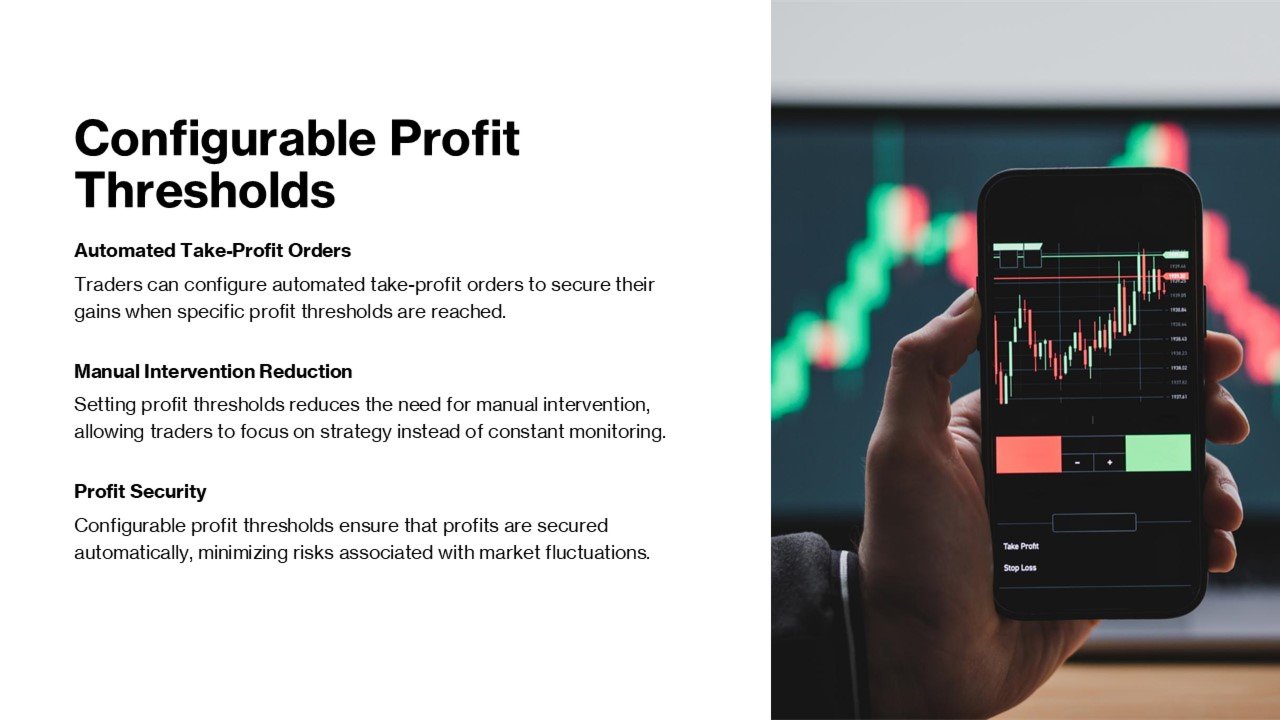
- Intelligent Trigger System: Automatically activates when main position reaches configurable profit threshold (default: 33.3% of TP)
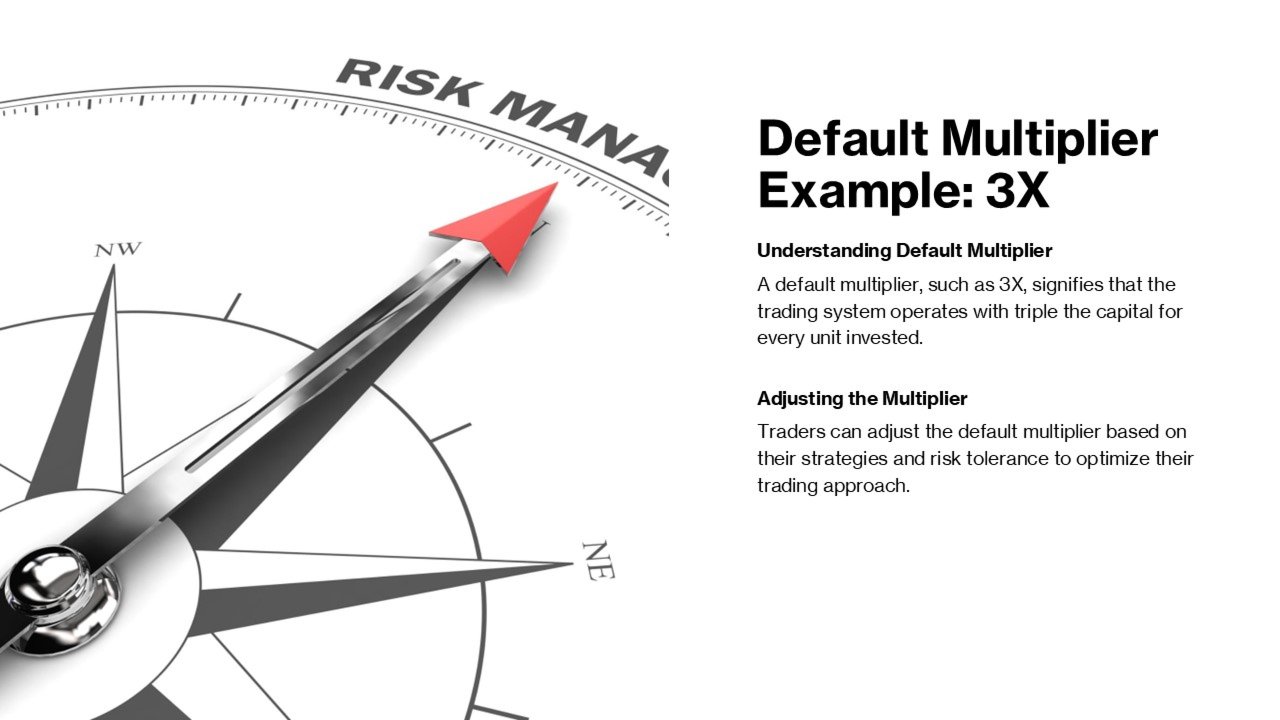
- Dynamic Volume Multiplication: Configurable multiplier (default: 3x) for enhanced profit potential
- Smart Position Management: Booster positions are automatically managed and closed based on market conditions
- Risk-Controlled Enhancement: Built-in margin checks ensure safe booster position sizing
Advanced Volume Management: choose from three professional sizing methods:
- Fixed Lots: Traditional fixed position sizing
- Percentage of Balance: Dynamic sizing based on account balance percentage
- Fixed Amount: Risk-based sizing using fixed dollar amounts
Professional Risk Controls
- Minimum Free Margin Protection: Ensures account safety with configurable margin requirements
- Maximum Spread Filter: Prevents trading during unfavorable market conditions
- Intelligent Margin Calculation: Real-time affordability checks before position opening
- ECN Broker Compatibility: Automatic detection and adaptation for ECN execution
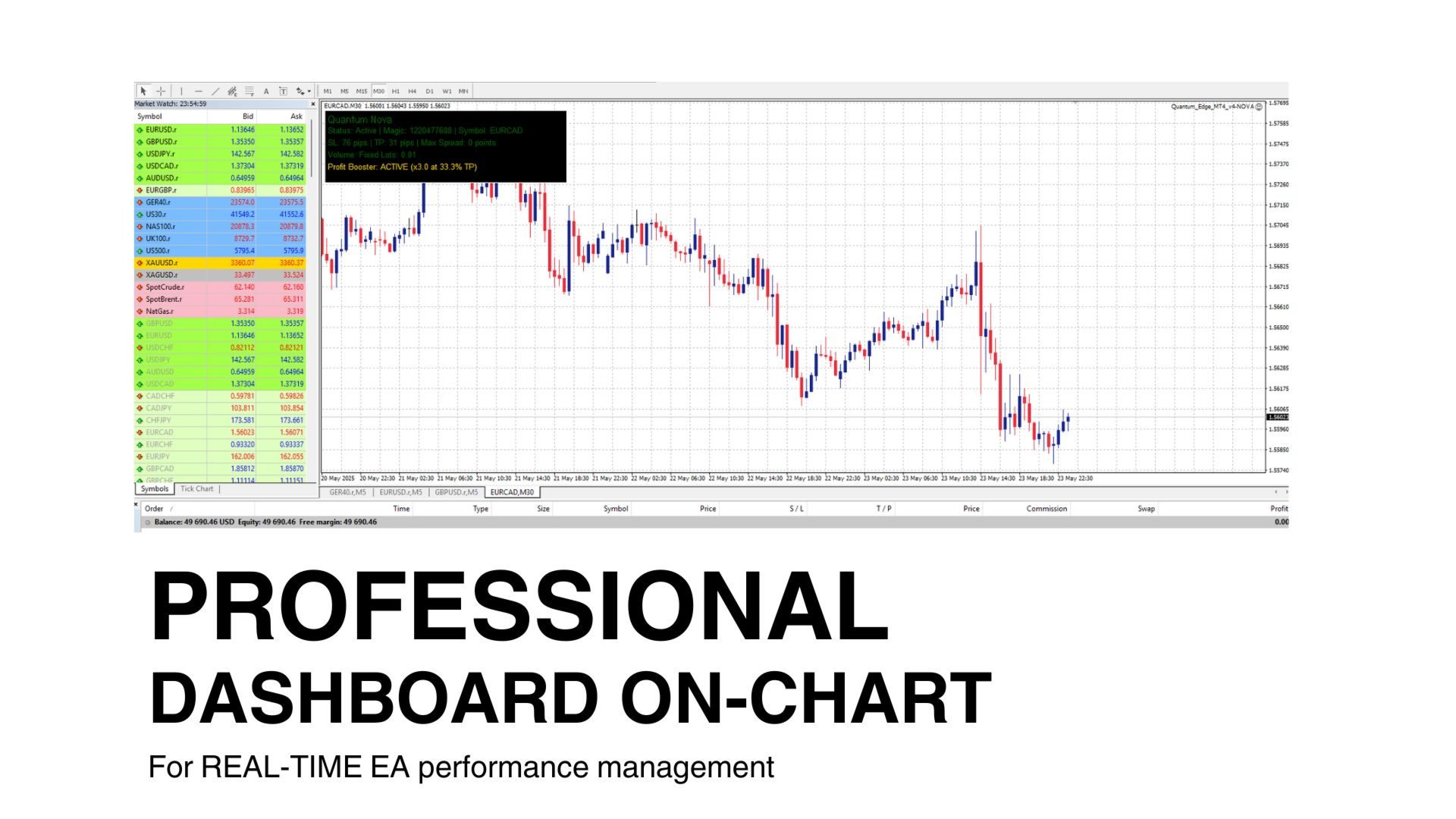
PROFESSIONAL INTERFACE: Real-Time Dashboard
- Live Position Monitoring: Current position type, size, and profit/loss- Profit Booster Status: Real-time booster activation and performance tracking
- Trading Parameters Display: SL, TP, spread limits, and volume settings
- Account Information: Balance, margin, and trading status
Flexible Configuration
- Magic Number Customization: Unique identification for multi-EA setups
- Adjustable Risk Parameters: Customizable stop-loss and take-profit levels
- Profit Booster Settings: Configurable trigger percentage and volume multiplier
- Market Condition Filters: Spread limits and margin requirements
TRADING ADVANTAGES: Profit Enhancement
- Profit Booster: Unique technology to amplify winning trades
- Dynamic Position Sizing: Optimal risk-reward ratios
- Intelligent Exit Strategy: Multiple exit conditions for profit protection
Risk Management
- Multi-Layer Protection: Stop-loss, trailing stops, and margin controls
- Account Safety: Built-in safeguards prevent overexposure
- Market Adaptation: Automatic adjustment to changing market conditions
Professional Tools
- Advanced Analytics: Real-time performance monitoring
- Flexible Configuration: Adaptable to various trading styles
- Institutional Features: Professional-grade risk and money management
HOW TO START
- Download & Install: Place the Quantum Nova .mq4 file in your MetaTrader 4 `Experts` folder and restart the platform
- Chart Preparation: Open your preferred currency pair chart (recommended: EURCAD M30 for optimal performance)
- EA Attachment: Drag and drop Quantum Nova onto the chart and ensure "Allow live trading" is enabled in settings
- Initial Configuration: Set your desired Magic Number (default: 1220477688). You can customize basic parameters (recommended to leave default values)
- Volume Settings: Choose your preferred sizing method - Fixed Lots (0.01 default), Percentage of Balance, or Fixed Amount based on your risk tolerance
- Profit Booster Setup: Enable Profit Booste feature and configure multiplier (3.0x default) and trigger percentage (33.3% default) for enhanced profit potential
- Risk Management: Set minimum free margin requirements and maximum spread limits to protect your account during volatile market conditions
- Live Trading: Ensure "AutoTrading" button is active in MetaTrader 4 toolbar and verify the smiley face icon appears on your chart
- Monitor Dashboard: Watch the real-time professional dashboard displaying position status, Profit Booster activity, and account information
- Keep the EA running 24/5 during market hours and monitor the Experts tab for trading activity and system messages
INPUT PARAMETERS
- Magic Number (Default: 1220477688): Unique identifier for Quantum Nova trades - Recommended: Keep default unless running multiple EAs simultaneously
- Enable Profit Booster (Default: True): Activates the proprietary profit enhancement system - Recommended: Keep enabled for maximum profit potential
- Volume Multiplier (Default: 3.0x): Multiplication factor for booster position size - Recommended: Conservative 3x default provides excellent enhancement without excessive risk
- Trigger Percentage (Default: 33.3%): Percentage of take profit at which booster activates - Recommended: Default 33.3% offers optimal timing for profit acceleration
- Trading Volume (Default: 0.01 lots): Base position size for all trades - Recommended: Start with default 0.01 lots and increase gradually as you gain confidence
- Stop Loss: Maximum loss per trade in pips - Recommended: Keep default value as it's optimized for the underlying strategy
- Take Profit: Target profit per trade in pips - Recommended: Maintain default setting for optimal risk-reward ratio
- Volume Calculation Mode (Default: Fixed Lots): Choose between Fixed Lots, Percentage of Balance, or Fixed Amount - Recommended: Start with Fixed Lots for simplicity
- Balance Percentage (Default: 1.0%): Percentage of account balance to risk when using percentage mode - Recommended: Conservative 1% default is ideal for most traders
- Fixed Amount (Default: $10.00): Dollar amount to risk per trade when using fixed amount mode - Recommended: Adjust based on account size while maintaining low risk
- Minimum Free Margin (Default: $0.50): Safety buffer to prevent margin calls - Recommended: Keep default to ensure account protection
- Maximum Spread (Default: 0 points): Maximum allowed spread for trade execution (0 = no limit) - Recommended: Leave at 0 initially, adjust if experiencing execution issues
IMPORTANT RECOMMENDATION
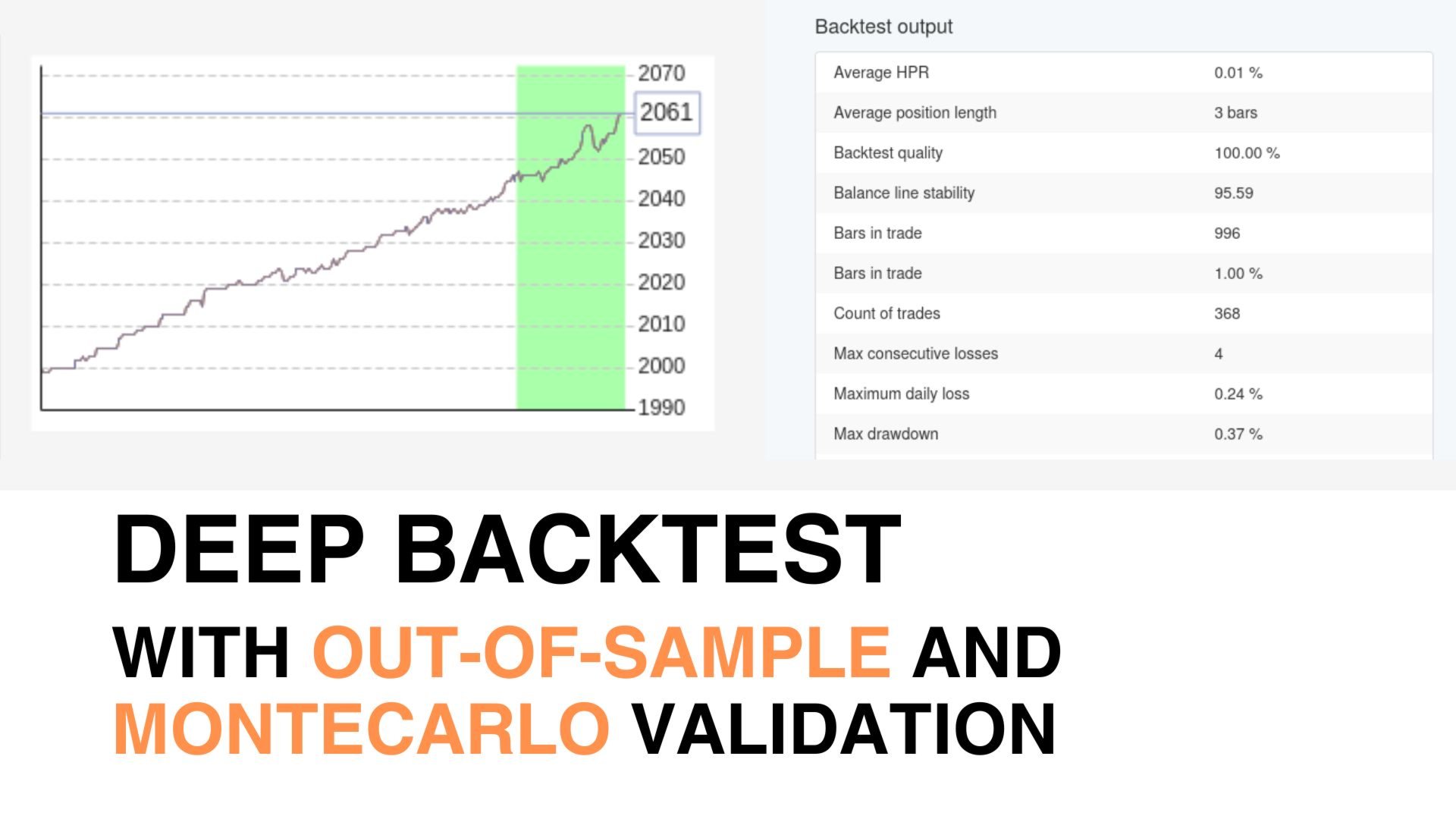
Keep all default parameters unchanged during your first month of trading. These values have been extensively backtested and optimized for the EURCAD M30 timeframe. Only adjust parameters after gaining experience with the EA's behavior and understanding your risk tolerance. Gradual modifications based on live performance will yield better results than aggressive initial changes.
Quantum Nova EA- Where Professional Trading Meets Advanced Technology