 MetaTrader 5
 专家
专家
 指标
指标
 程序库
程序库
 实用工具
实用工具
 窗口小部件
窗口小部件
 规则
规则
MetaTrader 5 交易实用工具 - 77
 以下是可在MetaTrader 5中简化交易的交易程序。将鼠标悬停在一个工具上,阅读它的描述和用途。
Trade Condition Inspector 是一款专业的 MetaTrader 5 交易前置检查面板,用于在执行市价单或挂单之前检查假设交易条件。它将经纪商权限、品种限制、保证金估算和止损止盈结构整合到一个透明的检查流程中。
主要功能 • 可拖动的入场、止损和止盈水平 • 交易权限与交易时段检查 • 当前点差、报价新鲜度和交易量验证 • Stops Level 与 Freeze Level 合规检查 • 支持订单类型与成交模式检查 • 保证金需求和可用保证金影响估算 • 针对无效条件提供假设替代方案 • 可导出的检查报告,便于复核或审计
本工具用于在发送订单前揭示潜在执行限制,不会开仓、修改订单或平仓,也不预测市场方向。保证金数值依据当前账户、品种设置和经纪商数据进行估算。实际交易前请始终在交易终端中再次确认最终订单参数。

EA Risk Inspector 是一款专业的 MetaTrader 5 风险检查面板,用于审查 Expert Advisor 和当前持仓形成的实时风险。它按照 Magic Number 和策略背景分组风险敞口,突出缺失保护,并以透明的运行视图展示账户层面的集中度。
主要功能 • 按 Magic Number 对持仓与 EA 分组 • 止损有效性和未保护敞口检查 • 策略级风险与持仓摘要 • 品种和方向集中度分析 • 账户整体风险敞口汇总 • 缺失或无效保护的异常列表 • 清晰的审计页面和持久化显示设置 • 只读监控,不干预交易
本工具用于了解自动交易与手动持仓如何共同影响当前账户风险,不会开仓、修改订单或平仓,也不保证能够避免亏损。计算结果取决于当前经纪商报价、合约规格、账户货币和可用持仓数据。

Broker Environment Inspector 是一款专业的 MetaTrader 5 兼容性与诊断工具,用于检查当前终端、账户和交易品种环境。它通过清晰的技术面板展示交易权限、报价条件、合约设置和可用执行能力。
主要功能 • 终端连接状态与交易权限标志 • 报价新鲜度和当前点差检查 • 交易时段可用性 • 合约大小、最小跳动和跳动价值信息 • 最小、最大和步进交易量规则 • Stops Level 与 Freeze Level 检查 • 支持的成交模式和订单类型 • 不包含个人信息的诊断导出,便于支持和比较
建议在部署 EA 或手动交易流程前使用本工具,以识别可能影响运行的环境差异。本工具不会评价经纪商质量、执行交易或保证兼容所有第三方程序。显示数值来自当前终端,并可能随经纪商、账户、品种和服务器状态而变化。

OG2 Trading Assistant is a comprehensive trading panel for MetaTrader 5, designed to simplify the manual and semi-automated management of your positions directly from the chart. Key features: Risk management: automatic position size calculation based on a defined risk amount Automatic break-even: secures your positions once a specific risk/reward ratio is reached Partial Take Profit: closes part of the position at a first target while letting the remainder run to a second target Trai

FDT Guardian — the stop loss MetaTrader doesn't give you MetaTrader lets you set a stop loss per position. What it doesn't let you set is a loss limit for the account as a whole . And that's precisely the number that matters when you aren't the one opening the trades: when you copy another trader, when several robots are running at once, or simply when you're away from the screen. FDT Guardian tracks the total floating P/L of your account — every open position across every symbol, swaps and comm

BreakEven Trade Manager MT5 is a lightweight and easy-to-use trading utility for MetaTrader 5 that helps you open, manage, and automatically protect trades directly from the chart. The utility combines fast manual order execution with automatic BreakEven management, helping reduce routine actions and improve position control. TradeHub Trading Utilities BreakEven Trade Manager MT5 is the first product in the TradeHub Trading Utilities collection — a growing ecosystem of professional MetaTrader to

Every panel tells you how much you're risking. This one tells you how much you have left.
You didn't lose the challenge because your strategy failed. You lost it because one more trade pushed you past the daily limit while you were chasing the target. PropDesk is the desk that helps stop that from happening.
1. Size against your ROOM, not your equity. Every order shows "risk $X = Y% of your daily room left". You always know if the next trade fits inside what the firm allows today - before you

您是否厌倦了盲目追单并在虚假突破中被套?现在开始加入“机构大户”的行列,只在最具优势 review 的溢价折扣价位介入市场。 ADR Momentum Retracements Dashboard 是一款专为 MetaTrader 5 平台量身打造的高性能多货币对实用扫描控制面板。它能够在日线(D1)时间周期上同时持续扫描多达 30 个资产,以精准捕获资产在当日交易时段何时受到机构资金的全力推动,并成功突破其动态的 平均单日波幅(ADR 14) 。 一旦巨大的动能扩张 K 线收盘,机构的资金足迹即被锁定。本控制面板将自动计算出基于该特定动能 K 线所延伸的动态数学 斐波那契回撤层(38.2%, 50.0%, 61.8%, 78.6%) 。它将以标准点(Pips)实时追踪当前价格与各层级之间的距离,并在市场回撤至高概率的折扣反转区域(黄金分割率)时,向您发出精准的技术提示。 核心高级特性 自适应可折叠面板引擎(Adaptive Collapsing Panel) :告别繁琐臃肿的图表界面。控制面板会自动扫描您的输入字段,并动态折叠其垂直背景高度,以完美契合您当前正在活跃追踪的资产

DragPan — TradingView-Style Chart Navigation Take full control of your MetaTrader 5 chart with intuitive, mouse-driven navigation inspired by TradingView. DragPan replaces MetaTrader's default scroll-and-scale behavior with smooth, natural gestures — click and drag to pan, drag the axes to stretch, and scroll to zoom. Key Features: One-Click Toggle — A clean on/off button in the top-right corner lets you switch DragPan mode on or off instantly, without disabling the indicator. Drag-to-Pan — Clic

Stop juggling a lot-size calculator, a trade manager, and a fistful of indicators. Smart Risk Manager combines precise risk-based execution, complete position management, and a professional Market Structure toolkit in one clean, draggable panel — built for Forex, Metals, Indices, Crypto and CFDs.
Plan a trade visually, see your exact lot size, risk and reward before you click, and manage every position straight from the chart with a single tap.
Utility for MetaTrader 5. Trades manual entries

LAUNCH PRICE — First 20 buyers only: $99 (regular price $129)
RiskPad Pro — Feature Details Trade Safe. Stay Funded. RiskPad is an MT5 order panel that helps you follow your own trading rules — tracking Daily/Total Drawdown, locking new orders after consecutive losses, and warning you before a trade could breach your risk limit. Whether you're taking on a prop firm challenge, protecting funded capital after passing one, or simply trading your own account, RiskPad keeps your risk rules in view a

标题: Speed Scalp Light | HFT Order Panel & Multi-Panel Manager 副标题: 异步HFT执行、11种原生语言、动态分页、风险过滤器和多面板管理 (MT5)。 描述: Speed Scalp Light 是一款专门为追求极速执行、精细视觉控制和智能风险管理的 MT5 交易者打造的高频交易 (HFT) 战术面板。 基于底层异步架构 ( OrderSendAsync ) 开发,彻底消除执行延迟,让您的图表成为简洁、高效的交易工作站。 核心功能: 低延迟 HFT 执行: 异步下单与平仓,毫秒级响应市场波动。 一键选择性平仓: 专属按钮可选择一键全平、仅平盈利单 (Close Profit) 或仅平亏损单 (Close Loss)。 独立浮动面板(最多 20 个面板): 在图表上自由开启独立交易块,每个面板可单独设置手数。 动态空间分页: 智能识别屏幕分辨率,最多展示 20 个持仓,绝不占用多余内存或遮挡图表。 内存级快速排序 (QuickSort): 支持按开仓时间、最大盈利或最大亏损一键过滤持仓。 悬停锁定保护 (Hover Lo

Apex Signal Stream – Trade Panel Version 2.43 | For MetaTrader 5 Overview Apex Trade Panel is a fully on-chart trading panel with two modes: Manual — precise control over every order, from lot sizing and SL/TP logic to trailing methods and batch close filters; and SignalStream auto-trade — the panel polls the Apex Signal Stream server over HTTPS and executes incoming signals behind 10 safety gates, reporting every outcome back. One panel, two ways to trade — and nothing enters your account that

Prop Challenge Command Center is an account-control dashboard for monitoring prop-style daily and overall loss rules, target progress, minimum trading days, consistency, open risk and account state.
Key functions: - Configurable rule profiles - Persisted daily and peak-equity baselines - Daily and overall drawdown monitoring - Profit-target and minimum-day progress - Consistency and exposure views - Warning ladder with guarded lock, reset and flatten controls - Event history for operational rev

Daily Drawdown Guardian is a focused daily-loss monitor with balance, equity and trailing reference modes.
Key functions: - Broker-time daily rollover - Configurable warning thresholds - Persisted daily baseline - Symbol and Magic Number scope - Pending-order cancellation - Optional scoped position flattening - Guarded manual unlock and baseline reset - Event history for operational review
This product monitors and enforces limits configured by the user. It does not provide entry signals or gu

Portfolio Risk Sentinel is a portfolio risk dashboard for stop-defined exposure across symbols and strategies.
Key functions: - Total and remaining portfolio risk - Concentration monitoring - Uncovered-position detection - Pending-order risk - Strategy grouping - ATR-based stress view - Guarded mitigation controls
Positions without usable stop-loss levels are clearly reported as undefined risk. The product is a monitoring and risk-control utility; it does not provide entry signals or guarantee

Currency Exposure Matrix is a currency-level exposure dashboard derived from current open positions.
Key functions: - Gross and net currency exposure - Long and short decomposition - Deposit-currency conversion - Concentration warnings - Transparent handling when conversion symbols are unavailable
The utility helps users understand aggregated currency exposure across their portfolio. It does not generate entry signals, predict market direction or guarantee trading results. Review broker symbol

Position Risk Architect is a visual trade-planning utility with draggable Entry, Stop Loss and three target levels.
Key functions: - Risk-based volume calculation - Margin preview - Reward-to-risk target planning - Persisted chart geometry - Broker stop-level and volume validation - Guarded order execution
Trading is disabled by default and must be deliberately enabled by the user. The product does not predict market direction or guarantee trading results. Verify all levels, calculated volume

Equity Lock Manager is an equity and high-water-mark protection utility.
Key functions: - Initial-equity and peak-equity reference modes - Configurable arming thresholds - Clear lock and breach states - Scoped pending-order cancellation - Optional full or partial position close - Persisted recovery state - Confirmed baseline reset controls
The utility enforces protection settings configured by the user. It does not provide entry signals, predict market direction or guarantee trading results. T

Trading Rules Enforcer is a deterministic account-discipline monitor for trade-count, loss, time and exposure rules.
Key functions: - Clear rule status dashboard - Trading-session restrictions - Overtrading controls - Symbol and Magic Number scope - Daily loss and exposure monitoring - Clear blocking reasons - Operational event history
The utility enforces rules configured by the user. It does not generate entry signals, predict market direction or guarantee trading results. Test all rule comb

Multi Strategy Risk Allocator is a strategy-budget dashboard organized by Magic Number and configured risk allocation.
Key functions: - Per-strategy risk usage and remaining budget - Allocation comparison across multiple strategies - Runtime enable and disable state - Persistent strategy toggles - Exportable allocation snapshots - Clear dashboard for portfolio-level risk oversight
The utility helps monitor and coordinate risk budgets configured by the user. It does not generate entry signals,

Precision Trade Console is a visual execution and staged-management console with draggable Entry, Stop Loss and three target levels.
Key functions: - Market, limit and stop order modes - Percentage, cash and fixed-lot position sizing - Margin and spread safety gates - Three staged take-profit levels and partial exits - Breakeven management - Fixed-distance or ATR-based trailing stops - Persistent trade plans - Optional keyboard workflow - Timed confirmation for order placement and bulk-close ac

>
Prop Guardian 帮您让资金账户或挑战账户始终处于其规则允许的范围内。它是一款保护工具,而非交易策略。它不会开仓。无论运行的是您本人的交易,还是另一个 EA 的交易,它都会为您守护。
实时跟踪的 prop 规则
- 每日亏损上限。在您触及之前平掉所有仓位并停止当天交易。 - 最大回撤,可基于初始余额固定计算,或从峰值动态跟踪。在您触及之前平仓并锁定账户。 - 盈利目标进度。 - 最少交易天数进度。 - 单笔交易风险上限。标记任何风险超过您所设限额的仓位。
自动保护会根据您设定的缓冲值触发,因此它会在触及硬性限额之前动作,而非之后。
选择您的公司 选择您的 prop 公司,其规则集会立即载入(FTMO, FundedNext, The5ers, FundingPips, E8, Alpha Capital, FunderPro, FXIFY, MyFundedFX),或使用 Custom 自定义任意公司。预设值为具有代表性的初始参考值。prop 公司会更改其规则,因此请务必对照您自己的账户核实,或在 Custom 中手动输入。
覆盖任何 EA 或跟单信号的安全网

Advanced Position Manager is a ticket-aware utility for managing existing positions.
Key functions: - Selected ticket, current symbol, Magic Number and all-position scopes - Breakeven management - Partial-close controls - Fixed-distance, ATR-based and previous-bar trailing stops - Close By support for hedging accounts - Guarded bulk-close operations - Optional keyboard workflow - Clear position and action status display
Trade actions are disabled by default. The utility manages positions accor

Pending Order Architect is a visual pending-order planner for ladder structures and OCO workflows.
Key functions: - Draggable base-price and stop-loss lines - Equal-risk distribution across pending orders - Broker capability and symbol-rule checks - Live pending-order inventory - Optional sibling cancellation for OCO workflows - Guarded order placement and cancellation - Optional keyboard workflow - Clear planning and order-status panels
Order placement is disabled by default. The utility subm

Basket Trade Commander is a multi-leg basket planner with leg-level risk and runtime control.
Key functions: - Configurable symbols, directions and allocation weights - Per-leg and basket-level volume checks - Margin and symbol-rule validation - Persistent enable and disable toggles for each leg - Guarded basket execution - Scoped unwind controls - Clear basket composition and status display
Trade execution is disabled by default. The utility submits and manages basket instructions configured

Session Trade Controller is a broker-time session and trade-permission controller.
Key functions: - User-configured trading windows - Live countdown to the next session change - Weekday permission rules - Clear open, closed and transition states - Position and pending-order visibility - Explicit reasons when trading is outside the permitted schedule - Dashboard view based on broker server time
The utility monitors and applies time permissions configured by the user. It does not generate entry

Local Trade Synchronizer is a local-terminal snapshot and recovery synchronizer for terminals on the same machine or in a shared local-file environment.
Key functions: - Master and follower operating modes - Prefix and suffix symbol mapping - Configurable volume scaling - Atomic local snapshots - Snapshot freshness checks - Deterministic queue reconstruction - Rejection of malformed or stale snapshots - Clear synchronization and recovery status
The utility synchronizes user-configured trade st

Performance Intelligence Dashboard is an account-history dashboard for recent trading performance and change over time.
Key functions: - Net trading results - Win rate and trade-count statistics - Profit factor - Drawdown monitoring - Daily performance series - Rolling-period comparison - Detailed trade tables - Clear account-history summary panels
The utility analyzes account history available in MetaTrader 5. It does not generate entry signals, predict market direction or guarantee future re

Trade Excursion Laboratory is an excursion-analysis utility for completed trades, including maximum adverse excursion and maximum favorable excursion reconstruction.
Key functions: - Maximum adverse excursion reconstruction - Maximum favorable excursion reconstruction - Trade-efficiency metrics - Excursion distribution views - Detailed completed-trade inspection - CSV export for further analysis - Clear account-history scope and processing status
Accuracy depends on the historical bars availab
Session Performance Analytics is a completed-trade analysis utility grouped by user-configured market sessions.
Key functions: - Completed-trade counts by session - Session win rate - Net result by session - Excursion statistics - Comparative session tables - Explicit time-boundary configuration - Clear account-history and session scope
The utility analyzes completed trades using the configured session boundaries and available account history. It does not generate entry signals, predict market

Strategy Attribution Matrix is a performance and relationship view grouped by Magic Number or comment prefix.
Key functions: - Strategy-level trading results - Contribution analysis - Drawdown by strategy group - Correlation estimates between selected groups - Detailed selected-group trade view - Magic Number and comment-prefix grouping - Clear account-history scope and status
The utility analyzes available account history. Correlation estimates and attribution results depend on data completen

Trading Discipline Journal is an editable on-chart journal linked to account trades.
Key functions: - Setup classification - Emotion and context fields - Custom tags and notes - Rule-adherence score - Journal search and filtering - Screenshot-reference field - Reversible CSV persistence for special characters - Clear trade-linked journal records
The utility records and organizes information entered by the user. It does not provide trading signals, predict market direction or guarantee trading

Prop Firm Shield watches your prop-firm account's daily loss and total drawdown in real time, warns you at 80%, and force-closes everything at 90% — before the firm's breach line ends your challenge.
===================================================== One bad day should not cost you your challenge. Prop firms disqualify an account the moment it breaches the maximum daily loss or the maximum total loss. While you trade, floating losses, commissions and swaps quietly add up — and many traders

Global Stop Loss & Take Profit Manager — Trade Control for MT5 Take full control of your manual trades with one simple gesture: drag a line. This tool gives you a single Global Stop Loss line and a single Global Take Profit line, right on your chart. Move either one with your mouse, and it instantly updates the Stop Loss or Take Profit of every open manual position on that symbol — no dialogs, no confirmations, no clicking through each trade one by one. This is a trade management tool, not a tra

TM TradeManager – The Copilot EA for Manual and Automated Trading
Short Description
TM TradeManager is not a signal provider and not a scalper that opens trades on its own – it's your **safety net and cockpit** for every position on your account. Whether you trade manually, run another strategy, or open a trade from your phone on the go: as soon as TradeManager is running on a chart, it automatically takes care of break-even, trailing stop and – if you want – staged partial closing. On top of

Strategy Watchdog — Product Page (v1.0, EN)
Value proposition Strategy Watchdog monitors every strategy on your account separately by magic number and steps in only for the one that breaches its own limits, while the rest of your portfolio keeps trading.
What it does Tracks each magic number as its own strategy: floating P/L, realized result today, and drawdown from that strategy's own equity peak. Rebuilds each strategy's result from deal history, so it works on netting and hedging accounts,

TBM Telegram To MT5 Copier turns a Telegram signal channel into real (or notify-only) trades on your MT5 account. It works together with a companion Windows desktop app that reads and parses your Telegram channel; this EA polls that app and acts on what it finds — including recognizing when the channel tells you to close a position, not just open one. With TBM Telegram To MT5 Copier you get automatic entry and close execution (or pure notifications, your choice), a full validation gauntlet befor

Advanced Indicators Manager Tired of manually removing and re-adding indicators every time you want to switch between setups or get a clean chart? With this tool you turn them on and off with a single click, no digging through menus, no lost time. Advanced Indicators Manager automatically scans your chart and detects every indicator currently applied (main window and sub-windows), creating a small button panel with one button per indicator. You can add as many indicators as you want to your cha

适用于MT5的 Telegram Trade Publisher 通过可自定义消息、图表截图和清晰有序的交易更新,将MetaTrader 5持仓活动直接发布到您自己的Telegram私聊、群组或频道。 Telegram Trade Publisher是一款面向交易者、信号提供者和交易社区的监控与发布工具。它可以监控整个MT5账户中的持仓,并通过Telegram Bot API报告所选择的事件。 本工具不会开仓、平仓或修改交易。 主要功能 新持仓通知,包括交易品种、方向、交易量、入场价、Stop Loss、Take Profit、风险、风险回报比、时间和持仓详细信息 新持仓可选择附带图表截图 截图和开仓消息作为一条带说明文字的Telegram图片消息一起发送 持仓交易量增加通知 部分平仓和全部平仓通知 Stop Loss和Take Profit修改提醒 分别检测保本和移动止损 风险百分比变化通知 后续更新可以直接回复原始开仓消息 终端重新启动后仍保留消息关联 可监控手动交易、EA交易或指定的Magic Number 可包含或排除指定的Magic Number 可选择按交易品种列表进行过滤

One EA for both sides — copy trades between two local MT5 terminals in milliseconds. No VPS, no server, no subscription!! Flash Sync — One EA. Two Roles. Zero Lag. Most local trade copiers make you install and manage two separate programs — one for the source account, one for the destination. Flash Sync is a single EA. Attach it to both terminals, flip one setting — Role: Master or Role: Slave — and you're done. No mismatched versions, no wondering which file goes where. Flash Sync mirrors open

QuickTrade Panel – Fast Execution & Smart Risk Management The QuickTrade Panel is a professional trading utility for MetaTrader 5 that makes order execution faster, safer, and easier. It allows traders to place market and pending orders directly from the chart while automatically managing position size based on their risk settings. Key Features Interactive On-Chart Panel: Easily adjust Lot Size, Risk %, Stop Loss (SL), Take Profit (TP), and Pending Order Distance without opening EA settings. Sma

[ MT4 Version ] Single-platform versions: [ Telegram ] [ Discord ] Publish your trades to Telegram AND Discord simultaneously — up to 6 channels from one chart, each with its own audience tier, filters and delay. The complete distribution toolkit for signal sellers. ONE EA, YOUR WHOLE AUDIENCE 6 CHANNELS AT ONCE — 3 Telegram chats + 3 Discord webhooks
️ TIERS THAT SELL — VIP channels get signals instantly, free channels get them delayed (you choose: 60 s

QuickTrade Panel Fast Order Execution, Smart Risk Management & One-Click Trading The QuickTrade Panel is a powerful and easy-to-use trading tool for MetaTrader 5 (MT5). It helps traders place orders faster, manage risk more effectively, and control trades directly from the chart. With all the important trading functions in one place, you can execute trades quickly without opening multiple windows. The panel supports both fixed lot trading and automatic Risk % lot sizing . Simply enter your pref

Here is a shorter, professional version with all your requested features included: QuickTrade Panel – MT5 Fast Execution, Smart Risk Management & On-Chart Trading The QuickTrade Panel is a lightweight, high-speed MT5 trading utility designed for fast and accurate order execution. It simplifies trading with one-click market and pending orders, automatic risk-based lot sizing, and an interactive on-chart dashboard. Key Features 1. On-Chart Trading Panel Adjust Lot Size, Risk %, SL, TP, and Pending

Martingale Firewall 是一款防护工具,而非交易策略。它不开任何仓。它与任何 EA、跟单信号或你自己的手动交易并行运行,专门阻止那个悄悄让账户爆仓的行为:马丁格尔加仓。 买一个机器人、跟一个信号,或者手动交易——一旦它开始在亏损上翻倍加仓、铺设网格,或在亏损单上补仓,Martingale Firewall 就会出手干预。 两种模式 WARN 只监控并提醒。它不触碰任何东西——它会在图表上和日志中,清楚地向你展示你的 EA 到底在做什么。 ENFORCE 会采取行动。它会平掉违规的补仓单或亏损后加码的单子,并为任何裸露的仓位挂上一道硬性止损。启用 ENFORCE 需要两次点击确认。 它防护哪些行为 马丁格尔 ——在一笔亏损交易之后放大仓位。 网格与摊平加仓 ——在更差的价格上给同方向的已持仓补仓。Firewall 作用于形态而非意图:有意的分批加仓(scale-in)或多次入场的突破策略,只要在更差价格加仓,处理方式相同,即使每笔都设了止损——因此请用 magic 号将范围限定到单个 EA,并先用 WARN 模式查看它会触及什么。 裸露仓位 ——在经纪商端没有止损的仓位。

Strategy Health Monitor将已保存的基准快照与后续交易历史进行比较,并根据所选设置报告统计差异信号。
这是一款按需手动运行的MT5实用工具,用于时间点检查。它读取一份由用户提供的Strategy Tester HTML或HTM报告,或者读取一份以逗号分隔且含有可识别利润列的交易CSV。它不会持续监控账户,也不会自行获取账户历史。
工作方式
1. 首次运行时,本工具根据用户提供的已清理交易历史创建基准快照。 2. 后续运行时,它加载同一基准文件,并将新历史与之比较。 3. 它会生成一份易读的英文Human Report和一份可复现的Evidence Pack。
比较内容
- 概率夏普比率(PSR)的变化 - 不预设方向的置换均值序列差异检验 - 相对于已配置基准区间的最大回撤百分比 - 已清理比较序列和输入文件的哈希值 - 当相关字段存在时,比较EA/报告名称、交易品种和周期
这些是比较信号,并非原因、诊断、操作决策或预测。较小的p值不会识别原因,也不表示应修改或停止某个EA。p值高于alpha也不能证明不存在变化。
基准安全
请为每个EA或策略使用

Are you tired of execution delays, missing perfect entry points, or struggling to manage multiple open positions during high market volatility?
Welcome to Execution Suite Pro, the ultimate high-performance trading panel engineered specifically for manual traders and professional scalpers on MetaTrader 5.
Unlike standard one-click trading tools, this professional utility utilizes advanced Asynchronous Order Execution (Zero-Lag) to ensure your commands reach the broker's server instantly, with

QuickTrade Panel – Fast Order Execution & Risk Management The QuickTrade Panel is a powerful MetaTrader 5 trading tool that helps traders place orders faster, manage risk automatically, and control trades directly from the chart. It reduces manual work, improves trading accuracy, and makes trade management simple and efficient. Key Features On-Chart Trading: Change Lot Size, Risk %, Stop Loss (SL), Take Profit (TP), and Pending Distance without opening EA settings. Smart Position Sizing: Choose

概述 DualVision AI 是用于视觉图表分析的 MetaTrader 5 智能交易系统。用户用两条竖线选择 K 线区间,并按需运行 AI 分析。DualVision AI 为该区间生成优化后的 K 线图像和归一化 OHLC 数据,然后发送给 Claude(Anthropic)或 ChatGPT(OpenAI)。模型返回结构化信号,包含 trend、局部形态、冲突标志、置信度、take profit 和 stop loss。 DualVision AI 是分析助手。它不下单,也不能替代风险管理。 开始之前 在 MetaTrader 5 中启用 WebRequest URL: 打开 Tools > Options > Expert Advisors 。 启用 Allow WebRequest for listed URL 。 添加这些 URL(每行一个): https://api.anthropic.com — Claude 所需 https://api.openai.com — ChatGPT 所需 将 DualVision AI 作为 Expert Advisor 挂载(不要作

Transform Your Trading with SmartFastTrade AI: Speed and Ease at Your Fingertips! Introduction Are you a trader struggling with slow order execution? Do you want a tool that can assist you in making quick and accurate trading decisions? If yes, then SmartFastTrade AI is the answer to all your trading needs. With its unique combination of speed, user-friendliness, and advanced features, SmartFastTrade AI will help you unlock your full trading potential. Let's delve deeper into why this innovativ
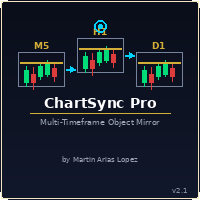
Draw once. See it everywhere. You draw a support line on your 5-minute chart. You switch to the 1-minute to confirm the structure. The line is already there. You open the daily. It's there too — perfectly placed, same color, same style. Zero extra work. That's ChartSync Pro. Most traders waste precious seconds — sometimes minutes — redrawing the same levels, trendlines, and zones across every timeframe. In scalping, those seconds are the trade. ChartSync Pro eliminates that entirely. The moment

justEnter is a semi-automatic trade management utility for MetaTrader 5. You choose the entry; the utility calculates position size, places the stop loss, and manages the position through breakeven, partial closes and trailing until exit. For traders following signals If you take your entries from a signal service, a mentor, or your own alerts, the entry decision is already made by the time you open the terminal. What remains is execution: sizing the position correctly, placing the stop, moving

A standalone algorithm that operates on the removal of the Previous Day's High (PDH) and/or the removal of the Previous Day's Low (PDL). Configurable: - risk per trade as a % of the deposit - minimum delay between trades - aggressiveness level - expected* number of trades and drawdown (*) Expected values will almost never match reality. Designed for use on the SP500 and NAS100 I DO NOT GUARANTEES ANY RETURN OR PROFIT! EXPECT TO LOSS! Livetest here

Risk Trade Panel 是一款带图表面板的 MetaTrader 5 实用 Expert,面向手动交易。它不生成入场信号,也不运行网格或马丁策略。买卖时机由你决定;面板协助仓位大小、止损与持仓管理。 功能 - 固定手数,或按止损距离相对余额(或净值)的风险百分比计算手数 - 带默认止损/止盈的市价 BUY / SELL(点数或绝对价格) - 挂单:Buy Limit、Sell Limit、Buy Stop、Sell Stop - 保本:价格达到点数触发后,将止损移至入场价(可加偏移) - 移动止损:关闭、固定点数或以 ATR 为基础 - 按成交量百分比部分平仓 - 全部平仓 / 盈利单 / 亏损单 — 可按 magic 和/或图表品种过滤 - 可选快捷键:B Buy、S Sell、C Close all、E Break-even、T Trail、P Partial - 深色石板或浅色面板;角落、尺寸与字体可调 适用对象 - 对冲账户上的手动与半手动交易者(净额账户下多持仓语义更简单) - 希望按风险定手数、快速管理止损,又不想用自动策略的人 要求 - MetaTrader 5

Global Stop Loss and Take Profit Manager Drag Lines Auto Apply
Already using my free Global Stop Loss and Take Profit Setter? This is the always on version. Instead of setting levels once, you drag two lines on the chart and every manual position on that symbol — plus every new one you open — instantly inherits the Stop Loss and Take Profit. No clicking into each order. No forgetting a stop.
Global Stop Loss and Target Manager is a drag-and-drop risk tool for manual traders on MetaTrader 5. Pu

TXBeeBox TradingPanel Pro TXBeeBox TradingPanel Pro is a multifunctional manual trading and position-management panel designed for MetaTrader 5. It provides fast order entry, centralized position controls, real-time account information and practical risk-management tools in a clean, compact interface. This product is a manual trading utility. It does not generate trading signals, predict market direction or open trades automatically. All entry and position-management commands are initiated by th

Visual MT5 trade planner with draggable entry, SL and TP, risk sizing and order management.
## Full description
Risk Assistant MT5 is a manual trading utility for planning, sizing and managing orders directly on a MetaTrader 5 chart.
The utility does not generate trading signals and does not decide when to enter the market. The trader selects the direction, entry, stop loss, take profit and acceptable risk. Risk Assistant displays the planned trade, calculates the volume and sends the order
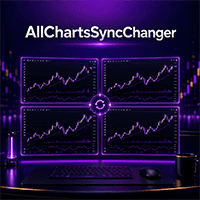
无论你是多周期分析派,还是只用一台显示器交易,这款工具都能派上用场。
把MT5变成分析指挥中心——图表同步与品种一键切换工具 每次切换策略都要一张一张手动改图表,是不是很麻烦? 货币对、指数、大宗商品的标签页太多,工作区乱糟糟的? 没有多台显示器,也想要接近多屏的分析效率? 如果这些场景你都很熟悉, All Charts Sync Changer Pro 正是为解决这些问题而设计的实用型EA。它能把你花在图表操作上的时间和精力,还给真正重要的事——分析和决策。
频道功能:让工作区管理彻底井井有条 这款工具的核心是 频道(Channel) 系统,可以把图表按用途分成互不干扰的组,例如: 频道1: 外汇主要货币对分组 频道2: 日元交叉盘分组 频道3: 股指与大宗商品分组 最多可设置10个独立的主图表。频道1的主图表只会同步分配到同一频道的子图表,不会影响其他频道。 也就是说,你终于可以按策略、按资产类别,把图表分得清清楚楚,互不干扰。
两种模式,操作都很简单 多图表同步模式 适合同时追踪多个策略或做相关性分析的交易者。给每个策略分配一个频道,各设一个主图表,点一下按钮,主图表本身以

WEALE Price List | 适用于 MetaTrader 5 的 Wealth Engine 资金扫描工具 WEALE Price List 是一款 MetaTrader 5 (MT5) 实用脚本,它会显示在您的 Market Watch 中每个交易品种上填满完整 Wealth Engine DCA 阶梯所需的资金量。 这款工具是 FJ Universe Wealth Engine (WEALE) 智能交易系统的规划辅助工具。Wealth Engine 负责运行策略,而 WEALE Price List 帮助您决定在哪里运行它。该脚本会扫描您 Market Watch 中的每个交易品种,读取实时合约规格,并生成一份清晰的 CSV 报告。除了经典的最小手数成本之外,它还新增了一个数值,即 WEALE Price,然后将整个列表按所需资金从少到多进行排序。它仅是一款分析工具。它不会开立任何订单,也不会更改您账户上的任何内容。 WEALE Price 是指当某个交易品种上第一笔也是最小的一笔订单等于一个经纪商最小手数时,填满整个零和恢复阶梯所需的总资金。Wealth Engine

XBOOT BOLETA PRO Professional Manual Trading Panel for MetaTrader 5 XBOOT Boleta Pro is a complete trading panel designed for traders who execute manual trades and want greater speed, organization, and control during every trading session. More than a standard Buy and Sell panel, XBOOT Boleta Pro combines powerful trading tools into a single interface, helping traders analyze the market, manage risk, execute orders, and monitor trading performance without leaving the chart. Its purpose is to sim

RR Ratio Pro RR Ratio Pro 是一款专为注重交易纪律的交易者打造的专业交易规划工具。它可以在下单之前,直接在图表上可视化风险、收益、止损、止盈以及仓位大小,帮助您更科学地制定交易计划。 它能够帮助交易者快速查看入场价格(Entry Price)、止损(Stop Loss)、止盈(Take Profit)、仓位大小(Position Size)以及风险收益比(Risk-to-Reward Ratio),所有信息均实时显示在图表上。 无论您交易外汇(Forex)、黄金(Gold)、指数(Indices)还是差价合约(CFDs),RR Ratio Pro 都能让交易规划更加快速、清晰且高效。 主要功能 交互式风险收益分析框(Risk/Reward Box) 支持拖拽操作,调整更加直观 自动计算风险收益比(Risk/Reward Ratio) 可视化显示入场价、止损价和止盈价 实时显示价格距离与点数距离 自动计算仓位大小(Position Size) 支持所有交易品种 适用于所有时间周期(Timeframe) 针对 MetaTrader 5 深度优化 适用对象 适合: 波

Chart Risk Desk Pro 面向需要速度与风控、但不想面对功能过载巨型面板的手动交易者。它是 MetaTrader 5 工具型 EA,不产生入场信号,也不使用网格或马丁。 针对重度交易面板用户的常见诉求:管理面板外开出的仓位、更清晰的点数/点值、一键保本与部分平仓、在经纪商止损距离较大时使用虚拟止损、日内亏损/盈利限制、反手与锁仓、简单 OCO,以及仍然覆盖日常下单管理的轻量界面。 功能 - 固定手数或按余额/净值风险%对照止损 - 点数或点值;可选按盈亏比从止损自动推止盈 - 市价买卖与四种挂单 - 可选最大点差限制新开仓 - 图表预览入场/止损/止盈线 - 保本,可选第二保本级别 - 移动止损:关闭 / 固定距离 / ATR - 部分平仓 + 可选第二自动部分平仓 - 虚拟(隐藏)止损止盈——触价市价平仓(适合止损距离很宽的品种) - 反手与锁仓(等量对冲) - OCO:挂两笔,成交一笔删除另一笔 - 删除挂单;全平/盈/亏 - 按品种金额盈亏平仓篮子 - 日内亏损/盈利金额守卫(平仓并禁止当日新开) - 关闭 magic 过滤可管理手动与手机仓 - 信息条:点差、品种

Chinese 强力自动交易 MT5 交易脚本 — 功能丰富,具有极高的性能和优异的交易结果。
这是能帮助您获得如截图般出色业绩的最佳交易脚本。我基于包络线(Envelopes)指标开发了该策略,使脚本能在该区域进行极佳的剥头皮交易,并从每笔交易中获取最大收益。我首先手动验证了该策略,随后将其实现为自动交易。
使用方法:打开 MT5 的“数据文件夹”,依次进入 MQL5 -> Scripts,将“3 true”脚本放入其中。刷新图表,打开任意交易对并将脚本拖入图表。您可以保持默认参数,也可以根据需要调整输入参数(如手数等)。
我最喜欢在 M1、M5 和 M15 时间框架上使用,但它适用于任何交易对和任何时间框架。
请先将 Envelopes 指标添加到图表中(在“指标” -> “趋势”中找到 Envelopes),可以将线型加粗(如截图所示)或保持默认,然后挂载脚本并调整参数。

In brief Auto TP Helper is a lightweight tool for manual traders who want to ensure they never forget to set Stop Loss and Take Profit levels after opening a trade. It runs in the background: as soon as you open a position manually, it instantly applies your preset SL and TP levels and then manages the position using a classic trailing stop—adjusting the stop toward profit as the price moves. No trading logic, no entry signals—just protection for the positions you have opened yourself. Who is th

QuickTrade - One-Click Trading Panel QuickTrade is a manual trading panel that places orders with a single click and sizes the lot automatically from a fixed money-per-trade amount. Instead of typing a lot size, you type how much money you want to put at risk, and QuickTrade calculates the correct lot from your chosen Stop Loss distance. Every order is sent with its Stop Loss and Take Profit already attached. Key Features One-click SELL / BUY - large buttons that also show the live Bid/Ask price

In Brief News Straddle Helper is a tool designed for trading volatility surrounding major news releases. At a specific time you set (with one-second precision), it automatically places two opposing pending orders—a Buy Stop and a Sell Stop—equidistant from the current price. As soon as one order is triggered, the other is instantly cancelled. If neither order is triggered within the allotted time, both are automatically removed. It is based on a classic concept (the "news straddle"): while the d

Trade Manager MVP MT5 is a chart-based position sizing, order execution and trade management tool designed to help manual traders plan setups, control risk and manage positions from one compact panel. Define Entry, Stop Loss, TP1, TP2 and Final TP using draggable chart lines. Set your preferred risk percentage, and the EA calculates the position size from the Stop Loss distance. Moving the Entry line automatically moves the other levels while preserving their configured pip distances. Key Featur

Multi Account Trade Desk MT5
## Short description
Account-wide MASTER-to-SLAVE trade copier for MetaTrader 5 with per-account risk sizing, automatic broker symbol matching, live readiness monitoring and parallel execution.
## Product description
Multi Account Trade Desk MT5 is built for traders who manage several MT5 accounts and want one central place to control risk, account readiness and trade replication.
Attach the same EA as MASTER on the source terminal and as SLAVE on every target

购买前请看:这个工具不做的六件事。 如果其中某一条正是你要买它的原因,那这就是一款错的产品。我宁愿你现在就知道,而不是付完款之后才发现。 仅限 MetaTrader 5。 没有 MT4 端,也不能在 MT4 与 MT5 之间复制。 只能在一台机器上。 两个终端必须运行在同一台电脑或 VPS 上。不支持两台机器之间的远程复制,也没有云端复制。 只支持对冲(hedging)账户。 净持仓(netting)账户会被直接拒绝,工具不会启动。购买前请先确认你的账户类型。 账户货币只能有一种。 两个账户必须以同一种货币计价。 尚未成交的挂单不会被镜像。 发送方的挂单一旦成交,会立即以仓位的形式复制过去。 跨经纪商的品种改名需要你自己加一行。 如果两家经纪商给同一个品种起了不同的名字,例如 USTEC 和 NAS100,你需要自己把这一对加进品种对照表。前缀和后缀会自动识别。 Copier Relay 在同一台电脑或 VPS 上的两个 MetaTrader 5 终端之间复制交易。别的复制工具会做的,它都做——而且它还多做一件别人都省掉的事: 它保护接收方账户。 可靠的复制 在本地 MT5 终端之间镜
MetaTrader市场是 出售自动交易和技术指标的最好地方。
您只需要以一个有吸引力的设计和良好的描述为MetaTrader平台开发应用程序。我们将为您解释如何在市场发布您的产品将它提供给数以百万计的MetaTrader用户。
