 MetaTrader 5
 Experts
 Indicators
 Scripts
 Libraries
 Storage
Join our fan page
- Views:
- 61
- Rating:
- Published:
-
 You are missing trading opportunities:
- Free trading apps
- Over 8,000 signals for copying
- Economic news for exploring financial markets
Registration Log inYou agree to website policy and terms of use
If you do not have an account, please register -
 Need a robot or indicator based on this code? Order it on Freelance
Go to Freelance
Need a robot or indicator based on this code? Order it on Freelance
Go to Freelance
- Clean, dependency-free source code (standard library only)
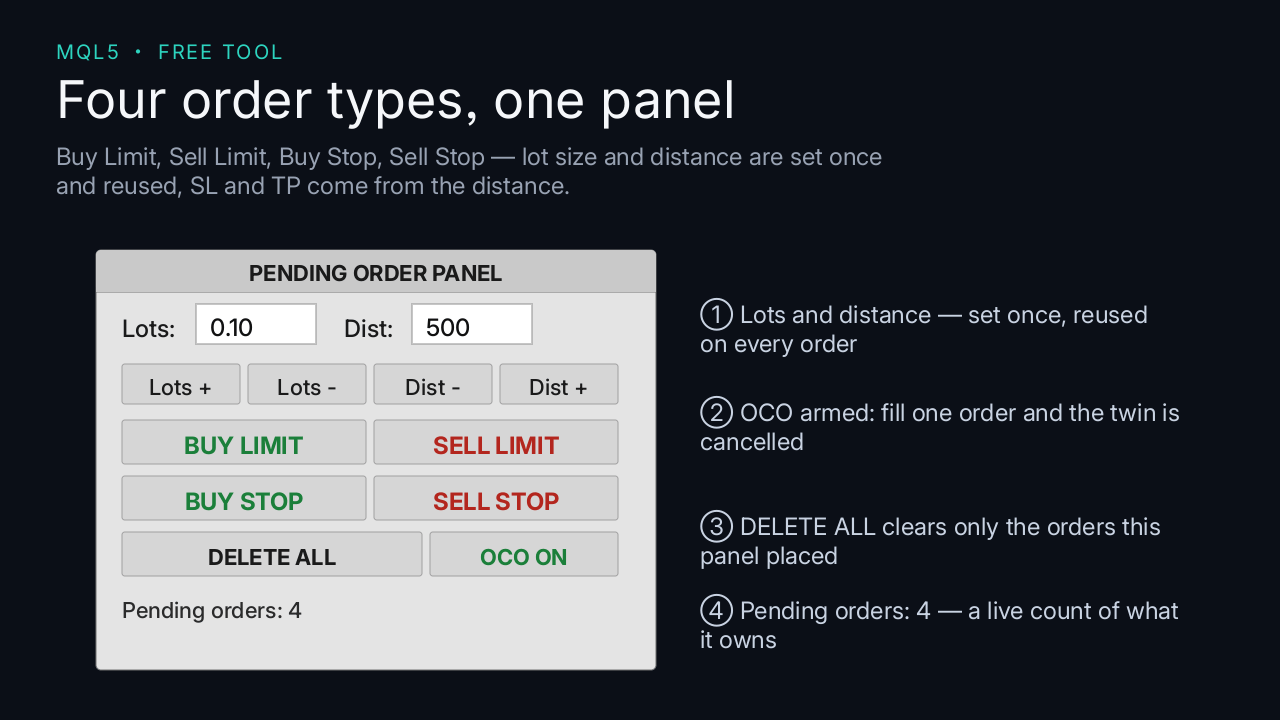
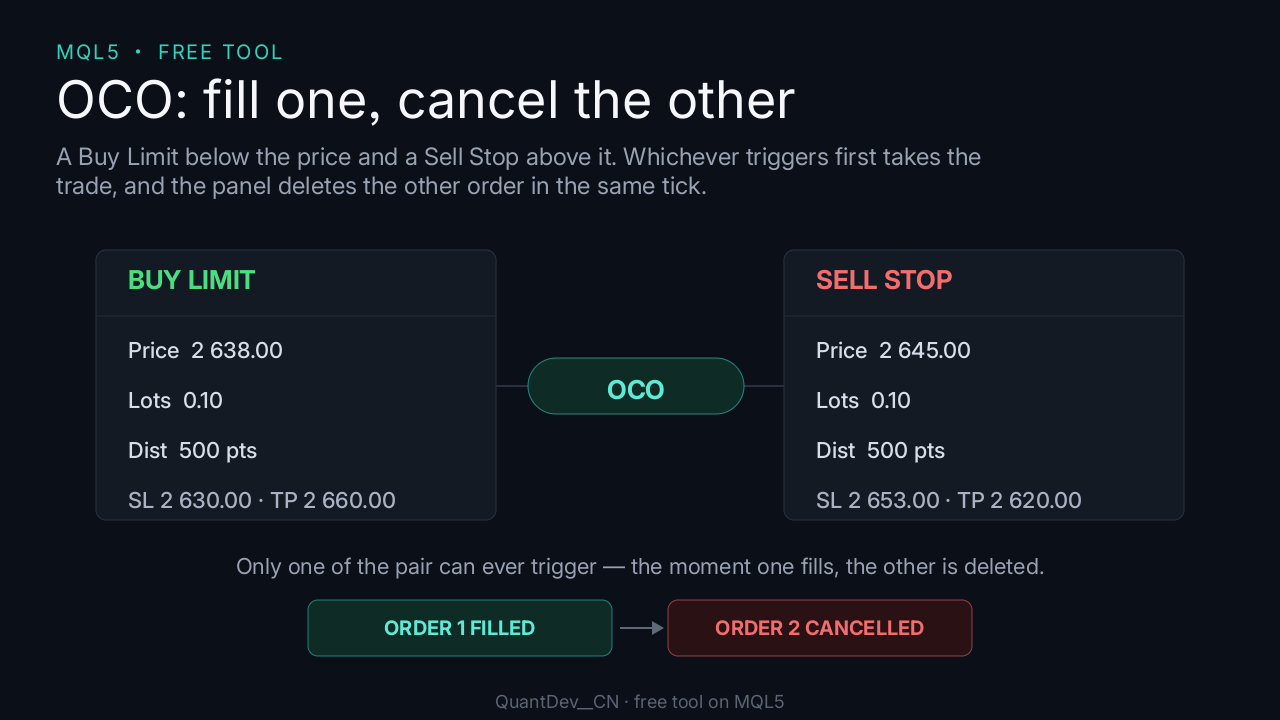
6. Toggle OCO to enable or disable one-cancels-the-other pairing.
Important notes
- No trading result is guaranteed in any way.
Translated from Chinese by MetaQuotes Ltd.
Original code: https://www.mql5.com/zh/code/78307
 Trend Buy/Sell Zones with Auto Lot Size - Risk Panel
Highlights potential buy zones in uptrends and sell zones in downtrends on closed candles (no repainting), with automatic lot size for your balance and a daily loss guard.
 GM Matrix Monitor — read-only risk dashboard for your EA matrix
Read-only panel showing per-magic net P/L, account drawdown, daily-loss breaker progress and freeze/liquidate thresholds. Does NOT trade.
Prior Bar Break Odds with Probability Bars and a Rolling Hit Rate
Measures, on the chart's own history, how often a bar takes out the prior high or the prior low after bullish and after bearish bars, at up to five levels spaced by the average range. Each level carries a probability bar, and a table scores the favored side over all bars and over the last 200.
MACD Signals
Indicator edition for new platform.