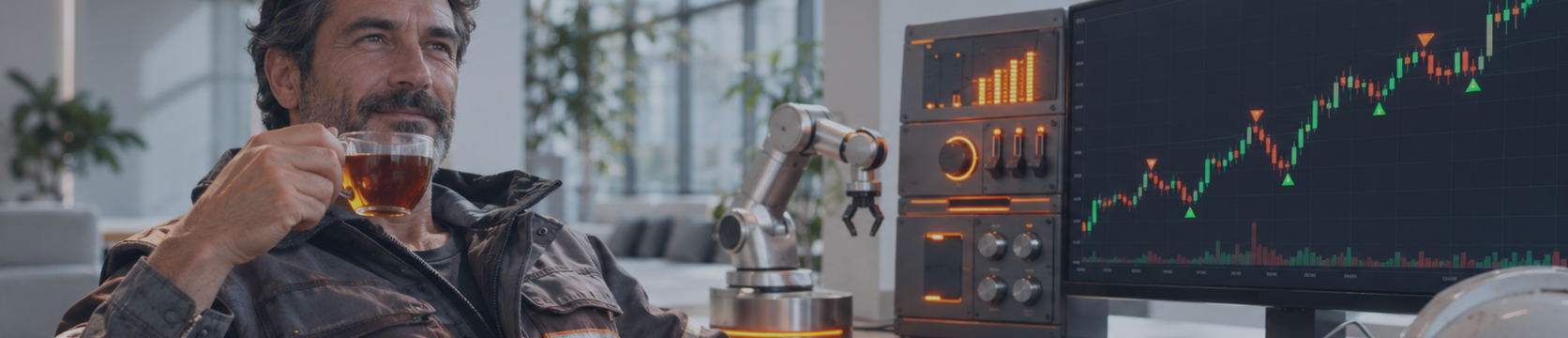

Friends, I have been trading and developing Expert Advisors for MetaTrader 4 and MetaTrader 5 for more than 20 years. Over this time I have noticed that traders who master robots trade more calmly, spend less time in front of charts and make fewer impulsive mistakes. In this article I will explain what a trading robot is and what specific advantages you get when you hand part of your work over to a program. No profit promises and no fairy tales about a "magic button" — only what works in practice.
If automated trading interests you, I invite you to add me as a friend on MQL5 so you don't miss new articles and updates to my products. As a companion piece, I recommend reading "How to Choose a Trading Robot on MQL5 Market and Avoid Mistakes". All my Expert Advisors with descriptions and demo versions are collected on the Trading-Go website, and short reviews are published in my Telegram channel.
A Trading Robot in Simple Words
A trading robot, or Expert Advisor (EA), is a program inside the MetaTrader terminal that trades according to predefined rules. It watches the price, calculates the volume, opens positions, sets Stop Loss and Take Profit, manages and closes trades. The rules are described once, and then the robot executes them every time the market produces the required conditions.
Imagine your trading system written in a notebook: "If the price breaks the daily high, buy 0.1 lot, stop below the candle low." When trading manually, you have to sit at the monitor, catch the signal and stay focused. A robot does the same job for you — precisely, quickly and without fatigue. And you get what almost every trader lacks: time and peace of mind.
Advantage One: You Get Your Time Back
Manual trsding eats up hours. You have to watch charts, wait for signals, monitor open trades and move stops. Many of my students admitted that trading gradually pushed family, rest and their main job out of their lives.
A robot takes over this routine. You no longer need to wait for an entry at night or interrupt your day to move a stop to breakeven. Your role changes: from executor you become a manager who chooses the strategy, sets the risk and periodically checks the results. The freed-up time can go into learning, analysis, developing new ideas or simply living away from the screen.
Advantage Two: Discipline Instead of Emotions
A trader's most expensive enemy is his own emotions. Fear makes you close a winning trade too early, greed makes you hold a loser hoping for a reversal, and excitement makes you open an extra position after a loss. Anyone who has traded manually knows this from experience.
A robot has neither fear nor greed. If the rules say to close at the stop, it closes without hesitation. If there is no signal, it will not enter the markey "out of boredom". For you, this means the strategy is executed exactly as designed. You get the opportunity to evaluate your system honestly, because the results are no longer distorted by human errors.
Advantage Three: Speed and Precision
While a person notices a signal, calculates the lot and presses the button, seconds or even minutes pass. A robot checks the conditions, calculates the volume based on the deposit and sends the order in a fraction of a second. It will not misplace a decimal point when entering the volume and will not confuse Buy with Sell.
This is especially valuable in strategies that depend on accurate calculations: managing series of positions, calculating the average price, partial closing. Done manually, these calculations are tiring and easily lead to mistakes, while the program performs them flawlessly on every tick.
Advantage Four: The Market Under Control Around the Clock
The currency market works five days a week almost around the clock. A person physically cannot watch it all that time, which means missing some opportunities and leaving open trades unattended. An Expert Advisor running on a VPS manages your positions day and night.
For you, this means sound sleep. You know the stop will be moved, the series will be closed according to the rules, and a new trade will open only under the right conditions — even if you are travelling or out for a walk with your family.
Advantage Five: Several Strategies at Once
Manually, it is hard to properly manage more than two or three instruments. One MetaTrader terminal can run several robots on different currency pairs and timeframes. Each EA works with its own positiond under its own magic number and does not interfere with the others.
You get the opportunity to spread your trading across different ideas and instruments. When one strategy goes through a difficult period, others can keep working normally. This is a step towards a more balanced approach that is very hard to implement manually.
Advantage Six: Test an Idea Before Risking Money
This is probably my favourite advantage. MetaTrader 5 has a Strategy Tester (opened with Ctrl+R) that runs an EA on historical data. In a few minutes you can see how the robot would have traded over months and years: how many trades it made, what the maximum drawdown was and what the balance curve looked like.
You cannot test a manual strategy that fast — it would take weeks of painstaking work. With a robot, you filter out weak ideas for free and tune the parameters to your deposit before investing a single dollar. Look not only at profit but also at drawdown and stability: a smooth curve with a moderate drawdown says much more than an impressive number with deep dips.
How an Expert Advisor Works Inside
Understanding the inner structure of a robot gives you another advantage — confidence. Expert Advisors for MetaTrader 5 are written in MQL5. The terminal calls the robot's functions when events occur: OnInit at start, OnTick on every price change, OnDeinit at stop. Here is the simplest skeleton:
#include <Trade\Trade.mqh> input double InpLots = 0.01; // trade volume CTrade trade; int OnInit() { return(INIT_SUCCEEDED); } void OnTick() { if(PositionsTotal() == 0) { double ask = SymbolInfoDouble(_Symbol, SYMBOL_ASK); trade.Buy(InpLots, _Symbol, ask, 0, 0, "demo"); } } void OnDeinit(const int reason) { }
This example only shows the structure: if there are no positions, it buys the minimum lot. A real robot checks dozens of conditions in OnTick: spread, free margin, trading hours, signals, the state of open trades. Lines with the input keyword are input parameters that you change in the settings without editing code. Thanks to them, the same robot adapts to your deposit, instrument and acceptable risk.
Knowing this model, you understand why a robot does not trade when the terminal is off, why it reacts to every price movement and why it is so important to read the description of every parameter before launching.
Which Robot Solves Your Task
Another advantage of automation is a wide choice of tools for different goals. Here are the main types I use when reviewing products myself:
- Trend robots enter in the direction of the movement and help capture large impulses. In flat markets they more often take small losses.
- Counter-trend robots trade price returns within a range and feel comfortable in a calm market.
- Grid and averaging robots manage a series of positions as a whole and close it by the total result.
- Scalpers make many short trades and are very sensitive to spread and execution speed.
- Utility Expert Advisors do not look for entries but help you: calculate the lot, move the stop to breakeven, trail, work with locks.
If you like trading yourself but are tired of routine, a utility will suit you. If you want to hand execution entirely to a program, you need a trading EA. Understanding the difference, you buy exactly what you need and avoid unnecessary spending.
A Practical Example: How a Grid Robot Helps
Let me show the advantages of automation in numbers. Take grid trading — my Expert Advisor VR Smart Grid, a robot for grid trading and managing series of positions, is built on its principles. It uses averaging, calculation of the series average price, volume management and partial closing of positions.
Suppose the robot bought EURUSD with 0.01 lot at 1.1000, and the price fell 30 pips to 1.0970. The grid logic opens another 0.01 lot buy. The average price of the series is now (1.1000 × 0.01 + 1.0970 × 0.01) / 0.02 = 1.0985.
Here is the benefit: for the series to reach breakeven, the price does not need to return to 1.1000 — rising to 1.0985 is enough. When the price moves above the average by a set distance, the robot closes the whole series by the total result. If the volume of the next orders increases, the average price shifts even closer to the current price, and an even smaller pullback is needed to close in profit.
When a series grows, partial closing comes to the rescue: profit from the best positions is used to close the most losing position or part of it. The number of open trades and the deposit load decrease without waiting for a full market reversal. Calculating average prices manually and deciding what to close and in what volume is tiring and risky, while the robot does it on every tick.
Keep in mind, though: if the market moves against the series for a long time without pullbacks, the number of positions and the margin load grow. That is why a reasonable starting volume, a limit on the number of orders and a sufficient deposit are essential. VR Smart Grid gives you tools for working with a series, while the acceptable riak is defined by you.
Where a Robot Will Not Replace You
For the advantages of robots to work in your favour, you need to understand their limits honestly. A robot does not predict the future — it reacts to current data according to set rules, and the market changes. It needs a technical environment: if the computer is off or the connection drops, trades are left unattended, which is why many traders use a VPS. Parameters perfectly fitted to history may perform poorly on new data. And important news and changes in broker conditions still require your attention.
I always tell my students: a robot is a powerful assistant, not a replacement for the trader. It takes over execution, while the choice of strategy, the risk size and the moment to stop remain yours. Those who understand this get the most out of automation and do not lose money on inflated expectations.
How to Take Your First Steps
Launching a robot in MetaTrader 5 is easier than it seems. In practice, it works like this:
- Download the EA from MQL5 Market directly in the terminal (the "Market" tab) or place the file in the Experts folder via "File → Open Data Folder".
- Find the robot in the "Navigator" window under "Expert Advisors".
- Drag it onto the chart of the desired instrument and timeframe.
- In the settings window, allow algorithmic trading and check the input parameters.
- Turn on the "Algo Trading" button on the terminal toolbar.
- Open the "Experts" tab and make sure the robot started without errors.
Start with the Strategy Tester, then move to a demi account, and only after that to a real account with the minimum volume. This way you will see for free and without risk how the robot behaves in different conditions, and calmly decide whether it suits you.
Typical Mistakes That Rob You of These Advantages
- Launching straight on a real account without testing and a demo period.
- Too large a starting volume, especially in grid systems.
- Changing parameters without understanding what they mean.
- Choosing a robot by one beautiful curve in the tester without checking other periods.
- No control at all: the robot was switched on and forgotten for a month.
- Several EAs on one account with the same magic number.
By avoiding these mistakes, you protect your deposit during the learning stage and can make full use of everything automated trading offers.
Recommendations
I recommend looking at a trading robot as a tool that gives you back your time, removes emotions from execution and lets you test ideas before risking money. These are real advantages I see in my students every day. But they only show up when the trader understands how his EA works and manages risk himself.
I have noticed that those who handle automation best go through three stages: the Strategy Tester, a demo account for several weeks, and only then a real account with the minimum volume. Each stage answers its own question: does the logic work on history, how does the robot behave in a live market, and are you comfortable when a program trades for you.
If you are interested in working with series of positions, study the mechanics of averaging and partial closing described above, and then see how they are implemented in VR Smart Grid. The demo version lets you explore it in the tester without risk. Let the robot execute while the decisions stay with you.
Tags: trading robot, MetaTrader expert advisor, MQL5, automated trading, VR Smart Grid



