Before moving an EA I make a list of what is running, which program is responsible for each account, and how I will recognise a failed handover. A server can keep a terminal available. The operating question is whether the intended EA is connected and doing the job you expect.
An EA needs a running environment, not necessarily a VPS
An Expert Advisor does not automatically require a VPS. It requires the operating environment its developer specifies, available whenever the program needs to make decisions. A suitable local computer can provide that environment. Hosting becomes useful when keeping that computer running reliably is inconvenient or impractical.
The important question is not “Will a VPS improve my returns?” It is “Where will this exact EA run, what could interrupt it, and how will I know?” Hosting is an operational choice, not evidence that a trading strategy works.
MetaQuotes describes virtual hosting as a way to keep a trading platform operating continuously. That does not make every hosting option interchangeable or remove the need to monitor it.
Decide what actually has to stay available
Write down the EA version, supported platform, broker account, symbols and documented operating hours before buying hosting. Do not assume that a gold-trading product runs only when you happen to be watching XAUUSD: its documented entry, exit or management process determines when the program must be available.
For a SmiteFX system, start from the current listing linked in the systems directory. Check that product's requirements rather than borrowing settings from another EA. This guide does not announce new hosting compatibility or describe proprietary SmiteFX trading rules.
Use this decision record:
- Where is the EA currently running?
- Who is responsible for that environment?
- What would a restart, connection loss or expired hosting subscription interrupt?
- How would you detect the interruption?
- What is the documented recovery procedure?
If you cannot answer those questions, changing the computer's location will not complete your setup.
Compare operating environments without assuming a universal winner
- Your own computer: check availability during required hours, connection, power and restart handling.
- A general Windows VPS: check OS access, platform installation, resource needs, security and provider terms.
- MetaTrader virtual hosting: check migration compatibility and the platform-specific management process.
A local setup may be adequate when you can maintain and monitor it. A Windows VPS may fit software needing a conventional desktop environment. MetaTrader hosting may be convenient for a compatible platform setup. These are decision prompts, not recommendations of a specific provider.
Do not treat “forex VPS” as a precise specification. Ask what software can run, what you manage yourself and what happens when the service restarts. Avoid choosing a universal RAM or CPU allocation from an article: the actual workload and vendor requirements matter.
Understand MetaTrader virtual hosting before migrating
MetaTrader's managed virtual platform is not simply a remote Windows desktop. The official migration guide documents how the local trading environment is transferred to it.
Important compatibility checks include DLL restrictions and the fact that scripts are not migrated. Its automated-trading permission behavior also differs from relying on the local terminal's disabled trading button. Only migrate programs you intend to run, with checked inputs and a supported setup.
Synchronization transfers the local environment to the virtual one. Do not assume a later local settings change has already updated the hosted copy. Check the recorded migration and remote environment after an intentional change.
These restrictions describe MetaTrader virtual hosting. They are not a claim that all Windows VPS services prohibit the same software.
Make the handover explicit
Consider a hypothetical operator moving one EA from a laptop to hosting. The laptop looks ready, the host shows a running platform, and both have the account configured. That alone does not establish which instance should act.
A useful handover record identifies the intended active instance, the settings copied and the point at which remote operation was checked. Avoid unintentionally running another trading instance while troubleshooting. MetaQuotes documents local-trading permission changes during its own migration process; do not assume an unrelated hosting provider performs that protection for you.
Record the handover rather than relying on memory. If something later differs, you can distinguish “the intended settings were never transferred” from “the host was unavailable.” Neither conclusion follows from a profit-and-loss chart alone.
Check operation, not merely a connection icon
For MetaTrader hosting, the virtual-platform management guide explains remote status, resource information, the migrated environment and journals. Use the appropriate remote evidence, not only the state of the local platform window.
A practical review checklist is:
- Confirm the intended account and hosting environment.
- Check the expected EA, symbol, timeframe and recorded inputs.
- Inspect recent platform and EA journal entries for errors.
- Confirm the expected migration or setup revision.
- Review resource usage and connection status.
- Know how to stop the intended instance and contact the relevant support provider.
The checklist is an editorial operating aid, not a SmiteFX uptime study. Keep account credentials private when sharing diagnostics. Remove them from screenshots or exported logs sent for support.
A hypothetical interruption example
Suppose an operator checks an account from a phone after restarting a laptop. Seeing the account and open positions does not, by itself, prove the EA is running in the intended environment. The next useful evidence is the host's status and program journal, followed by its documented recovery procedure.
Do not place an extra trade simply to prove a connection works. Use the platform's supported diagnostic information and an appropriate non-live test environment for setup experiments. Avoid making a second simultaneous configuration change before establishing what happened in the first one.
This example contains no measured outage rate, execution result or SmiteFX customer experience. Its purpose is to make the diagnosis reproducible.
Hosting cannot validate the strategy
Moving a program to another machine does not demonstrate an edge, fix unclear risk settings or establish that historical results will repeat. The EA evaluation checklist addresses the evidence to inspect before live use. Our backtesting and forward-testing guide explains why operating a program and evaluating its results are different tasks.
For SmiteFX, follow the exact product documentation first, then choose an environment capable of meeting it. If compatibility is unclear, establish that before paying for a hosting plan or moving a live setup. A more expensive server is not a substitute for a clear operating record.
Automated trading can lose money. Availability and connectivity do not remove market or execution risk. This guide is educational and is not a recommendation to trade or purchase a hosting service.
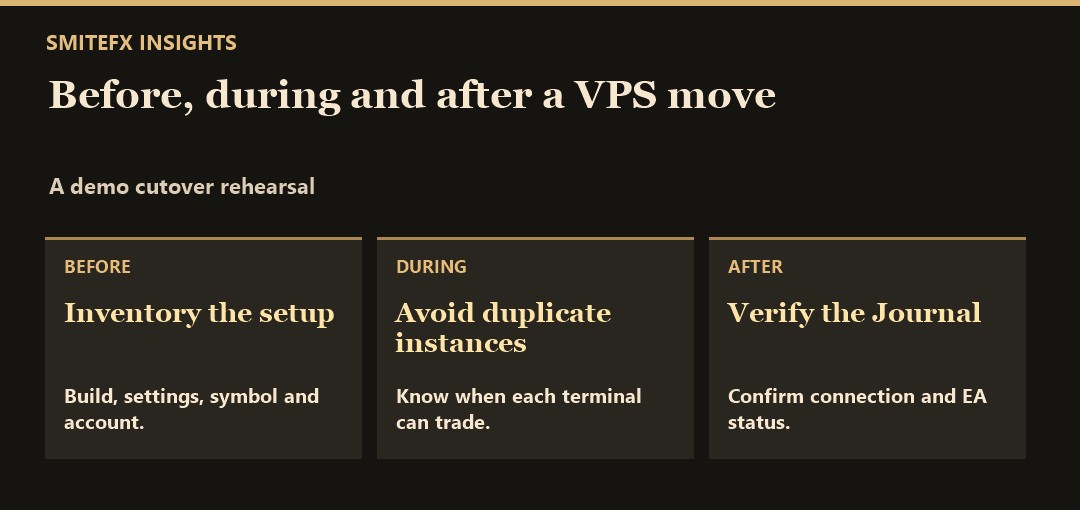
Run a cutover rehearsal
On a demo account, record the current chart, symbol, timeframe, EA build and preset. Capture the account and server identifiers in a private log. Then stage the destination environment and check its Journal before activating anything. On MetaTrader’s virtual hosting, migration can enable the active EA on the virtual terminal, so read the platform's migration instructions before synchronising.
For a conventional Windows VPS, explicitly stop the old instance before starting the new one. Afterwards, check that only one terminal is responsible for the same account and strategy. If there are positions already open, confirm from the developer how the EA recognises and manages them after a restart. Do not assume moving the software transfers any in-memory state.
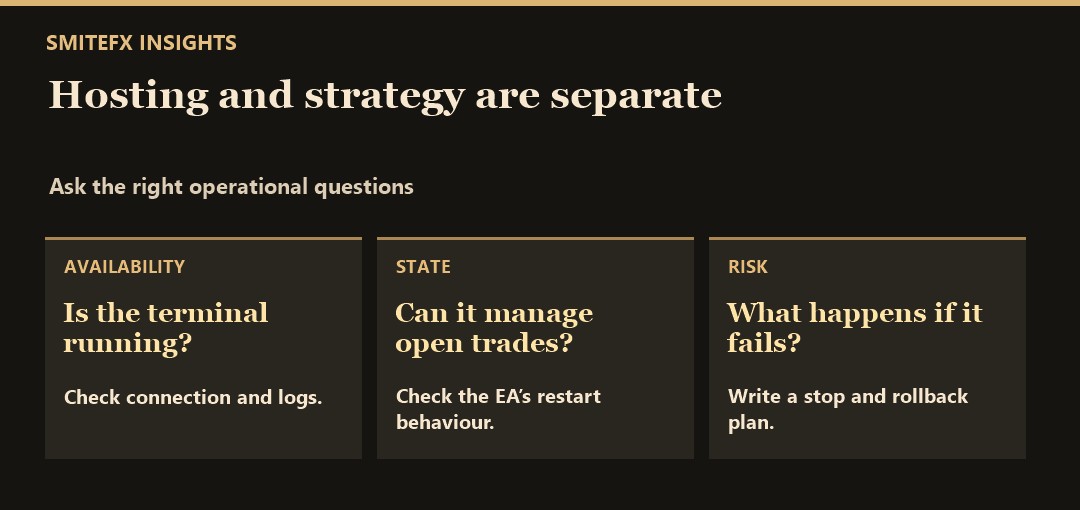
For a SmiteFX product reference, see Fortress MT5. If this EA is the one you are moving, refer to its listing for the supported platform and setup. Practise the handover on demo, and keep a rollback note that includes who stops the destination before restarting the original environment.