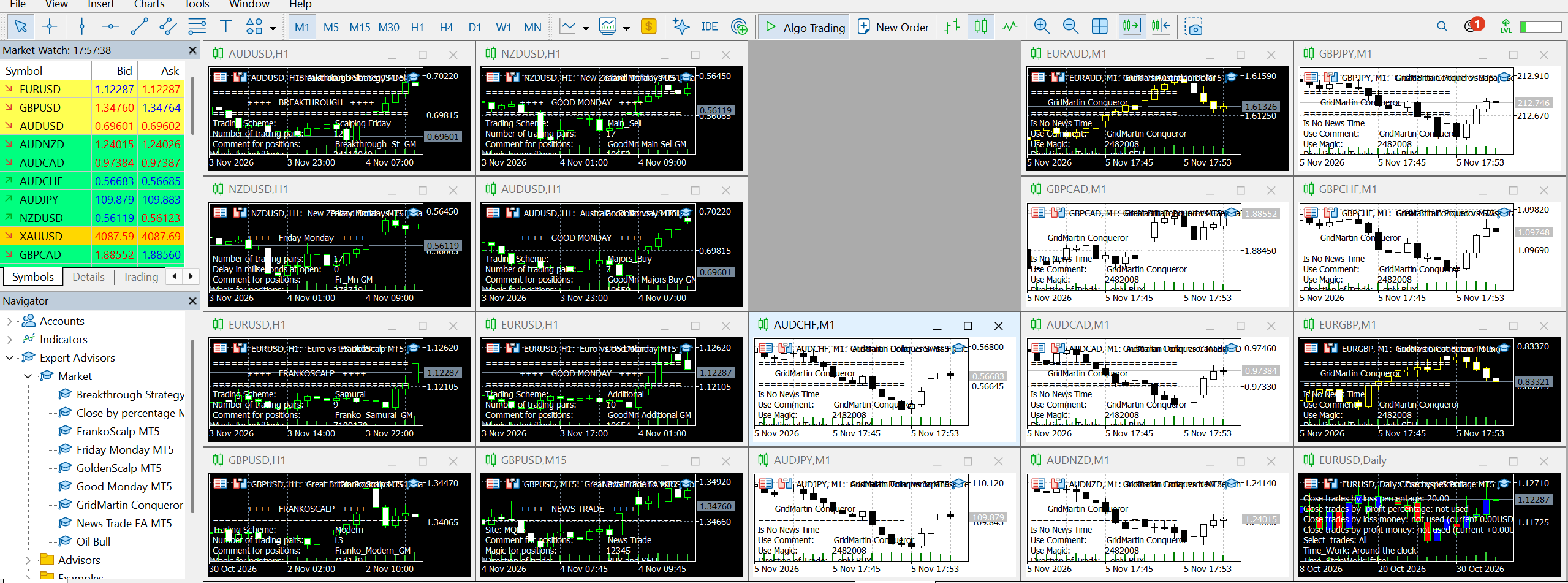
Here are the exact steps on what to do :)
- Download the Expert Advisors (EAs) to your MT5 terminal ( https://www.mql5.com/en/users/test-standart/seller ) .
- Drop me a message with your broker details. Please let me know if your currency pairs have any suffixes, what your leverage is, the balance currency of the trading account, and your trading style (whether you prefer a more aggressive or conservative approach compared to my signal). I will set up the profile for you and send it over.
- Once you have it, here is what you need to do (just make sure your MT5 terminal is running on a VPS): First, unzip the profile folder I sent you. Then, in your MT5 terminal, click on File -> Open Data Folder -> MQL5 -> Profiles -> Charts. Simply copy and paste the profile folder into that Charts folder.
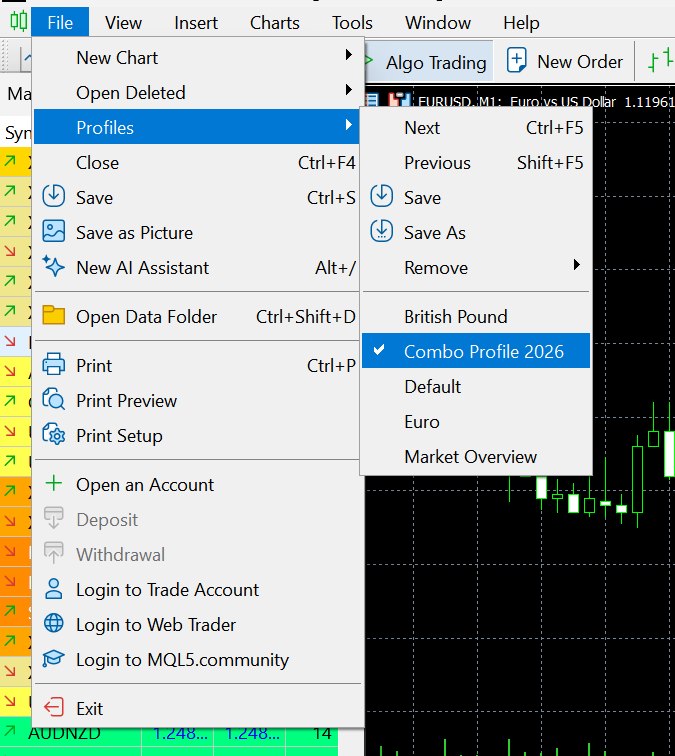
- Restart your terminal (close it and open it again). Once it's back up, go to File -> Profiles and select your new profile from the list.
That's it! All the charts, along with the EAs and all the right settings, will pop up automatically. 😊