
All In One Trade Management Panel MT5 – Free Trial for Demo Accounts
13 October 2026, 15:42

0
42
All In One Trade Management Panel MT5 – Free Trial for Demo Accounts
Trading panels are hard to judge in the Strategy Tester, because you can't click and drag on a tester chart. This free trial lets you use the panel on a live chart of your own demo account, with no time limit.
Trial version: 1.20 (same build as the full version)
Works on: demo accounts only. It will not start on a real or contest account.
DOWNLOAD
Demo account - All In One Trade Management Panel Demo MT5
GET THE FULL VERSION
The full version works on demo and real accounts and includes every feature:

WHAT YOU CAN USE IN THE TRIAL
Trade tab, with no limits:
- Drag-and-drop position tool: entry, stop loss and up to 10 take-profits
- Lot size from your risk (% of balance or fixed lot)
- Market, pending and plan orders
- Pending, Active and Closed lists with close-all, profitable, losing and this-chart buttons
- Reverse, OCO for pending groups, pending order expiry
- Auto management: breakeven, trailing stop and partial close
- Account protection: daily loss limit, profit target, max drawdown, trade limits
- News lock and time rules (daily and Friday close)
- Upcoming News with countdowns
- Performance analytics: equity curve, win rate, profit factor, expectancy
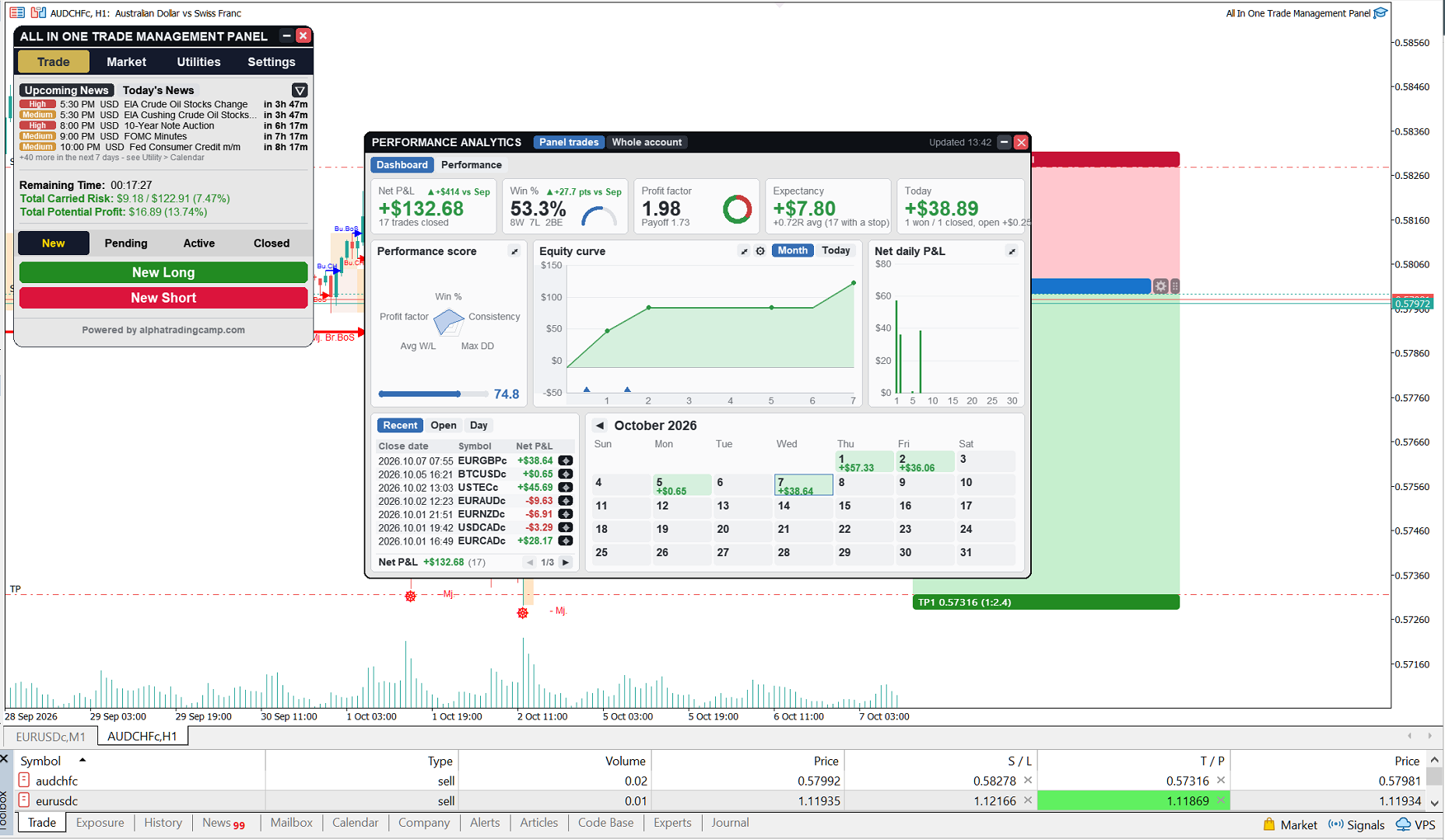
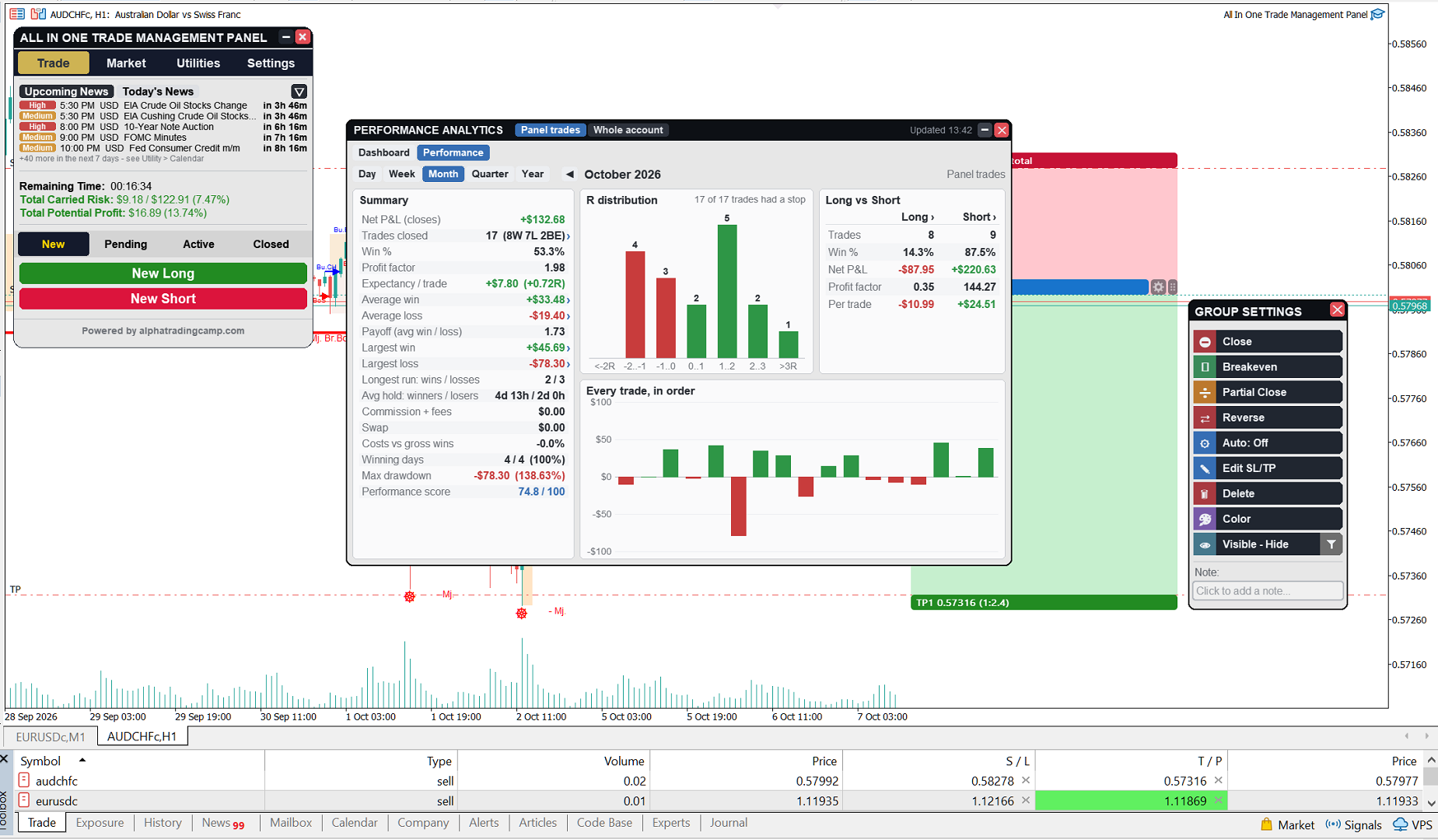
Utilities tab: economic calendar, price alarms, account info and account report
Chart tools: sessions, fair value gaps and order blocks
Settings: position tool, styling, themes and presets
Also: hover info, Shift+H to hide all drawings, hotkeys, push and Telegram notifications

WHAT IS IN THE FULL VERSION ONLY
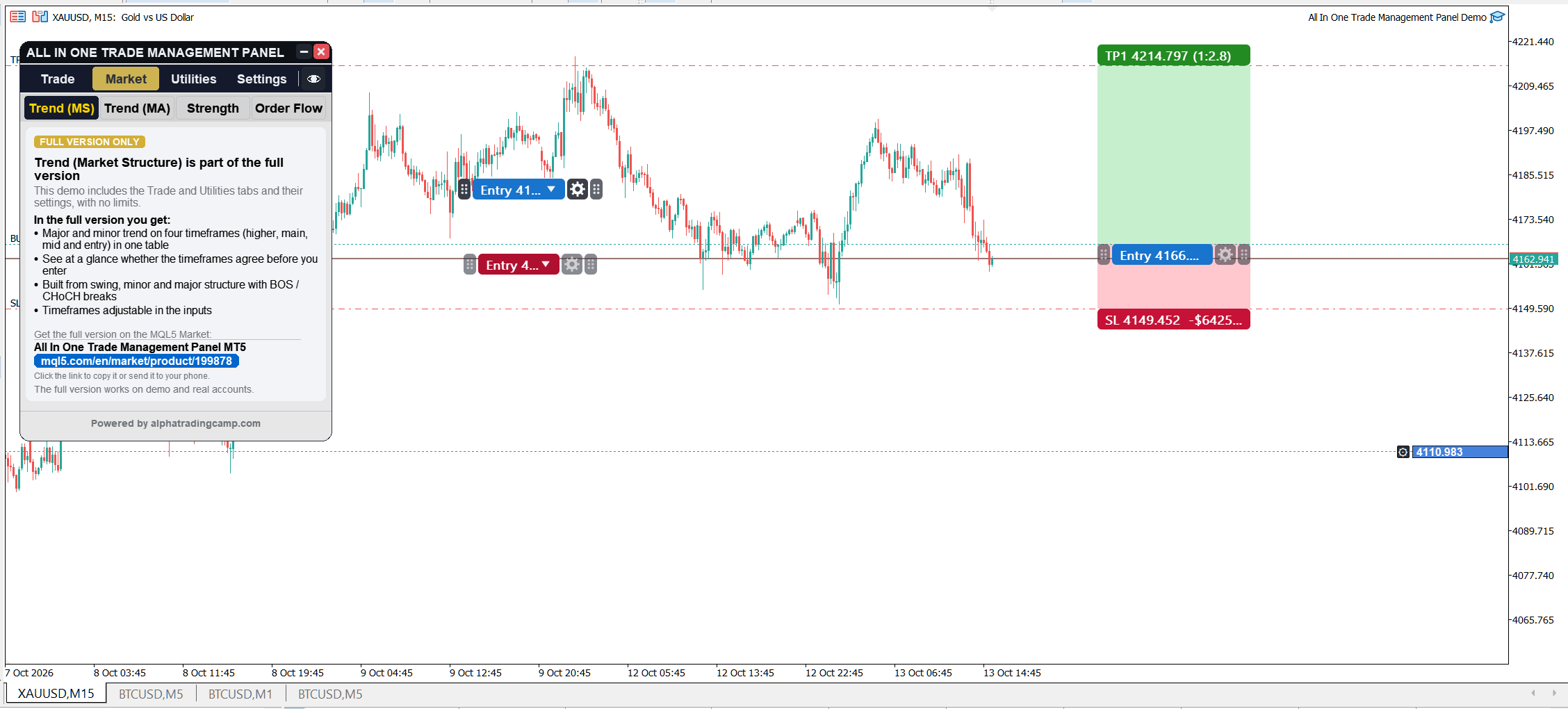
- Market tab: trend by market structure, trend by moving averages, currency strength meter
- Volume order flow: delta, footprint, volume profile, imbalance zones, divergence and alerts
- Market structure drawings, equal highs / lows, displacement and liquidity levels
These pages show a short summary in the trial so you can see what they include.
HOW TO INSTALL
1. Download the file above.
2. In MetaTrader 5 click File > Open Data Folder.
3. Open MQL5 > Experts and copy the file there.
4. In the Navigator window, right-click Expert Advisors and click Refresh.
5. Drag "All In One Trade Management Panel Demo" onto a chart of your demo account and click OK.
6. Make sure Algo Trading is on in the toolbar.
No DLL imports are needed.
Telegram notifications (optional): add https://api.telegram.org in Tools > Options > Expert Advisors > Allow WebRequest, then enter your bot token and chat ID in the inputs.
NOTES
- Multiple take-profit levels need a hedging account.
- If the trial does not start, check that the account is a demo account (Toolbox > Journal shows the reason).
- A new trial is posted here with every update of the full version.
Questions or problems? Leave a comment below and I will answer.