ICT Time and Price MT4: https://www.mql5.com/en/market/product/189122/
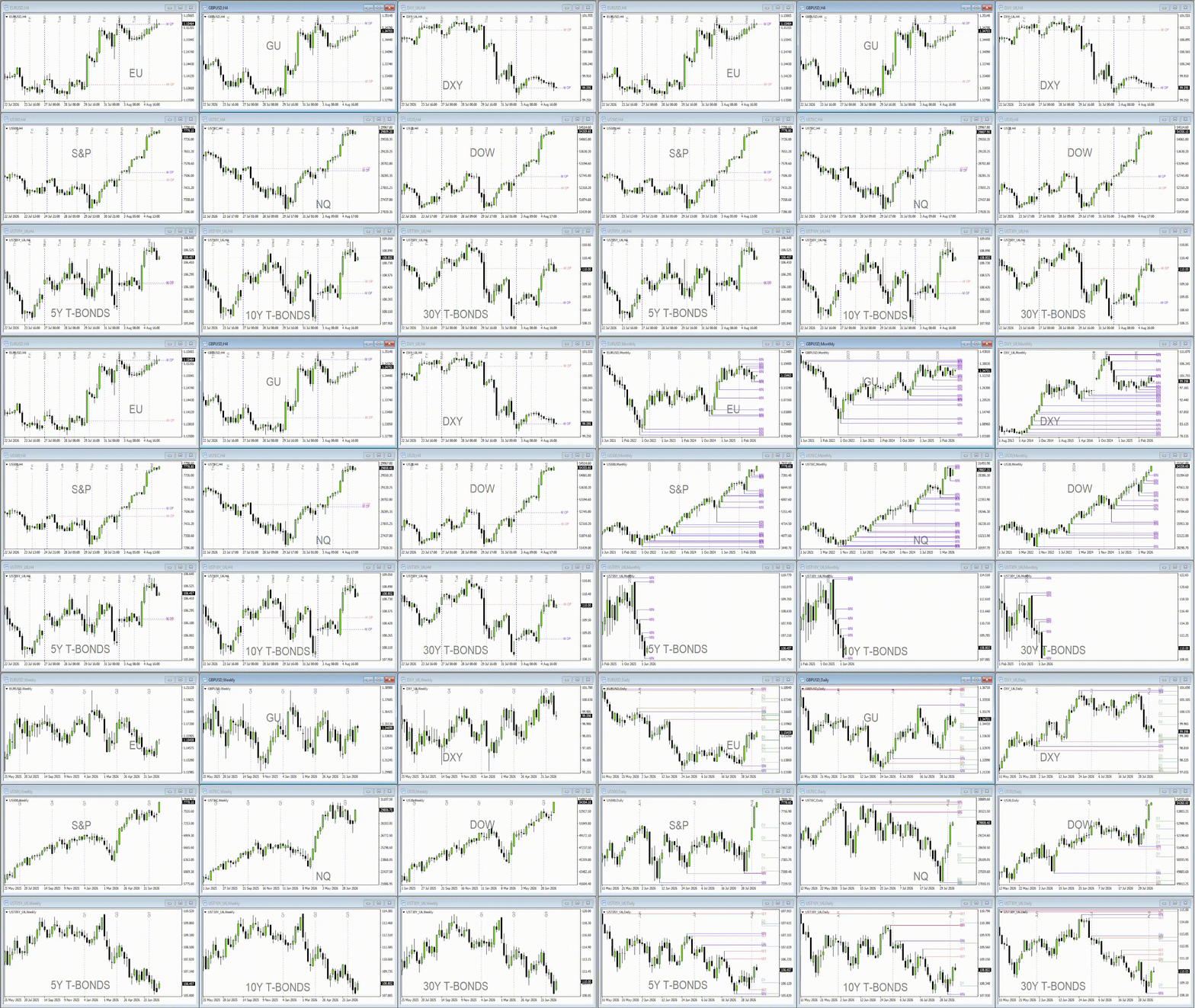
Overview (GIF):
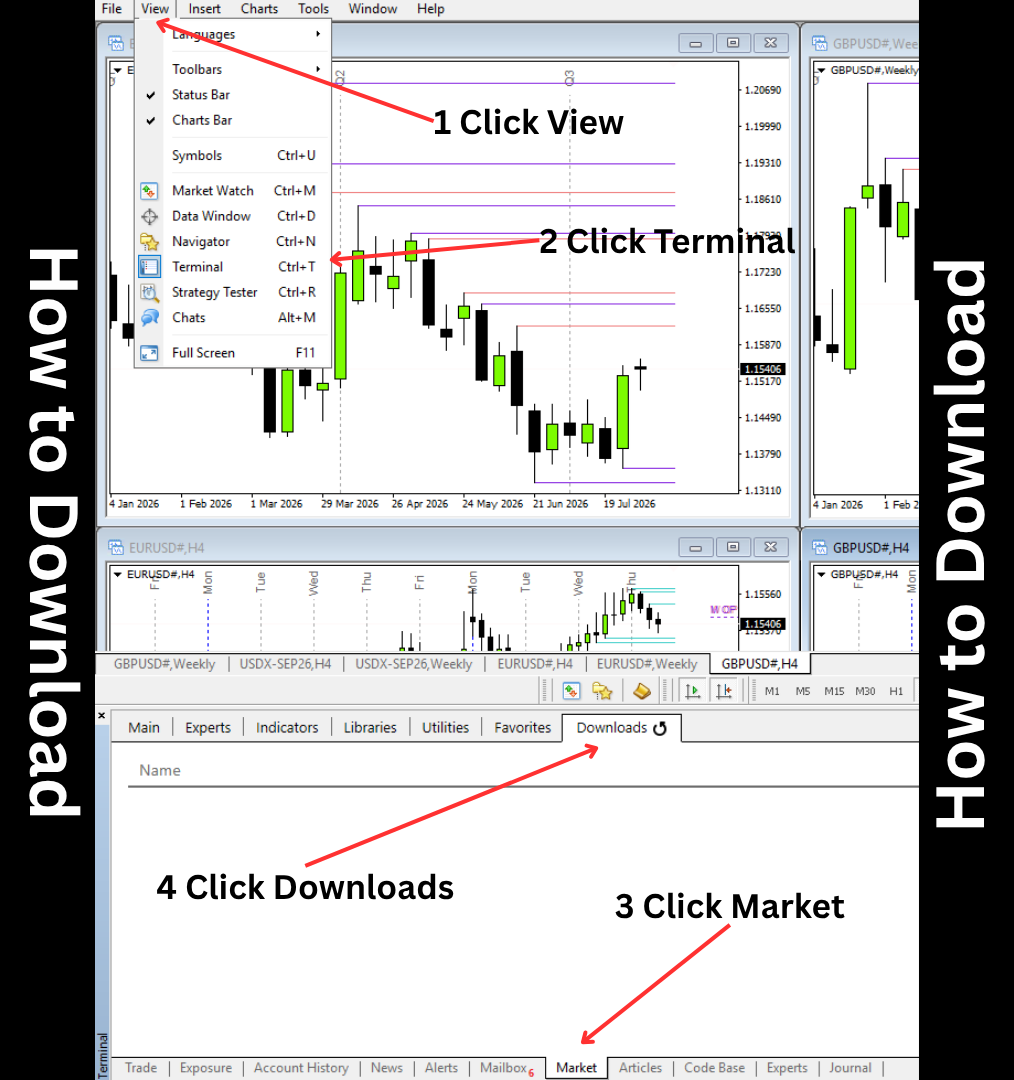
Installation:
Most of the inputs are self explanatory. I'll just explain the parts that might be confusing.
1. Liquidity Pools
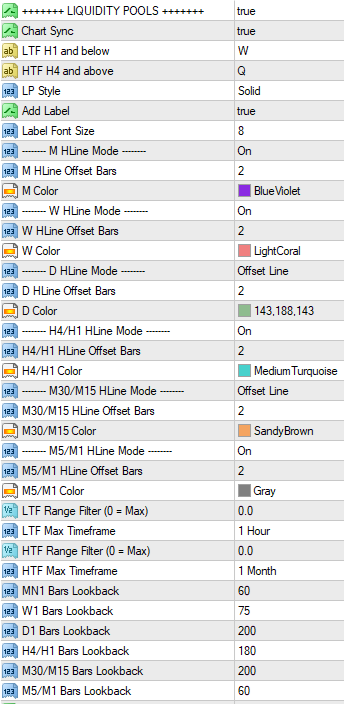
Sections that has +++++++ +++++++ turns on or off the specific Indicator. If +++++++ Liquidity Pools +++++++ is set to false, it removes all the lines for Liquidity Pools
This section marks the Swing Highs and Swing Lows for 1hour timeframe and below while 4hour timeframe and above marks Highs and Lows.
H4 and H1 shares the same properties, so are M30 and M15. Also M5 and M1. Meaning, M30, and M15 has the same HLine Mode, Color, Offset Bars, and Bars Lookback.
Chart Sync
-If On, it syncs the toggle buttons across all charts that has the indicator. It keys are pressed, all charts react.
-If Off, only the active chart is affected with the keypresses
Toggle Buttons (LTF H1 and below, HTF H4 and above)
-Press W to turn off LTF Liquidity Pools and Press Q for HTF Liquidity Pools
-Can be customizable
HLine Mode
-It has 3 types:
- On - draws a line from left to right
- Offset - draws a line starting from the current bar up to the right
- Off
This applies to other Sections that contains HLine.
Offset Bars
-means how far ahead of the current bar the lines should be
Range Filter and Max Timeframe
- Lines will not show outside the Range Filter in pips and only shows Lines inside the Range depending on the Max Timeframe. Max Timeframe show the lines to that timeframe and below.
-If Range Filter is set to 100 pips and Max Timeframe is at 1 Hour, it means the in the 1 hour timeframe and below, any lines outside 100 pips should not be visible. 4 Hour timeframe and above will not be affected by the LTF Filter Range. HTF Filter Range is the same. If you set the HTF Filter to 200 pips and Max Timeframe to Daily, any lines outside 100 pips on the 1 hour timeframe and below will not be shown but will be shown to the 4 hour and Daily timeframe up to 200 pips. So Weekly and Monthly Timeframe will have no Range Filter, making all the lines visible.
-If Range Filter is set to 0.00, it will should all Lines.
Bars Lookback
- Scans to timeframe's bars for Highs and Lows.
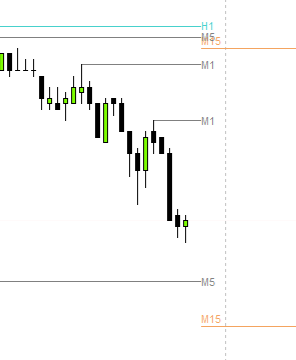
-If Lines doesn't match the anchor, it means that they share the same levels with the LTF. For example, this Violet Line is from the MN1. It shares that Low with H4. You need to increase the Bars Lookback for H4 / H1
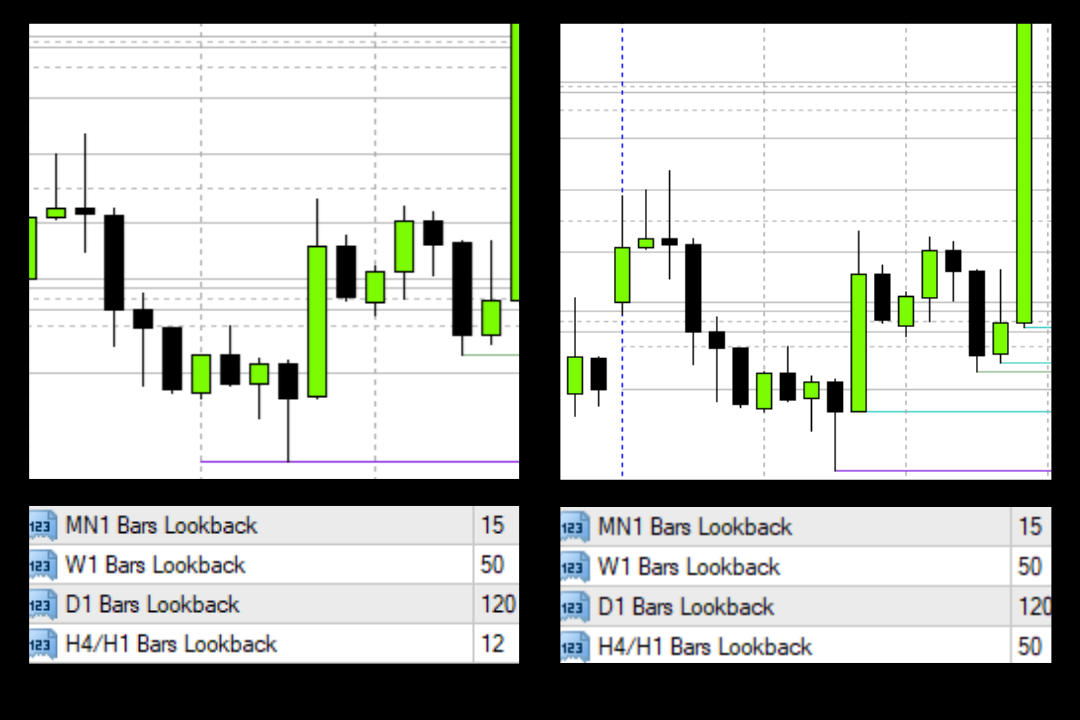
2. Killzone
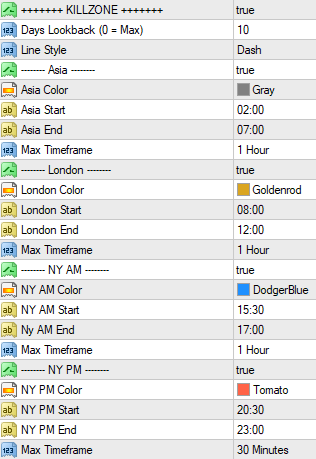
-Days Lookback here is the same, it just counts per day. 0 means it looks all the way back until history. This can cause chart lag, just avoid doing it.
-Each Sessions can be turned on or off.
Max Timeframe
-Only visible to the 1 Hour and below, anything higher just doesn't make sense
3. Macro
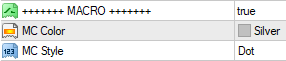
-Only visible to the 1min timeframe. Marks lines every hour XX:50, XX:XX ,XX:10. Once it's XX:11, it moves to the next hour.
4. NWOG / NDOG
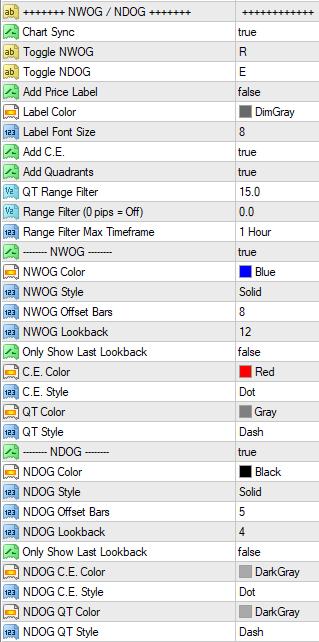
Toggle NWOG and NDOG
-Hides / Shows the lines across all chart.
-Hotkeys can be customizable
QT Range Filter
-If NWOG / NDOG is below the range filter (in pips), it will not add quadrants. Only C.E. if enabled.
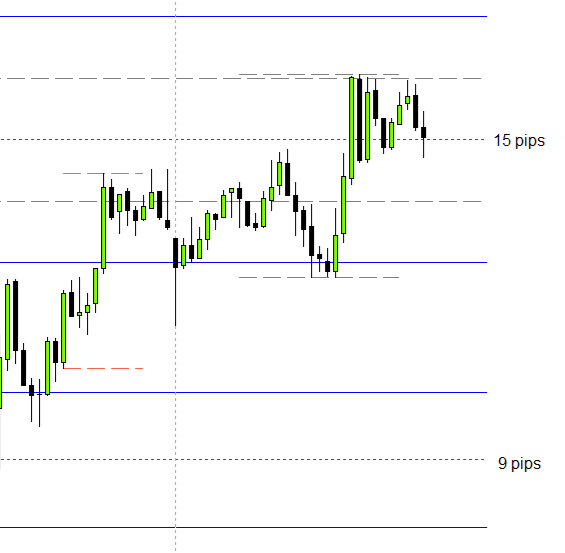
Range Filter and Range Filter Max Timeframe
-Lines outside the range filter will not be shown for timeframes 1Hour and below.
-If set to 0, the range filter will be off.
5. Opening Price
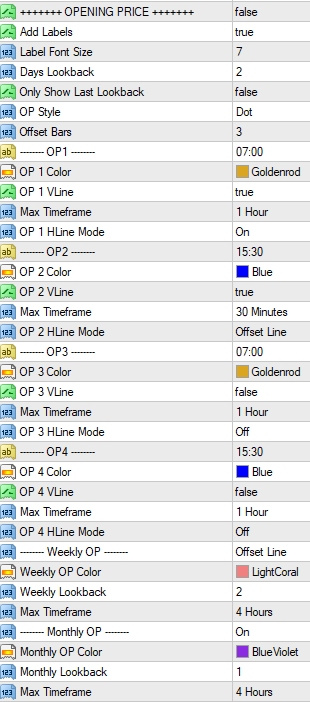
Lookback
-OP 1-4 is shares the same Days Lookback.
-If Only Show Last Lookback is true, it only shows the very last lines. For example, Days Lookback is 2 and Only Show Last Lookback is true, it only shows the lines of the previous day. Same for Weekly and Monthly Lookback.
6. Period Separators
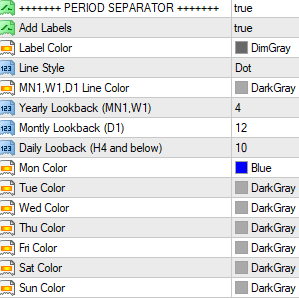
Separator Lines
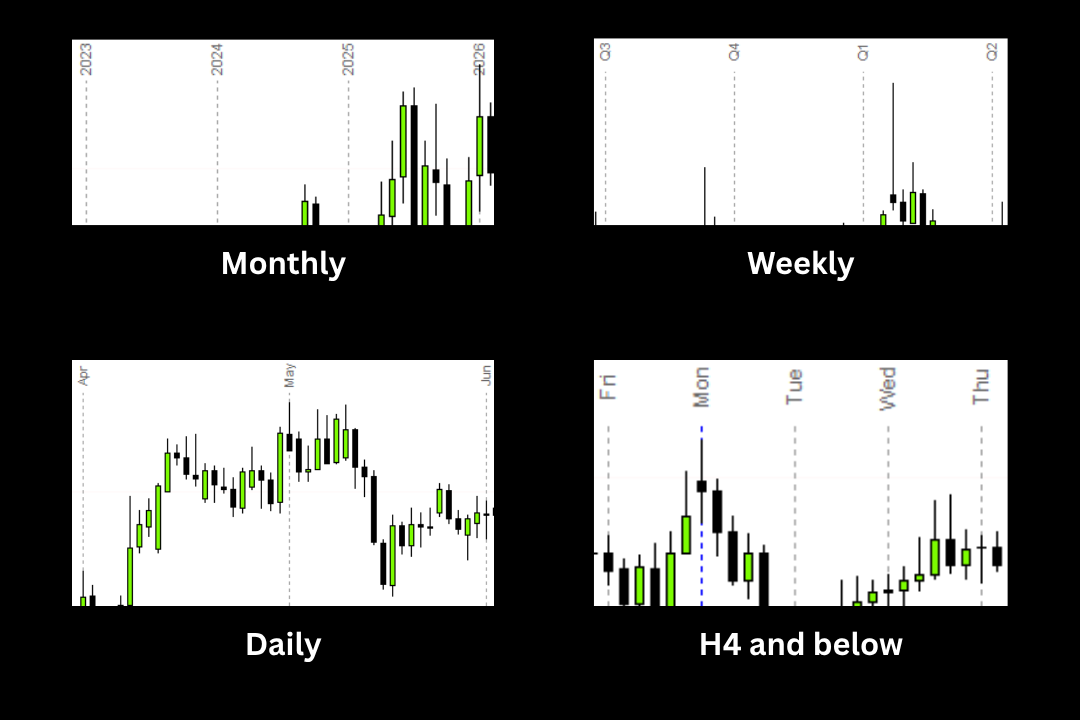
-Monthly Timeframe divides the lines per Year.
-Weekly Timeframe divides the lines per Quarter (3 months).
-Daily Timeframe divides the lines per Month.
-4H and below Timeframes divides the lines per Days.
7. Timeframe Switch
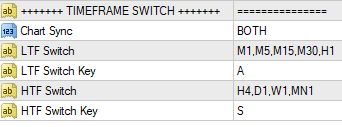
Chart Sync
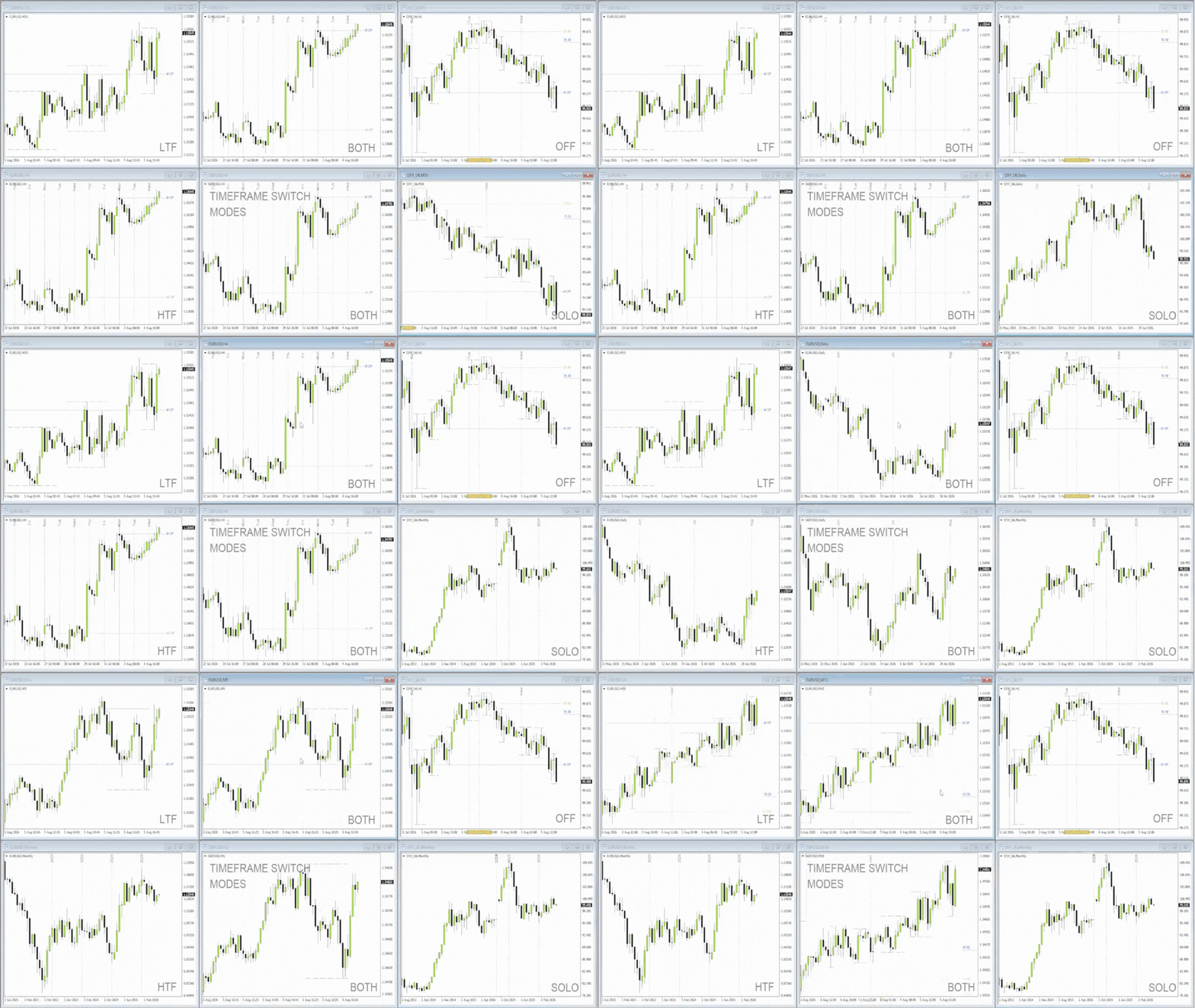
- Chart Sync here has 5 modes: OFF, SOLO, LTF, HTF, BOTH
-OFF means it the chart is not affected by the Switch
-SOLO means that only the active chart is affected by the Switch
-LTF means that only the LTF Switch Timeframes changes when LTF Switch Key is pressed
-HTF means that only the HTF Switch Timeframes changes when HTF Switch Key is pressed
-BOTH means that LTF and HTF Switch Timeframes can be changed inside the chart
-ALL CHARTS must have the same LTF and HTF Switch Timeframes so that they are unified when switching.
Example (GIF):
Have fun with this Indicator. Hope that this will significantly help you in your trading. One Screen is all you need!