Prime Liquidity Pro: Complete User Manual & Strategy Guide

The indicator is built around classic price action concepts: identifying structural extremes, tracking session ranges, and monitoring price reactions at key levels.
1. The Interactive Dashboard
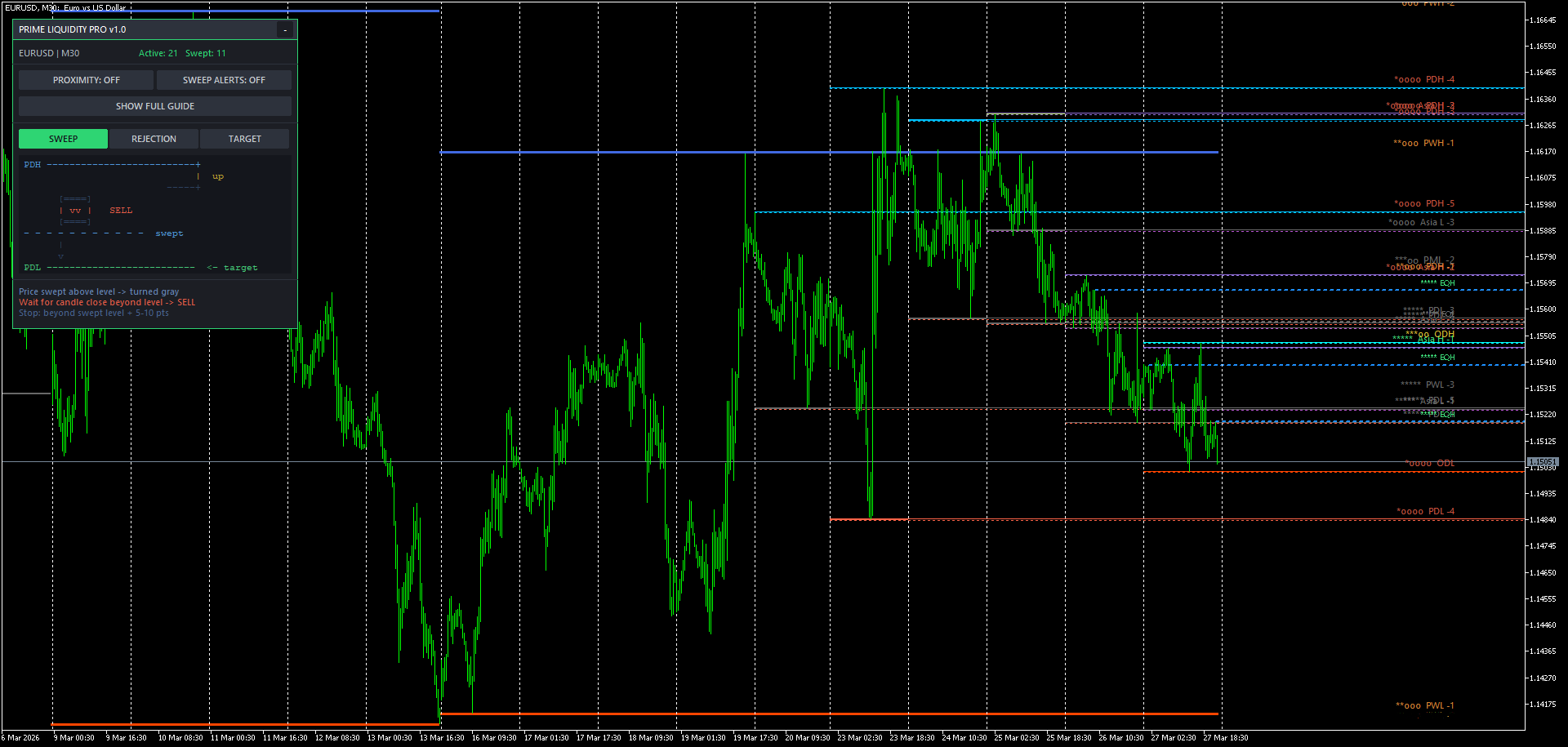
Prime Liquidity Pro features a modern, non-intrusive Flat-UI panel that allows you to control the indicator directly from the chart without opening the settings menu.
-
Active vs. Swept Counter: Instantly see how many levels are currently active on your chart and how many have already been crossed (swept) by the price.
-
Alert Toggles: Quickly turn Proximity Alerts and Sweep Alerts ON or OFF using the large green buttons.
-
Built-in Guide: Click the "SHOW FULL GUIDE" button to open an on-chart ASCII reference manual. This is perfect for quickly reminding yourself of the core setups.
2. Understanding the Level Scoring System
Not all price levels are created equal. To help you filter out the noise, the indicator includes an automated scoring algorithm ranging from 1 to 5 stars ( * ).
*
The score is calculated based on timeframe weight, the age of the level, and historical touches:
-
5 Stars ( ***** ): Extremely strong levels (e.g., Previous Month High/Low). Price rarely breaks these without a significant reaction.
-
3-4 Stars ( ***oo ): Solid daily or weekly levels (e.g., PDH, PWH, or heavily tested Equal Highs). These are your primary zones for intraday setups.
-
1-2 Stars ( *oooo ): Minor or older levels (e.g., Session extremes or Round Numbers). Best used as take-profit targets rather than entry zones.
3. The Click-Hint System
If you are ever unsure what a specific line on your chart represents, the indicator has you covered.
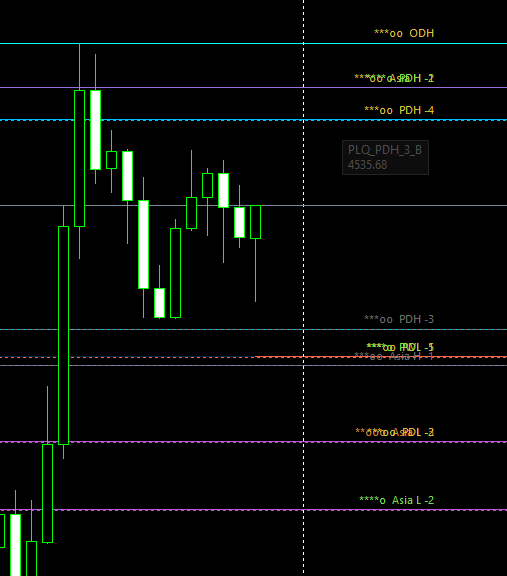
Ensure your terminal allows selecting objects. Simply click on any level line on the chart. A dedicated hint box will appear, explaining:
-
What the abbreviation means (e.g., EQH = Equal Highs).
-
The market logic behind the level.
-
What to look for (e.g., "Wait for a sweep to look for a SELL").
4. Core Price Action Scenarios
The indicator tracks two primary ways the price interacts with a level: Sweeps and Rejections.
Scenario A: The Sweep Setup
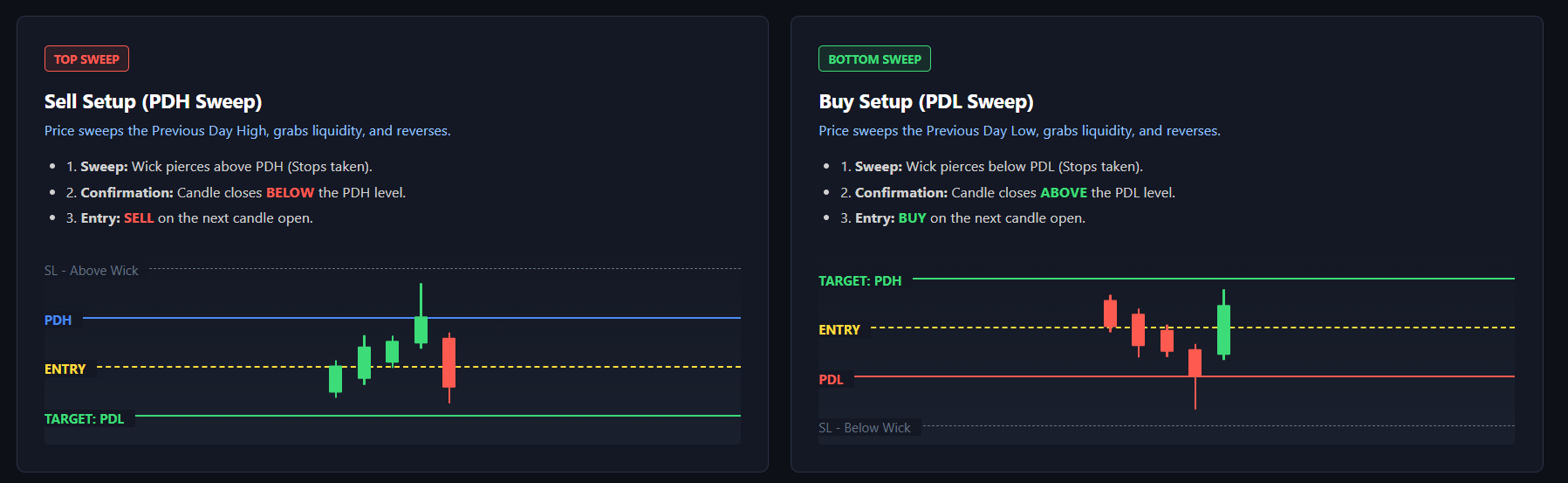
A sweep occurs when the price pierces a key level (grabbing liquidity) but fails to sustain that direction, resulting in a reversal.
-
Detection: Price crosses the level (e.g., Previous Day High). The indicator immediately turns the level gray to mark it as "Swept".
-
Confirmation: Wait for the candlestick to close below the swept resistance (or above a swept support).
-
Action: This indicates a false breakout. Look for a reversal entry (SELL after a high sweep, BUY after a low sweep). Place your stop loss safely beyond the newly formed wick.
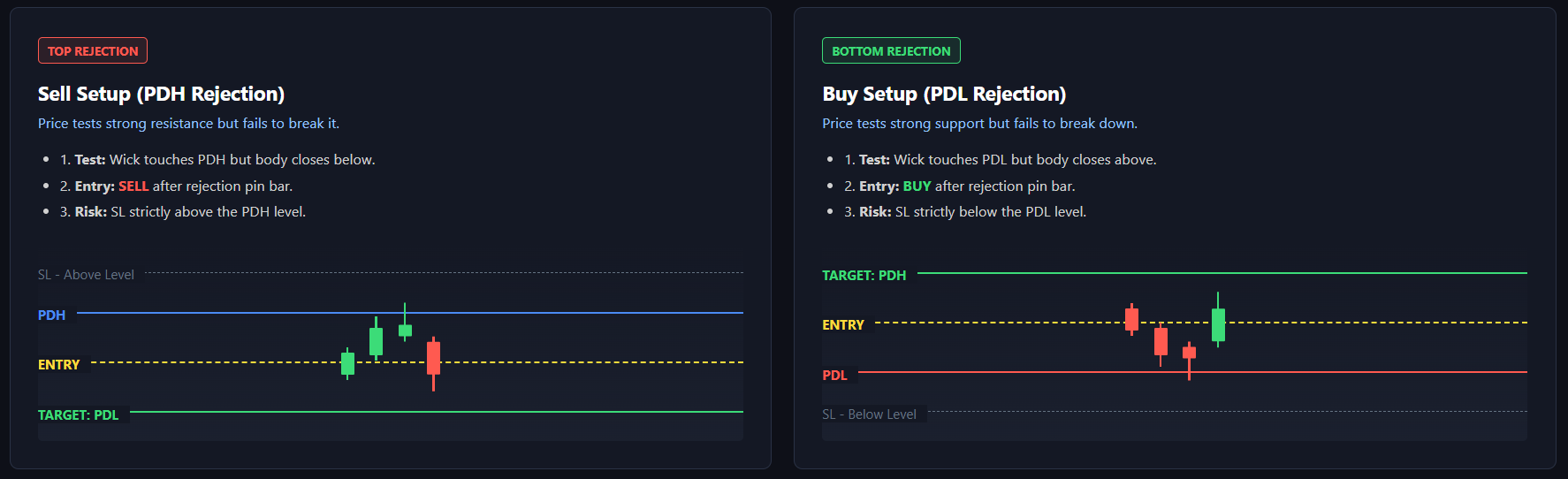
Scenario B: The Rejection Setup
A rejection happens when the price approaches a strong level but cannot break through it, leaving a pin bar or long wick.
-
Detection: Price tests the level but the candle body closes without crossing it.
-
Action: Enter a trade on the rejection bounce. The level remains active (colored) because it was not broken. Place your stop loss strictly behind the tested level.
5. Targeting and The Golden Rule
Once you enter a trade based on a Sweep or Rejection, you need a target. Prime Liquidity Pro helps you map your take-profits using the opposing levels.

-
Targeting: If you enter a BUY setup from a swept Previous Day Low (PDL), your primary target should be the nearest active liquidity pool above you — usually the Previous Day High (PDH).
-
The Golden Rule: Always trade IN the direction of the sweep. If a HIGH is swept, look for SHORT opportunities. If a LOW is swept, look for LONG opportunities.
Have any questions or feature requests? Please leave them in the comments section below, and I will be happy to assist you!
Download Prime Liquidity