Copyist MS MT5 netting

Copier MS MT5 Netting
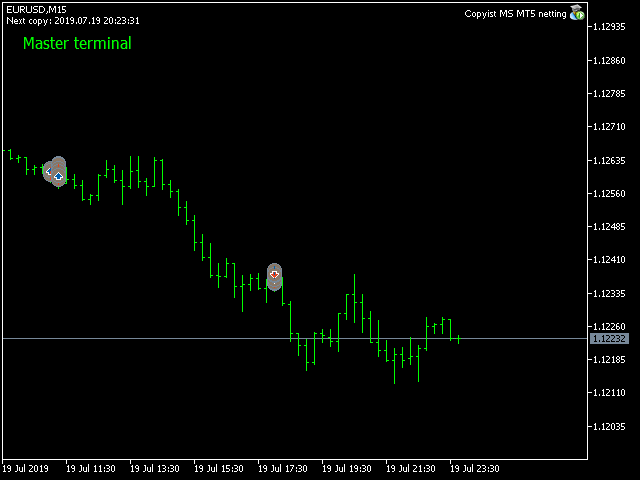
Copyist MS is a fast and easy-to-use copier of trade orders; it works as an advisor in the form of a single file with switching between the Master and Slave operating modes.

The current version of the adviser works only on netting accounts.

Settings

  • Type of work - selection of the operating mode: Master or Slave;
  • Master account number - number of the trading account of the master terminal;
  • Selective copying currency pairs - individual selection of currency pairs for copying;
  • Max orders on one currency pair - the maximum number of orders for one currency pair
  • Max orders on one currency pair - the maximum number of orders for one currency pair;
  • Copy Take Profit - copy Take Profit;
  • Copy Stop Loss - copy Stop Loss;
  • Take Profit (0-off) - take profit (0 - do not use);
  • Stop Loss (0-off) - stop loss (0 - do not use);
  • Profit transfer stop to breakeven (0-off) - profit level for breakeven activation (0 - do not use);
  • Step breakeven (0-off) - breakeven step (0 - do not use);
  • The trailing stop (0-off) - trailing (0 - do not use);
  • Step trailing stop (0-off) - trailing step (0 - do not use);
  • Add a suffix to the Slave orders - add a suffix to slave orders;
  • Delete suffix in master orders - delete the suffix of the master order;
  • Fixed lot - lot used in trading (if 0, then the master terminal lot is copied);
  • Coefficient lot (1-off) - calculation of the ratio of the copied lot
  • Order ID - identifier of orders;
  • Show info - display information on a chart.
  • Replacement Symbols Master-Slave

Symbols 1 - replacement of copied currency pairs, you can copy from one currency pair to another, example: EURUSD-XAUUSD currency pairs are indicated by a hyphen.

推荐产品
Copier MT5 DEMO
Volodymyr Hrybachov
This is a DEMO version of the copier with a restriction - copies only BUY orders. Paid version:  https://www.mql5.com/en/market/product/45792 Copier MT5  is the fastest and most reliable copier of transactions between several MetaTrader 4 (MT4) and MetaTrader 5 (MT5) accounts installed on one computer or VPS server. Transactions are copied from the MASTER account to the SLAVE account, copying occurs due to the exchange of information through a text file with a speed of less than 0.5 sec., The p
FREE
* This product was converted using  "BRiCK Convert4To5 MT4 "  based on the MQL4 source file of  "BRiCK Convert4To5 MT4 Free" . "Convert4To5" is a Script that converts MQL4 source files into MQL5 source files. Experts, Indicators, Scripts, and Libraries with extension ".mq4" will be available for MT5. Parameter None. Procedure 1. Open the following folder.     terminal_data_folder\MQL4\Files\ (in the terminal menu select to view "File" - "Open the data directory") 2. Confirm that the BRiCK_Conv
FREE
Axilgo PipPiper CoPilot
Theory Y Technologies Pty Ltd
5 (2)
Axilgo Pip Piper CoPilot Elevate your trading game with the Axilgo Pip Piper CoPilot, the first in our revolutionary Pip Piper Series. This all-inclusive toolset is meticulously crafted for serious traders, focusing on key areas such as Risk Management, Trade Management, Prop Firm Rule Compliance, and Advanced Account Management . With CoPilot, you’re not just investing in a tool—you’re gaining a strategic partner in the intricate world of trading. Important Notice: To ensure you receive the fu
FREE
URGENT: PLEASE READ BEFORE DOWNLOADING This EA is ONLY the "Receiver" (Slave) part of the copy trade system. IT WILL NOT WORK ON ITS OWN! To successfully copy trades, you MUST have the "Master" (Sender) EA installed on your provider account. GET THE REQUIRED "MASTER" EA HERE:   AW Trade Copier Master Unlock lightning-fast trade replication across multiple MetaTrader 5 accounts on the same PC or VPS. The AW Local Trade Copier is designed for speed, reliability, and ease of use
FREE
Exact Time — detailed time on the seconds chart. The utility shows the opening time of the selected candle. This is necessary when working with seconds charts. For example, it can be used on a seconds chart built using the Seconds Chart utility. Inputs Base corner — the chart corner to which an object Is attached. X distance — the horizontal distance from the chart corner. Y distance — the vertical distance from the chart corner. Text font — font name Font size — font size Color — text color
FREE
TradeInfo Panel is a lightweight indicator that displays your trading performance directly on the chart as a draggable dark-themed panel. It tracks daily profit and loss, pips, gain percentage, and lot volume for Today, Yesterday, and the previous 3 trading days. It also calculates automatic summaries for the current Week, Month, and Year. All values include commission and swap for accurate net results. Features Daily performance for the last 5 trading days with Pips, Profit, Gain%, and Lots. We
FREE
Trade Receiver Free MT5
Vu Trung Kien
4.08 (13)
Trade Receiver Free is a free tool to copy trades/signals from multiple MT4/MT5 accounts. The provider account must use copier EA to send the signal. This version can be used on MT5 accounts only. For MT4 accounts, you must use Trade Receiver Free . Reference: - For MT4 receiver, please download Trade Receiver Free . - For MT5 receiver, please download Trade Receiver Free MT5 . - For cTrader receiver, please download Trade Receiver Free cTrader . - If you only need copy from MT4 account to u
FREE
Quantitative Synchronization Terminal Server MT5 is a professional MQL5 script for the MetaTrader 5 (MT5) platform, specifically designed to synchronize and load historical bar data and historical tick data from the server to the local terminal.This script helps traders ensure their local terminal has complete historical data, which is crucial for backtesting, technical analysis, and strategy development. Quantitative Trading Guide  public chat:  Join Us Quantitative Trading Guide  public channe
FREE
Fast Copy cp
Alireza Kalamati
5 (6)
FastCopy cp : Professional Offline Local Trade Copier This tool is a 100% Offline-Capable (Local Mode) copier, designed to communicate directly between terminals on your PC/VPS for near-instant execution. [Why FastCopy cp ? v3.0 Update] Instant Execution: Uses "Dirty Flag" logic to detect trades the millisecond they happen. Simple Setup: No complicated URL lists or DLL imports required. [Key Features] Ultra-Low Latency: Direct file exchange ensures copying speeds under 50ms locally. Smart Symbol
FREE
Partial Close Trading Bot
Kithsiri Dhammika Rajapakshage Lasitha Nimesh Rajapaksha
This trading bot is designed for MetaTrader 5 (MT5) to manage open positions effectively by automating partial closures based on a predefined risk-reward ratio. It includes Telegram integration to send notifications directly to your group or channel about trading activities, including entry, stop-loss, and take-profit levels. Key Features : Partial Close Management : Automatically closes a percentage of the trade volume when the target level is reached. Risk-Reward Calculation : Sets profit leve
FREE
LT Watermark MT5
Thiago Duarte
4.79 (24)
This indicator draw a watermark on the chart, with the timeframe and symbol name. You can change everything, including add a aditional watermark. Functions: Symbol watermark: Size -  text size. Font -  text font. Color -  text color. Background text -  watermark at foreground or background mode. Horizontal correction -  x correction in pixels. Vertical correction -  y correction in pixels. Separator period X symbol -  what will separate the period from symbol. Aditional watermark: Enable custom
FREE
Candle Time MT5
Danrlei Hornke
5 (1)
Free indicator that displays the remaining time until the current candle closes directly on the chart. Designed for traders who demand precision and timing, this lightweight and fully customizable tool enhances your trading experience. It is easy to install, compatible with all assets, markets, and timeframes, and provides real-time updates to support smarter decision-making.
FREE
Trade Assistant Panel
Md Sakhawat Hossain
5 (1)
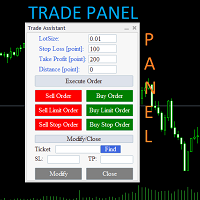
Trade Assistant Panel: Your Optimal Trading Ally "The Trade Assistant Panel" is a graphical tool for traders aiming to simplify and enhance their trading experience. It streamlines order execution and management, allowing you to focus on market analysis and decision-making. With just a few clicks, you can initiate various order types, ensuring that you always have full control over your trading strategy: Buy Orders Sell Orders Buy Stop Orders Buy Limit Orders Sell Stop Orders Sell Limit Orders Y
FREE
Replica Local Trade copier
Dushshantha Rajkumar Jayaraman
White label available. contact us for more info. dushshantharajkumar@gmail.com Replica Local Trade copier    by Chart Walker Replica, a MetaTrader 5 (MT5) local trade copier, is a powerful tool designed to streamline and automate trading processes for users within the MT5 platform. This innovative software allows traders to replicate trades from one account (master) to another (slave) in real-time, enabling efficient and synchronized trading across multiple accounts. With its user-friendly inte
FREE
Demo copier of deals from MetaTrader 5 to MetaTrader 5 ( MetaTrader 4<->MetaTrader 4 version is available ; with both versions, you can copy MetaTrader 5<->MetaTrader 4, MetaTrader 4<->MetaTrader 5, MetaTrader 5<->MetaTrader 5, MetaTrader 4<->MetaTrader 4). Works only in the mode of hedging. Spread filter. Select the best price (start copying positions with a profit or loss). Configure the lot size, fixed or ratio-based (provider signals can be copied with an increased lot). Configure order copy
FREE
Exp5 COPYLOT MASTER for MT5
Vladislav Andruschenko
4.42 (12)
Exp5 - COPYLOT MASTER 是 МetaТrader 5 和 MetaTrader 4 的交易复制器。它从任何账户复制外汇交易。 安装 这个 Expert Advisor 是一个复制大师。在您想要复制交易的终端中安装“EA 交易”。 将任何文本标签名称指定为 pathWrite,例如,“COPY”。 在您想要复制交易的终端上安装 COPYLOT MASTER for MT5。 然后在您要复制到 的 MT4  终端上安装 COPYLOT Client MT4。 或 MetaTrader 5 的 Copylot 客户端 MT5 您也可以下载 COPYLOT MASTER for MT COPYLOT - 完整说明和手册 注意:可以在“注释”选项卡上找到设置列表。 EA 需要设置为 1 个图表!默认情况下,我们的顾问会从您的账户复制所有头寸和订单! 订单在激活时被复制(头寸)并复制到客户账户。 不支持部分关闭!订单只能在与打开时相同的批次中关闭!如果您的主人使用不同的批次进行关闭,那么复印机可能会失败! # 它是当今最好的 MT5 到 MT4 贸易复印机之一。 # 独特
FREE
Introducing our cutting-edge Trade Copier Expert Advisor for MetaTrader 5 (MT5) – the ultimate solution for seamless trade replication across multiple accounts on the same server or computer. Elevate your trading experience and take control of your investment strategy like never before with our professional-grade Trade Copier. Key Features: Effortless Trade Replication: Our Trade Copier effortlessly duplicates trades from a master account to multiple slave accounts, ensuring that you never miss
FREE
Trade Logic Buy : Candle closes above Resistance with (optional) momentum & volume confirmation Sell : Candle closes below Support with (optional) momentum & volume confirmation Tolerant Break   mode (ignores previous close condition for easier signals) Reverse Trades   option – flips Buy→Sell, Sell→Buy   Filters & Confirmations Momentum Filter   – candle body ≥ X% of total range (e.g., 75%) Volume Filter   – EMA volume oscillator threshold (same as indicator) Time Session   – trade only
FREE
Digital Clock Real Time Display
Everton Fernando Da Silva Messias
总体说明 Digital Clock 是由 Everton Messias 开发的一款 MetaTrader 5 (MT5) 专用实时数字时钟指标。该工具旨在帮助交易者在分析图表时随时查看准确时间,而无需切换到系统时钟或外部软件。对于需要严格掌握交易时段、重要新闻发布时间、市场开盘与收盘节奏的交易者来说,此指标提供了极高的实用性。无论您是进行剥头皮交易、日内交易、波段交易,还是依赖时间周期的策略,这款数字时钟都能为您带来更高的效率与更清晰的节奏感。 主要功能: 实时显示 —— 以时、分、秒为单位,每秒自动更新,确保时间精准 完全自定义 —— 可调整颜色、字体、字号,让时钟完美融入您的图表风格 灵活定位 —— 可放置在图表的左侧、右侧、顶部、底部甚至中央任意位置 自动刷新 —— 不需要手动干预,时钟始终保持最新状态 兼容所有时间周期与交易品种 —— 从1分钟到月线图,从外汇到指数、黄金、加密货币均可使用 支持暗色/亮色主题 —— 在任何 MT5 主题中都具有良好可读性 适用于多图表环境 —— 多窗口监控市场时也能轻松掌握当前时间 轻量
FREE
Presentation The URL html and xml to csv is designed to get contents from URLs with html or xml content, and to download it to an output format as a txt or as a csv file. It enables to get the whole web sites page, starting with the http protocol, in a document for a further use and in additional with downloading directly on the MetaTrader applications and on the desktop. It is a good advantage for taking the most data from events and economic calendars, and also publications related to the inst
FREE
讓自己沉浸在令人興奮的手動交易世界中,發現前方無限的可能性。憑藉您的專業知識和對市場的感受,您可以取得令人矚目的成功並不斷擴大您的產品組合。手動交易可讓您控制自己的策略和決策,並直接影響您的交易活動。透過您對市場的深入了解以及對各種交易工具的了解,您有機會專門識別機會並完成有利可圖的交易。每一次成功的交易,不僅會增加您的帳戶餘額,還會增加您作為交易者的自信。手動交易需要紀律、耐心和清晰的策略。您必須能夠對市場的變化做出快速反應並相應地調整您的部位。但這正是交易的吸引力所在——動態性以及隨時利用新交易機會的可能性。沉浸在手動交易的世界中,讓自己被市場的魅力所吸引。憑藉勇氣、決心和明確的目標,作為交易者,您可以取得偉大的成就,並找到自己的成功之路。把握機會,成為交易大師! 有了 Backtesting Panel Pro ,複雜的運算就成為了過去。借助這款創新軟體,您可以輕鬆審查和優化您的交易策略。不再需要繁瑣的計算 - 面板將以高效的方式為您完成所有這些。 Backtesting Panel Pro 為您提供快速、準確地分析過去交易資料的機會。您可以模擬不同的場景並找出過去哪種策略最成
FREE
这个小工具可让您以分钟为单位定义一个计时器 根据您设定的分钟数平仓 例如,如果将其设置为30分钟,则该工具会在打开30分钟后关闭每个打开位置。 设定 活动:这是激活工具并在定义的分钟数后使用它来平仓。 管理:您可以选择工具管理的符号。 如果您希望系统将其应用于帐户中的所有未平仓头寸,请选择“所有货币” 选择“仅此货币”以仅在当前货币上应用头寸的暂时平仓。 分钟持续时间交易:选择交易持续时间的分钟数。 时区: 定义您的时区。 如果您默认为0 这个小工具可让您以分钟为单位定义一个计时器 根据您设定的分钟数平仓 例如,如果将其设置为30分钟,则该工具会在打开30分钟后关闭每个打开位置。 设定 活动:这是激活工具并在定义的分钟数后使用它来平仓。 管理:您可以选择工具管理的符号。 如果您希望系统将其应用于帐户中的所有未平仓头寸,请选择“所有货币” 选择“仅此货币”以仅在当前货币上应用头寸的暂时平仓。 分钟持续时间交易:选择交易持续时间的分钟数。 时区: 定义您的时区。 如果您默认为0
FREE
Server Clock
Flavio Javier Jarabeck
5 (5)
Many friends asked me for a simple, non-obtrusive, resource-friendly clock to track the time during their trades. It seems pretty obvious, but it is a must-have for those trading the market manually, waiting for the Market News, or just to visually know what time it is... Trading is an absorbing endeavor! So, here it is... Totally configurable, including Font Type, Font Size and Chart Location: Upper Left/Center/Right OR Lower Left/Center/Right, with a little twist of adjusting the Offset, just
FREE
TraderCopier
Leo Cassanelli
TradeCopier Client copie automatiquement les trades d'un compte master vers votre compte en temps réel. Supporte BUY/SELL,   modifications SL/TP, fermetures partielles et totales. Gestion du risque intégrée : lot fixe, pourcentage equity ou mode   scaling. Filtre spread max, protection equity stop, limite de positions. Nécessite une clé de licence valide.
FREE
PanelFlash
Renato Aparecido Braguini
A Boleta Flash 2.0 possue botões de BUY (COMPRA À MERCADO), SELL (VENDA À MERCADO) e CLOSE (FECHA TODAS AS OPERAÇÕES). Possui também CAIXAS de quantidade de LOTES (MINIMO 1 LOTE), VALORES de STOPLOSS (PERDAS EM PONTOS), TAKEPROFIT (GANHOS EM PONTOS) e TAILINGSTOP (STOP MÓVEL), onde ajuda no gerenciamento de risco. Com o Painel Boleta Flash é possível arrastar o painel pelo gráfico, com um click do mouse, posicionando no melhor local. Para remove-lo do gráfico é só clicar no "x" do painel. Testad
FREE
SPECIAL ANNOUNCEMENT: Get the Ultimate Trading Suite! Before you grab this utility, did you know? The LogicLadder Visual Trade Planner is so powerful that it serves as the core visual execution engine for my flagship MT5 trading systems! If you are looking for a massive, all-in-one trading dashboard, advanced trade management, or strict prop-firm guardrails, you can get this exact visual planner already included inside my premium and free full-suite EAs: Pro LTS TradeDashboard MT5 (Paid
FREE
Горячие клавиши плюс клик левой кнопки мыши на графике. Советник открывает сделки, выставляет лимитные и стоповые ордера, удаляет ордера и закрывает позиции, также  делает реверс  открытых позиций, выставляет прописанные в настройках стоп лосс и тейк профит. (реверс только на неттинговых счетах) При запуске советника можно посмотреть подсказку как действует советник при нажатии клавиши + клик на графике. Правее последнего бара, ниже цены Ctrl+ЛКМ  - OpenSell Правее последнего бара, выше
FREE
FirstBlade Performance Analyzer
Syed Atif Bin Syed Abu Bakar
FirstBlade Performance Analyzer is a non-trading MT5 utility. It is NOT a trading robot.  It does not open, modify or close trades. This product is a non-trading MT5 utility designed to analyze account trading performance using historical and current account data directly inside MetaTrader 5. Overview FirstBlade Performance Analyzer provides professional-grade performance analytics and visual diagnostics for MT5 accounts. It helps traders understand profitability, drawdown behavior, timing effi
FREE
Trade Mirror Follower
Nguyen Thanh Cong
5 (1)
Advanced Trade Mirror   is a powerful Forex tool designed for traders who need instant, seamless trade replication across multiple terminals on the same machine. With lightning-fast execution, it ensures zero lag in copying trades, maintaining precision and efficiency in high-speed trading environments. Get the Trade Mirror Master here:  https://www.mql5.com/en/market/product/133891 Specification: Master ID: Identity value of master terminal, please use a unique value to prevent duplicated mas
FREE
Active Symbol is a tool that works together with our Trade Panel. Since version 1.2 our panel can manage multiple symbols without having to open it in all of them, just one. This tool make this possible, because with it the actual or remote symbol information are saved for our Trade Panel to use. Remember to enable the panel control mode in the all symbols function. If you have some problemas with the shortcut buttons on chart on unpinned mode of Trade Panel try change the tickets digits option.
FREE
该产品的买家也购买
Trade Assistant MT5
Evgeniy Kravchenko
4.42 (209)
它有助于计算每笔交易的风险,容易安装新的订单,具有部分关闭功能的订单管理, 7 种类型的追踪止损和其他有用的功能。   附加材料和说明 安装说明   -   应用程序说明   -   模拟账户应用程序的试用版 线条功能  - 在图表上显示开仓线、止损线、止盈线。 有了这个功能,就可以很容易地设置一个新的订单,并在开仓前看到它的附加特性。   风险管理  - 风险计算功能在考虑到设定的风险和止损单的大小的情况下,计算新订单的成交量。它允许你设置任何大小的止损,同时观察设定的风险。 批量计算按钮 - 启用 / 禁用风险计算。 在 " 风险 " 一栏中设置必要的风险值,从 0 到 100 的百分比或存款的货币。 在 " 设置 " 选项卡上选择风险计算的变量: $ 货币, % 余额, % 资产, % 自由保证金, % 自定义, %AB 前一天, %AB 前一周, %AB 前一个月。   R/TP 和 R/SL - 设置止盈和止损的关系。 这允许你设置相对于损失的利润大小。 例如, 1 : 1 - 这决定了 TP = SL 的大小。 2 : 1 - 这意味着 TP 是 SL 的两倍。 RR -
欢迎来到 Trade Manager EA——这是一个终极风险管理工具,旨在使交易变得更直观、精准和高效。它不仅仅是一个下单工具,而是一个用于无缝交易计划、仓位管理和风险控制的全面解决方案。不论您是新手交易员、资深交易员,还是需要快速执行的剥头皮交易员,Trade Manager EA 都可以满足您的需求,适用于外汇、指数、大宗商品、加密货币等各种市场。 借助 Trade Manager EA,复杂的计算已成过去。只需分析市场,在图表上用水平线标记入场、止损和止盈,设置您的风险水平,Trade Manager 就会立即计算出理想的头寸规模,并实时显示以点、账户货币计价的止损和止盈。每笔交易都得以轻松管理。 主要功能: 头寸规模计算器 :根据定义的风险瞬间确定交易规模。 简单的交易计划 :在图表上用可拖动的水平线直接计划交易,设置入场、止损和止盈。 实时显示 SL 和 TP :以账户货币、点或分显示止损和止盈,便于分析。 高级保护工具 盈亏平衡选项 : 基本盈亏平衡 :当您的交易达到设定水平时自动保护利润。 多级盈亏平衡 :设置多达 4 个级别以逐步保护利润。 尾随止损选项 : 基本尾随
Local Trade Copier EA MT5
Juvenille Emperor Limited
4.96 (136)
通过 Local Trade Copier EA MT5 获得非常快速的交易复制体验。它的简单1分钟设置,使您可以在同一台Windows计算机或Windows VPS上在多个MetaTrader终端之间复制交易,具有闪电般快速的复制速度,低于0.5秒。 无论您是初学者还是专业交易者, Local Trade Copier EA MT5 都提供了广泛的选项,可根据您的特定需求进行自定义。对于任何希望增加利润潜力的人来说,这都是终极解决方案。 今天就尝试一下,看看为什么它是市场上最快、最简单的贸易复印机! 提示: 您可以在您的模拟账户中下载并试用 Local Trade Copier EA MT5 模拟版: 这里 将下载的免费演示文件粘贴到您的 MT5 >> 文件 >> 打开数据文件夹 >> MQL5 >> 专家文件夹并重新启动您的终端。  免费演示版本每次可在 4 小时内发挥全部功能,仅限演示帐户。 要重置试用期,请转至 MT5 >> 工具 >> 全局变量 >> Control + A >> 删除。 请仅在非关键模拟账户上执行此操作,不要在挑战道具公司账户中执行此操作。 如果您无法
Farmed Hedge Yield Farming | All Markets (Manual - Hybrid - Semi/Automated EA) MULTI-ASSET SUPPORT Trade any asset available on your broker - Forex: Major, Minor, Exotic pairs - Crypto: BTC, ETH, XRP, SOL, BNB - Stocks: Apple, Tesla, Amazon, Google, etc. - Commodities: Gold, Silver, Oil, Gas - Indices: US30, NAS100, SPX500, DAX40 - Any CFD your broker offers VERIFIED TRADING RESULTS - Farmed Hedge Yield Axi Copy:  https://www.mql5.com/en/signals/2356376 - Farmed Hedge Yield Exn Copy:   https:/
TradePanel MT5
Alfiya Fazylova
4.87 (153)
交易面板是一款多功能交易助手。该应用包含超过50种手动交易功能,并允许您自动执行大多数交易任务。 在购买之前,您可以在演示账户上测试演示版本。下载用于演示账户的试用版应用程序: https://www.mql5.com/zh/blogs/post/762579 。 完整说明 这里 。 贸易. 只需单击一下即可执行交易操作: 打開掛單和頭寸,並自動計算風險。 一鍵打開多個訂單和頭寸。 打開訂單網格。 按組別關閉掛單和頭寸。 反轉頭寸方向(關閉買入>打開賣出,關閉賣出>打開買入)。 鎖定頭寸(通過開啟缺少的頭寸,使買入和賣出頭寸的數量相等)。 一鍵部分關閉所有頭寸。 將所有頭寸的止盈和止損設置在同一價格水平。 將所有頭寸的止損設置在盈虧平衡水平。 開倉時,可使用以下功能: 在多個訂單或倉位之間分配計算出的數量(在單擊一次時開啟多個訂單和倉位)。 在開啟訂單前在圖表上可視化交易水平。 僅在當前點差不超過設定值時才開啟倉位。 止盈和止損之間的自動比例。 虛擬止損和止盈。 自動將止損和止盈的大小增加為當前點差的大小。 基於ATR指標讀數計算止盈和止損。 設置掛單的到期日期。 為掛單設置追蹤(掛單
测试版发布 Telegram to MT5 Signal Trader 即将进入正式的 Alpha 版本。一些功能仍在开发中,您可能会遇到一些小错误。如果您遇到问题,请反馈,您的意见将帮助我们改进软件。 Telegram to MT5 Signal Trader 是一款强大的工具,能够将 Telegram 频道或群组的交易信号自动复制到您的 MetaTrader 5 账户。 支持公开和私人频道,可将多个信号提供者连接至一个或多个 MT5 账户。软件优化、高效、稳定,精准控制每笔复制交易。 界面简洁,仪表盘美观,图表交互性佳,导航直观。您可以管理多个信号账户,自定义每个提供者的设置,并实时监控所有操作。 系统需求 由于 MQL 限制,EA 需要配合 PC 端应用与 Telegram 通信。 安装程序可通过官方 安装指南 获取。 核心功能 多提供者支持: 从多渠道复制信号至多个 MT5 帐户 高级信号识别: 关键词、模式和标签全面自定义 逐提供者控制: 可启用/禁用特定信号类型、平仓策略等 灵活风险管理: 固定手数、固定金额、余额/权益百分比、部分平仓设置 可定制 SL/TP: 覆盖信号
Power Candles 策略扫描器——自优化多符号设置查找器 Power Candles策略扫描器 采用与Power Candles指标相同的自优化引擎,可同时扫描您“市场观察”中的所有交易品种。一个面板即可显示当前哪些品种在统计上具备交易价值、每种策略的最佳应用方向、最优止损/止盈组合,并在新信号触发时立即向您发送提醒。 本工具是 Stein Investments 生态系统的一部分 - 18+ 款工具,加上 Max,您的一对一 AI 交易导师。  随时在线,深入了解每一款指标,在您需要梳理思路的那一刻就在那里。  立即认识他: https://stein.investments 您的全面市场监控。每个交易品种超过3,000次自动优化。2种警报类型。一键切换图表并采取行动。 为何您需要此工具 大多数多标的扫描器仅展示价格 波动 。每只股票的波动率、百分比变化、RSI。您仍需自行摸索正确的策略、合适的止损位以及理想的入场阈值。Power Candles策略扫描器针对每只股票自动解答这些问题,仅在数学验证过的交易设置中触发实际入场信号时才会向您发出提示。这就是全部卖点。 自动
Trade Dashboard MT5
Fatemeh Ameri
4.94 (123)
疲于复杂的订单下达和手动计算?Trade Dashboard 是您的解决方案。凭借其用户友好的界面,订单下达变得轻而易举,只需点击一下,您就可以开设交易、设置止损和止盈水平、管理交易手数,并计算风险回报比,让您只需专注于您的策略。告别手动计算,使用 Trade Dashboard 简化您的交易体验。 立即下载演示版本 。 您可以在这里找到仪表盘功能和特性的详细信息 。 加入 Telegram 频道 。 购买后请给我发消息以获取支持。如果您需要添加更多功能,可以在产品的评论区留下您的想法,我愿意听取任何建议,希望您能在使用我的产品时获得最佳体验 。 这是 MT4 版本。 风险管理:使用 Trade Dashboard,可以将您的风险设置为账户余额或权益的百分比,或将风险设置为总金额。在图表上直观地定义您的止损,让工具准确计算每个货币对的适当手数。该工具还可以根据您期望的风险回报比自动设置止盈水平。它甚至可以在手数计算中涵盖佣金和点差费用。此外,您的止损和止盈可以转变为虚拟水平,隐藏于经纪商。通过 Trade Dashboard 的高级风险管理功能,掌控风险,保护您的资本。 交易线
Exp COPYLOT CLIENT for MT5
Vladislav Andruschenko
3.82 (34)
适用于 MetaTrader 5 的专业交易复制器 快速、专业、稳定可靠的 交易复制器 ,适用于 MetaTrader 。 COPYLOT 可在 MT4 和 MT5 终端之间复制 Forex 交易,并支持 Hedge 和 Netting 账户。 COPYLOT 的 MT5 版本支持: - MT5 Hedge → MT5 Hedge - MT5 Hedge → MT5 Netting - MT5 Netting → MT5 Hedge - MT5 Netting → MT5 Netting - MT4 → MT5 Hedge - MT4 → MT5 Netting MT4 版本 完整说明 + DEMO + PDF 如何购买 如何安装 如何获取日志文件 如何测试和优化 Expforex 的所有产品 您也可以将交易复制到 MT4 终端(MT4 → MT4,MT5 → MT4): COPYLOT CLIENT for MT4 COPYLOT 是一款专业的交易和持仓复制器,可同时与 2、3 甚至 10 个终端协同工作。 支持从 模拟账户和投资者账户 复制,也支持同时在多个终端上运行。 您可以使
Trade copier MT5
Alfiya Fazylova
4.59 (41)
Trade Copier 是一种专业实用程序,旨在复制和同步交易账户之间的交易。 复制发生从供应商的帐户/终端到收件人的帐户/终端,安装在同一台计算机或 vps 上。 促销活动 - 如果您已经购买了“Trade copier MT5”,您可以免费获取“Trade copier MT4”(用于 MT4 > MT5 和 MT4 < MT5 的复制)。欲了解更多详细条款,请通过私人消息与我们联系! 在购买之前,您可以在演示帐户上测试演示版本。 演示 这里 。 完整说明 这里 。 主要功能和优点: 支持复制MT5>MT5、MT4>MT5、MT5>MT4,包括МТ5 netting账户。 供应商和收件人模式在同一产品中实现。 简单直观的界面,允许您直接从图表中实时控制复制。 连接中断或终端重新启动时不会丢失设置和位置。 允许您选择要复制的符号,也可以替换接收者的符号,例如 EURUSD> USDJPY。 支持回拷贝。 能够仅复制某些订单。 允许您设置开仓交易价格的最大差异和最大时间延迟。 正确复制部分订单关闭的执行。 计算复制手数的几种方法。 同步止盈和止损。有几种方法可以计算它们的位置。 支持
Timeless Charts
Samuel Manoel De Souza
5 (4)
Timeless Charts is an advanced charting solution designed for professional traders seeking for custom charts / custom timeframes , including seconds charts / seconds timeframe, renko charts / renko bars, cluster charts / footprint charts and advanced tools present in most of the popular platforms. Unlike traditional offline charts or simplistic custom indicators, this solution constructs fully custom bars with true timestamp accuracy , down to miliseconds, allowing for a powerful and precise tr
Footprint Chart Pro — Professional OrderFlow EA for MetaTrader 5 Version 6.34 | Professional tool for real traders | Institutional-Grade Visualization DEMO USERS - PLEASE SELECT EVERY TICK / REAL TICK WHEN TESTING AND YOU HAVE DOWNLOADED HISTORICAL DATA. IF YOU SEE A WAITING SCREEN AND IT IS NOT DOWNLOADING, IT MEANS YOU HAVE LOW HISTORICAL DATA. TRY 1 MIN AND 5 MIN FIRST ON 1 DAY DATA. ONE DAY DATA SHOULD BE THE NEWEST AND MOST CURRENT DATE. PLEASE WAIT UNTIL THE MARKET HAS ROLLED OVER PERIOD.
AntiOverfit PRO MT5
Enrique Enguix
5 (4)
在购买 EA 之前,先确认它到底是真的扛得住,还是只是刚好在回测里走运。 大多数机器人都是靠一份漂亮的回测卖出去的。 曲线一路向上。 Profit Factor 很好看。 看起来几乎没有疑点。 但即便如此,很多 EA 只要市场不再按照那段历史那样运行,很快就会出问题。 为什么? 因为回测只能证明一件事: 这个策略曾经在某一条特定的价格路径上有效。 它不能证明它在其他路径下也能扛住。 不能证明它足够稳健。 更不能证明它值得你花钱。 因为你买 EA,不是为了欣赏过去那条漂亮的曲线。 你买它,是为了在会变化的市场里使用它。 AntiOverfit PRO 是做什么的 AntiOverfit PRO 帮你判断一个 MetaTrader 5 Expert Advisor 到底是真的够扎实,还是只是恰好适配某一段特定历史。 它的原理其实很容易理解: 它拿真实历史数据,生成许多与原始历史相似、但路径不同的版本,然后让你看到当市场不再完全照着原来的路线走时,这个 EA 会有什么表现。 如果你只是稍微改变一下市场路径,这个机器人就开始失效,那就是个坏信号。 而如果它在许多与原始历史相似的场景里都能稳住
MT5 to Telegram Signal Provider 是一个易于使用且完全可自定义的工具,它允许向 Telegram 的聊天室、频道或群组发送 指定 的信号,将您的账户变为一个 信号提供商 。 与大多数竞争产品不同,它不使用 DLL 导入。 [ 演示 ] [ 手册 ] [ MT4 版本 ] [ Discord 版本 ] [ Telegram 频道 ]  New: [ Telegram To MT5 ] 设置 提供了逐步的 用户指南 。 不需要了解 Telegram API;开发者提供了您所需的一切。 关键特性 能够自定义发送给订阅者的订单详情 您可以创建分层的订阅模型,例如铜、银、金。其中金订阅获得所有信号等。 通过 id、符号或评论过滤订单 包括执行订单的图表截图 在发送的截图上绘制已关闭的订单,以便额外核实 延迟发送新订单消息的可能性,以便在发送前对位置进行调整 订单详情完全透明: 新的市场订单*带截图 订单修改(止损、获利) 已关闭的订单*带截图 部分关闭的订单** 新的挂单 修改的挂单(进场价格) 挂单激活(作为新的市场订单附加) 已删除的挂单 历史订单报告
Copy Cat More Trade Copier MT5 (复制猫MT5) 是一个本地跟单软件,也是一个完整的风险管理和执行框架,专为当今的交易挑战而设计。从资金管理公司挑战到个人投资组合管理,它能适应各种情况,结合了稳健的执行、资本保护、灵活配置和高级交易处理功能。 该跟单软件可在主端(发送方)和从端(接收方)模式下工作,实时同步市价单和挂单、交易修改、部分平仓和对冲平仓操作。它兼容模拟和实盘账户、交易或投资者登录,并通过持久的交易记忆系统确保恢复功能,即使EA、终端或VPS重启也不例外。可以同时管理多个主端和从端,使用唯一ID,并通过前缀/后缀调整或自定义品种映射自动处理跨经纪商差异。 手册/设置  | Copy Cat More MT4 | 频道  特色功能: 易于设置——快至30秒(见视频)。 快速、稳定、准确——Turbo模式下低延迟复制(见截图)。 高安全性——不使用潜在危险的DLL或WebRequest。 持久交易记忆,避免孤立、丢失或不准确的交易。 可从手动或EA复制,支持所有账户类型。 品种自动前缀/后缀,快速设置;支持MT4和MT5之间复制。 非常灵活的多主端
HINN MagicEntry Extra
ALGOFLOW OÜ
4.71 (14)
HINN MAGIC ENTRY – the ultimate tool for entry and position management! Place orders by selecting a level directly on the chart! full description   ::  demo-version  :: 60-sec-video-description Key features: - Market, limit, and pending orders - Automatic lot size calculation - Automatic spread and commission accounting - Unlimited partitial take-profits  - Breakeven and trailing stop-loss and take-profit  functions - Invalidation leves - Intuitive, adaptive, and customizable interface - Works
Seconds Chart MT5
Boris Sedov
4.59 (17)
秒级图表 (Seconds Chart) - 一款专为 MetaTrader 5 设计的独特工具,用于创建秒级时间框架的图表。 通过 秒级图表 ,您可以构建以秒为单位的时间框架图表,获得标准分钟或小时图表无法提供的极致灵活性和分析精度。例如,时间框架 S15 表示每根蜡烛图持续15秒。您可以使用任何支持自定义交易品种的指标和EA交易系统。操作它们就像在标准图表上交易一样方便。 与标准工具不同, 秒级图表 让您能够在超短时间框架下进行高精度交易,无延迟干扰。 秒级图表的优势 支持 1至900秒 的时间框架图表。 基于内置的实时报价数据库, 即时加载 历史数据。 数据实时更新, 无延迟或滞后 。 可同时创建 多个秒级图表 。 秒级图表的理想应用场景 剥头皮交易 和高频交易。 精确的入场和出场时机。 在短时间框架下测试交易策略。 时间框架设置 默认设置包含以下时间框架: S1、S2、S3、S4、S5、S6、S10、S12、S15、S20、S30 。 您可轻松自定义时间框架组合,只需按升序列出 1至900秒 的数值且避免重复即可。 其他免费工具 快速交易管理器 ( Quick Trade Ma
ABQ Visual Risk Sizer
Cristian David Castillo Arrieta
ABQ Visual Risk Sizer - 机构级风险管理与交易执行工具 类别:实用工具 / 风险管理 手动计算手数既耗时又费钱。 在现代交易中,特别是在操作自营交易账户(Prop Firms)时,手数计算错误或下单延迟5秒都可能意味着违反每日回撤规则,或错过完美的入场价格。 ABQ Visual Risk Sizer 是一款专为彻底解决这一问题而设计的机构级工具。它将复杂的风险数学计算转化为直观、快速且100%准确的视觉体验,直接在您的 MetaTrader 5 图表上运行。 忘记外部计算器或 Excel 表格吧。只需在图表上拖动线条,即可实现一键交易。 为什么您需要 ABQ Visual Risk Sizer 为自营交易公司提供全面保护: 确保每笔交易的风险完全符合您设定的百分比(或金额)。在黄金或纳斯达克等高波动性资产中,再也不会开错手数。 反应速度: 当您用鼠标移动止损位时,毫秒级计算风险、所需保证金和风险回报比。 通用资产计算: 内部算法自动读取交易商的报价步长(Tick Size)和报价价值(Tick Value)。完美适用于外汇、指数、大宗商品、股票和加密货币。 主要
Telegram to MT5 Coppy
Sergey Batudayev
5 (8)
Telegram 到 MT5: 终极信号复制解决方案 使用 Telegram 到 MT5 简化您的交易,这款现代化工具可直接从 Telegram 频道和聊天室复制交易信号到您的 MetaTrader 5 平台,无需 DLL 文件。这款强大的解决方案可确保精准的信号执行、丰富的自定义选项,节省时间并提高您的效率。 [ Instructions and DEMO ] 主要特点 直接 Telegram API 集成 通过电话号码和安全码进行身份验证。 通过用户友好的 EXE 桥轻松管理聊天 ID。 添加、删除和刷新多个频道/聊天以同时复制信号。 使用高级过滤器进行信号解析 跳过包含异常词(例如“报告”、“结果”)的不需要的信号。 支持灵活的 SL 和 TP 格式:价格、点数或点数。 自动计算指定点而不是价格的信号的切入点。 订单定制和灵活性 使用多种模式配置订单大小:固定手数、动态手数(% 风险)或特定符号手数。 使用信号数据或自定义参数调整 SL/TP。 设置滑点限制、挂单到期时间和重试参数,以实现无缝执行。 综合符号管理 排除特定符号或映射到特定经纪人的符号。 自定义信号和经纪商符号之间
Custom Alerts AIO:多市场智能监控,一键启动,无需设置 概述 Custom Alerts AIO 是一款“开箱即用”的高级市场扫描工具,无需额外安装任何其他指标或进行复杂设置。它内置了 Stein Investments 的所有核心指标(FX Power、FX Volume、FX Dynamic、FX Levels 和 IX Power),可帮助您轻松监控所有主要资产类别,如外汇、黄金、指数和加密货币。如果您的经纪商支持股票,您也可以手动添加个股进行监控。 1. 为什么选择 Custom Alerts AIO? 无需额外购买任何指标 • 所有关键指标均已内置,开箱即用。 • 专注于实时预警,不包含任何图形元素,性能高效,界面简洁。 全面覆盖所有主要市场 • 支持监控外汇、金属、加密货币和指数市场。 • 无需手动输入任何交易品种,只需在设置中勾选资产类别即可启用。 • 股票并不属于默认类别,如有需要可手动通过参数输入添加。 高效、专业、便捷 • 无需图表模板和手动加载,适合自动化或远程交易环境。 • 非常适合 VPS 上长期运行,或作为后台市场预警工具使用。 2
Cerberus Equity Watcher
Samuel Bandi Roccatello
5 (3)
Cerberus the Equity Watcher 是一种风险管理工具,可以持续监控您的账户资产并避免因错误的 EA 或您的情绪行为(如果您是全权交易者)导致的重大亏损。对于依赖 EA 的系统交易者来说,它非常有用,EA 可能包含错误,或者在意外的市场条件下可能表现不佳。 Cerberus 允许您设置最小净值和(可选)最大值,如果达到其中任何一个,则所有头寸都被平仓,所有挂单被关闭,所有 EA 被“杀死”。在展平所有位置后,将向用户手机发送通知,并在屏幕上显示一条清晰的消息。在“扁平化”之后, Cerberus 继续关注股权价值,并继续扼杀任何进一步的交易尝试,直到它被重新初始化。 Cerberus 执行的任何操作都清楚地显示在屏幕上,报告在“专家顾问”选项卡上,并向用户发送通知。为了避免用户错误,对用户输入的输入值和自动交易的当前状态进行了多次检查。 ****** 特征 最小和最大权益值可以以账户货币或初始权益的百分比设置 最大净值是可选的 如果达到最小/最大净值,则所有 EA 将独立于它们交易的符号被终止 第一次压扁后几秒钟进行双重检查 Cerberus 在拉平后也继续监控股权
Telegram To MT5 Receiver
Levi Dane Benjamin
4.31 (16)
将信号从您所属的任何渠道(包括私人和受限渠道)直接复制到您的 MT5。 该工具在设计时充分考虑了用户的需求,同时提供了管理和监控交易所需的许多功能。 该产品采用易于使用且具有视觉吸引力的图形界面。 自定义您的设置并在几分钟内开始使用该产品! 用户指南 + 演示  |   MT4版本  |   不和谐版本 如果您想尝试演示,请参阅用户指南。 Telegram To MT5 接收器在策略测试器中不起作用! Telegram 至 MT5 功能 一次复制多个通道的信号 从私人和受限频道复制信号 不需要机器人令牌或聊天 ID(如果出于某种原因需要,您仍然可以使用这些) 使用风险百分比或固定手数进行交易 排除特定符号 选择复制所有信号或自定义要复制的信号 配置单词和短语以识别所有信号(默认值应适用于 99% 的信号提供商) 配置时间和日期设置以仅在需要时复制信号 设置一次打开的最大交易量 交易和头寸管理 使用信号或自动设置的管理 通过设置每月、每周、每天、每小时或每分钟的最大交易次数,停止过度交易和报复性交易。 支持市价订单和挂单 每日最大利润目标(以美元为单位)以确保头寸并停止过度交易 确
MetaTrader 5 专业交易面板 —— 图表与键盘一键交易的高效控制中心 一款面向主动交易者的专业 Trading Panel,可让您比标准 MetaTrader 操作方式更快、更直观地完成开仓、平仓、修改、管理与控制。 这不是一个普通的小工具,而是一个为高频手动操作、仓位管理、挂单控制与利润管理而设计的完整交易工作台。 通过这套面板,您可以直接在图表上一键执行交易,通过键盘快速触发核心操作,并借助自动参数计算、图形提示、信息标签以及可视化管理功能,大幅减少重复性操作,让整个交易流程更加流畅、高效且专业。 使用我们的交易面板,您可以直接从图表上一键下单,执行交易操作的速度可比标准 MetaTrader 控件快约 30 倍。 MT4 版本 | 完整说明 + DEMO + PDF | 如何购买 | 如何安装 | 如何获取日志文件 | 如何测试与优化 | Expforex 的所有产品 为什么交易者会选择这套面板 图表一键交易 ,并支持键盘快速操作 快速完成开仓、平仓、修改、反转、锁仓与部分平仓 深度控制仓位、挂单、总利润与风控逻辑 自动参数计算,减少手动输入与重复劳动 图表可视化管理
HINN Lazy Trader
ALGOFLOW OÜ
5 (2)
The core idea: using the user interface, you configure the parameters the chart must meet before entering a position (or positions), choose which entry models to use, and set the rules for when trading and planning should end. Lazy Trader  handles the rest: it  takes over all the routine chart watching and execution! full description  :: 3 key videos [1] ->  [2]   ->  [3] What can it do? - Understands Larry Williams market structure - Understands swing market structure by Michael Huddleston
Poc Breakout Signal: The Ultimate Institutional Order Flow & Price Action System Elevate your trading with Poc Breakout, a comprehensive technical analysis tool designed to bridge the gap between retail trading and institutional market understanding. This all-in-one system combines powerful Buy/Sell signals, advanced Volume Profile analysis, real-time Order Flow (Depth of Market), and critical macroeconomic data to give you a clear, unambiguous edge in the markets. Poc Breakout Signal decodes c
Advanced Dashboard Ultra
Mirel Daniel Gheonu
5 (2)
MT5 统计仪表板 & 交易日志 ULTRA (Stats Dashboard & Journal ULTRA) 完整的交易指挥中心:分析、自动化与新闻情报。 Stats Dashboard ULTRA 是 Pro 分析工具的终极进化版。它将 MetaTrader 5 转化为专业的交易工作站,结合了机构级的绩效分析、自动新闻保护和高级心理指标。专为需要全面掌控的手动交易者和 EA 组合经理设计。 ULTRA 版本新功能 新闻情报引擎 (News Intelligence Engine): 不仅是看新闻——而是分析它。仪表板会模拟过去的新闻事件如何影响您的未平仓交易,告诉您是应该持有还是平仓。 EA 机器人卫士 (Bot Guard): 在高影响力新闻期间自动暂停您的其他智能交易系统 (EA),并在市场平静后重新启动它们。 真实权益回撤 (True Equity Drawdown): 基于日内浮动亏损 (MAE) 计算风险,而不仅仅是已结余额,为您提供真实的风险图景。 心理与效率评分: 游戏化的指标,衡量您的纪律性、交易效率 (MFE 捕获率) 和错误成本。 魔术编号 (Magic Nu
Bots Builder Pro MT5
Andrey Barinov
4.17 (6)
This is exactly what the name says. Visual strategy builder . One of a kind. Turn your trading strategies and ideas into Expert Advisors without writing single line of code. Generate mql source code files with a few clicks and get your fully functional Expert Advisors, which are ready for live execution, strategy tester and cloud optimization. There are very few options for those who have no programming skills and can not create their trading solutions in the MQL language. Now, with Bots Builde
Trade Manager DashPlus
Henry Lyubomir Wallace
5 (13)
DashPlus 是一款先进的交易管理工具,旨在提升您在 MetaTrader 5 平台上的交易效率和效果。它提供一整套功能,包括风险计算、订单管理、先进的网格系统、基于图表的工具和绩效分析。 主要功能 1. 恢复网格 实施一个平均和灵活的网格系统,以在不利的市场条件下管理交易。 允许设置战略性进出点,以优化交易恢复。 2. 叠加网格 通过在强劲的市场波动中增加仓位,最大化有利交易的潜在回报。 帮助您通过扩展获利交易来利用趋势市场。 3. 盈亏线 在图表上直接提供潜在利润和损失场景的可视化表示。 调整设置并拖动盈亏线,以在执行之前评估各种交易结果。 4. 篮子模式 简化同一交易品种的多仓位管理,将它们合并为一个聚合仓位。 基于平均价格,便于监控和应用止损、止盈以及其他订单修改。 5. 图表上的新闻 将预定的经济新闻事件整合到您的交易图表中。 帮助您随时掌握可能影响市场波动的即将发生的事件,从而更好地规划交易。 6. 警报 设置基于时间或价格的警报,通知会显示在 MT5 中,或通过 MT5 应用发送到您的移动设备。 对监控关键价格水平或重要的交易时段非常有用。 7. 绩效统计 提供详细的
The product will copy all telegram signal to MT5 ( which you are member) , also it can work as remote copier.  Easy to set up, copy order instant, can work with almost signal formats, image signal,  s upport to translate other language to English Work with all type of channel or group, even channel have "Restrict Saving Content", work with  multi channel, multi MT5 Work as remote copier: with signal have ticket number, it will copy exactly via ticket number. Support to backtest signal. How to s
FUTURES ORDERFLOW FOOTPRINT CHART Professional OrderFlow EA for MetaTrader 5 Version 1.01| Professional tool for real traders | Institutional-Grade Visualization STRATEGY TESTER USERS - PLEASE SELECT EVERY REAL TICK WHEN TESTING AND YOU HAVE DOWNLOADED HISTORICAL DATA. IF YOU SEE A WAITING SCREEN AND IT IS NOT DOWNLOADING, IT MEANS YOU HAVE LOW HISTORICAL DATA. TRY 1 MIN AND 5 MIN FIRST ON 1 DAY DATA. ONE DAY DATA SHOULD BE THE NEWEST AND MOST CURRENT DATE. PLEASE WAIT UNTIL THE MARKET HAS ROL
作者的更多信息
Night channel scalper
Aleksei Moshkin
3.38 (8)
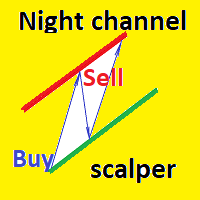
Night channel scalper is a fully automatic trading advisor. The strategy of night scalping in the channel, working hours 2-3 hours. Advisor does not use martingale. does not use a grid, does not use hedging. All trading orders are protected by stop loss, the recommended timeframe for working M5 is M15. It has a setting of dynamic take profit and stop loss. The minimum deposit for work is 10 -15 dollars for one currency pair, leverage 1: 500 Settings Take Profit - Fixed Take Profit Dynamic Take
FREE
Channel scalper EA
Aleksei Moshkin
4 (9)
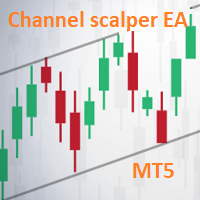
Channel scalper EA Live signal:   https://www.mql5.com/en/signals/2282924?source=Site +Signals+My The EA trades in the SMA channel based on price change rate and volatility. Trading starts 1 hour before rollover and 1 hour after rollover, from 23:00 to 01:00. Trading settings from 23:00 to 01:00 are suitable for brokers using GMT+2 in winter and GMT+3 in summer. If your broker uses GMT-0, the trading start time must be set between 20:00 and 22:00. The EA does not use dangerous strategies, all
Day Breakout EA
Aleksei Moshkin
3.88 (8)
The automatic advisor works according to a simple strategy for the breakout of the previous day's high and low. In the settings there is a function to reverse orders Reverse, when the maximum is broken, instead of buying, a sell will be opened, and when the minimum is broken, instead of selling, a buy will be opened. Real monitoring https://www.mql5.com/en/signals/833080 Settings Reverse - when the level is broken, orders will be opened in the opposite direction The maximum number of limit o
FREE
Forex Factory News EA
Aleksei Moshkin
4.02 (44)
Expert Advisor designed for news trading. The news are downloaded from the Forex Factory, Investing.com, myfxbook.com websites. Make sure to add the URL to the terminal settings. The EA should be attached to each currency chart. In the Symbol News field, set the currency symbol for searching news in the calendar. Example: if the EA is attached to the AUDUSD chart, set Symbol News to AUD; if USDCAD, Symbol News - CAD, XAUUSD Symbol News - USD, and so on. Change the magic number for each chart, an
Copyist MS
Aleksei Moshkin
4 (4)
Copyist MS is a simple and easy to use trade copier. It works as a single-file Expert Advisor with toggled Master and Slave operation modes. Configurations Type of work - work mode selection: Master or Slave; Copy by magic number - copy trade orders by magic number (configure in master terminal) Will not copy currency pairs - list of unwanted currency pairs to copy (configure in master terminal) Master account number - master-terminal trading account number; Selective copying currency pairs - i
Nfp EA
Aleksei Moshkin
Автоматический советник предназначен для торговли новости Nonfarm Payrolls. Торгует советник один раз в месяц при выходе новости, новость ищет и скачивает с сайта Investing.com. Советник мультивалютный устанавливается только на один график, валютная пара любая, таимфрейм любой. В настройках советника установлены для торговли эти валютные пары (USDJPY, GBPUSD, EURUSD, USDCAD, NZDUSD, AUDUSD) список валют можно редактировать добавлять либо удалять нужные валюты для торговли.  Для работы советн
Grid Auto Lock EA
Aleksei Moshkin
Automatic advisor locker. It opens a buy and sell order and then opens a grid with a martingale, while each grid order will be locked by an opposite order. The order grid is closed upon reaching a certain profit value in the deposit currency. For one currency pair, the minimum deposit is 5000 usd. For 50 usd cent bills. Trading leverage 1: 500 and higher. Settings Start time - Start of trading Number of trades per day - Number of trades per day Number of locking orders - Number of locking g
GAP Hunter EA
Aleksei Moshkin
4 (1)
Sniper EA
Aleksei Moshkin
The EA trades at the beginning of the London session. This non-indicator trading strategy is based on the price movement of a currency pair during that day, the previous day and the entire previous week. The Expert Advisor is equipped with partial closing of a trading lot, a spread filter.                                                                                                                                                                                                    The recommend
Daytime Equilibrium is a completely safe EA, does not use martingale, does not use hedging, all orders are protected by stop loss Take Profit - take profit Recommended currency pair USDJPY   Take Profit - hide the take profit setting Stop Loss - stop loss Fixed lot - a fixed lot that will be used in trading Using margin,% - selection of the type of trade, fixed lot or percentage of free margin Percentage of margin for trading - percentage of free margin for trading Trail 1 - true / false Traili
Super helper
Aleksei Moshkin
5 (2)
The expert utility is designed to automate the trading of most arrow indicators. You do not need to wait for the indicator signal in order to open an order manually, the utility will handle it for you. When a signal arrow to buy or sell appears on the chart, the EA opens an order itself. To connect the indicator, you need to add the signal arrow buffer number to the EA settings. Settings.  INDICATOR SIGNAL SETTINGS Name of the indicator - the name of the indicator Subwindow number - subwindo
Gold pips EA
Aleksei Moshkin
1 (1)
The Gold pips EA breakout advisor works from levels with Buy Stop and Sell Stop pending orders, for price changes at a certain point in time, the maximum and minimum of the bar act as levels. The advisor does not use dangerous strategies such as martingale, grid and averaging. To achieve the best results, it is very important to use LOW SPREAD accounts! Recommendations: Currency pair: XAUUSD, but you can use any. Timeframe: M5, M15 Minimum deposit: $50 Account type: ECN, Raw or Razor with ver
Forex Factory News EA mt5
Aleksei Moshkin
4 (1)
This Expert Advisor trades news on any timeframe. The news are downloaded from the Forex Factory website. Make sure to add the URL to the terminal settings. Live signal :   https://www.mql5.com/ru/signals/2357864?source=Site +Signals+My The EA is launched on a single chart and defines all necessary pairs for trading on its own. The robot works with pending orders setting two Buy stop and Sell stop orders before a news release. It determines the time zones of the calendar and terminal automatica
Copyist MS MT5
Aleksei Moshkin
3.5 (4)
Copyist MS — это простой и удобный в использовании торговый копир. Работает как однофайловый советник с переключаемыми режимами работы Master и Slave. Ордера можно копировать из МТ5 в МТ5, из МТ5 в МТ4, из МТ4 в МТ5. Для копирования ордеров в MetaTrader 4 требуется версия советника для MetaTrader 4. Текущая версия советника работает только на ХЕДЖИНГОВЫХ счетах. Параметры Тип работы - выбор режима работы: Master или Slave; Копировать по магическому номеру - копирование торговых ордеров по магич
Channel scalper EA MT5
Aleksei Moshkin
5 (1)
Channel scalper EA The EA trades in the SMA channel based on price change rate and volatility. Trading starts 1 hour before rollover and 1 hour after rollover, from 23:00 to 01:00. Trading settings from 23:00 to 01:00 are suitable for brokers using GMT+2 in winter and GMT+3 in summer. If your broker uses GMT-0, the trading start time must be set between 20:00 and 22:00. The EA does not use dangerous strategies, all trading orders are protected by a stop loss. Currency pairs for trading eurusd,
筛选:
无评论
回复评论