Copyist MS MT5 netting

Copier MS MT5 Netting
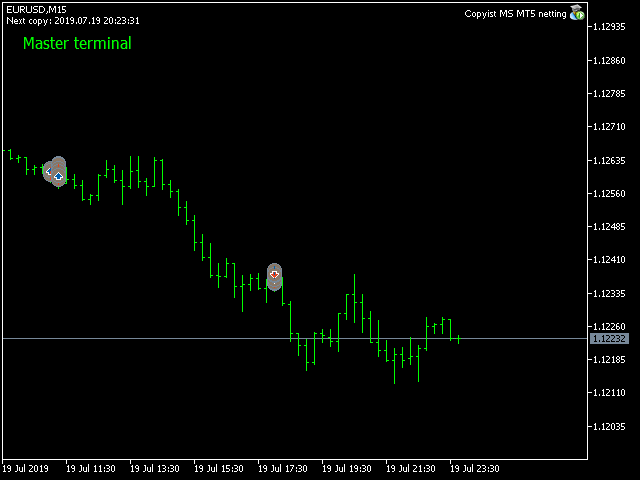
Copyist MS is a fast and easy-to-use copier of trade orders; it works as an advisor in the form of a single file with switching between the Master and Slave operating modes.

The current version of the adviser works only on netting accounts.

Settings

  • Type of work - selection of the operating mode: Master or Slave;
  • Master account number - number of the trading account of the master terminal;
  • Selective copying currency pairs - individual selection of currency pairs for copying;
  • Max orders on one currency pair - the maximum number of orders for one currency pair
  • Max orders on one currency pair - the maximum number of orders for one currency pair;
  • Copy Take Profit - copy Take Profit;
  • Copy Stop Loss - copy Stop Loss;
  • Take Profit (0-off) - take profit (0 - do not use);
  • Stop Loss (0-off) - stop loss (0 - do not use);
  • Profit transfer stop to breakeven (0-off) - profit level for breakeven activation (0 - do not use);
  • Step breakeven (0-off) - breakeven step (0 - do not use);
  • The trailing stop (0-off) - trailing (0 - do not use);
  • Step trailing stop (0-off) - trailing step (0 - do not use);
  • Add a suffix to the Slave orders - add a suffix to slave orders;
  • Delete suffix in master orders - delete the suffix of the master order;
  • Fixed lot - lot used in trading (if 0, then the master terminal lot is copied);
  • Coefficient lot (1-off) - calculation of the ratio of the copied lot
  • Order ID - identifier of orders;
  • Show info - display information on a chart.
  • Replacement Symbols Master-Slave

Symbols 1 - replacement of copied currency pairs, you can copy from one currency pair to another, example: EURUSD-XAUUSD currency pairs are indicated by a hyphen.

Produits recommandés
* This product was converted using  "BRiCK Convert4To5 MT4 "  based on the MQL4 source file of  "BRiCK Convert4To5 MT4 Free" . "Convert4To5" is a Script that converts MQL4 source files into MQL5 source files. Experts, Indicators, Scripts, and Libraries with extension ".mq4" will be available for MT5. Parameter None. Procedure 1. Open the following folder.     terminal_data_folder\MQL4\Files\ (in the terminal menu select to view "File" - "Open the data directory") 2. Confirm that the BRiCK_Conv
FREE
Fast CopyTrade LAN
Achraf Mouine
5 (6)
Fast CopyTrade LAN — Local Trade Copier for MetaTrader 5 Overview Fast CopyTrade LAN is a fast, DLL-free local trade copier for MetaTrader 5. It instantly copies trades between MT5 accounts on the same PC — copying OPEN, PARTIAL, MOD (SL/TP) and CLOSE from a Provider to one or more Receivers. This copy trader uses the MT5 Files folder for secure local messaging, requires no external files, no DLLs, and is fully Market-compliant. Advantages Fastest local copy trading with very low latency Market
FREE
Axilgo PipPiper CoPilot
Theory Y Technologies Pty Ltd
5 (2)
Axilgo Pip Piper CoPilot Elevate your trading game with the Axilgo Pip Piper CoPilot, the first in our revolutionary Pip Piper Series. This all-inclusive toolset is meticulously crafted for serious traders, focusing on key areas such as Risk Management, Trade Management, Prop Firm Rule Compliance, and Advanced Account Management . With CoPilot, you’re not just investing in a tool—you’re gaining a strategic partner in the intricate world of trading. Important Notice: To ensure you receive the fu
FREE
URGENT: PLEASE READ BEFORE DOWNLOADING This EA is ONLY the "Receiver" (Slave) part of the copy trade system. IT WILL NOT WORK ON ITS OWN! To successfully copy trades, you MUST have the "Master" (Sender) EA installed on your provider account. GET THE REQUIRED "MASTER" EA HERE:   AW Trade Copier Master Unlock lightning-fast trade replication across multiple MetaTrader 5 accounts on the same PC or VPS. The AW Local Trade Copier is designed for speed, reliability, and ease of use
FREE
This tool allows you to export Ticks for any financial instrument available in MetaTrader 5. You can download multiple symbols into the same CSV file. You can also schedule the download frequency (every 5 minutes, 60 minutes, etc.). There is no need to open multiple charts to get the latest data—the tool downloads the data directly. The CSV file will be stored in the following folder: \MQL5\Files . How it works Select the symbols to download: Click an item to select or deselect it. Enter the CSV
FREE
Data Downloader For MT5
Mounir Cheikh
4.75 (4)
This tool will allow you to export the Historical data (Open, High, Low, Close, Volume) for any financial instrument present in your MetaTrader 5. You can download multiple Symbols and TimeFrames in the same csv file. Also, you can schedule the frequency of download (every 5 minutes, 60 minutes, etc.). No need to open a lot of charts in order to get the last data, the tool will download the data directly. The CSV File will be stored in the folder: \MQL5\Files . How it works Select the Symbols t
FREE
Global Session Map turns one MetaTrader 5 chart into a clear session workspace. It shows which major trading sessions are active in broker time, when the next transition occurs, and where session overlaps appear. The panel is designed for discretionary traders who need reliable time context without entry signals or profit claims. Session windows and display preferences are configurable and remain available after chart or terminal restarts. Main functions • Sydney, Tokyo, London and New York s
FREE
Exact Time — detailed time on the seconds chart. The utility shows the opening time of the selected candle. This is necessary when working with seconds charts. For example, it can be used on a seconds chart built using the Seconds Chart utility. Inputs Base corner — the chart corner to which an object Is attached. X distance — the horizontal distance from the chart corner. Y distance — the vertical distance from the chart corner. Text font — font name Font size — font size Color — text color
FREE
ZABTradeInfoPanel
Mr Adisorn Mayang
5 (1)
TradeInfo Panel is a lightweight indicator that displays your trading performance directly on the chart as a draggable dark-themed panel. It tracks daily profit and loss, pips, gain percentage, and lot volume for Today, Yesterday, and the previous 3 trading days. It also calculates automatic summaries for the current Week, Month, and Year. All values include commission and swap for accurate net results. Features Daily performance for the last 5 trading days with Pips, Profit, Gain%, and Lots. We
FREE
Trade Receiver Free MT5
Vu Trung Kien
4.08 (13)
Trade Receiver Free is a free tool to copy trades/signals from multiple MT4/MT5 accounts. The provider account must use copier EA to send the signal. This version can be used on MT5 accounts only. For MT4 accounts, you must use Trade Receiver Free . Reference: - For MT4 receiver, please download Trade Receiver Free . - For MT5 receiver, please download Trade Receiver Free MT5 . - For cTrader receiver, please download Trade Receiver Free cTrader . - If you only need copy from MT4 account to u
FREE
MAGIC PROTECTOR — Advanced Equity Protection EA Magic Protector   is a utility built for traders who want better control over daily, weekly, or monthly risk exposure. The EA continuously monitors trading performance based on your selected protection period and helps prevent further losses or overtrading once your defined limits are reached. It can work with either the entire account or only trades belonging to a specific Magic Number, making it suitable for traders running multiple Expert Ad
FREE
Overview Advanced MT5 EA that automatically detects, scores, and visualizes support/resistance levels with integrated trading panel, risk management, and multi-channel alerts. Installation (3 Steps) Copy EA File : Place   Saturno_Smart_SR_PRO_EA.ex5   in   MQL5\Experts\   folder Refresh : Right-click "Expert Advisors" in Navigator → "Refresh" Attach : Drag EA to chart → Click "OK" → Enable AutoTrading button Note : Ensure "Allow Automated Trading" is checked and the EA shows a smiley face Qu
FREE
Quantitative Synchronization Terminal Server MT5 is a professional MQL5 script for the MetaTrader 5 (MT5) platform, specifically designed to synchronize and load historical bar data and historical tick data from the server to the local terminal.This script helps traders ensure their local terminal has complete historical data, which is crucial for backtesting, technical analysis, and strategy development. Quantitative Trading Guide  public chat:  Join Us Quantitative Trading Guide  public channe
FREE
Easy Entry
Aleksandr Bubnov
### Easy Entry — One-Click LIMIT/MARKET Panel with Auto Risk Sizing Placing a trade shouldn't mean typing a lot size into a calculator, then typing it again into the order ticket. Easy Entry puts two buttons on your chart — LIMIT and MARKET — and lets you set your stop and take-profit by simply clicking on the chart. The lot size is worked out for you from your risk %, and the order only goes out once you've confirmed exactly what it will do. **How it works.** Click MARKET or LIMIT, then clic
FREE
Partial Close Trading Bot
Kithsiri Dhammika Rajapakshage Lasitha Nimesh Rajapaksha
This trading bot is designed for MetaTrader 5 (MT5) to manage open positions effectively by automating partial closures based on a predefined risk-reward ratio. It includes Telegram integration to send notifications directly to your group or channel about trading activities, including entry, stop-loss, and take-profit levels. Key Features : Partial Close Management : Automatically closes a percentage of the trade volume when the target level is reached. Risk-Reward Calculation : Sets profit leve
FREE
LT Watermark MT5
Thiago Duarte
4.79 (24)
This indicator draw a watermark on the chart, with the timeframe and symbol name. You can change everything, including add a aditional watermark. Functions: Symbol watermark: Size -  text size. Font -  text font. Color -  text color. Background text -  watermark at foreground or background mode. Horizontal correction -  x correction in pixels. Vertical correction -  y correction in pixels. Separator period X symbol -  what will separate the period from symbol. Aditional watermark: Enable custom
FREE
EA Follower Version any Follow Copy Account  (Acc. Number)  need a open MT Terminal, download multiple times Step1:   Open Master MT5 Terminal    =  install master- Version   (on any Symbol just one Time) Step2:   Open Follower MT5 Terminal = install follower- Version  (on any Symbol just one Time) Step3:   all Trades from any Symbol or any Robot are copy now to follow- Terminal immediately for simple copy set on Chart and   Start   no optimization. This Robot is a Trade Copier for MT5 that auto
FREE
Planifiez le risque avant l'entrée et analysez les trades clôturés directement sur le graphique. Edgemory Trader OS est un calculateur de risque, planificateur de taille de position, journal de trading et exportateur CSV/JSON gratuit et hors ligne pour MetaTrader 5. Il fonctionne immédiatement, sans inscription, jeton, DLL, WebRequest ni serveur externe. Le planificateur déterministe utilise le solde, le pourcentage de risque, l'entrée, le stop loss, le take profit, la taille et la valeur du ti
FREE
Candle Time MT5
Danrlei Hornke
5 (4)
Free indicator that displays the remaining time until the current candle closes directly on the chart. Designed for traders who demand precision and timing, this lightweight and fully customizable tool enhances your trading experience. It is easy to install, compatible with all assets, markets, and timeframes, and provides real-time updates to support smarter decision-making.
FREE
Copy your MT5 trades to accounts anywhere in the world with the   MetaToolsLab Master EA . Unlike local copiers that only work between terminals on the   same   PC or VPS, MetaToolsLab uses a secure cloud relay — so you can broadcast your trades to followers across   different computers, VPS providers, brokers, and continents , with   sub-second delivery   and   no broker passwords . Whether you're a signal provider, a multi-account trader, or an account manager, the Master EA installs in about
FREE
Trade Assistant Panel
Md Sakhawat Hossain
5 (1)
Trade Assistant Panel: Your Optimal Trading Ally "The Trade Assistant Panel" is a graphical tool for traders aiming to simplify and enhance their trading experience. It streamlines order execution and management, allowing you to focus on market analysis and decision-making. With just a few clicks, you can initiate various order types, ensuring that you always have full control over your trading strategy: Buy Orders Sell Orders Buy Stop Orders Buy Limit Orders Sell Stop Orders Sell Limit Orders Y
FREE
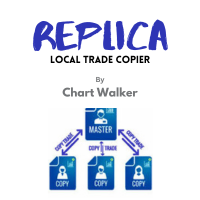
Replica Local Trade copier
Dushshantha Rajkumar Jayaraman
White label available. contact us for more info. dushshantharajkumar@gmail.com Replica Local Trade copier    by Chart Walker Replica, a MetaTrader 5 (MT5) local trade copier, is a powerful tool designed to streamline and automate trading processes for users within the MT5 platform. This innovative software allows traders to replicate trades from one account (master) to another (slave) in real-time, enabling efficient and synchronized trading across multiple accounts. With its user-friendly inte
FREE
Demo copier of deals from MetaTrader 5 to MetaTrader 5 ( MetaTrader 4<->MetaTrader 4 version is available ; with both versions, you can copy MetaTrader 5<->MetaTrader 4, MetaTrader 4<->MetaTrader 5, MetaTrader 5<->MetaTrader 5, MetaTrader 4<->MetaTrader 4). Works only in the mode of hedging. Spread filter. Select the best price (start copying positions with a profit or loss). Configure the lot size, fixed or ratio-based (provider signals can be copied with an increased lot). Configure order copy
FREE
Exp5 COPYLOT MASTER for MT5
Vladislav Andruschenko
4.42 (12)
Exp5 - COPYLOT MASTER est un copieur commercial pour МetaТrader 5 et MetaTrader 4. Il copie les transactions Forex à partir de n'importe quel compte. Installation Cet Expert Advisor est un copieur maître. Installez l'Expert Advisor dans le terminal à partir duquel vous souhaitez copier les transactions. Spécifiez n'importe quel nom d'étiquette de texte comme pathWrite, par exemple, "COPY". Installez COPYLOT MASTER pour MT5 sur le terminal à partir duquel vous souhaitez copier les transactions. I
FREE
CopyTrader Pro FAST MT5 — FREE Real-Time Trade Copier | MT4 ↔ MT5 Cross-Platform | 20ms Latency CopyTrader Pro FAST is a professional trade copier Expert Advisor that copies trades between MetaTrader terminals in real time using a high-speed file-based communication system. No VPS, no network setup, no DLL — just attach and copy. FREE VERSION : Copies up to 1 trade at a time. Upgrade to the full version, Copy Trader Pro FAST MT5 , for unlimited copying. Key Features 20ms refresh rate — in
FREE
Calculo ATR Vela a Vela
Leonardo Leo Plotter E Matos Silveira
Expert para quem usa Estratégia ATR. Analisa automaticamente ATR Diário  ( 14 Períodos - Pode ser modificado o Período ), + o ATR da Vela 15 Minutos atual. Todos sabemos que quando Mercado esta Lateralizado existe um Fôlego Diário no Mercado. Só irmos somando os Valores ATR das Velas e Comparar com o Fôlego Diário. Eu somo e se for igual ou maior que o ATR Diário. Vendo se Sobre Comprado ou Compro se Sobre Vendido naquele Momento. Dúvidas de como calculo a Sobre Venda e Compro ou Sobre Compra e
FREE
Introducing our cutting-edge Trade Copier Expert Advisor for MetaTrader 5 (MT5) – the ultimate solution for seamless trade replication across multiple accounts on the same server or computer. Elevate your trading experience and take control of your investment strategy like never before with our professional-grade Trade Copier. Key Features: Effortless Trade Replication: Our Trade Copier effortlessly duplicates trades from a master account to multiple slave accounts, ensuring that you never miss
FREE
Ce que c'est Execution Caliper est un instrument de mesure, pas un robot de trading. Il se place sur un seul graphique et mesure quel coût d'exécution votre compte facture sur ce symbole, puis divise ce coût par la largeur du stop de l'EA que vous envisagez de faire tourner. Le résultat est un seul rapport : le coût en proportion de votre stop. Il n'envoie aucun ordre, n'ouvre aucune position et ne touche à rien qui appartienne aux autres EA du terminal. Il ne prétend rien non plus sur le fait
FREE
Digital Clock Real Time Display
Everton Fernando Da Silva Messias
Description Générale Digital Clock est un indicateur développé par Everton Messias qui affiche une horloge numérique en temps réel directement sur le graphique MetaTrader 5. Parfait pour les traders qui doivent suivre l’heure des sessions sans quitter la plateforme. Fonctionnalités Principales : Affichage en temps réel (heures:minutes:secondes) Personnalisation totale (couleurs, police, taille) Positionnement libre sur le graphique Mise à jour automatique chaque seconde Compat
FREE
Presentation The URL html and xml to csv is designed to get contents from URLs with html or xml content, and to download it to an output format as a txt or as a csv file. It enables to get the whole web sites page, starting with the http protocol, in a document for a further use and in additional with downloading directly on the MetaTrader applications and on the desktop. It is a good advantage for taking the most data from events and economic calendars, and also publications related to the inst
FREE
Les acheteurs de ce produit ont également acheté
Trade Assistant MT5
Evgeniy Kravchenko
4.43 (216)
It helps to calculate the risk per trade, the easy installation of a new order, order management with partial closing functions, trailing stop of 7 types and other useful functions. Additional materials and instructions Installation instructions - Application instructions - Trial version of the application for a demo account Line function -   shows on the chart the Opening line, Stop Loss, Take Profit. With this function it is easy to set a new order and see its additional characteristics bef
Bienvenue sur Trade Manager EA, l’outil ultime de gestion des risques conçu pour rendre le trading plus intuitif, précis et efficace. Ce n’est pas seulement un outil d’exécution d’ordres ; c’est une solution complète pour la planification des trades, la gestion des positions et le contrôle des risques. Que vous soyez débutant, trader expérimenté ou scalpeur ayant besoin d’une exécution rapide, Trade Manager EA s’adapte à vos besoins, offrant une flexibilité sur tous les marchés, des devises et i
Local Trade Copier EA MT5
Juvenille Emperor Limited
4.94 (149)
Local Trade Copier EA MT5 est un copieur de trades rapide et flexible permettant de copier et de gérer des trades entre plusieurs comptes MetaTrader 5 sur le même ordinateur Windows ou Windows VPS. Il combine la synchronisation locale des trades avec des contrôles côté Receiver pour la taille des lots, la gestion du risque, le filtrage des trades, le mappage des symboles, la gestion des trades et la protection du compte. Configurez vos terminaux Transmitter et Receiver en environ 1 minute et co
Strategy Ledger Pro
Abdullah Uygar Tuna
5 (4)
Désormais disponible en français. Strategy Ledger Pro est un panneau d'analyse de compte en lecture seule pour MetaTrader 5. Il sépare les résultats du compte par Expert Advisor, stratégie, symbole et numéro magic, pour que vous voyiez ce que chacun apporte réellement. Le panneau est disponible en 11 langues : English, Français, Deutsch, Español, Italiano, Português, Русский, Türkçe, 中文, 日本語 et 한국어. Avant de télécharger la démo. Le Market exécute la démo de tout produit payant uniquement dans l
================================================================================ POC BREAKOUT - V20.72. Full Professional Grade Toolkit ================================================================================ POC Breakout is a full MetaTrader 5 trading dashboard for discretionary traders who want breakout signals, Point of Control (POC) context, volume profiles, order flow, market structure, news, alerts, and advanced trade planning in one professional workspace. Attached directly to you
TradePanel MT5
Alfiya Fazylova
4.88 (169)
Trade Panel est un assistant commercial multifonction. L'application contient plus de 50 fonctions de trading pour le trading manuel et permet d'automatiser la plupart des tâches commerciales. Instructions d'utilisation + tutoriel vidéo : https://www.mql5.com/fr/blogs/post/772371 Version d'essai de l'application pour un compte démo : https://www.mql5.com/fr/blogs/post/762644 Comment installer l'application : https://www.mql5.com/fr/blogs/post/762645 Comment tester l'application en mode visuel :
Telegram to MT5 Multi-Channel Copier   copie automatiquement les signaux de trading de vos canaux Telegram directement vers MetaTrader 5. Pas de bots, pas d'extensions de navigateur, pas de copie manuelle. Un signal arrive sur Telegram et l'EA ouvre le trade dans votre terminal en quelques secondes. Et avant de copier un canal, le backtester intégré vous montre ce que ce canal aurait fait sur votre compte. Le produit comprend deux composants : une application Windows qui écoute vos canaux Telegr
Copiez les signaux Telegram avec vos propres règles de trading Telegram to MT5 Signal Trader copie automatiquement les signaux de trading au format texte provenant de canaux et de groupes Telegram publics et privés vers MetaTrader 5. Gérez plusieurs fournisseurs et comptes MT5 depuis une seule application de bureau, avec des paramètres de risque et de trading propres à chaque fournisseur . Aucun bot Telegram ni configuration d'API n'est nécessaire pour copier les signaux. Connectez-vous simpleme
Farmed Hedge Yield Farming | All Markets (Manual - Hybrid - Semi/Automated EA) VERIFIED TRADING RESULTS - Farmed Hedge Yield Axi Copy:  https://www.mql5.com/en/signals/2356376 - Farmed Hedge Yield Exn Copy:   https://www.mql5.com/en/signals/2356404 - Farmed Hedge Yield V Copy:  https://www.mql5.com/en/signals/2357156 IMPORTANT NOTICE: FarmedHedge is a MANUAL-FOCUSED TRADING UTILITY ,not a fully automated EA. Results shown on this Signal include manual trades and overall strategic management.
Premium Trade Manager - Le panneau de trading avec un coach intégré Premium Trade Manager intègre un coach de trading directement dans votre graphique, avec un moteur d'exécution complet en dessous. Configurez le trade comme vous le faites toujours, puis laissez Max, votre coach de trading IA, analyser ce setup exact par rapport à votre compte en direct et vous donner un verdict clair avant de vous engager : le stop est-il discipliné, le risque est-il raisonnable, une publication à fort impact e
Power Candles Strategy Scanner - Outil de recherche de configurations multi-symboles à optimisation automatique Le Power Candles Strategy Scanner utilise le même moteur d'auto-optimisation que celui qui alimente l'indicateur Power Candles, pour chaque symbole de votre Market Watch, en parallèle. Un panneau vous indique quels symboles sont statistiquement négociables à l'instant, quelle stratégie est la plus performante pour chacun, la paire Stop Loss / Take Profit optimale, et vous alerte dès qu
Exp COPYLOT CLIENT for MT5
Vladislav Andruschenko
3.97 (35)
Copieur professionnel de trades pour MetaTrader 5 Un copieur de trades rapide, professionnel et fiable pour MetaTrader . COPYLOT permet de copier des trades Forex entre les terminaux MT4 et MT5 avec prise en charge des comptes Hedge et Netting . La version MT5 de COPYLOT prend en charge : - MT5 Hedge → MT5 Hedge - MT5 Hedge → MT5 Netting - MT5 Netting → MT5 Hedge - MT5 Netting → MT5 Netting - MT4 → MT5 Hedge - MT4 → MT5 Netting Version MT4 Description complète + DEMO + PDF Comment acheter Comme
HINN MagicEntry Extra
ALGOFLOW OÜ
4.74 (19)
HINN MAGIC ENTRY – the ultimate tool for entry and position management! SIMPLE. FASTEST. INTUITIVE. MAX AUTOMATED. Place orders by selecting a level directly on the chart! full description   ::  demo-version  :: 60-sec-video-description Key features: - Market, limit, and pending orders - Automatic lot size calculation - Automatic spread and commission accounting - Unlimited partitial take-profits  - Breakeven and trailing stop-loss and take-profit  functions - Invalidation leves - Intuitive, a
Envoyez-moi un message après l’achat pour recevoir le kit complet du manuel + un essai de 3 jours de l’API OpenAI pour tester les fonctionnalités d’IA + un autre cadeau bonus Le prix actuel est un tarif promotionnel limité pour la mise à jour du relancement d’août — sécurisez votre édition maintenant avant l’augmentation du prix. Prochain prix : $340 C’est complètement différent de tous les panneaux de trading que vous avez pu essayer ou voir sur le marché. C’est l’un des panneaux de trading al
MT5 Trading Deck
Manuel Michiels
5 (2)
One button. One trade. MT5 Trading Deck is a hotkey trading panel for MetaTrader 5 that turns the platform into a keyboard-driven execution cockpit. Stop loss, take profit and lot size are pre-calculated for every key; the moment you press, a market order is live on the broker. A complete technical user manual is attached in the product Comments section. It documents every input parameter, the full hotkey map, the recommended Stream Deck XL layout, and the advanced workflows for Pre-Limit orders
Signal Trading View to MT5 Pro
Mirel Daniel Gheonu
4.5 (2)
Signal TradingView to MT5 Pro Automator Exécution professionnelle instantanée entre TradingView et MetaTrader 5 Automatisez votre stratégie de trading avec le pont de communication le plus robuste entre les alertes TradingView et l'exécution réelle sur MT5. Conçu pour les traders qui exigent vitesse, flexibilité et une gestion des risques impeccable, cet Expert Advisor transforme tout message d'alerte en un ordre au marché ou à cours limité précis. POINTS FORTS ET AVANTAGES Moteur d'analyse univ
Grid Manual MT5
Alfiya Fazylova
4.73 (22)
Grid Manual est un panneau de trading permettant de travailler avec une grille d'ordres. L'utilitaire est universel, possède des paramètres flexibles et une interface intuitive. Il fonctionne avec une grille d'ordres non seulement dans le sens des pertes, mais aussi dans le sens de l'augmentation des profits. Le commerçant n'a pas besoin de créer et de maintenir une grille d'ordres, l'utilitaire le fera. Il suffit d'ouvrir une ordre et "Grid Manual" créera automatiquement une grille de ordres po
Trade Dashboard MT5
Fatemeh Ameri
4.94 (134)
Trade Dashboard simplifies how you open, manage, and control your trades, with built-in lot size calculation. It allows you to execute trades, manage risk, and control positions directly on the chart, with tools such as partial close, breakeven, and trailing stop. Designed to reduce manual work and help you stay focused on your trading decisions. A demo version is available for testing. Detailed explanations of features are provided within the MQL5 platform. Installation instructions are include
EasyInsight AIO MT5
Alain Verleyen
4.92 (12)
EASY Insight AIO – La solution tout-en-un pour un trading intelligent et sans effort Présentation Imaginez pouvoir analyser l’ensemble du marché — Forex, Or, Crypto, Indices et même Actions — en quelques secondes, sans aucune analyse manuelle de graphiques, sans installation complexe ni configuration d’indicateurs. EASY Insight AIO est votre outil d’exportation ultime, prêt à l’emploi, pour un trading alimenté par l’IA. Il fournit une vue d’ensemble du marché dans un fichier CSV propre — prêt
EA Overfitter
Stephen J Martret
5 (1)
That backtest looks great. But will it still be making money tomorrow, next week, next month? EA Overfitter re-runs your EA on 100 price histories it has never seen. One score tells you if the edge is real. A backtest tells you what an EA did on one price history — the one that happened to occur. What you cannot tell from it is how much of that result was the strategy and how much was the particular path. EA Overfitter answers that. It builds up to 100 synthetic price histories your EA has n
Telegram To MT5 Ultra
Mirel Daniel Gheonu
5 (5)
Telegram To MT5 — Copieur de signaux Transformez les appels de trading de vos canaux Telegram en véritables ordres MT5 — automatiquement, sur autant de comptes que vous le souhaitez, avec le risque et les règles entièrement sous votre contrôle. Telegram To MT5 relie les canaux VIP / de signaux que vous suivez déjà sur Telegram à votre terminal MetaTrader 5. Une application de bureau compagnon gratuite lit les messages (même des canaux qui bloquent les bots), et cet Expert Advisor les exécute sur
EA Slipstream
Stephen J Martret
5 (1)
Your backtest filled every order at the price it asked for. Your account does not. EA Slipstream measures what execution costs your EA, using your own fills, slippages and spreads to show you the true performance of your EA. Special launch price of $99 for this week only. Price rises to $149 from the 26h September (when market closes) A backtest prices every trade at the level the EA named. In live trading a pending order fills at whatever price is available when it triggers, a stop closes where
Dynamic Fibonacci Grid
Tsvetan Tsvetanov
5 (1)
Présentation de la dernière version du Dynamic Fibonacci Grid Dashboard pour MT5. Désormais doté de nombreuses nouvelles fonctionnalités, ce tableau de bord transforme votre expérience de trading et vous permet de visualiser le marché et l’action des prix sous un angle totalement différent. Découvrez de nouvelles possibilités grâce à l’analyse simultanée de plusieurs périodes et de plusieurs symboles. Interface conviviale pour le trading manuel et la gestion des positions, avec une capacité éte
Telegram to MT5 Coppy
Sergey Batudayev
5 (10)
Télégramme vers MT5 :   la solution ultime pour copier des signaux Simplifiez votre trading avec Telegram vers MT5, l'outil moderne qui copie les signaux de trading directement des canaux et chats Telegram vers votre plateforme MetaTrader 5, sans DLL. Cette solution puissante garantit une exécution précise des signaux, de nombreuses options de personnalisation, un gain de temps et une efficacité accrue. [ Instructions and DEMO ] Caractéristiques principales Intégration directe de l'API Telegram
Trade copier MT5
Alfiya Fazylova
4.61 (56)
Trade Copier est un utilitaire professionnel conçu pour copier et synchroniser les commandesentre les comptes de trading. Les commandes sont copiées du compte/terminal du fournisseur vers le compte/terminal du destinataire, qui sont installés sur le même ordinateur ou vps. PROMOTION - Si vous avez déjà acquis le "Trade copier MT5", vous pouvez obtenir le "Trade copier MT4" gratuitement (pour la copie MT4 > MT5 et MT4 < MT5). Pour obtenir des informations plus détaillées sur les conditions, veuil
Trade Indicator Assistant   is a powerful MT5 utility designed to turn indicators into automated trading systems. Its main feature is the ability to automatically detect an indicator’s   BUY and SELL signal buffers , without requiring you to know the buffer numbers, search through indicator settings, or modify the indicator source code. Bonus Indicator:   After purchasing Trade Indicator Assistant, contact me to receive   Trade Signal Pro   completely free as a bonus indicator. [Download Demo V
The News Filter MT5
Leolouiski Gan
4.78 (23)
Ce produit filtre tous les conseillers experts et les graphiques manuels pendant les heures de publication des actualités, de sorte que vous n'avez pas à vous soucier des pics de prix soudains qui pourraient détruire vos configurations de trading manuelles ou les transactions entrées par d'autres conseillers experts. Ce produit est également livré avec un système de gestion des ordres complet qui peut gérer vos positions ouvertes et vos ordres en attente avant la publication de toute actualité.
Le Local Trade Copier EA est une solution pour les commerçants individuels ou les gestionnaires de compte qui ont besoin d'exécuter des signaux commerciaux à partir de sources externes ou qui ont besoin de gérer plusieurs comptes en même temps, sans avoir besoin d'un compte MAM ou PAMM. Il copie jusqu'à 8 comptes maîtres vers un nombre illimité de comptes esclaves [ Guide d'installation | Guide de mise à jour | Dépannage | FAQ | Tous les produits ] 100% auto-hébergé Facile à installer et à util
Un panneau professionnel pour le trading manuel qui réunit tout le cycle d'une opération dans une seule fenêtre sur le graphique, de l'entrée précise à la protection du compte. Calibrez chaque position au plus près du risque que vous fixez, dessinez votre trade avec des lignes directement sur le graphique grâce au RR Tool, et passez des ordres au marché et en attente, des grilles et de l'OCO. Le panneau prend en charge le suivi de la position : clôture partielle jusqu'à cinq niveaux, six types d
Anchor Trade Manager
Kalinskie Gilliam
5 (9)
Your EAs cannot see each other, but Anchor can. Anchor gives you one place to coordinate your EAs, manage risk, and decide when trading is allowed. It works alongside the trading bots you already use without any changes to them. The Problem One EA opens a trade. Then another starts trading. The next thing you know, you wake up to multiple grids built across your account. Each EA may be doing exactly what it was designed to do, but together they can place far more risk on your account than you in
Plus de l'auteur
Gold pips EA
Aleksei Moshkin
1 (1)
The Gold pips EA breakout advisor works from levels with Buy Stop and Sell Stop pending orders, for price changes at a certain point in time, the maximum and minimum of the bar act as levels. The advisor does not use dangerous strategies such as martingale, grid and averaging. To achieve the best results, it is very important to use LOW SPREAD accounts! Recommendations: Currency pair: XAUUSD, but you can use any. Timeframe: M5, M15 Minimum deposit: $50 Account type: ECN, Raw or Razor with ver
Channel scalper EA MT5
Aleksei Moshkin
5 (1)
Channel scalper EA The EA trades in the SMA channel based on price change rate and volatility. Trading starts 1 hour before rollover and 1 hour after rollover, from 23:00 to 01:00. Trading settings from 23:00 to 01:00 are suitable for brokers using GMT+2 in winter and GMT+3 in summer. If your broker uses GMT-0, the trading start time must be set between 20:00 and 22:00. The EA does not use dangerous strategies, all trading orders are protected by a stop loss. Currency pairs for trading eurusd,
Night channel scalper
Aleksei Moshkin
3.38 (8)
Night channel scalper is a fully automatic trading advisor. The strategy of night scalping in the channel, working hours 2-3 hours. Advisor does not use martingale. does not use a grid, does not use hedging. All trading orders are protected by stop loss, the recommended timeframe for working M5 is M15. It has a setting of dynamic take profit and stop loss. The minimum deposit for work is 10 -15 dollars for one currency pair, leverage 1: 500 Settings Take Profit - Fixed Take Profit Dynamic Take
FREE
Day Breakout EA
Aleksei Moshkin
3.88 (8)
The automatic advisor works according to a simple strategy for the breakout of the previous day's high and low. In the settings there is a function to reverse orders Reverse, when the maximum is broken, instead of buying, a sell will be opened, and when the minimum is broken, instead of selling, a buy will be opened. Real monitoring https://www.mql5.com/en/signals/833080 Settings Reverse - when the level is broken, orders will be opened in the opposite direction The maximum number of limit o
FREE
Forex Factory News EA
Aleksei Moshkin
4.04 (45)
Expert Advisor designed for news trading. The news are downloaded from the Forex Factory, Investing.com, myfxbook.com websites. Make sure to add the URL to the terminal settings. The EA should be attached to each currency chart. In the Symbol News field, set the currency symbol for searching news in the calendar. Example: if the EA is attached to the AUDUSD chart, set Symbol News to AUD; if USDCAD, Symbol News - CAD, XAUUSD Symbol News - USD, and so on. Change the magic number for each chart, an
Copyist MS
Aleksei Moshkin
4 (4)
Copyist MS is a simple and easy to use trade copier. It works as a single-file Expert Advisor with toggled Master and Slave operation modes. Configurations Type of work - work mode selection: Master or Slave; Copy by magic number - copy trade orders by magic number (configure in master terminal) Will not copy currency pairs - list of unwanted currency pairs to copy (configure in master terminal) Master account number - master-terminal trading account number; Selective copying currency pairs - i
Nfp EA
Aleksei Moshkin
Автоматический советник предназначен для торговли новости Nonfarm Payrolls. Торгует советник один раз в месяц при выходе новости, новость ищет и скачивает с сайта Investing.com. Советник мультивалютный устанавливается только на один график, валютная пара любая, таимфрейм любой. В настройках советника установлены для торговли эти валютные пары (USDJPY, GBPUSD, EURUSD, USDCAD, NZDUSD, AUDUSD) список валют можно редактировать добавлять либо удалять нужные валюты для торговли.  Для работы советн
Automatic advisor locker. It opens a buy and sell order and then opens a grid with a martingale, while each grid order will be locked by an opposite order. The order grid is closed upon reaching a certain profit value in the deposit currency. For one currency pair, the minimum deposit is 5000 usd. For 50 usd cent bills. Trading leverage 1: 500 and higher. Settings Start time - Start of trading Number of trades per day - Number of trades per day Number of locking orders - Number of locking g
GAP Hunter EA
Aleksei Moshkin
4 (1)
GAP Hunter EA The expert's trading strategy is based on finding a gap (price gap) that occurs after weekends and holidays. Basically, the majority of gaps closes on the same day or within several days, the expert tracks such price gaps and when it arrives opens an order in the opposite direction in the direction of closure. There are settings to search for gep only on Monday, search for gep every day on the shift of days, and 0-24 gap search around the clock. In the settings there is a sprea
Sniper EA
Aleksei Moshkin
The EA trades at the beginning of the London session. This non-indicator trading strategy is based on the price movement of a currency pair during that day, the previous day and the entire previous week. The Expert Advisor is equipped with partial closing of a trading lot, a spread filter.                                                                                                                                                                                                    The recommend
Daytime Equilibrium is a completely safe EA, does not use martingale, does not use hedging, all orders are protected by stop loss Take Profit - take profit Recommended currency pair USDJPY   Take Profit - hide the take profit setting Stop Loss - stop loss Fixed lot - a fixed lot that will be used in trading Using margin,% - selection of the type of trade, fixed lot or percentage of free margin Percentage of margin for trading - percentage of free margin for trading Trail 1 - true / false Traili
Channel scalper EA
Aleksei Moshkin
4 (9)
Channel scalper EA Live signal:   https://www.mql5.com/en/signals/2282924?source=Site +Signals+My The EA trades in the SMA channel based on price change rate and volatility. Trading starts 1 hour before rollover and 1 hour after rollover, from 23:00 to 01:00. Trading settings from 23:00 to 01:00 are suitable for brokers using GMT+2 in winter and GMT+3 in summer. If your broker uses GMT-0, the trading start time must be set between 20:00 and 22:00. The EA does not use dangerous strategies, all
Super helper
Aleksei Moshkin
5 (2)
The expert utility is designed to automate the trading of most arrow indicators. You do not need to wait for the indicator signal in order to open an order manually, the utility will handle it for you. When a signal arrow to buy or sell appears on the chart, the EA opens an order itself. To connect the indicator, you need to add the signal arrow buffer number to the EA settings. Settings.  INDICATOR SIGNAL SETTINGS Name of the indicator - the name of the indicator Subwindow number - subwindo
Forex Factory News EA mt5
Aleksei Moshkin
4 (1)
This Expert Advisor trades news on any timeframe. The news are downloaded from the Forex Factory website. Make sure to add the URL to the terminal settings. Live signal :   https://www.mql5.com/ru/signals/2357864?source=Site +Signals+My The EA is launched on a single chart and defines all necessary pairs for trading on its own. The robot works with pending orders setting two Buy stop and Sell stop orders before a news release. It determines the time zones of the calendar and terminal automatica
Copyist MS MT5
Aleksei Moshkin
3.5 (4)
Copyist MS — это простой и удобный в использовании торговый копир. Работает как однофайловый советник с переключаемыми режимами работы Master и Slave. Ордера можно копировать из МТ5 в МТ5, из МТ5 в МТ4, из МТ4 в МТ5. Для копирования ордеров в MetaTrader 4 требуется версия советника для MetaTrader 4. Текущая версия советника работает только на ХЕДЖИНГОВЫХ счетах. Параметры Тип работы - выбор режима работы: Master или Slave; Копировать по магическому номеру - копирование торговых ордеров по магич
Filtrer:
Aucun avis
Répondre à l'avis