VR Close Orders
- 实用工具
-
Vladimir Pastushak
 👋 我叫弗拉基米尔·帕斯图沙克(Vladimir Pastushak)。我是一名交易员和程序员,拥有20多年的金融市场交易经验,并长期从事交易自动化软件解决方案的开发。
💻 在此期间,我开发了大量交易算法、Expert Advisor(EA)和 MetaTrader 4、MetaTrader 5 工具,并持续在实际环境中测试和验证自己的交易理念。
📊 对我而言,工作中重要的不是夸张的承诺,而是算法逻辑、代码质量、交易系统的详细配置能力,以及在不同市场环境下客观评估系统运行表现的能力。
🔍 我的所有产品都基于个人实际经验开发,并在发布前进行测试。 - 版本: 20.103
- 更新: 14 十月 2020
The VR Close orders script is designed to close positions in the terminal at a profit or loss mark set by the trader. The program is written as a script and can work together on the same chart with any other indicators and expert advisors. The program has a simple visual panel and is easy to configure with the mouse. With this program's help, the trader can automatically close positions and delete orders depending on the conditions set.
There is often a situation when you need to close positions of a working expert advisor. the VR Close Orders script will help you close positions in profit, loss, or all at once with the specified settings.
You can request technical support, settings and demo versions of programs in the author's profile.
Advantages
- It can close positions based on profit in points, percentage of the balance, and profit in the deposit currency.
- It can close positions on a loss in points, a percentage of the balance, or a loss in the deposit currency.
- It can work together on the same chart with another expert advisor or indicator.
- It can close positions one at a time or all at once under the specified conditions.
- It can be used to open locks.
- Suitable for both beginners and professionals.
- It can work with any financial instruments (Forex, Crypto, CFD, Futures, Metals).
- It can work on any timeframe.
Closing positions on profit.
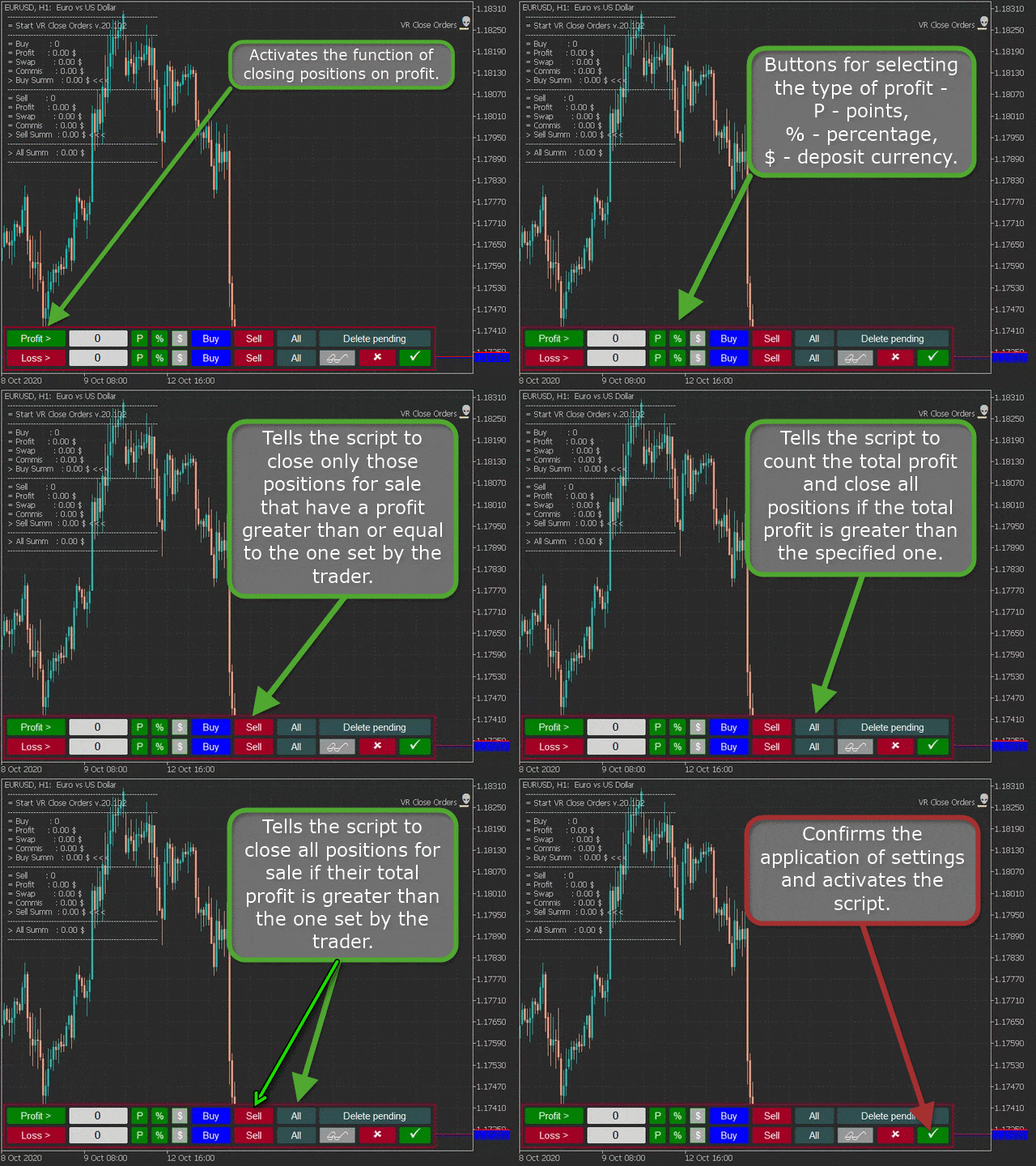
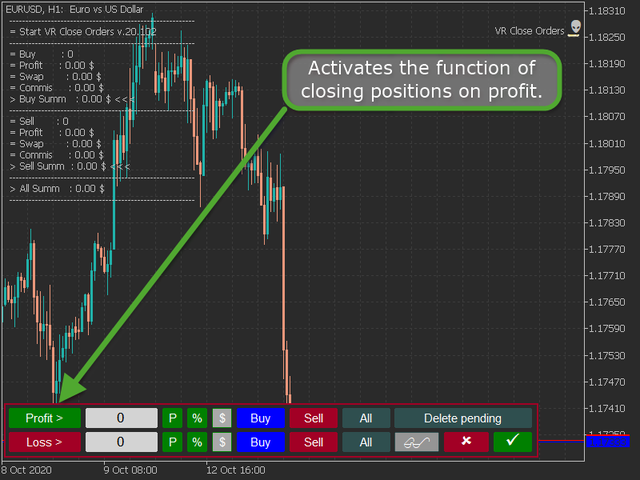
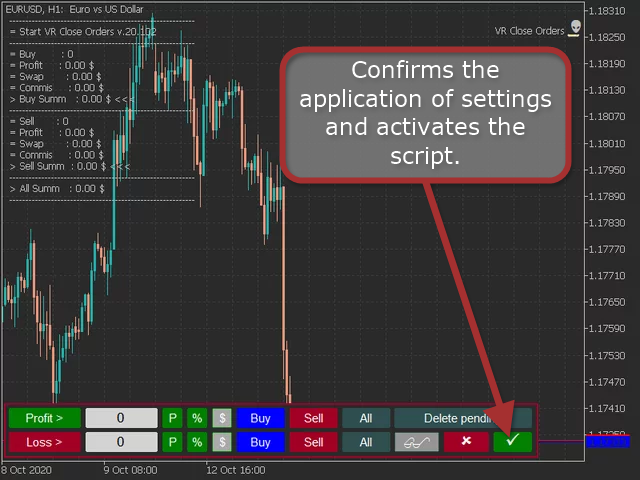
- Profit button - activates the function of closing positions on profit.
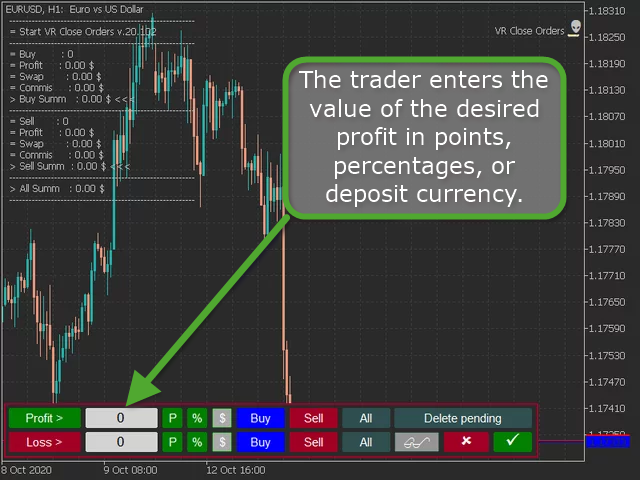
- Input field - the trader enters the value of the desired profit in points, percentages, or deposit currency.
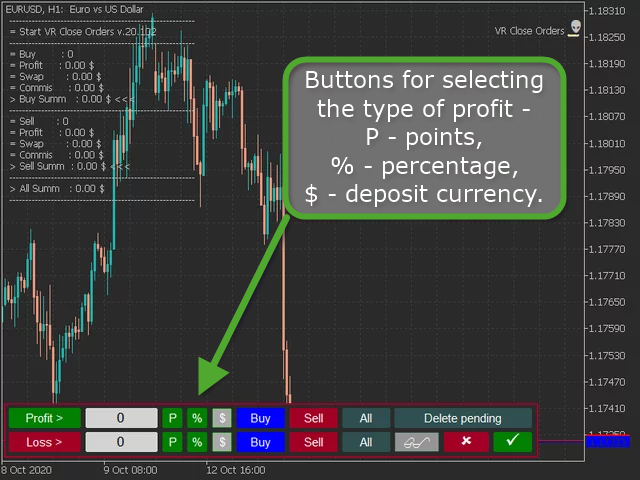
- Buttons for selecting the type of profit - P - points, % - percentage, $ - deposit currency.
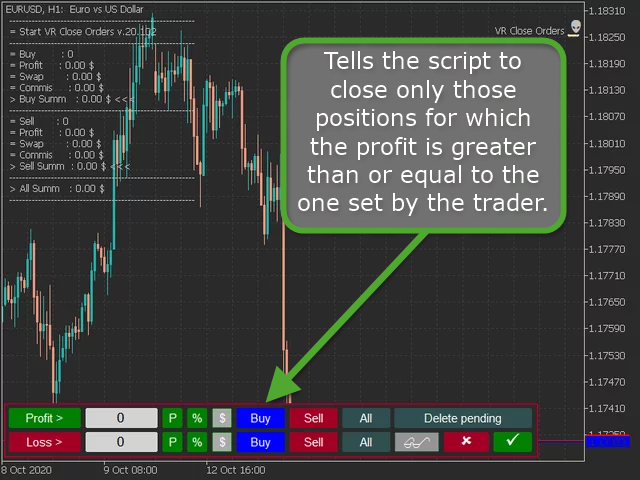
- Buy button - tells the script to close only those positions for which the profit is greater than or equal to the one set by the trader.
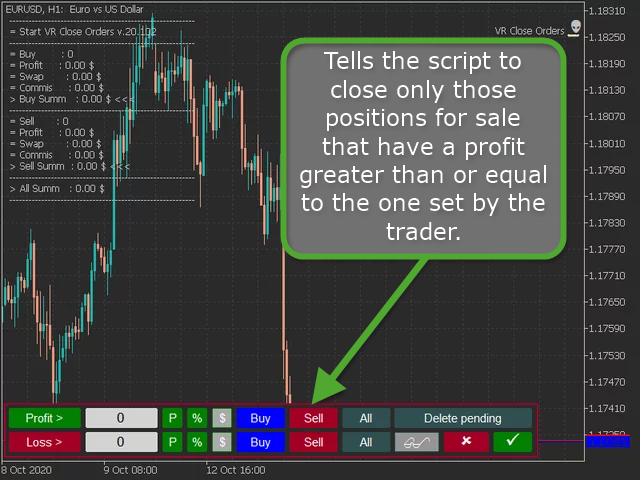
- Sell button - tells the script to close only those positions for sale that have a profit greater than or equal to the one set by the trader.
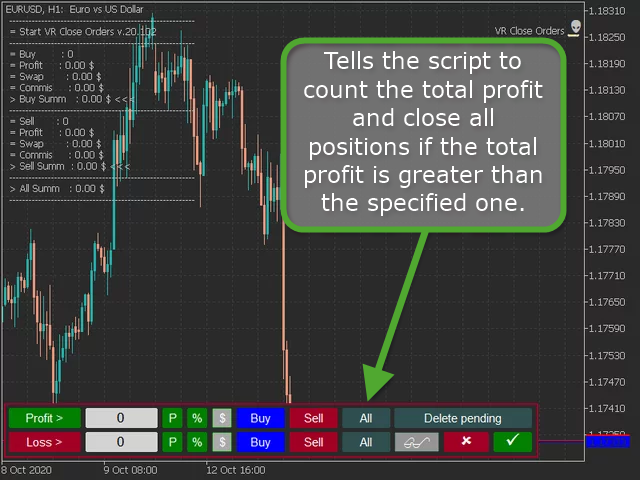
- All button - tells the script to count the total profit and close all positions if the total profit is greater than the specified one.
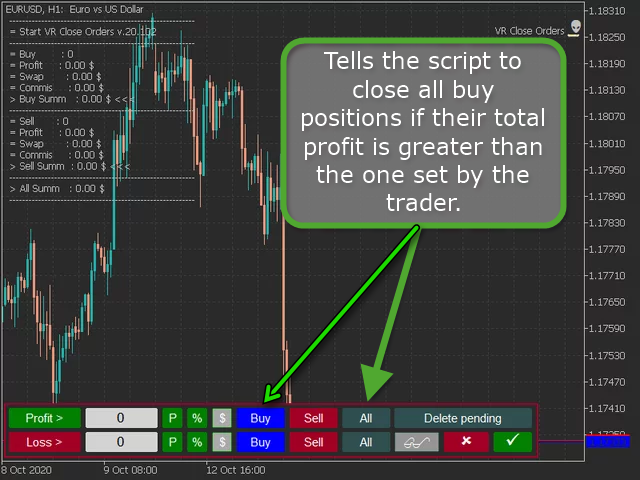
- Buy + All buttons - tells the script to close all buy positions if their total profit is greater than the one set by the trader.
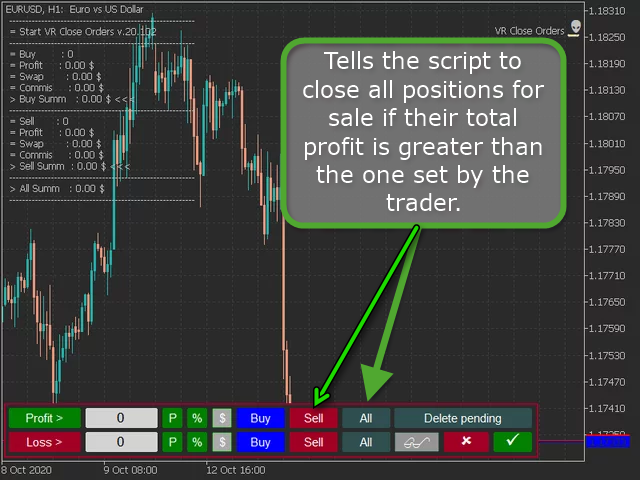
- The Sell + All buttons - tells the script to close all positions for sale if their total profit is greater than the one set by the trader.
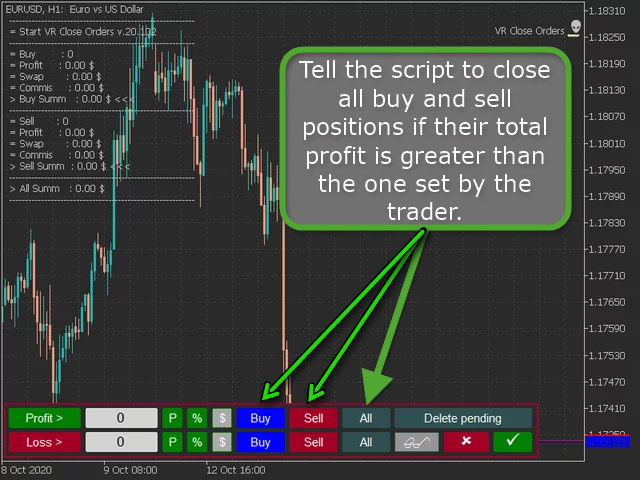
- The Buy + Sell + All - tell the script to close all buy and sell positions if their total profit is greater than the one set by the trader.
- Check Mark button - confirms the application of settings and activates the script.
Important note for the Buy + Sell + All mode - if the amount of lots for buying and selling is the same, this mode will not work. It is because the same volume of lots to buy and the same volume of lots to sell make it impossible to make a profit or loss, since all positions are fully locked.
Closing a loss position.
- It works the same way as closing a profit position, only the loss value is specified in the input field.
Additional buttons and capabilities of VR Close Orders.
- The Delete Pending button - indicates to the script an additional action, after closing all market positions, to delete pending orders if there are no market positions.
- Push button - tells the script to send a message to the smartphone about the script completion.
- Goggles button - Displays information about current And closed positions.
- Check Mark button - confirms the application of settings and activates the script.
Additional material:
- VR Close Orders MT4 - https://www.mql5.com/en/market/product/21854/
- VR Close Orders MT5 - https://www.mql5.com/en/market/product/30433
- Blog EN - https://www.mql5.com/en/blogs/post/740227









































































Perfect combination with "VR Smart Grid"..