Gold MACD Fib
- 专家
-
David Kasimilu Nkepe
 I am an algorithmic systems developer specializing in automated trading solutions, quantitative execution logic, and automated risk control frameworks for MetaTrader 5.
MY DEVELOPMENT PHILOSOPHY - 版本: 5.0
- 激活: 20
Gold MACD Fibonacci EA is a quantitative, automated trading system engineered specifically for the intraday volatility of XAUUSD (Gold).
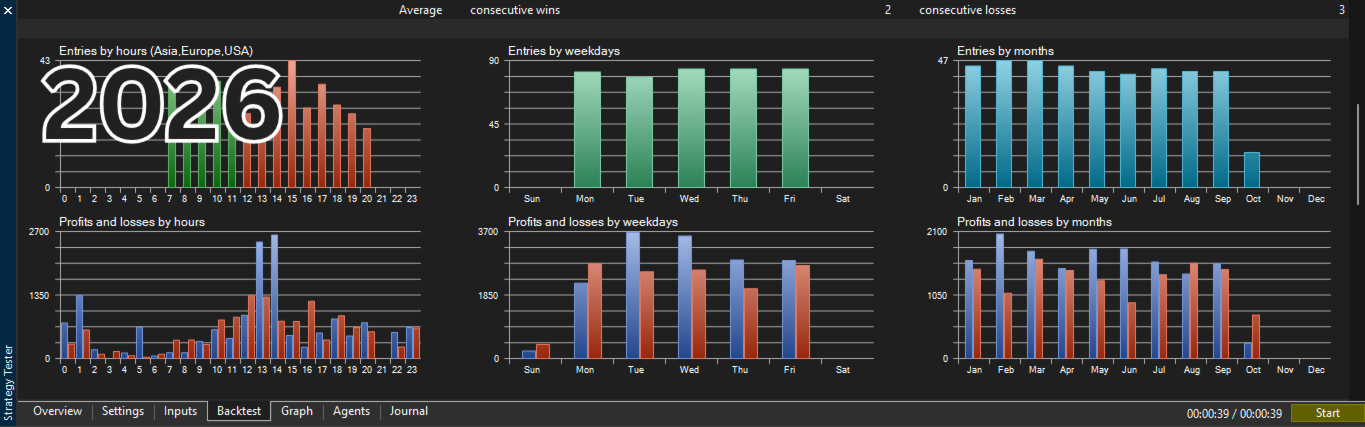
Risk management is built around institutional discipline: it features a 1-trade maximum concurrency rule, an automated MT5 Economic Calendar red-news shield, and a capped Fibonacci recovery lot-sizing model designed to recover drawdowns without destructive martingale doubling.
Key Features & Execution Model
- Multi-Timeframe Momentum Confluence: Enters on verified MACD crossovers only when backed by Higher Timeframe EMA trend direction.
- Candle-Close Precision: Evaluates signals once per bar close, completely eliminating intra-bar noise and repainting.
- Native MT5 News Filter: Automatically pauses trading around high-impact USD economic events using the terminal's built-in calendar.
- Controlled Fibonacci Sizing: Advances volume using a capped Fibonacci sequence (1, 1, 2, 3...) upon consecutive losses, immediately resetting to base lots on any profitable close.
- Hard Protection: Every single order is submitted with an immediate Stop Loss and Take Profit.
- Custom On-Chart Dashboard: Displays real-time server time, account metrics, open lot exposure, floating PnL, realized profit, and engine status directly on the chart.
Recommended Settings
- Symbol: XAUUSD (Gold)
- Timeframe: M15
- HTF Trend Filter: M30 (EMA 50)
- Account Type: ECN / Raw Spread / Low Commission
- Minimum Balance: $100 (Cent/Micro) or $1,000+ (Standard)
- Account Architecture: Compatible with both Hedging and Netting
Core Input Parameters
[ Risk & Recovery ]
- InpInitialLot: Starting base volume (Default: 0.02)
- InpStopLossPts: Stop Loss in points (Default: 1500 = $15 on Gold)
- InpTakeProfitPts: Take Profit in points (Default: 3000 = $30 on Gold)
- InpMaxFibStep: Maximum step index for Fibonacci progression
[ Operating Window ]
- InpStartHour / InpEndHour: Active trading hours based on server time to avoid wide rollover spreads
[ Economic Calendar Filter ]
- InpUseNewsFilter: Enable or disable the macro red-news blocker
- InpNewsCurrency: Currency to monitor (Default: USD)
- InpNewsMinsBefore / InpNewsMinsAfter: Buffer window around high-impact events
[ Trend & MACD Filters ]
- InpTradeTimeframe: Signal timeframe (Default: M15)
- InpUseHTFEMAFilter: Enable higher timeframe EMA trend gate
- InpHTFTimeframe: Macro trend timeframe (Default: M30)
- InpUseZeroLineFilter: Require crossovers to occur near/favorable to the MACD zero line
Quick Installation
1. Attach the EA to an active XAUUSD M15 chart.
2. Enable "Allow Algo Trading" in your MT5 terminal settings.
3. Verify your broker's server time matches your desired operating window.
4. Ensure platform calendar data is enabled for the automated news filter.