Avinex Copilot Trade Assistant
- 专家
-
Alireza Ghanatabadi
 Avinex Capital is an algorithmic trading development studio focused on Python, MQL5, MetaTrader automation and financial-market infrastructure.
 - 版本: 1.0
- 激活: 10
# 🔥 AVINEX COPILOT EA - Professional Trade Assistant & Risk Copilot (v1.00)
Welcome to Avinex Copilot EA – the ultimate trading companion designed for MetaTrader 5!
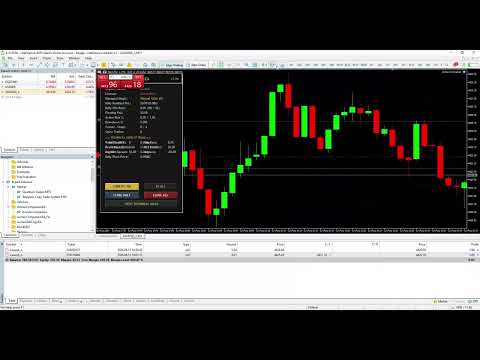
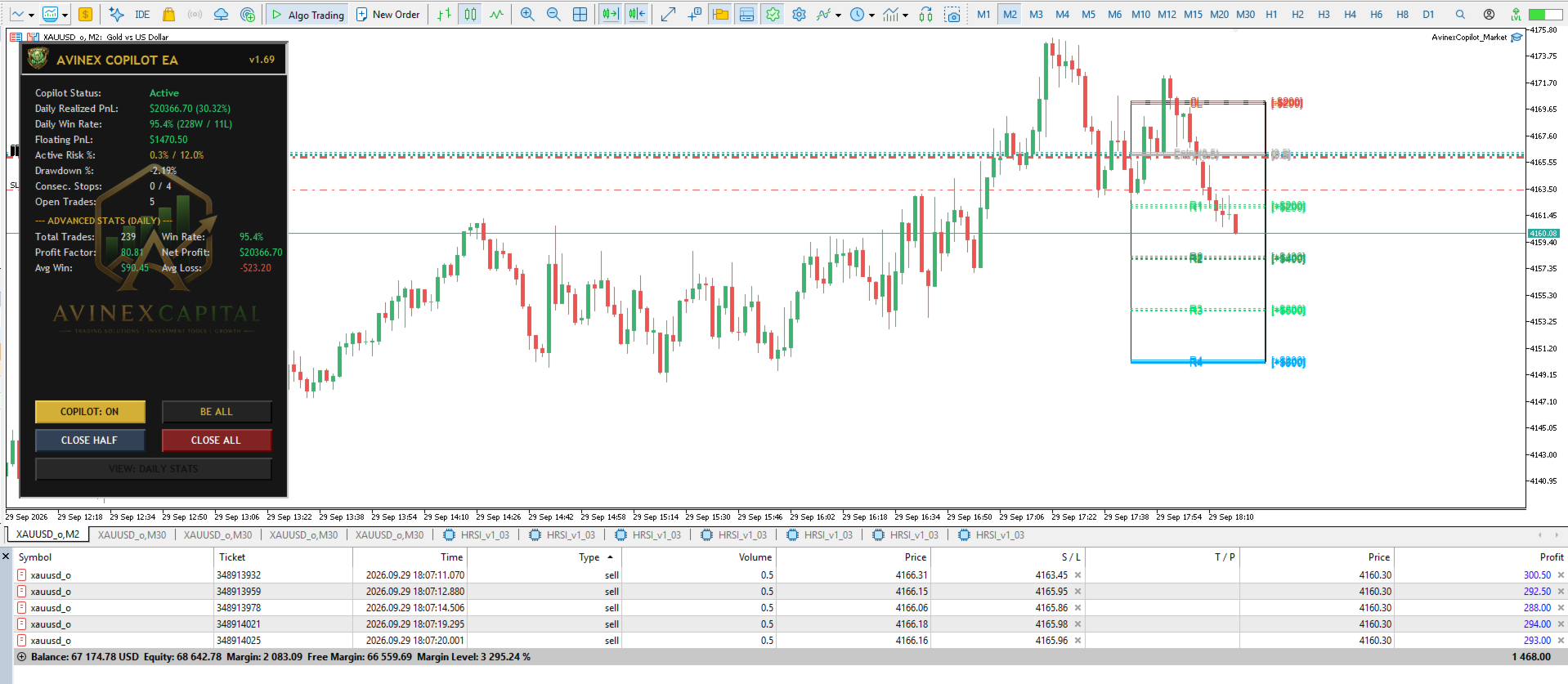
Stop wasting precious seconds calculating lot sizes or stressing over manual trade management. Avinex Copilot transforms your MT5 chart into an institutional trading workspace with TradingView-style visual R:R boxes, automated 4-tier target scaling, and built-in Prop Firm protection.
======================================================================
🌟 WHY TRADERS CHOOSE AVINEX COPILOT?
======================================================================
✓ Instant Position Sizing: Calculate exact lot sizes based on Risk % or Cash Amount in milliseconds.
✓ TradingView-Style Visual R:R: Interactive chart lines showing live $ Profit and % Risk on your screen.
✓ Automated 4-Tier Partial Close: Set up to 4 take-profit targets with automated Breakeven and Step-Lock SL.
✓ Prop Firm Guardian: Enforce Daily Max Drawdown % and Consecutive Loss limits to protect your challenges.
✓ Multi-Asset Compatibility: Built for Forex, Gold (XAUUSD), Indices (US30, NAS100), Commodities & Crypto.
======================================================================
📌 COMPLETE INPUT PARAMETERS DIRECTORY & TECHNICAL MANUAL
======================================================================
--- 1. === Copilot General Settings === ---
• Allow Auto Management (BE, Partials, Trailing) [Default: true]
- TRUE: Enables automated order modifications (moving SL to Breakeven, executing partial closes at R1-R4, and trailing stop).
- FALSE: EA acts ONLY as a visual chart indicator without modifying any open orders.
• Magic Number to Manage (0=Manual, -1=All, >0 Specific) [Default: 0]
- 0: Manages manual trades opened directly by the trader (Magic = 0).
- -1: Manages ALL open positions on the symbol regardless of Magic Number.
- >0: Manages only trades opened by a specific EA with that exact Magic Number.
• Manage trades already open before EA launch [Default: true]
- TRUE: Scans and manages trades that were already open BEFORE attaching the EA.
- FALSE: Only manages new trades opened AFTER the EA is attached.
• Auto-Set SL if position has none [Default: true]
- Applies fallback SL (defined in "Default SL in pips") if a position is opened without SL.
• No initial SL (Set physical SL at BE) / Virtual SL Mode [Default: true]
- TRUE (Virtual SL): Initial SL is tracked locally via live market ticks (hidden from broker). Once Target 1 triggers Breakeven, a physical SL is placed on the broker server.
- ⚠️ CRITICAL WARNING: Virtual SL requires MT5 to remain OPEN and CONNECTED to the internet! If MT5 is closed, initial trade has no broker-side SL until BE. Set to FALSE if you require an immediate physical broker SL.
• Default SL in pips (Fallback) [Default: 40.0]
- Fallback SL distance in pips used when Auto-Set SL is enabled.
• Auto-Set TP if position has none [Default: false]
- Automatically sets a fallback physical TP if a trade is opened without one.
• Default TP in pips (Fallback) [Default: 0.0]
- Fallback TP distance in pips (0.0 = disabled).
--- 2. === Technical Copilot Ideas === ---
• Enable Tech Copilot on Chart (EMA, ATR, Trend) [Default: true]
- Toggles visual indicators (Trend EMA, Volatility ATR, Spread) on the chart panel.
• Trend EMA Period [Default: 200]
- Period for the Trend EMA indicator line.
• Volatility ATR Period [Default: 14]
- Period for the ATR volatility calculation.
--- 3. === Risk & Money Management === ---
• Enable Account Safety Guard (Daily Loss & Drawdown Limits) [Default: false]
- Master switch for account safety limits. MUST be TRUE for Daily Loss Limit, Max Drawdown %, and Max Consecutive Stops to take effect.
• Risk Preset Mode [Default: [1] Custom / Manual]
- Select preset risk modes or manual table input below (Custom, Smart BE 1%, Conservative 0.5%, Balanced 1.0%, Aggressive 2.0%).
• Risk % per trade [Default: 1.0]
- Percentage of account balance risked per trade for lot calculation.
• Daily Max Loss Limit (%) [Default: 3.0]
- Maximum allowed daily loss percentage. Halts trading for the day if breached.
• Daily Profit Target (%) [Default: 20.0]
- Daily profit target percentage. Halts trading for the day when reached to lock profits.
• Max Consecutive Stops Allowed [Default: 4]
- Maximum consecutive losing trades allowed before halting trading to prevent revenge trading.
• Max Drawdown % Allowed [Default: 12.0]
- Maximum allowed peak-to-trough account drawdown percentage.
• Max Concurrent Open Trades [Default: 2]
- Maximum simultaneous open positions allowed on the current account.
• Close all positions on daily risk breach [Default: false]
- TRUE: IMMEDIATELY CLOSES ALL OPEN POSITIONS when daily risk/drawdown limit is hit.
- FALSE: Halts new trading but leaves existing open trades managed.
--- 4. === Breakeven & Partials (Auto Management) === ---
• Breakeven Offset (in pips) [Default: 2.0]
- Additional pips added above BUY entry (or below SELL entry) when moving SL to Breakeven to cover broker spread and commissions.
--- 5. === Auto Management - Target Levels 1 to 4 === ---
• Target 1 (Reward R-Unit) [Default: 1.0] -> R-Multiple target (1.0 = 1x SL distance).
• Target 1: Close Vol % (0 to disable) [Default: 50.0] -> % of initial lot size to close at Target 1 (0.0 = disable).
• Target 1: Set BE (Risk-Free) [Default: true] -> Move SL to Breakeven when Target 1 is hit.
(Target 2: 2.0R / 30% Vol / BE: false)
(Target 3: 3.0R / 20% Vol / BE: false)
(Target 4: 4.0R / 0.0% Vol / BE: false)
--- 6. === Trailing Stop Settings === ---
• Enable Trailing Stop [Default: true] -> Toggles R-Unit based Trailing Stop.
• Trailing Start (R-Unit) [Default: 1.5] -> Reward level in R-units required to activate trailing.
• Trailing Distance (R-Unit) [Default: 0.8] -> Trailing distance maintained behind current price.
--- 7. === Prop Firm & Safety Settings === ---
• Max Daily Trades [Default: 10] -> Max number of trades allowed per day.
• Allowed Hours (e.g. 08:00-20:00) [Default: 00:00-24:00] -> Server time trading window.
• Weekend Close (Friday Close All) [Default: false] -> Automatically closes all open positions on Friday before weekend close.
• Weekend Close Hour (Friday Server Hour) [Default: 21] -> Server hour on Friday to execute weekend closure.
--- 8. === Visualization Settings === ---
• Show TV Projection Box on Chart [Default: true]
• Fill TV Projection Boxes Background [Default: false]
• Show Exact Price Level on Lines (@ Price) [Default: false]
• Show Pip Distance (+20.0 p) [Default: false]
• Show Dollar Profit/Loss Amount (+$40.0) [Default: true]
• Show Account Risk/Reward % (+1.0%) [Default: true]
======================================================================
📚 NEED COMPLETE MANUAL & PERSONALIZED SETUP SUPPORT?
======================================================================
If you need extended video/PDF guides, personalized configuration advice, or technical assistance, please send a direct message (DM) to the author on MQL5. We are dedicated to helping you set up your perfect risk management system!
======================================================================
⚖️ LEGAL RISK DISCLAIMER
======================================================================
Avinex Copilot EA is a manual trade execution assistant and risk calculation tool. It DOES NOT provide automated trading signals or guaranteed financial returns. Users are 100% responsible for their input settings, internet connectivity (especially when using Virtual SL), and trading parameters. The author accepts no liability for trading losses, broker execution delays, or improper user configuration.