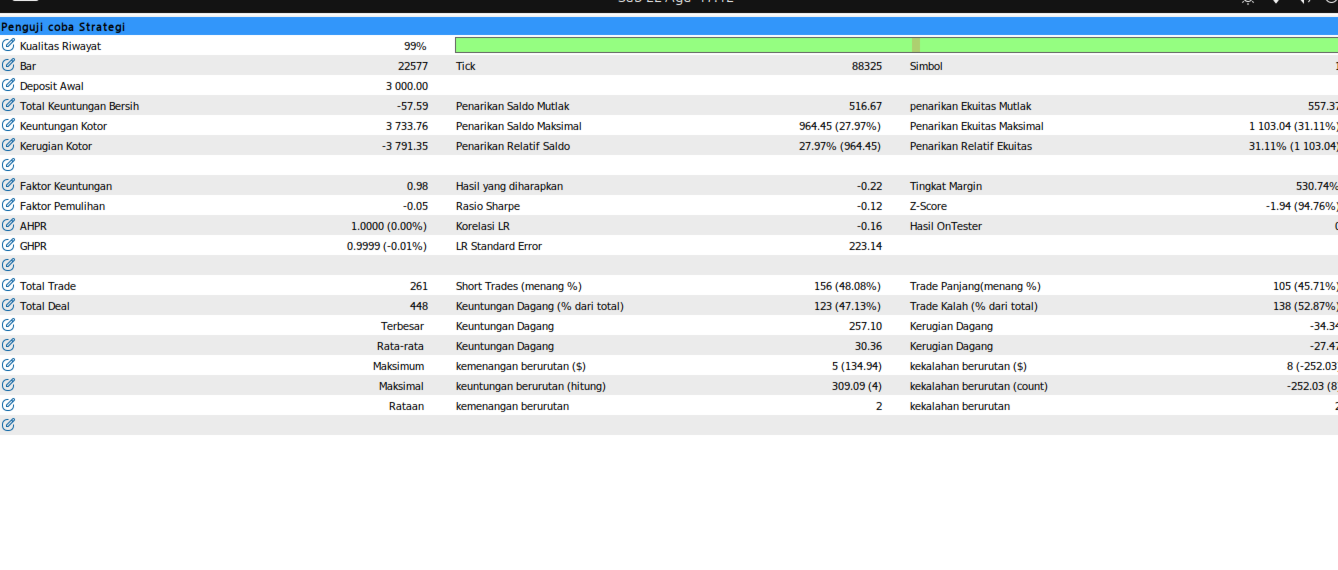
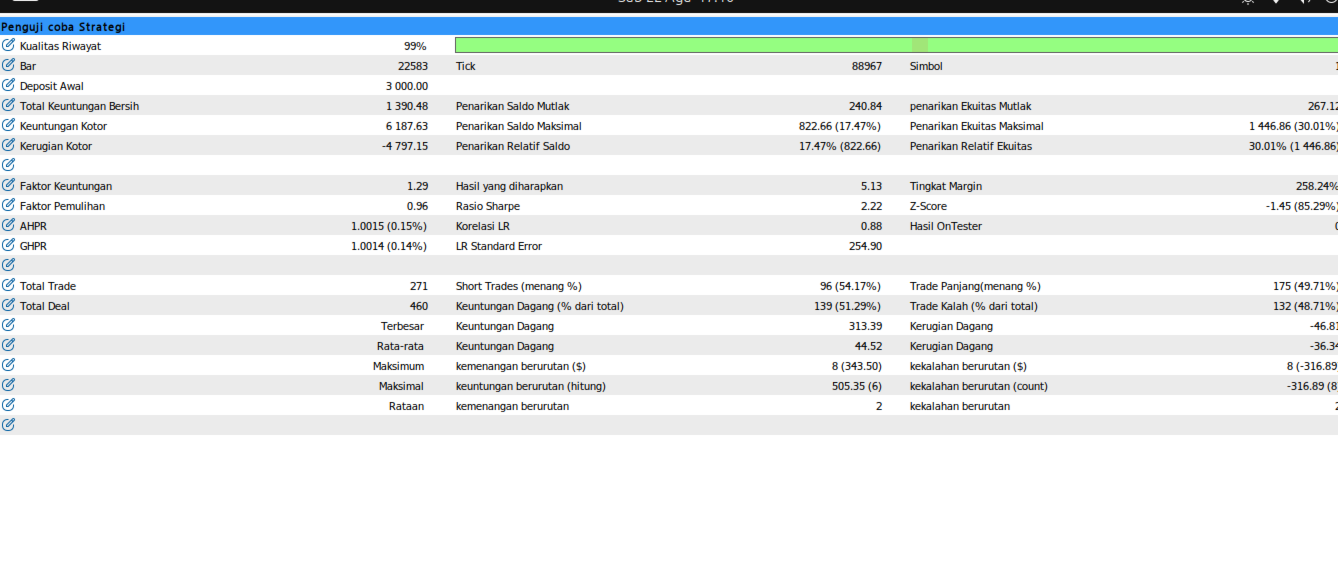
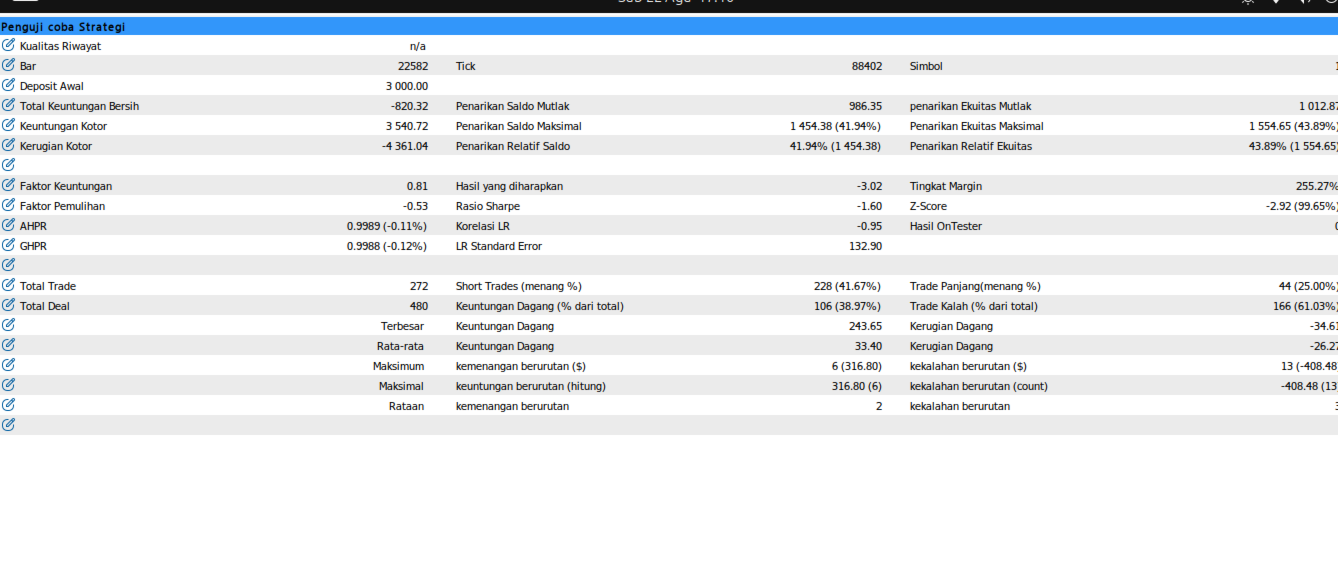
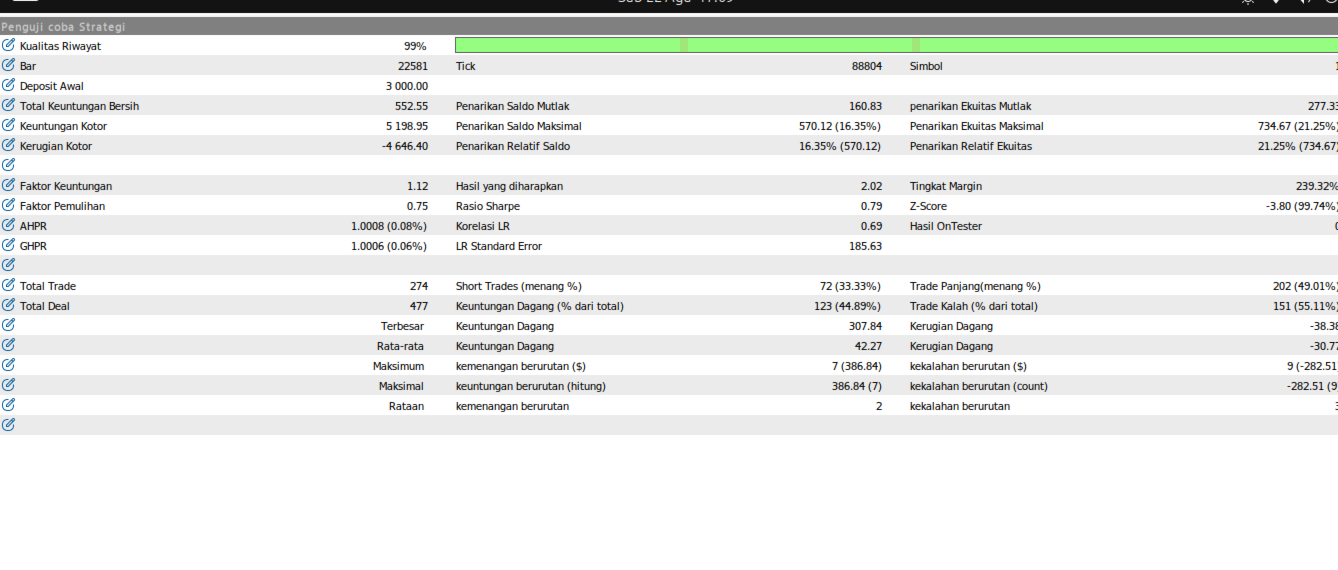
SmartRSI Trader
- 专家
- 版本: 1.2
- 激活: 5

Full Description
Overview
SmartRSI Trader is a disciplined, rule-based Expert Advisor for MetaTrader 5 that combines multi-timeframe trend filtering with a precision RSI momentum trigger. Rather than chasing price, it waits for the market to align across timeframes before placing a pending order at a key structural level — then protects profits automatically through a staged trailing stop and partial take-profit system.
No grid. No martingale. No averaging down. Every trade has a defined stop loss from the moment it opens.
How It Works
The EA evaluates the market on every closed H1 candle using a three-step logic:
Step 1 — Trend Bias (Daily) The EA reads the EMA 50 and EMA 200 on the D1 timeframe. If EMA 50 is above EMA 200, the bias is bullish. If below, the bias is bearish. Only trades in the direction of this bias are taken.
Step 2 — RSI Momentum Trigger (H1) Once a bias is established, the EA waits for the RSI (14) on H1 to cross back from oversold (< 30) for buy signals, or from overbought (> 70) for sell signals. This cross confirms that short-term momentum is realigning with the higher-timeframe trend — a high-probability confluence.
Step 3 — Structural Entry via Swing Level When both conditions are met, the EA identifies the recent swing low (for buys) or swing high (for sells) over the last N candles on H1, and places a pending limit or stop order at that level. Stop Loss is set below/above the swing point with an ATR-based buffer. The pending order automatically expires after 48 hours if not filled.
Trade Management
Once a position is open, the EA manages it fully automatically:
- Partial Take-Profit at 1R — When the trade reaches 1× the initial risk in profit (1R), the EA closes 20% of the position to lock in early gains and reduce exposure. This fraction is adjustable.
- Stepped Trailing Stop — Starting from 2R profit, the trailing stop advances in 1R increments: at 2R peak it moves to breakeven, at 3R to +1R, at 4R to +2R, and so on. This lets winners run while protecting accumulated profit.
- Risk-Based Position Sizing — Lot size is calculated automatically based on a fixed percentage of account balance and the actual SL distance in price. You define the risk; the EA sizes the position accordingly.
Key Features
| Feature | Detail |
|---|---|
| Timeframe (chart) | H1 |
| Bias filter | EMA 50 / EMA 200 — Daily |
| Entry trigger | RSI 14 cross — H1 |
| Entry type | Pending order (limit or stop) at swing level |
| Stop Loss | ATR-based buffer below/above swing point |
| Take Profit | No fixed TP — managed via trailing SL |
| Partial close | 20% at 1R (configurable) |
| Trailing SL | Stepped, starts at 2R peak |
| Pending expiry | 48 hours (configurable) |
| Position sizing | % risk of balance per trade |
| Multi-symbol | Yes — attach one EA per chart |
| Martingale/Grid | ❌ None |
Input Parameters
Bias & Trigger
- EMA_Fast_D1 — Fast EMA period on D1 (default: 50)
- EMA_Slow_D1 — Slow EMA period on D1 (default: 200)
- RSI_Period — RSI period on H1 (default: 14)
- RSI_Oversold — RSI oversold threshold for buy trigger (default: 30)
- RSI_Overbought — RSI overbought threshold for sell trigger (default: 70)
Entry & Stop Loss
- Swing_Lookback — Number of H1 candles to look back for swing high/low (default: 10)
- ATR_Period — ATR period for SL buffer (default: 14)
- ATR_SL_Mult — SL buffer = ATR × this multiplier (default: 0.5)
- Expiry_Hours — Pending order expiry in hours (default: 48)
Risk & Trade Management
- Risk_Percent — Risk per trade as % of account balance (default: 1.0)
- Partial_Trigger_R — Profit level (in R) to trigger partial close (default: 1.0)
- Partial_Fraction — Fraction of position to close at partial TP (default: 0.2 = 20%)
- Magic_Number — Unique identifier for this EA's orders (default: 80081)
Recommended Usage
- Symbols: Works on any liquid symbol — Forex majors, Gold (XAUUSD), indices
- Timeframe: Attach to H1 chart only
- Account type: ECN/STP with low spread preferred
- Minimum balance: Depends on broker's minimum lot size and your chosen risk %
- Hedging mode: Supported (MetaTrader 5 hedging accounts)
Important Notes
⚠️ Trading involves significant risk of loss. Past performance — whether in backtesting or live trading — is not indicative of future results. Use this EA only after thorough testing on a demo account. Never risk money you cannot afford to lose.
The EA does not set a fixed Take Profit level. Exits are managed entirely by the trailing stop system. Ensure your broker allows pending orders without mandatory TP, or adjust accordingly.
For best results, run the EA on a VPS (Virtual Private Server) to ensure 24/5 operation without interruption.
FAQ
Q: Does it work on MT4? A: No. This EA is developed exclusively for MetaTrader 5 (MQL5).
Q: Can I run it on multiple pairs at the same time? A: Yes. Attach the EA to one H1 chart per symbol. Each instance operates independently. Make sure to use different Magic Numbers if you run multiple strategies on the same account.
Q: Does it open multiple trades at once? A: No. The EA manages one trade (or one pending order) per symbol at a time. A new signal is only checked when there is no open position or pending order for that symbol.
Q: What happens if MetaTrader is restarted while a trade is open? A: The EA will reconnect and continue managing the open position. Peak profit tracking uses persistent GlobalVariables to survive terminal restarts.
Q: Is a VPS required? A: Not strictly required, but strongly recommended. If your terminal is offline, the EA cannot manage trailing stops or detect partial TP triggers.
SmartRSI Trader — Trade with the trend. Enter at structure. Let the market do the rest.