Max daily Loss Guard

FTMO Max Daily Loss Guard is a simple MetaTrader 5 Expert Advisor designed to monitor the net profit and loss of all open positions. It checks the account every few seconds and automatically closes all open positions when the current net loss exceeds the defined daily loss limit minus the safety buffer.



The EA is built to help traders protect their capital, reduce risk and stay within strict risk-management rules such as the FTMO Max Daily Loss limit.
推荐产品
Pump Liquidity Refueling
Konstantin Meshcheriakov
PUMP V3_0 Liquidity Refueling — Refueling Your BalanceWhat is "Liquidity Refueling"? Think of the Forex market as a highway and liquidity as the fuel.  When institutional players "pour" massive volume into the market, the price makes a sharp surge — an impulse or a "pump."  The PUMP V3_0 EA acts as a smart fueling station: it identifies moments of maximum market energy and "pumps" that momentum directly into your trading account.   Performance Metrics (Strategy Tester Data):Net Profit "Pumped"
FREE
Gap Catcher
Mikita Kurnevich
5 (5)
Read more about my products Gap Cather - is a fully automated trading algorithm based on the GAP (price gap) trading strategy. This phenomenon does not occur often, but on some currency pairs, such as AUDNZD, it happens more often than others. The strategy is based on the GAP pullback pattern. Recommendations:  AUDNZD  TF M1  leverage 1:100 or higher  minimum deposit 10 USD Parameters:  MinDistancePoints - minimum height of GAP  PercentProfit - percentage of profit relative to GAP level
FREE
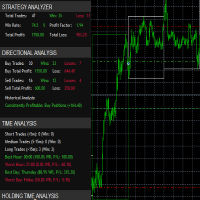
it's a fully built expert advisor with trading functionality with buy only or sell only or both options it's designed to be a tool that can be used for automate entry and exit in line with the overall Market Direction automatic  risk management parameters fully  comprehensive STRATEGY ANALYZER Section Total Trades: Shows the overall number of trades taken Win Rate: Displays percentage of winning trades (color-coded green if >50%, red if <50%) Total Profit/Loss: Shows absolute profit and loss v
FREE
Closer of all Trades
Andre Philipp Hollenbach
I’m sharing this EA here for free to support the trading community. I hope it’s helpful, and don’t hesitate to reach out if you have any questions or feedback! Closes all Trades with click on a button. This button will appear on the right bottom side of the chart.  When you remove the utility, the button will also dissappear. It closes all trades, no matter if Sell, Buy, the Symbol, if in profit or loss. One Click - and you solve it all. Especially made for demo and testing purposes. Use it wi
FREE
SignalXpert
Steve Rosenstock
5 (4)
点击此处查看我所有免费产品 SignalXpert 是我专为使用 RangeXpert 指标的交易者开发的一款强大的分析工具。 RangeXpert 作为系统的基础,可精确识别市场区域并提供数据, SignalXpert 会对这些数据进行实时分析,从而生成清晰且可执行的交易信号。 这使得系统能够在不同周期中同时监控多达 25 个不同的资产 ,并实时捕捉最重要的市场变化。得益于集成的提醒功能, 可以通过 alert、push 或 email 发送通知 ,确保你不会再错过任何交易机会。安装在 MetaTrader VPS 上后, SignalXpert 可 24/7 全天候运行,为你提供可靠的信号监控。无论你是在规划进场还是出场, SignalXpert 都能为你提供快速而精准的支持,帮助你在波动的市场中自信交易。 规格 与 RangeXpert 无缝集成 - 使用其数据对市场区域和区间进行实时分析。 同时监控多达 25 个资产 - 非常适合多资产和多周期分析。 兼容所有主要市场 - 外汇、货币、金属、股票和指数。 实时信号检测 - 自动识别突破、区间切换和趋势区域。 实时通知 -
FREE
Gold spring
Alexey Viktorov
Описание стратегии: Набор торгуемых валютных пар: GBPUSD, GBPAUD, GBPCAD, GBPJPY, EURUSD, EURGBP, EURAUD, EURCAD, EURJPY, AUDUSD, AUDNZD, AUDCAD, AUDJPY, NZDUSD, NZDCAD, USDCAD, USDJPY В момент открытия рынка после выходных, определяется на каких парах из списка цена прошла от открытия до закрытия недельной свечи более 2000 пунктов и открываем позицию в противоход недельному движению с целью забрать откат в 500 пунктов. Стоп не ставится.     Если цена пошла против позиции, то через каждые 200
FREE
Kefren Nemesis
Sergio Villar Leon
KEFREN NEMESIS MT5 – 黄金 XAUUSD 突破 EA Kefren Nemesis 是一款适用于 MetaTrader 5 的全自动黄金 EA(XAUUSD),专注于突破交易。它在市场结构的关键位置挂出挂单,只有当价格真正突破时才会入场,每笔交易都设有止损和止盈。无马丁格尔,无网格,不摊平亏损。 由 Kefren Systems 开发,Kefren Bot Gold 的开发团队,采用与我们实盘 XAUUSD 投资组合相同的交易引擎。 对 Kefren Nemesis 有任何疑问? 如果您对其运作方式、参数设置或在策略测试器中的测试有任何问题,欢迎通过我的 MQL5 个人主页 直接联系我 。 正在寻找 多策略黄金 EA ?请了解 Kefren Corvus 。 Kefren 奖励: 在市场中留下您的评价,并给我发送私信, 即可免费获得一款我们的付费指标 。 这款黄金交易机器人如何运作 Kefren Nemesis 识别价格结构中的关键突破位,并在其外侧挂出 Buy Stop 或 Sell Stop 挂单。如果在设定时间内未发生突破,挂单将自动取消,因此系统从不追逐价
FREE
Title:   Smart Position Manager PRO - Advanced Risk & Position Manager Description: Smart Position Manager PRO is an all-in-one visual trade management and risk calculation tool designed for serious traders who prioritize iron discipline and strict risk management. Whether you are executing precise SMC or ICT setups on personal capital or managing large funded accounts on strict prop firms, this tool ensures you focus on counting percentages rather than emotional money swings. With a highly int
FREE
SimpleTrade by Gioeste
Giovanni Scelzi
4 (3)
Discover the power of automated trading with **SimpleTradeGioeste**, an Expert Advisor (EA) designed to optimize your trading operations in the Forex market. This innovative EA combines advanced trading strategies with proven technical indicators, offering an unparalleled trading experience. video backtest :  https://youtu.be/OPqqIbu8d3k?si=xkMX6vwOdfmfsE-A ****Strengths**** - **Multi-Indicator Strategy**: SimpleTradeGioeste employs an integrated approach that combines four main technical ind
FREE
This EA trades daily breakouts placing bidirectional pending orders using the last day's trading range -or using market orders, as desired-, provided these price levels have not been yet tested. It offers many trading behaviors and flexible position management settings, plus a martingale and inverse martingale mode. [ Installation Guide | Update Guide | Troubleshooting | FAQ | All Products  |  Get Help ] Easy to use and supervise Customizable break-even, SL, TP and trailing-stop Works for ECN
FREE
EA Zone Recovery Assistant เป็น EA ที่ช่วยเปิดออเดอร์ Recovery ตามระดับราคาที่ผู้ใช้กำหนดได้อัตโนมัติ //โดยหลักการทำงานมีดังนี้// เมื่อผู้ใช้เปิดออเดอร์ Buy หรือ Sell (Market Order) EA จะตรวจสอบจุด SL ภายในเวลาที่กำหนดในตัวแปร Input Delay Check for setting Price Recovery ถ้าผู้ใช้วาง SL วางภายในเวลาที่กำหนด ระบบจะลบ SL ออกแล้วใช้จุดที่วาง SL เปิดออเดอร์ Recovery เมื่อกราฟวิ่งผิดทางถึงจุดที่กำหนด //แต่ถ้าผู้ใช้ไม่วาง SL ภายในเวลาที่กำหนดระบบจะไม่มีการทำ Recovery ในออเดอร์นั้นแม้ผู้ใช้มีการวาง SL
FREE
介绍适用于 MT5 的 NAS100 Auto SL 和 TP Maker: 有了我们的 NAS100 Auto SL 和 TP Maker,再也不会错过止损和止盈的设置,这是交易者在 MetaTrader 5 上浏览纳斯达克 100 市场时不可或缺的助手。该工具专为寻求自动管理止损和止盈水平的无缝解决方案的用户而设计。 主要功能 轻松实现自动化: 自动监控无止损和/或止盈的纳斯达克 100 指数交易。 根据用户配置设置动态调整水平。 订单类型的多样性: 兼容纳斯达克 100 指数的市价订单和挂单。 支持 MetaTrader 5 中的各种订单类型。 定制配置: 用户友好的参数设置允许自定义跟踪偏好和止损/止盈水平。 范围灵活: 可选择为其运行的特定 NAS100 工具或所有交易工具设置止损和止盈。 快速执行: 确保快速设置所需的 StopLoss 和/或 TakeProfit 值,无需等待新的 tick 即可迅速响应。 MetaTrader 5 兼容性: 与 MetaTrader 5 中的所有订单类型兼容,实现无缝集成。 使用 NAS100 Auto SL 和 TP Maker
FREE
Brent Trend Bot
Maksim Kononenko
4.5 (16)
The Brent Trend Bot special feature is simple basic tools and logic of operation. There are no many strategies and dozens of settings, like other EAs, it works according to one algorithm. The operating principle is a trend-following strategy with an attempt to get the maximum profitability adjusted for risk. Therefore, it can be recommended for beginners. Its strong point is the principle of closing transactions. Its goal is not to chase profits, but to minimize the number of unprofitable trans
FREE
Quick Scale Trading Panel FREE Quick Scale Trading Panel FREE is a manual trading utility for MetaTrader 5 designed to simplify order execution and position sizing directly from the chart. The panel allows traders to open and manage trades using predefined lot multipliers, reducing the need for manual calculations during fast market conditions. Users can define a base lot size and execute trades using multiplier buttons (1x, 2x, 4x, 8x). This helps maintain consistent position sizing and improv
FREE
Golden Square X
Huynh Tan Linh N
4.18 (11)
This is my latest Free version for Gold. With optimized parameters and user-friendly features, this version is likely very easy to use and highly effective. You can customize TP and SL parameters as you wish, but the default settings should work well for you without the need for further adjustments.  This version is designed for the M5. This version does not require a large capital investment; only $100-$200 is sufficient for Golden Square X to run and generate profits for you. Based on backtest
FREE
Gold Adaptive EA MT5 is an automated Expert Advisor for MetaTrader 5 designed for trading Gold (XAUUSD). The EA uses several internal trading models and market filters to adapt to different phases of Gold price movement. Instead of relying on one fixed entry pattern, Gold Adaptive EA MT5 analyzes market behavior and selects suitable logic for trend continuation, impulse moves, pullbacks and selected recovery conditions. The main goal of the Expert Advisor is to provide a structured Gold tradi
FREE
PZ Goldfinch Scalper EA MT5
PZ TRADING SLU
3.33 (57)
这是我著名的剥头皮机Goldfinch EA的最新版本,它是十年前首次发布。它以短期内突然出现的波动性扩张为市场提供了头条:它假设并试图在突然的价格加速后利用价格变动的惯性。这个新版本已经过简化,使交易者可以轻松使用测试仪的优化功能来找到最佳交易参数。 [ 安装指南 | 更新指南 | 故障排除 | 常见问题 | 所有产品 ] 简单的输入参数可简化优化 可定制的贸易管理设置 交易时段选择 工作日选择 金钱管理 谨防... ick牛黄牛是危险的,因为许多因素都会破坏收益。可变的点差和滑点降低了交易的数学期望,经纪人的低报价密度可能导致幻像交易,止损位破坏了您获取利润的能力,并且网络滞后意味着重新报价。建议注意。 回溯测试 EA交易仅使用报价数据。请以“每笔交易”模式回测。 它根本不使用HLOC(高-低-开-关)数据 交易时间无关紧要 为了获得更好的性能,请为您希望在每个刻度线模式下交易的每个交易品种运行云优化。稍后分享! 输入参数 触发点:触发点差所需的价格变动。 (预设= 10) 最小时间窗口:价格波动发生的最短时间。 (默认= 3) 最长时间窗口:价格波动发生的最长时间。
FREE
Big Trend Catcher
Aleksandr Davydov
Expert description The Expert Advisor's trading system is based on entry and exit at a certain deviation of the asset price from the moving average value. The Expert Advisor has a number of parameters, by manipulating which you can implement different trading systems and also get different results when trading on different assets, keep this in mind when setting up an Expert Advisor and do not use standard settings on all instruments and time frames. Recommendations for use The EA working tim
FREE
MT Monster
MASSINISSA AINOUZ
This EA has been backtested with real ticks since January 2012 untill March 2025, with no delay in execution, and then with a delay of 1000ms, the backtest showed a drawdown of 30% with a 10k USD backtest account. The EA default parameters are optimised to work best on EURUSD pair, but can work on other currencies and metals like XAUUSD. Before using this EA and in order to not lose all your money make sure you have at least 5000USD in your account. Do not use another EA with this one on the sam
Grid Sense Pro
Rio Gunawan Putra
Free for 1000 first users! Meet   Grid Sense Pro   — the Expert Advisor designed for traders who want the market working for them   24/7 without waiting for signals . Unlike many EAs that depend on rare entry conditions,   GridSense Pro actively searches for opportunities on its own . Using a smart comparison system based on   RSI behavior , the EA continuously analyzes the market and   detects its own trading signals automatically . No signal hunting. No complicated timing. Just attach the EA
FREE
Click Trading
Jawad Tauheed
5 (2)
One Click Trading – Auto TP SL Developer TraderLinkz Version 1.00 Category Utility What it does Adds missing TP and SL to your manual trades and pending orders Sets them once per ticket Lets you move TP and SL afterward Works on hedging and netting accounts Scans on every tick and reacts on trade events Why you want it You place faster entries You get consistent risk and exit targets You reduce fat finger errors You keep full manual control Quick start Attach the EA to any chart Keep TP and SL e
FREE
AI Advisor – 让 AI 真正看见你的交易世界 AI Advisor 会根据你的真实账户信息自动生成高质量提示词,可以直接粘贴到任意 AI 聊天中使用。 它帮你快速梳理账户状态,理解当前品种格局,识别风险点,挖掘潜在盈利机会,让 AI 以你的真实交易情况为基础来思考和交流,而不是凭空猜测。 快速链接 Download:      AI Advisor v1.02.ex4      AI Advisor   v1.02.ex5 Installation guide AI Advisor  Version Overview FAQ & troubleshooting 使用方法 – 三步搞定 在你关心的品种图表上打开 AI Advisor。 在右侧列表中选择一个合适的 “AI Advisor 模式”(AI Advisor Modes),让程序自动把账户信息、仓位、品种和结构整理进提示词。 点击「复制」,然后把生成的文本粘贴到你常用的任意 AI 聊天界面中,开始对话即可。 内置 Prompt 简要说明 AI Advisor 内置了一组常用分析场景,覆盖交易中最典型的几类问题,例如
FREE
Global Market Sessions – Visual Analyzer for MT5 A lightweight MT5 indicator that visually maps Tokyo, London and New York sessions, auto-detects broker timezone & DST, and highlights the best liquidity windows for smarter trading. See the market’s rhythm at a glance. Trade with clarity, precision, and confidence. Overview Global Market Sessions is a powerful yet easy-to-use MT5 indicator that visually displays the world’s major trading sessions (Tokyo, London, New York) directly on your chart
FREE
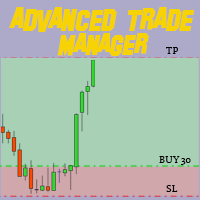
通过我们的MT4和MT5高级交易管理器革新您的交易 Mt4 Version : https://www.mql5.com/en/market/product/107249 利用我们的MT4和MT5高级交易管理器来强化您的交易策略,提升精准度和控制力。与传统交易管理器不同,我们的管理器不仅能动态适应市场条件,还在您进入交易的瞬间设置自动止损和止盈水平。 主要特点: 自动进入策略: 通过自动进入策略即时抓住机会。进入交易时,系统会战略性地设置预设的止损和止盈,确保从一开始就严格的风险管理。 动态止损管理: 实时应对市场变化。当您的交易达到+0.50%的利润时,系统会自动将止损减半,保护您的收益并控制风险。 保本保护: 获得+1%利润时享受安宁。我们的高级交易管理器会将止损移动至保本水平,确保您初始资金安全,让利润得以延续。 优化利润锁定: 轻松最大化收益。当达到+2%利润时,交易管理器将止损调整为+1%,在确保利润的同时允许市场波动。 高效的进入和退出自动化: 通过自动执行止损和止盈,充满信心地交易。无需时刻监控,将更多精力放在优化您的策略上。 多资产兼容性: 轻松多样化您的投资组合。我
FREE
input double MaxLossLevel      = 500.0; // Max Loss Level in account currency input double SafetyBufferMoney = 10.0;  // Safe Buffer. In this case Threshold be 500+10 = 510 input int    CheckEverySeconds = 2; input bool   is_debugged       = false; // Print additional messages in the Terminal It will checks every CheckEverySeconds. If the total Loss of the account Go below Threshold of  MaxLossLevel + SafeBufferMoney, then start Heding: for each open Position, open a new reversed Position with

FREE
Use this expert advisor whose strategy is essentially based on the Relative Strength Index (RSI) indicator as well as a personal touch. Other free expert advisors are available in my personal space as well as signals, do not hesitate to visit and leave a comment, it will make me happy and will make me want to offer content. Expert advisors currently available: LVL Creator LVL Creator Pro LVL Bollinger Bands   Trading is not a magic solution, so before using this expert on a live account, carry
FREE
Lycan
Leo Carlo Bermudez
3.5 (10)
Lycan is an automated Scalping system optimized for  XAUUSD (GOLD)  on the MetaTrader platform. The EA does not use grid or martingale recovery methods. It applies volatility-based stop loss protection and rule-based filters (spread, news, and session) to select scalp trade opportunities using confirmed breakout strength, rather than relying on high-frequency or recovery-based entries. Core Principle: No Grid, No Martingale, Dual Scalp Strategy System Lycan does not add to losing positions, d
FREE
VWAP Mean Reversion
Avinash Pagadala
XAU VWAP Mean Reversion H4 Expert Advisor for MetaTrader 5 — Gold / XAUUSD focus Version: 1.00 What it is XAU VWAP Mean Reversion H4 is an Expert Advisor for gold on the H4 chart. Intraday VWAP mean-reversion style participation on gold H4. Built for structured automated participation — not grid , not martingale . Evaluate on your broker and risk profile before any live use. This product is a technical system . Exact thresholds and entry equations remain internal product design and are not publ
FREE
Grid Hlevel MT5
Sergey Ermolov
4.56 (34)
Dual Striker —— 全新黄金交易EA。 真实信号 +150% ->   真实账户 无马丁格尔策略,无加仓摊平 在您的交易终端中免费测试:   Dual Striker EA Grid HLevel   Expert Advisor   非常適合那些希望每月在外匯市場上獲得穩定利潤的交易者。   Expert Advisor   根據平均策略工作,我建議您正確使用它。 “ 正確 ” 使用它意味著以市場反轉點的平均數開倉 , 並且僅在全球趨勢的方向上交易。   至於主要趨勢的方向 , 我建議通過時間框架   H4   上的   Valable ZigZag   指標來確定。   指標更難確定市場可能發生變化的水平 , 因此我建議交易者在圖表上手動設置它們 , 以便使用平均訂單更準確地進入市場。 因此 , 我想向您介紹   Grid HLevel   Expert Advisor -   一種以手動設置的支撐和阻力水平進行交易的   Expert Advisor 。 注意力 !!!   Grid HLevel EA   不是全自動的 , 而是半自動的。   所以不要指望你把它
FREE
input double MaxDailyLoss      = 500.0; // Maximum floating loss in account currency input double SafetyBufferMoney = 10.0;  // Trigger at MaxDailyLoss - SafetyBufferMoney input int    CheckEverySeconds = 2; input bool   is_debugged       = false; // Print additional messages in the Terminal input bool   is_Closing_All_Positions = false; // if false for each open position, each new reversed position with the same symbol & lot size will be opened. This EA will then remove itself from the Chart
FREE
该产品的买家也购买
Trade Assistant MT5
Evgeniy Kravchenko
4.43 (216)
它有助于计算每笔交易的风险,容易安装新的订单,具有部分关闭功能的订单管理, 7 种类型的追踪止损和其他有用的功能。   附加材料和说明 安装说明   -   应用程序说明   -   模拟账户应用程序的试用版 线条功能  - 在图表上显示开仓线、止损线、止盈线。 有了这个功能,就可以很容易地设置一个新的订单,并在开仓前看到它的附加特性。   风险管理  - 风险计算功能在考虑到设定的风险和止损单的大小的情况下,计算新订单的成交量。它允许你设置任何大小的止损,同时观察设定的风险。 批量计算按钮 - 启用 / 禁用风险计算。 在 " 风险 " 一栏中设置必要的风险值,从 0 到 100 的百分比或存款的货币。 在 " 设置 " 选项卡上选择风险计算的变量: $ 货币, % 余额, % 资产, % 自由保证金, % 自定义, %AB 前一天, %AB 前一周, %AB 前一个月。   R/TP 和 R/SL - 设置止盈和止损的关系。 这允许你设置相对于损失的利润大小。 例如, 1 : 1 - 这决定了 TP = SL 的大小。 2 : 1 - 这意味着 TP 是 SL 的两倍。 RR -
欢迎来到 Trade Manager EA——这是一个终极风险管理工具,旨在使交易变得更直观、精准和高效。它不仅仅是一个下单工具,而是一个用于无缝交易计划、仓位管理和风险控制的全面解决方案。不论您是新手交易员、资深交易员,还是需要快速执行的剥头皮交易员,Trade Manager EA 都可以满足您的需求,适用于外汇、指数、大宗商品、加密货币等各种市场。 借助 Trade Manager EA,复杂的计算已成过去。只需分析市场,在图表上用水平线标记入场、止损和止盈,设置您的风险水平,Trade Manager 就会立即计算出理想的头寸规模,并实时显示以点、账户货币计价的止损和止盈。每笔交易都得以轻松管理。 主要功能: 头寸规模计算器 :根据定义的风险瞬间确定交易规模。 简单的交易计划 :在图表上用可拖动的水平线直接计划交易,设置入场、止损和止盈。 实时显示 SL 和 TP :以账户货币、点或分显示止损和止盈,便于分析。 高级保护工具 盈亏平衡选项 : 基本盈亏平衡 :当您的交易达到设定水平时自动保护利润。 多级盈亏平衡 :设置多达 4 个级别以逐步保护利润。 尾随止损选项 : 基本尾随
Local Trade Copier EA MT5
Juvenille Emperor Limited
4.94 (149)
Local Trade Copier EA MT5 是一款快速、灵活的交易复制工具,用于在同一台 Windows 电脑或 Windows VPS 上的多个 MetaTrader 5 账户之间复制和管理交易。 它将本地交易同步与 Receiver 端的手数管理、风险管理、交易过滤、品种映射、交易管理和账户保护功能结合在一起。 只需约 1 分钟 即可完成 Transmitter 和 Receiver 终端的设置,并可在同一经纪商或不同经纪商的账户之间复制手动交易或 EA 交易。在合适的条件下,本地 MetaTrader 终端之间的交易信息可以在 0.5 秒以内 完成同步。实际交易执行速度取决于经纪商延迟、网络状况、电脑/VPS 性能以及终端负载。 购买前先试用免费演示版 您可以在 MT5 模拟账户上测试 功能完整的 Local Trade Copier EA MT5 免费演示版 ,每次可使用 4 小时 : 下载 Local Trade Copier EA MT5 免费演示版 将下载的文件放入: MT5 → 文件 → 打开数据文件夹 → MQL5 → Experts 然后重新启动 MT
================================================================================ POC BREAKOUT - V20.72. Full Professional Grade Toolkit ================================================================================ POC Breakout is a full MetaTrader 5 trading dashboard for discretionary traders who want breakout signals, Point of Control (POC) context, volume profiles, order flow, market structure, news, alerts, and advanced trade planning in one professional workspace. Attached directly to you
Telegram to MT5 Multi-Channel Copier   可将您 Telegram 和 Discord 频道中的交易信号自动复制到 MetaTrader 5。无需机器人、无需浏览器扩展、无需手动复制。信号一到 Telegram 或 Discord,EA 几秒内就在您的终端开仓。 在复制某个频道之前,内置回测器还能告诉您该频道在您的账户上会有怎样的表现。 产品包含两个组件:一个监听您 Telegram 频道的 Windows 应用程序,以及在 MT5 终端执行信号的本 EA。同时提供 MT4 版本   点此 . 设置指南与应用下载:   https://www.mql5.com/en/blogs/post/768988 了解如何 回测任何 Telegram 信号频道 。 当前价格将来会上调。 工作原理 应用通过您自己的 Telegram 账号连接,因此能看到您关注的所有频道、群组、话题和机器人,包括私密和 VIP 频道。信号到达时,应用读取它,EA 按您的手数和设置在终端中开仓。 整个过程全自动,无需守在电脑前。专为 24/7 无人值守运行设计:Telegram 连接
Strategy Ledger Pro
Abdullah Uygar Tuna
5 (11)
现已支持中文。 Strategy Ledger Pro 是一款适用于 MetaTrader 5 的只读账户分析面板。它按智能交易系统(EA)、策略、品种和魔术号拆分账户结果,让您看清每一个的真实贡献。 面板支持 11 种语言:English、Français、Deutsch、Español、Italiano、Português、Русский、Türkçe、中文、日本語 和 한국어。 下载演示版之前请注意。 Market 仅在策略测试器中运行任何付费产品的演示版。本面板分析的是您自己账户上的交易,而策略测试器中没有可读取的账户历史,因此演示版会打开一个空面板并加以说明。这是演示机制的工作方式,并非产品的限制。 本描述中的视频展示了面板在真实账户上的运行效果。 详细的 使用手册 (英文)介绍了每项功能, AureusAI Trading Suite 群组欢迎交流讨论并发布公告。 MetaTrader 对整个账户只显示一个余额。当多个 EA 同时交易时,这个余额无法说明每个 EA 的贡献。Strategy Ledger Pro 读取账户历史,重建已平仓头寸,将其归入各个策略,并在一个
按照自己的交易规则复制 Telegram 信号 Telegram to MT5 Signal Trader 可将 Telegram 公开及私密频道和群组中的文字交易信号自动复制到 MetaTrader 5。通过一个桌面应用管理多个信号提供者和 MT5 账户,并为 每个提供者单独设置风险和交易参数 。 复制信号无需 Telegram 机器人,也无需配置 API。 只需通过手机号或二维码登录您自己的 Telegram 账户,然后选择您已加入的频道或群组。您无需创建机器人,也无需提供 Telegram API 令牌、API ID 或 API hash。 自行选择仓位大小,将平仓分配到多个止盈价位,并自动执行保本止损和移动止损。在跟随信号提供者的同时,掌握信号的实际交易方式。 本产品由这款 MT5 EA 和必须配合使用的 Windows 桌面应用组成。请参阅 安装指南及应用下载 。 管理多个信号提供者和账户 为每个提供者单独设置: 为每个频道设置专属的仓位计算方式、入场规则、止损、止盈和交易管理参数。 灵活分配至不同账户: 将同一提供者的信号复制到多个已连接的 MT5 账户,并为每个账户使用不
TradePanel MT5
Alfiya Fazylova
4.88 (170)
交易面板是一款多功能交易助手。该应用包含超过50种手动交易功能,并允许您自动执行大多数交易任务。 应用程序说明 : https://www.mql5.com/zh/blogs/post/761102 用于模拟账户的应用程序试用版: https://www.mql5.com/zh/blogs/post/762579 如何安装应用程序: https://www.mql5.com/zh/blogs/post/762580 如何在可视化模式下测试应用程序: https://www.mql5.com/zh/blogs/post/770278 如何在VPS MetaTrader上安装应用程序: https://www.mql5.com/zh/blogs/post/770196 贸易. 只需单击一下即可执行交易操作: 打開掛單和頭寸,並自動計算風險。 一鍵打開多個訂單和頭寸。 打開訂單網格。 按組別關閉掛單和頭寸。 反轉頭寸方向(關閉買入>打開賣出,關閉賣出>打開買入)。 鎖定頭寸(通過開啟缺少的頭寸,使買入和賣出頭寸的數量相等)。 一鍵部分關閉所有頭寸。 將所有頭寸的止盈和止損設置在同一價格水平。
Farmed Hedge Yield Farming | All Markets (Manual - Hybrid - Semi/Automated EA) VERIFIED TRADING RESULTS - Farmed Hedge Yield Axi Copy:  https://www.mql5.com/en/signals/2356376 - Farmed Hedge Yield Exn Copy:   https://www.mql5.com/en/signals/2356404 - Farmed Hedge Yield V Copy:  https://www.mql5.com/en/signals/2357156 IMPORTANT NOTICE: FarmedHedge is a MANUAL-FOCUSED TRADING UTILITY ,not a fully automated EA. Results shown on this Signal include manual trades and overall strategic management.
Power Candles 策略扫描器——自优化多符号设置查找器 Power Candles策略扫描器 采用与Power Candles指标相同的自优化引擎,可同时扫描您“市场观察”中的所有交易品种。一个面板即可显示当前哪些品种在统计上具备交易价值、每种策略的最佳应用方向、最优止损/止盈组合,并在新信号触发时立即向您发送提醒。 本工具是 Stein Investments 生态系统的一部分 - 18+ 款工具,加上 Max,您的一对一 AI 交易导师。  随时在线,深入了解每一款指标,在您需要梳理思路的那一刻就在那里。  立即认识他: https://stein.investments 您的全面市场监控。每个交易品种超过3,000次自动优化。2种警报类型。一键切换图表并采取行动。 为何您需要此工具 大多数多标的扫描器仅展示价格 波动 。每只股票的波动率、百分比变化、RSI。您仍需自行摸索正确的策略、合适的止损位以及理想的入场阈值。Power Candles策略扫描器针对每只股票自动解答这些问题,仅在数学验证过的交易设置中触发实际入场信号时才会向您发出提示。这就是全部卖点。 自动
Master Your Trading Discipline   Stop losing your hard-earned gains to overtrading and emotional decisions. The Discipline Tool is your ultimate trading assistant, ensuring strict risk management in real-time. Key Protection Features: Advanced Drawdown Defense : Automatically halts trading if your daily drawdown exceeds a preset threshold (percentage or dollar amount). Real-Time Equity Lock : Safeguard profits by referencing peak equity, ensuring drawdown stays within control. Hard Profit Target
Entry In The Zone with SMC Multi Timeframe is a real-time market analysis tool based on Smart Money Concepts (SMC), designed to analyze market structure, price direction, and key trading zones. It supports both Single-Timeframe and Multi-Timeframe Analysis, providing a clearer view of overall market structure across multiple timeframes, with real-time BUY / SELL signals designed with a strict focus on No-Repaint principles.   The signals are designed to help filter unclear setups and evaluate tr
The product will copy all telegram signal to MT5 ( which you are member) , also it can work as remote copier.  Easy to set up, copy order instant, can work with almost signal formats, image signal,  s upport to translate other language to English Work with all type of channel or group, even channel have "Restrict Saving Content", work with  multi channel, multi MT5 Work as remote copier: with signal have ticket number, it will copy exactly via ticket number. Support to backtest signal. How to s
Quant AI Agents
Ho Tuan Thang
5 (1)
Quant AI Agents are independent trading Expert Advisors. Instead of trading using a fixed strategy like other conventional EAs, Quant AI Agents   is a   multi-agent AI trading framework   that turns natural-language strategy prompts into live.  WANT THE SAME RESULTS AS MY LIVE SIGNAL?   Use the exact same brokers I do:   IC MARKETS , IC TRADING   .  Unlike the centralized stock market, Forex has no single, unified price feed.  Every broker sources liquidity from different providers, creating un
Exp COPYLOT CLIENT for MT5
Vladislav Andruschenko
3.97 (35)
适用于 MetaTrader 5 的专业交易复制器 快速、专业、稳定可靠的 交易复制器 ,适用于 MetaTrader 。 COPYLOT 可在 MT4 和 MT5 终端之间复制 Forex 交易,并支持 Hedge 和 Netting 账户。 COPYLOT 的 MT5 版本支持: - MT5 Hedge → MT5 Hedge - MT5 Hedge → MT5 Netting - MT5 Netting → MT5 Hedge - MT5 Netting → MT5 Netting - MT4 → MT5 Hedge - MT4 → MT5 Netting MT4 版本 完整说明 + DEMO + PDF 如何购买 如何安装 如何获取日志文件 如何测试和优化 Expforex 的所有产品 您也可以将交易复制到 MT4 终端(MT4 → MT4,MT5 → MT4): COPYLOT CLIENT for MT4 COPYLOT 是一款专业的交易和持仓复制器,可同时与 2、3 甚至 10 个终端协同工作。 支持从 模拟账户和投资者账户 复制,也支持同时在多个终端上运行。 您可以使
Grid Manual MT5
Alfiya Fazylova
4.73 (22)
Grid Manual是一个交易面板,用于处理订单网格。 该实用程序是通用的,具有灵活的设置和直观的界面。 它不仅可以在亏损方向上设置订单网格,还可以在盈利方向上设置订单网格。 交易者不需要创建和维护订单网格,实用程序会这样做。 打开一个订单就足够了,Grid manual会自动为它创建一个订单网格,并伴随它直到非常关闭。 完整说明和演示版 此處 。 该实用程序的主要特性和功能: 伴隨以任何方式打開的訂單,包括從移動終端打開的訂單。 適用於兩種類型的網格:“限制”和“停止”。 使用兩種方法計算網格間距:固定和動態(基於 ATR 指標)。 允許您更改未結訂單網格的設置。 顯示圖表上每個網格的盈虧平衡水平。 顯示每個網格的利潤率。 允許您一鍵關閉網格中的盈利訂單。 讓您一鍵關閉每個訂單網格。 允許您對訂單網格應用追踪止損功能。 允許您在訂單網格上應用將訂單網格的止損轉移到盈虧平衡水平的功能。 相對於訂單網格的盈虧平衡水平自動重新排列止盈(僅在限價網格模式下,距離取決於所選的計算類型:“保守”或“激進”)。 最多可管理 20 個訂單網格,每個網格最多可包含 100 個訂單。 計算初始手數時,
Telegram To MT5 Ultra
Mirel Daniel Gheonu
5 (5)
Telegram To MT5 — 信号复制器 将您的 Telegram 频道中的交易信号变成真实的 MT5 订单 — 自动执行,可用于任意数量的账户,风险与规则完全由您掌控。 Telegram To MT5 将您已在 Telegram 关注的 VIP / 信号频道连接到您的 MetaTrader 5 终端。一个免费的配套桌面应用读取消息(即使是禁止机器人的频道),而本 EA 在您的账户上执行这些信号 — 应用您自己的风险设置、品种映射、止盈处理、交易时段与新闻过滤。 它是一个信号复制器,而非黑箱策略:由您决定信任哪些频道,以及每笔交易如何计算手数和管理。 分步设置与配套应用安装指南 工作原理 [您的 Telegram 频道] -> [配套桌面应用] -> [MT5 + 本 EA] -> 订单 配套桌面应用(免费,已包含)使用您的 Telegram 账户登录并监视您所选择的频道。即使是禁止机器人的 VIP 频道也能正常工作,它通过一个私有、加密的本地桥接转发每条消息。 本 EA 挂在一个图表上,在 MT5 接收这些信号,并按照您的规则开仓 / 管理交易。 应用与 EA 之间的连接是位于
Trade Indicator Assistant   is a powerful MT5 utility designed to turn indicators into automated trading systems. Its main feature is the ability to automatically detect an indicator’s   BUY and SELL signal buffers , without requiring you to know the buffer numbers, search through indicator settings, or modify the indicator source code. Bonus Indicator:   After purchasing Trade Indicator Assistant, contact me to receive   Trade Signal Pro   completely free as a bonus indicator. [Download Demo V
HINN MagicEntry Extra
ALGOFLOW OÜ
4.74 (19)
HINN MAGIC ENTRY – the ultimate tool for entry and position management! SIMPLE. FASTEST. INTUITIVE. MAX AUTOMATED. Place orders by selecting a level directly on the chart! full description   ::  demo-version  :: 60-sec-video-description Key features: - Market, limit, and pending orders - Automatic lot size calculation - Automatic spread and commission accounting - Unlimited partitial take-profits  - Breakeven and trailing stop-loss and take-profit  functions - Invalidation leves - Intuitive, a
Signal TradingView to MT5 Pro Automator TradingView 与 MetaTrader 5 之间的即时专业执行 使用最强大的桥梁,将 TradingView 警报与 MT5 中的实际执行连接起来,实现交易策略的自动化。这款 Expert Advisor 专为要求速度、灵活性和完美风险管理的交易者设计,可将任何警报消息转化为精确的市价或限价订单。 优势与特点 通用解析引擎(专有): 先进技术,能够自动识别并提取任何警报格式中的数据。您不再受限于单一的死板格式;系统会自动理解交易品种(Symbol)、操作(Action)、价格(Price)、止损(SL)和止盈(TP)。 实时执行: 极速轮询技术(低于 1 秒),经过优化可将延迟降至最低。接收到信号后,订单将在毫秒内执行。 机构级风险管理: 基于以下方式自动精确计算手数: 净值/余额百分比(% of Equity/Balance): 每笔交易承担固定账户百分比的风险。 风险金额(Risk Amount): 设定在触发止损时损失的固定货币金额(例如:100 美元)。 固定手数(Static Lots)
Trade copier MT5
Alfiya Fazylova
4.61 (57)
Trade Copier 是一种专业实用程序,旨在复制和同步交易账户之间的交易。 复制发生从供应商的帐户/终端到收件人的帐户/终端,安装在同一台计算机或 vps 上。 在购买之前,您可以在演示帐户上测试演示版本。 演示 这里 。 完整说明 这里 。 主要功能和优点: 支持复制MT5>MT5、MT4>MT5、MT5>MT4,包括МТ5 netting账户。 供应商和收件人模式在同一产品中实现。 简单直观的界面,允许您直接从图表中实时控制复制。 连接中断或终端重新启动时不会丢失设置和位置。 允许您选择要复制的符号,也可以替换接收者的符号,例如 EURUSD> USDJPY。 允许为每个符号设置个性化的复制设置。 支持回拷贝。 能够仅复制某些订单。 允许您设置开仓交易价格的最大差异和最大时间延迟。 正确复制部分订单关闭的执行。 计算复制手数的几种方法。 同步止盈和止损。有几种方法可以计算它们的位置。 支持通过执行在“Market account”上工作,其中 SL / TP 仅在开仓后设置。 如何使用简单的设置复制交易 将供应商终端和接收终端安装在同一台计算机或 VPS 上。 在供应商终端上
The Patch
Mian Rameez Ali
The Patch It never opens a trade. It walks behind the ones that did. Every open position, every pending order — checked twice a second for the one thing that's easy to forget: a stop, a target. Found bare, it doesn't ask. It writes the missing number in, measured in points from wherever the position began, and moves on to the next. No strategy, no opinion on direction. Just the quiet assumption that nothing should ever sit on the market unprotected — not because someone decided it shouldn't,
EA Overfitter
Stephen J Martret
5 (1)
回测看起来很漂亮。但它明天、下周、下个月还能继续赚钱吗? EA Overfitter 让您的 EA 在 100 段它从未见过的价格历史上重新运行。一个分数告诉您这个优势是否真实。 回测告诉您的,是 EA 在某一段价格历史上的表现——那段恰好发生过的历史。您无法从中判断,这个结果有多少来自策略本身,又有多少只是那一条特定路径带来的。 EA Overfitter 回答的正是这个问题。它构建最多 100 段您的 EA 从未交易过的合成价格历史,让策略在全部这些历史上重新运行,并展示它所产生的完整结果区间。您得到的不再是一条幸运或不幸路径上的单个数字,而是一幅真实的图景:策略在陌生数据上多久能赚钱、典型结果是什么样(而不是最好的那一次),以及您的回测离它有多远。 这些世界是由您自己的近期历史重建而成,因此这不是预测——任何从历史数据出发的检验都不可能是预测。它告诉您的是:这个优势是否依赖于价格的某一种特定排列,以及回测数字距离典型结果有多远。在投入资金之前,这才是值得回答的问题。 三个步骤 1. 构建。在图表上选择时间区间和世界数量,然后按 Build。EA Overfitter 会
Anchor Trade Manager
Kalinskie Gilliam
5 (9)
Your EAs cannot see each other, but Anchor can. Anchor gives you one place to coordinate your EAs, manage risk, and decide when trading is allowed. It works alongside the trading bots you already use without any changes to them. The Problem One EA opens a trade. Then another starts trading. The next thing you know, you wake up to multiple grids built across your account. Each EA may be doing exactly what it was designed to do, but together they can place far more risk on your account than you in
MetaTrader 5 专业交易面板 —— 图表与键盘一键交易的高效控制中心 一款面向主动交易者的专业 Trading Panel,可让您比标准 MetaTrader 操作方式更快、更直观地完成开仓、平仓、修改、管理与控制。 这不是一个普通的小工具,而是一个为高频手动操作、仓位管理、挂单控制与利润管理而设计的完整交易工作台。 通过这套面板,您可以直接在图表上一键执行交易,通过键盘快速触发核心操作,并借助自动参数计算、图形提示、信息标签以及可视化管理功能,大幅减少重复性操作,让整个交易流程更加流畅、高效且专业。 使用我们的交易面板,您可以直接从图表上一键下单,执行交易操作的速度可比标准 MetaTrader 控件快约 30 倍。 全新高级版本现已推出: 使用 VirtualTradePad PRO SE 升级您的交易流程 — 适用于 MetaTrader 5 和 MetaTrader 4 的新一代专业交易面板。 MT4 版本 | 完整说明 + DEMO + PDF | 如何购买 | 如何安装 | 如何获取日志文件 | 如何测试与优化 | Expforex 的所有产品 为什么交易者会
Trade Dashboard MT5
Fatemeh Ameri
4.94 (135)
疲于复杂的订单下达和手动计算?Trade Dashboard 是您的解决方案。凭借其用户友好的界面,订单下达变得轻而易举,只需点击一下,您就可以开设交易、设置止损和止盈水平、管理交易手数,并计算风险回报比,让您只需专注于您的策略。告别手动计算,使用 Trade Dashboard 简化您的交易体验。 立即下载演示版本 。 您可以在这里找到仪表盘功能和特性的详细信息 。 加入 Telegram 频道 。 购买后请给我发消息以获取支持。如果您需要添加更多功能,可以在产品的评论区留下您的想法,我愿意听取任何建议,希望您能在使用我的产品时获得最佳体验 。 这是 MT4 版本。 风险管理:使用 Trade Dashboard,可以将您的风险设置为账户余额或权益的百分比,或将风险设置为总金额。在图表上直观地定义您的止损,让工具准确计算每个货币对的适当手数。该工具还可以根据您期望的风险回报比自动设置止盈水平。它甚至可以在手数计算中涵盖佣金和点差费用。此外,您的止损和止盈可以转变为虚拟水平,隐藏于经纪商。通过 Trade Dashboard 的高级风险管理功能,掌控风险,保护您的资本。 交易线
The News Filter MT5
Leolouiski Gan
4.79 (24)
这个产品在新闻时间过滤所有的专家顾问和手动图表,因此您不必担心突然的价格波动会破坏您的手动交易设置或其他专家顾问输入的交易。此产品还带有完整的订单管理系统,可在任何新闻发布前处理您的持仓和挂单。一旦您购买了   The News Filter ,您将不再需要依赖以后的专家顾问内置的新闻过滤器,因为这个产品可以从此过滤它们所有。 新闻选择 新闻来源于Forex Factory的经济日历。 选择可以基于任何一种货币,如USD,EUR,GBP,JPY,AUD,CAD,CHF,NZD和CNY等。 选择也可以基于关键识别,例如Non-Farm (NFP),FOMC,CPI等。 能够选择新闻影响级别的筛选,从低、中、到高影响。 自动模式只选择与图表相关的新闻。 新闻来源每小时自动刷新,以确保最新的新闻数据。 为每个新闻影响级别提供单独的输入,以确定您要过滤掉的新闻发布前后的分钟数。 订单管理选项 在新闻发布前关闭未平仓头寸的选项,并在新闻发布后恢复它们。 在新闻发布前删除挂单的选项,并在新闻发布后恢复它们。 在新闻发布前移除止损和止盈水平的选项,并在新闻发布后恢复它们。 在新闻发布前移动止损和
Floor Watch
Syed Tauqeer Hussain Shah
Floor Watch One number, watched every thirty seconds: how far equity has fallen since the day began — or since its highest point, if it's told to trail the peak instead of the open. Cross the line and it doesn't argue. Every open position closes, every pending order vanishes, and anything that slips through afterward gets shut the moment it appears. Not asked. Removed. The floor holds until the clock turns 5 AM Pakistan time — then, and only then, does the day start over. One rule. No except
MT5 to Telegram Signal Provider 是一个易于使用且完全可自定义的工具,它允许向 Telegram 的聊天室、频道或群组发送 指定 的信号,将您的账户变为一个 信号提供商 。 与大多数竞争产品不同,它不使用 DLL 导入。 [ 演示 ] [ 手册 ] [ MT4 版本 ] [ Discord 版本 ] [ Telegram 频道 ]  New: [ Telegram To MT5 ] 设置 提供了逐步的 用户指南 。 不需要了解 Telegram API;开发者提供了您所需的一切。 关键特性 能够自定义发送给订阅者的订单详情 您可以创建分层的订阅模型,例如铜、银、金。其中金订阅获得所有信号等。 通过 id、符号或评论过滤订单 包括执行订单的图表截图 在发送的截图上绘制已关闭的订单,以便额外核实 延迟发送新订单消息的可能性,以便在发送前对位置进行调整 订单详情完全透明: 新的市场订单*带截图 订单修改(止损、获利) 已关闭的订单*带截图 部分关闭的订单** 新的挂单 修改的挂单(进场价格) 挂单激活(作为新的市场订单附加) 已删除的挂单 历史订单报告
RETAILBERG FOOTPRINT CHART PRO — Order-Flow Workspace for MetaTrader 5 Version 7.00  |  Professional System  |  31 tools  |  One chart A full 150-page illustrated User Manual is included. Please read the full manual to understand this feature packed footprint chart elements and ui. https://www.mql5.com/en/blogs/post/777982 DEMO / STRATEGY TESTER — PLEASE READ FIRST
作者的更多信息
Only for Broker The5er: input long   MagicNumber    = 1000;   // Magic number for this EA input double StartLots      = 0.01;   // Lots amount to start input long   MaxOrders      = 3;      // Maximum number of positions this EA can open input bool   PrintDebugLogs = false;  // Print detailed logs true/false input group "Grid Settings" input bool   EqualVolumeGrid      = false; // true: all grid positions use StartLots input long   MinDistance          = 3500;  // Distance to open the next orde
FREE
input long   MagicNumber    = 1000;  // Magic number for this EA input double StartLots = 0.01 // Lots amount to start input long MaxOrders = 3 // Maximum number of positions this EA can open input bool   PrintDebugLogs = false;    // Print detailed logs  -- Grid Setting --  input bool EqualVolumeGrid = false // True: all grid positions use StartLots   input long MinDistance = 1000 // Distance to open the next order (points)  input double MinDistanceMultiplier = 2.0 // Distance multiplier
FREE
input group "General Settings" input long   MagicNumber    = 5000;   // Magic number for this EA input bool   PrintDebugLogs = false;  // Print detailed logs true/false input group "Risk Settings" input double IndexMaxDrawdownInPercentage = 0.45; // 0.45 means 45 percent input double MaxLossLevel = 95000.00; // Maximum loss level in account currency input group "Grid Settings" input long   MinDistance          = 3500;  // Distance to open the next order (points) input double MinDistanceMultip
FREE
input group "General Settings" input long   MagicNumber    = 1000;   // Magic number for this EA input bool   PrintDebugLogs = false;  // Print detailed logs true/false input group "Risk Settings" input double IndexMaxDrawdownInPercentage = 0.45; // 0.45 means 45 percent input group "Grid Settings" input long   MinDistance          = 3500;  // Distance to open the next order (points) input double MinDistanceMultiplier = 2.5;  // Distance multiplier for each additional order input group "Targe
FREE
input double MaxLossLevel      = 500.0; // Max Loss Level in account currency input double SafetyBufferMoney = 10.0;  // Safe Buffer. In this case Threshold be 500+10 = 510 input int    CheckEverySeconds = 2; input bool   is_debugged       = false; // Print additional messages in the Terminal It will checks every CheckEverySeconds. If the total Loss of the account Go below Threshold of  MaxLossLevel + SafeBufferMoney, then start Heding: for each open Position, open a new reversed Position with
FREE
Strategy: This is a Guard for your account in case the Margin Call of the Account is called. The most brokers have Margin Call at Margin Level of 100%. If account Margin Level is below TriggerMarginLevelPercent (100%), the EA checks all open account positions. For every non-hedge position it opens one reverse position with the same symbol and same volume. After that it will remove itself from the Chart IMPORTANT: CHECK this manually on the Account before using this EA. Only some Broker offer t
FREE
input double MaxDailyLoss      = 500.0; // Maximum floating loss in account currency input double SafetyBufferMoney = 10.0;  // Trigger at MaxDailyLoss - SafetyBufferMoney input int    CheckEverySeconds = 2; input bool   is_debugged       = false; // Print additional messages in the Terminal input bool   is_Closing_All_Positions = false; // if false for each open position, each new reversed position with the same symbol & lot size will be opened. This EA will then remove itself from the Chart
FREE
筛选:
无评论
回复评论