Reality Engine Standard V1

Reality Engine Standard | Live Spread · Slippage · Latency Monitor

What is Reality Engine?

Reality Engine is a non-invasive monitoring utility that simulates and logs the real-world execution conditions your algorithmic strategies actually face — spread widening, slippage, and network latency — in real time, on any symbol, for any EA running on your terminal.

It does not place trades. It does not interfere with your existing strategies. It attaches silently to a separate chart and watches everything.

The Problem It Solves

Every algorithmic trader knows the gap between back tested results and live performance. A strategy that prints in the Strategy Tester can bleed in live markets — not because the logic is wrong, but because the tester cannot accurately model:

  • Spread spikes during high-impact news events (NFP, FOMC, CPI, ECB, BOE)
  • Slippage at session opens and liquidity transitions
  • Real network latency between order request and broker fill

Most traders discover this gap only after deploying capital. Reality Engine makes it visible before and during live execution.

How It Works

Attach Reality Engine Standard to any chart in your terminal — it does not need to be the same chart your trading EA is running on. Once active, it monitors all account-wide trade events via  OnTradeTransaction  and, the moment any deal is filled anywhere on your account, it:

  1. Calculates the simulated spread at that exact moment — including event-driven spike multipliers for major macro releases and session opens — and displays it in the correct unit for the instrument (pips for FX/metals, points for indices, dollars for crypto)

  2. Generates a realistic slippage estimate based on your configured range, with directional bias (adverse vs. favourable) weighted to reflect real broker behaviour

  3. Simulates execution latency within your configured millisecond range, giving you a realistic picture of fill delay

All three values are logged instantly to the Experts tab alongside the deal number, event context, and symbol — creating a permanent, timestamped audit trail of simulated execution quality for every trade your account takes.

Asset Class Intelligence

Reality Engine automatically detects the instrument type and adjusts its display accordingly:

  • FX & Metals — spread shown in pips
  • Indices (US500, US100, US30, DAX, FTSE, JP225, GER40, AUS200) — spread shown in points
  • Crypto (BTCUSD, ETHUSD, and major pairs) — spread shown in USD value

No manual configuration required. Attach and go.

Built-in Event Calendar

The engine contains a hardcoded high-impact event schedule for 2025–2026 including:

  • Non-Farm Payrolls (NFP) — first Friday of each month, 13:30 GMT
  • FOMC Rate Decisions — all 2025/2026 dates, 19:00 GMT
  • US CPI Releases — second Wednesday of each month, 13:30 GMT
  • ECB Rate Decisions — all 2025/2026 dates, 13:15 GMT
  • BOE Rate Decisions — all 2025/2026 dates, 12:00 GMT
  • London Open, NY Open, NY Close/Tokyo Open
  • London–NY Overlap (mild widening)

Each event applies the appropriate spread multiplier automatically within a configurable spike window.

Who Is This For?

  • Algorithmic traders who want to understand the true cost of execution on their live strategies
  • EA developers stress-testing how their logic performs under realistic market friction
  • Prop firm traders who need to understand slippage and spread behaviour before scaling up
  • Manual traders who want real-time visibility of execution conditions during news events

No coding knowledge required. Fully plug-and-play.

Why This Doesn't Exist on the Marketplace

The MQL5 marketplace contains thousands of EAs, indicators, and signal tools. What it does not contain is a dedicated, passive execution quality monitor — a tool focused purely on the gap between theoretical and real-world fill conditions. Reality Engine fills that gap. It is the first utility on the marketplace purpose-built to simulate and log spread, slippage, and latency as a unified, real-time monitoring layer for any trading strategy.

Panel Features

  • Draggable, collapsible overlay panel
  • Live spread display with event context and multiplier
  • Slippage range and last recorded simulated value
  • Latency range and last recorded simulated value
  • Per-module ON/OFF toggles (spread, slippage, latency)
  • Status bar with full at-a-glance system state
  • 5-second auto-refresh timer + tick and trade event refresh

Coming Soon

Reality Engine Pro (Tier 2) Adds configurable event calendar, broker profile pre-sets, per-symbol spread profiles, slippage bias curves, and an in-terminal trade performance report showing cumulative simulated cost across all monitored deals.

Reality Engine Elite (Tier 3) Full execution analytics dashboard, spread heatmaps by session and symbol, Monte Carlo slippage simulation, and exportable CSV reports for strategy audit and prop firm submission.

Settings

Parameter Default Description
Base Spread Multiplier 1.0 Normal market spread factor
Spike Multiplier 4.0 Spread factor during high-impact events
Spike Window ±15 min Window around event time
Slippage Min 0.1 pips Minimum simulated slippage
Slippage Max 1.5 pips Maximum simulated slippage
Latency Min 50ms Minimum simulated execution delay
Latency Max 350ms Maximum simulated execution delay
Session Overlap Enabled Mild spread widening during LDN/NY overlap
💬 Enjoyed this tool? Please take 30 seconds to leave a rating and review. Your feedback directly shapes future updates — requested features get prioritised based on what the community asks for. Every review helps other traders find this tool and keeps development active. Thank you for your support! 🙏
推荐产品
️ UMNi-CMND MT5 Remote Command & Trade Control System UMNi-CMND turns Telegram into a full remote control panel for your MetaTrader terminal. Send commands from your phone to open trades, manage positions, query account status, and receive complete trade telemetry — all without touching the platform. KEY FEATURES Full remote trade execution via Telegram Open, close, and manage positions by command Move SL/TP, set breakeven, partial close Live status, account, and position
Telegram Notify MT5 Telegram Notify MT5 is an utility tool to bridge your MetaTrader 5 activities to your Telegram chat/channel. It is useful for monitoring your MetaTrader 5 account by sending a notification to your particular Telegram chat/channel when someone/EA is placing trades, modifying order's TP/SL, closing trades and etc. This EA does not place any trade for your account. This EA also could be a convenient tool for monitoring other's EA trading activities or a tool for publishing your
Quantum Trade Panel – The Ultimate Smart Assistant for Flawless Execution & Risk Management Tired of slow executions and calculating lot sizes manually while the market moves? Quantum Trade Panel is the ultimate, feature-rich Trading Assistant Expert Advisor (EA) for MT5 . It is specifically engineered to empower day traders and scalpers to manage, calculate, and execute trades in milliseconds with pinpoint accuracy. Combining a stunning, futuristic Cyber/Neon user interface with powerful und
EAs Manager
Abdeljalil El Kedmiri
5 (1)
The   Ultimate EAs Manager   is a professional risk management and trade assistance tool designed to monitor, control, and optimize all trading activities on your MT5 account. It acts as a   central command center   that oversees every trade - whether opened by other Expert Advisors or manually by you. How it's work with other EAs : Blog post  MT4 version:  https://www.mql5.com/en/market/product/167007 Only 10 copies will be sold at the early-bird price. After 10 copies, the price jumps directly
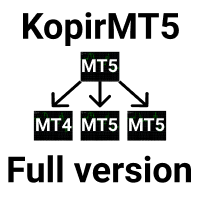
KopirMT5 Full
Alexandr Gavrilin
4.2 (10)
KopirMT5 (CopierMT5) - transaction copier for the MetaTrader 5 terminal, copies (synchronizes, duplicates) transactions from  hedge accounts  (copier, copy dealers).  Supports copying: MT5 <-> MT5, MT4 -> MT5 Hedge, MT5 Hedge -> MT4 Does not support copying MT5 Hedging < - > MT5 Netting, MT4 < - > MT5 Netting Support:  https://www.mql5.com/ru/messages/01c3f341a058d901 Why exactly our product? The copier has a high speed and is not dependent on ticks. Copy speed - less than 0.5 sec. Transaction
点差成本 是指交易中由点差造成的损失金额, 隔夜息收益 是指隔夜持仓获得的收益金额。 点差成本 对于短线交易者尤其是超短线交易者来说是一个重要的指标, 隔夜息收益 则对长线交易者来说是一个很重要的指标。由于MT5平台中得到的点差及隔夜息都是以点表示的,我们需要将它转换成以账户货币计价的金额 。本工具可以在不同的账户类型(美元账户、欧元账户等等)下,通过面板表格展示平台报价中所有外汇货币对(包括黄金XAU、白银XAG)的 点差成本 及 隔夜息收益 。面板表格中所有的数据都是实时更新的。 计算方法 点差成本 = Lots × OnePointValue × Spreads 隔夜息收益 = Lots × OnePointValue × Swaps 其中: Lots: 交易手数 OnePointValue: 以账户货币表示,一个点代表的金额 Spreads: 点差(以点表示) Swaps: 隔夜息(以点表示) 注意:在每周按“三日隔夜息”结算的那天,通常为每周周三, 隔夜息收益 的结果要再乘以3。 有关OnePointValue的详细计算方法,见文章: 外汇货币对的交易成本 Part1 如
### Take Control of Your Trading Edge with Manual Strategy Backtester Pro Do you want to achieve years of trading experience in just a few hours? Spending months testing strategies on live or demo accounts is slow, tedious, and expensive. **Strategy Backtester Pro** is a lightweight, ultra-fast manual charting simulator designed to let you backtest any mechanical or discretionary strategy with total control and speed. Whether it is the weekend or after hours, you can instantly spin up a simul
一张图表,全面掌控。 无需再浪费时间分别管理每个图表上的对象、颜色和设置。有了   图表同步管理器 ,您可以   同步、复制和控制所有 MetaTrader 图表   立即使用一个面板和几个快捷方式。 一次绘制,随时随地更新。只需单击即可打开和关闭图表。使用   基于符号的对象管理 。并且不会错过重要细节   价差显示、倒计时器和蜡烛收盘警报。 节省时间,减少错误,更智能地交易。 图表同步管理器 安装和输入指南 如果您想收到有关 EA 的通知,请添加 URL(   http://www.betasoft.dev   )MT4/MT5 终端(见截图)。 MT4版本 https://www.mql5.com/en/market/product/148491 MT5版本 https://www.mql5.com/en/market/product/148492 主要特点: 克隆所有图表的图表属性(颜色、背景、网格、模板设置等)。 在图表之间立即同步所有绘图对象。 显示或隐藏对象信息(如价格水平或点)。 使用快捷方式删除、选择或复制图表对象。 轻松切换时间范围、打开/关闭图表和缩放图表
HELIOS 交易面板 — MetaTrader 5 的一体化交易控制中心 , 在单一面板中集成了快速交易、资金保护、仓位管理和强大的多时间框架警报扫描器。   一键交易 • BUY / SELL 市价单 , 根据风险百分比自动计算止损 • 鼠标设置挂单 : 直接在图表上拖动 Entry / SL / TP 线 • 开仓后自动加载可视化 ( 线条 + 盈亏区域 ) • " 编辑 " () 和 " 确认 " () 按钮就在图表入场标签旁边 ️ 资金保护 • Margin Guard : 可用保证金不足时 , 手数自动减少至可用量 ( 5% 安全缓冲 ) — 不再有 " 资金不足 " 错误 • Daily Drawdown Lock : 达到日亏损阈值时 , 新订单被锁定直到重置 • Tick-Value 手数计算 : 仓位始终匹配配置的风险百分比 仓位管理 • 保本 ( BE ), 可配置点数偏移 • 跟踪止损 , 激活距离可设置 • 部分止盈 TP1 / TP2 / TP3 , 自定义成交量百分比 • 自动触发 ( 逐 tick 监控 ) • 一键反向仓位 品种
使用革命性的交易时间管理器轻松控制您的交易程序。这个强大的工具可以在指定时间自动执行订单,从而改变您的交易方式。 为不同的交易行为(从购买到设置订单)制定个性化任务列表,所有这些都无需人工干预。 交易时间管理器安装和输入指南 如果您想获取有关 EA 的通知,请将我们的 URL 添加到 MT4/MT5 终端(参见屏幕截图)。 MT4版本     https://www.mql5.com/en/market/product/103716 MT5版本     https://www.mql5.com/en/market/product/103715 告别人工监控,拥抱精简效率。直观的界面允许您设置精确的参数,包括交易品种、执行时间、价格、止损 (SL)、止盈 (TP) 点和手数大小。 该工具的灵活性通过与市场行为相匹配的适应性重复选项来凸显。通过视觉主题个性化您的体验,并减少长时间交易期间的眼睛疲劳。 摆脱手动交易程序,拥抱“交易时间管理器”的强大功能。提高交易的准确性、组织性和自由度。简化您的日常工作并重新体验交易。 主要特点: 自动订单执行:按指定时间间隔无缝自动执行订单,从而节省您的
Chart Navigator Pro
ELITE FOREX TRADERS LLC
Introducing the   Elite Chart Navigator   — your ultimate MetaTrader 5 Expert Advisor designed to revolutionize multi-symbol trading with seamless chart navigation and superior usability. Product Overview The   Elite Chart Navigator EA   is a sophisticated trading utility enabling rapid switching between multiple trading pairs through an intuitive on-chart button interface. Built for professional traders managing numerous instruments, this EA dramatically improves workflow efficiency, ensuring
FX28 Trader MT5
Tsvetan Tsvetanov
3 (1)
介绍FX28 Trader Dashboard – 您的终极交易管理工具 通过FX28 Trader Dashboard,解锁您交易体验的全部潜力,这是一款全面而直观的交易管理工具,旨在将您的外汇交易提升到新的水平。无论您是经验丰富的交易员还是刚刚开始您的金融之旅,这个强大的工具旨在简化您的交易活动并提高您的决策过程。 主要特点: 用户友好界面: FX28 Trader Dashboard拥有用户友好的界面,适应各个层次的交易员。通过几次点击轻松导航各种功能和工具,确保您只需轻松几下就完全掌控了交易。 实时市场数据: 利用实时市场数据源,始终保持领先地位,为您提供有关货币对、趋势和市场波动的最新信息。做出明智的决策,充满信心地执行交易。 高级交易分析: 通过高级分析深入了解您的交易绩效。跟踪交易历史,分析趋势,并识别模式,以优化您的策略和改善您的结果。 风险管理工具: 用我们强大的风险管理工具保护您的投资。轻松设置止损和获利订单,自定义仓位大小,并轻松实施风险收益比,确保自律和受控的交易方法。 多时间框架分析: FX28 Trader Dashboard允许您同时分析不同时间框架的市
Pro Trade Utility for MetaTrader 5 Pro Trade Utility is a professional manual trading assistant designed for traders who want precision, speed and clarity — without automated strategies. This tool does not trade automatically . It helps you execute and manage trades correctly with proper risk control. Key Features  Risk & Position Management Risk-based automatic lot size calculation Risk shown clearly in account currency Adjustable Stop Loss (points) Fixed Risk:Reward display  Trade Executio
SwapSort
Dustin Ricardo Pierenz
Swap Sort is an MQL5 script designed for traders and investors to streamline their decision-making process by efficiently analyzing and organizing swap fees for financial instruments. This tool is ideal for professionals who want to optimize their trading strategies by minimizing costs and maximizing profits. Swap fees can significantly impact the success or failure of a trade, as high fees can erode profits over time, while favorable swaps can enhance returns for positions held overnigh. Wit
Broker XRay
Joao Jara Carvalho
BROKER XRAY — Execution Quality Audit See what your broker hides. Score your broker A+ to F. Most traders never know if their broker is silently bleeding their edge: spread expansion at rollover, asymmetric slippage, hidden requotes, latency spikes during news. Broker XRay gives you a Bloomberg-style dashboard that monitors all of this in real-time, scores it from 0 to 100, and exports everything to CSV for deep analysis. Run it for 24 hours. Get the truth. What it measures (6 weighted dimension
ProTrading Panel — 专业的智能手动交易面板 使用 ProTrading Panel 大幅提升您的手动交易体验。本智能交易系统(EA)专为极速执行订单而设计,拥有优雅、舒适的垂直分栏界面,能完美融入您的图表,绝不占用多余的活动空间。无论您喜欢在屏幕上点击鼠标,还是习惯利用键盘快捷键以闪电般的速度执行交易,这款工具都是您的不二之选。 核心功能: 精准风险管理: 支持以点数(Points)设置止损(Stop Loss),并根据您期望的风险回报比(R:R)自动计算出对应的止盈(Take Profit)位置。 高级移动止损: 自动锁定您的交易利润。您可以随时开启或关闭移动止损功能,并能以点数为单位自由调整追踪启动点、追踪步长和追踪距离。 实时盈亏追踪: 直接在面板上直观地监测您当日的总体盈亏( Today's P/L = 已平仓盈亏 + 当前浮动盈亏)以及当前的浮动盈亏( Floating P/L = 当前所有持仓木子的盈亏)。 灵活位置调整: 自由选择将控制面板固定在图表的左侧或右侧。 快捷键与一键交易: 支持通过鼠标点击或键盘快捷键瞬间执行交易指令。 按键与键盘快捷键说明:
This is an utility for MetaTrader 5 designed to send notifications to a Telegram bot regarding trading activity on the terminal. The EA monitors changes in positions and orders, then sends structured messages to specified Telegram chats through the Telegram Bot API. It can optionally include chart screenshots when positions are opened. The EA uses the WebRequest function to communicate with the Telegram API. No additional servers or external services are required. Main Features Position Activity
Signal Provider Utility Pro (Telegram & Discord) The Professional Solution for Signal Providers. Automated Broadcasting | Smart GUI Panel | Performance Reports Stop managing your signals manually. Signal Provider Utility Pro is the realiable bridge between your MetaTrader 5 terminal and your community on Telegram and Discord. Designed for high-performance signal services, this tool gives you instant control over your broadcasts without ever needing to open the settings window. From real-time tr
Advanced Trailing Stop & Break-Even Expert Advisor with Partial Profit Taking Overview Unlock the full potential of your trading strategy with this Expert Advisor that automates trade management to maximize profits and minimize losses. Designed for both novice and experienced traders, this EA offers precise control over your trades with customizable trailing stops, break-even protection, and partial profit taking — all working seamlessly to protect your capital and lock in gains. Key Features Dy
Market View MT5
Kyra Nickaline Watson-gordon
Definition : Market View is a dashboard (scanner) to view price graphs of all symbols and all timeframes at a glance. The utility is designed user friendly and added a wide range of customization options. Main features of Market View : Visual settings window on the chart Customizable list of symbols and timeframes Different shapes : Real Candles, Schematic Candles, Arrows Customizable number of candles Changeable size of dashboard (scanner) Highlight timeframes with gaps on candles Open approp
Gold Scalping Matrix MT5
Mohamed Abdulmohsen Mohamed Saeed Ali
The Gold Scalping Matrix is an advanced trading algorithm designed to capitalize on market action and price reversals in the gold market. This innovative bot employs real time market behavior trading strategy, intelligently placing buy and sell orders at predetermined intervals around the current market price.  All Configuration Set Files for back-test and live accounts   All Experts for back-Test find the new free versions before change to paid Recommended Broker Support group   or DM for any
MQL5 博客: https://www.mql5.com/en/blogs/post/761446 MT4 版本: https://www.mql5.com/en/market/product/136790 MT5 版本: https://www.mql5.com/en/market/product/136791 Time Wizard 是一款专业的交易助手,专为需要在简洁的控制面板上实现速度、时机和执行控制的交易者而设计。 这款智能交易系统 (EA) 专为事件驱动交易、定时执行和快速半自动订单管理而设计。它允许您提前准备订单、定义精确的执行时间、设置分层挂单、通过止损和止盈管理风险,并通过图表上的简洁界面监控所有信息。 无论您是围绕经济事件、开盘、突破点还是您自己的自定义计划进行交易,Time Wizard 都能帮助您以结构化和纪律性的方式执行交易。 主要功能 1. 基于时间的订单执行 设置具体的执行日期和时间,EA 即可在需要时精准下单。 此功能非常适合: 新闻交易 突破交易设置 预先计划的市场执行 定时下单 2. 挂单阶梯 创建多层挂单,层间距和
Chart Time Plus MT5
Isaac Montesinos Valdes
Description:   -   Chart Time + Indicator is very simple and easy, but it can be very important to control the time before opening any manual trade. This indicator shows the time in a panel between 3 different options. Can be possible to move the panel with mouse or with fixed coordinates on the chart. Input Parameters:   -   Local Time : Enable Local Time if you want to show it (Personal Computer Time).   -   Server Time : Enable Server Time if you want to show it (Broker Time).   -   GMT Time
Multiple Positions
Emanuel Reynard Phillips
需要同时开立多个头寸/交易吗?我们已经为您创建了简单的解决方案。您现在可以一次输入多个仓位。您可以设置手数、持仓数量、止盈和止损。 例如:您想要购买 3、5、10 或任意数量的具有一定手数的头寸。 您现在只需点击“购买”按钮即可完成此操作。 或者 例如:您想要出售 3、5、10 或任意数量的具有一定手数的头寸。 您只需单击“出售”按钮即可完成此操作。 Xūyào tóngshí kāi lì duō gè tóucùn/jiāoyì ma? Wǒmen yǐjīng wèi nín chuàngjiànle jiǎndān de jiějué fāng'àn. Nín xiànzài kěyǐ yīcì shūrù duō gè cāngwèi. Nín kěyǐ shèzhì shǒushù, chícāng shùliàng, zhǐ yíng hé zhǐ sǔn. Lìrú: Nín xiǎng yào gòumǎi 3,5,10 huò rènyì shùliàng de jùyǒu yīdìng shǒu shǔ de tóucùn. Nín xiànzài zhǐ xū
Pro LTS TradeDashboard MT5
Mohammed Rafi Abdul Lathif
Pro LTS Trade Dashboard & Market Manager Stop calculating. Start trading. The Pro LTS Trade Dashboard is not just a risk calculator—it is a complete trading command center designed to replace the default MT5 terminal. It combines professional Risk Management, Trade Execution, and a unique Draggable Symbol Switcher into one clean, collapsible interface. Developed by Logic Trade Solution (LTS) , this tool is built for traders who need speed, precision, and screen space. Why Go Pro? While our fr
MATTRIX Position Monitor An 8x8 currency matrix dashboard that gives you a live overview of all  your open positions across the 28 Forex majors in one compact panel.  Designed for traders who manage multiple currency exposures and want  to see direction, hedging, profit, and risk at a glance. WHAT YOU SEE: The 8x8 matrix is organized by the Big8 currency hierarchy: EUR, GBP, AUD, NZD, USD, CAD, CHF, JPY. - Lower triangle (28 cells): one cell per Forex major pair   Cell color = direction:    
Limiter Drawdown EA – Automatic Account Protection for MetaTrader 5 Description Limiter Drawdown EA is a lightweight risk management tool for MetaTrader 5. It monitors your account drawdown in real time and will automatically close all open trades once the threshold you define is reached. This provides a reliable safeguard for any trading strategy. Main Functions Monitors equity versus balance continuously Closes all positions when your chosen drawdown percentage is reached Optionally removes
FREE
Signals Executor for Telegram is a Utility that allows you to execute and manage positions from messages sent in Telegram Chats. Chat messages are processed to check for the existence of commands, and the command will be executed if its parameters are valid. You need the Telegram Bot Token and Chat Id to configure the input parameters. It is possible to restrict the sending of commands through the User Id, which must be configured in the input parameters. Valid Commands: Buy and Sell: Market or
Product Description Bybit Charts Utility for MetaTrader 5 — a streamlined tool designed for traders who use Bybit. This utility provides you with the convenience of automatically drawing all charts of Bybit within MetaTrader 5, enabling seamless time-frame switching and efficient market visualization. MQL5  Key Features Automatically draws every timeframe (starting from M1) for charts of Bybit. MQL5 Enables smooth navigation between different time-frames, just like viewing regular charts. MQL5
Multi-Level Trading Dashboard - Professional Market Analysis Tool Transform Your Trading Experience with Advanced Multi-Symbol Monitoring The Multi-Level Trading Dashboard is a sophisticated MetaTrader indicator that revolutionizes how you monitor and analyze multiple currency pairs simultaneously. Built with professional traders in mind, this comprehensive tool combines real-time market data, technical analysis, and account management in one intuitive, Windows-style interface. Key Features
该产品的买家也购买
Trade Assistant MT5
Evgeniy Kravchenko
4.43 (211)
它有助于计算每笔交易的风险,容易安装新的订单,具有部分关闭功能的订单管理, 7 种类型的追踪止损和其他有用的功能。   附加材料和说明 安装说明   -   应用程序说明   -   模拟账户应用程序的试用版 线条功能  - 在图表上显示开仓线、止损线、止盈线。 有了这个功能,就可以很容易地设置一个新的订单,并在开仓前看到它的附加特性。   风险管理  - 风险计算功能在考虑到设定的风险和止损单的大小的情况下,计算新订单的成交量。它允许你设置任何大小的止损,同时观察设定的风险。 批量计算按钮 - 启用 / 禁用风险计算。 在 " 风险 " 一栏中设置必要的风险值,从 0 到 100 的百分比或存款的货币。 在 " 设置 " 选项卡上选择风险计算的变量: $ 货币, % 余额, % 资产, % 自由保证金, % 自定义, %AB 前一天, %AB 前一周, %AB 前一个月。   R/TP 和 R/SL - 设置止盈和止损的关系。 这允许你设置相对于损失的利润大小。 例如, 1 : 1 - 这决定了 TP = SL 的大小。 2 : 1 - 这意味着 TP 是 SL 的两倍。 RR -
欢迎来到 Trade Manager EA——这是一个终极风险管理工具,旨在使交易变得更直观、精准和高效。它不仅仅是一个下单工具,而是一个用于无缝交易计划、仓位管理和风险控制的全面解决方案。不论您是新手交易员、资深交易员,还是需要快速执行的剥头皮交易员,Trade Manager EA 都可以满足您的需求,适用于外汇、指数、大宗商品、加密货币等各种市场。 借助 Trade Manager EA,复杂的计算已成过去。只需分析市场,在图表上用水平线标记入场、止损和止盈,设置您的风险水平,Trade Manager 就会立即计算出理想的头寸规模,并实时显示以点、账户货币计价的止损和止盈。每笔交易都得以轻松管理。 主要功能: 头寸规模计算器 :根据定义的风险瞬间确定交易规模。 简单的交易计划 :在图表上用可拖动的水平线直接计划交易,设置入场、止损和止盈。 实时显示 SL 和 TP :以账户货币、点或分显示止损和止盈,便于分析。 高级保护工具 盈亏平衡选项 : 基本盈亏平衡 :当您的交易达到设定水平时自动保护利润。 多级盈亏平衡 :设置多达 4 个级别以逐步保护利润。 尾随止损选项 : 基本尾随
Local Trade Copier EA MT5
Juvenille Emperor Limited
4.96 (139)
通过 Local Trade Copier EA MT5 获得非常快速的交易复制体验。它的简单1分钟设置,使您可以在同一台Windows计算机或Windows VPS上在多个MetaTrader终端之间复制交易,具有闪电般快速的复制速度,低于0.5秒。 无论您是初学者还是专业交易者, Local Trade Copier EA MT5 都提供了广泛的选项,可根据您的特定需求进行自定义。对于任何希望增加利润潜力的人来说,这都是终极解决方案。 今天就尝试一下,看看为什么它是市场上最快、最简单的贸易复印机! 提示: 您可以在您的模拟账户中下载并试用 Local Trade Copier EA MT5 模拟版: 这里 将下载的免费演示文件粘贴到您的 MT5 >> 文件 >> 打开数据文件夹 >> MQL5 >> 专家文件夹并重新启动您的终端。  免费演示版本每次可在 4 小时内发挥全部功能,仅限演示帐户。 要重置试用期,请转至 MT5 >> 工具 >> 全局变量 >> Control + A >> 删除。 请仅在非关键模拟账户上执行此操作,不要在挑战道具公司账户中执行此操作。 如果您无法
测试版发布 Telegram to MT5 Signal Trader 即将进入正式的 Alpha 版本。一些功能仍在开发中,您可能会遇到一些小错误。如果您遇到问题,请反馈,您的意见将帮助我们改进软件。 Telegram to MT5 Signal Trader 是一款强大的工具,能够将 Telegram 频道或群组的交易信号自动复制到您的 MetaTrader 5 账户。 支持公开和私人频道,可将多个信号提供者连接至一个或多个 MT5 账户。软件优化、高效、稳定,精准控制每笔复制交易。 界面简洁,仪表盘美观,图表交互性佳,导航直观。您可以管理多个信号账户,自定义每个提供者的设置,并实时监控所有操作。 系统需求 由于 MQL 限制,EA 需要配合 PC 端应用与 Telegram 通信。 安装程序可通过官方 安装指南 获取。 核心功能 多提供者支持: 从多渠道复制信号至多个 MT5 帐户 高级信号识别: 关键词、模式和标签全面自定义 逐提供者控制: 可启用/禁用特定信号类型、平仓策略等 灵活风险管理: 固定手数、固定金额、余额/权益百分比、部分平仓设置 可定制 SL/TP: 覆盖信号
TradePanel MT5
Alfiya Fazylova
4.87 (157)
交易面板是一款多功能交易助手。该应用包含超过50种手动交易功能,并允许您自动执行大多数交易任务。 在购买之前,您可以在演示账户上测试演示版本。下载用于演示账户的试用版应用程序: https://www.mql5.com/zh/blogs/post/762579 。 完整说明 这里 。 贸易. 只需单击一下即可执行交易操作: 打開掛單和頭寸,並自動計算風險。 一鍵打開多個訂單和頭寸。 打開訂單網格。 按組別關閉掛單和頭寸。 反轉頭寸方向(關閉買入>打開賣出,關閉賣出>打開買入)。 鎖定頭寸(通過開啟缺少的頭寸,使買入和賣出頭寸的數量相等)。 一鍵部分關閉所有頭寸。 將所有頭寸的止盈和止損設置在同一價格水平。 將所有頭寸的止損設置在盈虧平衡水平。 開倉時,可使用以下功能: 在多個訂單或倉位之間分配計算出的數量(在單擊一次時開啟多個訂單和倉位)。 在開啟訂單前在圖表上可視化交易水平。 僅在當前點差不超過設定值時才開啟倉位。 止盈和止損之間的自動比例。 虛擬止損和止盈。 自動將止損和止盈的大小增加為當前點差的大小。 基於ATR指標讀數計算止盈和止損。 設置掛單的到期日期。 為掛單設置追蹤(掛單
Quant AI Agents
Ho Tuan Thang
5 (1)
Quant AI Agents are independent trading Expert Advisors. Instead of trading using a fixed strategy like other conventional EAs, Quant AI Agents   is a   multi-agent AI trading framework   that turns natural-language strategy prompts into live.  WANT THE SAME RESULTS AS MY LIVE SIGNAL?   Use the exact same brokers I do:   IC MARKETS , IC TRADING   .  Unlike the centralized stock market, Forex has no single, unified price feed.  Every broker sources liquidity from different providers, creating un
Trade Dashboard MT5
Fatemeh Ameri
4.95 (129)
疲于复杂的订单下达和手动计算?Trade Dashboard 是您的解决方案。凭借其用户友好的界面,订单下达变得轻而易举,只需点击一下,您就可以开设交易、设置止损和止盈水平、管理交易手数,并计算风险回报比,让您只需专注于您的策略。告别手动计算,使用 Trade Dashboard 简化您的交易体验。 立即下载演示版本 。 您可以在这里找到仪表盘功能和特性的详细信息 。 加入 Telegram 频道 。 购买后请给我发消息以获取支持。如果您需要添加更多功能,可以在产品的评论区留下您的想法,我愿意听取任何建议,希望您能在使用我的产品时获得最佳体验 。 这是 MT4 版本。 风险管理:使用 Trade Dashboard,可以将您的风险设置为账户余额或权益的百分比,或将风险设置为总金额。在图表上直观地定义您的止损,让工具准确计算每个货币对的适当手数。该工具还可以根据您期望的风险回报比自动设置止盈水平。它甚至可以在手数计算中涵盖佣金和点差费用。此外,您的止损和止盈可以转变为虚拟水平,隐藏于经纪商。通过 Trade Dashboard 的高级风险管理功能,掌控风险,保护您的资本。 交易线
AI Agent Supervisor is NOT an Expert Advisor. AI Agent Supervisor   is a   multi-agent AI risk & portfolio supervisor   that watches every EA on your account and intervenes in real time.  WANT AN AI PORTFOLIO MANAGER WATCHING YOUR FLEET 24/7?   Run your fleet on the same brokers I do:   IC MARKETS , IC TRADING   .  Unlike the centralized stock market, Forex has no single, unified price feed.  Every broker sources liquidity from different providers, creating unique data streams. The Supervisor r
Power Candles 策略扫描器——自优化多符号设置查找器 Power Candles策略扫描器 采用与Power Candles指标相同的自优化引擎,可同时扫描您“市场观察”中的所有交易品种。一个面板即可显示当前哪些品种在统计上具备交易价值、每种策略的最佳应用方向、最优止损/止盈组合,并在新信号触发时立即向您发送提醒。 本工具是 Stein Investments 生态系统的一部分 - 18+ 款工具,加上 Max,您的一对一 AI 交易导师。  随时在线,深入了解每一款指标,在您需要梳理思路的那一刻就在那里。  立即认识他: https://stein.investments 您的全面市场监控。每个交易品种超过3,000次自动优化。2种警报类型。一键切换图表并采取行动。 为何您需要此工具 大多数多标的扫描器仅展示价格 波动 。每只股票的波动率、百分比变化、RSI。您仍需自行摸索正确的策略、合适的止损位以及理想的入场阈值。Power Candles策略扫描器针对每只股票自动解答这些问题,仅在数学验证过的交易设置中触发实际入场信号时才会向您发出提示。这就是全部卖点。 自动
Exp COPYLOT CLIENT for MT5
Vladislav Andruschenko
3.91 (33)
适用于 MetaTrader 5 的专业交易复制器 快速、专业、稳定可靠的 交易复制器 ,适用于 MetaTrader 。 COPYLOT 可在 MT4 和 MT5 终端之间复制 Forex 交易,并支持 Hedge 和 Netting 账户。 COPYLOT 的 MT5 版本支持: - MT5 Hedge → MT5 Hedge - MT5 Hedge → MT5 Netting - MT5 Netting → MT5 Hedge - MT5 Netting → MT5 Netting - MT4 → MT5 Hedge - MT4 → MT5 Netting MT4 版本 完整说明 + DEMO + PDF 如何购买 如何安装 如何获取日志文件 如何测试和优化 Expforex 的所有产品 您也可以将交易复制到 MT4 终端(MT4 → MT4,MT5 → MT4): COPYLOT CLIENT for MT4 COPYLOT 是一款专业的交易和持仓复制器,可同时与 2、3 甚至 10 个终端协同工作。 支持从 模拟账户和投资者账户 复制,也支持同时在多个终端上运行。 您可以使
Premium Trade Manager - MetaTrader 5 快速、纪律化的交易管理工具 Premium Trade Manager 专为希望专注于决策的交易者而设计,让面板负责处理例程:仓位计算、下单、分批出场、移动止损、新闻屏蔽和资金盘限额,每笔交易都以同样纪律严明的方式执行。 这是一款用于 MetaTrader 5 的快速图表面板,接管了每笔交易中所有机械性的工作。您决定方向、品种和时机;面板根据您的风险计算仓位大小、下单并附带止损和目标位、分批减仓出场并跟踪剩余仓位。针对资金盘交易者,它更进一步:内置八家主流外汇资金盘机构的真实规则,实时显示您距每项限额的距离,并在订单即将触碰硬性限额时自动拦截。 购买前先亲手体验。 通过交互式演示,您可以直接在浏览器中点击实时面板,这是在购买前感受其工作方式的最快途径。 stein.investments/products/premium-trade-manager Premium Trade Manager 是 Stein Investments 生态系统的一部分:20 余款交易工具,以及 Max,您的一对一 AI 交易导师。 
Footprint Chart Pro — Professional OrderFlow EA for MetaTrader 5 Version 6.34 | Professional tool for real traders | Institutional-Grade Visualization DEMO USERS - PLEASE SELECT EVERY TICK / REAL TICK WHEN TESTING AND YOU HAVE DOWNLOADED HISTORICAL DATA. IF YOU SEE A WAITING SCREEN AND IT IS NOT DOWNLOADING, IT MEANS YOU HAVE LOW HISTORICAL DATA. TRY 1 MIN AND 5 MIN FIRST ON 1 DAY DATA. ONE DAY DATA SHOULD BE THE NEWEST AND MOST CURRENT DATE. PLEASE WAIT UNTIL THE MARKET HAS ROLLED OVER PERIOD.
Farmed Hedge Yield Farming | All Markets (Manual - Hybrid - Semi/Automated EA) MULTI-ASSET SUPPORT Trade any asset available on your broker - Forex: Major, Minor, Exotic pairs - Crypto: BTC, ETH, XRP, SOL, BNB - Stocks: Apple, Tesla, Amazon, Google, etc. - Commodities: Gold, Silver, Oil, Gas - Indices: US30, NAS100, SPX500, DAX40 - Any CFD your broker offers VERIFIED TRADING RESULTS - Farmed Hedge Yield Axi Copy:  https://www.mql5.com/en/signals/2356376 - Farmed Hedge Yield Exn Copy:   https:/
Timeless Charts
Samuel Manoel De Souza
5 (6)
Timeless Charts is an all-in-one trading utility for professional traders. It combines custom chart types such as Seconds Charts and Renko with advanced order flow analysis using Footprints , Clusters , Volume Profiles , VWAP studies, and anchored analysis tools for deeper market insight. Trading and position management are handled directly from the chart through an integrated trade management panel , while Market Replay and Virtual Accounts provide environments for practicing trading skills and
================================================================================ POC BREAKOUT - V20.72. Full Professional Grade Toolkit ================================================================================ POC Breakout is a full MetaTrader 5 trading dashboard for discretionary traders who want breakout signals, Point of Control (POC) context, volume profiles, order flow, market structure, news, alerts, and advanced trade planning in one professional workspace. Attached directly to you
The product will copy all telegram signal to MT5 ( which you are member) , also it can work as remote copier.  Easy to set up, copy order instant, can work with almost signal formats, image signal,  s upport to translate other language to English Work with all type of channel or group, even channel have "Restrict Saving Content", work with  multi channel, multi MT5 Work as remote copier: with signal have ticket number, it will copy exactly via ticket number. Support to backtest signal. How to s
Trade copier MT5
Alfiya Fazylova
4.56 (45)
Trade Copier 是一种专业实用程序,旨在复制和同步交易账户之间的交易。 复制发生从供应商的帐户/终端到收件人的帐户/终端,安装在同一台计算机或 vps 上。 促销活动 - 如果您已经购买了“Trade copier MT5”,您可以免费获取“Trade copier MT4”(用于 MT4 > MT5 和 MT4 < MT5 的复制)。欲了解更多详细条款,请通过私人消息与我们联系! 在购买之前,您可以在演示帐户上测试演示版本。 演示 这里 。 完整说明 这里 。 主要功能和优点: 支持复制MT5>MT5、MT4>MT5、MT5>MT4,包括МТ5 netting账户。 供应商和收件人模式在同一产品中实现。 简单直观的界面,允许您直接从图表中实时控制复制。 连接中断或终端重新启动时不会丢失设置和位置。 允许您选择要复制的符号,也可以替换接收者的符号,例如 EURUSD> USDJPY。 支持回拷贝。 能够仅复制某些订单。 允许您设置开仓交易价格的最大差异和最大时间延迟。 正确复制部分订单关闭的执行。 计算复制手数的几种方法。 同步止盈和止损。有几种方法可以计算它们的位置。 支持
AntiOverfit PRO MT5
Enrique Enguix
5 (6)
在购买 EA 之前,先确认它到底是真的扛得住,还是只是刚好在回测里走运。 大多数机器人都是靠一份漂亮的回测卖出去的。 曲线一路向上。 Profit Factor 很好看。 看起来几乎没有疑点。 但即便如此,很多 EA 只要市场不再按照那段历史那样运行,很快就会出问题。 为什么? 因为回测只能证明一件事: 这个策略曾经在某一条特定的价格路径上有效。 它不能证明它在其他路径下也能扛住。 不能证明它足够稳健。 更不能证明它值得你花钱。 因为你买 EA,不是为了欣赏过去那条漂亮的曲线。 你买它,是为了在会变化的市场里使用它。 AntiOverfit PRO 是做什么的 AntiOverfit PRO 帮你判断一个 MetaTrader 5 Expert Advisor 到底是真的够扎实,还是只是恰好适配某一段特定历史。 它的原理其实很容易理解: 它拿真实历史数据,生成许多与原始历史相似、但路径不同的版本,然后让你看到当市场不再完全照着原来的路线走时,这个 EA 会有什么表现。 如果你只是稍微改变一下市场路径,这个机器人就开始失效,那就是个坏信号。 而如果它在许多与原始历史相似的场景里都能稳住
Custom Alerts AIO:多市场智能监控,一键启动,无需设置 概述 Custom Alerts AIO 是一款“开箱即用”的高级市场扫描工具,无需额外安装任何其他指标或进行复杂设置。它内置了 Stein Investments 的所有核心指标(FX Power、FX Volume、FX Dynamic、FX Levels 和 IX Power),可帮助您轻松监控所有主要资产类别,如外汇、黄金、指数和加密货币。如果您的经纪商支持股票,您也可以手动添加个股进行监控。 1. 为什么选择 Custom Alerts AIO? 无需额外购买任何指标 • 所有关键指标均已内置,开箱即用。 • 专注于实时预警,不包含任何图形元素,性能高效,界面简洁。 全面覆盖所有主要市场 • 支持监控外汇、金属、加密货币和指数市场。 • 无需手动输入任何交易品种,只需在设置中勾选资产类别即可启用。 • 股票并不属于默认类别,如有需要可手动通过参数输入添加。 高效、专业、便捷 • 无需图表模板和手动加载,适合自动化或远程交易环境。 • 非常适合 VPS 上长期运行,或作为后台市场预警工具使用。 2
The News Filter MT5
Leolouiski Gan
4.78 (23)
这个产品在新闻时间过滤所有的专家顾问和手动图表,因此您不必担心突然的价格波动会破坏您的手动交易设置或其他专家顾问输入的交易。此产品还带有完整的订单管理系统,可在任何新闻发布前处理您的持仓和挂单。一旦您购买了   The News Filter ,您将不再需要依赖以后的专家顾问内置的新闻过滤器,因为这个产品可以从此过滤它们所有。 新闻选择 新闻来源于Forex Factory的经济日历。 选择可以基于任何一种货币,如USD,EUR,GBP,JPY,AUD,CAD,CHF,NZD和CNY等。 选择也可以基于关键识别,例如Non-Farm (NFP),FOMC,CPI等。 能够选择新闻影响级别的筛选,从低、中、到高影响。 自动模式只选择与图表相关的新闻。 新闻来源每小时自动刷新,以确保最新的新闻数据。 为每个新闻影响级别提供单独的输入,以确定您要过滤掉的新闻发布前后的分钟数。 订单管理选项 在新闻发布前关闭未平仓头寸的选项,并在新闻发布后恢复它们。 在新闻发布前删除挂单的选项,并在新闻发布后恢复它们。 在新闻发布前移除止损和止盈水平的选项,并在新闻发布后恢复它们。 在新闻发布前移动止损和
Seconds Chart MT5
Boris Sedov
4.59 (17)
秒级图表 (Seconds Chart) - 一款专为 MetaTrader 5 设计的独特工具,用于创建秒级时间框架的图表。 通过 秒级图表 ,您可以构建以秒为单位的时间框架图表,获得标准分钟或小时图表无法提供的极致灵活性和分析精度。例如,时间框架 S15 表示每根蜡烛图持续15秒。您可以使用任何支持自定义交易品种的指标和EA交易系统。操作它们就像在标准图表上交易一样方便。 与标准工具不同, 秒级图表 让您能够在超短时间框架下进行高精度交易,无延迟干扰。 免费演示版: Seconds Chart v2.29 Demo.ex5 下载免费演示版,亲自体验: 功能齐全 - 所有功能无限制可用 24小时测试 - 足够评估准确性和便利性 仅限模拟账户 - 大多数经纪商均可轻松开立 仅限GBPCAD图表 - 大多数终端均可使用 如何安装演示版(60秒) 通过上方链接下载演示文件 打开MetaTrader -> 文件 -> 打开数据文件夹 -> MQL5 -> Experts 将下载的文件复制到Experts文件夹 重启终端 开立模拟账户 - 演示版仅可在模拟账户上运行 在导航中找到"Secon
Copy Cat More Trade Copier MT5 (复制猫MT5) 是一个本地跟单软件,也是一个完整的风险管理和执行框架,专为当今的交易挑战而设计。从资金管理公司挑战到个人投资组合管理,它能适应各种情况,结合了稳健的执行、资本保护、灵活配置和高级交易处理功能。 该跟单软件可在主端(发送方)和从端(接收方)模式下工作,实时同步市价单和挂单、交易修改、部分平仓和对冲平仓操作。它兼容模拟和实盘账户、交易或投资者登录,并通过持久的交易记忆系统确保恢复功能,即使EA、终端或VPS重启也不例外。可以同时管理多个主端和从端,使用唯一ID,并通过前缀/后缀调整或自定义品种映射自动处理跨经纪商差异。 手册/设置  | Copy Cat More MT4 | 频道  特色功能: 易于设置——快至30秒(见视频)。 快速、稳定、准确——Turbo模式下低延迟复制(见截图)。 高安全性——不使用潜在危险的DLL或WebRequest。 持久交易记忆,避免孤立、丢失或不准确的交易。 可从手动或EA复制,支持所有账户类型。 品种自动前缀/后缀,快速设置;支持MT4和MT5之间复制。 非常灵活的多主端
Prop Firm Os
Gayathiri Gopalakrishnan
5 (1)
PROP FIRM OS Structured Trading Assistant for MetaTrader 5 PROP FIRM OS is a structured trading assistant designed for MetaTrader 5 users who prefer rule-based market analysis and organized trading workflows. The Expert Advisor combines market analysis tools, scanner functions, dashboard monitoring, alerts, risk-control settings, and trade management features inside one system. PROP FIRM OS is designed to help traders follow selected rules, filters, and monitoring conditions during trading activ
MT5 to Telegram Signal Provider 是一个易于使用且完全可自定义的工具,它允许向 Telegram 的聊天室、频道或群组发送 指定 的信号,将您的账户变为一个 信号提供商 。 与大多数竞争产品不同,它不使用 DLL 导入。 [ 演示 ] [ 手册 ] [ MT4 版本 ] [ Discord 版本 ] [ Telegram 频道 ]  New: [ Telegram To MT5 ] 设置 提供了逐步的 用户指南 。 不需要了解 Telegram API;开发者提供了您所需的一切。 关键特性 能够自定义发送给订阅者的订单详情 您可以创建分层的订阅模型,例如铜、银、金。其中金订阅获得所有信号等。 通过 id、符号或评论过滤订单 包括执行订单的图表截图 在发送的截图上绘制已关闭的订单,以便额外核实 延迟发送新订单消息的可能性,以便在发送前对位置进行调整 订单详情完全透明: 新的市场订单*带截图 订单修改(止损、获利) 已关闭的订单*带截图 部分关闭的订单** 新的挂单 修改的挂单(进场价格) 挂单激活(作为新的市场订单附加) 已删除的挂单 历史订单报告
EA Portfolio Analyzer
Jimmy Peter Eriksson
4 (1)
安装指南:  点击这里! 同时分析多个专家顾问 按神奇数字比较EA结果 追踪盈利能力和亏损情况 按日期范围筛选结果 可视化权益曲线和详细指标 不到一分钟即可使用 EA投资组合分析器 EA投资组合分析器是一款 专业的分析工具 ,旨在以清晰、结构化的方式 监控 多个智能交易系统的实时表现。 当在同一账户上运行多个EA时,很难了解每个EA对整体结果的贡献。 借助EA投资组合分析器,您可以 按Magic Number筛选和组合EA ,从而查看 单个EA、几个选定的EA或整个投资组合 的表现。 这样就可以轻松测试 不同的EA组合 ,并观察它们的权益曲线如何共同变化——帮助您识别 更稳定、 不相关的表现 ,并了解策略在实时交易中如何相互作用。 以这种方式监控性能对于消除决策中的情绪影响 尤为重要 。与其猜测或对短期结果做出反应,不如 依靠 实际的实时统计数据 ,并将其与回测结果直接比较,以查看实际性能是否仍然符合预期。 所有交易都在 MT5 平台内实时 跟踪 ,让您随时都能清晰、数据驱动地了解您的交易情况。 绩效指标 EA投资组合分析器提供了一套详细的绩效指标,包括: 总损益 总持仓量
Take a Break MT5
Eric Emmrich
4.75 (24)
News filter, equity guard & session control for all your EAs — one tool, full protection — Free Demo | Latest Updates Take a Break has evolved from a basic news filter into a comprehensive account protection solution . It pauses your other Expert Advisors during news events or based on custom filters. When trading resumes, it automatically restores your entire chart setup , including all EA settings. New in v10: an integrated AI Trade Assessment evaluates each new trade entry directly on your ch
HINN MagicEntry Extra
ALGOFLOW OÜ
4.73 (15)
HINN MAGIC ENTRY – the ultimate tool for entry and position management! Place orders by selecting a level directly on the chart! full description   ::  demo-version  :: 60-sec-video-description Key features: - Market, limit, and pending orders - Automatic lot size calculation - Automatic spread and commission accounting - Unlimited partitial take-profits  - Breakeven and trailing stop-loss and take-profit  functions - Invalidation leves - Intuitive, adaptive, and customizable interface - Works
SMC Trade Pilot MT5 面向Smart Money Concepts交易者的半自动交易助手。在Telegram上接收带有图表截图的交易信号,然后通过一次点击下单。即使远离电脑,也可以从手机管理仓位。 解决的问题 Smart Money形态不会等您。Order Blocks和Liquidity Sweeps在伦敦开盘、纽约开盘或亚洲交易时段形成,而您往往在工作、开会或远离屏幕。当您查看图表时,形态早已过去。 SMC Trade Pilot将您的手机变成实时交易驾驶舱。本产品全天候扫描图表寻找SMC信号。当形态出现时,它会向您的Telegram发送完整的交易订单:图表截图、方向、入场价、建议止损、建议止盈、质量评分。由您决定。点击执行或点击跳过。 工作流程 本产品在后台监控图表。 检测到Smart Money信号时(BOS、ChoCH、Pending Break、新Order Block或Liquidity Sweep),Telegram会收到包含图表截图、信号详情和SL/TP建议的丰富消息。 三个内联按钮供您决策:EXECUTE、SKIP、MODIFY。 执行后,消息会更
YuClusters
Yury Kulikov
4.93 (42)
Attention: You can view the program operation in the free version  YuClusters DEMO .  YuClusters is a professional market analysis system. The trader has unique opportunities to analyze the flow of orders, trade volumes, price movements using various charts, profiles, indicators, and graphical objects. YuClusters operates on data based on Time&Sales or ticks information, depending on what is available in the quotes of a financial instrument. YuClusters allows you to build graphs by combining da
MetaTrader 5 专业交易面板 —— 图表与键盘一键交易的高效控制中心 一款面向主动交易者的专业 Trading Panel,可让您比标准 MetaTrader 操作方式更快、更直观地完成开仓、平仓、修改、管理与控制。 这不是一个普通的小工具,而是一个为高频手动操作、仓位管理、挂单控制与利润管理而设计的完整交易工作台。 通过这套面板,您可以直接在图表上一键执行交易,通过键盘快速触发核心操作,并借助自动参数计算、图形提示、信息标签以及可视化管理功能,大幅减少重复性操作,让整个交易流程更加流畅、高效且专业。 使用我们的交易面板,您可以直接从图表上一键下单,执行交易操作的速度可比标准 MetaTrader 控件快约 30 倍。 全新高级版本现已推出: 使用 VirtualTradePad PRO SE 升级您的交易流程 — 适用于 MetaTrader 5 和 MetaTrader 4 的新一代专业交易面板。 MT4 版本 | 完整说明 + DEMO + PDF | 如何购买 | 如何安装 | 如何获取日志文件 | 如何测试与优化 | Expforex 的所有产品 为什么交易者会
作者的更多信息
Basket Take-Profit Utility Pro   is the full-featured upgrade to the free Lite version A professional on-chart trade management tool for MetaTrader 5 that monitors and closes groups of trades the moment their   combined profit or loss target   is reached. All settings are configured directly from the interactive panel on your chart via dropdowns, toggle buttons, and keyboard input — no inputs window required. What's new in Pro vs Lite (free): Feature Lite (Free) Pro Single basket Panel-d
Floating Profit Dashboard   is a real-time on-chart P/L monitor for MetaTrader 5 — built for traders who want instant visibility of their account performance without constantly checking the Toolbox. The panel displays live floating profit and loss directly on the chart, updating on every tick and every second, with intelligent colour coding — green when you're in profit, red when in drawdown. Features:   Live Floating P/L   — Total profit displayed in your account currency (£, $, €, ¥ and mor
FREE
Candle Timer displays a real-time countdown to the next candle close, directly on your chart. Perfect for traders who need precise timing for entries, exits, or news events — without constantly watching the clock. FEATURES • Millisecond precision countdown (100ms refresh via EventSetMillisecondTimer) • Works on all timeframes: M1 through Monthly • Colour warning system — timer changes colour as the candle nears close → Orange
FREE
Daily Drawdown Protector Lite   is a lightweight, zero-configuration prop firm safety utility for MetaTrader 5. Designed specifically for traders on FTMO, MyFundedFx, The Funded Trader, and all other prop firm challenges, it silently monitors your account in the background and acts the moment your daily loss limit is breached — closing all trades and disabling the EA automatically. Features: Configurable daily loss limit (% of balance) Floating equity stop loss protection Auto-closes all positio
FREE
Emergency Close All   is a one-click panic exit utility for MetaTrader 5 — designed for traders who need to exit the market instantly during volatile events, news shocks, or unexpected price moves. Drop it on any chart alongside your existing EA or manual strategy. It runs independently and never interferes with other scripts or advisors. Features:   Big Panic Button   — A large, high-visibility close button directly on the chart. One click (or two with confirmation enabled) closes all matchi
FREE
Basket Take-Profit Utility Lite   is a free on-chart trade management tool for MetaTrader 5 that lets you close groups of trades the moment their   combined profit target   is reached — something MetaTrader cannot do natively. All settings are controlled directly from the interactive panel on your chart. No need to detach and re-attach the EA to change your target. Features: Group trades   by: All open positions · Specific symbol · Magic number Three target types   selectable from the panel: - F
FREE
Precision Risk Manager and Multi-Order Controller for MT5 — Version 2 This utility provides risk-based lot size calculation, one-click order execution, and batch trade modification from a single collapsible panel. It is designed for manual traders who manage multiple entries on the same symbol. Features Lot Size Calculator: Enter a risk percentage and stop-loss price, then click Calculate Lot Size to receive the exact lot size for that risk amount. Order Execution: Click Buy or Sell to execute
FREE
Trading Utility Panel – V3.00   Manual Trade Execution & Risk Management Panel for MetaTrader 5 Overview Trading Utility Panel is a lightweight, fully collapsible, on-chart control panel designed for manual traders who want fast, accurate trade execution with built-in risk management tools. No automated strategies — just a clean, responsive interface that puts the tools you actually need within one click. What's New in V3.00 V3 consolidates and upgrades the lot calculation system introduced in V
Reality Engine Pro   | Advanced Execution Quality Monitor for MetaTrader 5 Reality Engine Pro is a passive, zero-interference MQL5 utility that attaches to any chart and silently monitors every trade execution in real time. It simulates the true cost of trading — spread, slippage, and latency — using intelligent broker profile presets, a live economic event calendar, and directional slippage bias curves. Every deal is captured the moment it fills, analysed, costed in your account currency, and
Reality Engine Elite — v3.00 MQL5 Utility | Execution Intelligence Platform - HUGE UPGRADES Description Reality Engine Elite is the most advanced execution quality monitor available for MetaTrader 5. Built for traders who demand complete visibility into the hidden costs of every trade — spread, slippage, latency, and session-driven volatility — Elite goes beyond simple logging to deliver a full analytical intelligence layer directly on your chart. Whether you are a retail forex trader, a crypto
Daily Drawdown Protector Pro   is the complete prop firm risk enforcement suite for MetaTrader 5 — a significant upgrade over the free Lite version, built for serious funded traders who need precise, multi-layered protection across all market conditions. ️   Everything in the free Lite version, plus: ️ Advanced Risk Rules Trailing Drawdown Floor — automatically raises your protection floor as equity grows Daily Profit Target Lock — closes trading when your profit target is hit, locking in a w
Trade Information
Leon Mackintosh
TradeInfo Pro is a comprehensive, real-time account and trade management dashboard for MetaTrader 5. Displayed as a clean, draggable panel directly on your chart, it gives you instant visibility of everything that matters — without switching windows. Features include:   Account   — Balance, Equity, Margin, Free Margin, Leverage and Swap rates   Positions   — Live running P/L, Drawdown, Spread, Long/Short/Total breakdown with lots and profit   Range   — Today, Yesterday, This Week, Last
筛选:
无评论
回复评论