 MetaTrader 5
 专家
 指标
 程序库
 实用工具
 窗口小部件
 规则
免费的MetaTrader 5 交易实用工具 - 27
 以下是可在MetaTrader 5中简化交易的交易程序。将鼠标悬停在一个工具上,阅读它的描述和用途。

Tick Database — export of tick database from MT5 terminal to MT4. The utility provides access to the tick database in real time. This is necessary to generate synthetic charts in the MT4 terminal, which initially does not provide for loading a tick database. For example, you can organize permanent access to the tick database for the Seconds Chart utility. If the opening time of the current candle in the terminals is different, then you need to specify the time offset in hours. Example We open M1
FREE

EEFX Volatility Tool is a simple MT5 risk-management utility that calculates a suggested trading lot size based on current market volatility. Markets do not move the same amount every day. A fixed lot size can therefore create very different levels of exposure depending on whether volatility is low, normal or unusually high. The EEFX Volatility Tool automatically measures volatility and provides a suggested lot size directly on your MT5 chart, helping you adapt your position sizing to changing m
FREE

*** Free Version: Maximum Lot 0.10 ***
CopyCopy: Smart Replication Manager for MT5 CopyCopy is the ultimate tool for those who want to replicate trades with complete autonomy. Many signals and EAs operate with minimum lots (0.01) that do not match your account size or your growth strategy. With CopyCopy, you turn this limitation into an opportunity, taking full control over volume and risk. The difference? You don't have to copy "all or nothing." You decide exactly where the orders come from.
FREE

This is a simple indicator type thing to track potential total risk if all the stop losses to be hit. It gives the sum of the total stop losses for a certain currency in positions and orders. These are the functions. (I will add more functions later, eg - total profits per symbol etc.) ( Add a comment if you need any feature. I will add it ) Total risk exposure - This is the total risk that can happen if all the stop losses in positions and open orders were to hit. Total positions risk - This is
FREE

Smart Ratio Maker What it is: A trading control panel that sits on your chart and helps you manage multiple open trades together, as one group. What it does, simply 1. Basket Control
Instead of setting Take Profit and Stop Loss on each trade one by one, you set them once for all trades together as a group. The EA does the math for you — even if you have Buy and Sell trades at the same time. 2. Auto Partial Levels (P1 / P2 / P3)
You can tell the EA: "When price reaches this point, close this m
FREE

This is the demo version of AK Strategy Creator ( STC ) which enables traders to create, edit and save their own strategies using MT5 standard and custom indicators. Attach your strategy's indicators with your preferred settings, then attach STC EA, which will read the attached indicators so that you can use them in defining Buy and Sell Entry and Exit conditions.
Two default indicators are always included in the indicator list to allow access to Candle (Bar) prices and indicator values:
FREE

SL Maestro - Forex Expert Advisor SL Maestro - Forex Expert Advisor with Advanced Stop-Loss Features Introducing SL Maestro , the ultimate Forex Expert Advisor (EA) designed to enhance your trading strategy by adding stop-losses to existing trades with precision and flexibility. SL Maestro is not just limited to simple pips-based stop-losses; it incorporates a variety of advanced techniques to ensure optimal protection for your trades. Key Features: Pips-Based Stop-Loss : Easily set a stop-loss
FREE

PositionRelay Master Publisher 将 MetaTrader 5 中的持仓快照发送至 PositionRelay 云端中继。适用于运行主账户、并希望在其它终端或经纪商上的从账户低延迟镜像开仓、平仓、止损与止盈更新的交易者。
配套产品:PositionRelay Slave Subscriber(免费)。在本 EA 开始发布后,于每个跟随账户上安装。两个 EA 使用相同的 PositionRelay User ID。
要求: - 有效的 PositionRelay 云端订阅(在 positionrelay.com 注册) - 来自 positionrelay.com 控制台的 PositionRelay User ID - 每个跟随终端安装 PositionRelay Slave Subscriber - 主终端稳定的互联网连接
设置: 1. 在 positionrelay.com 创建账户并订阅 2. 从 Market 安装 PositionRelay Master Publisher 3. 将 EA 附加到主账户的一个图表 4. 在 InpUserId
FREE

Propfirm Metrics 是一款简单易用的只读账户监控工具,专为 Prop Firm 交易者设计,可直接在 MetaTrader 5 中查看重要的账户指标。
面板可以清晰显示当前账户状态,包括余额、净值、浮动盈亏、当日结果、剩余每日及总体回撤额度、一致性规则、交易天数以及利润目标进度。
只需输入你的 Prop Firm 账户规则,Propfirm Metrics 就会自动计算并在一个清晰的面板中显示相关数据。
主要功能:
• 每日和总体回撤监控 • 实时显示剩余回撤额度 • 当日利润和浮动盈亏 • 一致性规则监控 • 最佳交易日及满足一致性规则所需的利润 • 交易日、盈利日和合格交易日统计 • 利润目标进度 • 可自定义每日重置时间 • 可自定义 Prop Firm 限制 • 监控整个 MT5 账户,包括所有交易品种和 EA
Propfirm Metrics 为只读工具,不会开仓、平仓或修改任何交易。
它的目的是帮助交易者更容易理解和遵守 Prop Firm 的规则,无需手动计算所有数据。
重要提示:请始终根据你所使用的 Prop Firm 最新规则设置参数。所
FREE

Aurum Risk Sentinel 是一款适用于 MetaTrader 5 的风险管理工具。它在服务器日内监控账户净值和选定的敞口。它不是一种交易策略,也不会开仓。 逻辑 记录当日开始时的净值以及运行中的峰值净值。 计算当前的当日亏损以及相对于存储峰值的回撤。 统计受管理的持仓数量。 当达到配置的限额或受管理持仓数量超过其限制时,进入锁定状态。 在锁定状态下,根据输入参数尝试平仓匹配的持仓并删除匹配的挂单。 将状态保存在终端的全局变量中(针对账户登录号),并在重启后检查保存的值。 在图表上显示净值、当日亏损、峰值回撤、持仓数量和状态。 默认输入参数 最大当日亏损:3.0% 最大峰值回撤:8.0% 最大持仓数量:6 锁定时平仓:启用 锁定时取消挂单:启用 Magic 过滤器:-1,表示管理所有 Magic Number 状态前缀:Aurum Sentinel 这些限制均为输入参数。在使用前,请根据账户、品种、经纪商和操作流程进行检查。在过滤器中设置 Magic Number,以仅管理带有该标识的持仓和订单。 重要限制 该工具依赖于 MetaTrader 5 终端、账户数据、交易权限、
FREE

Book Data Binance! 你是否曾想过能够访问你最喜欢的加密货币的订单簿,获取价格、交易量和不平衡分析的详细信息,即使你的交易所不提供DOM访问? 有了Book Data Binance,这一切都成为现实!这个MQL5脚本专为寻求深入了解市场动态的加密货币交易者开发。 主要特点: 直接访问脚本菜单中任何可用加密货币的订单簿。 来自全球领先交易所之一的Binance的实时数据更新。 精确的订单不平衡分析,帮助你识别和预测价格走势。 与 Imbalance DOM Crypto 指标 的集成,将你的市场分析提升到新的水平。 为什么选择Book Data Binance? 这是希望了解每个价格水平上买卖方行为的完美补充!有了这个脚本,你将获得深入的见解,并在其他交易者中获得竞争优势。 不要错过这个机会!通过Book Data Binance解锁市场的力量,领先于加密货币革命! 安装和配置说明: 安装脚本: 将Book Data Binance代码保存到你的MetaTrader 5 (MT5)的Scripts文件夹中。 在MT5中
FREE

PropFolio Copy trading Hub Pro MT5 Slave: Cross-Platform Trade Copier Lightning-Fast Execution & Precision Risk Scaling for Retail and Prop Firm Traders The PropFolio Copy trading Hub Pro MT5 Slave is the receiving engine of the ultimate trade management ecosystem. Designed to work exclusively with the PropFolio Copytrading Hub Pro Master EA, this high-performance bridging tool allows you to instantly replicate trades across multiple accounts and platforms with sub-millisecond precision. Whethe
FREE
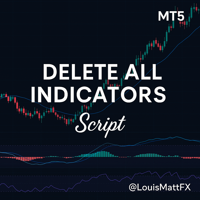
Indicator Removal Script for MetaTrader 5 (Version 1.4) The Delete All Indicators Script is a powerful and user-friendly tool designed for MetaTrader 5 (MT5) to instantly remove all indicators from the main chart, sub-windows, or both, with a single click. Developed by Louis MattFX , this script (Version 1.4) simplifies chart management, saving traders time and effort when resetting their workspace for fresh analysis or new trading strategies. Key Features Flexible Removal Options : Choose to c
FREE

Trading assistant NewsRForestExpert v4.01 Purpose and principle of operation NewsRForestExpert is a trading assistant for MetaTrader 5, using the built-in economic calendar
and the machine learning model "Random Forest" of the ALGLIB library (hereinafter simply "model"). The assistant: in this version works only on the EURUSD currency pair timeframes M1 – M5; loads news history for the selected period and forms training and test samples; trains on the obtained data or loads an already trained
FREE

️ Instant Close All Charts – MT5 Utility Script One-Click Solution to Instantly Close Every Chart Window in MetaTrader 5 Managing too many open chart windows in MetaTrader 5 can slow down your platform, clutter your workspace, and reduce productivity. Instant Close All Charts is a lightweight, ultra-fast MT5 utility script designed to close all open chart windows with a single click — clean, safe, and efficient. Download MT5 EA Products Whether you're a trader working with dozens of charts or
FREE

All-in-One MT5 Trading Panel EA Take full control of your trades directly from the chart using this intuitive and efficient MetaTrader 5 Expert Advisor. Built for precision, speed, and simplicity, this EA provides a fully integrated trading panel to manage your positions without navigating multiple menus. Key Features Instant Order Execution
Place trades instantly with six predefined buttons: BUY 0.5 – Open a buy position with 0.5 lot BUY 1.0 – Open a buy position with 1.0 lot BUY 2.0 – Open a
FREE

Imagine what results you could achieve in your manual trading if you had a tool that notifies you of a possible price reversal for all the symbols you are interested in at the same time (futures, stocks, forex or cryptocurrency)?
VSA screener is just the right tool. It was created for traders who value their time and make their own trading decisions on opening or closing a position. The software monitors the presence of trading patterns on the preselected tickers under several timeframes (up to
FREE

Please visit = https://www.mql5.com/en/market/product/186048 for slave EA
MT4 Version = https://www.mql5.com/en/market/product/186079
Free Demo Version = https://c.mql5.com/6/1033/COPYTRADE_BIN7D.zip
User Manual : download here
Best EA Trade Copier for MT5. EA Trade Copier is a powerful and reliable trade copying solution that transfers trades from one Master account to multiple Slave accounts in real time. Whether you manage multiple trading accounts, investor accounts, VPS terminals,
FREE

SIMPLE AND QUICK CHART CLEANUP SCRIPT - FREE FOR ALL - EASY TO DRAG AND DROP ONTO THE CHART - A MUST HAVE IN MY EYES
Everybody loves to draw on a chart! But cleaning is nobodies favor. Most of the time it will be faster to dump all and redraw the important part. Repetition makes you good! ALWAYS think about that! KEEP IT GROWING, ;-) I wish you a good day, Traders!
If you need something, send me a message. Best wishes to you from Vienna!
FREE

==============================================================
使用键盘(1,2,3,4,5)快速切换 时段 1m,5m,15m,1h,4h
免费使用
==============================================================
==============================================================
==============================================================
==============================================================
FREE

This tool plots the following time-based horizontal lines on the DAX Index CFD or futures:
- Daily open - 08:00 Opening (Frankfurt) - 09:00 Opening (Frankfurt spot market) - 10:00 Opening (US equities pre-market open) - 14:00 opening (US morning session open)
Configuration options:
- Colour and width of the lines - Number of days for which the lines should be displayed in the past - Server time offset, as MT5 server times often do not match the trader’s
FREE

Az Order Manager - Free Visual Hook Edition V1.2
The most visual order management panel, now available for free to try.
This is the free version of Az Order Manager Diamond 9.41 (Best Seller).
What is this tool? A professional panel to manage orders with visual lines. You can draw entry, stop loss and take profit lines, move them on the chart and see lot size, risk in $ and reward in real time before executing.
WHAT YOU CAN DO IN THIS FREE VERSION (100% Working):
Visual Lines - Click Pen
FREE

This indicator like small script only attach on any chart. It will export All symbol name and property to CSV file. Location at MQL5/File/Data/ Format CSV Pattern like ["Symbol","Category","Sector","Industry","Description"] Example : "USDX","","Indexes","Undefined"","US Dollar Index" "Coffee","","Commodities","Commodities - Agricultural"","Coffee Cash Contract" "Airbnb_Inc_(ABNB.O)","","Communication Services","Internet Content & Information"","Airbnb Inc" "Akamai_Technologies_(AKAM.O)","","Tech
FREE

This MT5 Utility is designed to simplify the process of managing multiple trades. If you have several open positions, it can be time-consuming to close each one manually. With this tool, you can easily close all profit trades, losing trades, or just the trades that are linked to the chart you're currently viewing. It saves you time and effort by allowing you to manage your trades with just a few clicks, making your trading experience smoother and more efficient. Whether you're focusing on profit
FREE

PropBlaster Copier Duo - Copy Trades to a Second Account Copy trades from one MT5 account to one other account on the same PC or VPS. Lots 1:1, stop loss, take profit, partial closes and closes are mirrored. One EA for master and slave.
Runs locally - no server, no DLLs, no web requests. It copies trades but does not open trades of its own. Quick start 1. Give each account its own MetaTrader 5 installation on the same PC or VPS and run both at the same time.
2. Master terminal: drag PropBlaste
FREE

Скрипт для быстрого закрытия рыночных и отложенных ордеров. Этот зацикленный скрипт гарантированно закроет все выбранные ордера. Он будет работать, пока не закроет все выбранные позиции и удалится когда сделает свою работу. Если у Вас много открытых позиций этот скрипт поможет вам. Интуитивно понятный интерфейс 1) Просто бросьте его на график. 2) Выберите ордера, которые надо закрыть. По умолчанию выбраны все! 3) нажмите кнопку "Close". Если вы забыли включить Авто торговлю, будет выдано сообщен
FREE
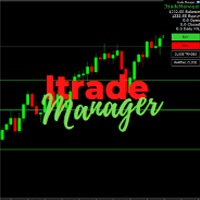
Itrade manager expert advisor (EA) is a type of software that can be programmed to perform a variety of tasks related to managing trades in the financial markets. Some of the ways in which the Itrade manager EA can help you trade better include: Itrade manager EA can automatically modify, and close trades based on predefined rules and conditions, freeing you up to focus on other aspects of your trading strategy. Managing risk: Itrade manager EA can help you manage risk by placing stop-loss and t
FREE

Save time placing orders This is a tool for manual trading. It has an intuitive, and straightforward interface without any useless extras. Allows you to automatically calculate the order volume size, open both market and pending order. Works on any symbol/instrument, account type or broker. Input fields: Order Size - as percentage of account free margin Take Profit - as percentage of account balance Stop Loss - as percentage of account balance Symbol Contract Size - needs to be manually entered
FREE
背景
本产品是基于周期论而开发出的实用看盘工具。 当您在分析一个交易品种的多个周期时,添加了多个图表放在副屏中,这时您需要查看其他交易品种的多周期图表时,无法快捷的切换,将会增加大量时间成本。 此产品可快捷切换副屏中的图表显示的品种,且应用模板不变,放置位置也不会改变,大大节省了设置的时间。 使用方法 例如您在2个副屏分别放置了XAUUSD的M5,M15图表,当您需要查看EURUSD的图表时,只需在客户端点击停驻的EURUSD图表,应用脚本即可。 注意如果副屏上放了多种交易品种的图表,那么在应用脚本后,都会统一切换为一种交易品种的图表,所以建议不同副屏放置一种交易品种的图表即可。 点击 这里 查看快速新增单个品种的多周期图表的产品信息, 可配合此产品一起使用。 点击 这里 查看基于周期论的指标产品,可配合此产品一起使用。 如果您有任何问题或需要帮助,请通过私信与我联系。 注意! 我的所有产品只能在这里购买,即官方 MQL5 网站。 谨防骗子!
FREE

AI Equity Drawdown Guardian is an account-wide protection utility for MetaTrader 5. It continuously monitors your account equity against a configurable daily and total drawdown limit, and automatically closes all open positions and blocks new trading the moment a limit is breached - across ALL symbols and ALL magic numbers, not just its own trades. Key features: Daily drawdown percent limit, calculated from the equity at the start of each trading day Total drawdown percent limit, calculated from
FREE

Position Closer is advisor used to close all orders when the profit will cross specified value either above or below. You can close all orders with one button click.
On panel on chart you have options: Deactivate after close - If Deactivate after close is checked the advisor will disable Close above profit and Close below profit options after orders are closed either on crossing the profit or on hitting the CLOSE ALL button. Close above profit - If Close above profit is checked, the advisor wil
FREE

Take control of your trading performance with the Pro Dashboard Screener Designed for serious traders, this utility provides a clean, professional, and real-time overview of your account's health directly on your chart. Stop switching between tabs to check your stats. With the Quant Pro Dashboard, your key metrics are always front and center, allowing you to focus on what matters most: your analysis. Key Features: Account Intelligence: Automatically detects your Account Number and Broker detail
FREE

Description Smart SL/TP Modifier Pro is a professional utility designed to help traders easily manage Stop Loss (SL) and Take Profit (TP) levels directly from their MetaTrader 5 chart.
It provides interactive on-chart control lines and intuitive buttons for quick modification of all active orders with just one click. This tool is especially useful for traders who manage multiple positions manually but want to ensure consistent and fast SL/TP adjustment. Main Features Modify all open trades
FREE

Smart Lot-Size Calculator And Trade Assistant for Mobile Trading Overview: This is the tool every trader in the market must have no matter if you are scalper, swing traders, day trader, or long term trader. This On-The-Go trading tool will help you stay disciplined and also stay free from daily trade management chores, Most traders face common problems like 1. Calculation of proper lot-size of a position to take controlled risk 2. Managing every trade and trailing stop-loss if trades goes in
FREE

TPS Risk Manager MT5 — Trader Protection System Proteja sua conta de trading com um sistema completo de gerenciamento de risco para MetaTrader 5. O TPS Risk Manager foi desenvolvido para ajudar traders a controlar automaticamente os principais limites operacionais da conta, evitando que decisões emocionais ou excesso de operações comprometam o gerenciamento de risco. ️ Principais recursos • Limite de perda diária
• Limite de perda semanal
• Limite de perda mensal
• Meta de lucro diária
• L
FREE

Panel Trade Basic: Speed and Total Control
It is the ultimate tool for high-speed manual trading. Trade directly from the chart with a single click or thru keyboard shortcuts, eliminating unnecessary menus.
Key Functions
Instant execution: Market and Pending Orders (Limit/Stop). Quick management: Total control of Batch, SL, and TP instantly. Pro Interface: Floating, draggable panel and real-time P&L/Margin visualization. Keyboard Shortcuts (Hotkeys)
C / V: Buy / Sell. X / Z: Close all / Cle
FREE

Stop switching to the calendar tab every few minutes. TlgNews monitors the economic calendar for you and sends a clear summary straight to your Telegram before the event happens, so you never miss what's coming while you stay focused on your charts. How it works You choose which events matter to you (High, Medium, or Low importance) and how many seconds in advance you want to be notified. When an event matching your filter is about to be released, you receive a message in your Telegram chat with
FREE

The only drawdown guardian that stops your other EAs from digging you deeper. PropMarshal monitors your account equity in real time and instantly closes all positions the moment a drawdown or profit target threshold is breached. But it doesn't stop there — it closes every chart on your platform too, cutting off any other Expert Advisors before they can open new trades and compound the damage. The Problem PropMarshal Solves Most prop firm traders run multiple EAs across multiple charts. When a dr
FREE

PFA Merger – Portfolio Position Merger Script
Introduction PFA Merger is an MQL5 script and an essential component of the Portfolio Analyzer (PFA) system, a portfolio analysis toolkit included with compatible Expert Advisors from this profile. The PFA system allows traders to build, merge, and simulate multi-asset, multi-strategy portfolios entirely within the MT5 Strategy Tester, with no external tools required.
The three-step PFA workflow The PFA Exporter, built into the EA, exports backtes
FREE

Ladies and gentlemen, let me explain a simple tool that can help adjust stop-loss positions based on historical data and customized distance. Tool Name: Trailing Stop Pro Description: A trailing stop is a risk management tool commonly used in trading. It allows traders to set a dynamic stop-loss level that automatically adjusts as the price moves in their favor. Here’s how it works: Initial Stop-Loss: When you enter a trade, you set an initial stop-loss level. This is the price at which you’re
FREE

The VR Orders History script is designed to upload a trade report to a csv file. This format is intended for additional analysis of trading history in programs such as EXCEL, Openoffice, and Libreoffice. Thanks to the script, it is now much easier for a trader to analyze their trading history. The program facilitates the analysis of the trading history for the MetaTrader 5 terminal. The trader sees structured trading. The entire report is based on the following principle: Position > Order on the
FREE

Price Alert EA for MT5 – Intuitive On-Chart Alert System The CFN Price Alerts EA for MetaTrader 5 is a professional, easy-to-use tool designed to simplify price monitoring and trading decisions. It allows traders to set customizable price level alerts directly from their charts—no more manual setup through MetaTrader's native alert system. With a clean, interactive panel, you can quickly add, manage, and remove alerts. Alerts are visually displayed on the chart and saved between sessions, pr
FREE

Tele Notify can help you send notifications for opened & closed trades to a Telegram channel or your personal Telegram. (see Master Notify for full options of notifications/alerts: indicator data, price, news, etc. Get more EAs here )
Update: Now you can check your account info anytime from your Telegram by simple command: /check. This option is only valid when you use your Telegram User ID on EA inputs *******************************************************************************************
FREE

程序 - 服务 实现将每个交易系统的已平仓头寸自动保存到文件中,按行的形式存储。这对于进一步与其他产品(例如Semyon Racheev的资本管理服务等)的集成是必要的。 它自动将结果保存到以下格式的文件中:
文件名:" <magicNumber>.csv"
文件中的每一行表示一个已平仓头寸,格式为 " <magicNumber>,<positionCloseTime>,<positionVolume>,<positionProfit>" 算法: 服务从终端数据库中为指定的 magicNumber 列表检索多个已平仓头寸。 服务定位到参数中指定目录下的对应 magicNumber 的文件(如果存在)。它检索文件中描述的头寸集。 服务将每个 magicNumber 的这些头寸集合合并,并将结果集重新保存到对应的 <magicNumber>.csv 文件中。 因此,在参数指定的目录中,我们有包含历史已平仓头寸当前结果的文件。这些结果还可以与回测结果相结合,以便在资本管理或其他Semyon Racheev的分析产品中进行更准确的计算
FREE

EA Portfolio Dashboard Telegram Alerts Professional dashboard designed to analyze, monitor and control multiple Expert Advisors in real time, providing institutional-level statistics directly on your MT5 chart . Track the true performance of your portfolio with clean visual analytics, automatic EA grouping, drawdown monitoring and Telegram notifications. Ideal for traders running multiple EAs, prop firm challenges or VPS trading environments. Key Features Automatic detection of all EAs runn
FREE

Golden Sizer By SKPAD – Calculateur et Gestionnaire de Position Intelligent Golden Sizer est bien plus qu'un simple outil de trading : c'est un assistant stratégique complet pour la gestion des risques et des positions. Conçu pour s'adapter à tous les styles de trading – du débutant au professionnel, du swing trader au scalpeur – il transforme votre approche des marchés grâce à une interface intuitive, une précision de calcul optimale et une exécution rapide. Compatible avec tous les marchés (F
FREE

The Expert Advisor "TimeLeft Display" shows the remaining time until the close of the current candle in a digital display. The time is displayed in days, hours, minutes, and seconds. Features: Time Calculation: Calculates the remaining time until the close of the current candle based on the current timeframe of the chart. Digital Display: Shows the remaining time in a digital format. Customizable Font and Size: Allows selection of the font (Arial, Arial Black, Aptos Display, Tahoma,
FREE

Join WhatsApp Group for Free Signals & More Discussion
https://chat.whatsapp.com/IWc1CaxviFw8Bu94JGRIQv For Live Signals Please Visit
https://www.mql5.com/en/signals/2352564?source=Site+Profile+Seller
TRADE EXECUTION Auto-trade on pattern confirmation Reverse trading signals option Multiple order management Customizable magic number for identification ️ RISK MANAGEMENT Fixed or dynamic lot sizing Automated stop loss placement Take profit targets Maximum orders limit control PROFIT PROT
FREE

别再猜测你的交易表现了!立即在图表上追踪你的盈亏! 作为交易者,准确、实时地掌握自身的心理状态和执行力是保持交易纪律的关键。DaBhoza 胜率追踪器是一款轻量级、直观且高度可视化的图表工具,旨在帮助您一键手动记录和监控交易结果。 无论您是在测试新的手动交易策略、在模拟账户上练习,还是追踪每日实时目标,此仪表盘都能清晰地显示您的关键统计数据。 主要功能 一键记录:使用醒目的高对比度按钮,即可立即记录盈亏。 实时统计:自动计算并显示您的胜率百分比、总盈利、总亏损和总交易次数。 图表上的便捷性:在瞬息万变的市场交易中,无需打开外部电子表格或交易日志。 即时重置:使用专用的重置按钮,即可立即清除当前交易时段的统计数据,为新的交易日或交易时段做好准备。 简洁流畅的用户界面:采用现代深色主题仪表盘,搭配简洁的字体,可与任何 MT5 图表布局完美融合。 进度保存:关闭 MT5 终端后,您当前的交易数据不会消失——您的进度会自动保存,并在您下次运行终端时继续。 为什么您需要这款工具? 手动回测和前瞻测试可能非常繁琐。在混乱的交易过程中,我们常常会忘记自己的实际胜率。DaBhoza 胜率追踪器弥补了这
FREE

该脚本的设计使交易者可以确定交易交易的平均持续时间,在此期间可能的利润和损失的比率将是最佳的。 首先,让我们看一下确定贸易交易最佳持续时间的一般方法。我们介绍以下变量: R - 交易的结果; T - 交易开放的时间; W - 上一笔交易结束与下一交易开盘之间的时间。 每个交易者都努力在最短的时间内获得最大的利润。这种愿望可以通过以下简单表达来描述: R/(T+W)→max 。 很明显,变量 T 和 W 取决于交易的总持续时间和交易数量。设 ATD 是交易的平均持续时间, N 是交易总数。然后,交易的平均持续时间应与其总数的平方根成比例增长,即: ATD~√N 。 但是,有一些有根据的问题出现 - 任何交易持续时间等同于其他交易持续时间,交易持续时间如何影响交易操作的结果?为了得到所提问题的答案,我们将对历史数据的价格行为进行一项小型研究。 我们继续如下。我们将历史数据划分为由一定数量的柱组成的系列,对应于交易的平均持续时间。在每个这样的系列中,我们计算最大价格变动,我们将引用更大的偏差 StopLoss ,并且更小 - 到 TakeProfit 。 之后,我们将计
FREE

Reflex Panel - 半自动交易的革命! 您是否厌倦了MT5笨拙的标准界面?告别频繁的窗口切换和复杂的计算! Reflex Panel 是一款新一代的专业交易面板,它将您的图表变成一个功能齐全的交易员指挥中心! 为什么选择 CHART REVOLUTION? 一切尽在同一屏幕 - 不再有多余的窗口
即时执行 - 一键开仓
智能风险计算 - 根据存款百分比自动计算手数
可视化控制 - 所有持仓水平直接显示在图表上
4种时尚主题 - 从赛博朋克到黑客帝国 核心功能 交易面板: 一键开设买入/卖出仓位 快速设置手数、止损和止盈 快速选择按钮 (0.01 - 1.00手) 预设止损/止盈水平 (25, 50, 100, 200 点) 平掉所有仓位 / 仅平掉盈利仓位 可折叠面板以节省空间 资金管理: 资金管理 - 基于风险自动计算手数 每日最大亏损 - 防止情绪失控 每日交易次数限制 - 控制交易活动 每笔交易风险 - 从存款的0.1%到10% 自动功能: 移动止损 (Trailing Stop) - 自动跟随利润 保本止损 (Br
FREE

AlphaMonitor — Free Trading Risk Monitor Monitor your trades. Understand your exposure. Stay informed. AlphaMonitor is a lightweight monitoring utility for MetaTrader 5 designed to help traders keep track of their open positions, floating profit and loss, and potential trade outcomes from a single, convenient overview. Whether you trade manually or use Expert Advisors, AlphaMonitor provides useful information about your current positions, helping you monitor your trading activity without th
FREE

TA Ideas is a smart assistant for traders who rely on technical analysis. It automatically identifies potential support and resistance zones, marks key extremum points, and considers trading volumes on each bar. This tool helps you spot meaningful structures on the chart faster and with greater precision. Its clear, minimalist visualization makes analysis more intuitive, while flexible customization options allow adaptation to your individual strategy.
FREE
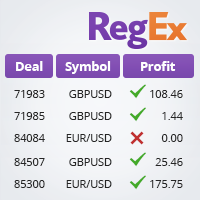
The TradeHistoryParsing is a utility for working with the trade history obtained from the MetaTrader 5 terminal. The product is based on the " RegularExpressions in MQL5 " library. It allows to quickly get the required data on your trading history. The filtering results are displayed as a table, a summary of mathematical statistics is provided below the table.
Working with the tool Export the trade report as an html file and place it into the "sandbox". After that, when launching the EA, specif
FREE

A script for opening a grid of orders If you need to quickly open several pending orders on a certain distance from the current price, this script will save you from routine! Allow AutoTrading before running the script. Instructions: Run the script on the chart. This script is a limited version of the market product https://www.mql5.com/en/market/product/635 and allows opening only Buy Stop orders. Input parameters are not required in the script. Parameters such as number of orders, order type,
FREE

This is the demo version of SmartVSV Panel. https://www.mql5.com/en/market/product/91131 It is the same as original panel with all graphic objects and settings. Main difference is that you can not trade with this demo, but you can see all orders' parameters such as entry, TakeProfit and StopLoss. Also you can test QuickTrade. All functions are explained with alerts. When you add it to your chart press "I" to call information alert.
FREE

Trailer Is a reduced version of my EA bull scalper but will handle trailing loss and risk management
use the ai trailing tool to effect the trailing start or chose manual mode to start the trailing and the spread of the sl behind it
check out the EA Bull Scalper for full position Management position opening and extreme performance
https://www.mql5.com/en/market/product/116071?source=Site+Profile+Seller
FREE

A manual trading tool that places buy, sell, stop, and limit orders. Easily configure your settings for risk, take profit, stop loss, break-even, and trailing stops. It works in any timeframe and serves as a highly reliable tool for manual trading. Settings can be changed easily right on the panel—no more clicking the small Expert Advisor icon in the corner of the screen.
FREE

Portfolio Aggregator - one dashboard, total clarity across all your trading accounts Portfolio Aggregator unifies account data from multiple brokers and currencies into a single, transparent dashboard, giving real-time visibility into equity, margin, P&L, and risk metrics so traders can maintain control and confidence across diversified strategies. It converts all values into a chosen base currency using live FX rates, and displays equity, balance, unrealized P&L, margin usage, and open position
FREE

保证金压力指数(MSI)旨在尽可能准确地反映交易账户当前的负载情况。 100% 的数值表示账户未使用任何保证金,而随着保证金的使用,数值会按比例下降。 0% 的数值对应于处于最大保证金压力状态下的交易账户。 此外,智能交易顾问(Expert Advisor)还会记录保证金、可用保证金、保证金水平、MSI 以及账户净值(Equity)的最高值和最低值。 _____________ The Margin Stress Index (MSI) was created to represent the current load on a trading account as accurately as possible.
A value of 100% indicates an account with no margin usage, and the value decreases proportionally as margin is utilized.
A value of 0% corresponds to a trading account under maximum margin
FREE

(加密货币图表)
将 Binance Future 的所有交易品种保存到自定义交易品种中。
为 Binance Future 中的符号添加“F”前缀。
它创建了可以跟踪 Binance Future 中的符号的基础设施。
您应该允许来自工具菜单 >> 选项 >> 智能交易系统的 WebRequest 并添加 URL: https://fapi.binance.com
只需双击脚本。
您可以在几秒钟内获得整个列表。
在链接中查看产品 https://www.mql5.com/en/market/product/68694 请随时与我们联系以获得安装和进一步支持。 请随时与我们联系以获得安装和进一步支持。 请随时与我们联系以获得安装和进一步支持。 请随时与我们联系以获得安装和进一步支持。
FREE

Trading panel for manual trading. Has a fairly wide functionality. Allows you to automatically calculate the order size, open both market and pending orders. It has a wide range of options for closing orders, it is possible to partially close orders, close orders after reaching a certain profit or loss, separately close profitable and unprofitable, buy and sell, as well as pending orders. The panel also contains a simple implementation of a grid of pending orders, reverse and lock functions, tr
FREE

CauCa Server is the command and control center for the Fishing Strategy ecosystem. It manages state, automation switches, signal-based actions, and visual trading structure so your strategy can run with better coordination and less manual intervention. The Server EA gives you centralized control over BUY and SELL behavior, supports auto-action from valid signals, and aligns strategy visualization with live client state. It is designed for traders who want stronger operational control, cleaner au
FREE

Protectron — 账户保护系统 一款实时监控账户净值的工具,当净值达到设定的上限或下限阈值时,自动平掉所有持仓。可与任何 EA(智能交易系统)或手动交易策略并行运行,且不干扰其自身逻辑。 概述 Protectron 加载到图表后,会持续监控账户总净值,其中包含浮动盈亏。当净值在任一方向达到设定的阈值时,所有持仓将被立即平仓,挂单亦可选择一并删除。整个过程无需人工干预。 该工具以被动方式与其他智能交易系统及手动交易共存运行。对于需要自动执行每日回撤限制与盈利目标的自营交易公司(prop firm)交易者而言,它尤为实用。 计算方式 上限与下限阈值均支持五种计算模式:固定净值水平、相对初始入金的美元金额、入金百分比、当前余额百分比,或关闭。两个阈值可以各自独立关闭。 图表显示 实时面板显示当前净值、距离各阈值的差距以及当前的保护状态。所有指标均在每个报价跳动时更新。 功能特性 自动或手动检测初始入金 触发时可选删除挂单 触发时发出提醒通知 单次执行逻辑,防止重复操作 同时提供 MetaTrader 4 与 MetaTrader 5 版本 文档 完整的参数说明与配置示例请参见产品文档
FREE

An essential utility for continuous background downloading and synchronization of quote history across all 21 MetaTrader 5 timeframes. This tool is indispensable for traders and developers working with market structures (Market Structure, Smart Money Concept, Price Action). The utility ensures there are no gaps or missing bars in the history, which is critical for accurate multi-timeframe analysis and the correct operation of indicators. Input parameters: Synchronization interval (in minutes) —
FREE

The Teaching T-INN utility was created to train architecture neural networks (T-INN) Target-IntelNeuroNet adapted to the currency market. The utility file must be placed in the scripts folder and run on the chart and timeframe on which you want to train the neural network. The result of the training will be recorded in a file, and the entire training process is displayed in the console on the chart and an additional log file. Before starting the script, it is necessary to download all the stori
FREE
This indicator allows to hide Bill Williams Fractals (on all MT5 timeframes) from a date define by the user with a vertical line (Alone) or a panel (with "Hidden Candles"). Indicator Inputs: Indicator Color Indicator Width Information on "Fractals" indicator is available here: https://www.metatrader4.com/en/trading-platform/help/analytics/tech_indicators/fractals ************************************************************* Hey traders!! Give me your feeds! We are a community here and we ha
FREE
RRPP Script A script for placing a pending order prepared by the Risk Ratio Trade Panel indicator. Reads the entry price, Take Profit, Stop Loss and lot size directly from the indicator lines on the chart. Requirements The Risk Ratio Trade Panel indicator must be attached to the chart and the panel must be open before running the script. How it works Attach the Risk Ratio Trade Panel indicator to the chart, open the panel and set the Entry, TP and SL lines to the desired levels. Then run RRPP Sc
FREE

Script "Bar Close Timer Pro" is designed to display a real-time countdown to the closure of the current bar. This professional tool is tailored for traders working on any timeframe, enhancing chart analysis efficiency through precise time control. The script automatically adapts to the chart’s current timeframe (M1, H1, D1, etc.), calculating the remaining time until the candle closes. (Note: When switching timeframes, the script must be reattached to the chart.) Flexible display settings: Cus
FREE

Free for a limited time, grab it now! Please, if you like this utility, leave a review, it helps us build more tools like this.
Many retail traders fail because they enter trades when a market session is already "exhausted." Session Monitor gives you the context you need by comparing current price movement against historical session averages.
The utility calculates the absolute range (the distance between the highest and lowest price reached) during the session. It is a MT5 utility that trac
FREE
MetaTrader市场是一个简单方便的网站,在这里开发者可以出售自己的交易应用程序。
我们将帮助您发布您的产品,并向您解释如何为市场准备您的产品描述。市场上所有的应用程序都是加密保护并且只能在买家的电脑上运行。非法拷贝是不可能的。
