Session Sweep Map
- Göstergeler
- Sürüm: 1.102
- Etkinleştirmeler: 10

NAME
Session Sweep Map
SHORT DESCRIPTION
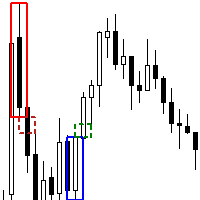
Asia, London and New York session highs and lows on one chart: which session swept (wick through, close back) or broke (close beyond) which pool, live pool status table, sweep-count matrix, popup and push alerts. Closed candles only.
DESCRIPTION
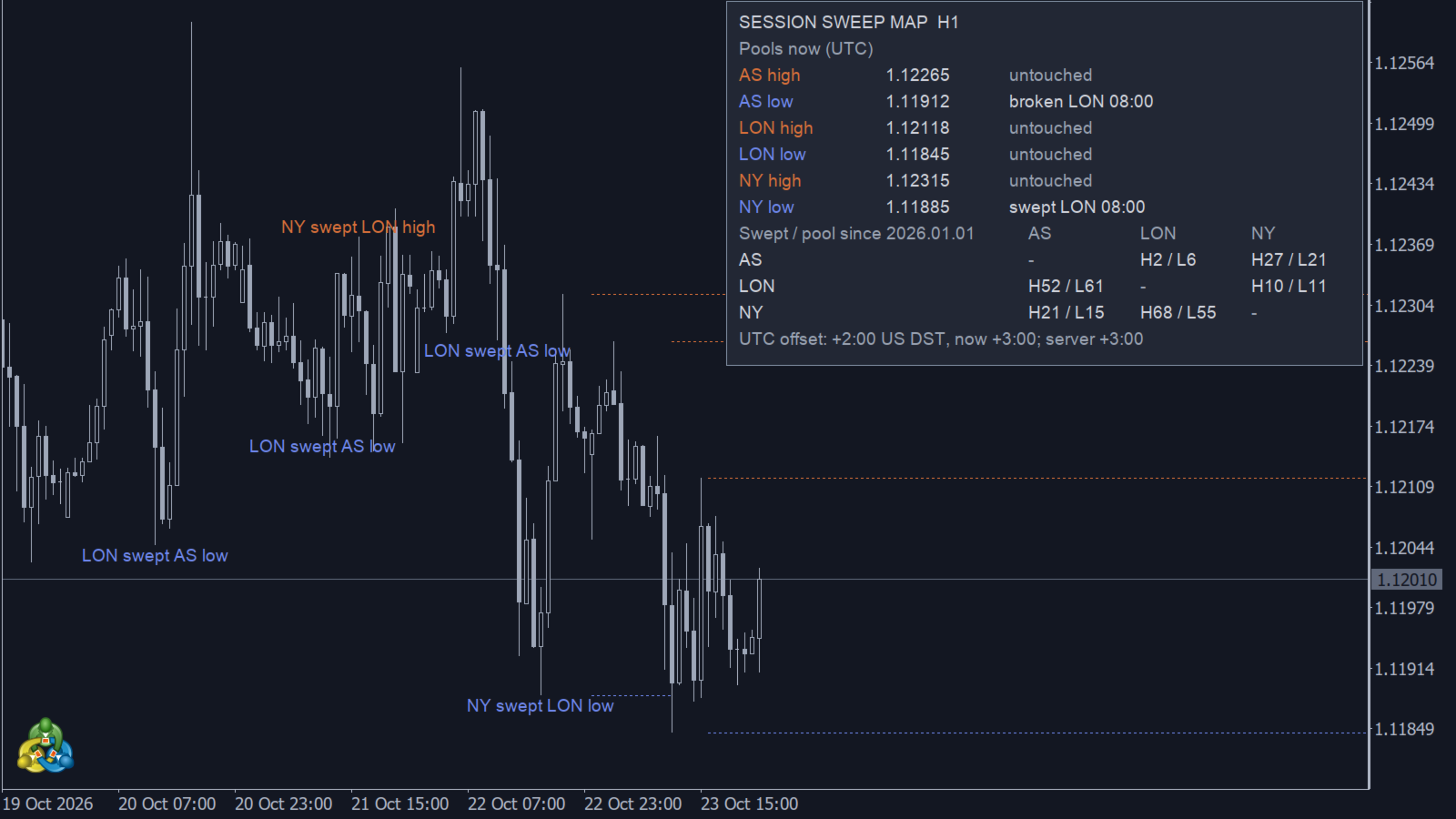
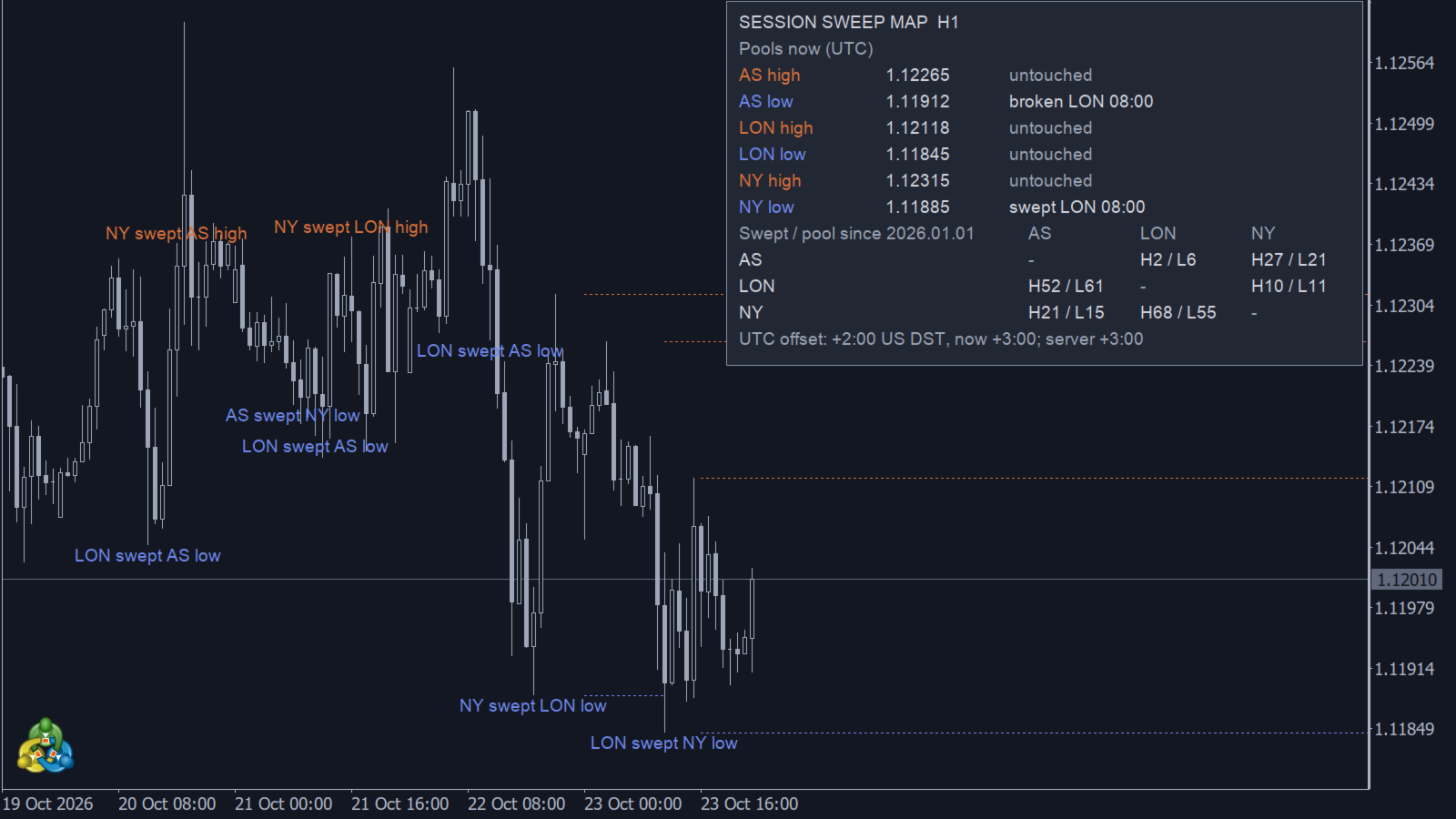
Session Sweep Map draws the high and low of the three trading sessions - Asia, London and New York - and shows what happened to each of them afterwards: a sweep (the candle wick went through the level and the candle closed back inside) or a break (the candle closed beyond the level). Only closed candles are evaluated. Sweep and break events are confirmed after candle close; the forming candle is not used. Historical chart objects may be rebuilt when history is reloaded. Older pool lines and labels are removed according to the limits described below.
WHAT YOU SEE
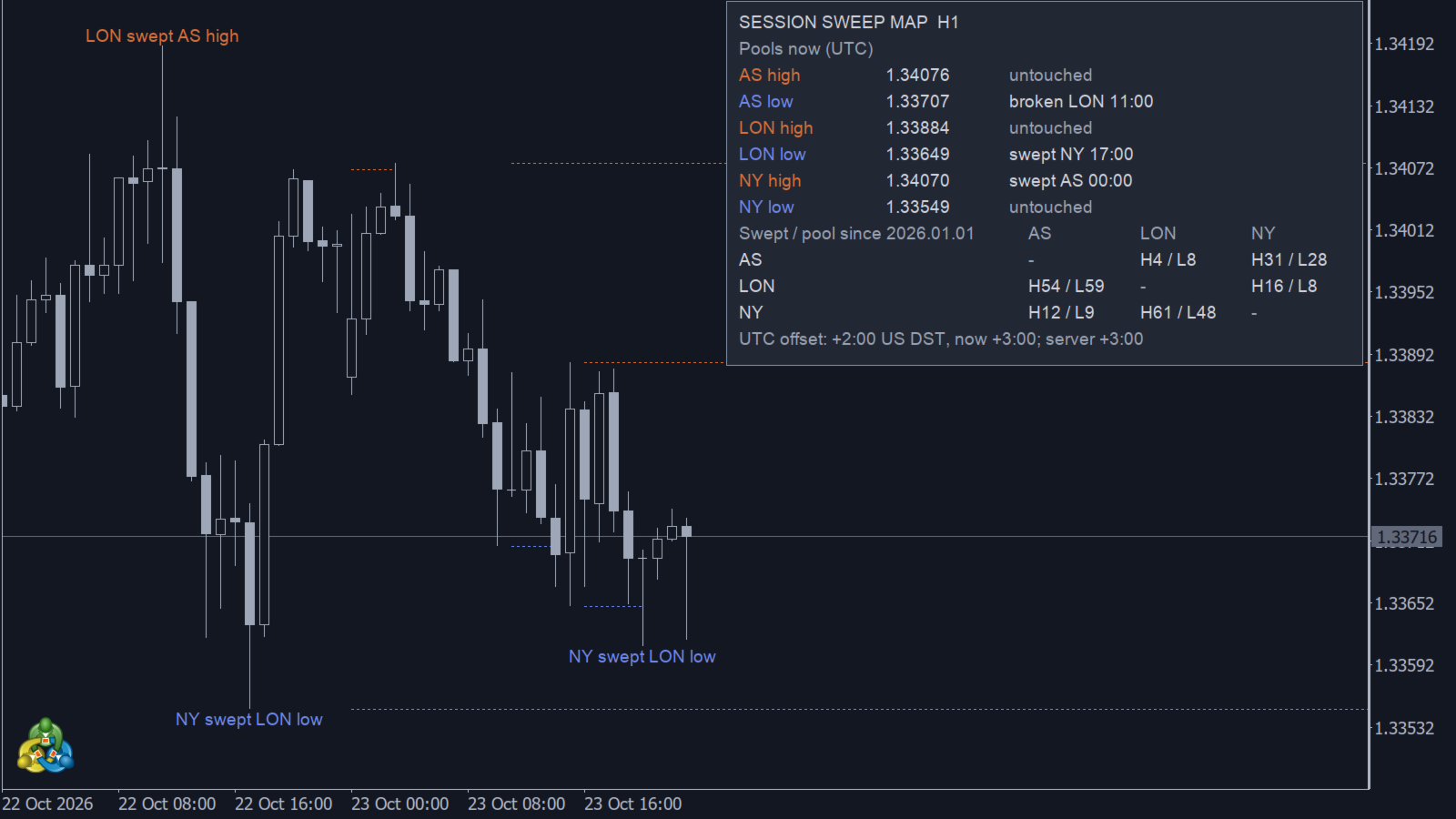
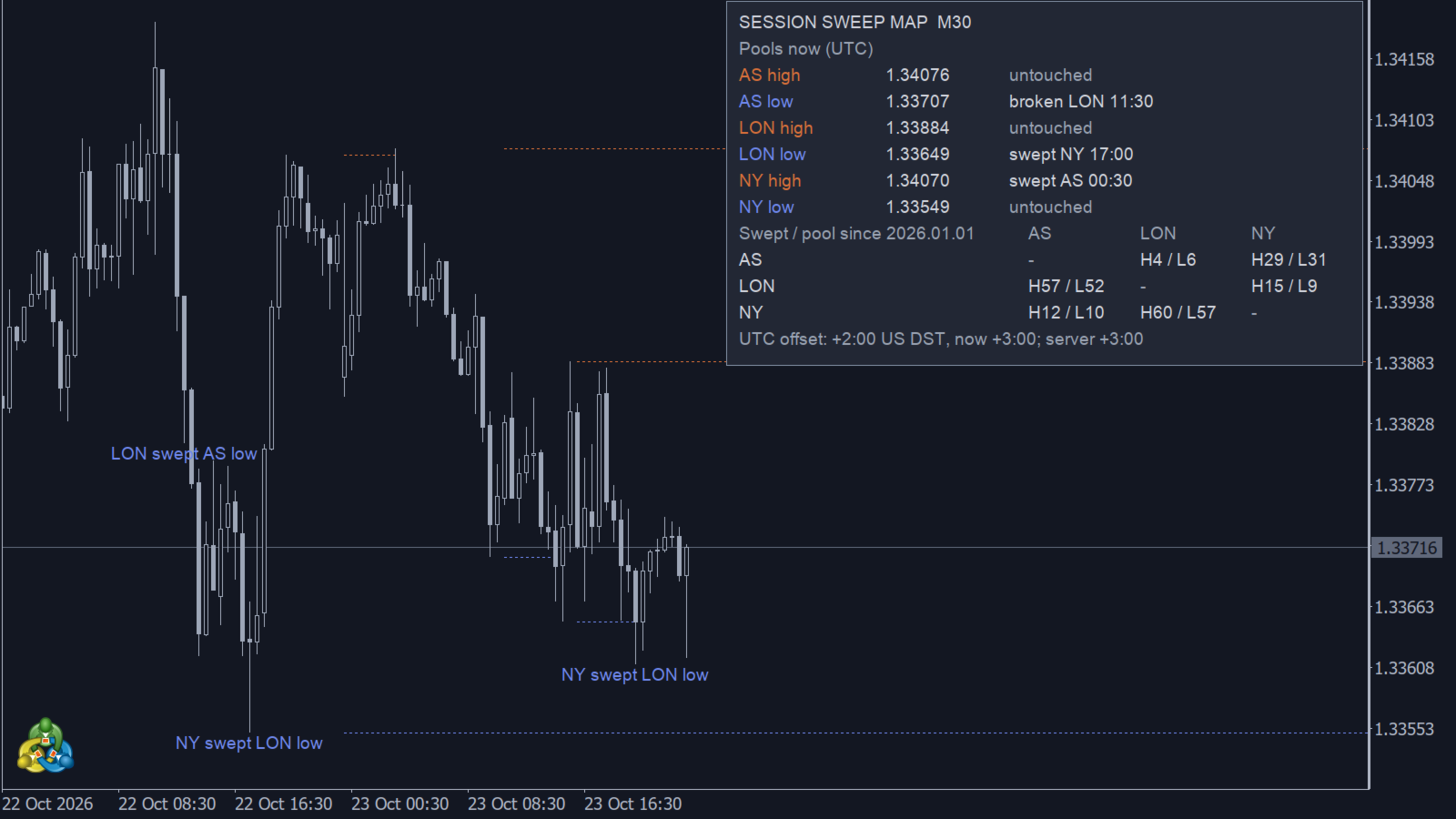
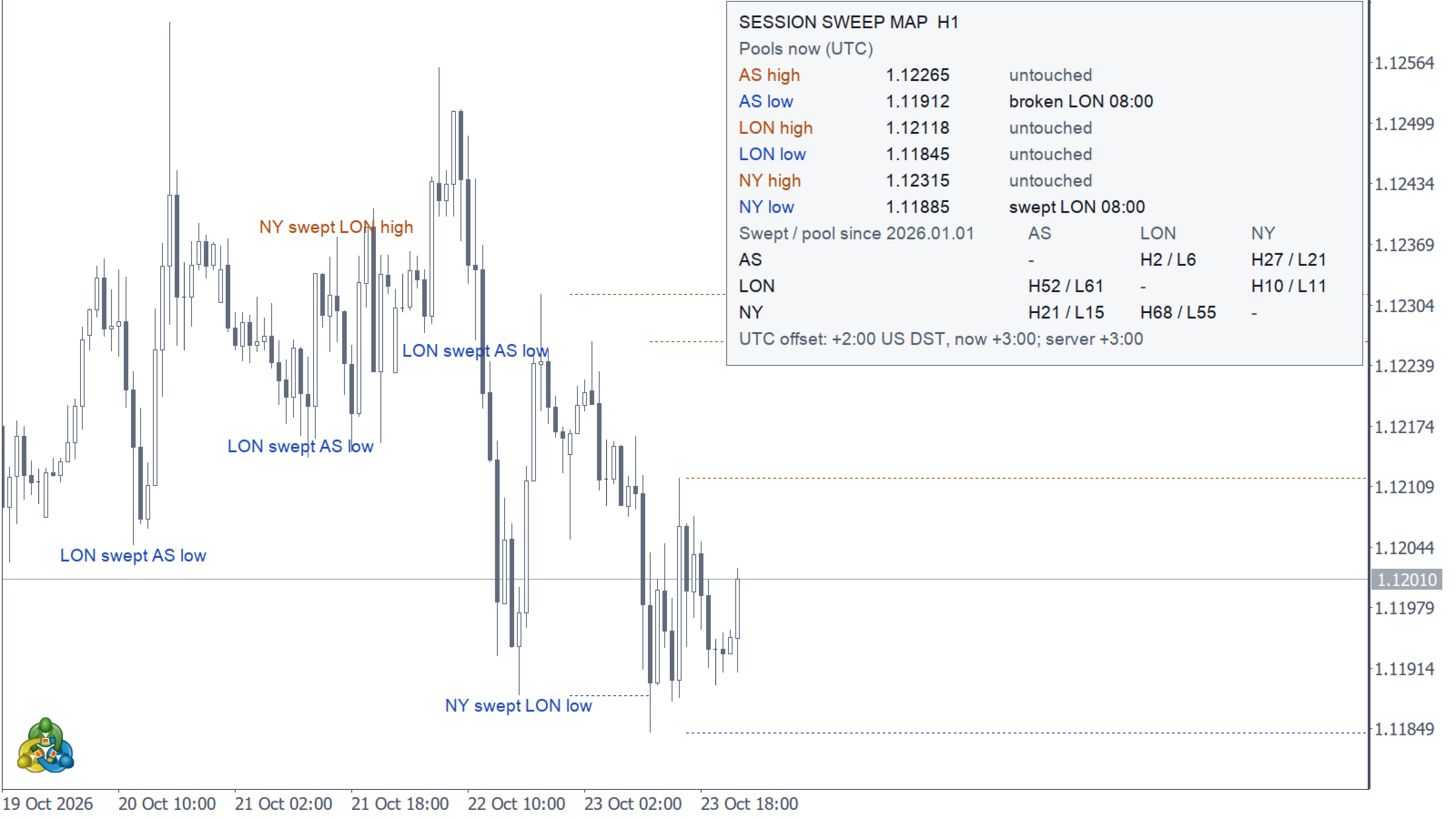
- Session high and low lines. A line starts when the session ends and stops at the candle that first swept or broke it. Only the current pool lines are shown (six at most); when a session forms a new pool, its previous line is removed.
- A label on that candle: "LON swept AS low", "NY broke LON high" and so on.
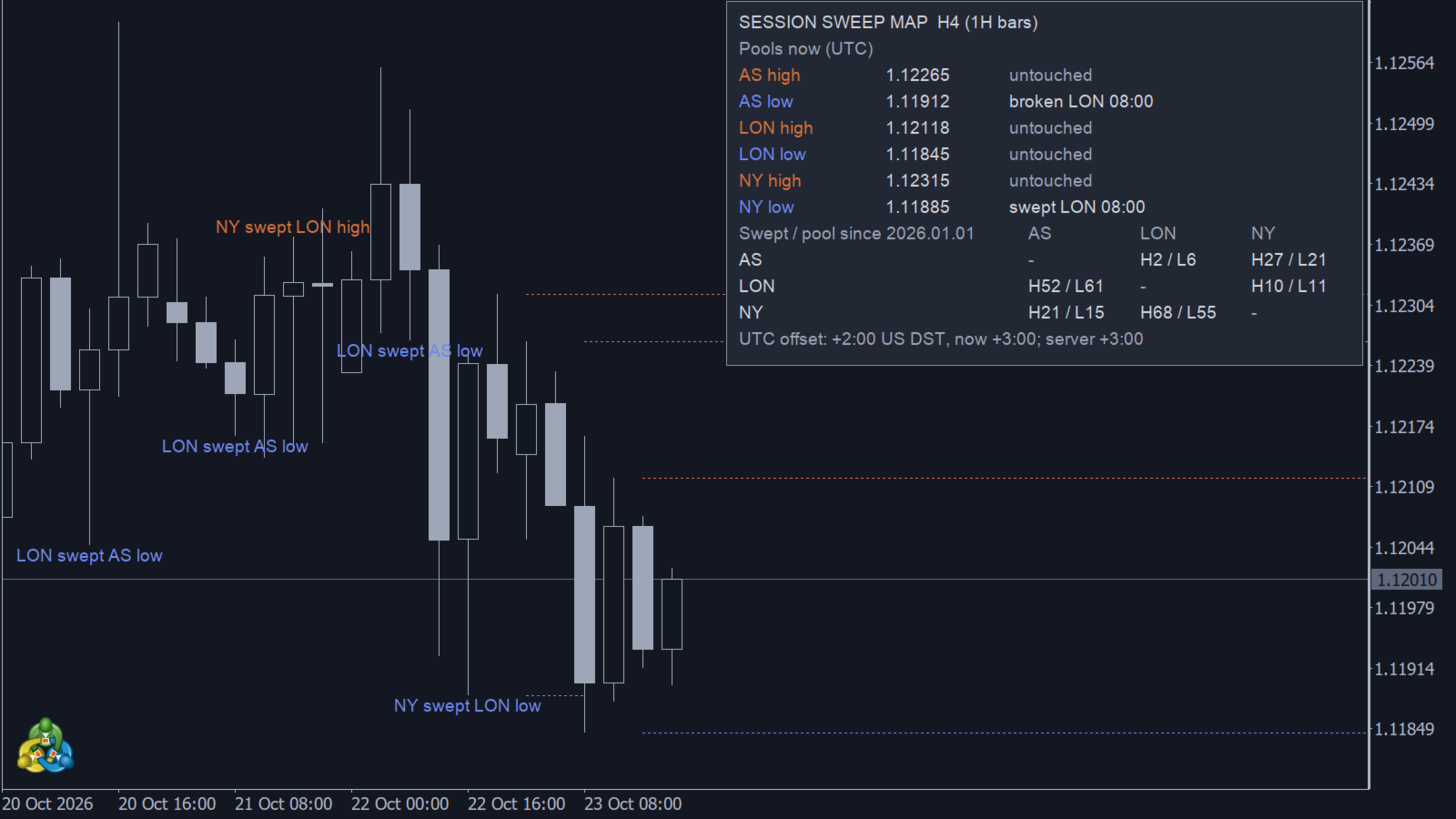
- A table with the current state of the six pools (session high / low, price, swept / broken / untouched, by which session and when, in UTC).
- A matrix with sweep counts: how many times each session swept the high (H) and the low (L) of each other session, over the loaded history. The start date of the count is shown in the header. The matrix is not limited.
- A server time line: the UTC offset you selected, the offset measured on the chart, and a warning if they differ.
HOW SESSIONS ARE DEFINED
Sessions are whole UTC hours and can be changed in the inputs. Defaults: Asia 00:00-08:00, London 08:00-13:00, New York 13:00-21:00 UTC. The hours between New York close and Asia open are "off" - pools are still watched then; a touch in that period is shown as OFF in the table and is not labelled or counted.
SERVER TIME
MetaTrader shows candles in server time, not UTC. Set the base offset (server minus UTC in minutes, winter value) and the DST rule your broker follows: US, EU, none, or Auto (measures the current offset and applies it to all history, which can be one hour off in the other half of the year). The default is +120 minutes with the US rule, which matches the common "GMT+2 / GMT+3 with US DST" servers. The indicator measures the real offset from the data and prints it in the table; if it does not match your setting, the line is marked and an alert is raised when the indicator starts. In the Strategy Tester use the base offset and the DST rule: Auto measures 0 there.
TIMEFRAMES
- 1 minute to 1 hour: events are detected on chart candles.
- 2 hours to 4 hours: events are detected on 1-hour candles inside each chart bar, so sweeps are still found at 1-hour resolution. The label is placed on the chart bar that contains the event; the table shows the 1-hour time. 1-hour history has to be loaded for these bars; while it is loading, the affected bars are recalculated when the data arrives.
- Above 4 hours the indicator does not run (sessions are shorter than a bar).
ALERTS
- Popup alert and/or push notification on a confirmed sweep or break, sent once, after the candle closes. Push requires your MetaQuotes ID in the terminal settings (Tools - Options - Notifications).
- Events from history never alert; only events that happen after the indicator was attached.
- "Classic pairs only" (default on) limits labels and alerts to London sweeping Asia and New York sweeping London. Turn it off to see all six session pairs. The matrix always counts all pairs.
INPUTS
- Sessions: Asia start, London start, New York start, New York end (UTC hours).
- Server time: base offset in minutes, DST rule.
- Display: session lines on/off, labels on/off, classic pairs, table corner, table and label font size, Instance ID.
- Alerts: popup on/off, push on/off.
NOTES
- Up to 200 most recent labels are kept on the chart; older labels are removed as new ones appear.
- The map is recalculated from scratch when the terminal reloads history, when missing 1-hour data for 2H-4H arrives, or when the Auto server-time offset changes; with the same data and settings the result is the same map.
- Instance ID lets you run several copies on one chart (for example with different session hours): give each copy its own ID. A second copy with the same ID refuses to start. If an Expert Advisor loads the indicator with iCustom on the same chart, give the chart copy a different Instance ID.
- On symbols that trade 24/7 the one hour around a DST change can be assigned to the neighbouring session on that day; on forex that hour falls into the weekend.
- The indicator has no buffers and does not trade. It can be loaded from an Expert Advisor with iCustom to read the chart objects; when passing inputs through iCustom, pass an empty string in place of each input group (checked on terminal builds 6275 and 6281).
- This is the author's own Session Sweep Map [Zen] logic implemented in MQL5. Calculations use closed candles only; results depend on the broker's price feed and loaded history.
Tested on MetaTrader 5 builds 6275 and 6281, including a live popup alert on a demo account.