Nomad Trade Panel
- Yardımcı programlar
- Sürüm: 1.0

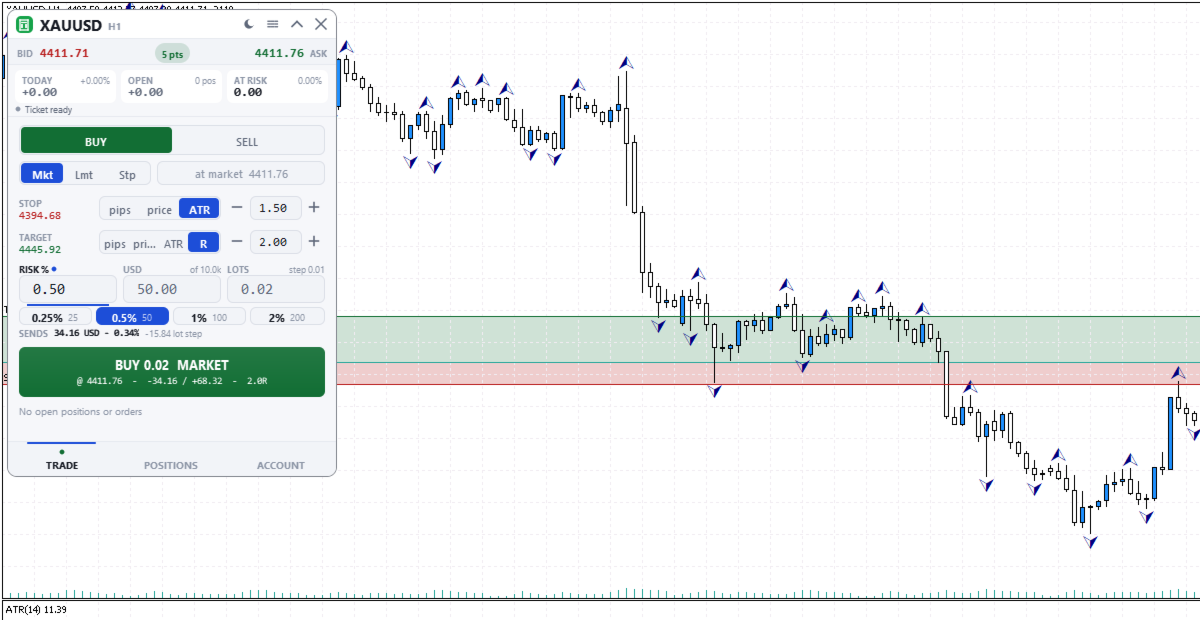
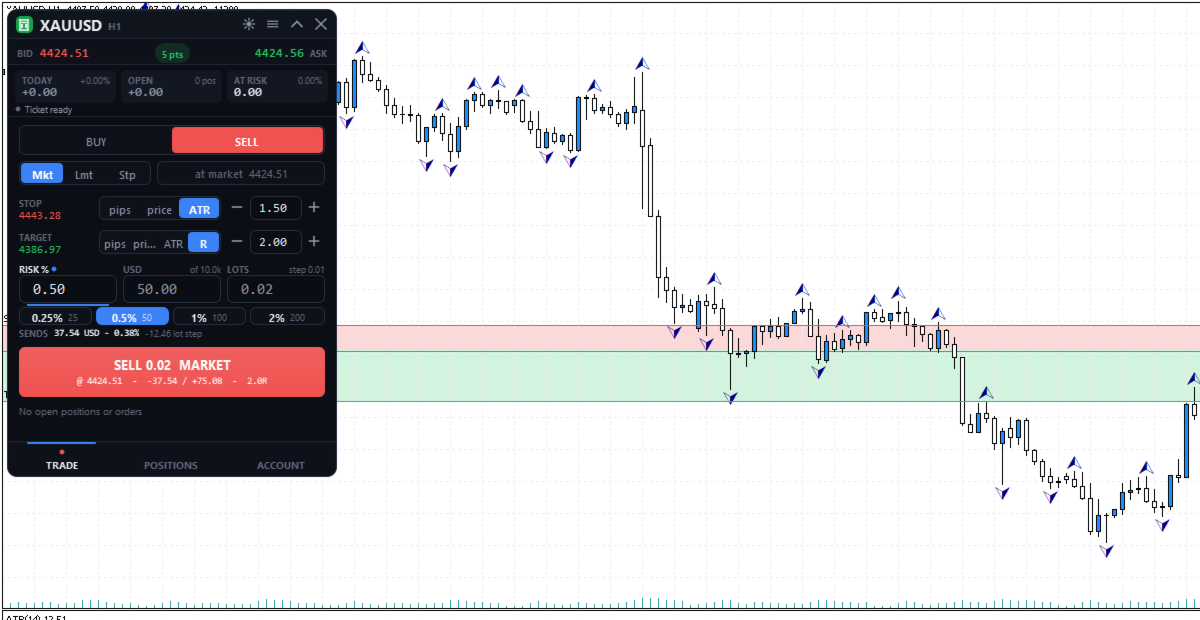
Nomad Trade Panel is a trade panel for MetaTrader 5 that works out the lot size from your stop loss and the risk you choose, then sends the order from the chart. It is for manual traders who decide the risk first and want to see what will be sent before they click.
It is a manual tool. It never opens, changes or closes anything by itself: every action starts with your click, a level you drag, or the close-all key (Ctrl+Shift+F, pressed twice).
To start: attach it to a chart, check the stop loss, type your risk and click the order button twice.
LOT SIZE FROM YOUR RISK
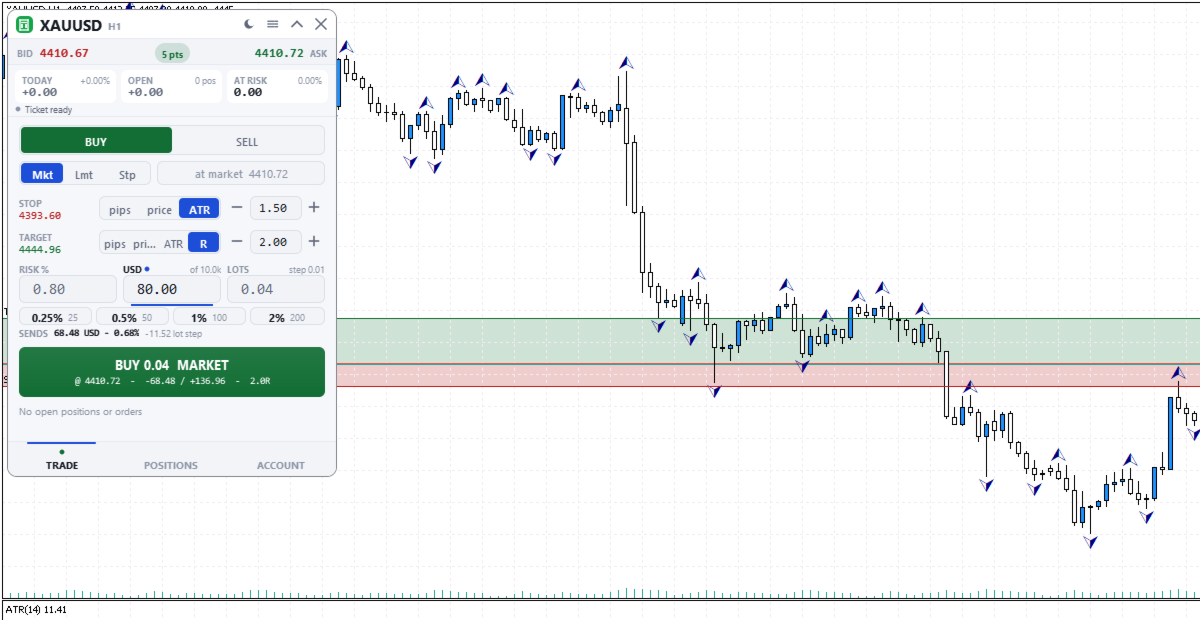
Three linked boxes: RISK %, money in your account currency, and LOTS. Type in any box: that one stays fixed (a dot marks it) and the other two follow. Lots are worked out from the stop distance and the symbol's loss tick value, rounded down to the volume step and checked against free margin. Percent is of the balance, not equity. The risk shown is the distance to the stop only, without commission, swap or slippage.
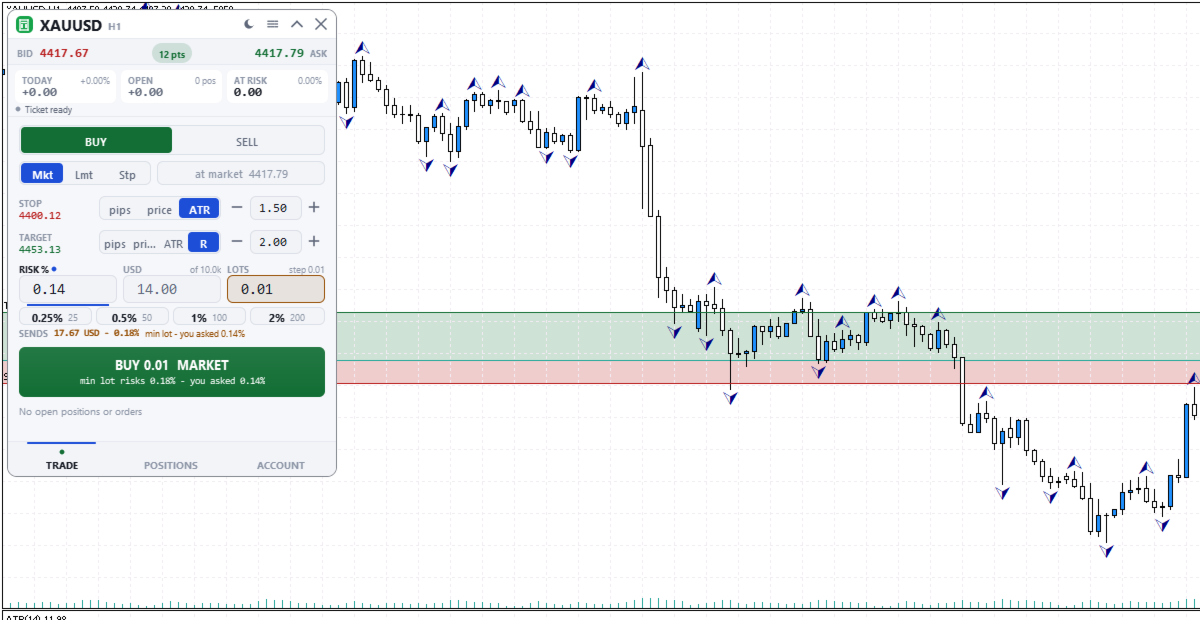
- The SENDS line shows what the rounded size really risks. If your risk is below one minimum lot, the order would go out as one minimum lot: SENDS turns amber (red above 1.5 times your risk) and the button shows the real risk before you click.
- Sizing by percent or money needs a stop. A fixed lot size can be sent without one, and SENDS then says the risk is open.
- Four quick-risk buttons, by default 0.25, 0.5, 1 and 2 percent. Hold one, or Ctrl+click it, to save the current risk.
- A typed unit is understood: 0.5%, 0.3 lot, or 50$ as money in your account currency. A bare number above 5 percent and above every quick-risk button needs its unit.
PLACING AN ORDER
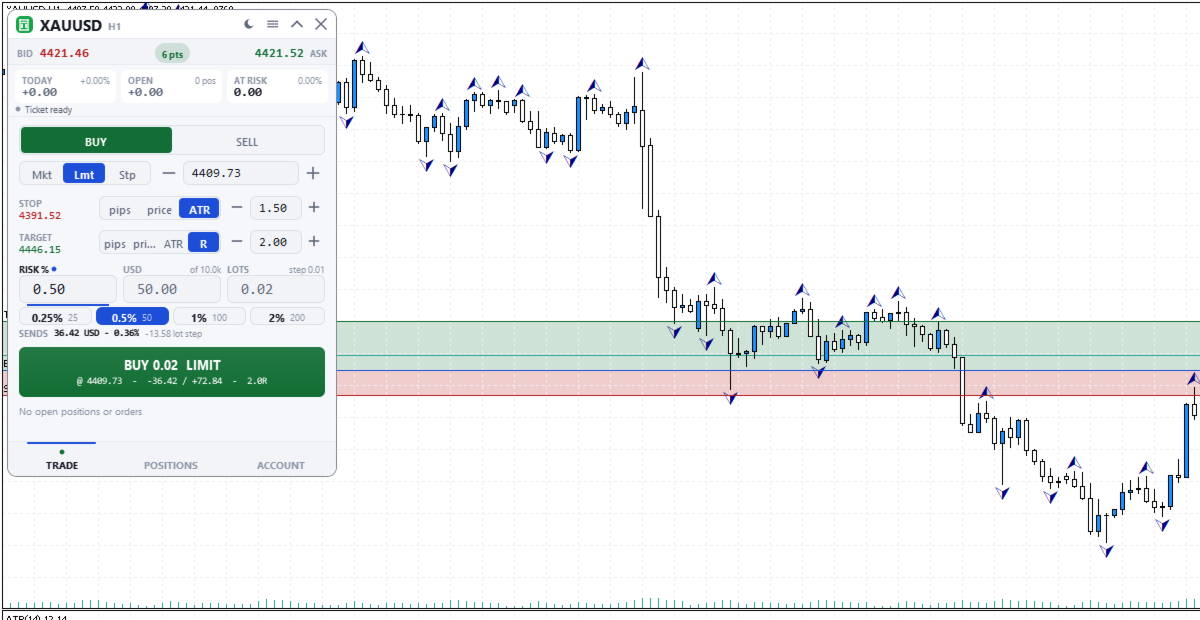
- Market, limit or stop order. On a new symbol it starts at a 1.5 ATR stop, a 2R target and 0.5% risk.
- Stop loss in pips, price or ATR (Average True Range, 14 periods, chart timeframe). Take profit also in R, a multiple of the stop distance. A pip is 10 points on 3- and 5-digit quotes, otherwise 1 point.
- The button shows side, lots, price, risk and reward. The first click turns it into CONFIRM for 3 seconds, the second sends. Any change or Esc cancels. MetaTrader's order check runs first.
ON THE CHART
Stop and target lines with shaded risk and reward areas, plus an entry line for pending orders. Press a line on the chart's symbol and drag it.
- The order you are preparing: lots, risk and R update while you hold a line.
- Pending orders: stop and target follow the entry. Shift moves the entry alone, Ctrl pulls out a missing stop or target, and a stop-limit price can be dragged.
- Open positions, including trades from the phone or other programs: drag the stop loss or take profit, or pull a missing one out of the open price line.
- A level stops where the broker would refuse it and says why. Release sends one request, Esc or a right click cancels, Undo lasts 10 seconds.
POSITIONS AND ACCOUNT
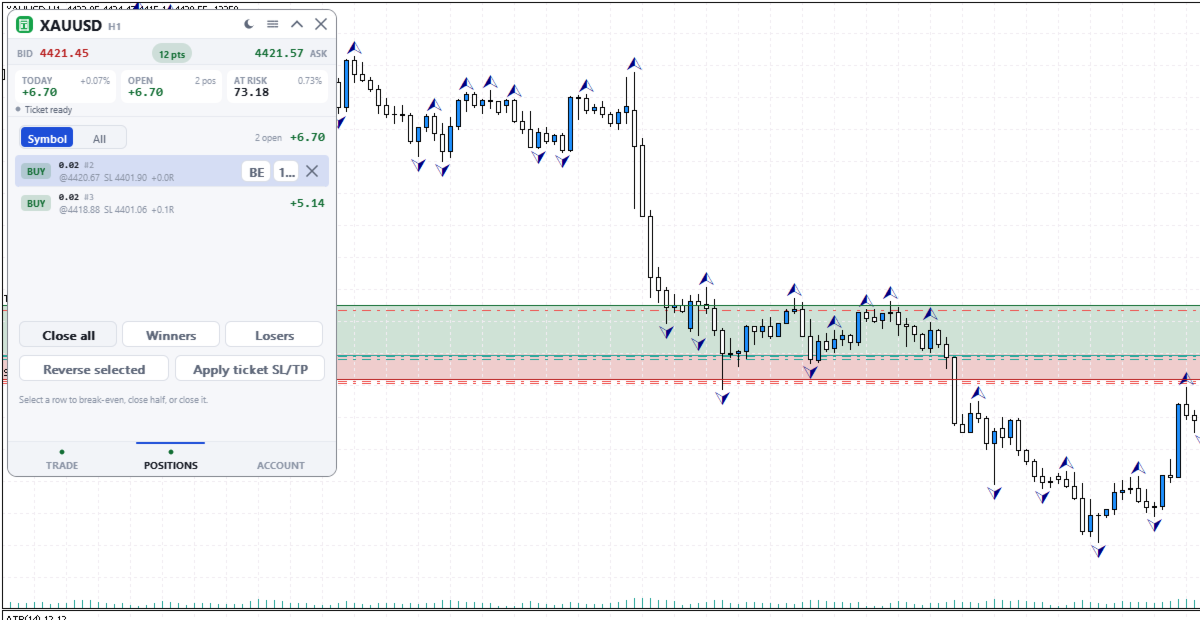
- Positions and pending orders for this symbol or all symbols, five rows per page, positions without a stop first. A selected row offers break-even (stop to entry), close half and close, or delete for an order.
- Close all needs a second press within 2 seconds. Winners and Losers close all profitable or all losing positions in the list at once, with no confirm.
- Reverse selected closes the position and opens the same size the other way, with the same stop distance (none if it had none) and no target. It is checked with the broker before anything is closed.
- Apply ticket SL/TP copies the TRADE tab's stop and target to positions on the same symbol and side. A stop only moves closer to the price.
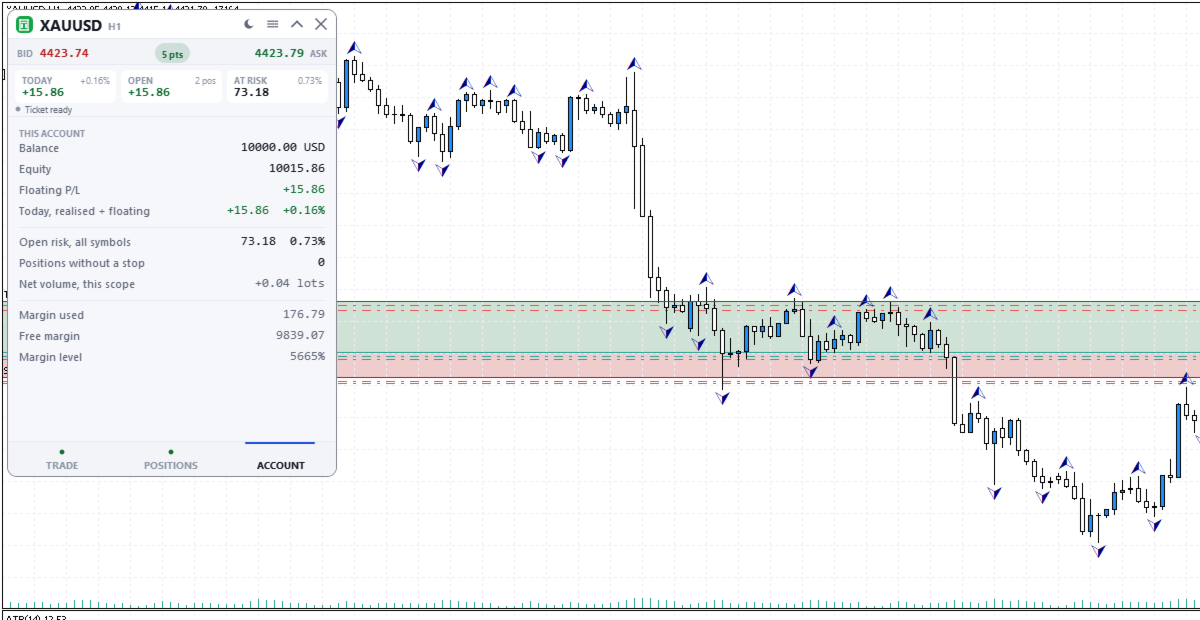
- ACCOUNT tab: balance, equity, floating and today's profit or loss, open risk on all symbols, positions without a stop, and margin.
THE PANEL
330 x 468 pixels at UI scale 1.0, three tabs: TRADE, POSITIONS and ACCOUNT. The header shows today's profit or loss in money and percent, the floating result, and the money from entry to stop of open positions, also when the panel is folded. That figure is measured from entry, so a stop moved past entry still counts; positions without a stop are counted apart. Dark, graphite and light themes, or Auto to follow the chart. Settings are saved per account and symbol.
GOOD TO KNOW
- Algo Trading must be enabled. Works on hedging and netting accounts. No DLLs, web requests or extra software.
- While it runs, MetaTrader's own dragging of trade levels and Chart on foreground are off on that chart. Both come back when the panel is removed.
INPUT PARAMETERS
- InpTheme, shown as "Colour theme (the sun/moon button overrides it; OK here resets)": default Auto. Dark, Graphite, Light, or Auto to follow the chart background. The sun and moon button overrides it; pressing OK in this dialog returns to this value.
- InpUiScale, shown as "UI scale (1.0 / 1.25 / 1.5 for hi-dpi)": default 1.0. Panel size multiplier from 0.75 to 2.0. Use 1.25 or 1.5 on high-resolution screens.
- InpMagic, shown as "Magic number": default 20250909. Written on every order sent from the panel.
- InpSlippage, shown as "Max slippage (points)": default 20. Maximum price deviation accepted for market orders and closes, in points. 20 points is 2 pips on a 5-digit forex quote.
- InpManageOwnOnly, shown as "Manage only this panel's trades": default false, so every position and order on the account is listed and can be managed, including trades opened from the phone or other programs. When true, the positions list, bulk closes, Apply ticket SL/TP, chart dragging, the open risk figures and the no-stop count use only trades with this magic number; other trades stay visible on the chart but cannot be dragged. Today's profit or loss and the floating figure always cover the whole account.