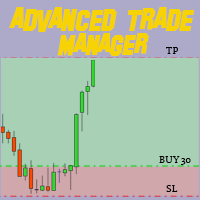
Advanced Sltp Atr Trade Manager
- Uzmanlar
- Adithyo Dewangga Wijaya
- Sürüm: 2.20
⚡ Stop Manual Trade Management. Start Institutional-Grade Automation.
Every second you hesitate to set Stop Loss, you risk deeper losses. Every time you forget Take Profit, you leave money on the table. Smart Sltp Atr Trade Manager eliminates manual SL/TP assignment entirely. The moment your position opens—whether manual, EA, or copy signal—your risk is instantly defined and automatically protected.
---THE PROBLEM
- 🔴 Emotional Decision-Making: Manually setting SL/TP leads to inconsistent risk management and emotional overrides
- 🔴 Missed Opportunities: By the time you modify, the best exit levels are gone
- 🔴 Volatility Blindness: Using fixed stops on volatile instruments (XAUUSD, GBP pairs) = constant whipsaws
- 🔴 Manual Effort: Every trade requires manual order modification—exhausting and error-prone
- 🔴 No Profit Protection: Winners run until they're losers because there's no automated trailing
THE SOLUTION: SMART SLTP ATR TRADE MANAGER
A professional-grade trade management utility that automatically handles all SL/TP assignment and trails your profits intelligently. Built with institutional risk management principles. Works with manual trades, other EAs, and copy signals simultaneously.
How it works: Attach once. Trade normally. The EA instantly assigns SL/TP to every new position, then trails your winners step-by-step as price moves in your favor. You focus on entries—the EA handles risk.
---✨ KEY ADVANTAGES
- ⚡ Instant SL/TP Assignment: Zero delay. Every position is protected within milliseconds of entry.
- 🎯 4 Calculation Modes: Choose Pips, Points, Fixed Money ($), or ATR Dynamic—one EA fits every trading style
- 📊 Volatility-Adaptive (ATR Mode): Automatically widens stops in volatile sessions, tightens in quiet markets. No manual adjustment needed.
- 📈 Step Trailing System: Not a simple trailing stop. Structured profit-lock mechanism with activation threshold, step increments, and breakeven buffer. Lets winners run while protecting capital.
- 🛡️ Universal Compatibility: Works with manual trades, other EAs, copy trading, signal services—manages ANY position on the chart
- 💎 Professional Dashboard: Real-time on-chart panel shows status, ATR values, SL/TP distances, trailing activity, managed position count. Dark institutional theme.
- 🔧 Advanced Filtering: Manage all trades OR filter by symbol, magic number, or combination. Perfect for running multiple EAs simultaneously.
- ⚙️ Zero Configuration Option: Use recommended presets for XAUUSD, EURUSD, GBPUSD, USDJPY—or fine-tune 31 professional parameters
📋 CORE FEATURES
1. AUTO SL/TP ASSIGNMENT
- Instantly assign SL/TP upon trade entry
- Always Overwrite: Replace any existing SL/TP
- Only If Zero: Apply only to positions without SL/TP
- Works immediately on manual entries, EA trades, and copy signals
2. FOUR CALCULATION MODES
- Pips Mode: Fixed pip distances (e.g., 50 pips SL, 100 pips TP)
- Points Mode: Precise point-based calculations for broker flexibility
- Money Mode ($): Fixed dollar risk (e.g., $50 risk, $100 profit). Automatically converts to SL/TP distance based on lot size.
- ATR Dynamic Mode: Volatility-adaptive levels
3. ATR DYNAMIC MODE (ADVANCED)
Automatically adapts SL/TP to current market volatility:
SL = Entry ± (ATR × SL Factor)TP = Entry ± (ATR × TP Factor)
- Configurable ATR timeframe (M5, M15, H1, H4, D1, etc.)
- Configurable ATR period (default: 14)
- Configurable ATR shift (for offset)
- Separate multiplier factors for SL and TP (e.g., SL: 1.5x ATR, TP: 3.0x ATR)
- Example: If ATR = 50 points, SL Factor = 1.5 → SL = 75 points from entry
- Perfect for XAUUSD, GBP pairs, and other volatile instruments
4. STEP TRAILING SYSTEM (INTELLIGENT PROFIT LOCK)
Structured trailing that protects capital while letting winners run:
Price Moves +50 pips (activation) → SL moves to breakeven + 5 pips bufferPrice Moves +55 pips → SL moves +5 pips (step size)
Price Moves +60 pips → SL moves another +5 pips
... continues as long as price stays above SL
- Activation Threshold: Profit level required to start trailing (e.g., 50 pips)
- Step Size: SL increment per movement (e.g., 5 pips)
- Breakeven Buffer: Profit locked above entry (e.g., 5 pips)
- ATR-Based Trailing: Optional—scaling activation and steps by ATR for volatility adaptation
- SL Safety: SL only moves favorably; never backwards
5. TRADE FILTERING
Choose which positions to manage:
- All Symbols, All Magic Numbers: Manage everything on the chart
- This Chart Symbol Only: Filter to current symbol (e.g., XAUUSD)
- Specified Magic Number Only: Manage trades from specific EA/source
- Symbol + Magic Number: Precise control (e.g., "EURUSD trades from Magic 1001 only")
6. PROFESSIONAL ON-CHART DASHBOARD
Real-time panel showing:
- EA Status (ACTIVE/DISABLED)
- Current Calculation Mode
- ATR Value (if enabled)
- SL/TP Distances with color coding
- Trailing Status & Activation Level
- Managed Positions Count
- Active Trailing Count
- Current Spread in points and pips
- Filter Configuration
7. SAFETY & BROKER COMPATIBILITY
- Broker Stop Level Validation: Respects broker's minimum SYMBOL_TRADE_STOPS_LEVEL
- Spread Filter: Optional—pauses management during wide spreads
- Slippage Protection: Configurable max slippage tolerance
- Universal Digit Adaptation: Works on 3-digit, 4-digit, 5-digit brokers
- Gold Optimization: Automatic XAUUSD pip/point detection
- Error Handling: Detailed logging on OrderModify failures
8. BACKTEST / STRATEGY TESTER
- Built-in random trade simulator for visualization
- Demonstrates SL/TP assignment in action
- Shows trailing behavior visually
- Configurable lot size and trade frequency
- Automatically disabled in live trading
🎯 RECOMMENDED PRESETS
XAUUSD Scalping (TIGHT, FAST)
Mode: ATR Dynamic | Timeframe: M15 | ATR Period: 14
SL Factor: 1.0 (tight) | TP Factor: 2.0 (2:1 RR)
Trailing: Enabled | Activation: 30 pips | Step: 5 pips
XAUUSD Swing Trading (WIDE, SLOW)
Mode: ATR Dynamic | Timeframe: H4 | ATR Period: 14
SL Factor: 1.5 | TP Factor: 3.0
Trailing: Enabled with ATR scaling
EURUSD Day Trading
Mode: Pips | SL: 20 pips | TP: 40 pips (2:1 RR)
Trailing: 20 pips activation, 5 pips step
GBPUSD Day Trading
Mode: Pips | SL: 25 pips | TP: 50 pips (2:1 RR)
Trailing: 25 pips activation, 5 pips step
USDJPY Day Trading
Mode: Pips | SL: 15 pips | TP: 30 pips (2:1 RR)
Trailing: 15 pips activation, 3 pips step ---
📖 HOW TO USE
INSTALLATION (2 Steps)
- Copy File: Place SmartSLTP_ATR_TradeManager.mq5 into [MT5 Data Folder]/MQL5/Experts/
Find folder: File > Open Data Folder in MT5 - Attach: Open your chart, open Navigator (Ctrl+N), drag EA onto chart
In dialog: Enable "Allow Algo Trading" → Click OK
CONFIGURATION OPTIONS
Option A: QUICK START (Use Presets)
- Attach to chart
- In the EA dialog, go to Inputs tab
- Select your instrument from dropdown (or copy preset values)
- Click OK
- Start trading—EA handles everything
Option B: CUSTOM CONFIGURATION
- Choose Calculation Mode: Pips / Points / Money / ATR Dynamic
- Set SL/TP distances or ATR factors
- Enable trailing and set activation/step/buffer
- Choose filter mode (all trades, symbol, magic, etc.)
- Adjust spread/slippage filters if needed
- Click OK
WHAT HAPPENS NEXT?
- You open a trade (manual click, signal, or another EA)
- EA instantly calculates SL/TP based on your settings
- EA assigns SL/TP to the position
- Position is now protected with defined risk
- As price moves in your favor, trailing begins at activation threshold
- SL advances step-by-step, locking in profits
- Dashboard shows real-time status of all managed positions
⚙️ INPUT PARAMETERS (31 Total)
General Settings
- Enable EA: true/false—Master on/off switch
- Calculation Mode: Pips, Points, Money ($), or ATR Dynamic
- SL/TP Apply Rule: Always overwrite OR only apply if SL/TP = 0
- Show Dashboard: true/false—Display on-chart panel
SL/TP Settings (Pips/Points/Money Mode)
- Stop Loss (pips/points): Distance below entry for BUY, above entry for SELL
- Take Profit (pips/points): Distance above entry for BUY, below entry for SELL
- Stop Loss ($): Dollar amount for Money mode
- Take Profit ($): Dollar amount for Money mode
ATR Settings (When Mode = ATR Dynamic)
- ATR Timeframe: M5, M15, M30, H1, H4, D1, W1, MN1
- ATR Period: Number of bars for calculation (default: 14, standard setting)
- ATR Shift: Bars back for ATR value (default: 0 = current)
- ATR SL Multiplier: How many ATRs below entry = SL (e.g., 1.5)
- ATR TP Multiplier: How many ATRs above entry = TP (e.g., 3.0)
Trailing Stop Settings
- Enable Trailing: true/false—Activate trailing system
- Activation Threshold (pips): Profit level to start trailing (e.g., 50)
- Trailing Step (pips): SL advancement per movement (e.g., 5)
- Breakeven Buffer (pips): Profit locked above entry (e.g., 5)
- Use ATR for Trailing: true/false—Scale trailing by ATR?
- ATR Activation Factor: Activates after ATR × factor in profit (e.g., 2.0)
- ATR Step Factor: Step size = ATR × factor (e.g., 0.2)
Filter Settings
- Filter Mode: All / Symbol Only / Magic Only / Symbol + Magic
- Magic Number: If filtering by magic (0 = no filter)
- Max Spread (points): Pause management if spread exceeds (0 = no limit)
- Max Slippage (points): Slippage tolerance for OrderModify
Backtest Simulation
- Enable Backtest Mode: true/false (auto-disabled in live trading)
- Backtest Lot Size: Lot size for random simulated trades
- Backtest Interval (bars): Bars between simulated trades
💡 REAL-WORLD EXAMPLES
Example 1: Manual Trader + Auto Protection
You trade XAUUSD manually. You want instant SL/TP assignment without thinking.
Setup: ATR Dynamic mode, M15 timeframe, SL 1.0x ATR, TP 2.0x ATR, trailing enabled
Result: Every manual trade gets instant ATR-based protection. As gold volatility changes, stops automatically adjust. Trailing locks in quick profits.
Example 2: Protecting Another EA
You run a scalping EA (Magic 1001) that generates many trades but no SL/TP.
Setup: Set Filter Mode = "Specified Magic Number Only" → Input Magic 1001. Use tight Pips mode (15 SL, 30 TP).
Result: Only EA trades are managed. Manual trades are ignored. The EA's positions are protected immediately upon entry.
Example 3: Multi-Instance Stacking
You want three different management strategies simultaneously.
Instance 1: Magic 1001 (Scalping EA) → Tight ATR (M5, 1.0x/1.5x)
Instance 2: Magic 1002 (Swing EA) → Wide ATR (H4, 1.5x/3.0x)
Instance 3: Manual trades → Fixed Pips (30 SL, 60 TP)
Result: Each instance manages only its filtered trades. All three run independently on the same chart.
🔒 SAFETY & BROKER COMPATIBILITY
- ✓ Broker Stop Level Validated: Respects each broker's minimum SL/TP distance
- ✓ 3/5 Digit Adaptation: Works on any broker (2 decimal, 3 decimal, 5 decimal)
- ✓ Gold-Specific: Automatic pip detection for XAUUSD (10-point pips)
- ✓ Error Handling: Graceful failure with detailed logging
- ✓ No Network Requests: Offline-only operation—no external data dependencies
- ✓ No DLL Dependencies: Pure MQL5, works on all platforms
- ✓ Spread Filter: Optional—pauses during unfavorable spreads
- ✓ Slippage Protection: Configurable tolerance for OrderModify
❓ FAQ
Q: Does it work with other EAs on the same chart?
A: Yes. Use magic number filtering to have each EA's trades managed independently. Or set Filter Mode = "This Symbol Only" to manage all trades.
Q: Does it work with copy trading / signal services?
A: Yes. The EA scans all open positions regardless of source (manual, EA, copy signal). All positions are protected equally.
Q: Can I override the EA's SL/TP manually?
A: Yes. Set "Apply Rule" to "Only if Zero." Then the EA only applies SL/TP to positions that don't already have them. You can manually set your own, and the EA will leave them alone.
Q: Does it work in the Strategy Tester?
A: Yes. Enable "Backtest Mode" in inputs. The EA will generate random trades to demonstrate SL/TP and trailing behavior. Use Visual mode to see the action.
Q: What if my broker has a very wide stop level?
A: The EA automatically validates and adjusts to broker requirements. If your SL/TP is too close, the EA will widen it to broker minimums.
Q: Does ATR mode work during low-volatility sessions?
A: Yes. ATR adapts in real-time. During Asian session (low volatility), ATR is naturally lower → tighter stops. During London/NY overlap (high volatility), ATR is higher → wider stops. No manual adjustment needed.
Q: Can I use this on multiple timeframes?
A: Yes. The EA works on any timeframe you attach it to. Your chosen ATR timeframe (for ATR mode) is independent of the chart timeframe.
📊 VERSION & SUPPORT
Version: 1.0
Status: Production Ready
Code Quality: Professional institutional-grade
Compilation: Zero errors, zero warnings
Supported MT5: All versions (Build 1600+)
⚠️ DISCLAIMER & RISK
IMPORTANT RISK DISCLAIMER
This software is a trade management utility—NOT a trading signal generator or profit guarantee. It does not trade for you; it only manages the positions you (or your EA) creates.
Trading foreign exchange and CFDs carries high risk:
- Past performance in Strategy Tester does not guarantee future results
- This tool helps define and protect your risk—it does not prevent losses
- Proper position sizing and risk management are YOUR responsibility
- Start with a demo account to understand how it works
- Always paper trade before live deployment
- Use only money you can afford to lose
🎁 WHAT YOU GET
- ✓ Full documentation with examples
- ✓ 6 pre-configured instrument presets
- ✓ Professional on-chart dashboard
- ✓ Lifetime updates and bug fixes
- ✓ Email support for setup questions
🚀 RECOMMENDED NEXT STEPS
- Purchase and download the EA
- Read the installation guide (included)
- Copy file → Compile → Attach to demo account
- Configure one of the preset settings (2 minutes)
- Paper trade for 3-5 days to see how it works
- Deploy on your preferred live symbol
- Monitor dashboard—it shows everything in real-time
Institutional Risk Management. One Click Away.
Built by traders. For traders. No BS, just risk management that works.