TradeMatrix Assistant
- Yardımcı programlar
-
Abdul Basit
 I am passionate about developing professional trading solutions for MetaTrader 5, combining modern trading concepts with robust software engineering.
My development experience includes:
• Expert Advisors (Fully Automated Trading Systems)
• Custom Indicators
• Trading Panels & Dashboards - Sürüm: 7.40
- Etkinleştirmeler: 10
Alpha Matrix Pro Trading Assistant — MT5 Trade Manager & ICT/SMC Panel
All-in-one MT5 EA: risk-based lot sizing, one-click orders, partial close & trailing stops, plus automatic ICT/SMC chart analysis. No coding required.
MT5 EA, trade manager, trading panel, risk management EA, position sizing, one click trading, ICT indicator, SMC indicator, smart money concepts, order block indicator, fair value gap indicator, market structure indicator, liquidity sweep, break of structure, gold EA, XAUUSD EA, trailing stop EA, break even EA, dashboard EA, MetaTrader 5 tool
LAUNCH OFFER — FIRST 10 BUYERS PAY $49 (THEN $99)
Alpha Matrix Pro is launching at an introductory price of $49. Once the first 10 copies are sold, the price moves permanently to $99. Buyers who purchase during the launch window keep the lower price and all future updates — the price change only affects new buyers after that.
BUY NOW — $49 LAUNCH PRICE
TURN MANUAL TRADING INTO A ONE-PANEL WORKFLOW
Alpha Matrix Pro Trading Assistant is a MetaTrader 5 dashboard EA built for traders who place their own trades but want the busywork automated: position sizing, order entry, trade management, and ICT/SMC-style chart analysis, all from one dockable panel — no coding, no separate indicators to install.
WHY TRADERS CHOOSE ALPHA MATRIX PRO
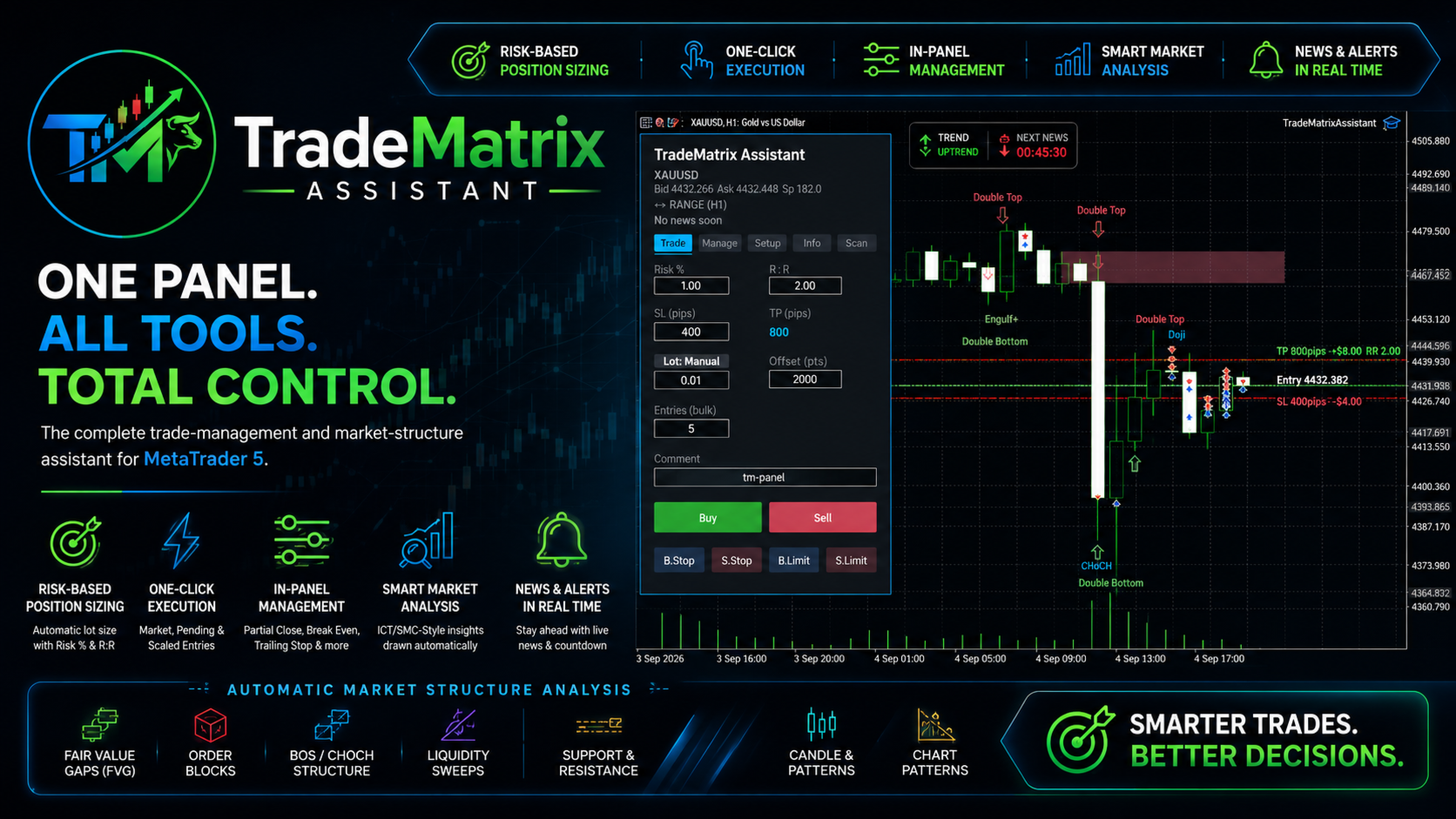
- Risk-based position sizing — enter a risk % and reward ratio, the EA calculates lot size from your balance, stop distance, and the symbol's tick value.
- One-click execution — Buy, Sell, Buy/Sell Stop, Buy/Sell Limit, with scaled multi-entry orders and a built-in take-profit ladder.
- Full position management — partial close, break-even, and live trailing stop, without leaving the chart.
- Automatic ICT/SMC chart analysis — fair value gaps, order blocks, structure breaks, liquidity sweeps, support/resistance, and candlestick/chart patterns, drawn and refreshed on a timer.
- Built-in news awareness — upcoming high/medium-impact economic events with a live countdown.
- Every field live-editable — values are re-read at the moment you click, so nothing is lost if you forget to press Enter.
A FIVE-TAB DASHBOARD, ZERO EXTRA INDICATORS
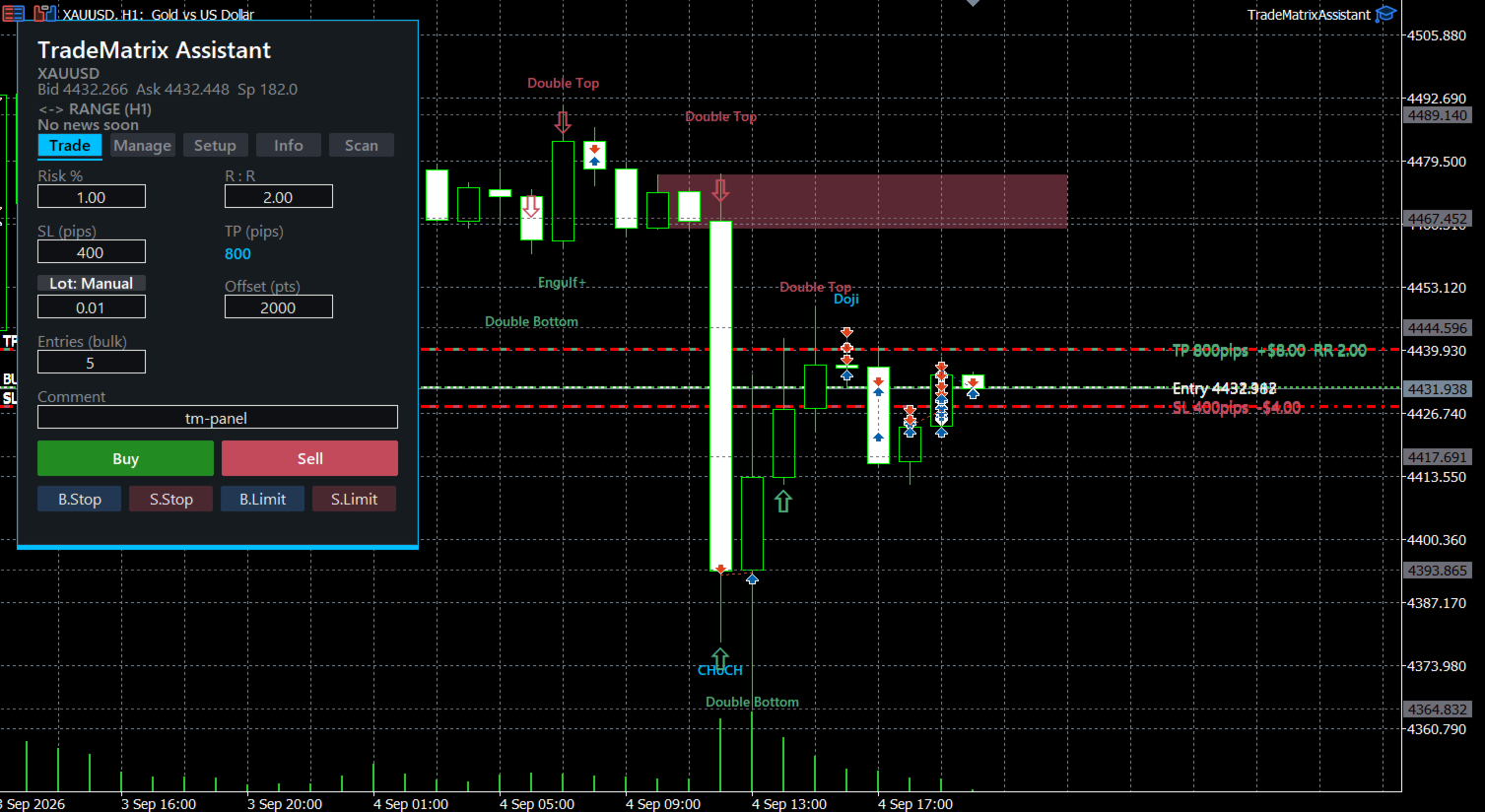
Trade — Risk % + R:R auto lot sizing, Auto/Manual lot toggle, SL/TP in pips with adjustable points-per-pip, bulk scaled entries (1–N positions, staggered take-profits at 1x, 2x, 3x your R:R), one-click order buttons, editable trade comment.
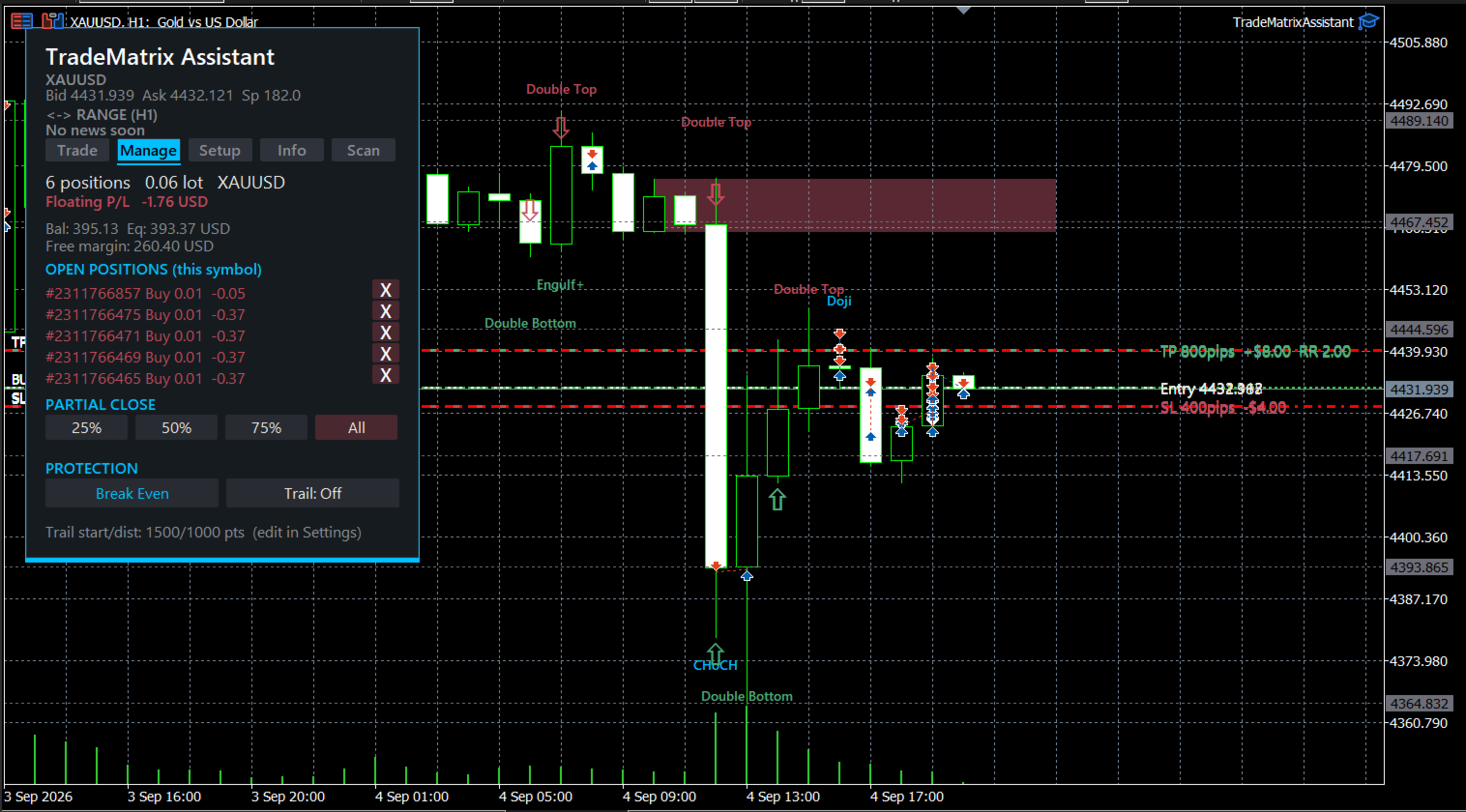
Manage — Live position summary (count, direction, total lot, floating P/L), account snapshot (balance/equity/free margin), an open-positions list with one-tap close per ticket, partial close (25/50/75/100%), break-even, and toggleable live trailing stop.
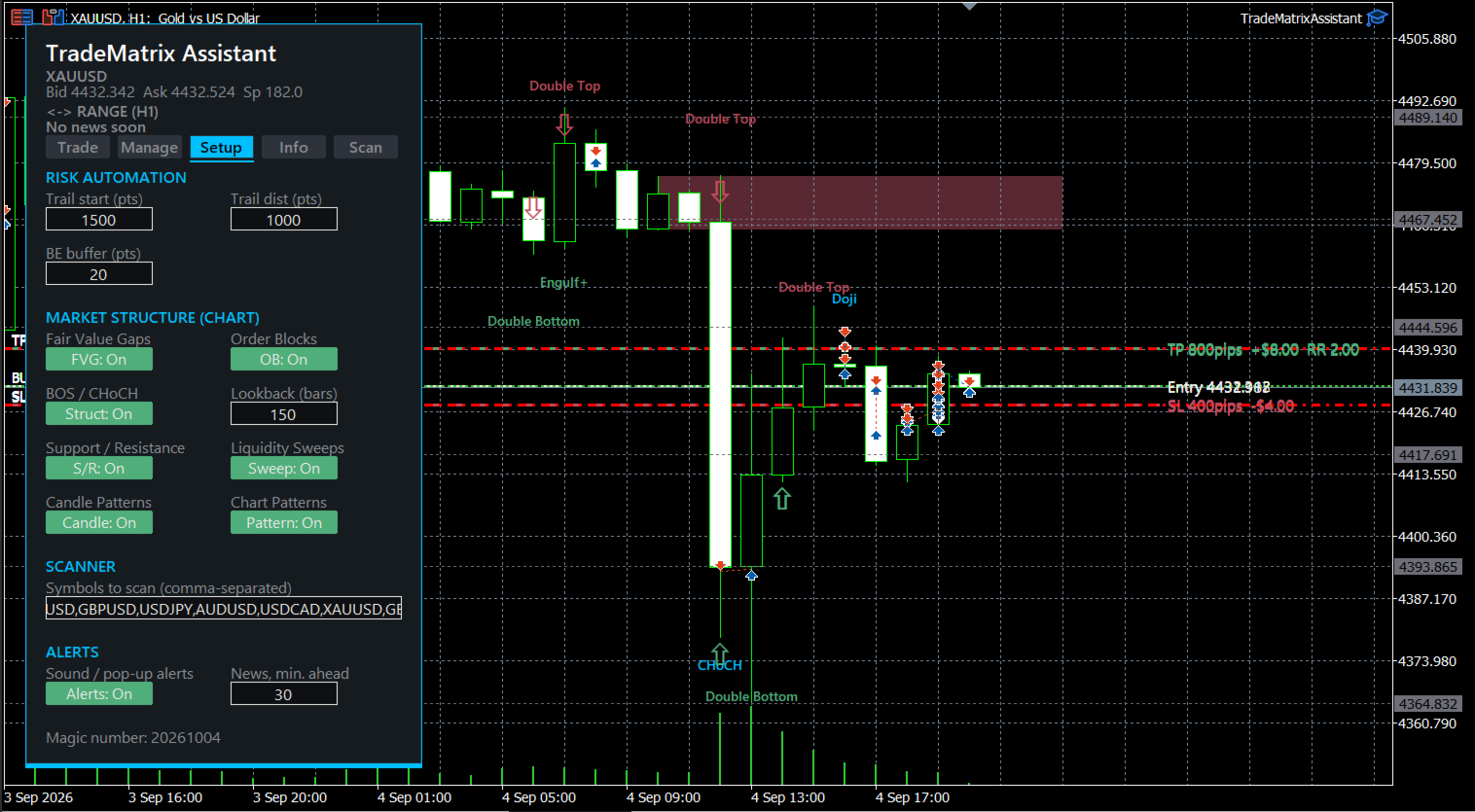
Setup — Trailing distance, trailing start, and break-even buffer, all live-editable with no restart. Independent on/off switches for every chart-analysis layer, adjustable lookback window, editable scanner symbol list, and configurable news alerts.
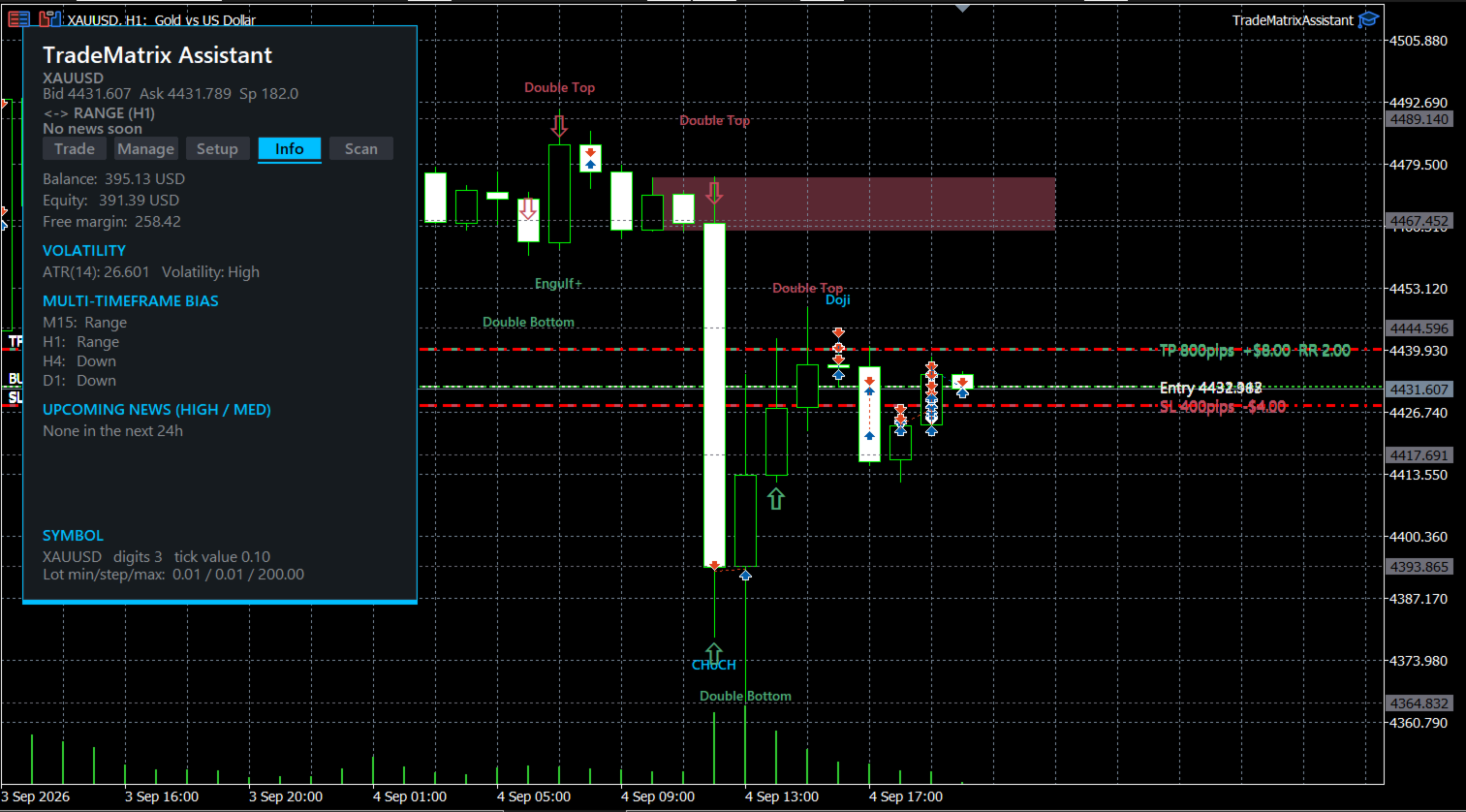
Info — Balance/Equity/Free Margin, ATR(14) with a relative volatility read, multi-timeframe trend bias (M15/H1/H4/D1), upcoming news with countdown, and the current symbol's specification.
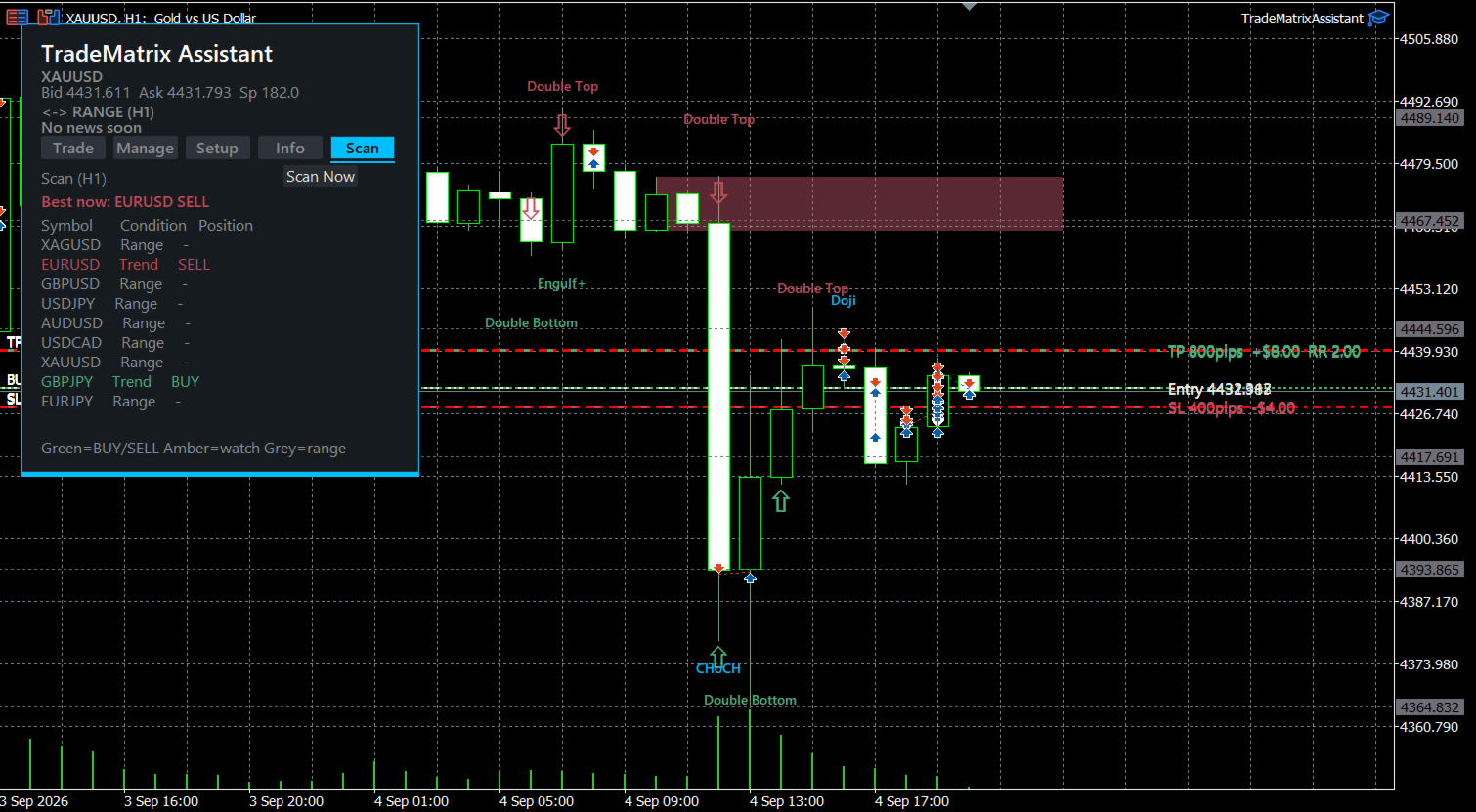
Scan — A multi-symbol watchlist showing trend condition and signal per symbol, with the single strongest setup highlighted, refreshing automatically about every 60 seconds.
A persistent header on every tab shows the current trend badge and a live countdown to the next major news event.
AUTOMATIC CHART ANALYSIS — NOTHING TO DRAW YOURSELF
- Fair Value Gaps, shaded and colour-coded by direction
- Order Blocks, filtered by minimum break distance and candle body size
- Break of Structure / Change of Character, labelled at the break point
- Liquidity sweeps, marked with a directional arrow
- Support/resistance from clustered swing points
- Candlestick patterns (Doji, Hammer, Shooting Star, Engulfing)
- Double Top / Double Bottom chart patterns
- Live entry/SL/TP overlay on every open position, labelled with distance and dollar value
BUILT FOR TRANSPARENCY
- Gold's pip size isn't a universal standard — the points-per-pip conversion is a setting you control, not an assumption baked into the code.
- The default stop-loss distance is calculated backward from your broker's minimum lot size, so even the smallest position lands close to your intended risk %.
- If a bulk order can't be split into the requested number of entries without breaching the broker's minimum lot, the EA reduces the count and tells you why — it never silently under-fills or rejects the order outright.
- Double Top/Bottom is currently the only chart pattern detected; multi-point patterns like head & shoulders or triangles are not included.
REQUIREMENTS
- MetaTrader 5, any broker offering the traded symbol
- Works on any timeframe — the scanner and multi-timeframe bias read other timeframes independently
- Self-contained single .mq5 file, no external indicators or libraries
RISK DISCLOSURE
This is a trade-execution and charting tool, not financial advice. It does not recommend trades, predict price direction, or guarantee any outcome — the decision to open, hold, or close a position is always yours. Trading forex and CFDs, including gold (XAUUSD), typically involves leverage and can produce losses large relative to your account balance; only trade capital you can afford to lose. Past backtest, demo, or live results do not guarantee future performance. The software is provided as-is, with no warranty on the accuracy of any pattern it draws — fair value gaps, order blocks, structure breaks, liquidity sweeps, support/resistance, and candlestick/chart patterns are algorithmic pattern-matching against historical price, not predictive signals. Default values (stop distance, risk %, points-per-pip) are starting points calculated from stated assumptions — verify they match your broker and account, and test on demo before trading live. Not affiliated with, or endorsed by, MetaQuotes Software Corp. or any broker.
LOCK IN LAUNCH PRICING
$49 for the first 10 buyers — $99 after that.
BUY NOW — $49 LAUNCH PRICE