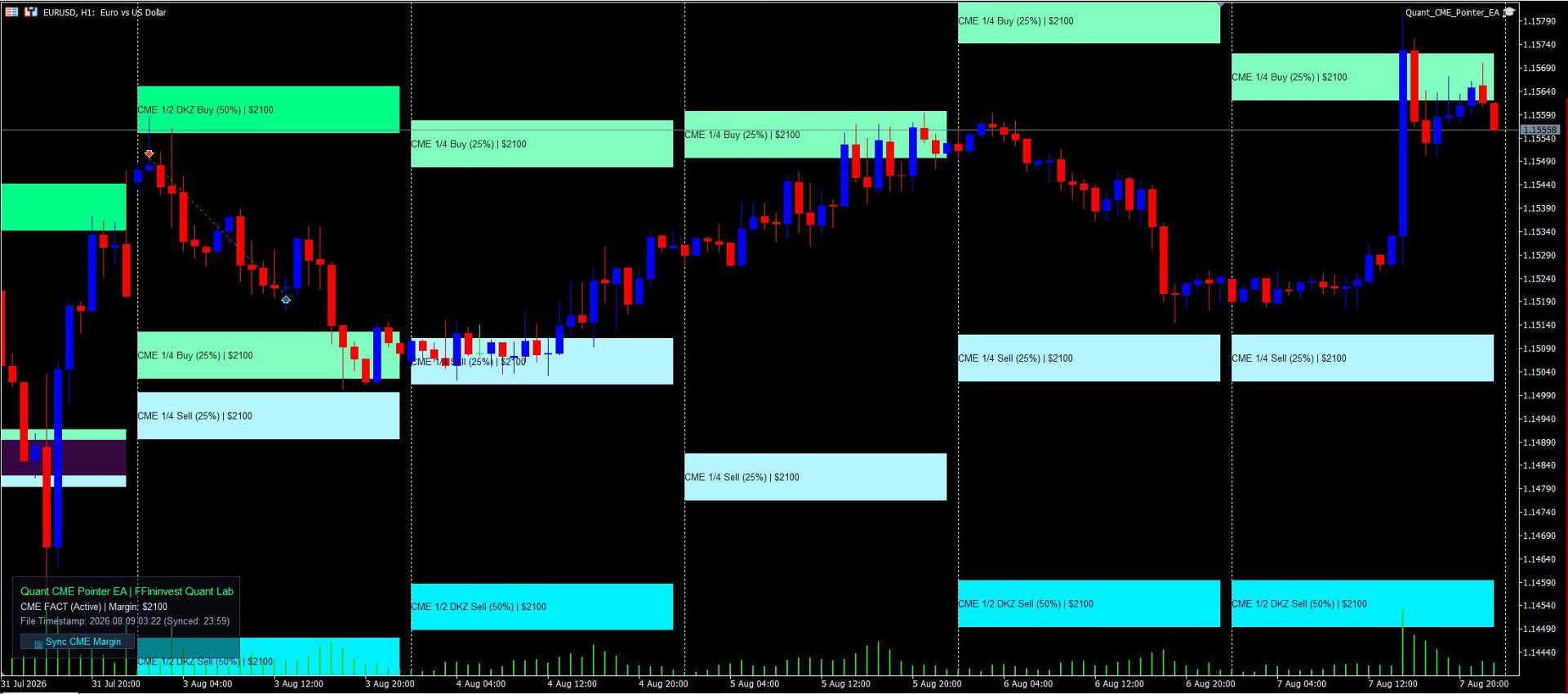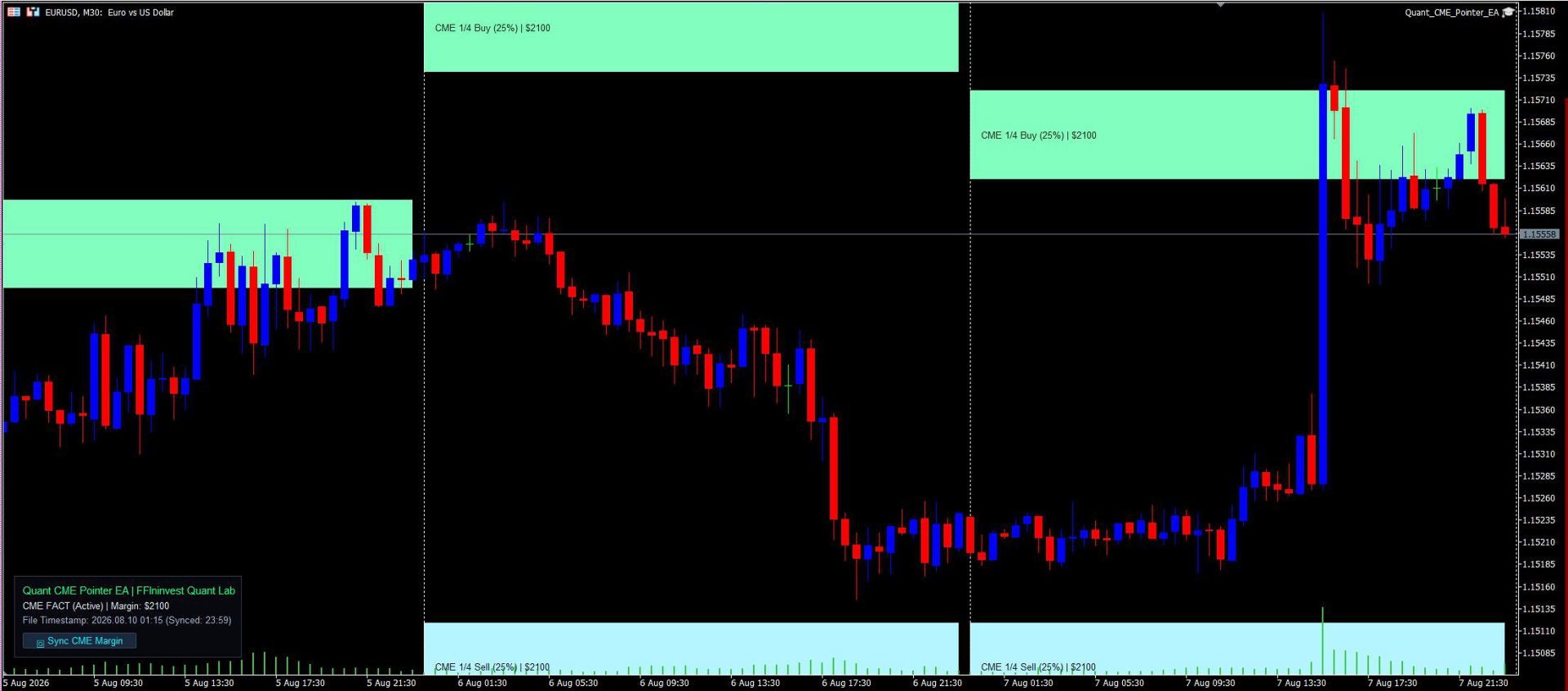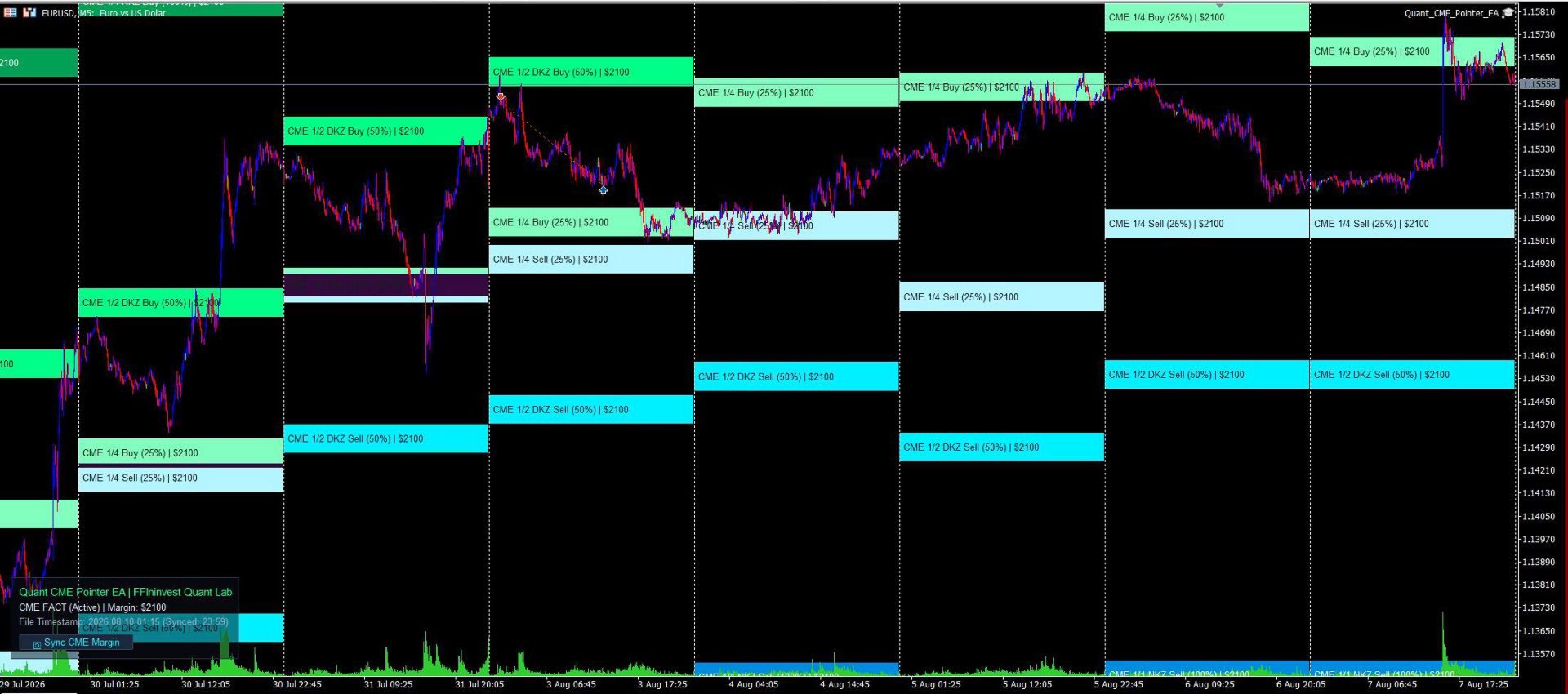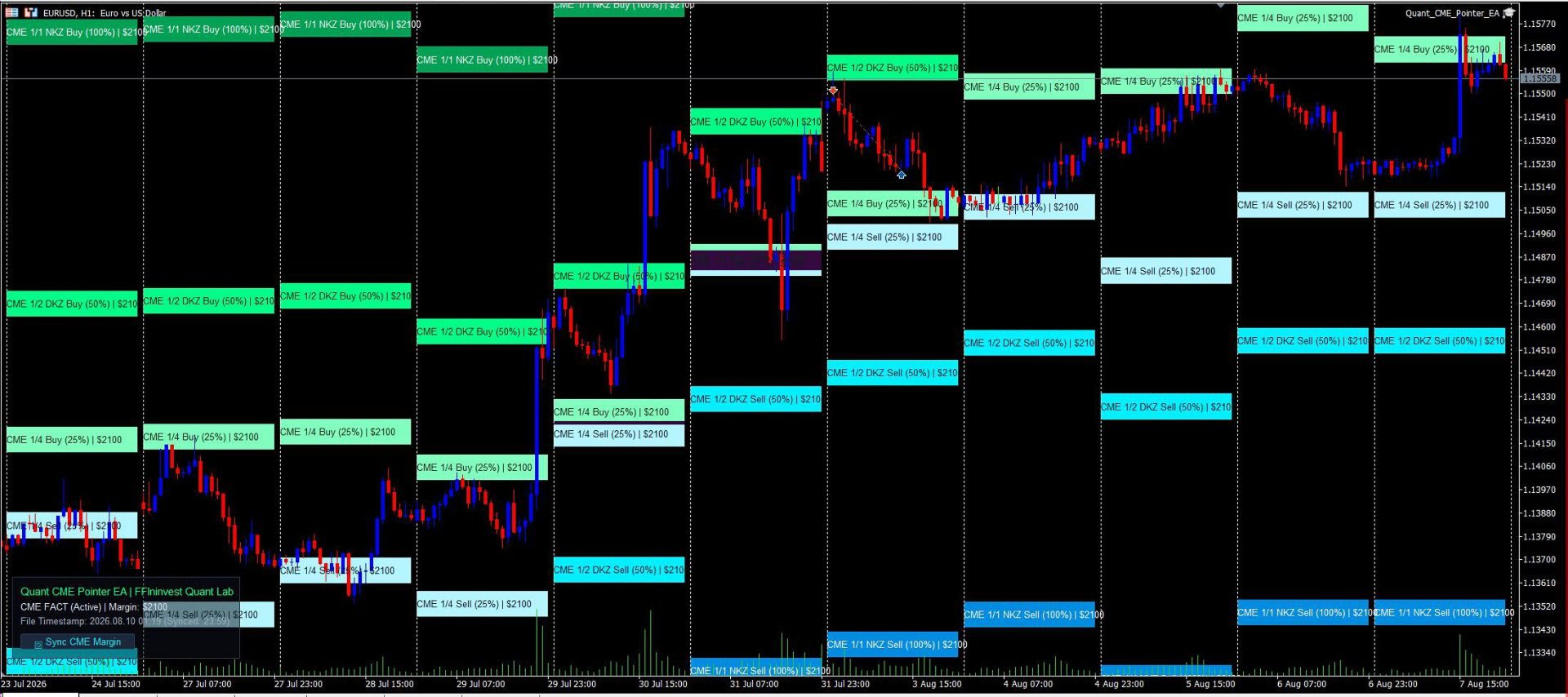
Quant CME Pointer EA
- Yardımcı programlar
- Sürüm: 2.60
- Güncellendi: 13 Ağustos 2026
- Etkinleştirmeler: 5

An automatic professional CME margin zones indicator for MT5. Calculates and plots key support and resistance levels (1/4, 1/2 DKZ, 1/1 NKZ). 100% non-repainting, auto-downloads exchange data, and features a Clean Chart Mode.
Allows you to trade on the real liquidity of large hedge funds and banks.
Quant CME Pointer EA is a professional visual tool designed as an Expert Advisor for MetaTrader 5 by the FFIninvest Quant Lab. The EA automatically downloads, calculates, and displays official Chicago Mercantile Exchange (CME Group) margin zones directly on your chart. It works on any timeframe and features a 1-click manual margin update button.
How It Works and Why These Levels Matter:
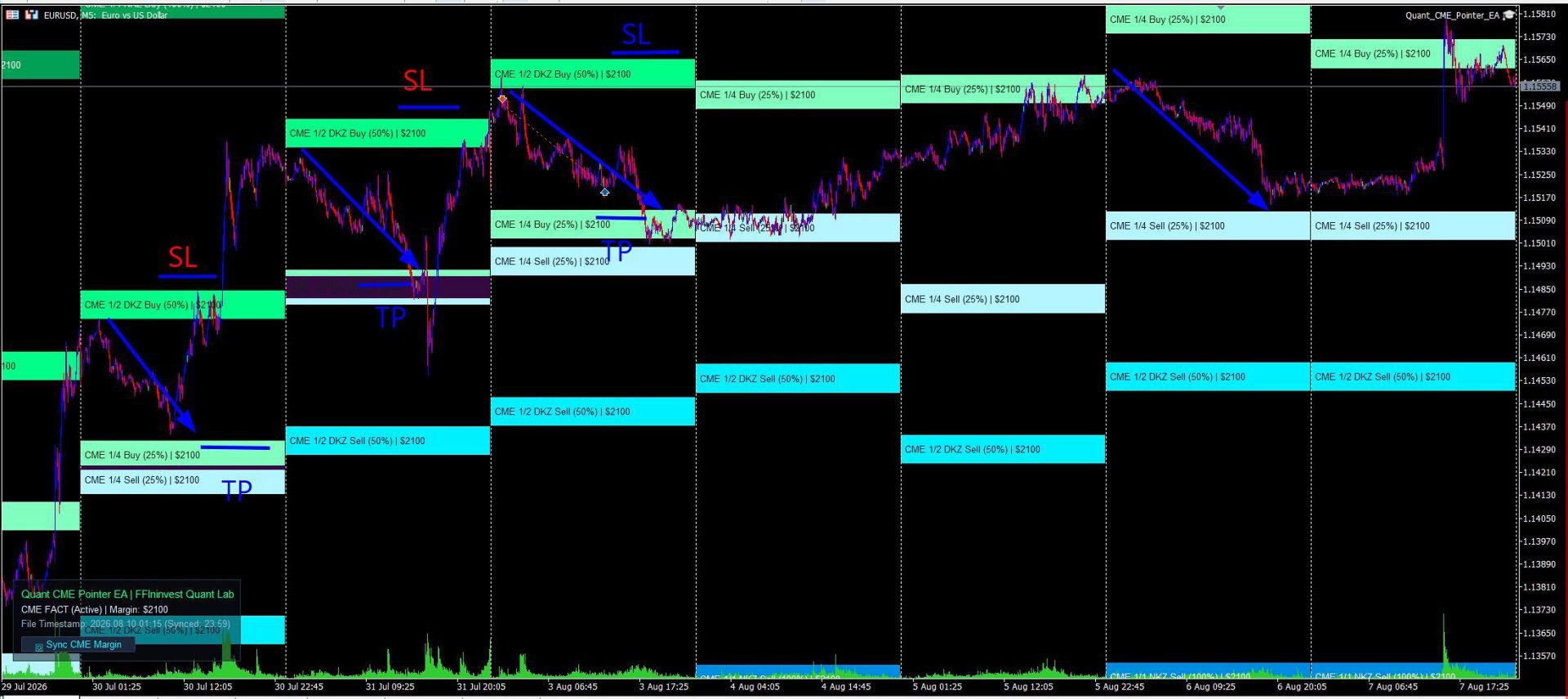
Major investment banks, hedge funds, and market makers trade currency futures under strict margin requirements set by the CME exchange. When price approaches key margin collateral zones (1/4, 1/2 DKZ, 1/1 NKZ), institutional players are forced to defend their positions, add collateral, or take profits. This creates high-probability reaction zones for momentum breakouts or sharp trend reversals.
These levels provide excellent opportunities to place trades with tight stop-losses and clear take-profit targets. In essence, the EA reveals exact price levels where big institutional money is actively working!
MAIN ADVANTAGES
- Official CME Exchange Data: Automatic downloading of the latest margin requirements directly from CME Group servers without manual calculations or searching for CSV files.
- Out-of-the-Box EURUSD Auto-Sync: Automatically fetches official CME Euro FX futures (EURUSD) margin in USD ($2100) on startup. Support for other currencies and Gold (XAUUSD) takes just 5 seconds to configure in inputs.
- 100% Non-Repainting Logic: Zones are anchored to locked daily candles and remain completely static. You get a 100% reliable picture in real-time and on history.
- Historical Margin Accounting: Unlike conventional indicators, this utility accounts for historical CME margin rate changes for past months, ensuring accurate backtesting and historical analysis. (*Historical margin data for the year is included in the code).
- Maximum Risk-to-Reward Ratio: The 1/4, 1/2 DKZ, and 1/1 NKZ zones allow you to find entry points with tight stop-losses and risk-to-reward ratios from 1:3 to 1:5.
- Seamless Smart Money & Price Action Synergy: CME levels align perfectly with Order Blocks, Fair Value Gaps (FVG), and Liquidity Sweeps.
- Clean Chart Mode: Hide the entire UI panel in 1 click ( InpShowLabel = false ). Perfect for multi-chart grid layouts or clean price action analysis.
- Informative & Visual Clarity: Every level is clearly labeled on the chart (e.g., CME 1/2 DKZ Buy (50%) ) with a distinct color shade for instant market evaluation at any scale.
- Modern Glassmorphism UI: Elegant dark card with adjustable transparency (0–100%) and flexible 4-corner docking (Top-Left, Top-Right, Bottom-Left, Bottom-Right).
- Ultra-Low CPU Usage: Optimized MQL5 code using CCanvas delivers instant rendering with zero terminal lag or slowdowns.
- 100% Trade Safe: The EA performs purely analytical and visual functions, opens no automated orders, and poses zero risk to your deposit.
- Margin update button: The Expert Advisor automatically updates the margin when first launched and when the Terminal is rebooted. The update button is only needed if the terminal works for days and weeks without rebooting.
INPUTS GUIDE
1. CME Exchange Data
- Auto-Download CME Data (InpAutoUpdate): true — auto-downloads CME data on startup; false — reads from local CSV file.
- Fallback Margin ($) (InpManualMargin): Reserve margin amount in USD (if offline or for non-EURUSD instruments).
- Tick Value for 1.0 Lot ($) (InpTickValue): Value of 1 pip for 1.0 lot (default is $10.0 for Euro).
- History Depth (Days) (InpHistoryDays): Number of days in history for zone calculation.
- Zone Height in Pips (InpZoneHeightPips): Height of the zone band in pips.
2. Display Zones
- Dynamic Unclosed Day (InpCalcCurrentDay): false — 100% static non-repainting zones from closed daily candle; true — dynamic unclosed day calculation.
- 1/4, 1/2, 1/1 Zones (InpDrawQuarter, InpDrawHalf, InpDrawFull): Toggle display of corresponding margin zones.
3. Buy & Sell Palettes
- Buy Zones Palette (InpColorBuy14, InpColorBuy12, InpColorBuy11): Individual green shades for 1/4, 1/2, and 1/1 support zones.
- Sell Zones Palette (InpColorSell14, InpColorSell12, InpColorSell11): Individual cyan/blue shades for 1/4, 1/2, and 1/1 resistance zones.
4. Info Panel Settings
- Show Info Panel (InpShowLabel): true — shows panel; false — enables Clean Chart Mode (panel is completely hidden).
- Panel Corner (InpLabelCorner): Select chart corner (Top Left, Top Right, Bottom Left, Bottom Right).
- X / Y Offset (InpLabelX, InpLabelY): Panel pixel offset from the selected corner.
- Show Background Card (InpShowBg): Toggle dark background card.
- Card Transparency (InpBgTransparency): Adjust background opacity from 0% (opaque) to 100% (transparent).
INSTALLATION & SETUP
- After purchasing, click the "Install" button directly inside your MetaTrader 5 terminal (Market tab).
- In the "Navigator" window, open "Expert Advisors" -> "Market" and drag Quant CME Pointer EA onto an M5 chart (e.g., EURUSD).
- Ensure WebRequest is enabled for https://cmegroup.com in your terminal options.
ATTENTION! WEB-REQUEST SETUP FOR AUTO-SYNC
To allow the EA to automatically download margin data from CME Group servers, enable WebRequest in MetaTrader 5:
- Open terminal menu: Tools -> Options -> Expert Advisors.
- Check the box "Allow WebRequest for listed URL".
- Add the URL: https://cmegroup.com
- Click OK.
TRADING GUIDE & RECOMMENDATIONS
The utility does not issue blind trade signals; it provides a mathematically precise roadmap of institutional price reaction levels. The most effective trading strategies focus on price behavior inside these zones:
1. 1/4 Zone (25% Margin) — Local Pullback / Scalping:
- Purpose: First reaction point during an active price impulse.
- Tactics: Partial profit taking (Take Profit 1) or entering micro-trend trades with a tight stop-loss.
2. 1/2 DKZ Zone (50% Margin) — Key Correction / Smart Money:
- Purpose: 50% margin collateral boundary. The most vital level for banks and funds.
- Tactics: Primary zone for finding reversal patterns (Price Action / Smart Money). Trades taken from the 1/2 zone offer superior Risk-to-Reward ratios (from 1:3 to 1:5).
3. 1/1 NKZ Zone (100% Margin) — Full Margin Cycle:
- Purpose: Point of complete margin exhaustion (Margin Calls for opposing market participants).
- Tactics: Final profit target for medium-term trades. Entering continuation trades at this zone is not recommended.
Risk Management Tip: Always use a protective Stop Loss outside the margin zone and risk no more than 1–2% of your account per trade.