
AI TelePilot for MT5
- Yardımcı programlar
- Sürüm: 1.6
- Güncellendi: 20 Eylül 2026

AI TelePilot — Telegram to MT5 Signal Copier
AI TelePilot automatically copies trading signals from your Telegram channels straight into MetaTrader 5. A free companion app reads the channels you choose, understands each message with a built-in AI parser, and this Expert Advisor executes the trades on your account — entries, stop loss, multiple take profits, break-even, trailing, partial close and more.
Overview
Most signal copiers rely on rigid keyword templates and break the moment a provider changes wording, uses emojis, sends a price range, or posts a follow-up like “move to break-even and close half”. AI TelePilot uses a local AI model to actually understand the message, so it copies real signals reliably and ignores chatter, news and analysis.
- Works with multiple Telegram channels at the same time, each with its own risk settings.
- Understands market and pending orders, price zones, multiple take-profits, and management replies.
- Runs locally on your PC — your signals are not sent to any third-party server (AI runs on your machine).
- Fast keyword fallback keeps copying even if the AI engine is offline.
Features
- AI signal understanding — reads natural-language messages (any wording, emojis, ranges) and extracts side, entry, SL and TPs.
- Smart filtering — ignores commentary, news, education and “hold with me” chatter; only real, actionable signals are copied.
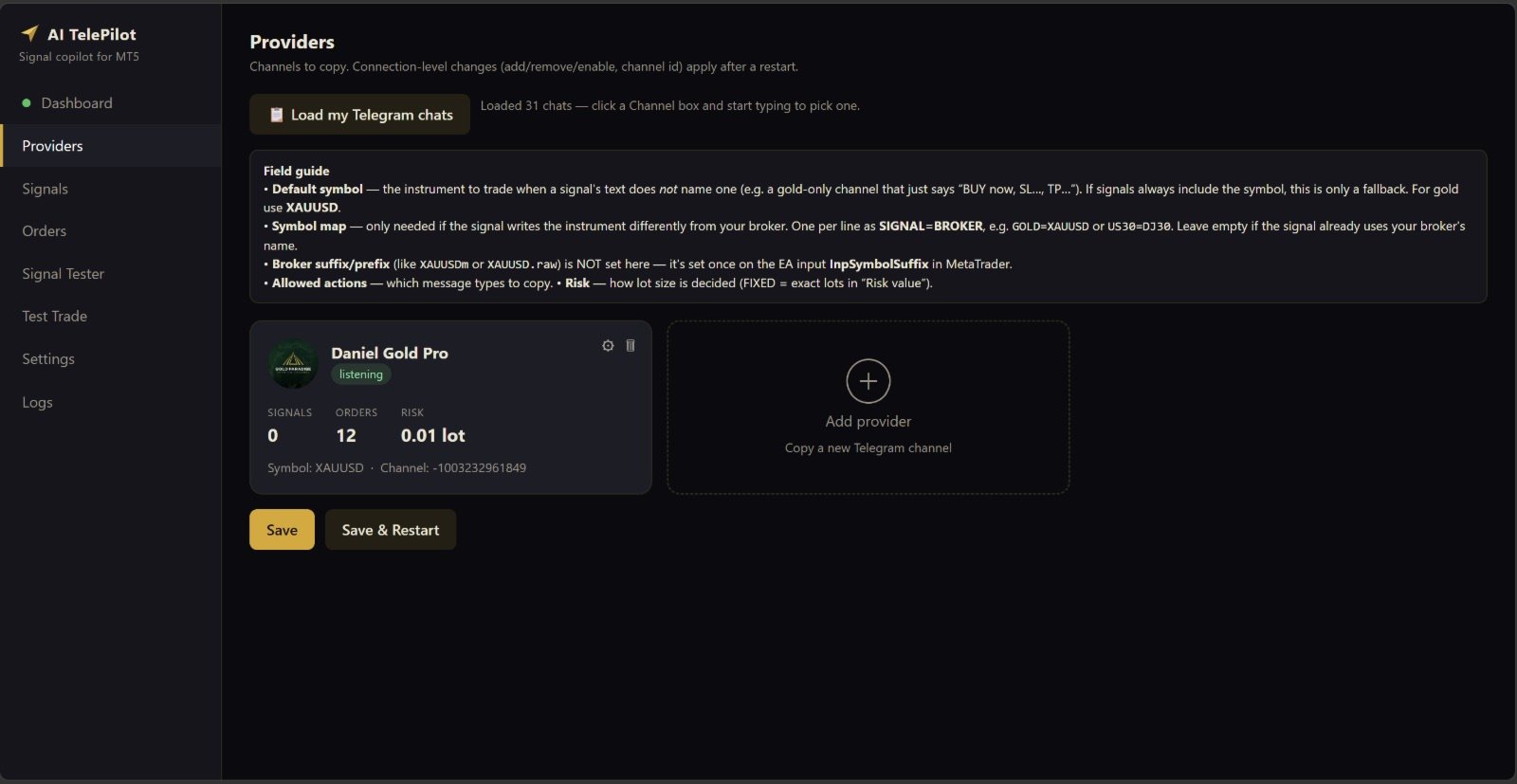
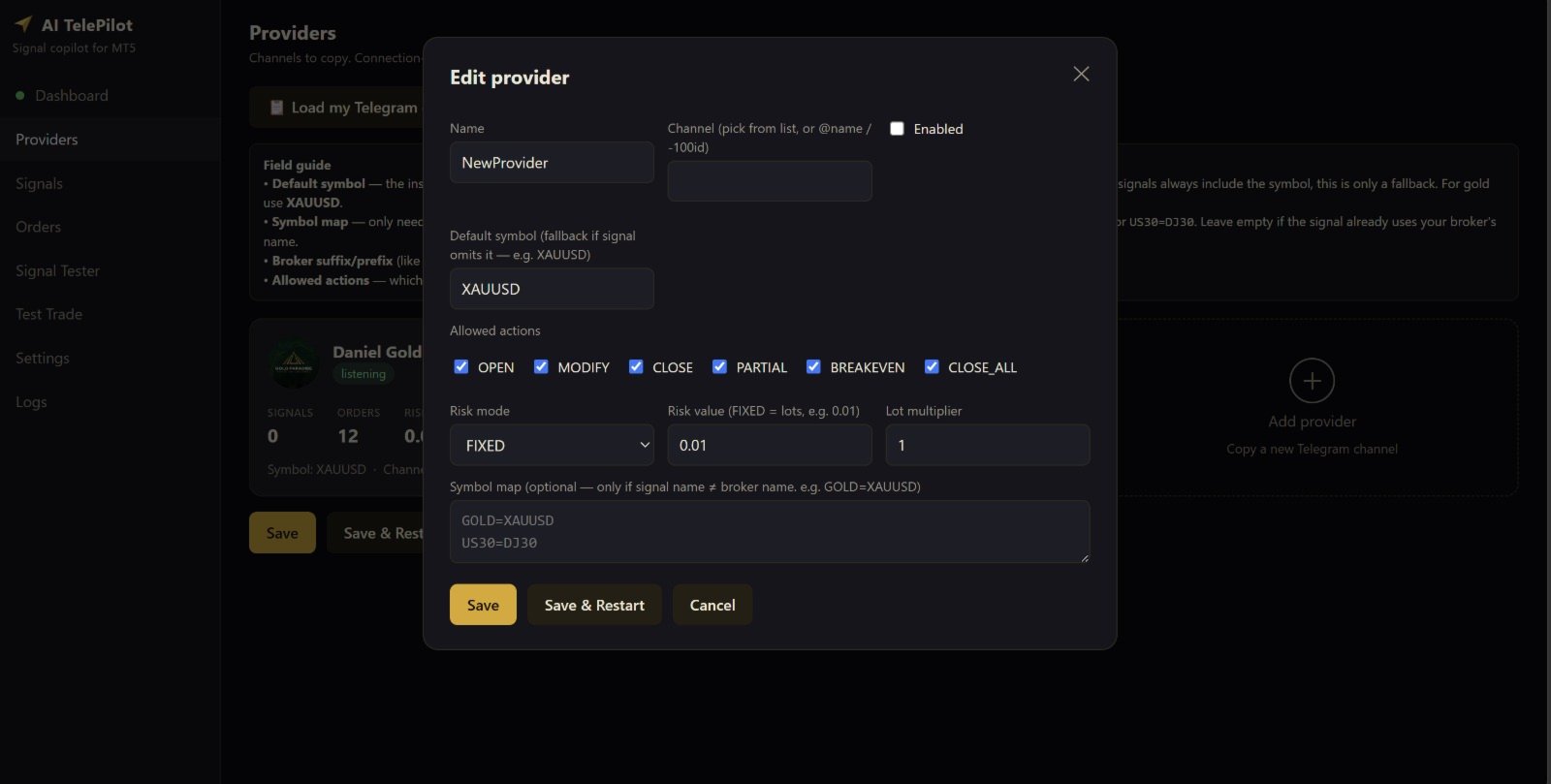
- Multiple providers — copy many channels at once; per-provider symbol, risk and allowed actions.
- Order types — market and pending orders, automatic Buy/Sell Limit vs Stop, and entry zones (price ranges).
- Risk modes — fixed lots, money at risk, % of balance, % of equity, or risk-% based on the stop distance.
- Multi-TP ladder — split a signal across several take-profit targets automatically.
- Trade management — break-even, step trailing stop, partial close, modify SL/TP, cancel pending and close.
- Reply-aware — a management message that replies to a signal is applied to the exact trade it references.
- Account protection — equity guard (daily/weekly/monthly), trade-count limits, time and weekend filters.
- Broker symbol handling — symbol prefix/suffix and a symbol map (e.g. GOLD→XAUUSD).
- Prop-firm friendly — optional entry/SL/TP offsets in points.
Installation & Setup
- Attach the AI TelePilot EA to any one chart and enable Algo Trading. A single instance manages all symbols.
- Set the input InpSymbolSuffix (and/or prefix) to match your broker, e.g. m for XAUUSDm or .raw for XAUUSD.raw.
- Install the free AI TelePilot companion app for Windows. No coding or command line required.
Download Link: https://www.dropbox.com/scl/fi/j90p7o0imgca3u6qh1jj4/AITelePilot-Setup-1.6.exe?rlkey=snv7rtwylzpvvp3siyzprb0qk - Open the app dashboard, log in with your Telegram account, then add the channels you want to copy and set the risk for each.
- On first run the app sets up the local AI engine automatically (one-time download). After that everything runs offline on your PC.
No WebRequest URL or external server needed — the app and the EA communicate through a local file bridge inside the MetaTrader data folder.
How to Use
After setup, copying is fully automatic:
- When a channel posts a signal, the app parses it and the EA opens the trade with your configured risk, SL and TP(s).
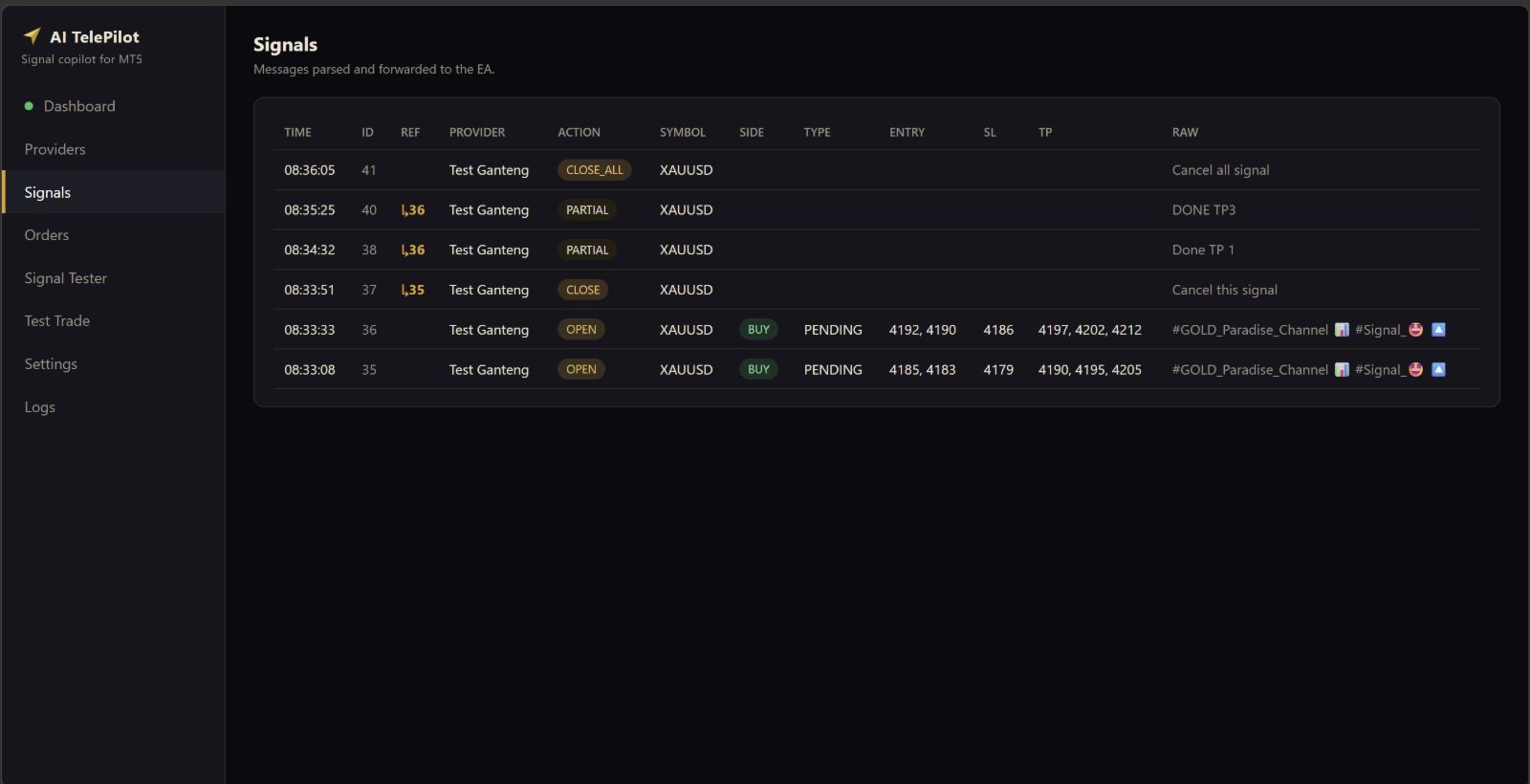
- Follow-up messages (break-even, close half, move SL, cancel pending, close) are detected and applied to the matching trade.
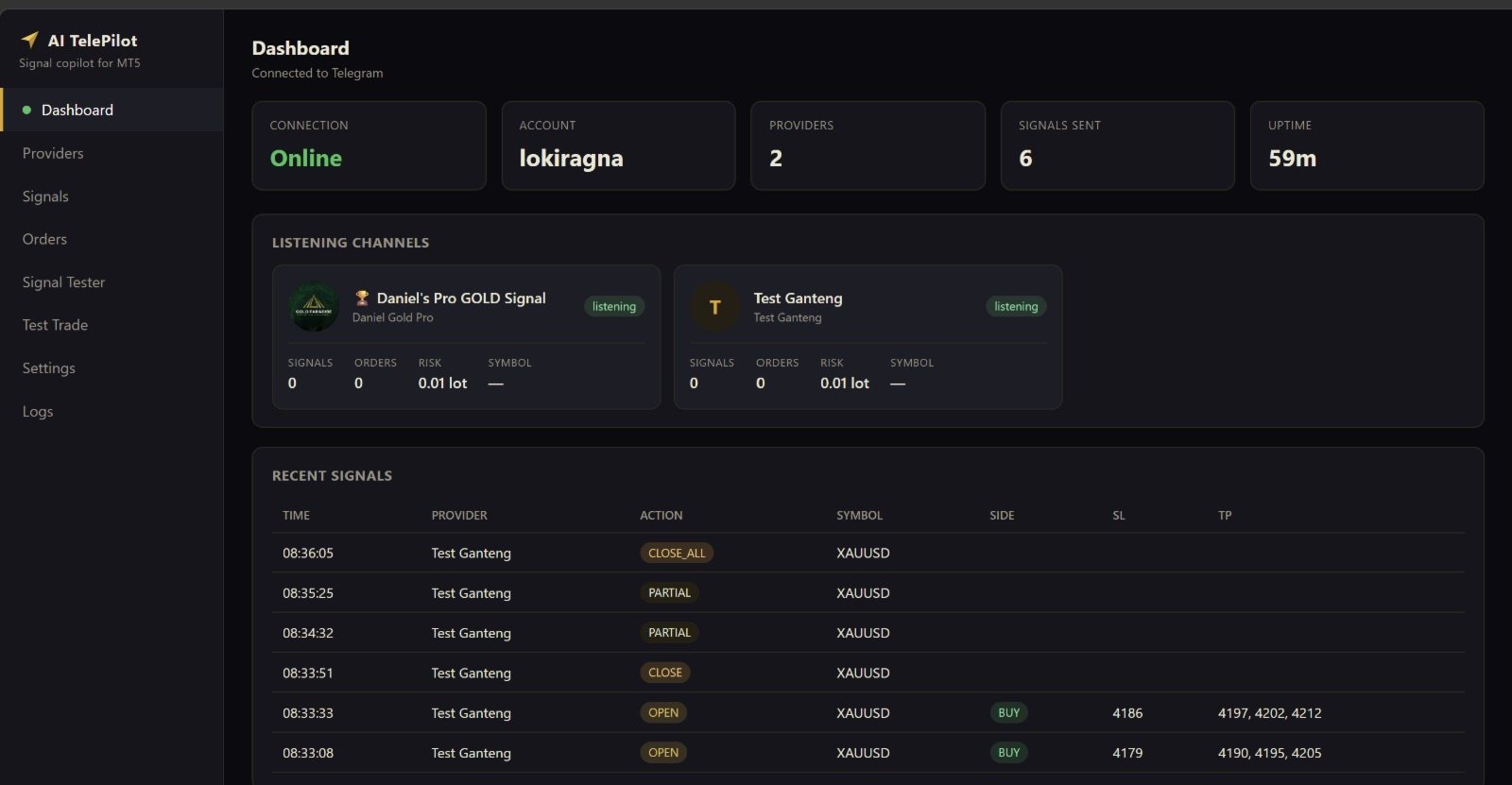
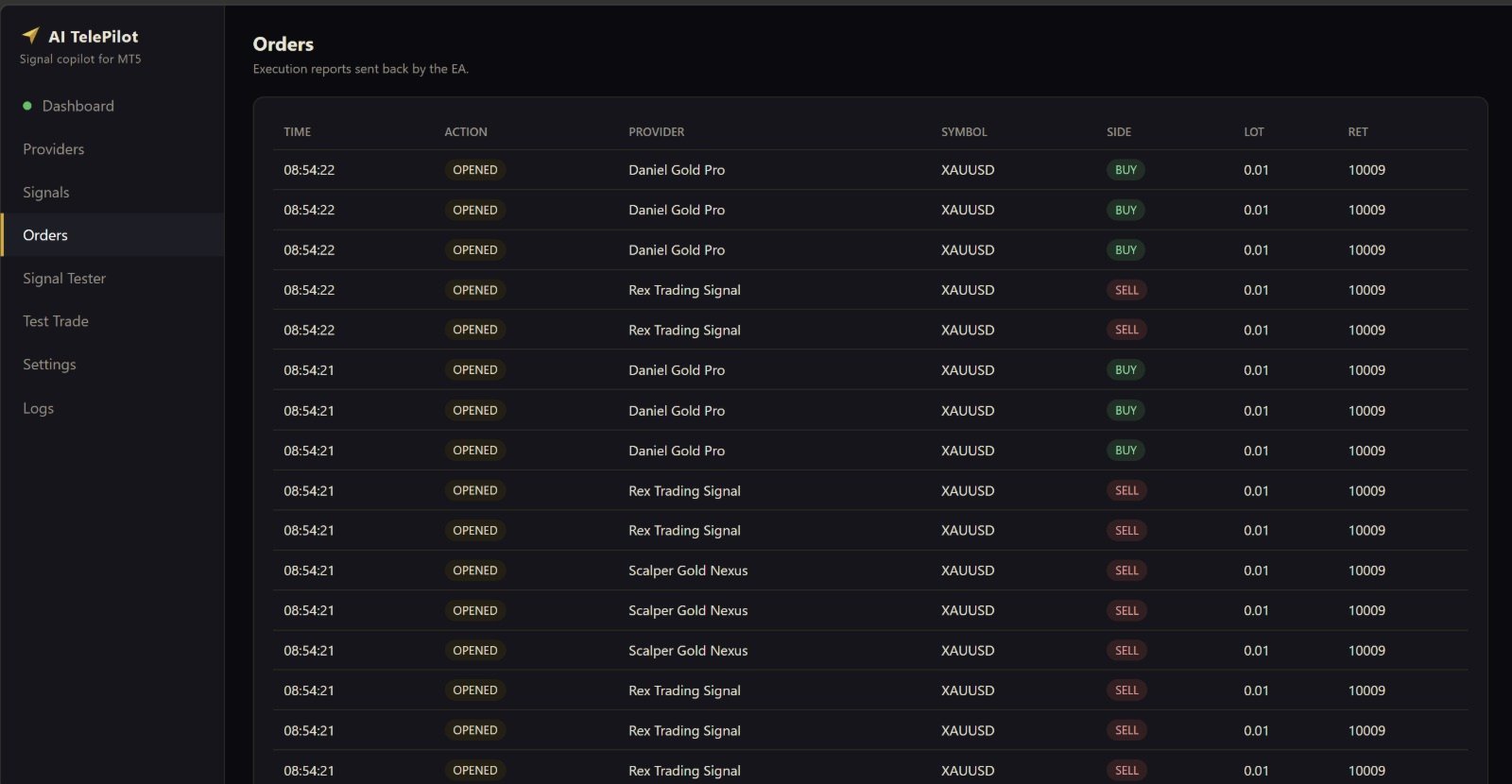
- The dashboard shows live status: connected channels, parsed signals (with reference IDs) and executed orders.
- Keep MetaTrader 5 and the companion app running for live copying.
Key Inputs
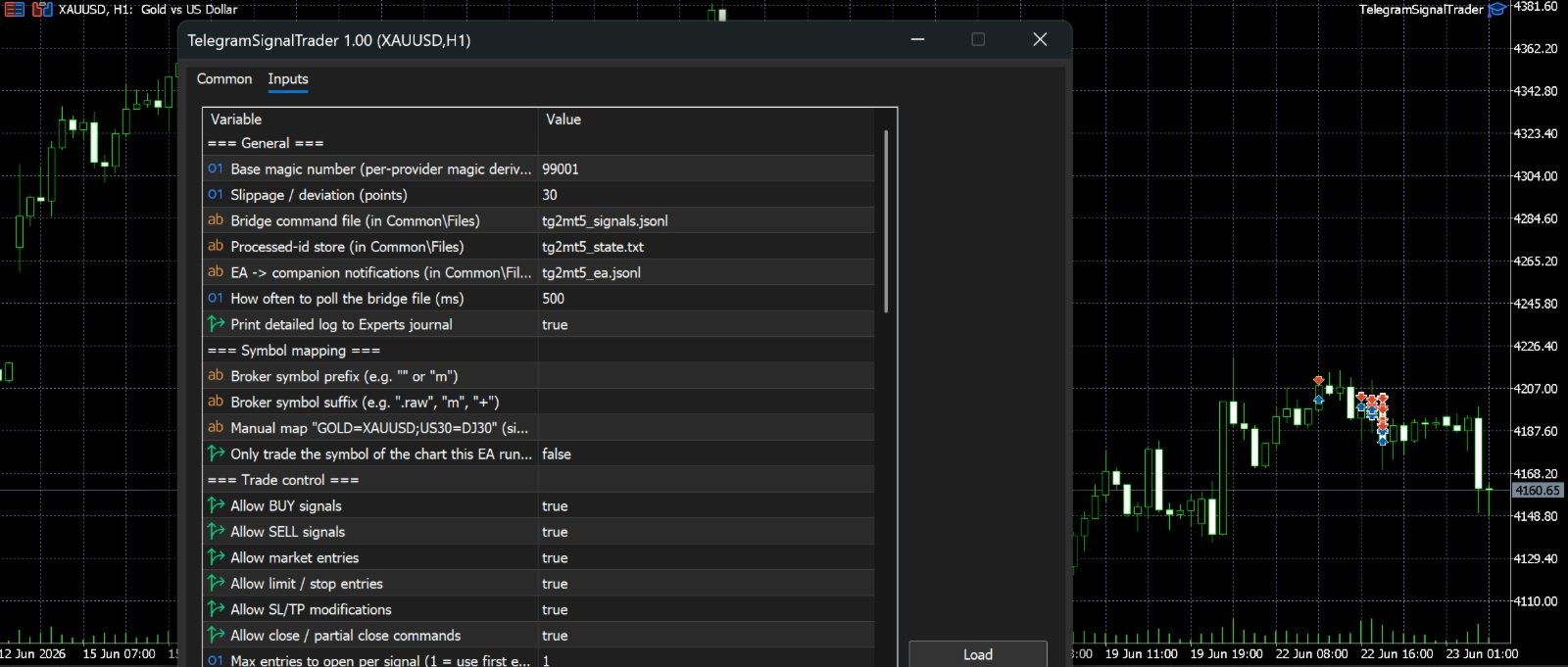
- InpMagic — base magic number (each provider gets a derived magic).
- InpSymbolSuffix / InpSymbolPrefix — match your broker’s symbol naming.
- InpUseSignalSL / InpUseSignalTP — use the SL/TP from the signal.
- InpSplitAcrossTPs / InpMaxTPs — split volume across take-profit targets.
- InpMaxEntriesPerSig — how many orders to open for an entry zone (range).
- InpBreakEven / InpTrailStart / InpTrailStep — break-even and trailing stop.
- InpEquityGuardPct, InpMaxTradesPerDay/Week — account protection limits.
- InpEntryOffset / InpSLOffset / InpTPOffset — optional offsets (points) for prop-firm rules.
- InpSlippage, InpMinLot / InpMaxLot — execution and lot bounds.
Requirements
- MetaTrader 5 with Algo Trading enabled.
- A Windows PC (or VPS) running the free companion app and MetaTrader 5.
- A Telegram account that is a member of the channels you want to copy.
Disclaimer
Trading foreign exchange, metals and CFDs on margin carries a high level of risk and may not be suitable for all investors. AI TelePilot is a tool that copies third-party signals; it does not generate trading advice and does not guarantee any profit or specific result. The performance of copied trades depends entirely on the signal providers you choose. Always test on a demo account first and use risk settings you can afford. You are solely responsible for your trading decisions and results. This product is not affiliated with, endorsed by, or connected to Telegram or any signal provider.





































يحتاج الى تطوير بعض الشيء هو جيد ويعمل بشكل جيد لكن يحتاج تطوير