Volume Snapshot
- Göstergeler
-
Part-time Day Trader
 I build MT4 and MT5 tools that help traders trade with more structure, discipline, and consistency.
In trading, consistency is the real edge. By making consistent execution easier, my tools help traders follow their routine long enough for their edge to fully play out over time. - Sürüm: 1.1
- Güncellendi: 24 Haziran 2026
- Etkinleştirmeler: 8
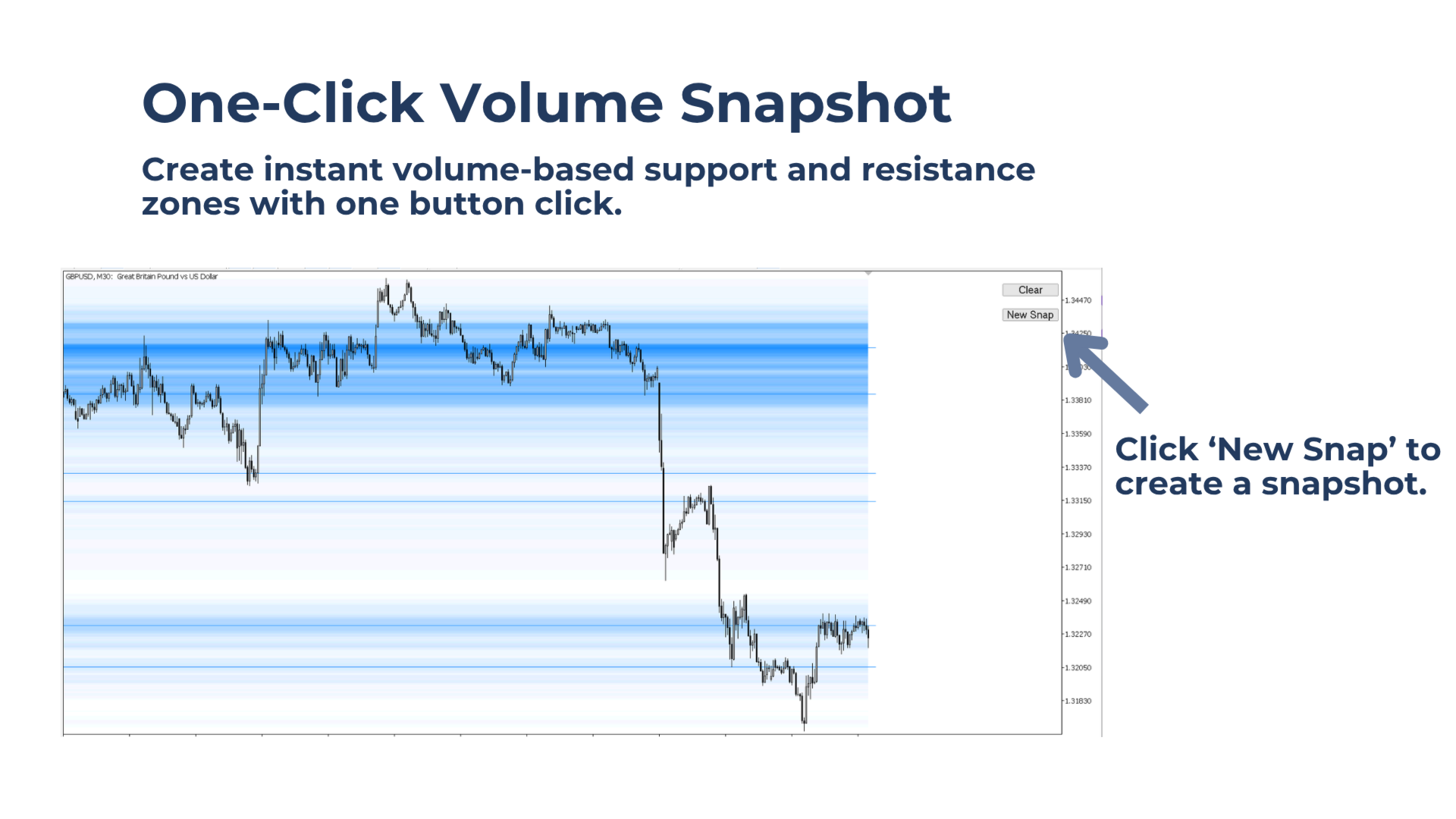
Instantly create a volume-zone snapshot with one button click. Use volume-based support and resistance zones to help plan better entries, stop-loss areas, and target levels.
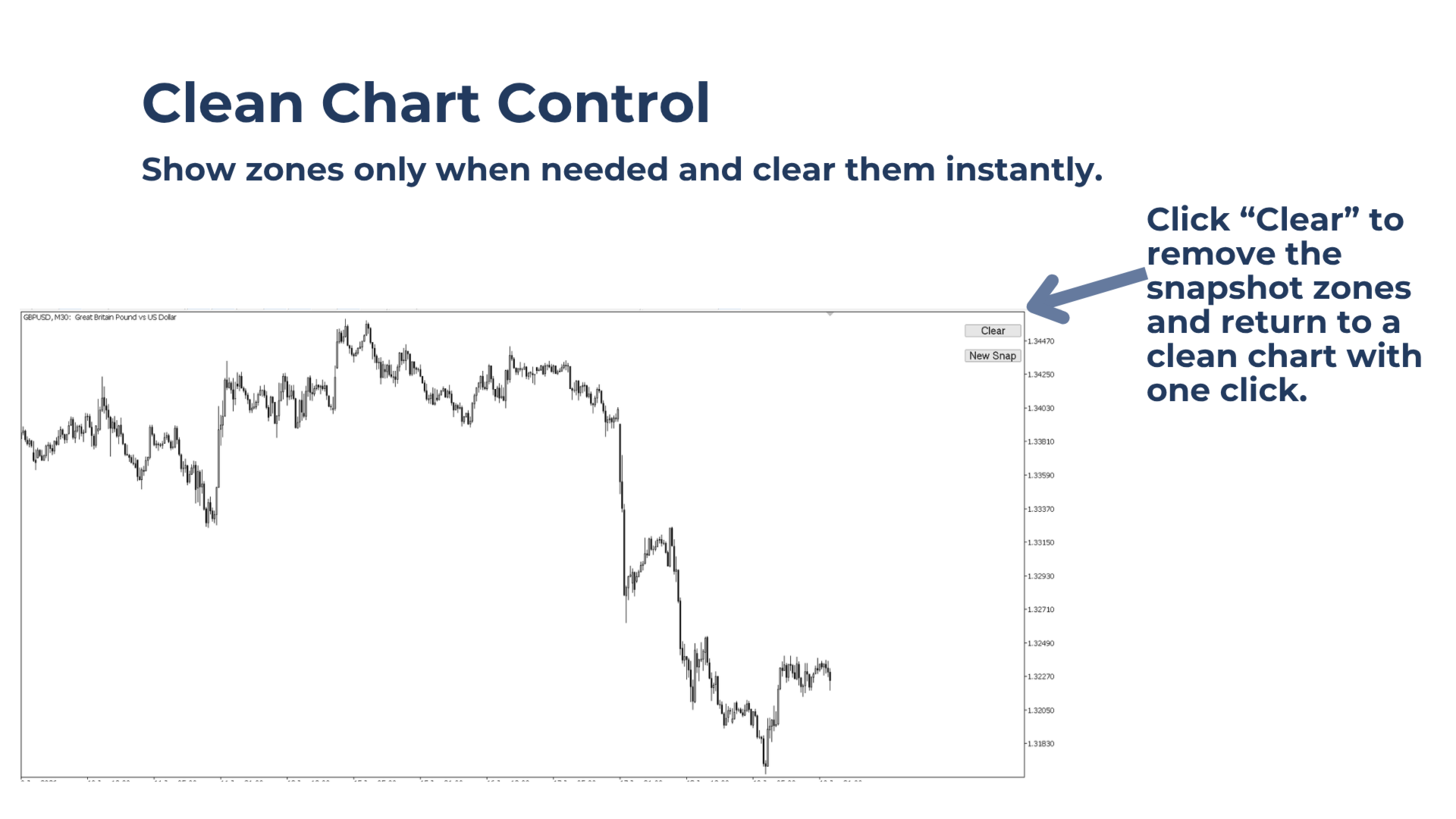
Click 'Clear' to return to a clean chart. Works on any timeframe and any Market Watch symbol.
For Strategy Tester use, select Every Tick mode.
Built for Traders Who Want To:
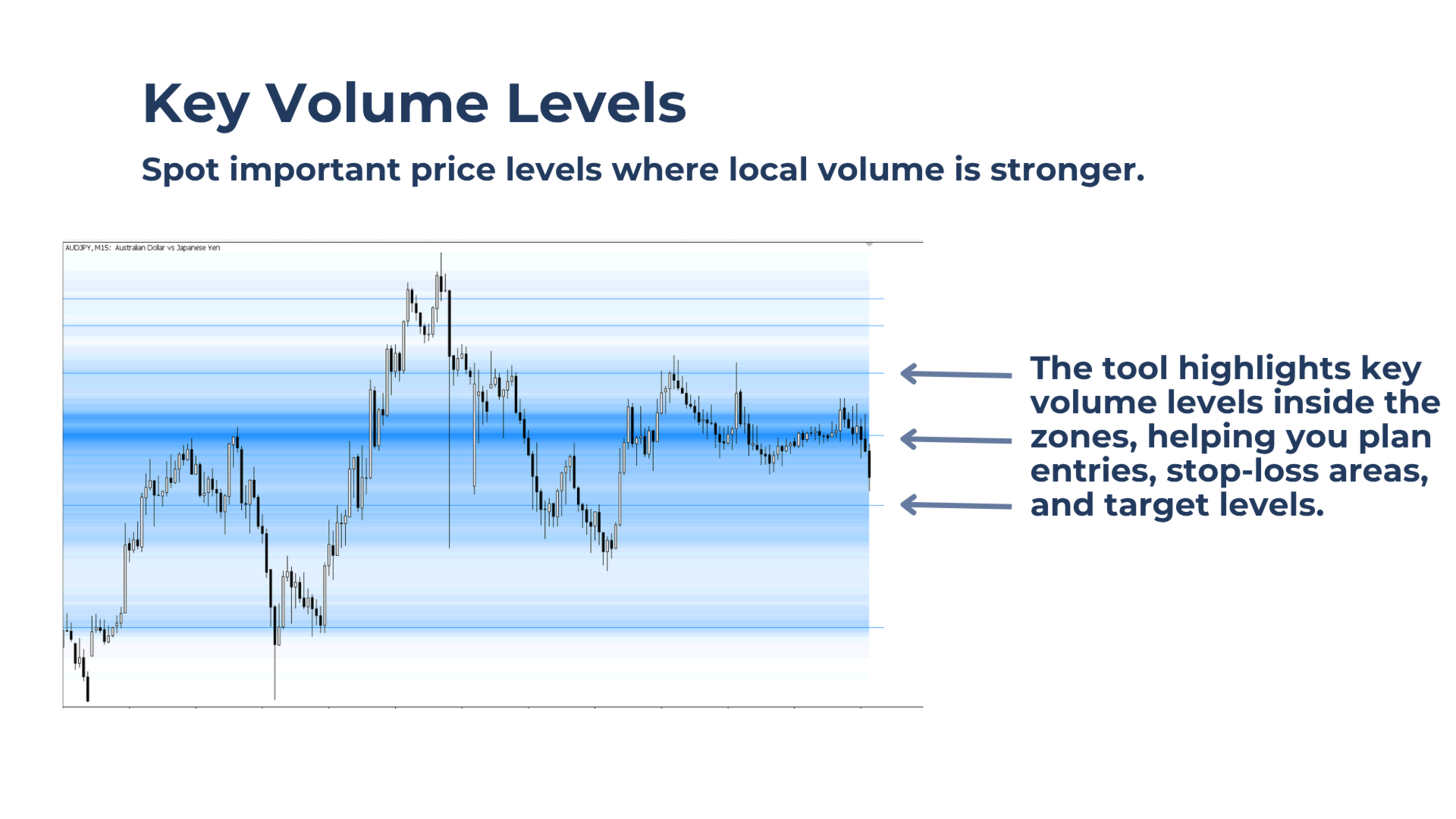
- Use key volume levels to plan entries, stop-loss areas, and target zones.
- Keep the chart clean by showing zones only when needed.
- Use volume as a footprint of institutional activity to identify areas where price may react.
Volume Snapshot creates manual volume-zone snapshots with one button click, showing instant volume-based support and resistance zones directly on the chart.
Because the zones are fixed snapshots, the indicator uses very little CPU.
Key benefits
Get zones when and where needed: Create a fresh volume-zone snapshot only when you want to plan a trade.
See key volume levels inside the zones: The tool highlights key levels where local volume zones show a max, even inside thinner volume areas.
Keep the chart clean: Show the zones when needed, then clear them with one click.
Main features of Volume Snapshot
Lightweight Performance
The zones update only when you click the button, helping keep CPU usage low.
Customizable Color Scheme
Choose the zone color from the input settings to match your chart style.
Works on all Symbols and Timeframes
Use the tool on any Market Watch symbol and any timeframe.
Flexible Control Panel
Place the simple two-button control panel in any chart corner.
Notes & Tips:
Strategy Tester
Volume Snapshot can be tested in the Strategy Tester. Use the Every Tick model for best results.
Zone Colors
The volume-zone color can be customized from the input settings. Use a darker zone color on light chart backgrounds and a lighter zone color on dark chart backgrounds for stronger contrast.
Volume Range
The snapshots are based on the visible chart range.
Create snapshots on fully zoomed-out charts or higher timeframes to identify larger support and resistance zones.
Create snapshots on fully zoomed-in charts or lower timeframes for more precise entry planning.