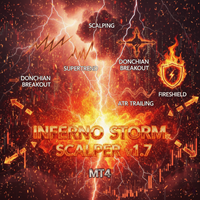
Inferno Storm AI V226G Hybrid MT5
- Uzmanlar
- Sürüm: 1.0
- Etkinleştirmeler: 5

Product Name: Inferno Storm AI Hybrid (MT5)
[Subtitle: Deep Prompt Engineering | Universal LLM Bridge | Tri-State Matrix]
Introduction
Welcome to the apex of algorithmic evolution. Inferno Storm AI Hybrid is a next-generation trading architecture that shatters the limitations of traditional Expert Advisors. By integrating a dynamic "Neural Bridge," it merges a lightning-fast quantitative core with the cognitive reasoning of the world's most advanced Generative AI models.
While ordinary bots blindly execute rigid historical rules, Inferno Storm is "aware." It actively reads the market, detects structural shifts, and interrogates a Large Language Model (LLM) for a second opinion before risking your capital.
Version 2.26: Deep Prompt Engineering (The Secret Sauce)
Standard AI trading bots fail because they only feed raw OHLC (Open, High, Low, Close) numbers to the AI, leaving the model "blind" to market structure. Version 2.26 introduces a proprietary Technical Context Translator. Before pinging the AI, the EA dynamically translates real-time market data—Supertrend Direction, ADX Trend Strength, Bollinger Band Volatility, and live Broker Spread—into a sophisticated, structured text prompt. The AI evaluates the chart exactly like a Senior Institutional Quant Analyst, resulting in hyper-accurate validations.
The Tri-State Operational Matrix
You are in complete control. Seamlessly toggle between three execution philosophies:
-
MODE [EA ONLY] - The Kinetic Core: Operates completely offline. It utilizes a highly guarded, multi-dimensional matrix of volatility breakouts and momentum pullbacks. Lethal, autonomous, and brutally fast.
-
MODE [AI ONLY] - The Generative Brain: The EA bypasses its internal technical triggers. It acts as a pure data-harvester, packaging historical price action and technical context, and trades solely on the predictive reasoning of the AI.
-
MODE [HYBRID] - The Ultimate Consensus (Recommended): The perfect marriage of machine speed and artificial intelligence. When the Quant Core detects a high-probability setup, it pauses and queries the AI: "My algorithm has triggered a BUY based on this exact technical context. Do you validate?" A trade is executed only if both the math and the machine reach an absolute consensus.
Universal AI Bridge & Smart Anti-Spam Shield
We refuse to lock you into a single ecosystem. The EA features an unlocked, universal API bridge:
-
Supported Neural Engines: Connect directly to the Titans of AI—OpenAI (ChatGPT), Google Gemini, Anthropic Claude, Grok (X), DeepSeek, or any Custom API endpoint.
-
Asynchronous Jitter Shield: AI providers enforce strict rate limits. To protect your API key from IP bans and "Error 429: Too Many Requests", the system utilizes an intelligent delay matrix. By injecting randomized asynchronous jitter before API calls, it completely masks automated behavior and optimizes your token costs.
Tactical Execution & Safety Protocols
-
Invalid Stops Firewall: A real-time calculator continuously monitors your broker's STOPS_LEVEL , FREEZE_LEVEL , and spread spikes. It dynamically pads your Stop Loss/Take Profit modifications to eradicate broker execution rejection errors.
-
Fireshield Protocol: A hard-coded equity defender. If your daily loss limit is breached, the EA enters a mandatory lockdown, protecting your account from flash crashes and irrational market phases.
-
Prop-Firm Compliance: Engineered to handle both strict Netting and Hedging accounts, with automatic volume normalization to comply with funding firm rules.
Input Parameters
=== TRADING MODE ===
-
InpTradeMode : Select EA ONLY, AI ONLY, or HYBRID mode.
-
InpHistoryCount : The depth of historical price bars fed to the AI for contextual reasoning.
=== AI SETTINGS (THE NEURAL BRIDGE) ===
-
InpPlatform : Select your preferred AI engine (OpenAI, Gemini, Claude, Grok, DeepSeek).
-
InpApiKey : Your secure API Key.
-
InpModel : Define the specific model variant (e.g., gemini-1.5-flash, gpt-4o).
=== INFERNO SETTINGS (QUANT & RISK) ===
-
UseRiskPercent : Enable auto-lot sizing based on your account free margin.
-
UseUsdTargets : Toggle between strict Currency ($) targets or dynamic Volatility (ATR) distances.
-
UseTrailingStop : Activate the adaptive, invisible profit-locking shield.
-
MaxOpenPerSymbol : Control maximum market exposure.
-
DailyLossLimitUsd : Your ultimate daily capital protection line.
Installation & Crucial Setup
-
Download the .ex5 file and place it in your MQL5\Experts folder.
-
Generate an API key from your chosen AI provider (e.g., Google AI Studio, OpenAI).
-
CRITICAL: You must authorize the API connection in MT5. Go to Tools > Options > Expert Advisors -> Check "Allow WebRequest for listed URL" and add your AI's specific endpoint URL (e.g., https://api.openai.com or https://generativelanguage.googleapis.com ).
-
Attach to an M15 chart, input your API key, and awaken the Storm.
*Note: Due to MetaQuotes limitations on WebRequest, the AI modules operate exclusively in Live/Demo trading. During Backtesting, the EA will automatically default to the pure "EA ONLY" Quant Core to provide 100% accurate structural simulations.
🛡️ AUTHOR & COPYRIGHT ✍️ Astracodewolf – Algorithmic Trading Systems Developer © 2026. All algorithms and designs are the proprietary intellectual property of Astracodewolf & Wingflame Intelligence Lab.