FTU Stargate Retrace
- Uzmanlar
- Sürüm: 2.40
- Güncellendi: 27 Temmuz 2026

🚀 Stargate — Reversal
The free version is the basic concept of FTU Stargate, advanced version is available. Be sure to simulate and test settings. See images or contact me for best settings for various products.
This EA seeks reversal entries within trend direction with a quick exit system to avoid break out risk. Fully automated: entry, stop loss and trade size based on risk input. With some trader management the results can be improved.
♛ Performance Rating: 6/10
• Single trade system (no martingale, no grid)
• ATR-based stop loss and take profit
• Built-in recovery
• Customizable NoTradeTime protection
• Designed for low timeframe intraday trading
🧩 Install
After download, find product in markets folder. Drag file onto chart - one EA per chart per product
Adjust the general and trade settings. Best to test demo with each broker as trade size, value per point
🧩 Study
Change inputs, back test >> study how the EA performs, there are several inputs to change performance.. This is a reversal system with built in recovery, find the settings and risk model which suits your goals. In real environment trading sometimes EA is near full tp level and price retraces some events like that manual closure by user will improve results.
Compare and study interaction with other indicators for potential improvements, add trade events to assist with recovery or use similar products to assist with recovery. When loss occurs on product such as us100 then perhaps during recovery trade us30 is also in a profitable trade, then close us30 early to assist with recovery of partner product.
Ideally leave the ea on all week, as recovery system is monitoring p/l. This will be improved upon next update to store the memory of p/l and trade events. Tester will run a large period but if platform is restarted the current version will clear the cache and not recall to manage a loss.
Study none trade time events, avoid market open and news events, switch ea off or use notradetime slots to prevent trades > this also requires review for next update, some testing shows this not working
Most testing has been done on low timeframe interday trading such as 2, 3, 4 min
Running a simulator wont show best results such as some losses could occur at news events, use the inputs to avoid entries around nfp and similar times are not built in, also user broker times may vary as per standard inputs. Again, please avoid news and market opening for Dax and US session.
🧩 Suggestion
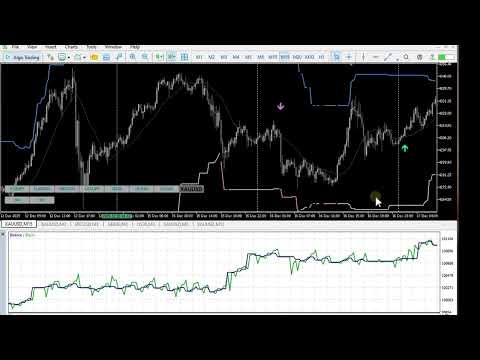
See image four in screenshots, this is an example where on tester the ea has set parameters to recover losses and as for general take profit. Use some trading skill to improve the results: in the image a loss occurs at A, try not to wait for full recovery, use another strategy or same ea on another similar product when both are profitable near B close the trades and recover near 80% of total loss on the us100 as per tester image. Same goes for event at C. This also applies to general take profit, if a news event is up and coming and trade is 75% from full target for example, close more partial or full profit, do not allow all profits to be lost. The ea as in tester has no edge or knowledge of news or trend bias, this is where the trader comes into action.
🧩 Design
Initial design was for trend following, later added retrace entry system.
This was a concept / trial algorithm, an attempt to get certain features working. Testing shows it has good moments of entry but overall misses a winning edge.