GapRush iFVG EA
- Uzmanlar
- Sürüm: 3.20
- Etkinleştirmeler: 10

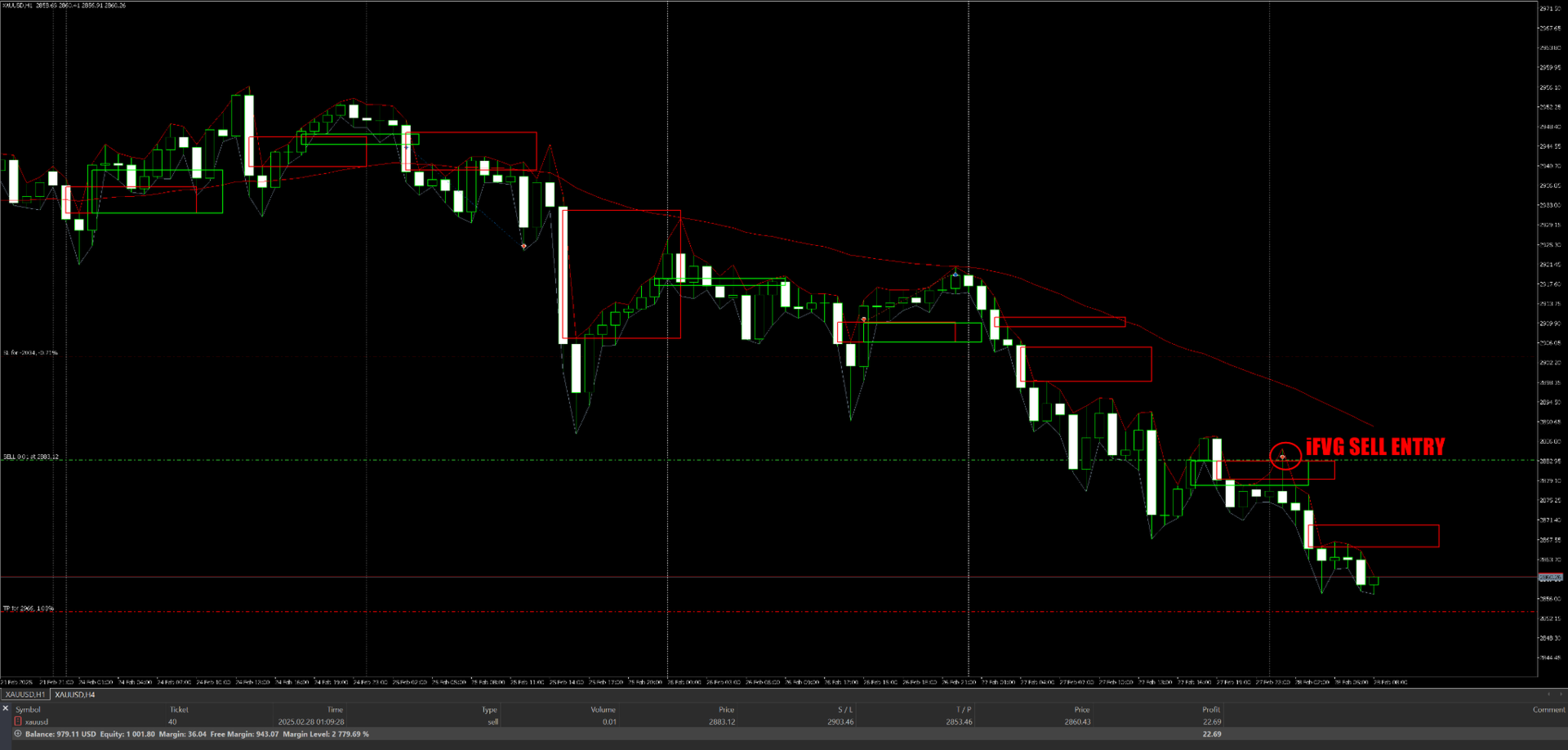
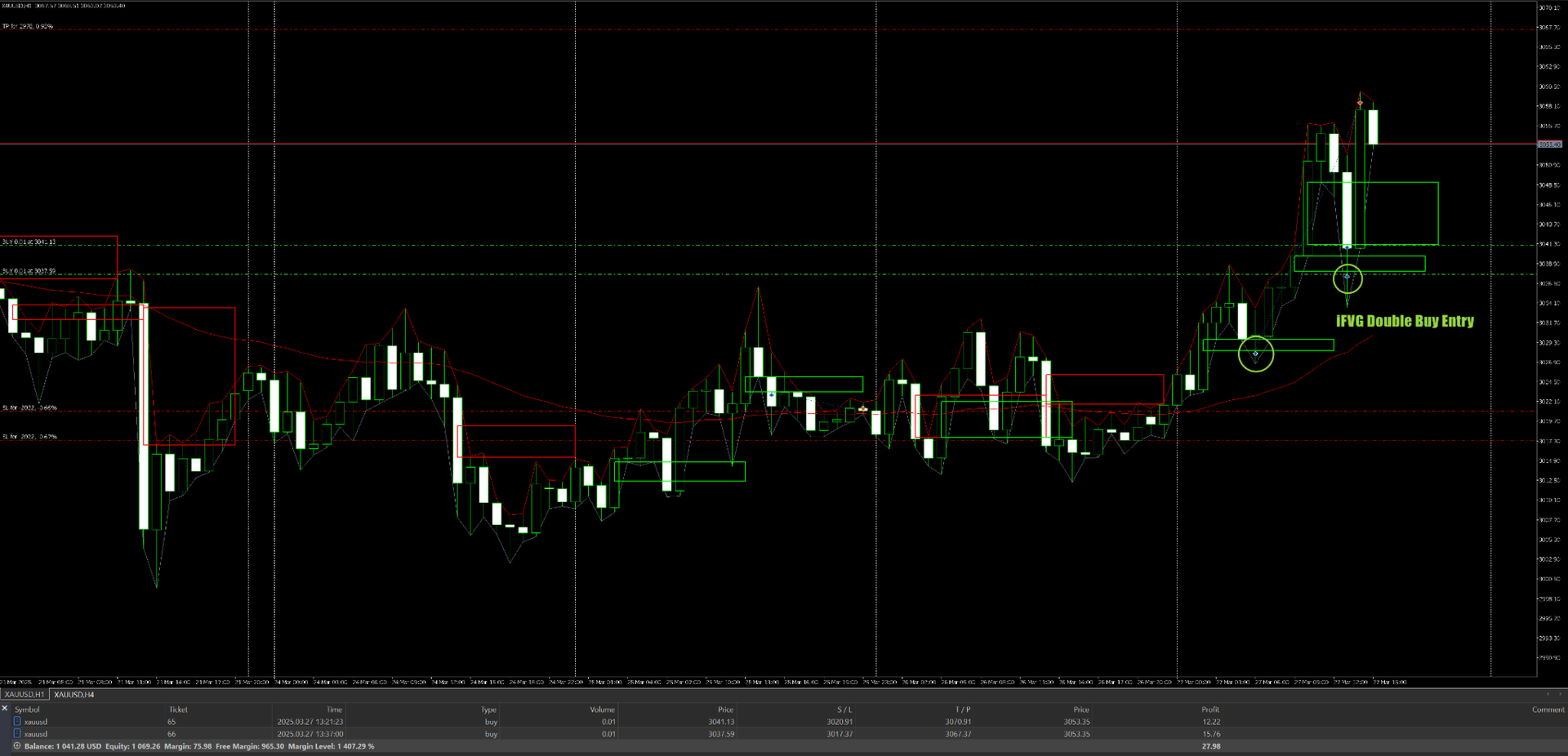
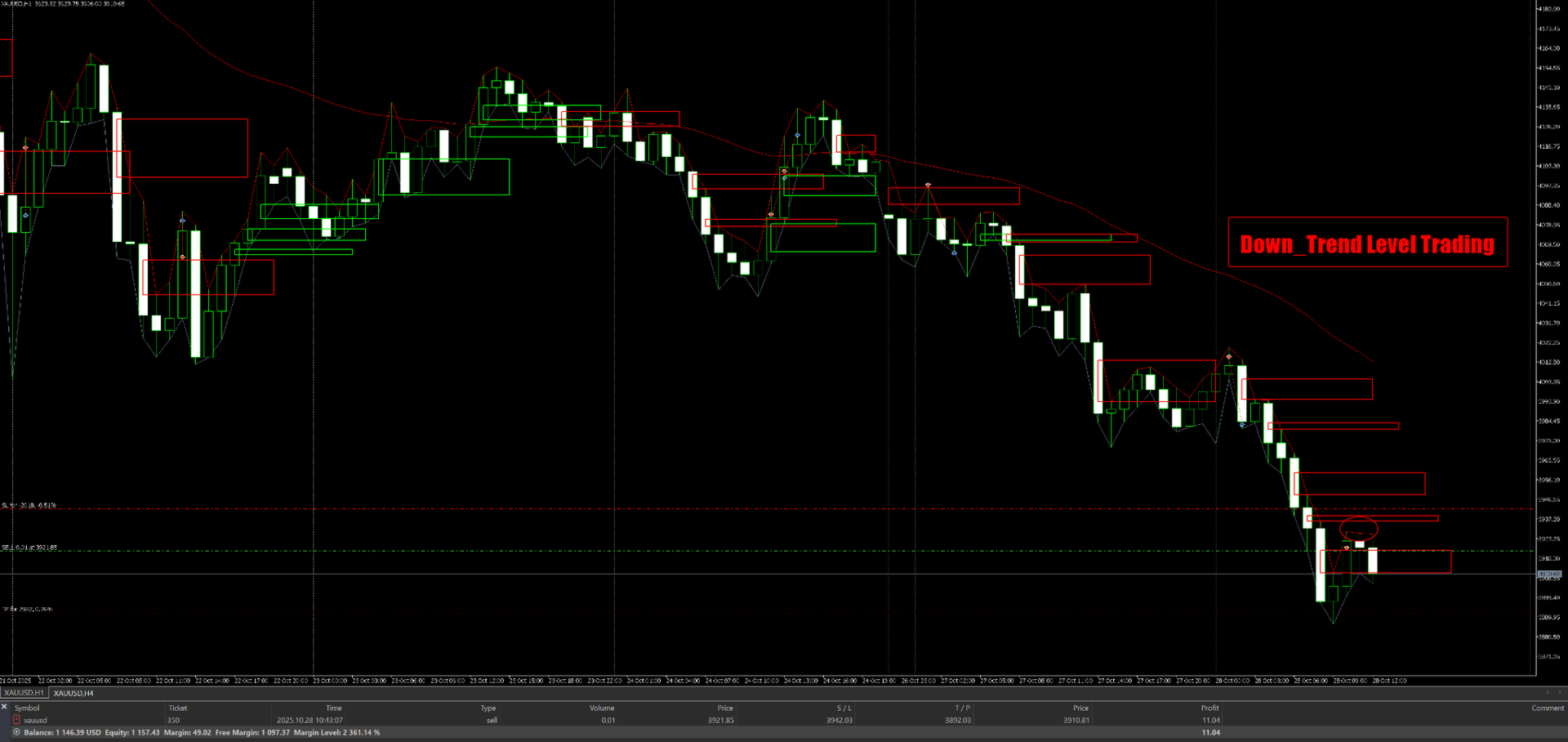
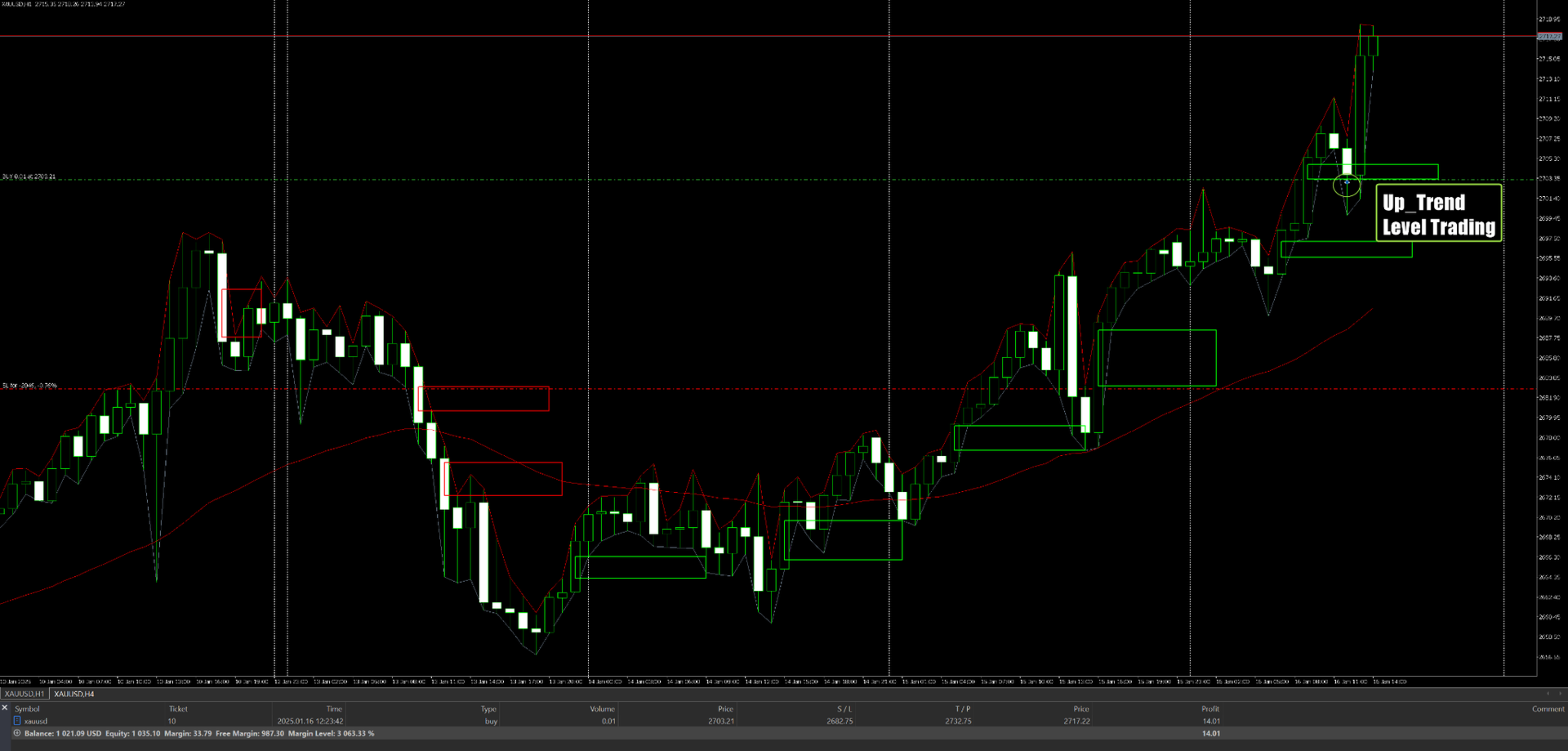
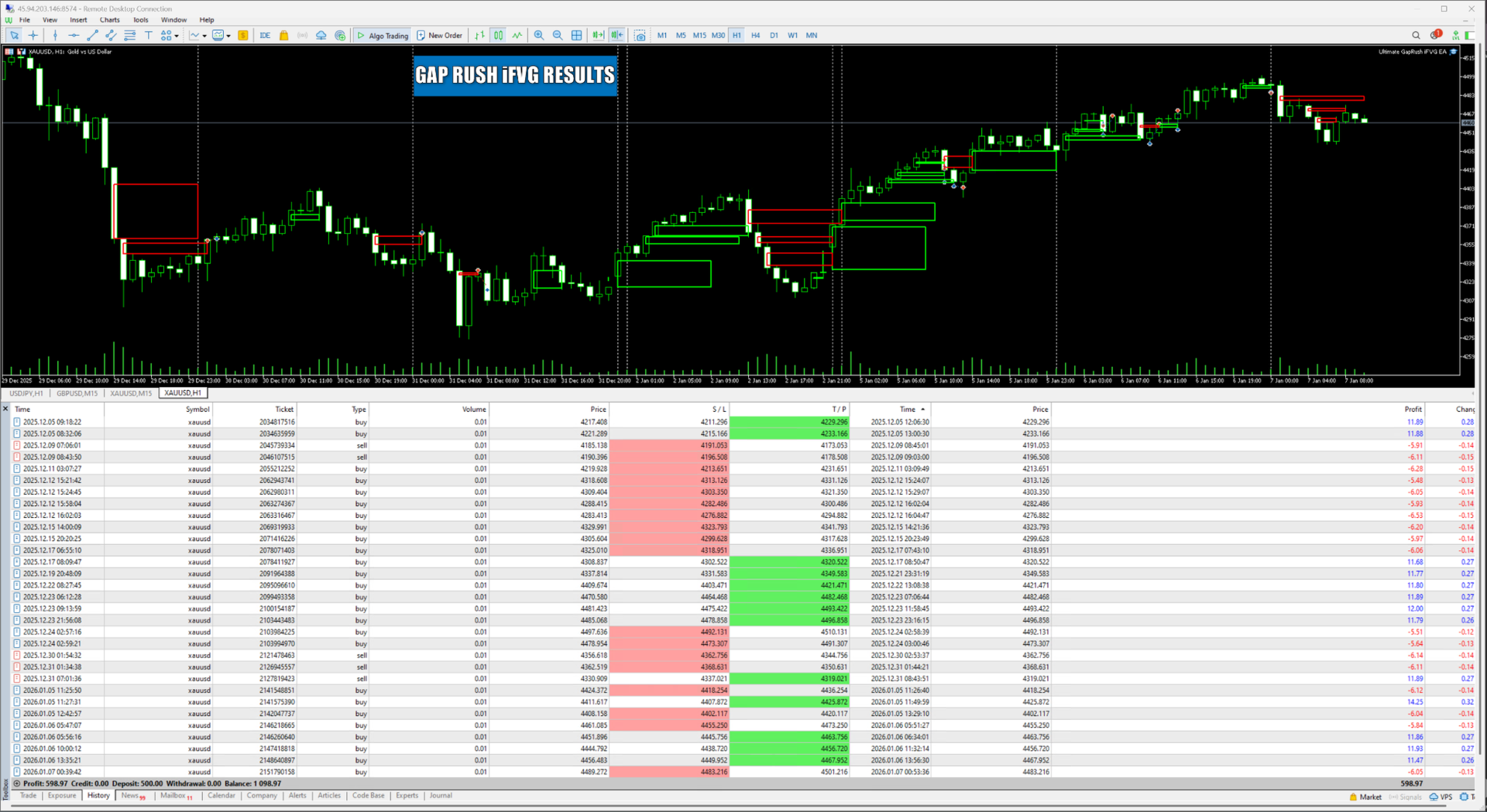
Gap Rush iFVG EA is an automated trading Expert Advisor built around Fair Value Gaps (FVGs). It scans the chart for valid bullish/bearish gaps, draws them clearly as rectangles, and can place trades when price reacts to those gaps—optionally filtered by higher-timeframe trend bias, sessions, and days of the week. It also includes built-in risk checks and trade management (SL/TP + trailing + end-of-day flat).
Key advantages
-
Automatic FVG detection: Identifies bullish and bearish fair value gaps using a minimum gap size filter to reduce noise.
-
Clean FVG visualization: Draws each FVG as a simple rectangle outline (green for bullish, red for bearish) for easy chart reading.
-
Smarter entries with bias filter: Optional H1/H4 EMA bias filter helps align trades with higher-timeframe direction.
-
Session controls (optional): Trade only during chosen hours (e.g., London/NY overlap), and/or only trade FVGs that formed during selected sessions.
-
Day-of-week filtering: Enable/disable trading on each weekday for tighter control.
-
Trade management included: Fixed SL/TP option and trailing stop logic for hands-off management.
-
Safety checks: Includes margin/volume/stop-level validation to reduce broker rejections and bad order placement.
-
End-of-day flat option: Can close positions and delete pending orders at a specified daily time.
Inputs (Parameters)
Trading
-
InpLots — Fixed lot size used for each trade.
Stop Loss / Take Profit
-
InpUseFixedLevels — If true , uses the fixed SL/TP point distances below.
-
InpSL_Pts — Stop Loss distance in points.
-
InpTP_Pts — Take Profit distance in points.
Trailing Stop
-
InpUseTrailing — Enables trailing stop management.
-
InpTrailStartPts — Starts trailing after profit reaches this amount (points).
-
InpTrailStopPts — Trailing distance from current price (points).
Higher-Timeframe Bias Filter (EMA)
-
InpUseBiasFilter — Enables the H1/H4 bias filter.
-
InpBiasEMAPeriod — EMA period used for bias calculation.
-
InpRequireBothTF — If true , both H1 and H4 must agree; if false , H4 leads and H1 must not contradict.
-
InpRestrictEntryTF — If true , only allows entries when chart timeframe is M15 or M5.
End-of-Day Flat
-
InpCloseEndOfDay — If true , closes all symbol trades at the specified time.
-
InpCloseHour — Server-time hour to close trades.
-
InpCloseMinute — Server-time minute to close trades.
FVG Filtering
-
InpMinPtsBoostPct — Increases the minimum FVG size threshold by this percent (helps filter small “micro gaps”).
Session Filter (Trade Hours)
-
InpUseSessionFilter — If true , trades only within the start/end window below.
-
InpSessStartHour — Session start hour (server time).
-
InpSessEndHour — Session end hour (server time, end-exclusive).
“Session of Formation” Filter (Only trade FVGs formed in selected sessions)
-
InpFilterByFVGSession — Enables filtering based on the time the FVG was created.
-
InpTradeAsia — Allow FVGs formed during the Asia window.
-
InpTradeLondon — Allow FVGs formed during the London window.
-
InpTradeNewYork — Allow FVGs formed during the New York window.
-
InpAsiaStartHour / InpAsiaEndHour — Asia session hours (wrap supported).
-
InpLondonStartHour / InpLondonEndHour — London session hours.
-
InpNYStartHour / InpNYEndHour — New York session hours.
Day-of-Week Filter
-
InpTradeSunday
-
InpTradeMonday
-
InpTradeTuesday
-
InpTradeWednesday
-
InpTradeThursday
-
InpTradeFriday
-
InpTradeSaturday
Each option enables/disables trading for that day.