Simple Fair Value Gap
- Göstergeler
- Sürüm: 1.3
- Güncellendi: 8 Ekim 2026

Simple Fair Value Gap
Unlock the power of fair value gaps with this simple and precise, easy to use indicator designed to identify and visualize market inefficiencies
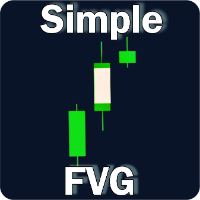
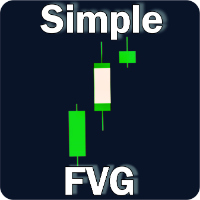
Simple Fair Value Gap is an mt5 indicator which paints the center of a fair value gap candle with a different color.
A Fair Value Gap (FVG) is a three candle formation in which the middle candle does not get completely overlapped by the left and right candle. i.e The difference between the high and low of either left or right candle when they do not overlap is the fair value gap.
The fair value gap signals an imbalance between buyers and sellers, potentially signalling future price correction or momentum opportunities.
The Fair Value Gap is a famous ICT concept
Key Features
- Clean Chart: Effortlessly highlights fair value gaps directly on your chart, in a clean way.
- Unique Color Coding: Each fair value gap is distinctly colored by a bar inside its candle for immediate recognition. Each FVG color for either bearish or bullish can be adjusted.
- Adjustable Alerts: The indicator can set alerts for on candle close once a fair value gap is formed. You can choose the timeframe for which the alert should be sent. You may also turn on/off which ever alert you want. By default, all alerts are set to false
- Toggle on/off: The indicator can be hidden by using custom keyboard shortcuts.
- All Time-frames Compatibility: Works across all time-frames.
- Non-Repaint: The indicator is non-repainting
- No objects: indicator does not draw objects on the chart, keeping your chart clean
- Low-Latency Calculations: The indicator uses minimal computational overhead to ensure rapid and smooth performance
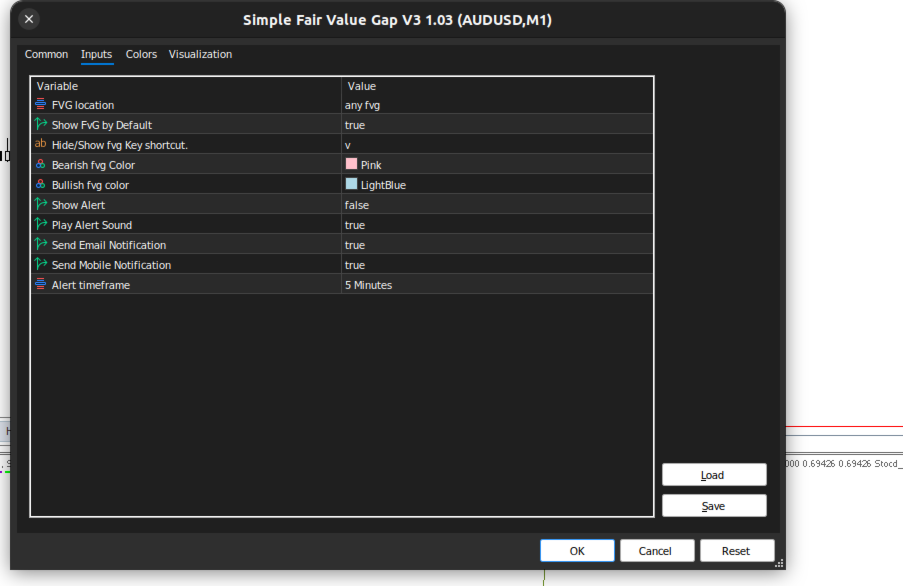
Inputs
| Input Variable | Explanation |
|---|---|
| FVG location | choose between FVG within only candle body, within candle, or any FVG |
| show FVG | Choose whether to show FVGs by default (true/false) |
| Hide/Show FVG Key shortcut | Set a keyboard shortcut to hide/show the FVG |
| Bearish FVG Color | Choose a color for the bearish FVG |
| Bullish FVG color | Choose a color for the bullish FVG |
| Show Alert | Turn this to true, in order to get Alert popup on the terminal |
| Play Alert Sound | Turn this on for the terminal to play an alert sound |
| Send Email Notification | Turn this on in-order if you want the terminal tor send you email. you should have figured you email settings in the terminal in-order for this to work, you may google or ask for help on this platform |
| Send Mobile Notification | Turn this on if you want to receive a push notification on your mobile device. It must have the Meta-trader app installed, and your terminal configured accordingly |
| Alert timeframe | The time-frame for which the alert should be sent, please note: if set for example to M5, and the terminal is on M1, an alert will only be sent once the M5 time-frame condition is met. |
The MT4 Version can be found here
You can order a custom indicator or EA from here