 MetaTrader 5
 Uzmanlar
 Göstergeler
 Komut dosyaları
 Kütüphaneler
 Depo
Depo
Fan sayfamıza katılın

- Görüntülemeler:
- 5228
- Derecelendirme:
- Yayınlandı:
- Güncellendi:
-
 Alım-satım fırsatlarını kaçırıyorsunuz:
- Ücretsiz alım-satım uygulamaları
- İşlem kopyalama için 8.000'den fazla sinyal
- Finansal piyasaları keşfetmek için ekonomik haberler
Kayıt Giriş yapWeb sitesi politikasını ve kullanım şartlarını kabul edersiniz
Hesabınız yoksa, lütfen kaydolun -
 Bu koda dayalı bir robota veya göstergeye mi ihtiyacınız var? Freelance üzerinden sipariş edin
Freelance'e git
Bu koda dayalı bir robota veya göstergeye mi ihtiyacınız var? Freelance üzerinden sipariş edin
Freelance'e git
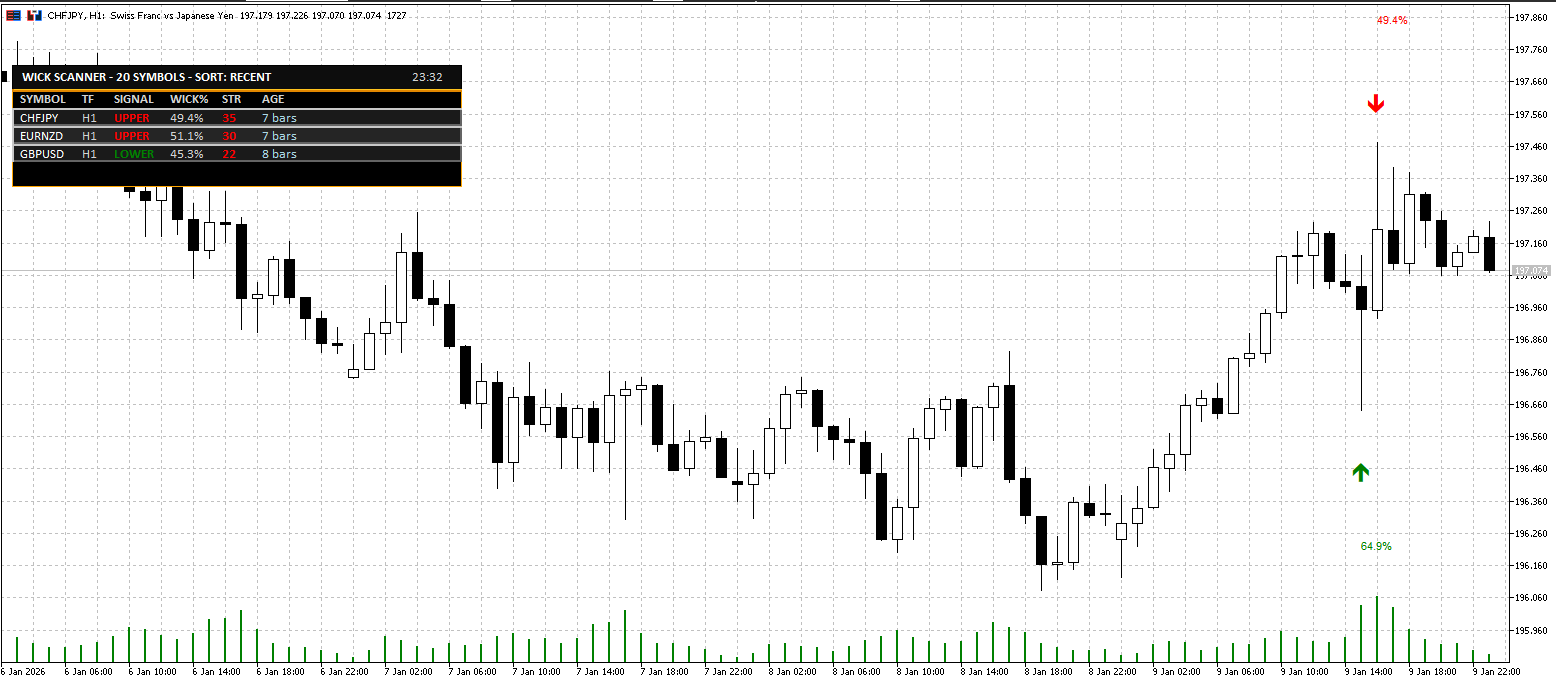
Overview
Wick Rejection Scanner Dashboard is a professional MT5 indicator that continuously scans multiple symbols and timeframes for wick-based rejection candles (upper or lower rejection) and presents the most relevant results in a clear, readable on-chart dashboard.
It is built for traders who use price action / rejection candles as a trigger, but want a faster way to monitor a watchlist without manually opening and checking dozens of charts. The tool acts like a “radar”: it finds recent rejection candles and ranks them using a strength score and context filter, helping you focus only on the most meaningful setups.
This is a scanner + visualizer. It does not place trades.
What the Indicator Detects
A signal is produced when a candle meets configurable rejection rules, including:
-
Dominant wick (upper or lower) as a percentage of the full candle range
-
Minimum candle range filter to avoid tiny/noisy candles
-
Minimum body size to avoid meaningless “needle” bars
-
Opposite wick cap to avoid “indecision” candles with large wicks on both sides
-
Optional ATR filter so signals occur only during sufficient volatility
-
Optional Trend Context score to penalize signals occurring in weak locations inside the recent range
The result is a set of rejection signals that is designed to be realistic, not overly sensitive.
Key Features
-
Multi-Symbol Scanner
-
Scan symbols from Market Watch or from a custom comma-separated list
-
Limit the number of scanned symbols for performance control
-
-
Multi-Timeframe Support
-
Scan the current chart timeframe or a fixed timeframe
-
Optional additional scans for M15 and H4
-
-
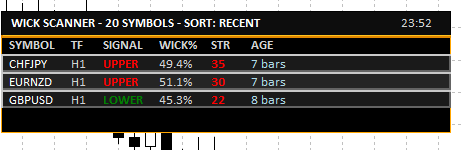
Professional Dashboard UI
-
Clean dark theme dashboard with consistent spacing and alignment
-
Displays: Symbol, Timeframe, Signal Type, Wick %, Strength, Age
-
Sorting modes: Most Recent / Highest Wick% / Highest Strength
-
Shows a compact signal age (bars ago or time for very recent signals)
-
-
Click-to-Switch Chart
-
Click a dashboard row to instantly switch the chart to that symbol + timeframe
-
-
On-Chart Markers (Optional)
-
Draw arrows on the chart for detected signals
-
Optional wick percentage labels
-
Maximum marker count for performance and readability
-
-
Alerts (Optional)
-
Popup / Push / Email alerts
-
Cooldown control to avoid repeated alerts for the same symbol/timeframe
-
Typical Use Cases
-
Watchlist scanning for rejection candles at important levels
-
Quick filtering before manual confirmation (S/R, trend structure, session timing, liquidity sweeps)
-
A dedicated “setup radar” on a secondary monitor
Notes and Best Practice
-
A wick rejection candle is a trigger, not a complete strategy.
-
For higher quality trade decisions, combine signals with:
-
Support/Resistance zones
-
Trend structure (HH/HL or LH/LL)
-
Higher timeframe bias
-
Session timing / volatility conditions
-
Inputs (What You Can Configure)
Detection Settings
-
Wick threshold (% of candle range)
-
Minimum candle range (points)
-
Minimum body percentage
-
Maximum opposite wick percentage
-
ATR-based validation (period + multiplier)
-
Trend context scoring (lookback + threshold)
Scanner Settings
-
Market Watch symbols or custom symbol list
-
Scan timeframe selection (or current chart timeframe)
-
Optional extra timeframes (M15 / H4)
-
Bars to check + refresh interval
-
Optional limit for maximum displayed signals
UI & Alerts
-
Dashboard position, offsets, row height, font size
-
Marker visibility, label visibility, max markers
-
Alert channels and cooldown
Summary
If you trade wick rejections and want a faster workflow, Wick Rejection Scanner Dashboard helps you:
-
scan more charts in less time,
-
reduce noise using practical filters, and
-
focus on the best candidates via strength scoring and sorting.
 Viral (1M+ views) 4 Hour Range Strategy coded and tested
This EA is intended to test a popular trading strategy. My own backtest shows that this strategy does not work as it was intended
 PropGuard MT5 Daily Loss and Max Drawdown Dead-Line Visualizer (Dashboard and Line)
A chart-based risk monitor for prop-firm style rules: draws a live “Dead-Line” price level showing where your Daily Loss Limit or Overall Max Drawdown would be violated, based on equity, open exposure, and optional trailing drawdown.
News Spread Risk Dashboard (Spike and Gap Monitor)
A compact on-chart dashboard that monitors live spread behavior, tracks rolling Min/Max/Avg, and warns on abnormal spread spikes (news, low liquidity, rollover) using adaptive or fixed thresholds with optional alerts.
The Playground Series v1 to V4 - A combination of trading concepts
The Playground EA series was created for experimentation with Fair Value Gaps (FVGs) and liquidity concepts